
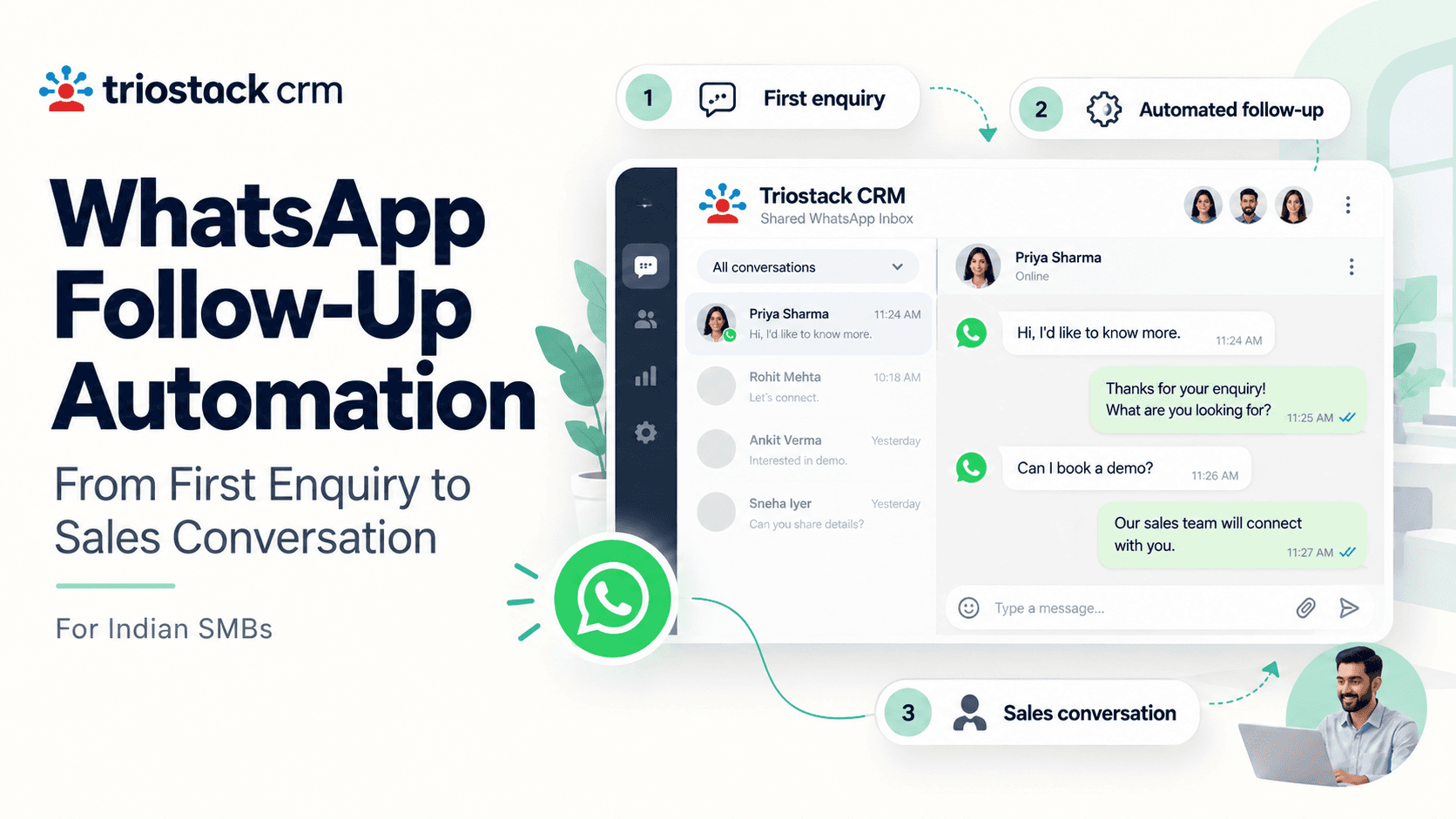
WhatsApp has become the frontline channel for customer conversations in India. For small and medium businesses, turning a first enquiry into a sales conversation often hinges on speed, relevance, and a seamless handoff to a human agent. With Triostack CRM, you can automate the path from initial message to a meaningful sales discussion by combining a shared WhatsApp inbox, ready-made templates, smart flows, and automatic lead assignment. This guide walks you through a practical approach you can implement today, with examples you can adapt to your products and markets.
Why WhatsApp follow-up matters for Indian SMBs
In many Indian markets, customers expect quick replies and convenient communication through their preferred apps. A fast, context-aware follow-up reduces drop-offs and keeps your conversation warm until a sales-friendly moment arises. By automating routine replies and follow-ups, your team can focus on the conversations that need a human touch, while still ensuring a consistent customer experience across inquiries.
Setting up a shared WhatsApp inbox and templates
Start with the essentials: a shared inbox that your team can access, a library of message templates, and flows that trigger actions based on a customer’s message. Triostack CRM brings these elements together, together with automation triggers and automatic lead assignment to keep the momentum going after every enquiry.
- Create a shared WhatsApp inbox that your sales and support teams monitor. Ensure every new enquiry is visible to the right owner without duplicating responses.
- Build a template library with responses for common intents such as product details, pricing, availability, store timings, and after-sales support. Templates save time and ensure consistency across agents.
- Design automation flows and triggers that react to a new enquiry, a reply, a link click, or a change in lead score. Flows can automatically send a welcome message, schedule follow-ups, or escalate to a human agent if needed.
- Enable automatic lead assignment so a new enquiry is promptly routed to an available sales rep or a specialized product consultant, reducing wait times and ensuring accountability.
- Incorporate AI call transcription and language support to capture and search client conversations in Hindi, Hinglish, or English, helping your team understand preferences and requirements even when customers switch languages mid-conversation.
Templates that save time
Effective templates address the most common enquiry intents. Here are example templates you might adapt:
- Greeting: “Hello {Name}, welcome to [Business]. How can we assist you with [Product/Service] today?”
- Pricing inquiry: “Our price for [Product] is [₹]. Would you like to know current offers or variants?”
- Product details: “Here are the key features of [Product], including [Feature list]. Do you want a quick demo?”
- Store timing and location: “We’re open from [time]. Our store is at [Address]. Would you like directions or to book an appointment?”
- Lead nurture: “Thanks for your interest. I’ll share a short summary and a next step. When is a good time to follow up?”
From enquiry to sales: a practical workflow
Running through a typical flow helps you see where automation adds value without replacing human judgment. The following scenario uses Triostack CRM capabilities to move a lead from the first message to a sales conversation.
First reply and welcome
When a new enquiry arrives, the flow assigns the lead automatically to a sales rep based on criteria like product interest and region. The system sends a welcome template within minutes, acknowledging the enquiry and outlining the next steps. The rep receives a notification and can review any attached message history or call notes before replying.
Nurture with timely follow-ups
The automation schedules follow-ups at sensible intervals (for example, 2–4 hours after the initial reply and then every 24 hours for a few days, adjusted to your business hours). If the customer replies, the flow adapts: a new template or escalation path can trigger to keep the conversation moving toward a sales conversation. You might also drop in a product brochure or a short video link from a template to provide value without overwhelming the customer.
Lead scoring and assignment
Lead scoring analyzes engagement signals—responses, link clicks, or requests for pricing—and updates the lead score in real time. High scores can trigger a route to senior sales staff or a live call. Automatic lead assignment ensures the right expert engages the customer, while the system logs the handoff and keeps everything synchronized for the team.
Move to a sales conversation
As soon as a lead reaches a threshold score or expresses clear intent, the flow prompts the assigned rep to initiate a sales conversation. If appropriate, a call can be scheduled, or a human agent can reach out via WhatsApp, using call features (SIM calling through the mobile app) when a live discussion is needed. All call logs and call recordings on compatible Android devices can be accessed later for review and coaching, and AI transcription can convert Hindi, Hinglish, and English into searchable text.
Practical tips to optimize results
- Align follow-up cadence with your sales cycle. Shorter cycles benefit from more frequent touches; longer cycles may require slower, value-driven touches.
- Use language that matches your audience. Templates in Hindi or Hinglish can speed responses and improve readability, while English templates work for certain segments.
- Keep messages concise and action-oriented. Always include a clear next step, such as “Would you like me to share a price list or set up a quick call?”
- Test different times for follow-ups. A/B testing can reveal when your audience is more responsive, without violating local norms or hours of operation.
- Review call logs and recordings to improve scripts and identify coaching needs. AI transcriptions help you search for keywords like “delivery,” “pricing,” or “demo.”
Analytics and measurement
Track key indicators to gauge the effectiveness of your WhatsApp follow-up automation. Useful metrics include average response time, percentage of enquiries progressing to a follow-up, lead score distribution, and the rate at which automated flows lead to a sales conversation. Use these insights to refine templates, adjust triggers, and fine-tune the timing of sends and escalations.
Frequently asked questions
How quickly should follow-ups be sent after an enquiry?
Responding within hours keeps the conversation warm and increases the likelihood of engagement. You can calibrate the cadence in your automation flows to balance speed with the need to provide relevant content in the first reply.
Can I customize templates for different product lines or campaigns?
Yes. Templates can be tailored for product categories, campaigns, or regional preferences. You can also reuse templates across teams with appropriate approvals to maintain consistency.
How does automatic lead assignment prevent duplicates?
The shared inbox and assignment rules ensure each new enquiry is assigned to a single owner based on your defined criteria. Activity is logged, and the system avoids sending conflicting messages from multiple agents.
Does AI call transcription support Hindi, Hinglish, and English?
Yes. AI call transcription can process Hindi, Hinglish, and English to help your team review conversations, extract insights, and improve follow-up messages and scripts.
Closing note and next steps
Automating WhatsApp follow-ups from the first enquiry to a sales conversation can help Indian SMBs move conversations forward with consistency and speed. By pairing a shared inbox, templates, flows, and automatic lead assignment with language-capable AI transcription and robust call-logging, your team can focus on meaningful engagements and better conversion chances. If you’d like to explore how Triostack CRM can tailor these capabilities to your business, contact Triostack CRM today.