The best Business Suite software in India, built to help your business grow. Contact us at +91-8882435276.
[ Contact ]
Phone number
Email address
Head office
Noida office
The right team at TriostackOne will get back to you.

Positioning Assessment
A partner meets a prospect, the prospect asks what Triostack CRM does, and a PDF from last year goes out. It is old, and it does not match what the sales team says.
The CSP sales toolkit is the shelf of approved material: product brochures, short product summaries, presentation decks and enquiry templates for WhatsApp and email. Use it so that what you share is current and consistent.
Materials change as the products do, so ask your partner manager for the current set. Your dashboard and the partner pages are the first place to look.
“I stopped searching old chats for a brochure. Everything I send now is current, and it looks the same each time.”
Sample team scenario
Illustrative example, not a customer testimonial

All Leads
Every lead with its source, status and owner
In the Product
Imagine opening the case and finding exactly what the customer needs to see.
Approved and up to date.
Templates ready to go.
Every partner says the same thing.
Platform Integrity
Per product
One-page explainers
For calls and visits
WhatsApp and email
At a Glance
Why approved material helps in a sale.
| Dimension | Triostack CRM | Ad Hoc Material |
|---|---|---|
| Accuracy | Current, approved content | Old files in old chats |
| Consistency | Same message every time | Each partner words it differently |
| Speed | Found in one place | Hunted for |
| Follow-up | Templates ready for enquiries | Written from scratch |
| Updates | Ask your partner manager for the latest | You may not know it changed |
Book a walkthrough and we will set up a sandbox with sample leads, a WhatsApp inbox and a pipeline, so you can try it before you commit.
Live Interface Tour
Real screens captured directly from the production Triostack CRM interface.
Sales Dashboard
Approved material for every customer conversation
Feature Breakdown
Captured directly from the production Triostack CRM interface.
Show the product itself.
On this screen: Leads, deals and follow-ups at a glance.
How it fits the plan
Prepare. Pick the brochure and summary for the product.
Present. Use the deck in the meeting or call.
Practical tip
Send the one-page summary before the meeting and the full deck during it. People read the short one.
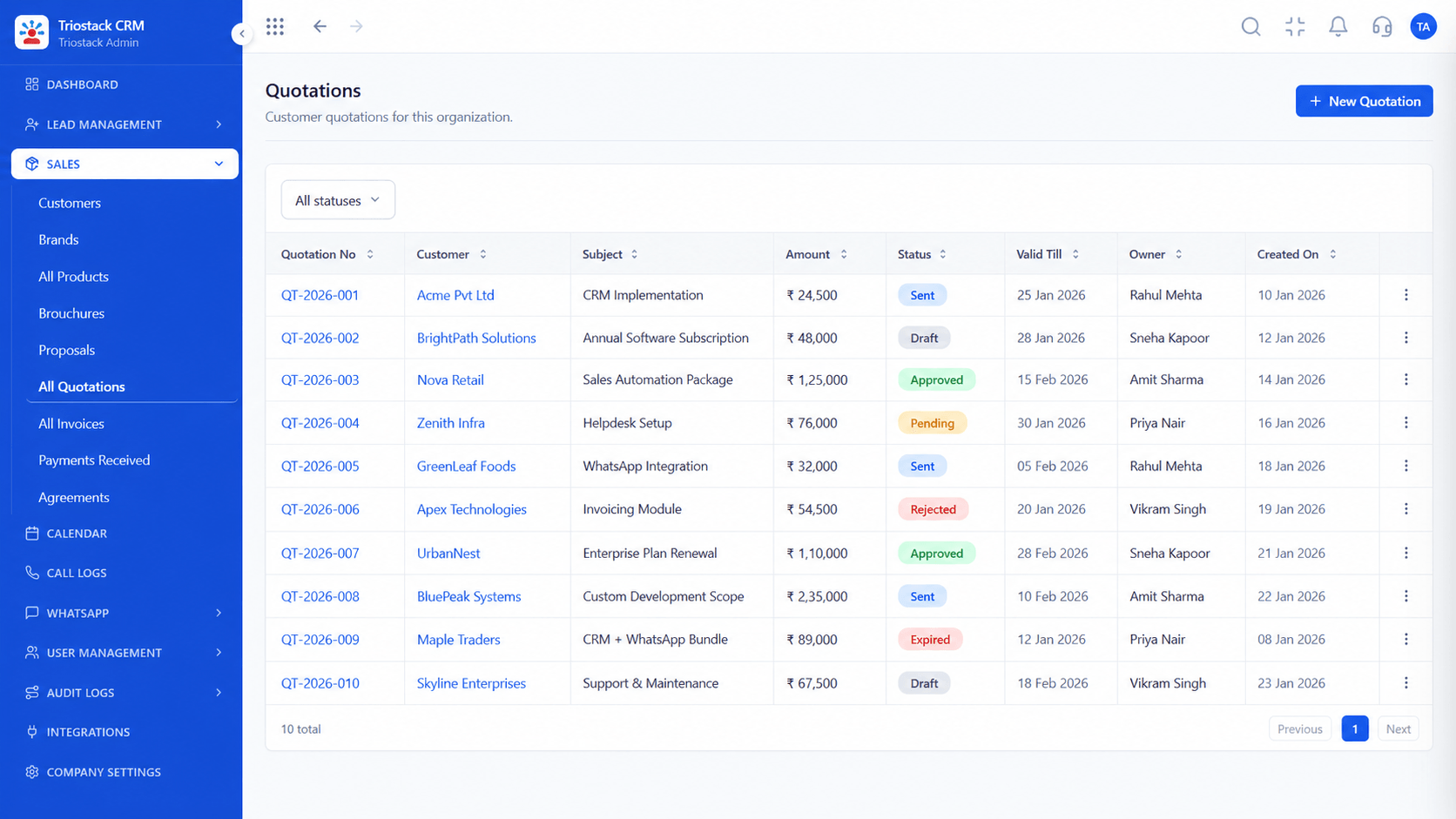
What customers receive.
On this screen: Itemised quotes with discounts and terms.
How it fits the plan
Present. Use the deck in the meeting or call.
Send. Share an enquiry template on WhatsApp or email.
In real life
Cold intro
A short summary opens the conversation.

Template-ready messaging.
On this screen: Trigger template messages on stage changes and form fills.
How it fits the plan
Send. Share an enquiry template on WhatsApp or email.
Register. Add the deal to your partner dashboard.
Watch out for
Forwarding last quarter's brochure because it was the first file you found.

Book the next meeting.
On this screen: Meetings and follow-ups on one calendar.
How it fits the plan
Register. Add the deal to your partner dashboard.
Prepare. Pick the brochure and summary for the product.
Before you start
Execution Plan
Pick the brochure and summary for the product.
Use the deck in the meeting or call.
Share an enquiry template on WhatsApp or email.
Add the deal to your partner dashboard.
Practical Guide
Before you start
A tip that helps
Send the one-page summary before the meeting and the full deck during it. People read the short one.
A common mistake
Forwarding last quarter's brochure because it was the first file you found.
Availability: Availability can depend on your plan and setup. Please confirm with our team which capabilities are live for your account, and any prerequisites, before you plan around this page.
In Real Life
Scenario 01
A short summary opens the conversation.
Scenario 02
A deck walks everyone through.
Scenario 03
A template keeps the thread alive.
Straight answers about CSP Sales Toolkit, from setup to what happens next.
Have a question about CSP Sales Toolkit?
Book a free callApproved brochures, product summaries, presentation materials and enquiry templates. Ask your partner manager for the current set.
Verified CSP partners.
Yes. The material is meant for customer conversations.
Your partner manager shares new material. Ask them for the latest.
Organize approved brochures, product summaries, presentation materials and enquiry templates for use in customer conversations.
It runs in 4 steps: Prepare, Present, Send and Register. Pick the brochure and summary for the product.
The real screens on this page include All Leads, Lead Pipeline, Lead Follow-Ups and Sales Dashboard, all captured from the product.
Request a demo or start a free trial. Our team can also walk you through a guided setup, so your first session ends with something working.
Keep Exploring
Unify Meta leads, WhatsApp conversations, Android SIM calls, and GST invoices without per-seat price taxes.


