The best Business Suite software in India, built to help your business grow. Contact us at +91-8882435276.
[ Contact ]
Phone number
Email address
Head office
Noida office
The right team at TriostackOne will get back to you.
Migrate employee details, attendance and leave history from Excel or Google Sheets into HRMS, with clean mapping and a pilot before you switch over.
Records that are complete, consistent and searchable
Positioning Assessment
Many companies begin with a sheet for employees, another for attendance and a third for leave. Over time the columns drift, the formulas break and nobody trusts the totals.
Moving to HRMS gives each of those a proper home. We help you audit the sheets, clean and map the columns, import a small pilot and then switch over once the numbers match.
“We found three versions of the same leave sheet. Cleaning that up before import was half the value.”
Sample team scenario
Illustrative example, not a customer testimonial
Illustrated Overview
Imagine scattered spreadsheets flowing through a funnel and coming out as consistent records in one place.
An audit lists every sheet and owner.
Fix duplicates and formats before import.
A pilot confirms the mapping.
Platform Integrity
Know what you have
Sheet fields to HRMS fields
Test before the real thing
Switch when numbers match
How It Works
What changes when HR data moves out of sheets and into one system.
| Dimension | Triostack HRMS | Spreadsheets |
|---|---|---|
| Employee Records | One directory with ID, department, designation | Several sheets with drifting columns |
| Attendance | Punches and regularization with a trail | Manual entry or pasted exports |
| Leave | Types, balances and approvals | Counted by hand |
| Access | Roles decide who sees what | Anyone with the file sees everything |
| History | Changes tracked in the system | Overwritten cells and lost versions |
Share your sheets and we will help map them into HRMS so you start with clean, complete records.
Live Interface Tour
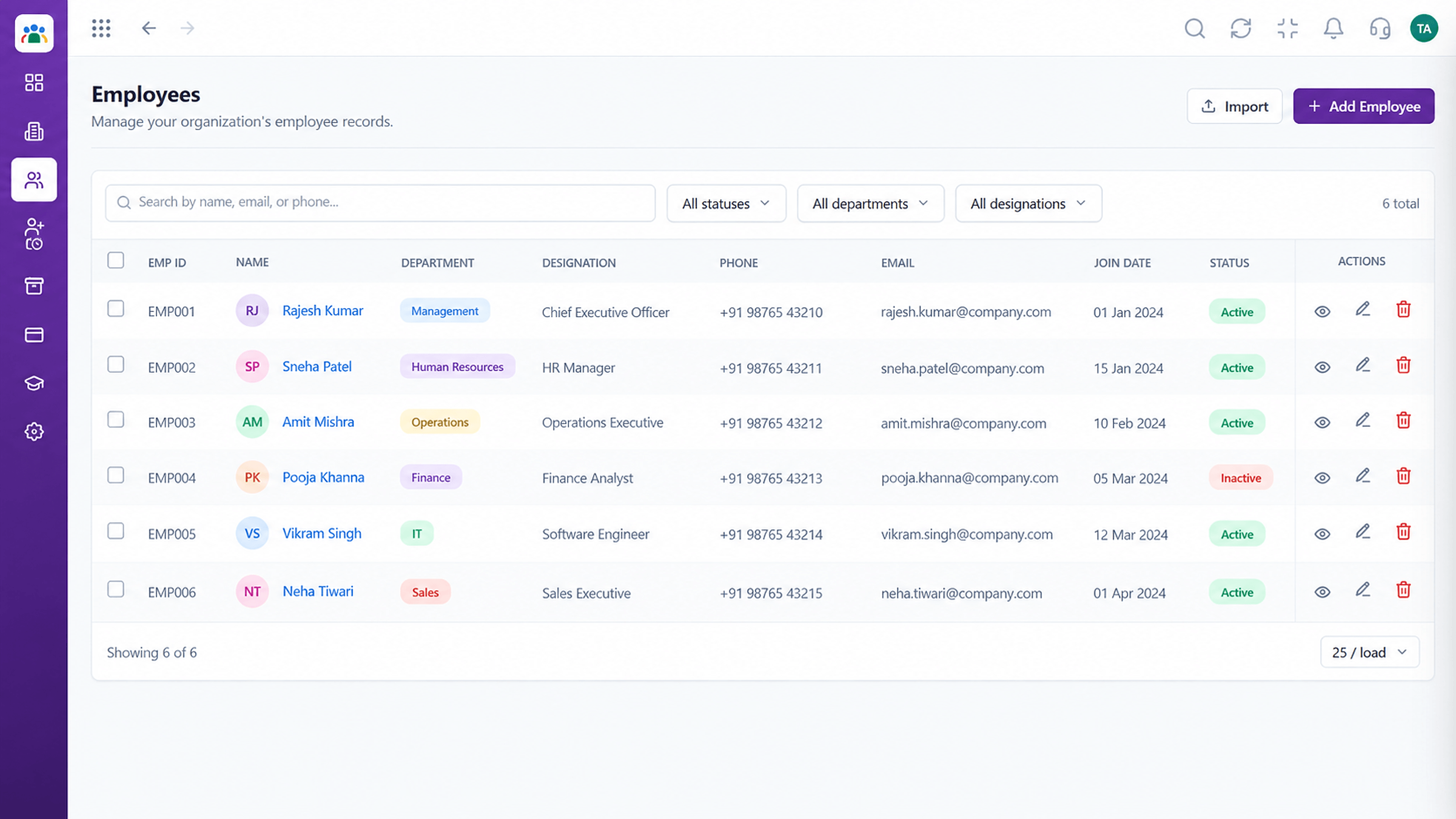
Real screens captured directly from the Triostack HRMS workspace.
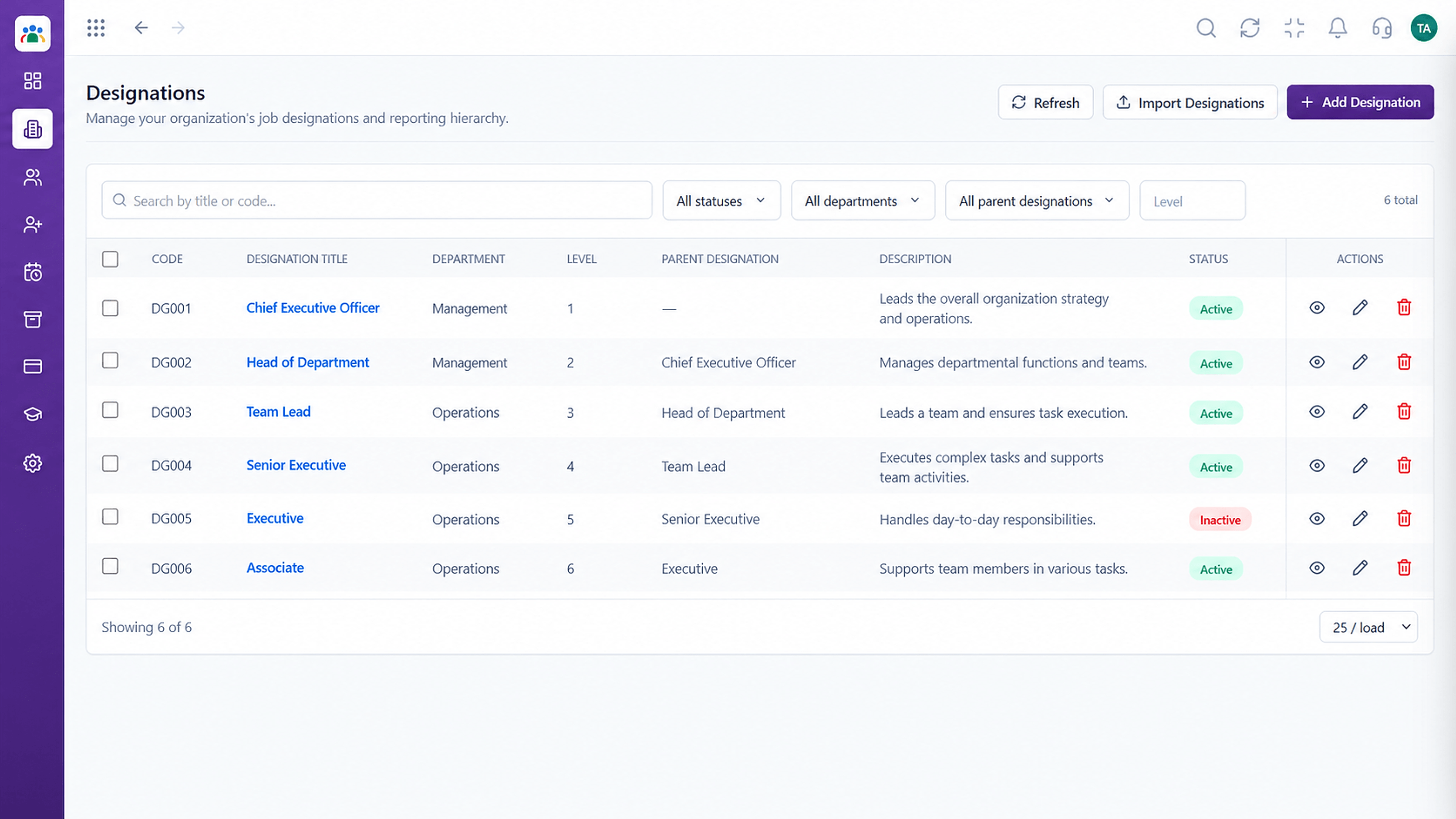 Organisation
Job titles and designations in one list
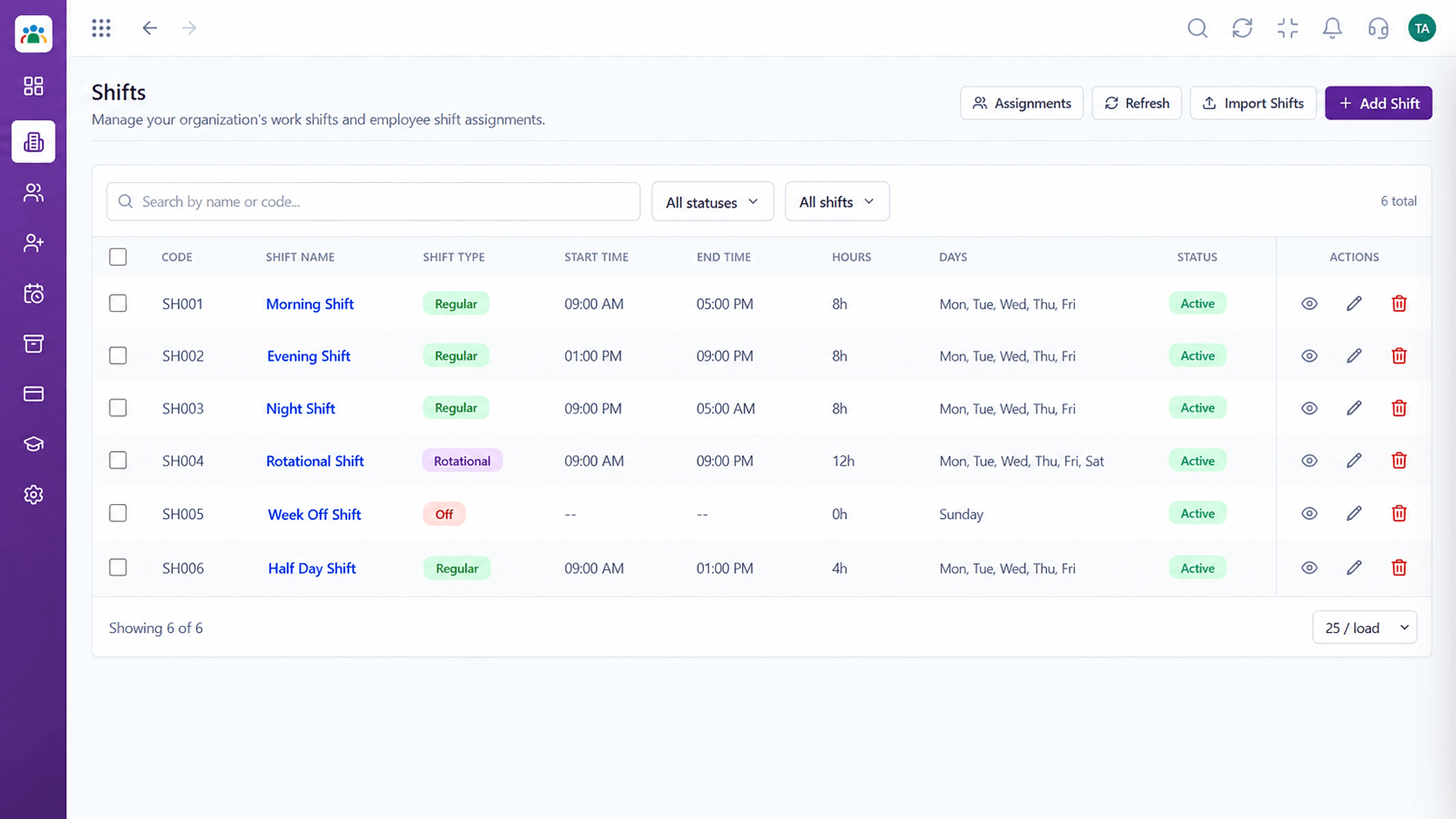 Time
TimeDefine shifts and assign them to teams
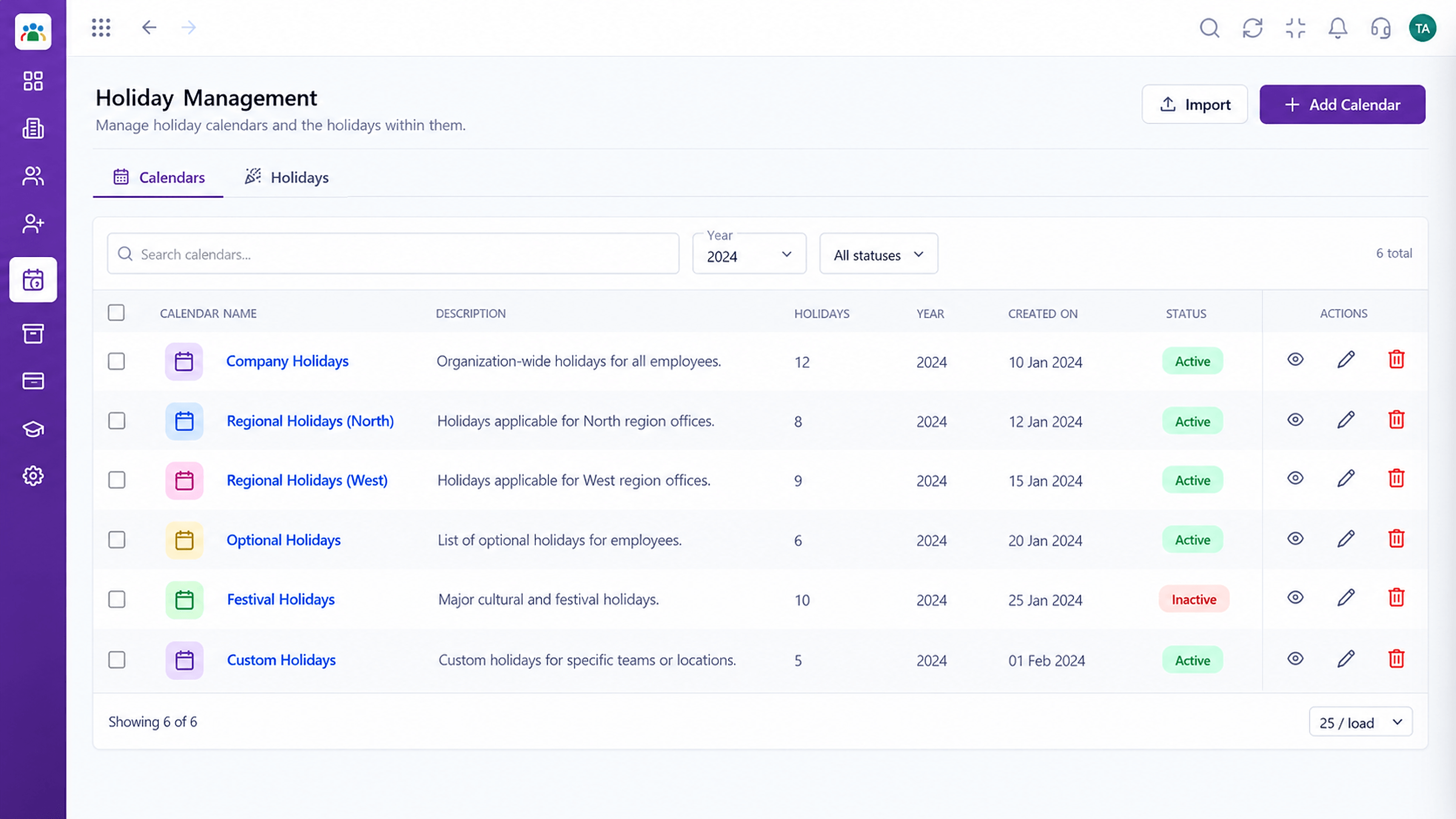 Time
TimeCompany holidays by year and location
Feature Breakdown
Captured from the Triostack HRMS workspace.
Help & ResourcesThe first import target.
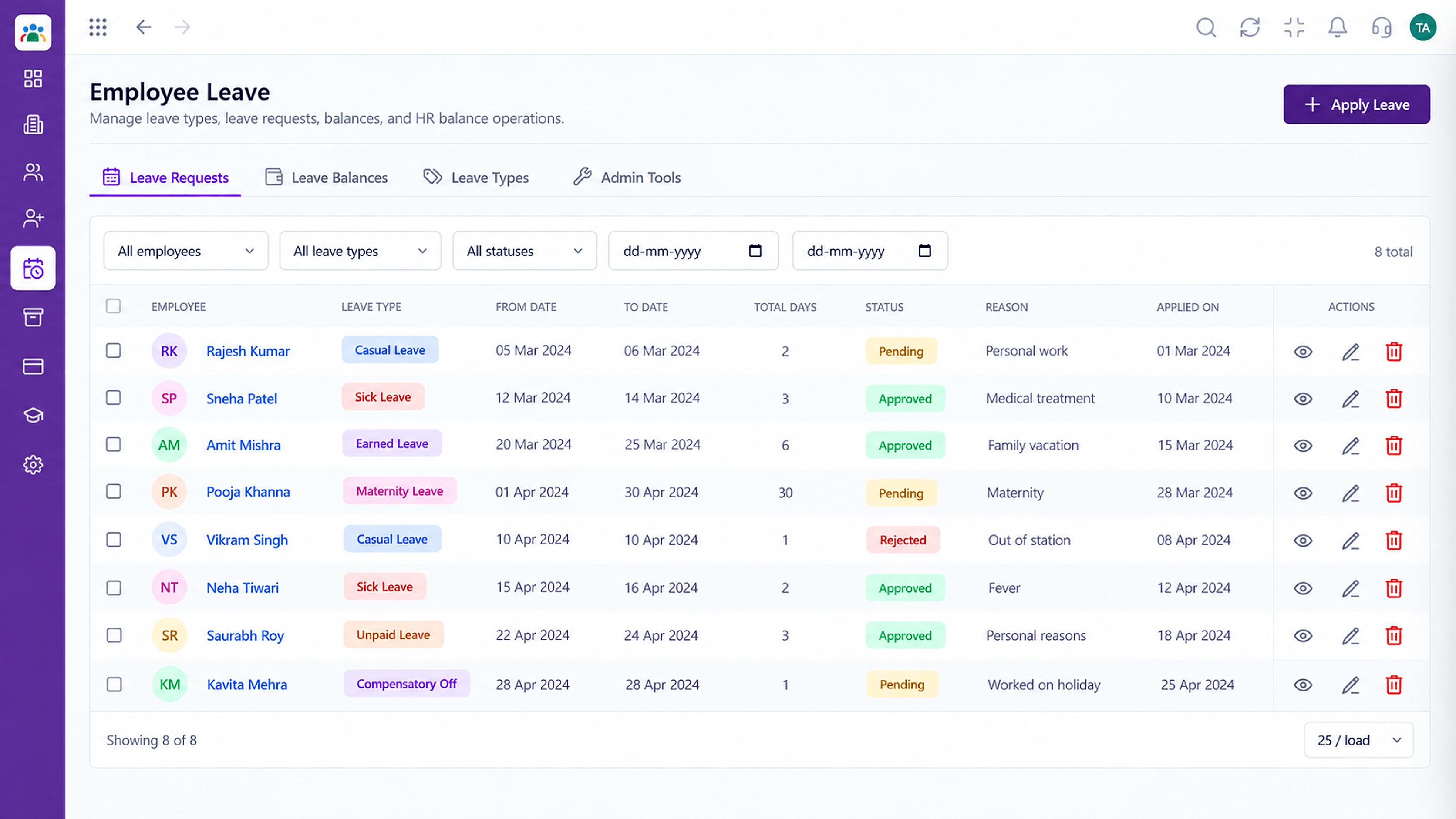 Help & Resources
Bring balances across.
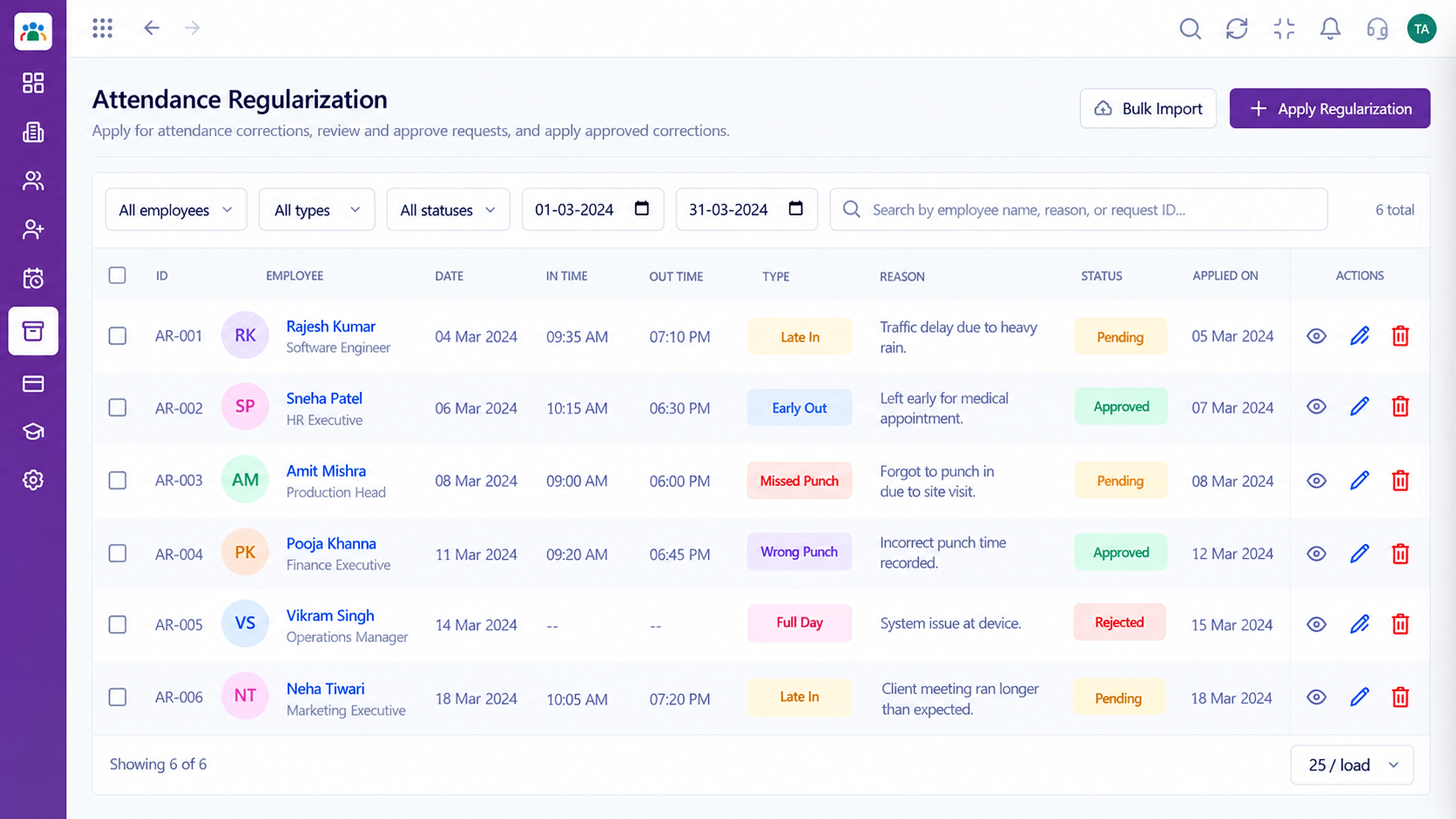 Help & Resources
Carry history forward.
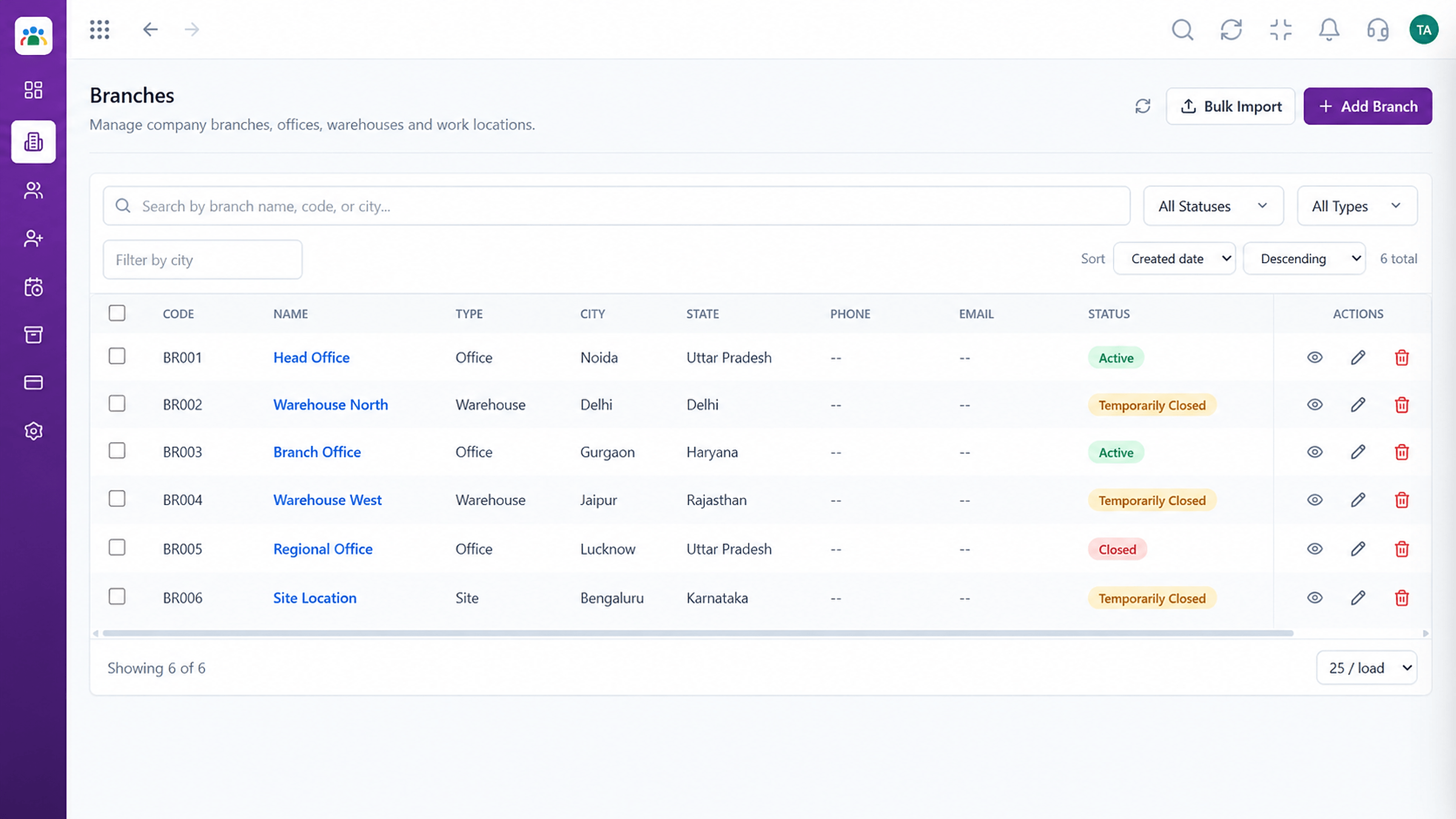 Help & Resources
Set up structure first.
Execution Plan
List every sheet, owner and what it tracks.
Fix duplicates, then map columns to HRMS fields.
Load a small group and check the numbers.
Import the rest and retire the sheets.
In Real Life
Scenario 01
The sheet stops coping at fifty employees.
Scenario 02
Records are consistent and easy to produce.
Scenario 03
They inherit a system, not a maze of files.
Frequently Asked Questions
Excel and Google Sheets exports are the usual starting point. Ask us about your format.
We help carry leave and attendance history across and check the totals before cut-over.
It depends on how clean the sheets are. A pilot gives a realistic estimate.
It helps, and we can guide you on what to fix before import.
Employee records, attendance, leave, shifts and approvals in one workspace, built for HR teams and the people they serve.
Explore All Help & Resources
