The best Business Suite software in India, built to help your business grow. Contact us at +91-8882435276.
[ Contact ]
Phone number
Email address
Head office
Noida office
The right team at TriostackOne will get back to you.
Give your team a shared board and timeline so tasks, owners and dates are visible to everyone, without endless status meetings.

The whole team sees the same plan
Positioning Assessment
Day-to-day teamwork breaks down quietly: a task is assumed to be someone else's, a date slips, and nobody notices until the meeting. Status updates then eat time that should go to the work.
Triostack Projects puts tasks on a shared board with a named owner and a due date, plus a team view of who is on the project. The plan is visible without anyone having to ask.
“We cut our weekly status meeting down to ten minutes because the board already tells the story.”
Sample team scenario
Illustrative example, not a customer testimonial
Illustrated Overview
Imagine a team room wall where each sticky note has a name and a date, and the whole room can see what moved today.
Ownership is never a guess.
Due dates sit with the task.
The board tells the story.
Platform Integrity
Tasks in clear stages
A name on every task
Dates everyone can see
Who is on the project
How It Works
What a shared plan replaces.
| Dimension | Triostack Projects | Status Meetings |
|---|---|---|
| Who Owns It | Named owner on each task | Assumed in conversation |
| Progress | Visible on the board | Reported in a meeting |
| Dates | Shown on tasks and timeline | Remembered |
| Changes | Visible to everyone at once | Told to whoever is present |
| Time Spent | Less time reporting | A weekly hour for updates |
Tell us about your team, clients and delivery rhythm and we will propose a setup that fits how you actually run work.
Live Interface Tour
Real screens captured directly from the Triostack Projects workspace.
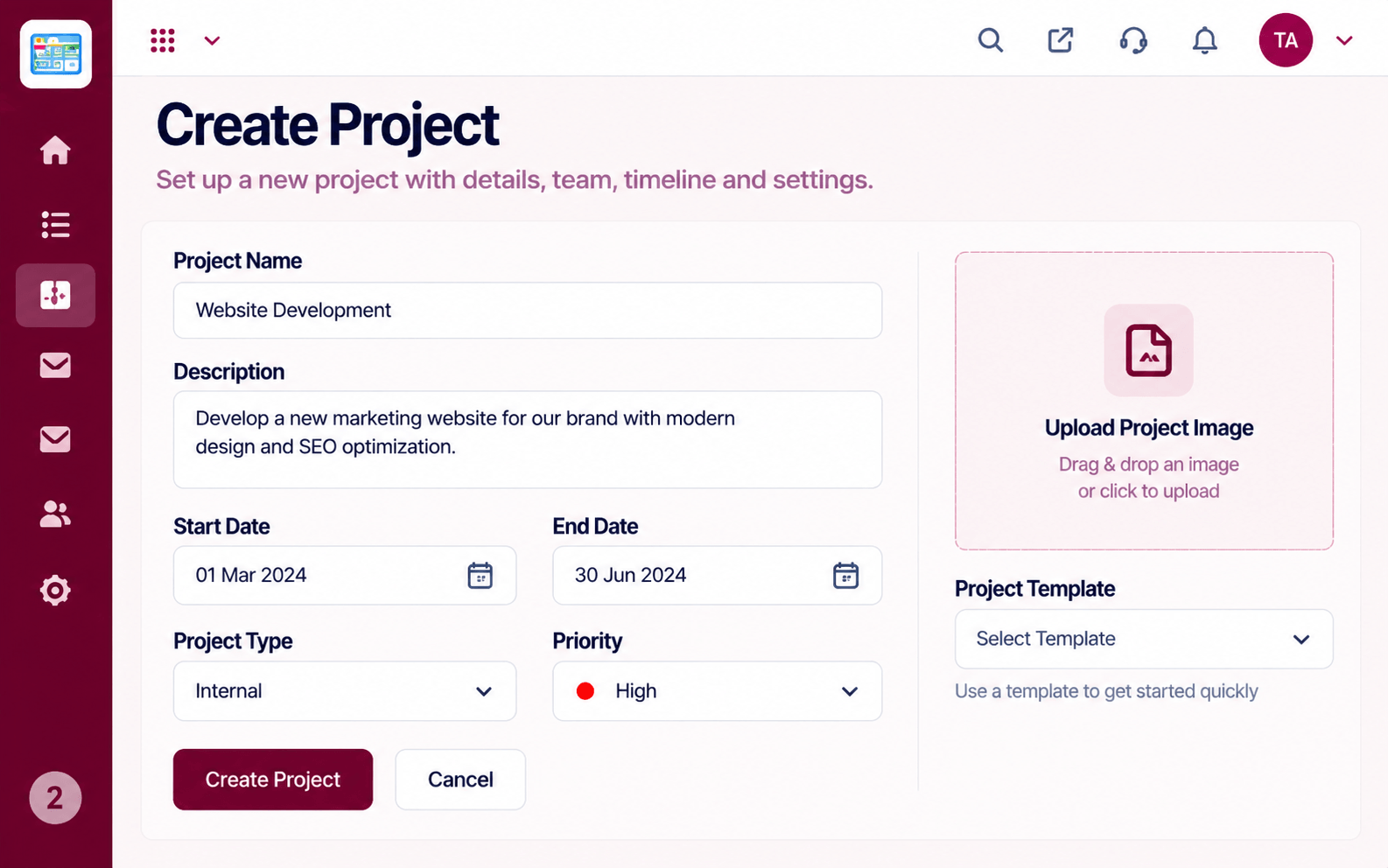 Projects
Set up a project with scope, dates and owners
 Resources
Who is overloaded and who has capacity
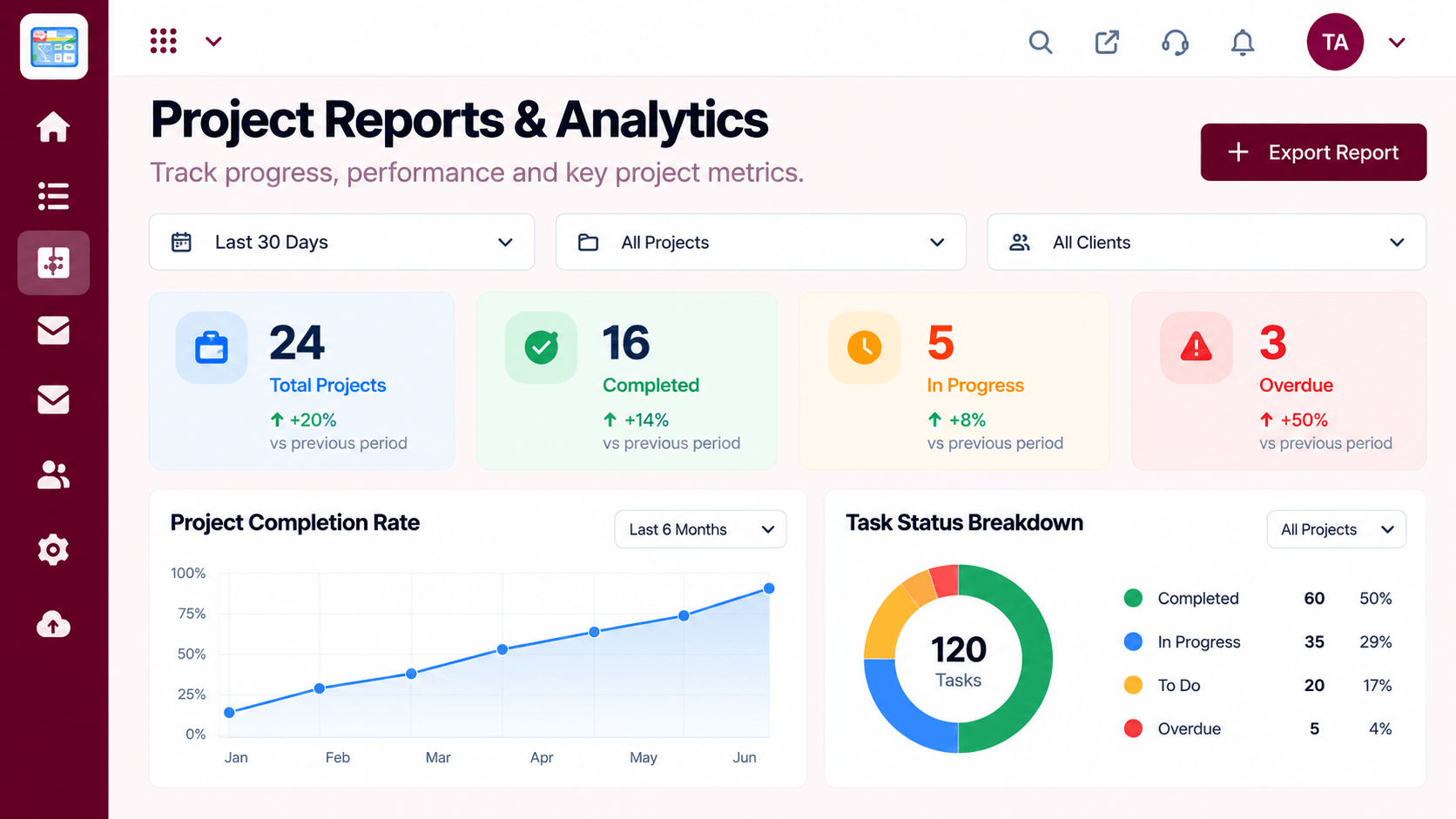 Reports
Progress, time and delivery insights
Feature Breakdown
Captured from the Triostack Projects workspace.
SolutionsThe team's shared plan.
 Solutions
Who is on the project.
 Solutions
Status at a glance.
 Solutions
See the road ahead.
Execution Plan
Add tasks with owners and dates.
Move tasks across the board.
Use the board instead of a long update.
Look at what finished and what slipped.
In Real Life
Scenario 01
The team plans from the board in a few minutes.
Scenario 02
A new teammate reads the board and knows what is going on.
Scenario 03
A late task is visible early and can be re-planned.
Frequently Asked Questions
No. A team of three can use a shared board just as well.
Visibility depends on project access settings. Ask us about your needs.
Yes, the workload view shows each person's load.
The board is easy to pick up. We can run a short guided setup.
Tasks, boards, timelines, workload and reports in one workspace, built for teams who deliver on time.
