The best Business Suite software in India, built to help your business grow. Contact us at +91-8882435276.
[ Contact ]
Phone number
Email address
Head office
Noida office
The right team at TriostackOne will get back to you.
HelpScout is loved for its email-style simplicity. Desk offers a similar inbox feel plus SLAs, automation and a customer portal when you need them.
Start simple, add depth when needed
Positioning Assessment
HelpScout is known for a clean, email-like experience suited to small and growing teams.
Desk starts simple with a shared inbox and adds depth: SLAs, assignment rules, a portal and reporting. Check each vendor's current plans before deciding. This comparison is general.
“We wanted the simplicity of an inbox with the option to add SLAs later, without changing tools.”
Sample team scenario
Illustrative example, not a customer testimonial
Illustrated Overview
Picture a neat desk that quietly adds drawers, a clock and a bookshelf as your team grows.
Inbox first.
SLAs, rules, portal.
Grow in place.
Platform Integrity
Easy for email-minded teams
SLAs and rules
Add when ready
We assist
Detailed Comparison
A general comparison. Verify current features and prices with each vendor.
| Dimension | Triostack Desk | Typical Simple Inbox Tool |
|---|---|---|
| Inbox Experience | Shared inbox with ownership | Clean shared inbox |
| Depth | SLAs, rules, portal, reports | Review current features |
| Scaling | Add capability as you grow | Check where limits appear |
| Suite Link | CRM, mail, WhatsApp | Via integrations |
| Pricing | Review our pricing page | Review the vendor's pricing |
We help bring over tickets, customers and knowledge articles, and plan the cut-over so support is never interrupted.
Live Interface Tour
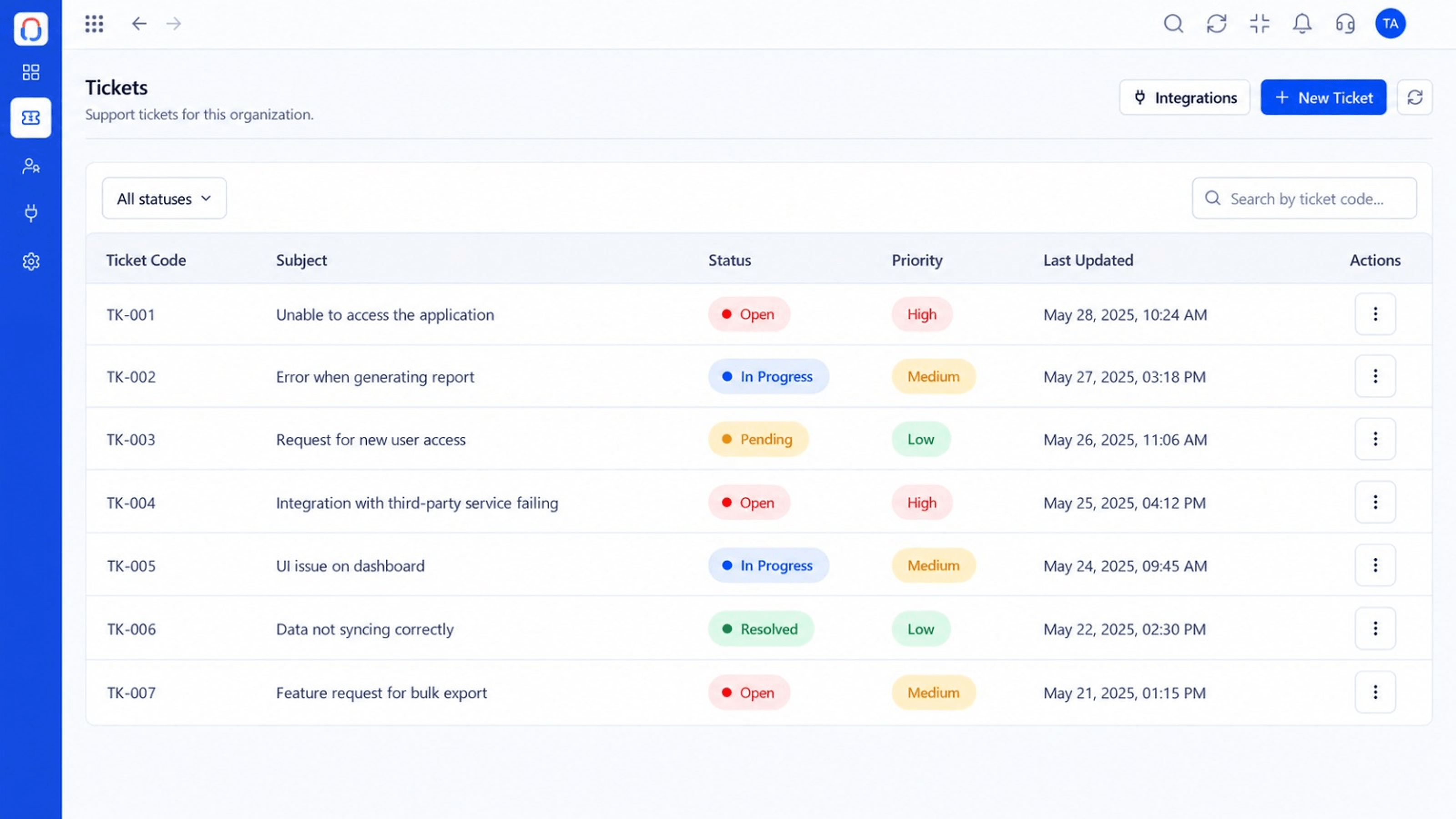
Real screens captured directly from the Triostack Desk workspace.
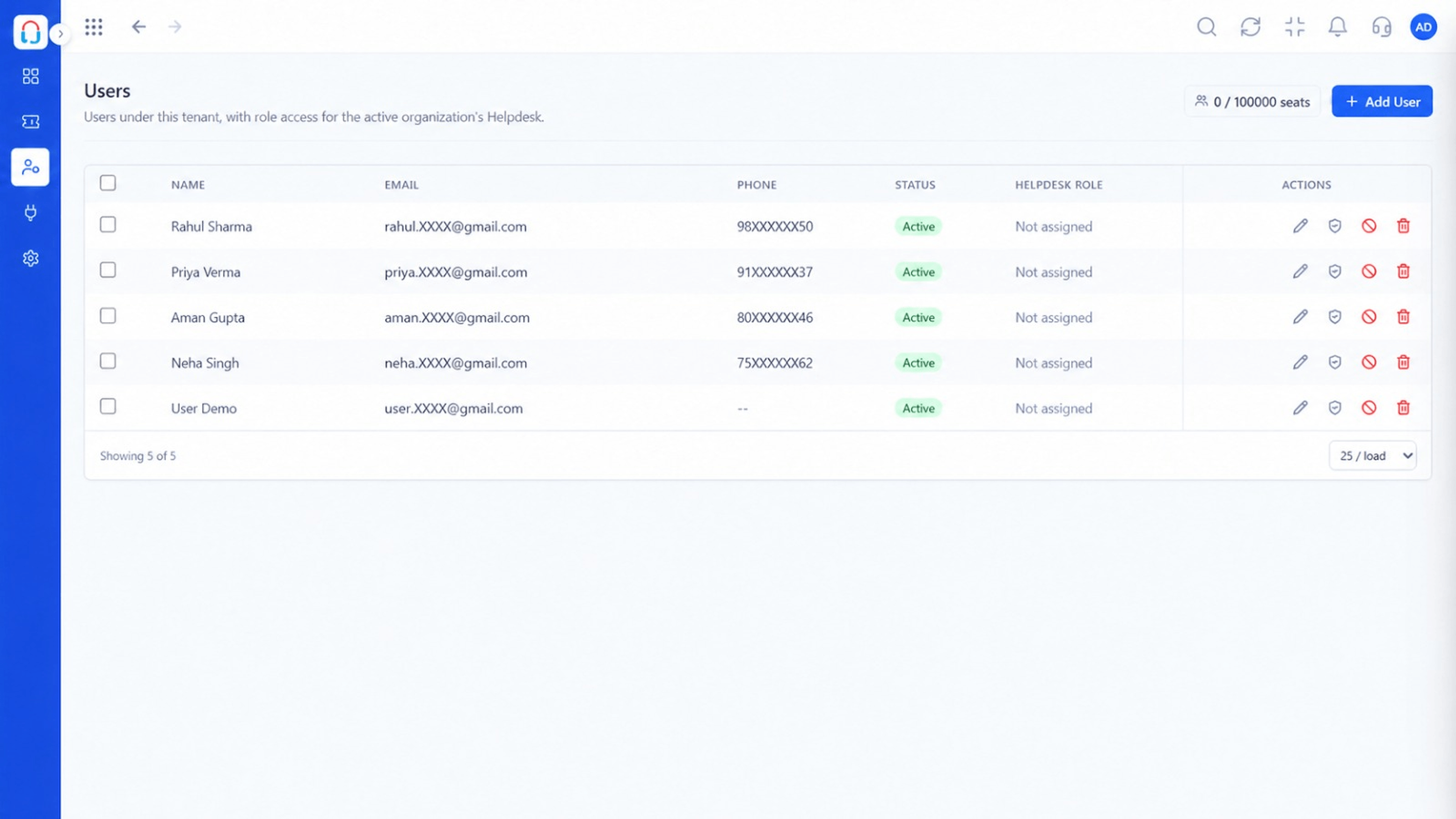 Team
TeamAgents, teams and roles in one place
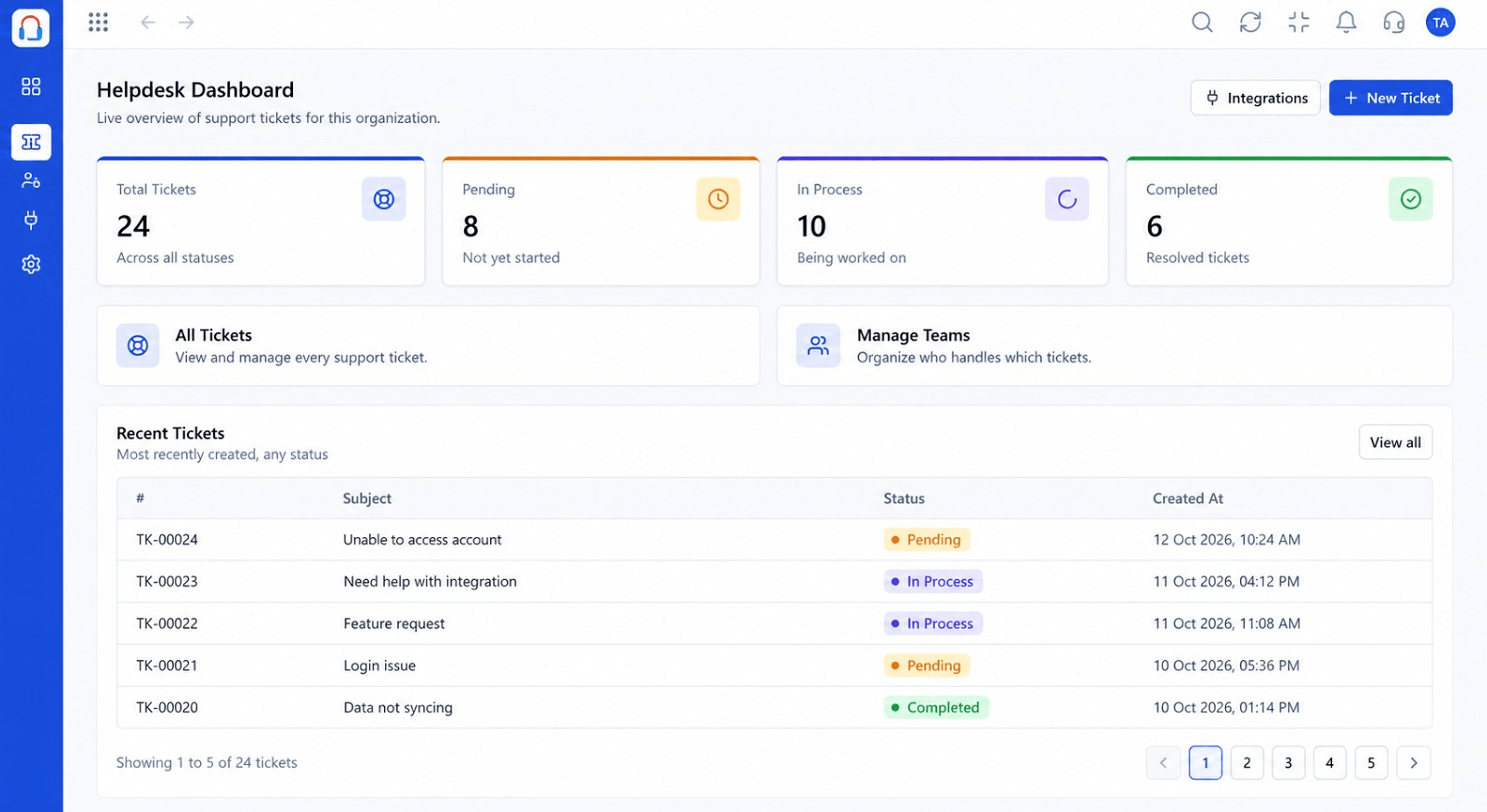 Dashboard
Live view of volume, backlog and response times
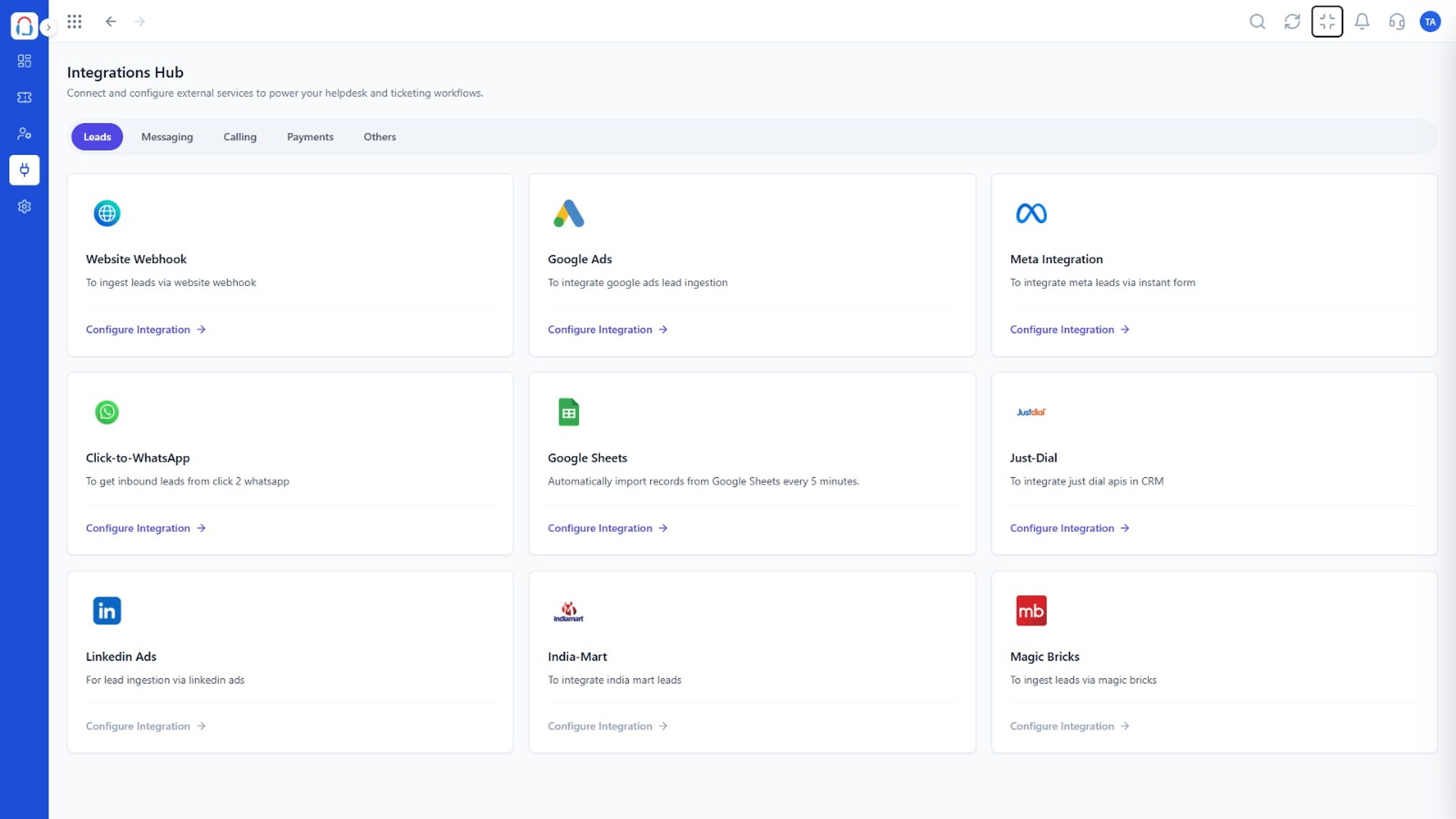 Integrations
Connect channels and tools to your helpdesk
Feature Breakdown
Captured from the Triostack Desk workspace.
CompareFamiliar and simple.
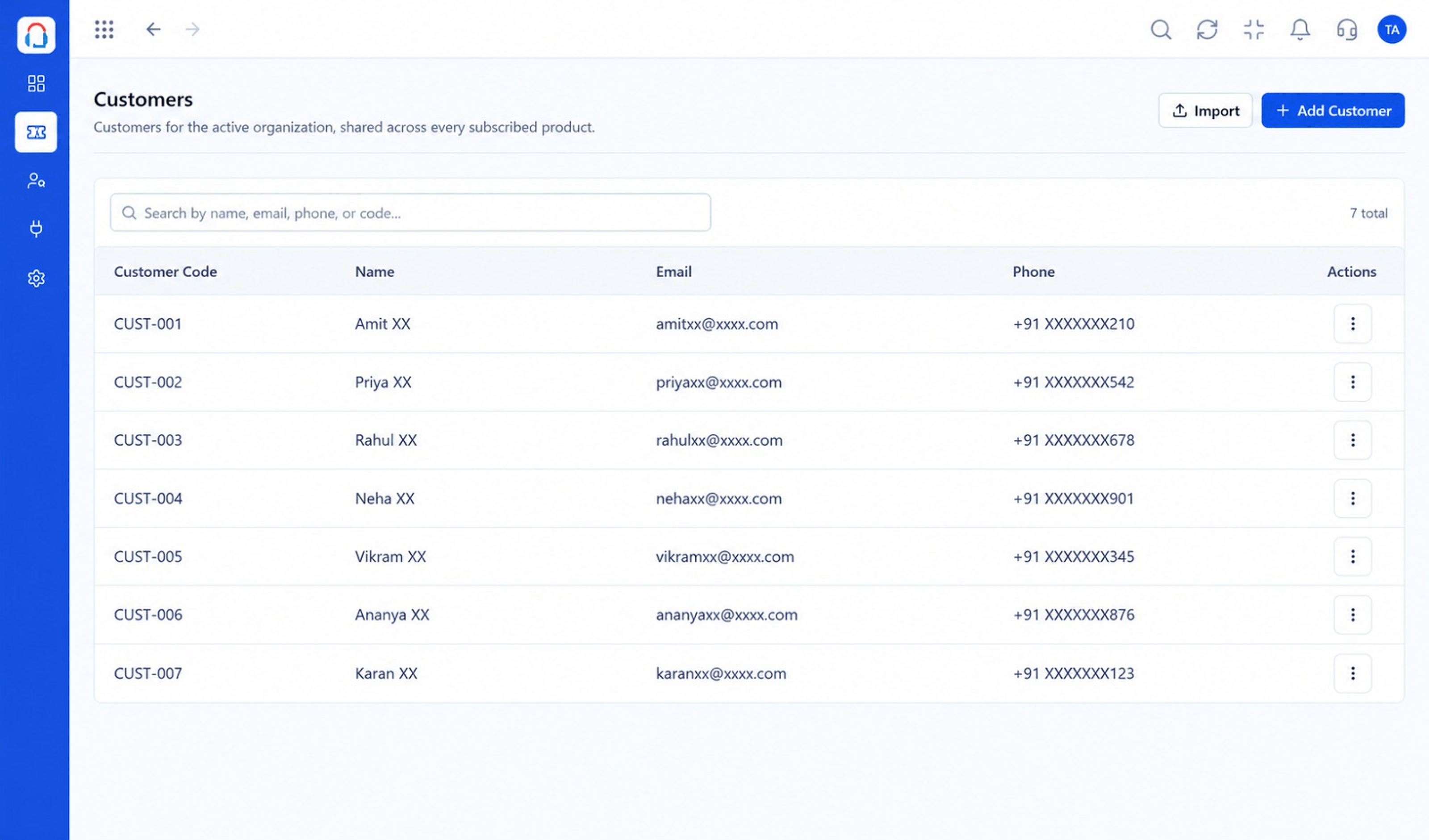 Compare
Context for each reply.
CompareBasic reporting to start.
CompareConnect as you grow.
Execution Plan
Move your support mailbox.
Automate triage.
Track response targets.
Open self-service.
In Real Life
Scenario 01
A shared inbox is enough at first.
Scenario 02
Rules and SLAs arrive as volume does.
Scenario 03
Added when customers ask for it.
Frequently Asked Questions
The shared inbox is straightforward, with extra depth available if you need it.
When you need SLAs, assignment rules, a portal or deeper reporting.
Yes.
Verify with each vendor.
Tickets, shared inbox, automation, SLAs, knowledge base and reports, built for support teams of every size.
