The best Business Suite software in India, built to help your business grow. Contact us at +91-8882435276.
[ Contact ]
Phone number
Email address
Head office
Noida office
The right team at TriostackOne will get back to you.
Both are WhatsApp Cloud API platforms. Choose on the details that matter to you: suite integration, pricing structure, flow design, and how well the tool connects to your CRM and invoicing.
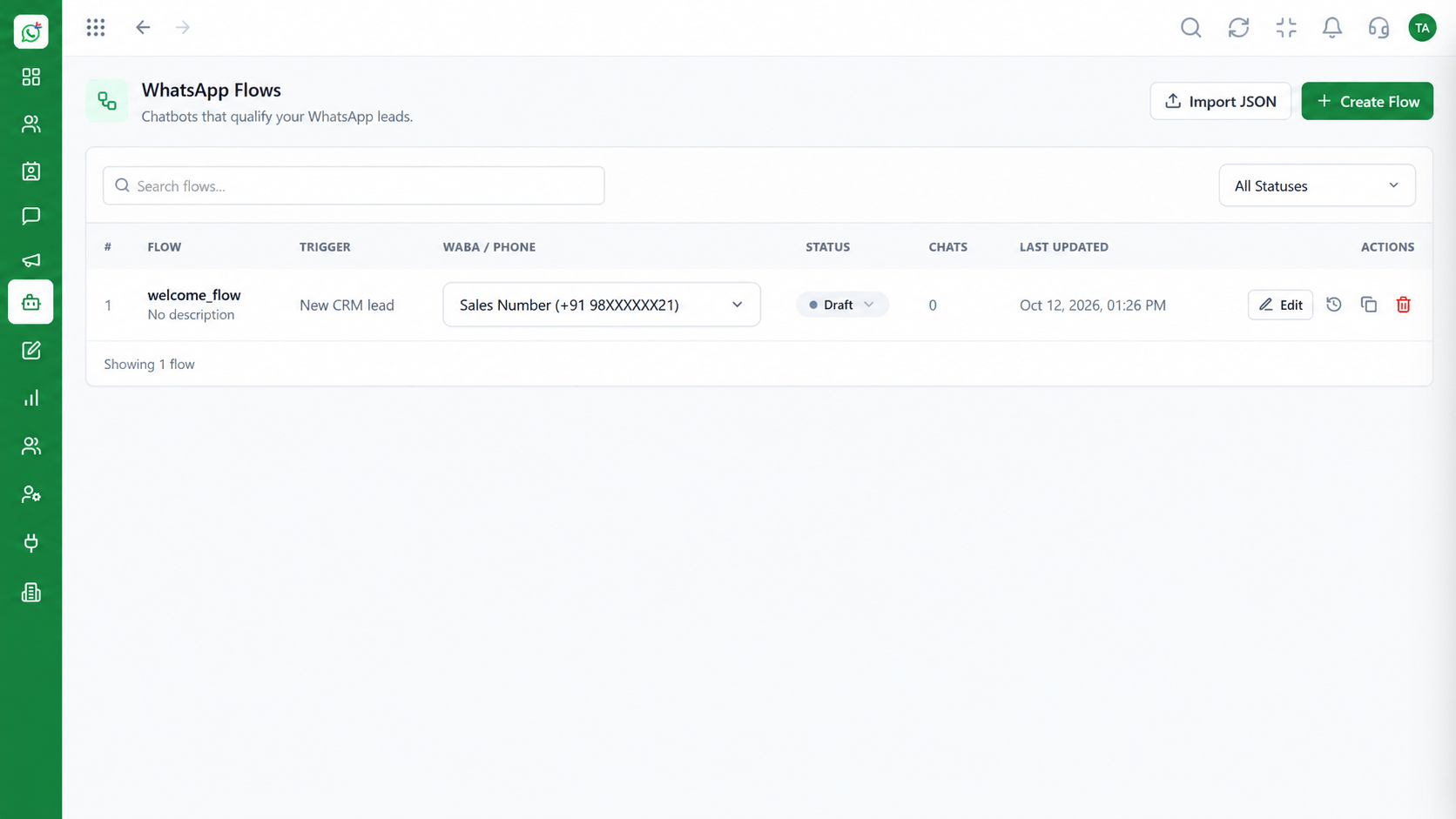
WhatsApp that connects to CRM, invoicing and support
Positioning Assessment
Wati and Wabiz both provide a shared inbox, broadcasts and automation on the WhatsApp Cloud API. The core messaging experience is comparable in category.
Wabiz is part of Triostack One, so a conversation can flow into the CRM, a quotation or an invoice without a separate integration project.
Review current plans and features on each vendor's website before deciding. We keep this comparison general to stay accurate.
“We compared inboxes and they were similar. The deciding factor was having leads and invoices in the same suite.”
Sample team scenario
Illustrative example, not a customer testimonial
Illustrated Overview
Both Wati and Wabiz are WhatsApp Cloud API platforms. The difference to weigh is how each connects to the rest of your business.
Inbox, broadcasts and flows are comparable in category.
Wabiz connects to Triostack CRM and billing.
Use a real scenario on each before you decide.
Platform Integrity
Both use the WhatsApp Cloud API
CRM and billing in the same family
Review plan details side by side
We support moving over
Detailed Comparison
A general comparison. Verify current features and prices with each vendor.
| Dimension | Triostack Wabiz | Typical WhatsApp-Only Platform |
|---|---|---|
| Core Messaging | Shared inbox, broadcasts, flows | Shared inbox, broadcasts, flows |
| Suite Integration | Connects to Triostack CRM and the Business Suite | Integrations through third-party connectors |
| Customer Record | Shared with the CRM | Separate contact database |
| Next Steps | Quote and invoice in the same suite | Handled in other tools |
| Pricing | Plan structure to review on our pricing page | Review the vendor's current pricing |
We help bring over contacts, templates and flows, and plan the cut-over so conversations are not interrupted.
Live Interface Tour
Real screens captured directly from the Triostack Wabiz workspace.
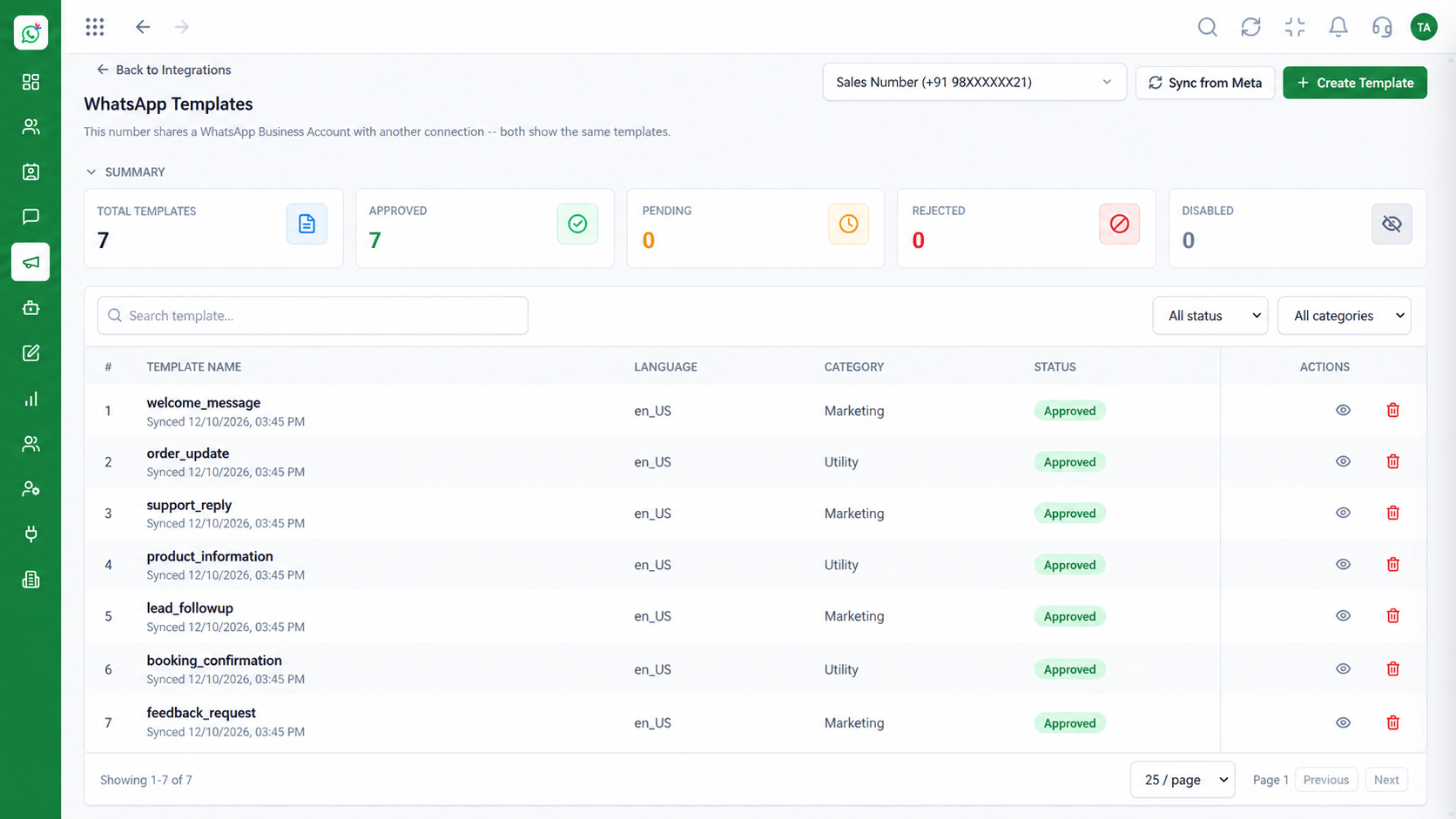 Templates
Manage approved WhatsApp templates
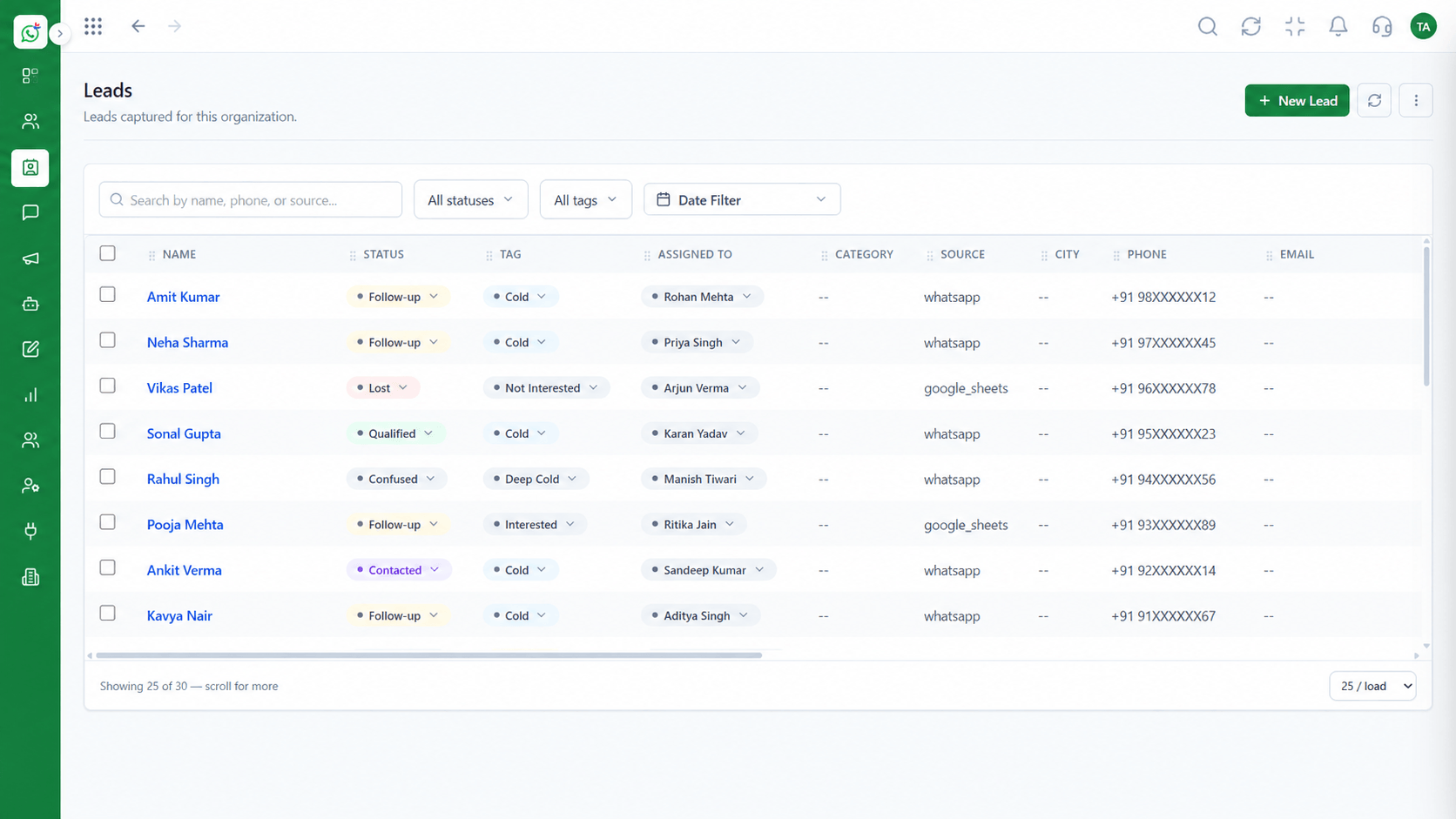 Leads
LeadsCapture and qualify leads from conversations
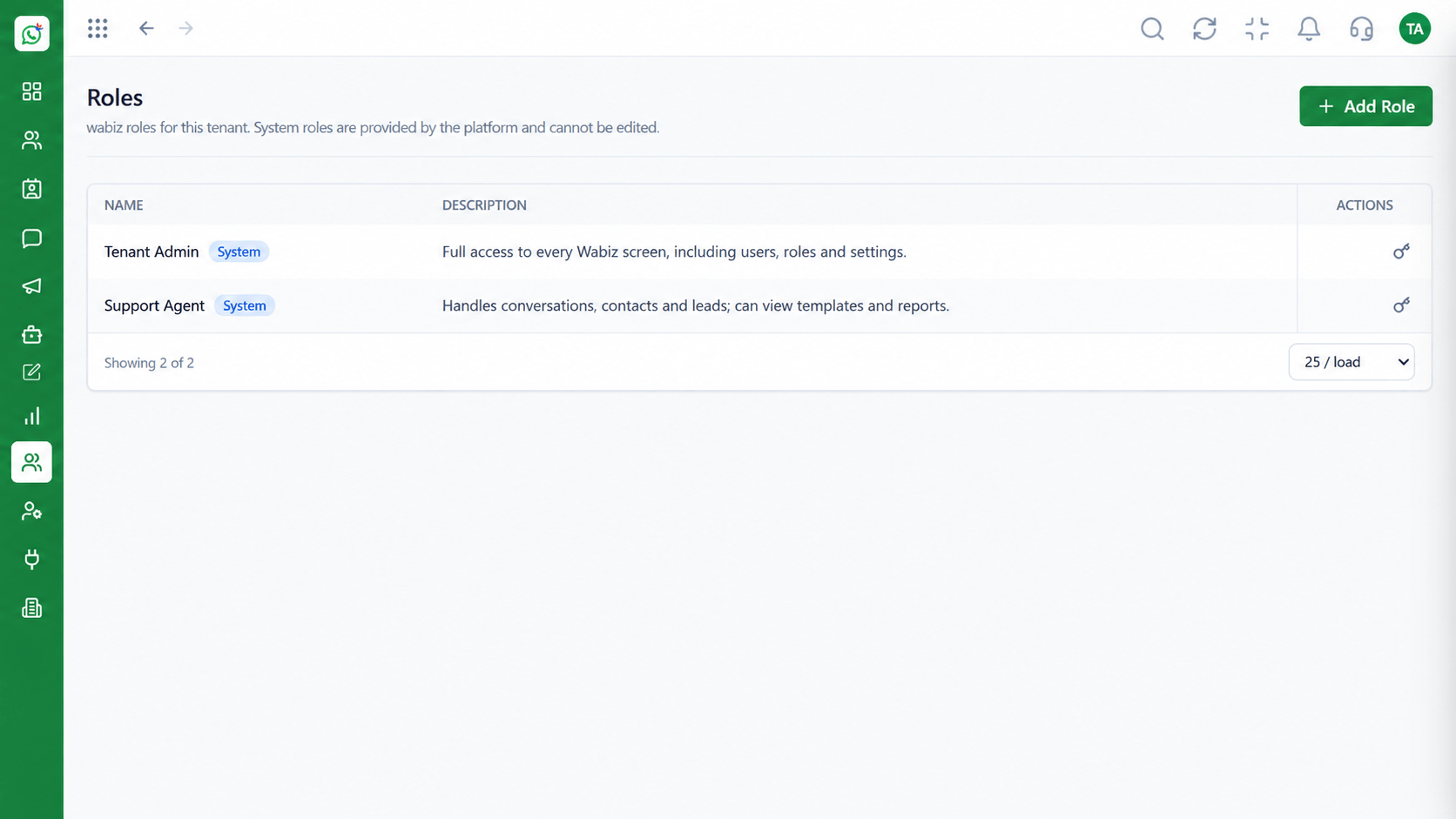 Access
Control who can see and do what
Feature Breakdown
Captured from the Triostack Wabiz workspace.
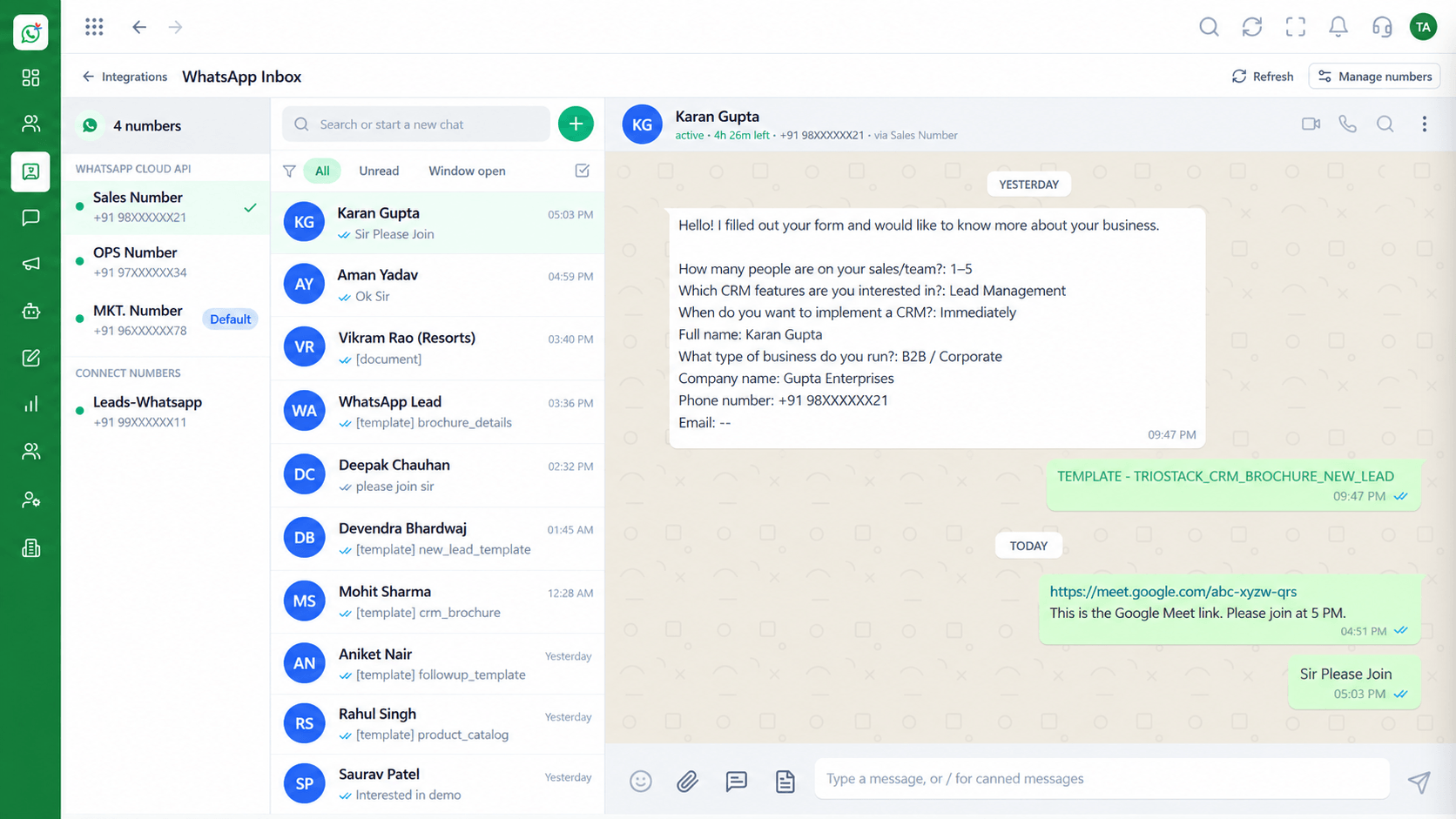 Compare
Team conversations on one number.
CompareDesign guided journeys.
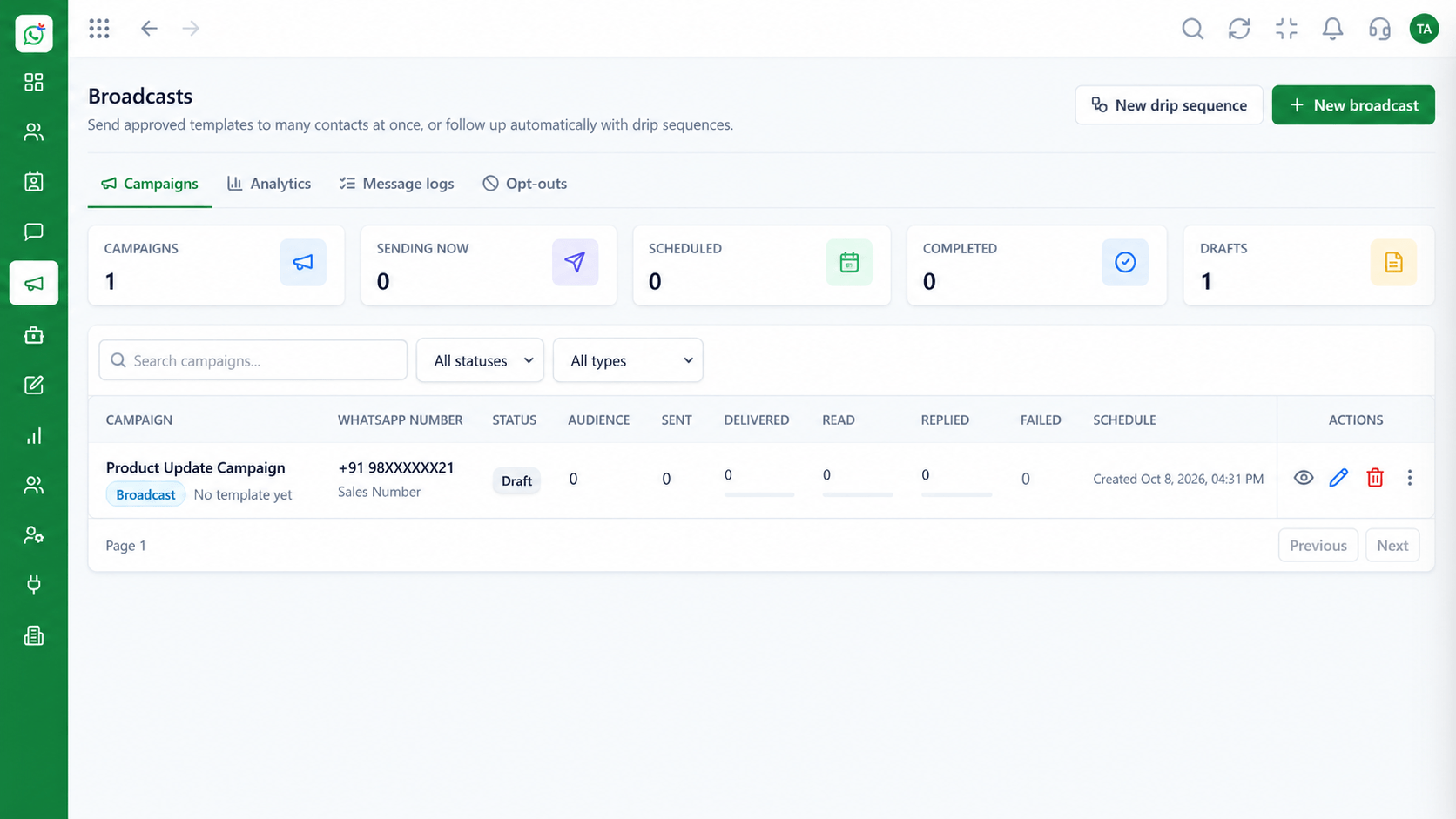 Compare
Template sends to segments.
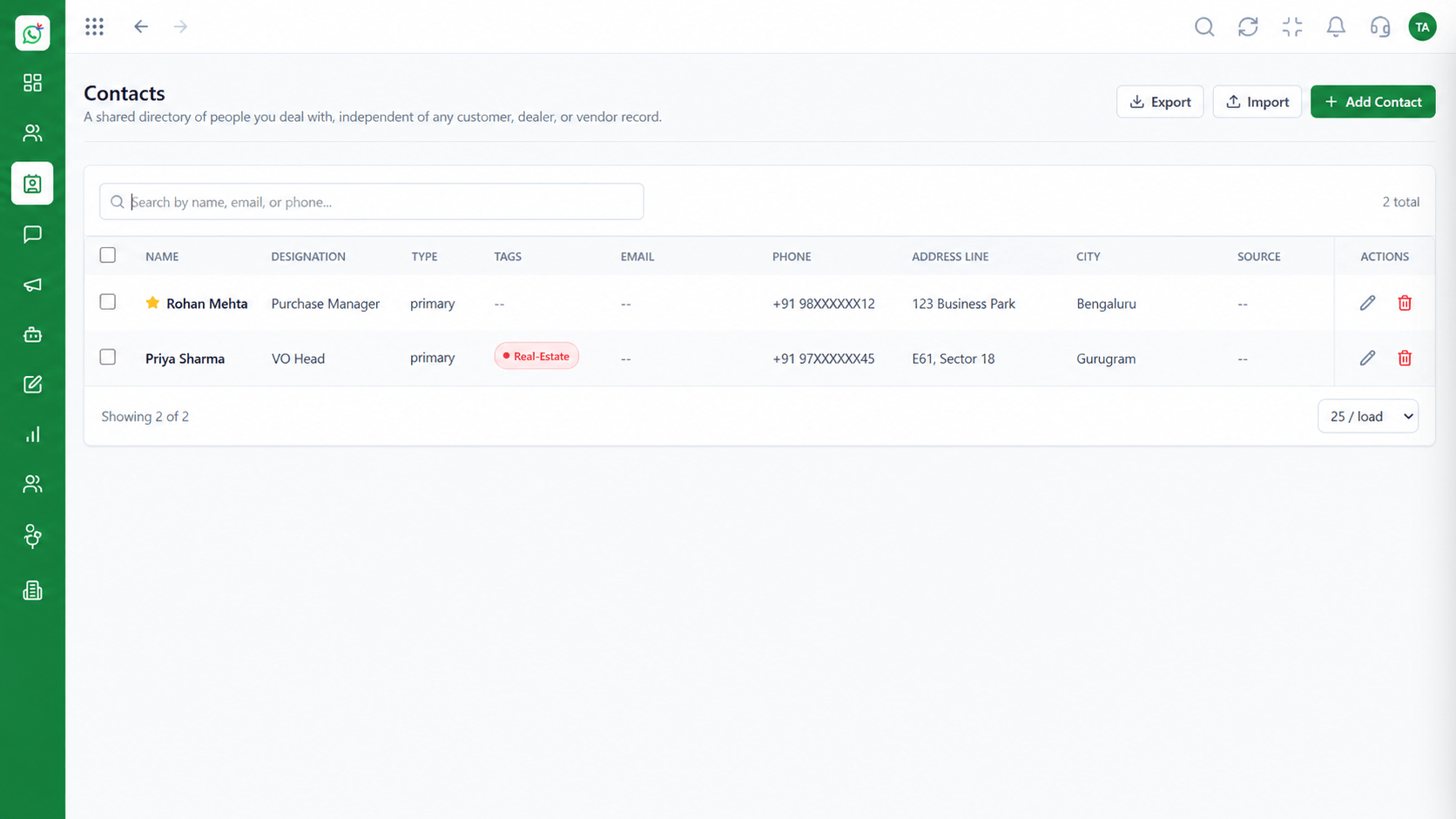 Compare
A record you can build on.
Execution Plan
Write down your must-have features.
Use real scenarios on each platform.
Map contacts, templates and flows.
Move with a short parallel run.
In Real Life
Scenario 01
From first message to invoice, run it on both.
Scenario 02
Ask agents which tool they would rather use all day.
Scenario 03
Include add-ons, connectors and per-conversation charges.
Frequently Asked Questions
It depends on your needs. We recommend trialling both with your real workflows.
Templates are approved by Meta; we help you recreate and resubmit them as needed.
Yes, via import.
Yes. Ask our team.
Verify features and pricing on each vendor's site, as they change.
Shared inbox, broadcasts, chatbot flows and templates on the WhatsApp Cloud API, built for teams.
