The best Business Suite software in India, built to help your business grow. Contact us at +91-8882435276.
[ Contact ]
Phone number
Email address
Head office
Noida office
The right team at TriostackOne will get back to you.
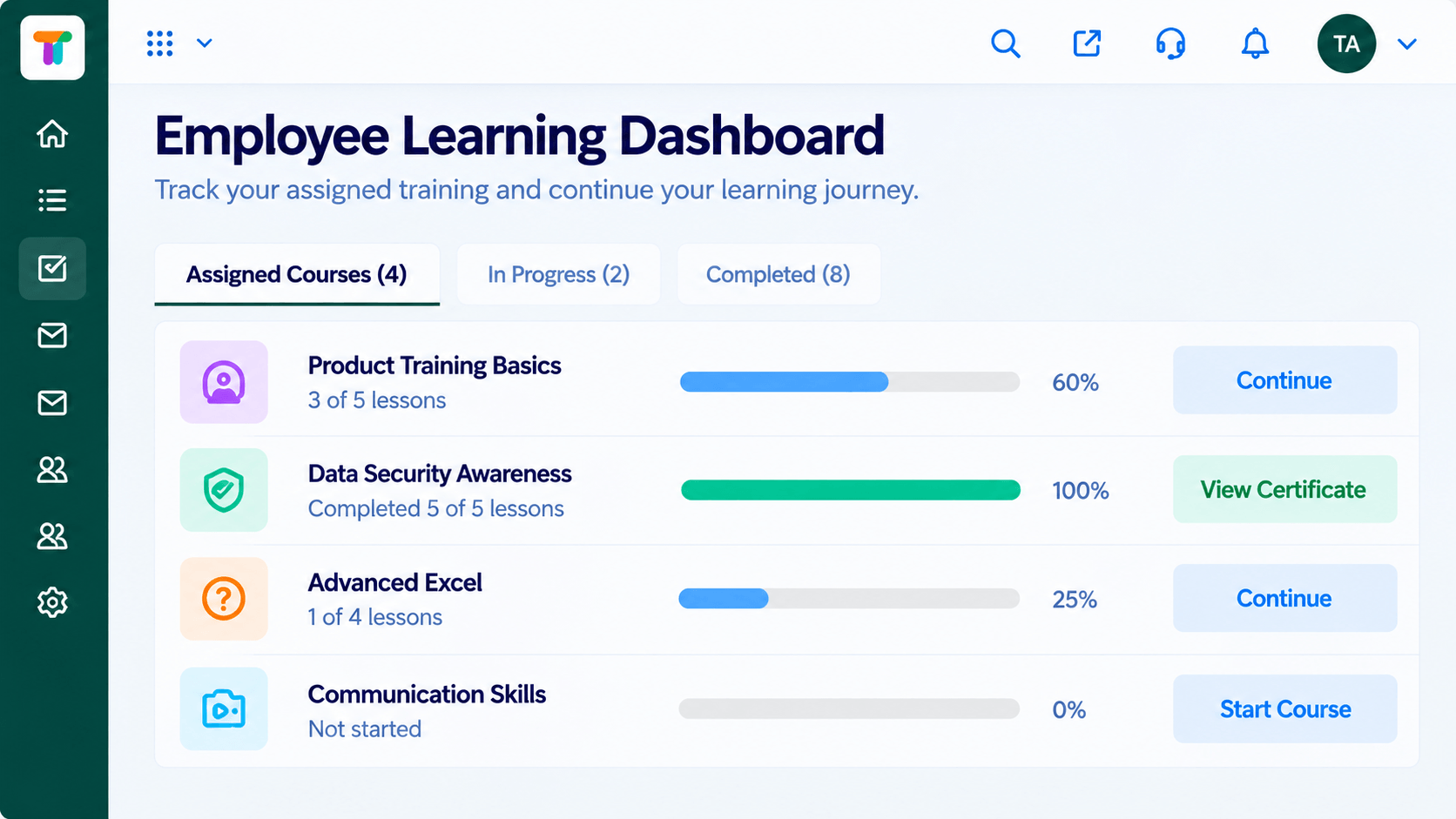
Give every learner a single place to see assigned courses, progress, deadlines and certificates, so they always know what to do next.
Positioning Assessment
When assignments arrive by email and links get buried, learners miss deadlines and ask trainers the same questions over and over. Training teams become reminder machines.
The learner dashboard shows what is assigned, what is in progress, what is due and what is complete. Learners resume where they stopped, and trainers spend their time on teaching instead of chasing.
“People open one page and see what they owe, what is due and what they have already finished. The reminder emails nearly stopped.”
Sample team scenario
Illustrative example, not a customer testimonial
Illustrated Overview
Imagine a single page where every course is a card with a ring that slowly fills as the learner moves forward.
Assigned, in progress and done on one page.
Deadlines and paths point the way.
Rings and badges reward steady effort.
Platform Integrity
Assigned and in progress
See how far along each course is
Know what is due and when
Certificates in one place
How It Works
What changes when learners have a home page.
| Dimension | Triostack LMS | Email Links |
|---|---|---|
| Finding Courses | All on one dashboard | Buried in old emails |
| Progress | Visible per course | Unknown to the learner |
| Deadlines | Shown clearly | Remembered or missed |
| Resuming | Pick up where they left off | Start again |
| Trainer Effort | Fewer reminders to send | Constant chasing |
Book a walkthrough and we will set up a sandbox with a sample course so you can try the learner and admin experience before you commit.
Live Interface Tour
Real screens captured directly from the Triostack LMS workspace.
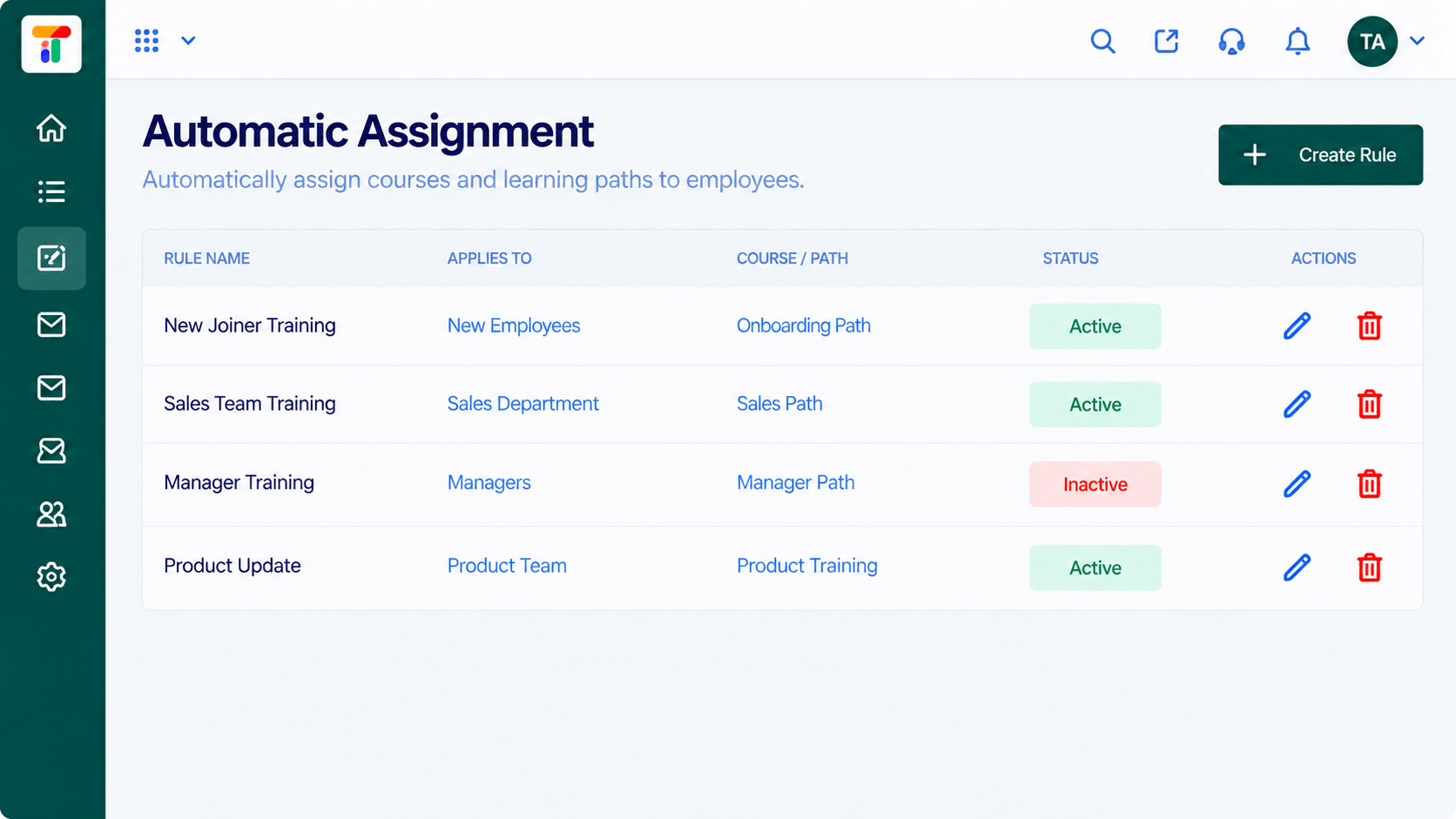
AutomationCourses assigned to the right people by rule
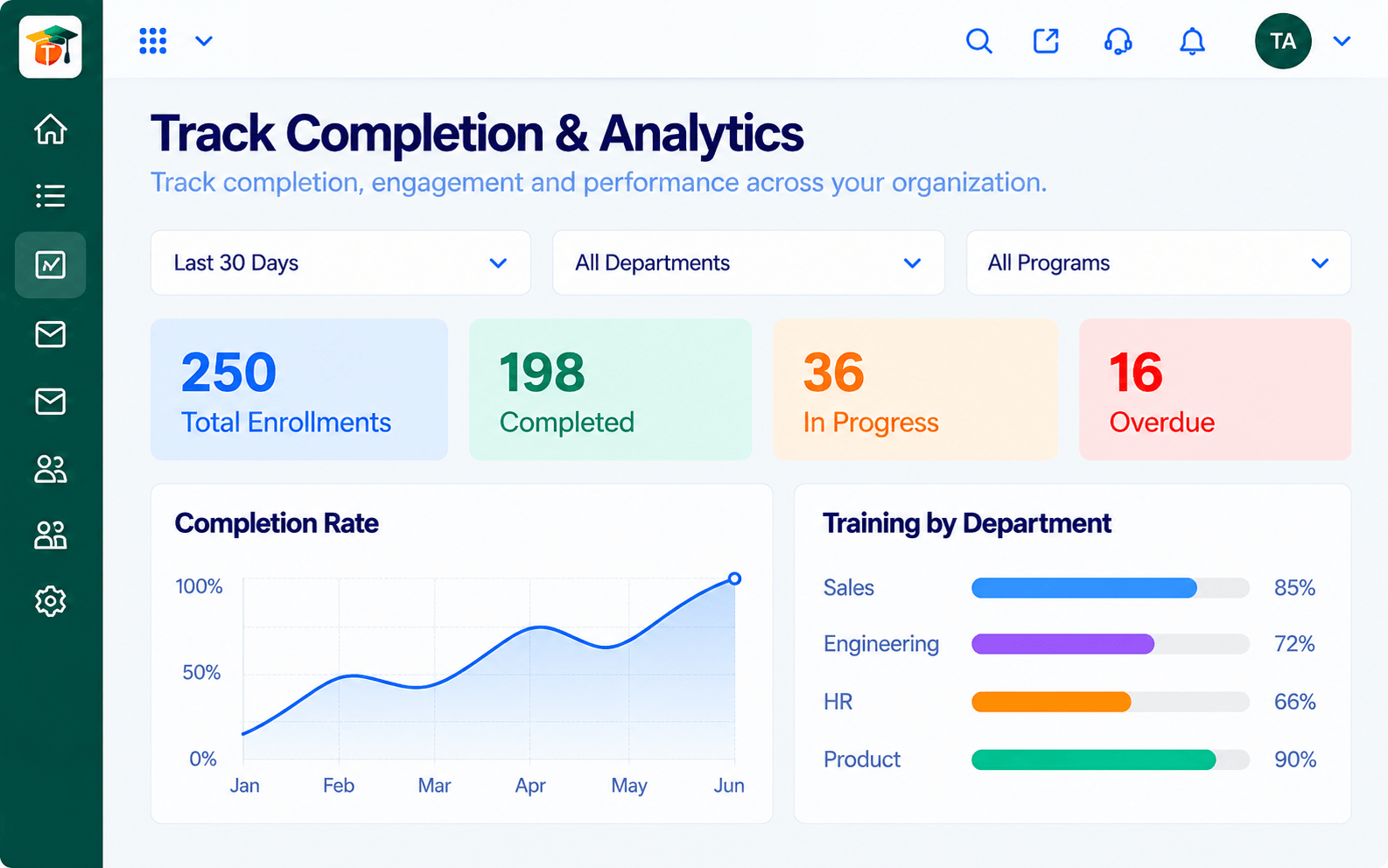
AnalyticsCompletion, scores and engagement at a glance
 Courses
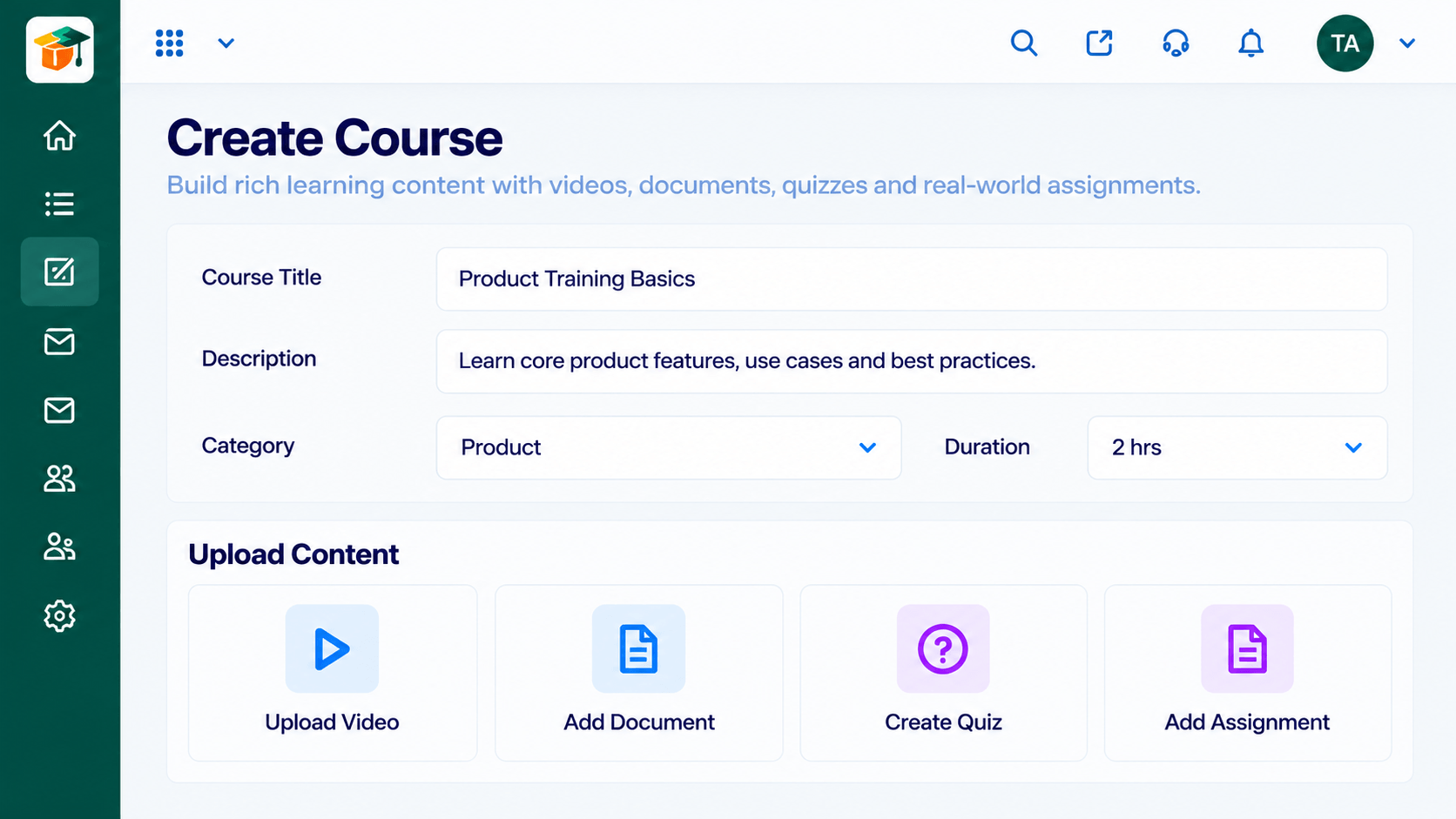
Build courses from modules and lessons
Feature Breakdown
Captured from the Triostack LMS workspace.
LMS FeaturesA personal view of learning.
 LMS Features
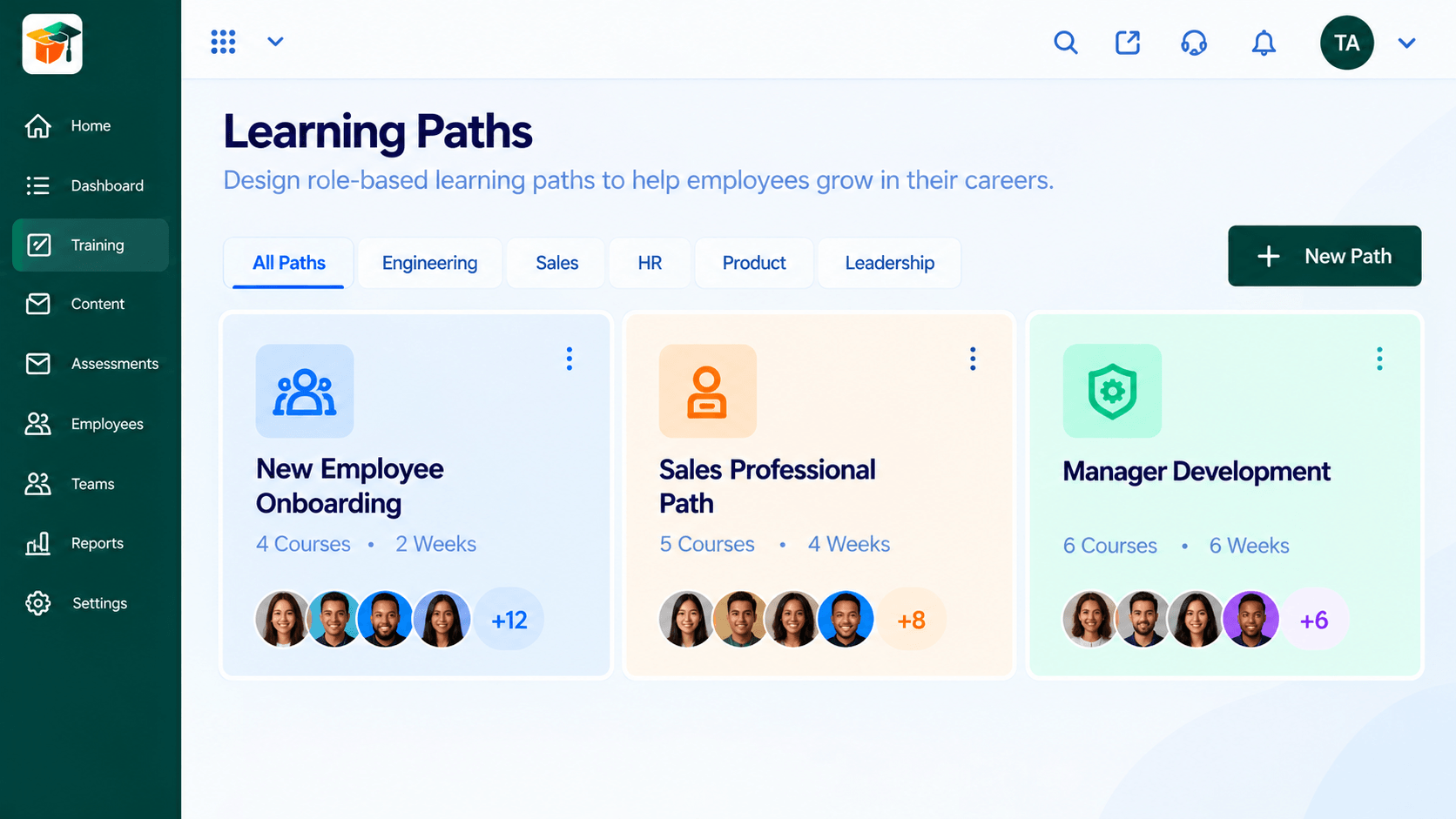
A guided journey across courses.
 LMS Features
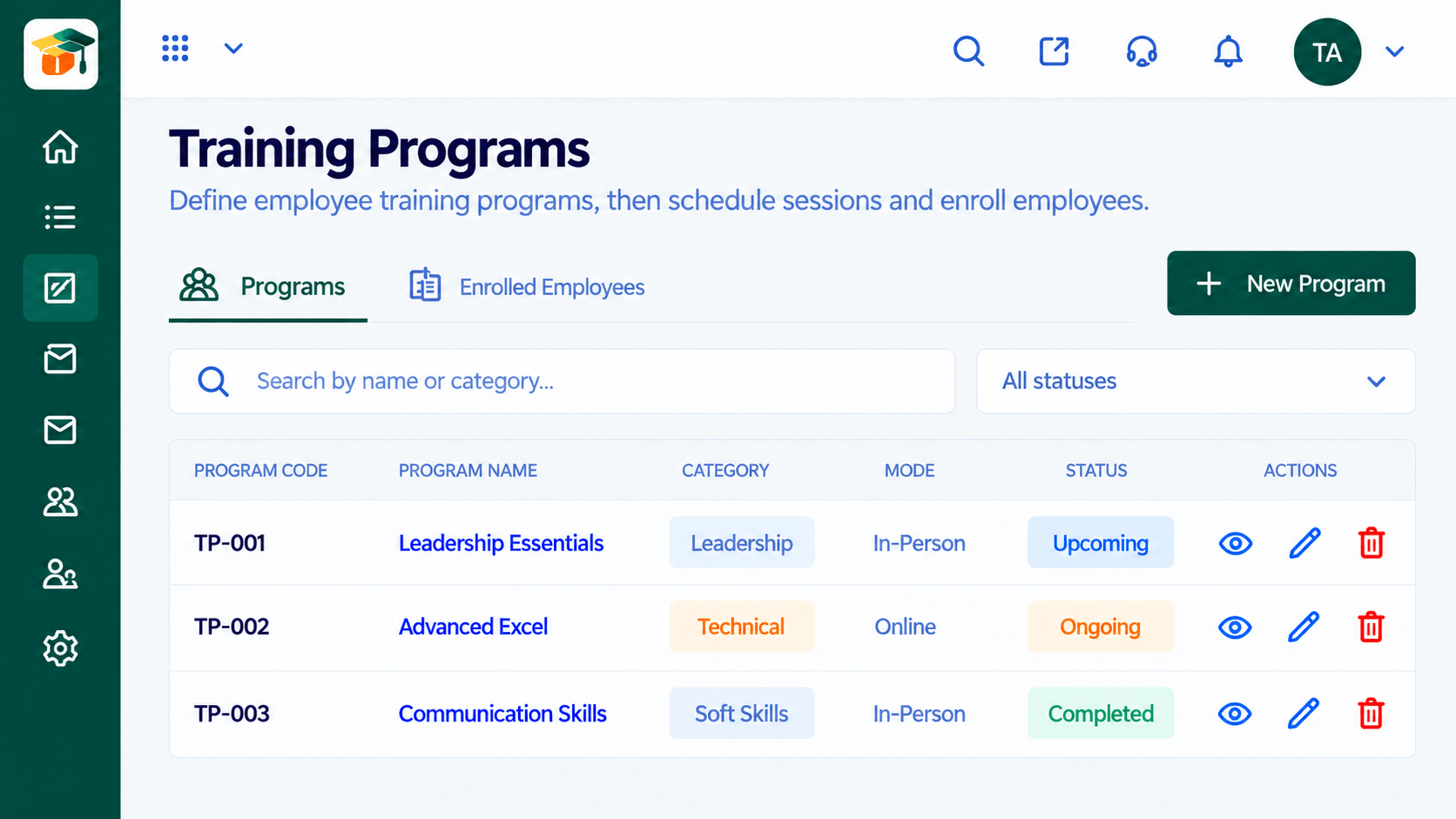
Programs with schedules and cohorts.
 LMS Features
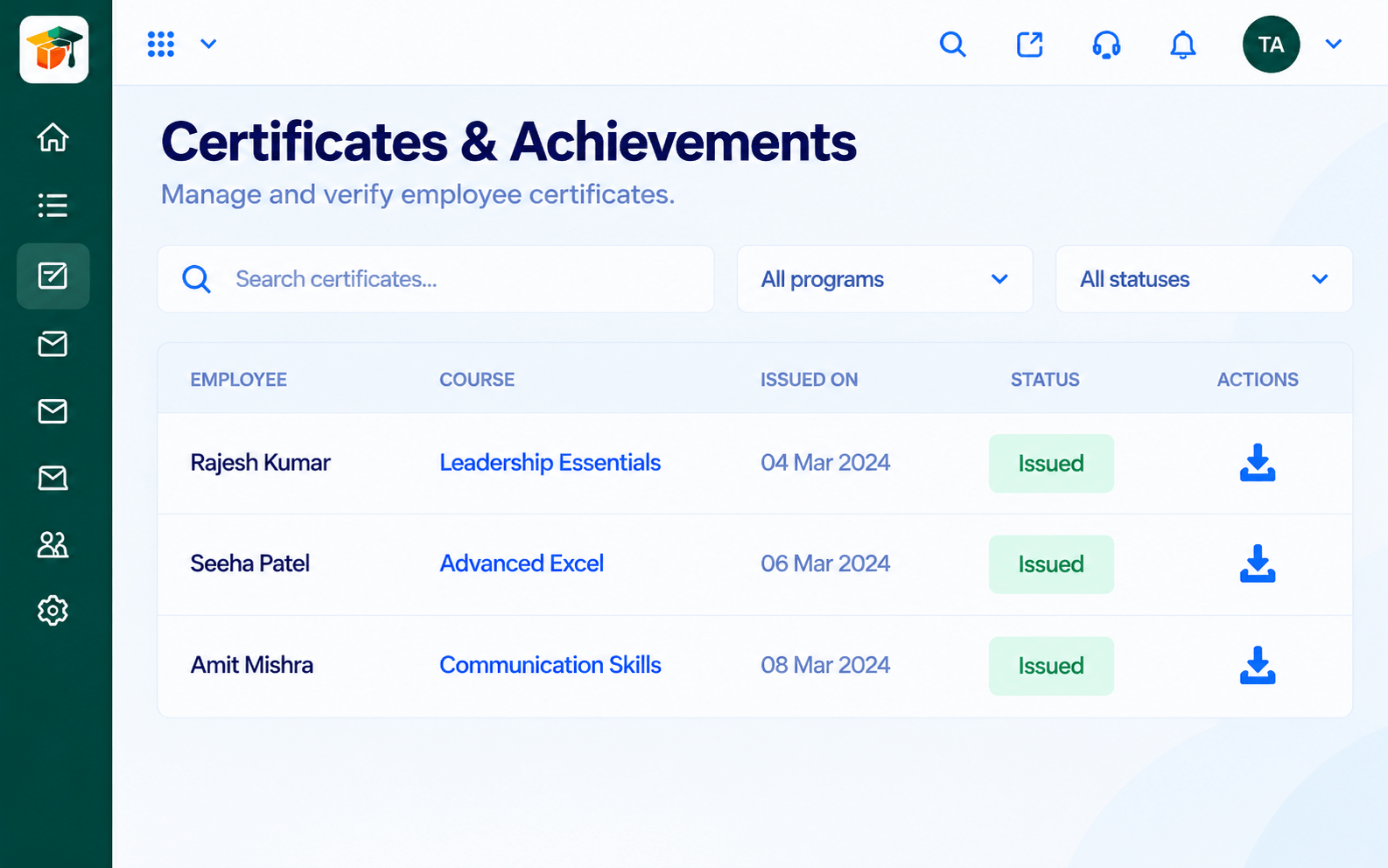
Proof of completion.
Execution Plan
Open the dashboard and see what is assigned.
Continue the course exactly where they left off.
Finish lessons and pass the assessment.
Receive the certificate on the dashboard.
In Real Life
Scenario 01
On day one they see exactly which courses to finish this week.
Scenario 02
They check the dashboard on Friday and finish the one overdue module.
Scenario 03
They resume a half-finished course months later without asking anyone.
Frequently Asked Questions
Their assigned courses, progress, deadlines and certificates.
Yes. They continue from where they stopped.
Yes. Trainers see progress in the analytics and learner views.
Ask us about mobile access for your plan.
Courses, assessments, certificates and learning paths in one workspace, built for teachers, trainers and the people they teach.
