The best Business Suite software in India, built to help your business grow. Contact us at +91-8882435276.
[ Contact ]
Phone number
Email address
Head office
Noida office
The right team at TriostackOne will get back to you.
Bring fingerprint and face-device punches into HRMS so attendance is recorded at the gate and appears on each employee's record without manual entry.
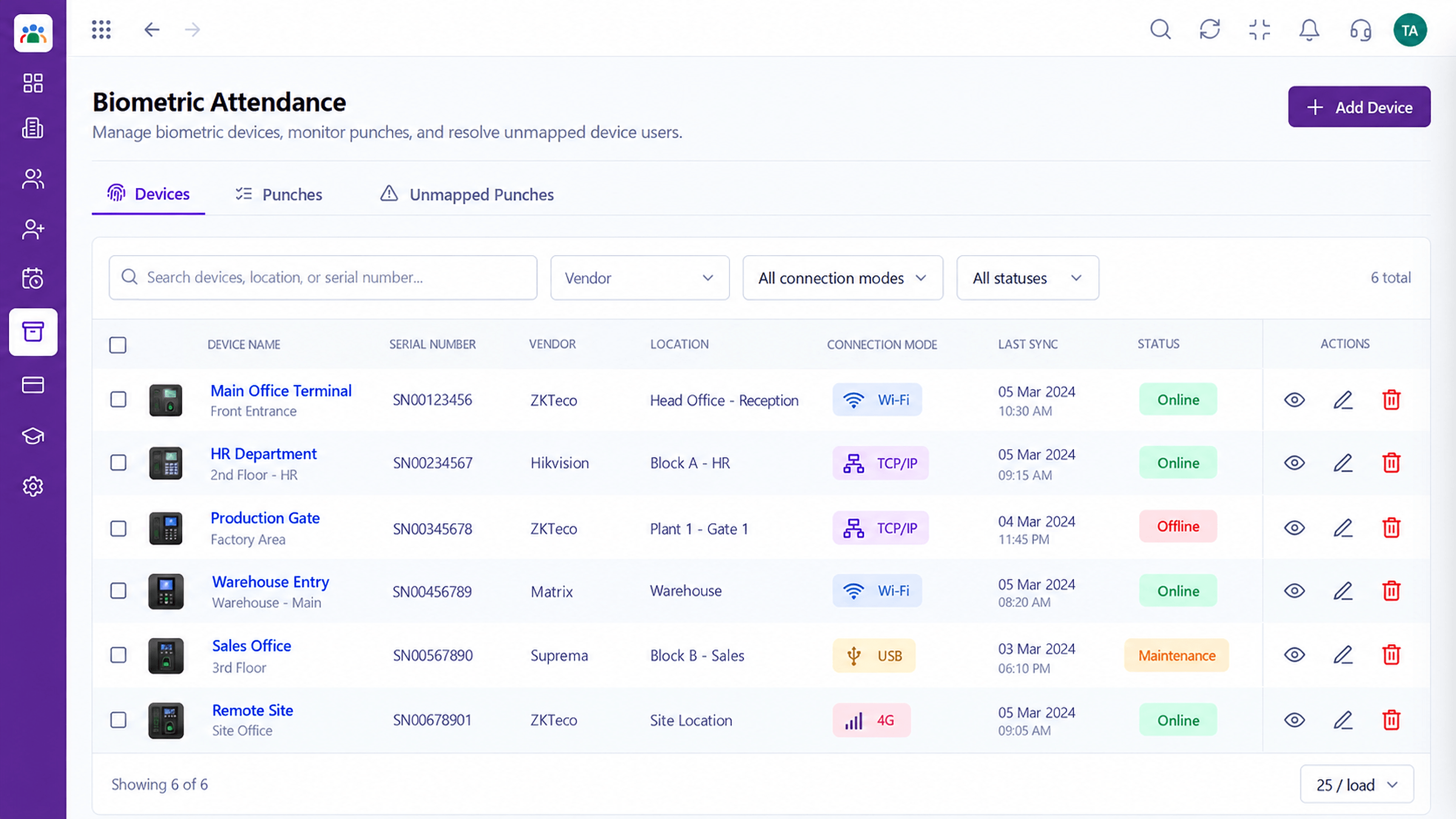
Punches become attendance records automatically
Positioning Assessment
Many workplaces already have biometric devices at the door, yet someone still copies the punches into a sheet at the end of the day or month. Errors and disputes follow.
With the biometric connection, punches from your devices are captured into HRMS and tied to the employee and branch. HR reviews exceptions such as missing punches instead of retyping everything. Supported devices and connection methods vary, so ask us about yours.
“We stopped transcribing the register. HR now only looks at the missing punches.”
Sample team scenario
Illustrative example, not a customer testimonial
Illustrated Overview
Picture a thumb touching a reader at the gate and a neat in-time appearing beside the employee's name a moment later.
The punch is the attendance.
Employee IDs tie devices to records.
Only oddities need attention.
Platform Integrity
Captured from your devices
Linked to the right record
Each location's devices kept apart
Missing punches flagged for review
How It Works
What changes when the door and the record are connected.
| Dimension | Triostack HRMS | Manual Register |
|---|---|---|
| Entry | Automatic from the device | Typed from a register |
| Accuracy | Fewer transcription errors | Typos and missed lines |
| Timeliness | Available the same day | Waits until month-end |
| Disputes | Punch history to refer to | Memory and paper |
| Multi-Branch | Each branch's devices together | Separate sheets per site |
Our team can walk you through the connection, permissions and a first test so HR data flows without guesswork.
Live Interface Tour
Real screens captured directly from the Triostack HRMS workspace.
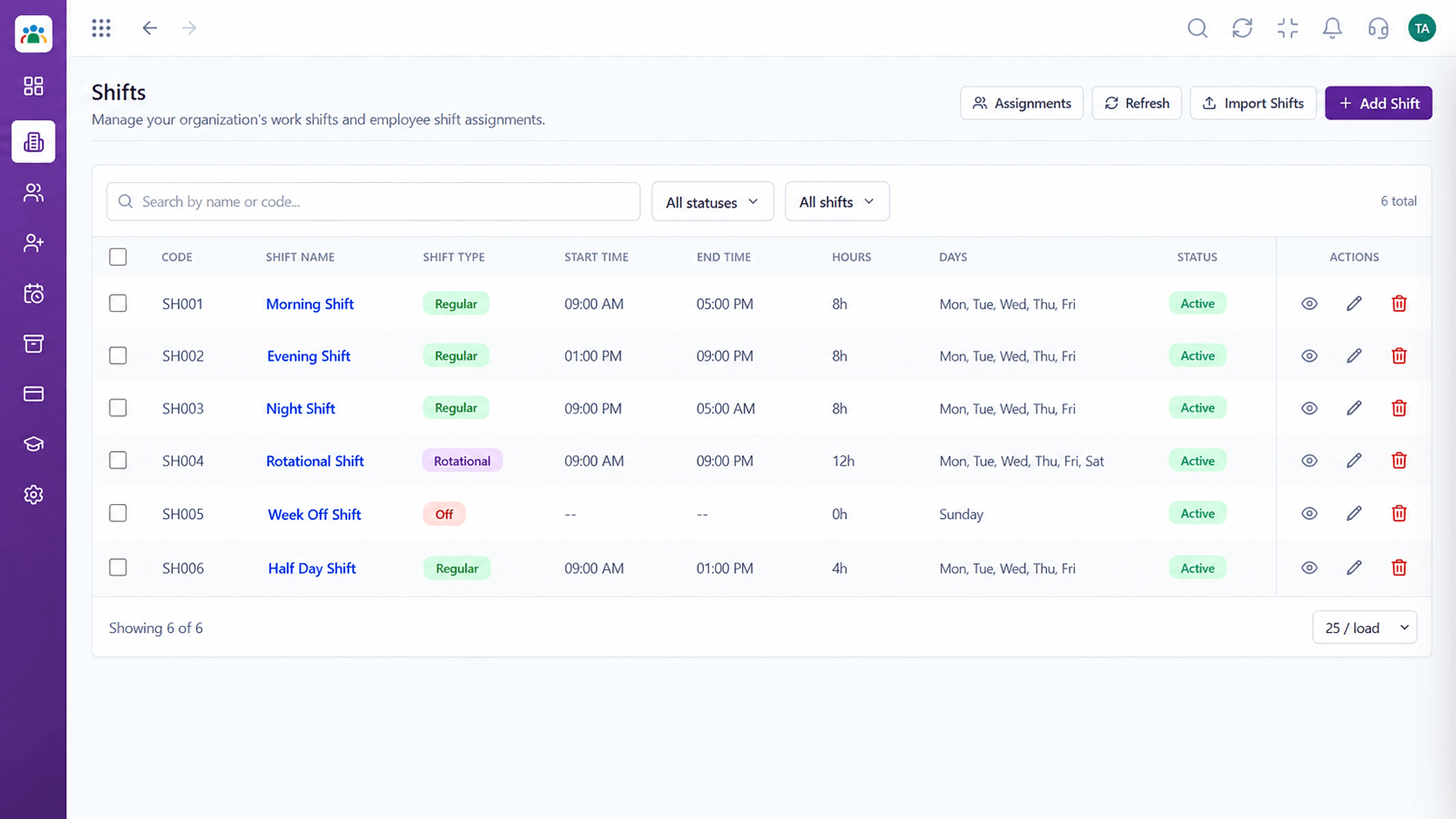 Time
TimeDefine shifts and assign them to teams
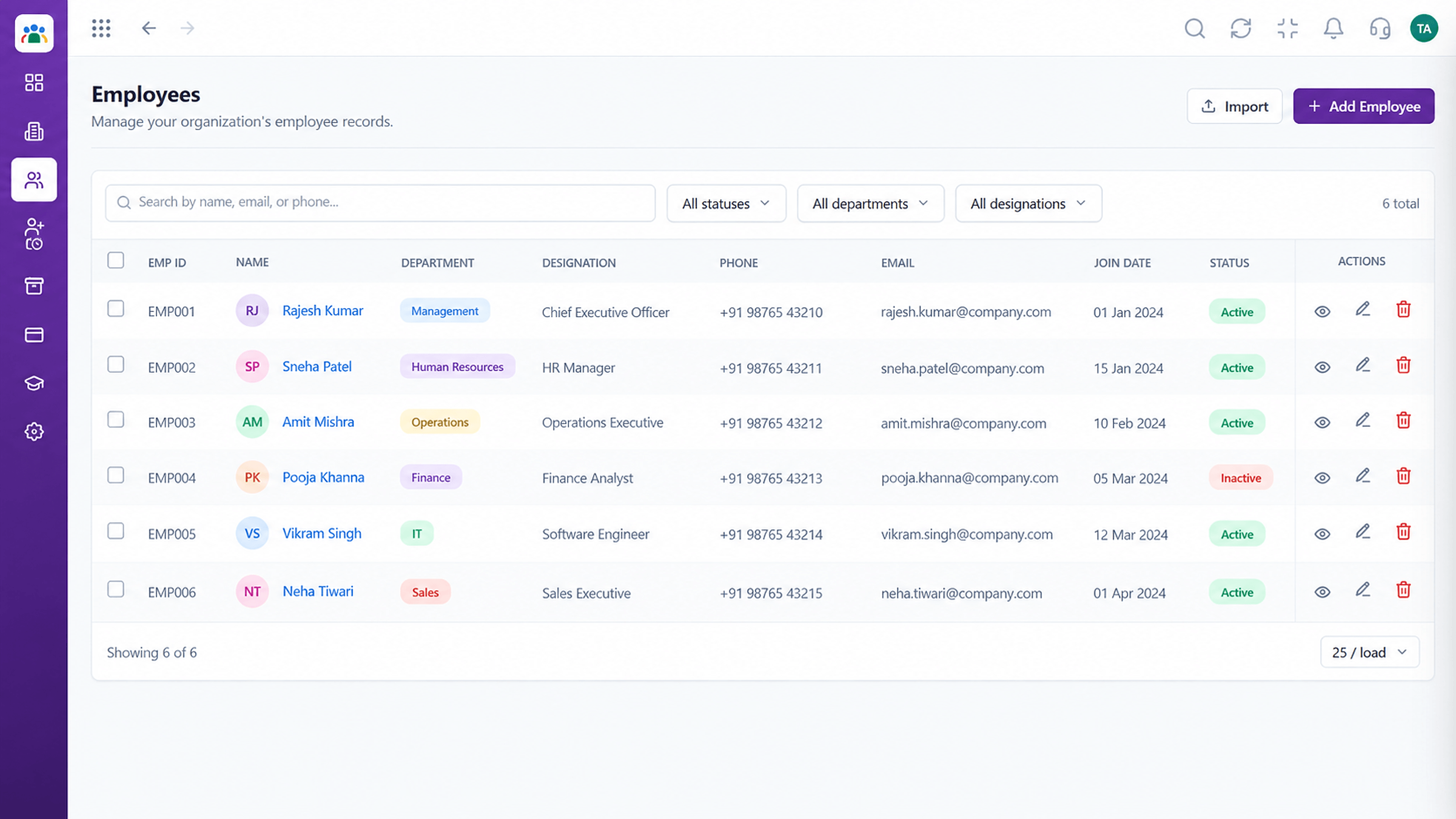 Employees
Every employee with ID, department, designation and status
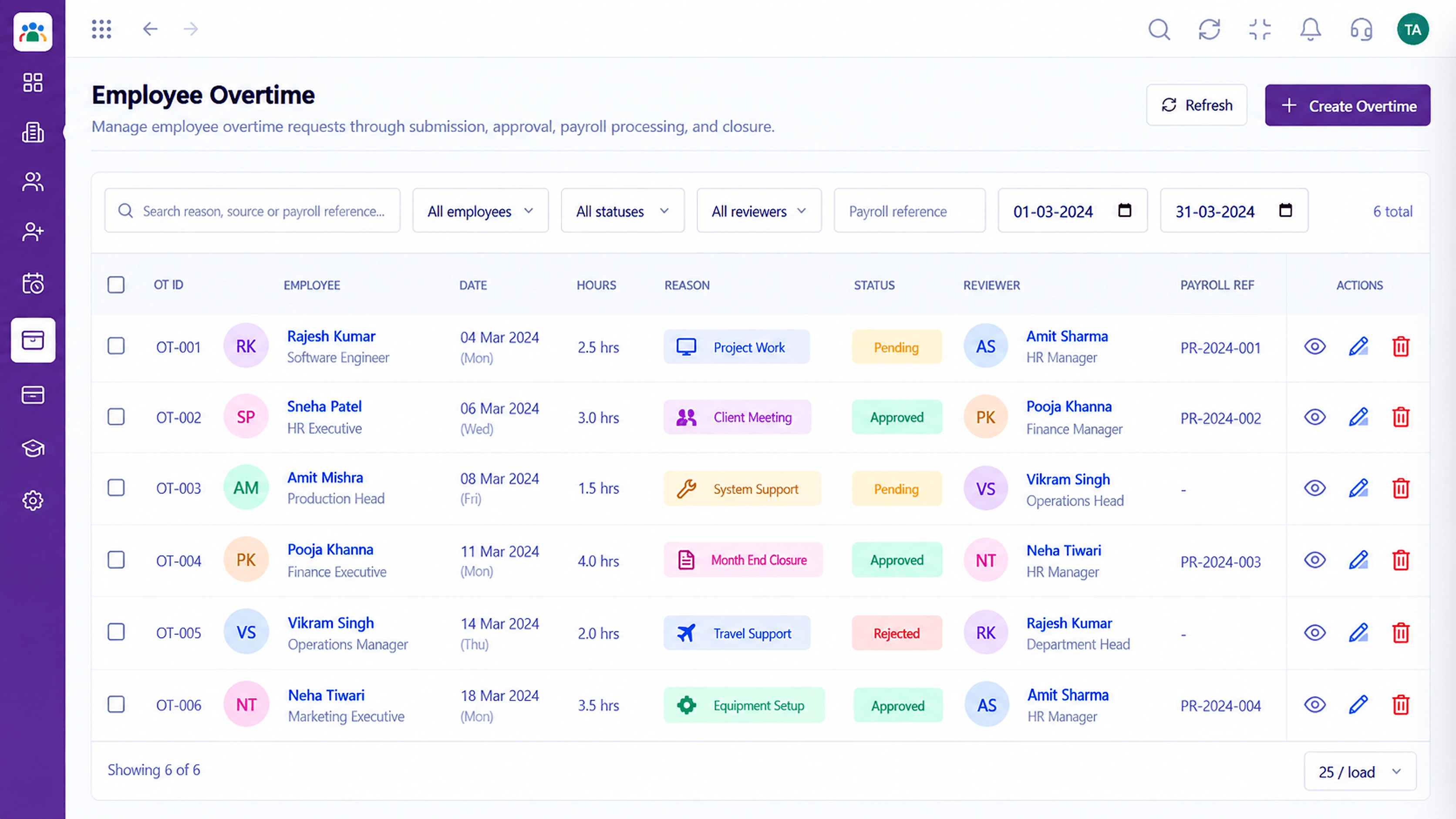 Time
TimeTrack and approve extra hours worked
Feature Breakdown
Captured from the Triostack HRMS workspace.
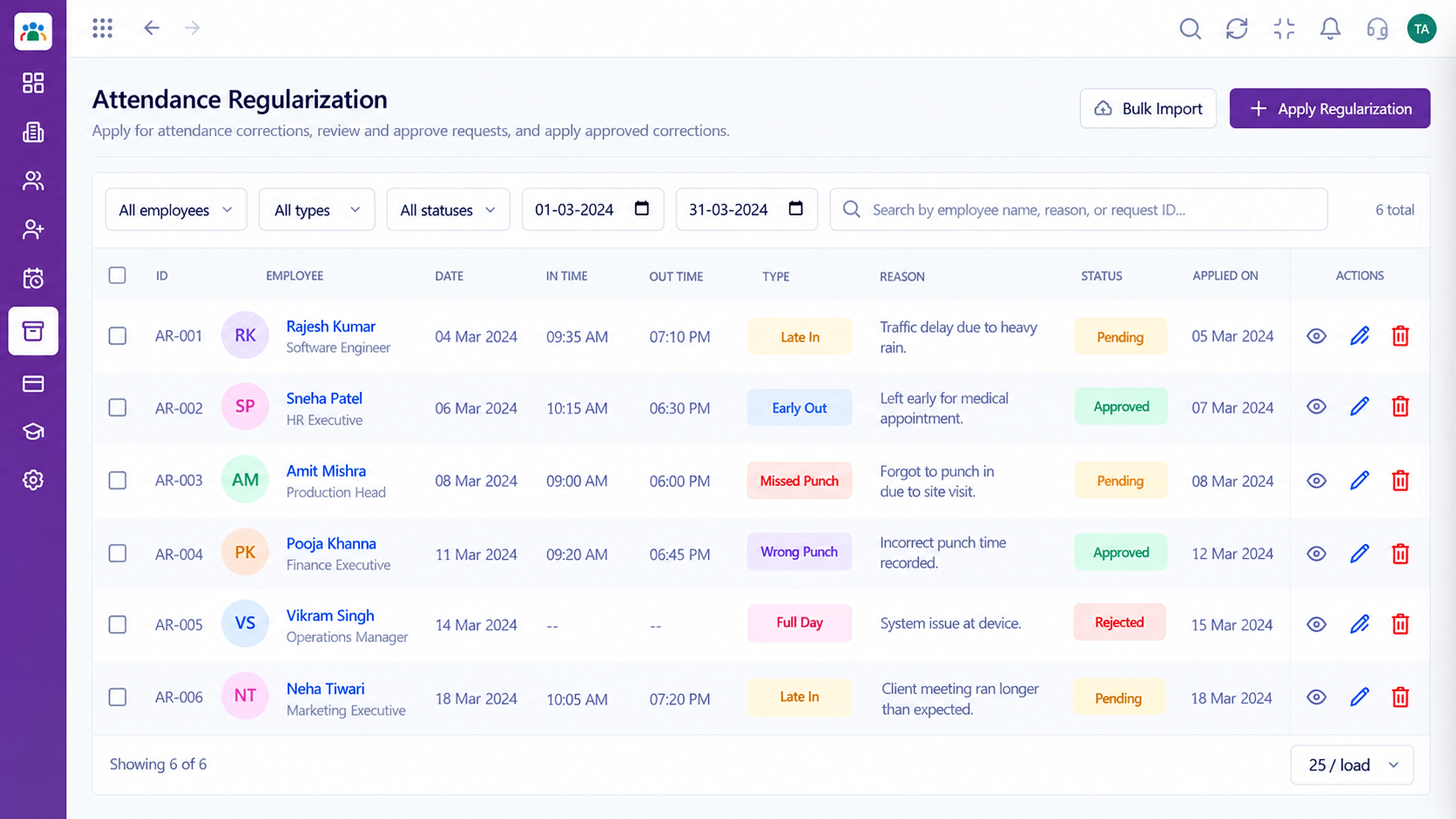
IntegrationsSee each day's in and out times.
 Integrations
Fix the odd ones only.
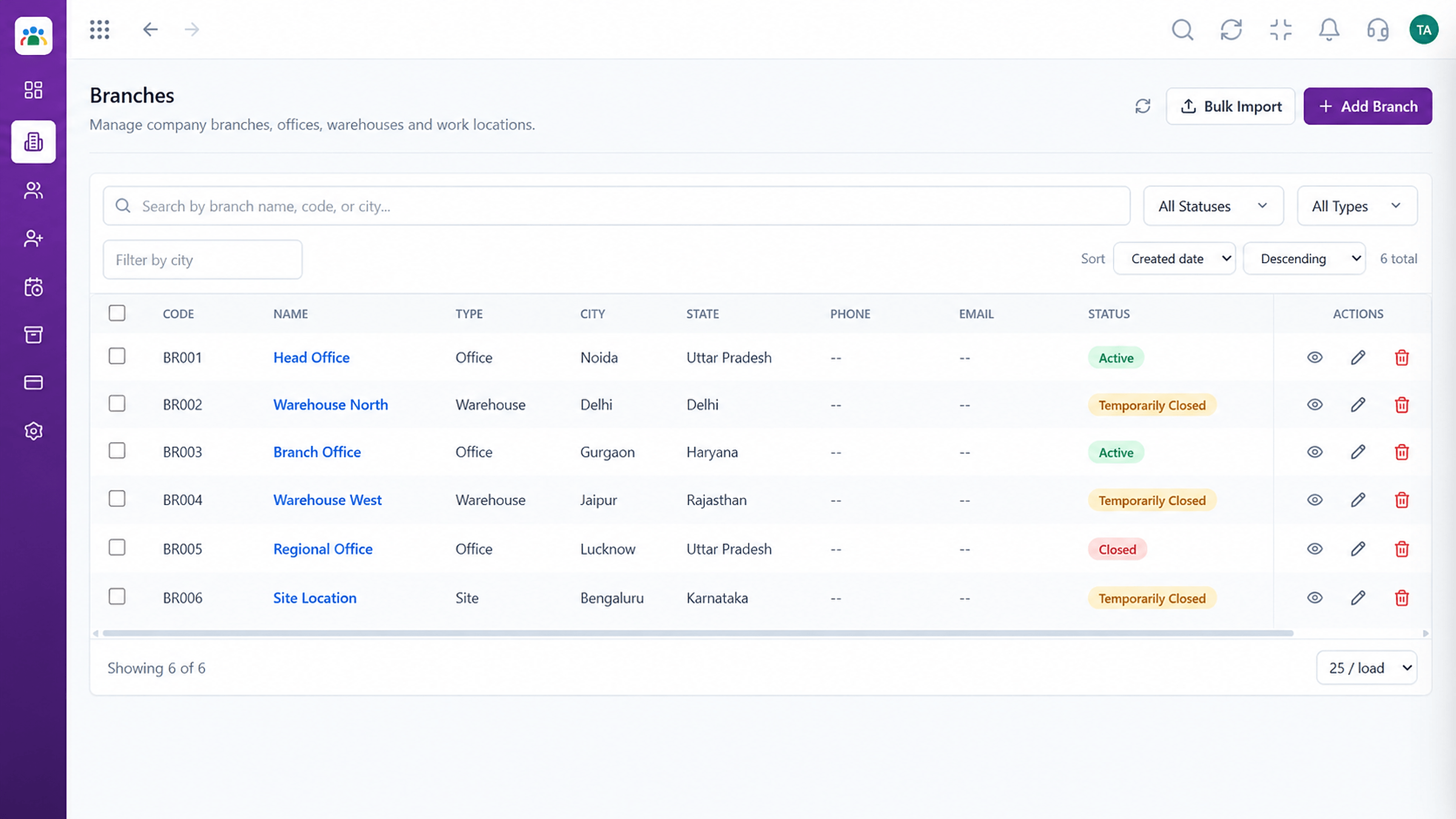
IntegrationsPunches belong to the right person.
 Integrations
Devices by location.
Execution Plan
Match device user IDs to employee records.
Link each branch's devices to HRMS.
Check a few real punches appear correctly.
HR clears exceptions and moves on.
In Real Life
Scenario 01
Hundreds of punches arrive without anyone typing.
Scenario 02
Each outlet's devices feed one central record.
Scenario 03
Late punches are visible the moment they happen.
Frequently Asked Questions
Connection options depend on your device and setup. Ask our team about the model you use.
HR sees the missing punch as an exception and can resolve it through attendance regularization.
Yes. Devices can be grouped by branch.
Yes, for corrections and cases without a device.
Employee records, attendance, leave, shifts and approvals in one workspace, built for HR teams and the people they serve.
