The best Business Suite software in India, built to help your business grow. Contact us at +91-8882435276.
[ Contact ]
Phone number
Email address
Head office
Noida office
The right team at TriostackOne will get back to you.
Send leave, attendance and claim updates by email through Triostack Mail, so approvers act faster and employees always know where a request stands.
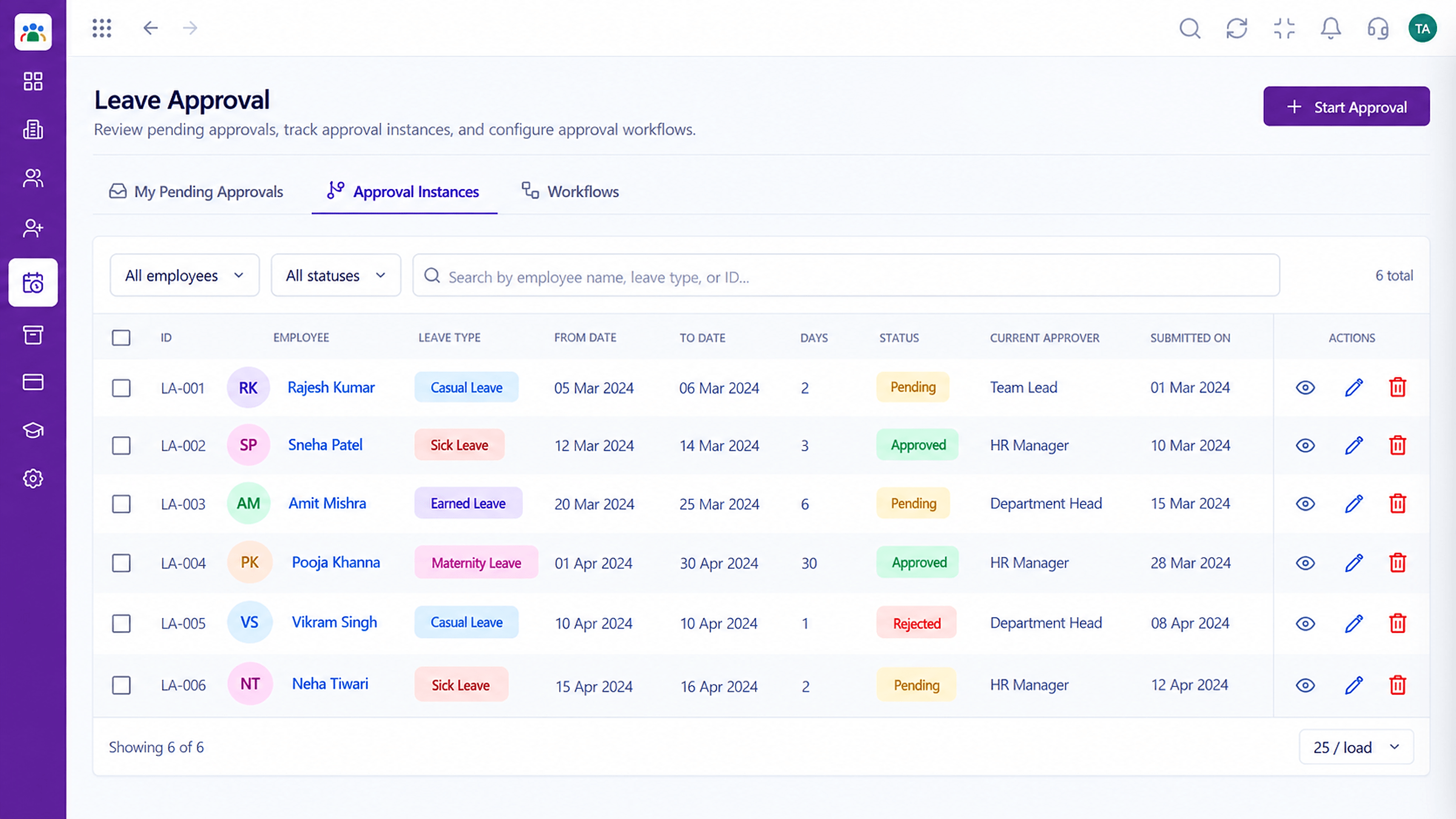
Approvers are nudged where they already look
Positioning Assessment
Employees submit a leave request and then wonder. Approvers do not log in daily and requests sit unseen.
HRMS sends notifications when something needs action or changes status. Connected with Triostack Mail, messages can go out from your own domain. Notification types and options depend on your configuration, so ask us what fits.
“Approvers act in hours instead of days now that the request lands in their inbox.”
Sample team scenario
Illustrative example, not a customer testimonial
Illustrated Overview
Picture each request quietly ringing a bell on exactly the right desk, and a thank-you note returning to the employee.
Action is prompted, not hoped for.
Employees see the outcome.
Messages from your domain.
Platform Integrity
Told when action is needed
Employees see outcomes
Sent via Triostack Mail
Fewer follow-up messages
How It Works
What alerts change for approvals.
| Dimension | Triostack HRMS | No Notifications |
|---|---|---|
| Approvers | Alerted when a request arrives | Discover it by chance |
| Employees | Told of approval or rejection | Ask HR |
| Speed | Hours | Days |
| Sender | Your domain through Mail | Generic address |
| HR Workload | Fewer status questions | Constant chasing |
Our team can walk you through the connection, permissions and a first test so HR data flows without guesswork.
Live Interface Tour
Real screens captured directly from the Triostack HRMS workspace.
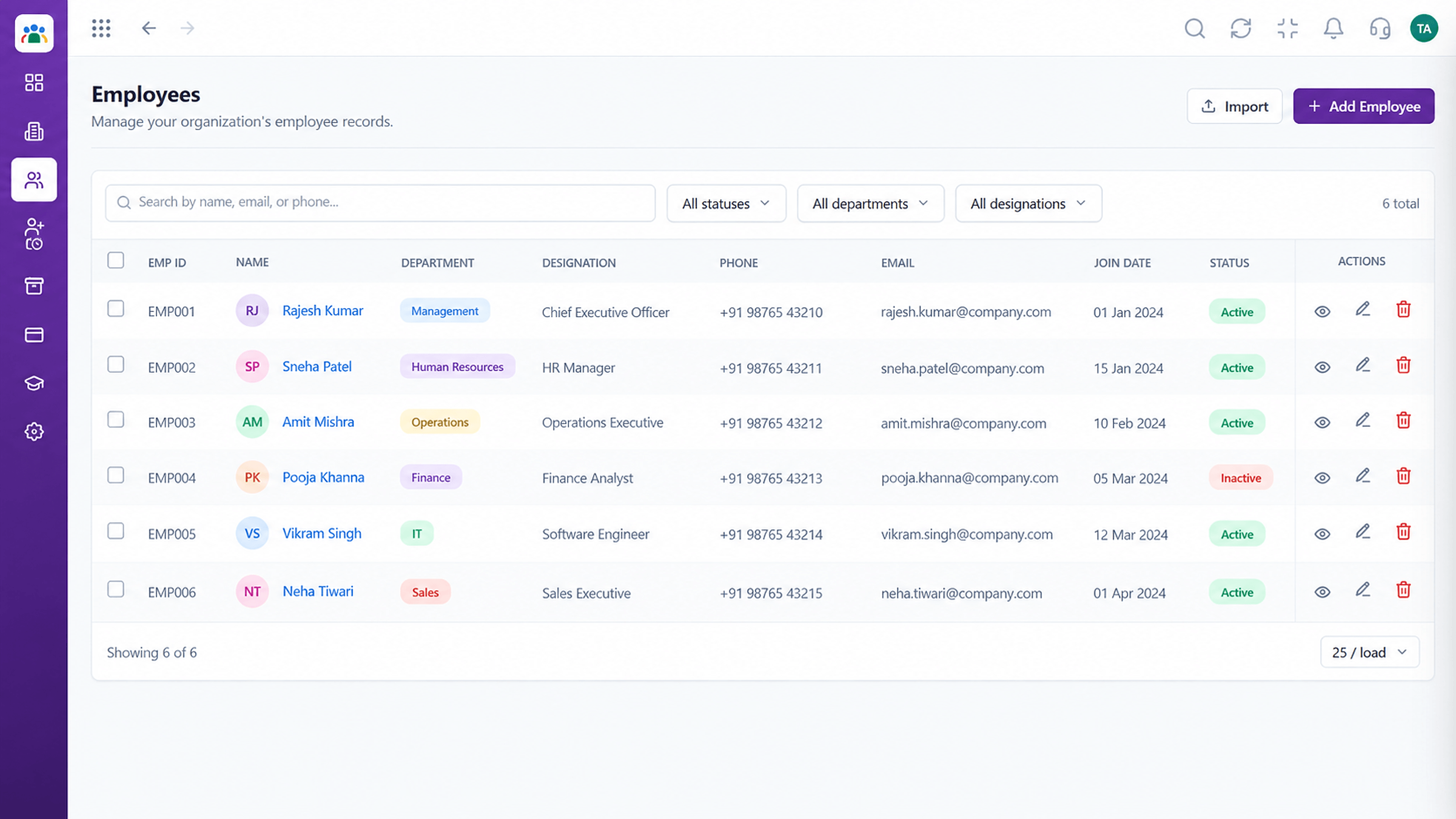 Employees
Every employee with ID, department, designation and status
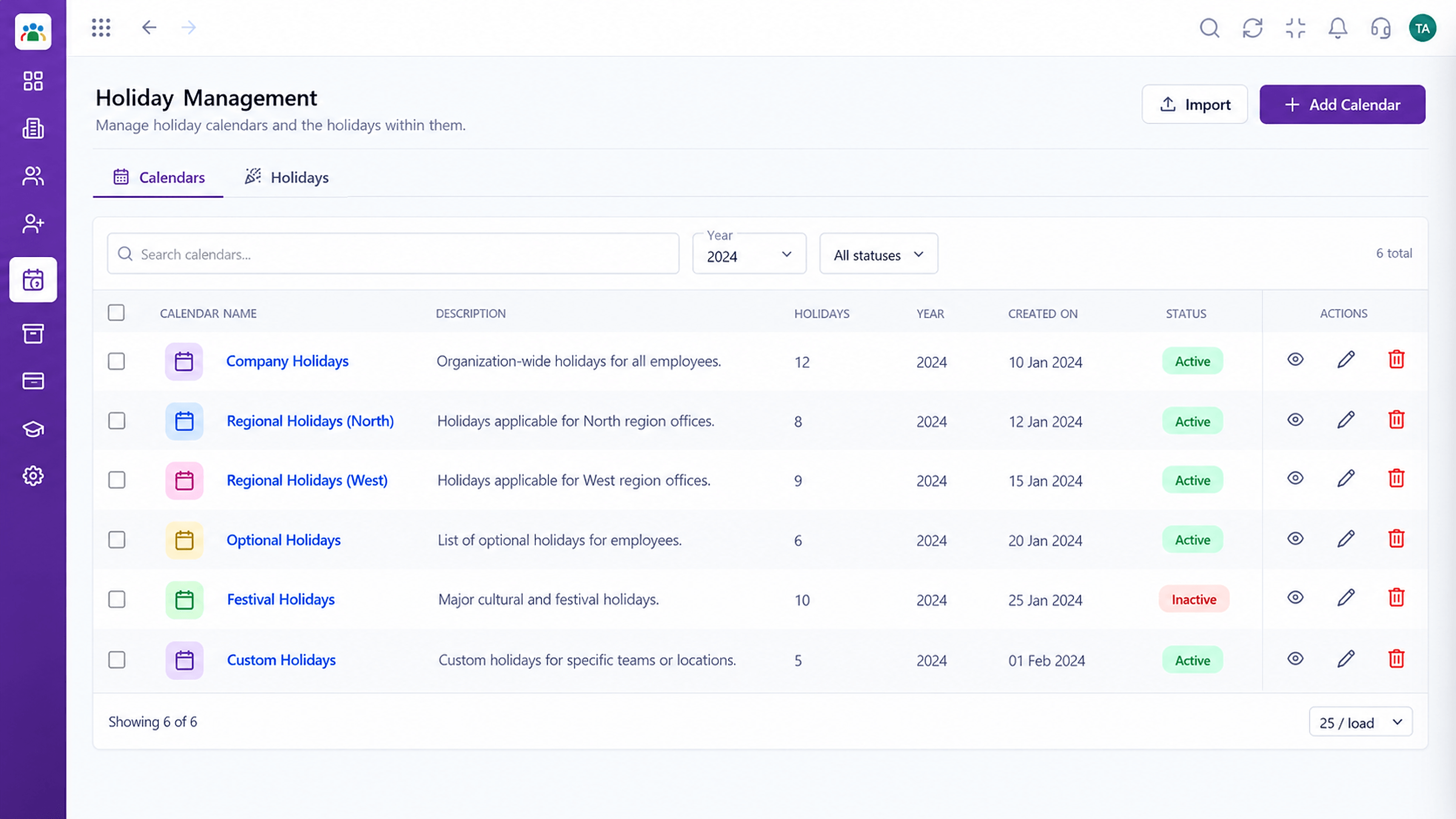 Time
TimeCompany holidays by year and location
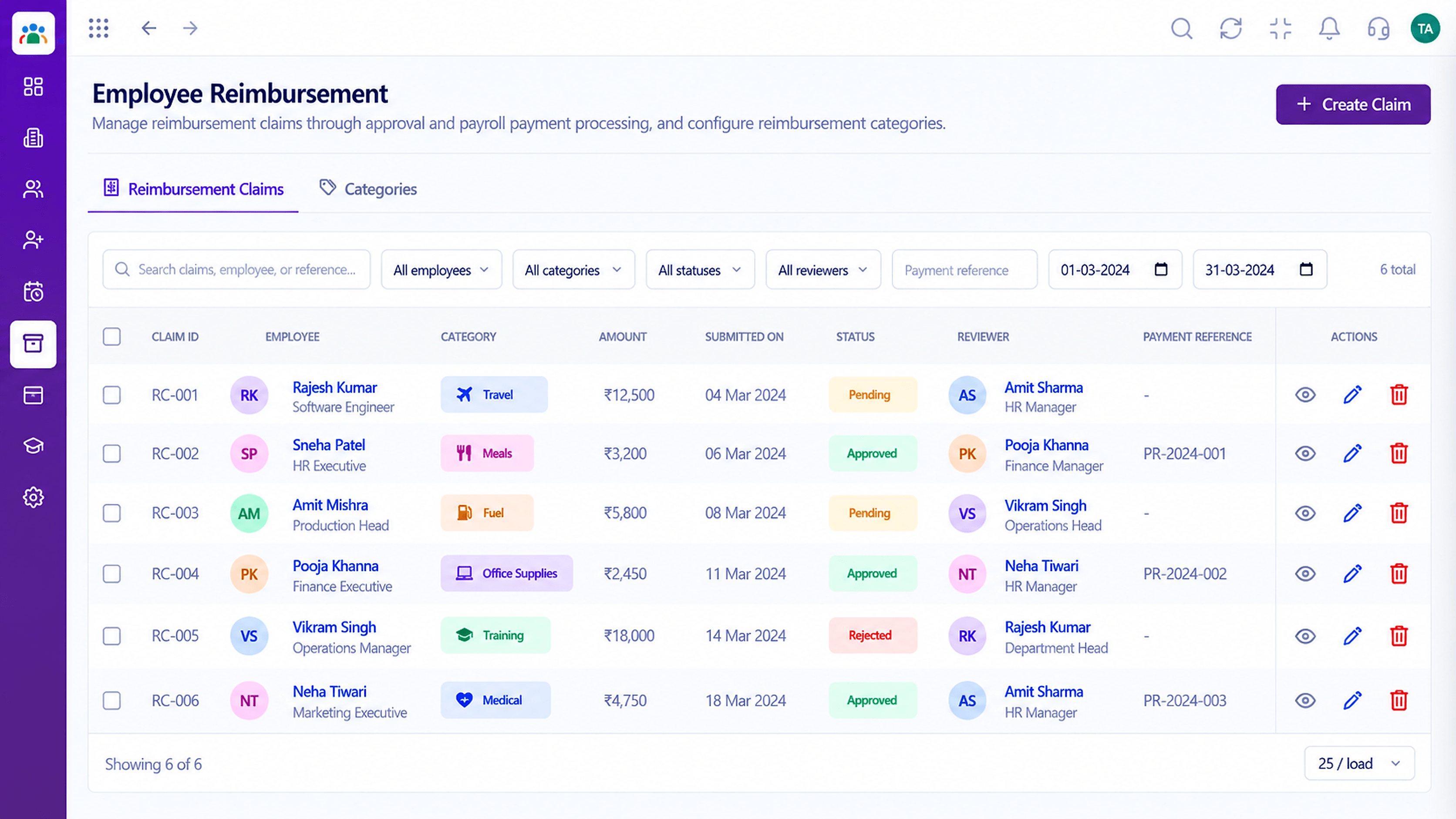 Claims
Expense claims submitted, reviewed and settled
Feature Breakdown
Captured from the Triostack HRMS workspace.
IntegrationsPrompt the current approver.
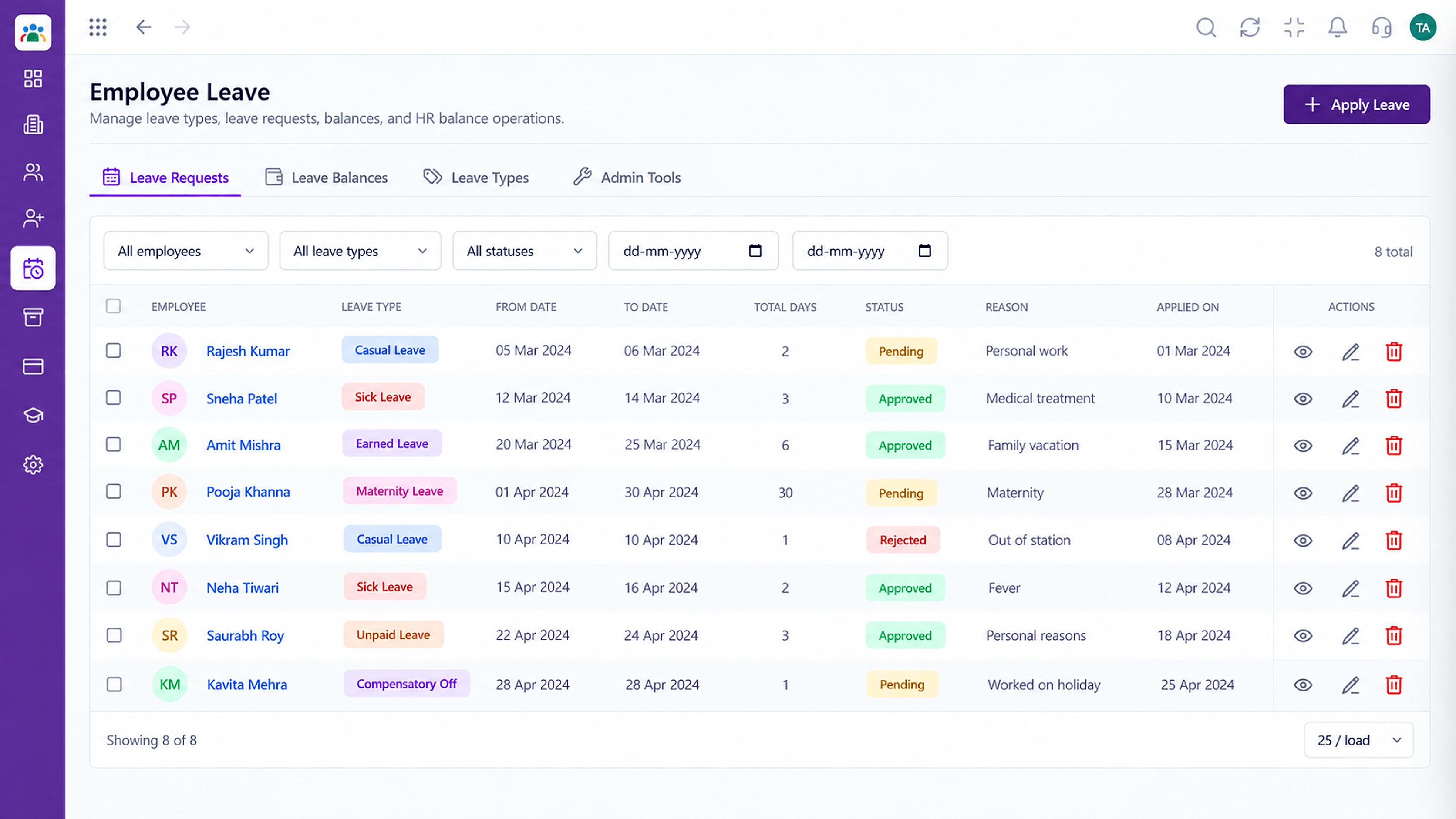 Integrations
Tell the employee the result.
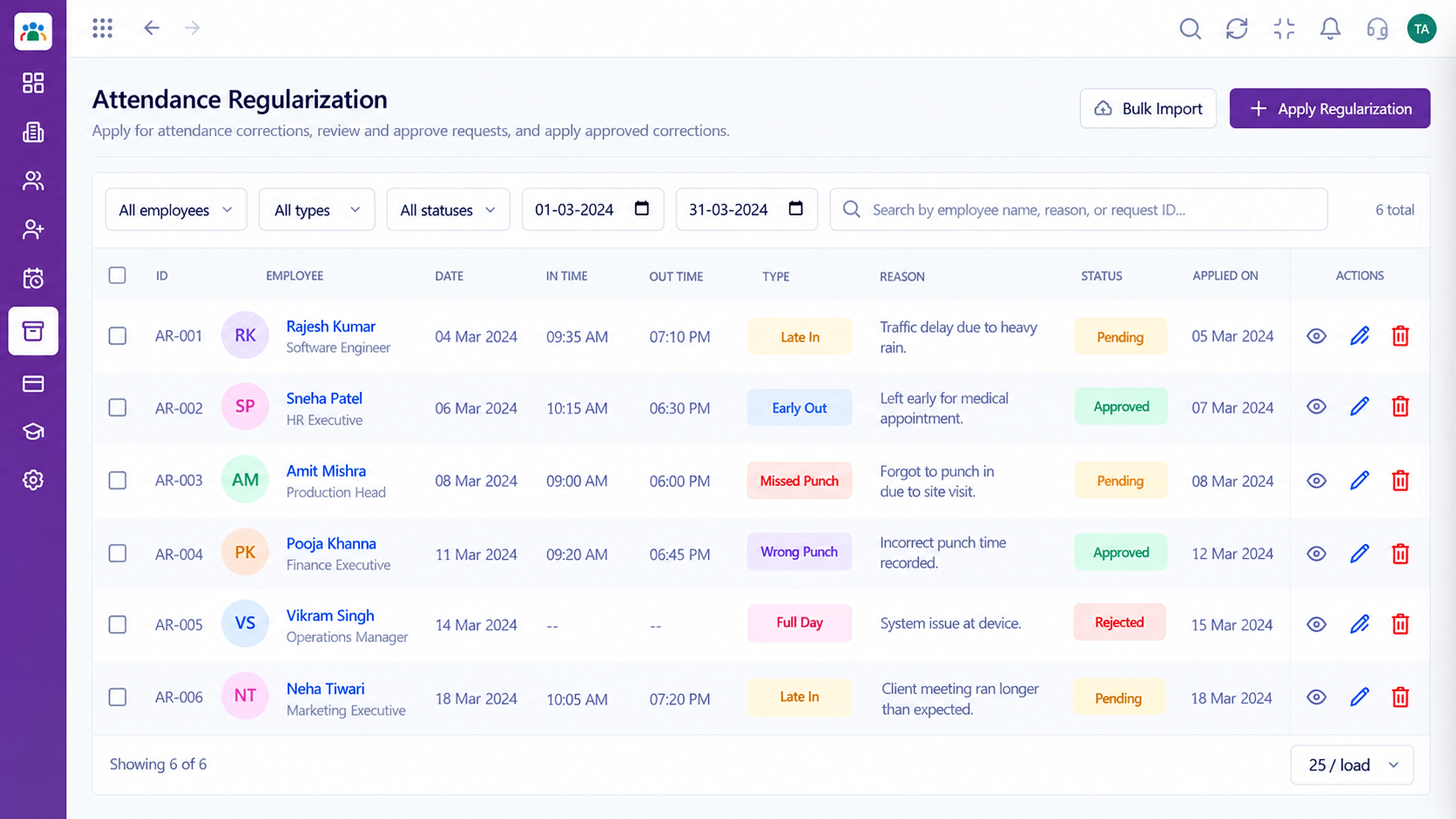 Integrations
Flag exceptions to the right person.
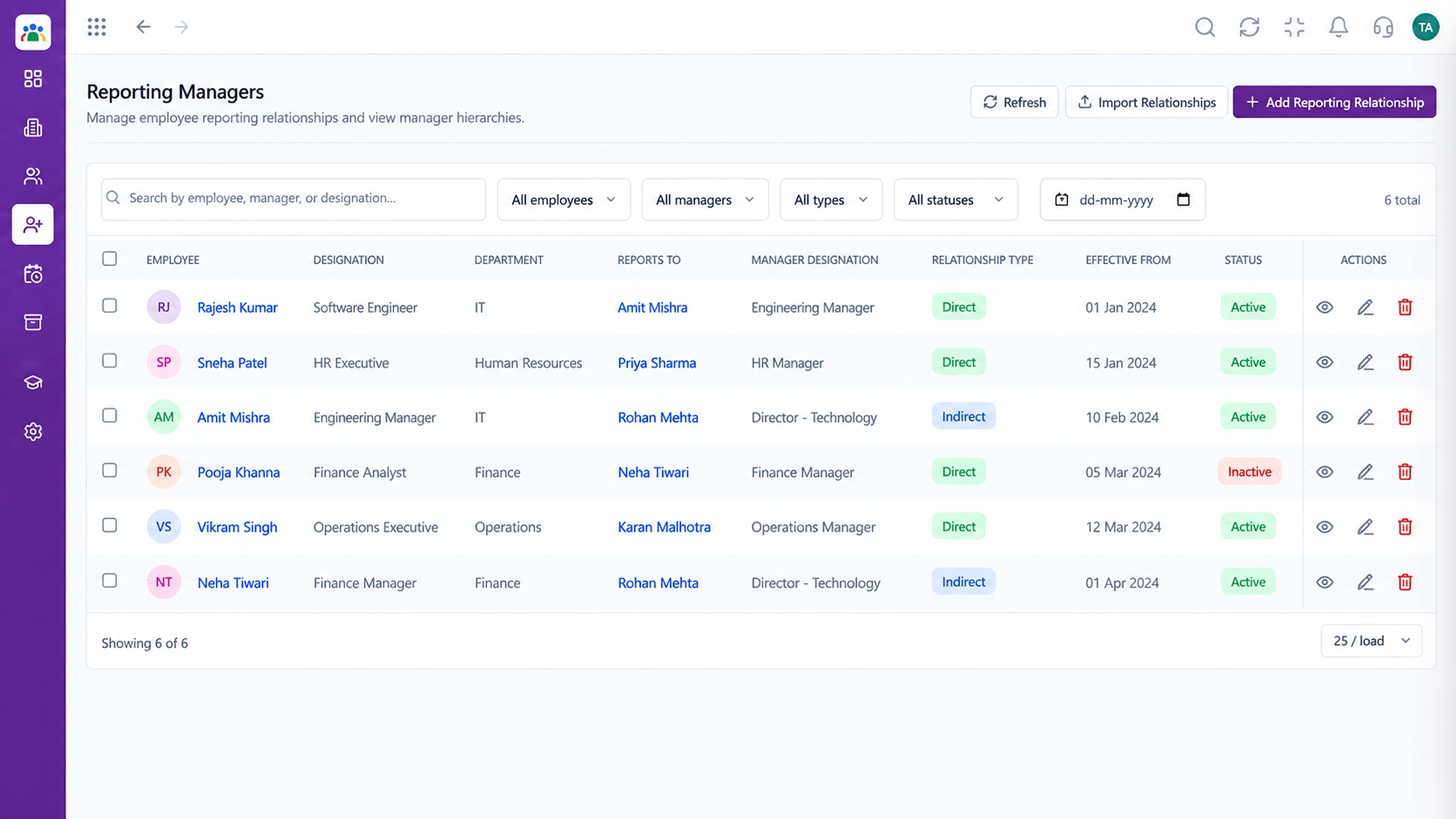 Integrations
Who gets what.
Execution Plan
Pick which events send a message.
Employee, manager or HR.
Send from your own domain.
Trigger a sample request.
In Real Life
Scenario 01
The manager approves before the weekend.
Scenario 02
A reminder moves them forward.
Scenario 03
Welcome and policy messages go out automatically.
Frequently Asked Questions
Typically new requests and status changes. Exact options depend on configuration; ask us.
Yes, when connected with Triostack Mail.
Reminder options can be configured. Ask us about timing.
Ask our team about notification preferences.
Employee records, attendance, leave, shifts and approvals in one workspace, built for HR teams and the people they serve.
