The best Business Suite software in India, built to help your business grow. Contact us at +91-8882435276.
[ Contact ]
Phone number
Email address
Head office
Noida office
The right team at TriostackOne will get back to you.
A guided overview of what Desk lets your team do, from capturing requests to measuring performance, with links to each capability.
A map of what Desk can do for your team
Positioning Assessment
Desk covers the whole support lifecycle: capture, triage, collaborate, meet deadlines, enable self-service and measure.
Use this page as a map. Each capability has its own page with screens, scenarios and answers to common questions.
“We began with tickets, then added SLAs and the portal over a few months.”
Sample team scenario
Illustrative example, not a customer testimonial
Illustrated Overview
Picture a map with five stops: capture, triage, deliver, serve yourself and measure. You can start at any station.
Get requests in and sorted.
SLAs keep promises.
Self-service and reports close the loop.
Platform Integrity
Tickets and shared inbox
Automation and assignment
SLAs and escalation
Knowledge, portal, reports
How It Works
Capabilities mapped to the support lifecycle.
| Dimension | Triostack Desk | Without Desk |
|---|---|---|
| Capture | Tickets from every channel | Scattered inboxes |
| Triage | Rules and assignment | Manual |
| Deliver | SLA timers and escalation | Hope |
| Self-Serve | Knowledge base and portal | Everything through agents |
| Measure | Reports and dashboards | Spreadsheets |
We will help you configure this workflow end to end, from queues to permissions, in your first session.
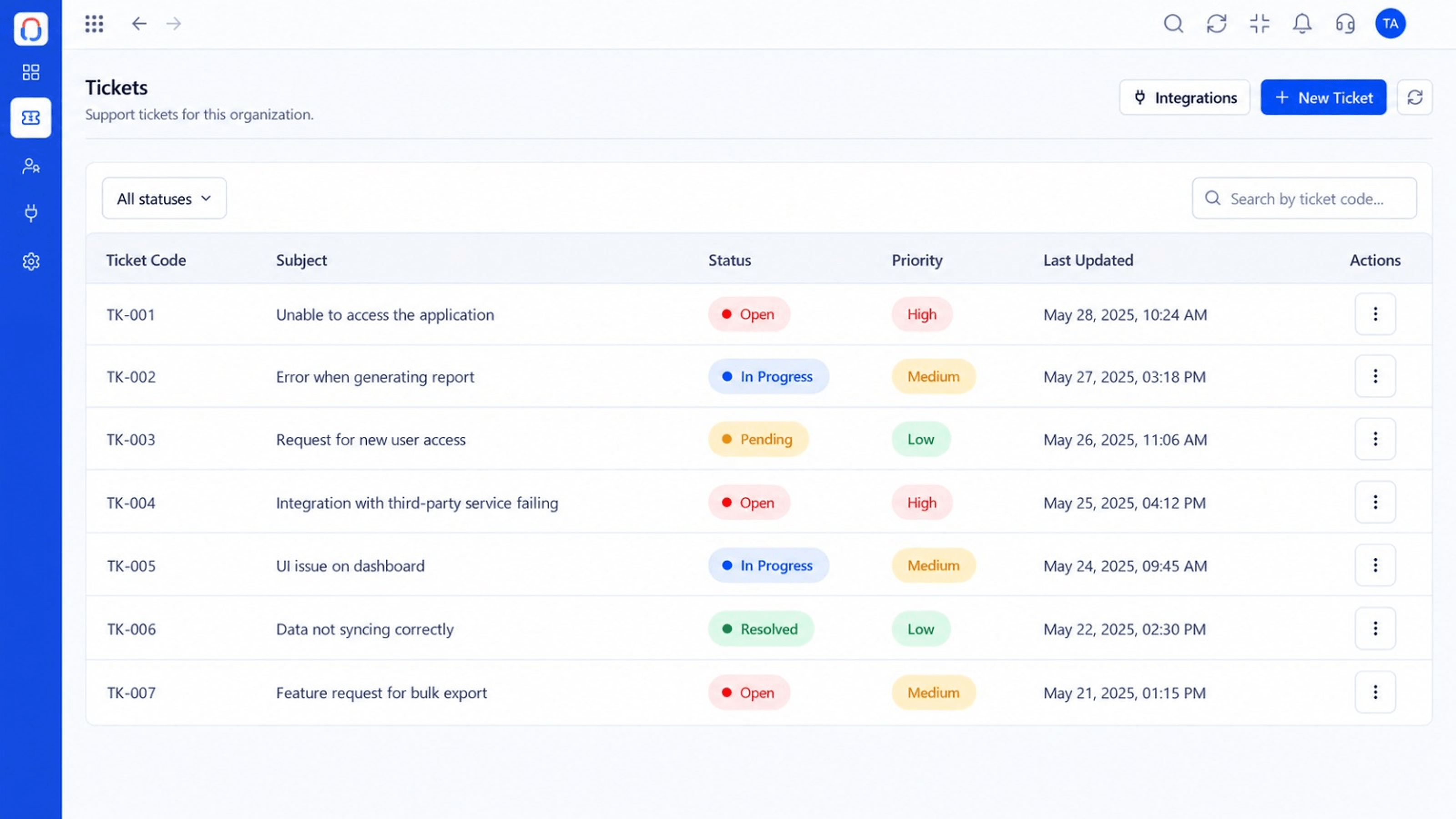
Live Interface Tour
Real screens captured directly from the Triostack Desk workspace.
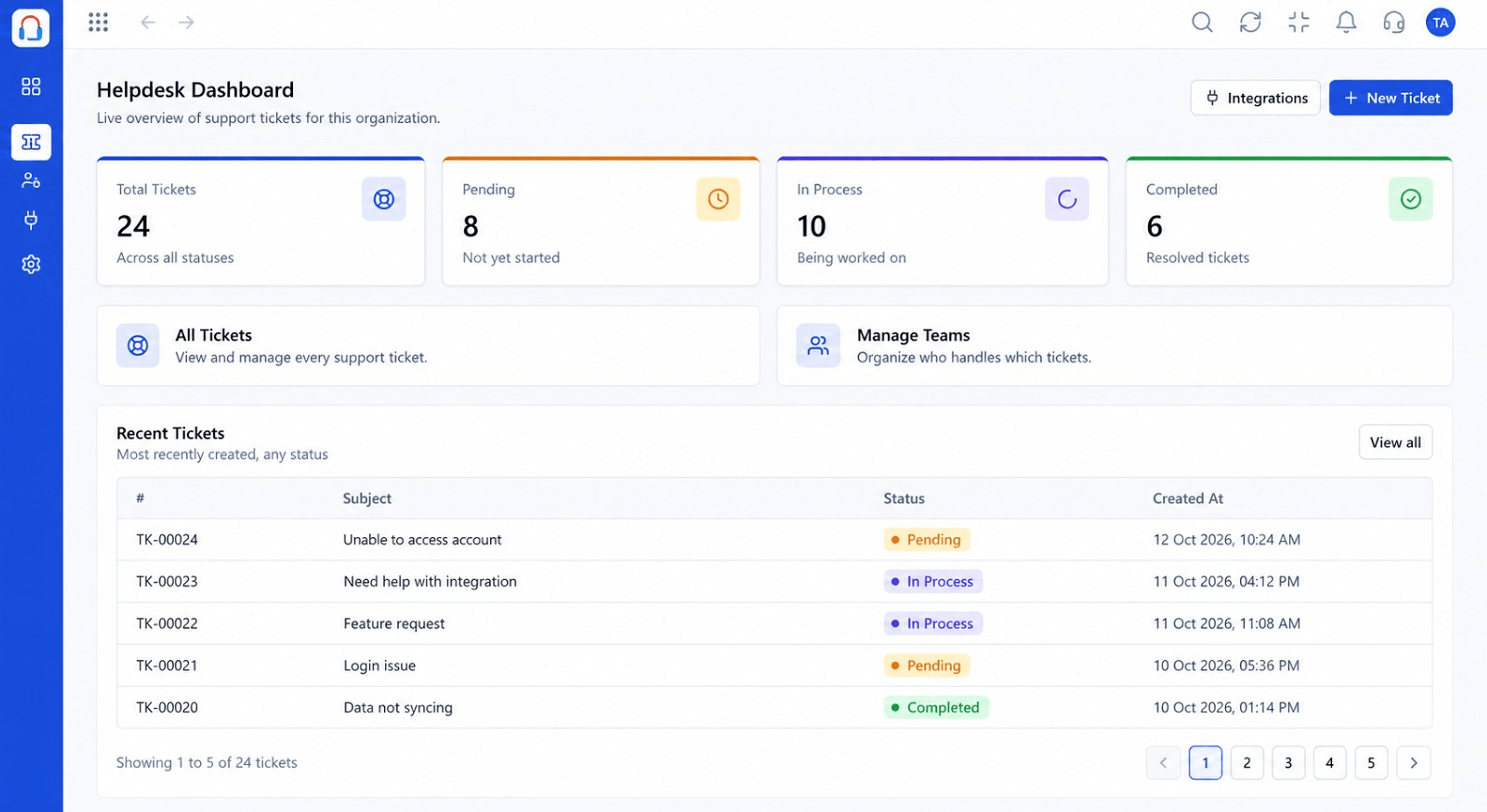 Dashboard
Live view of volume, backlog and response times
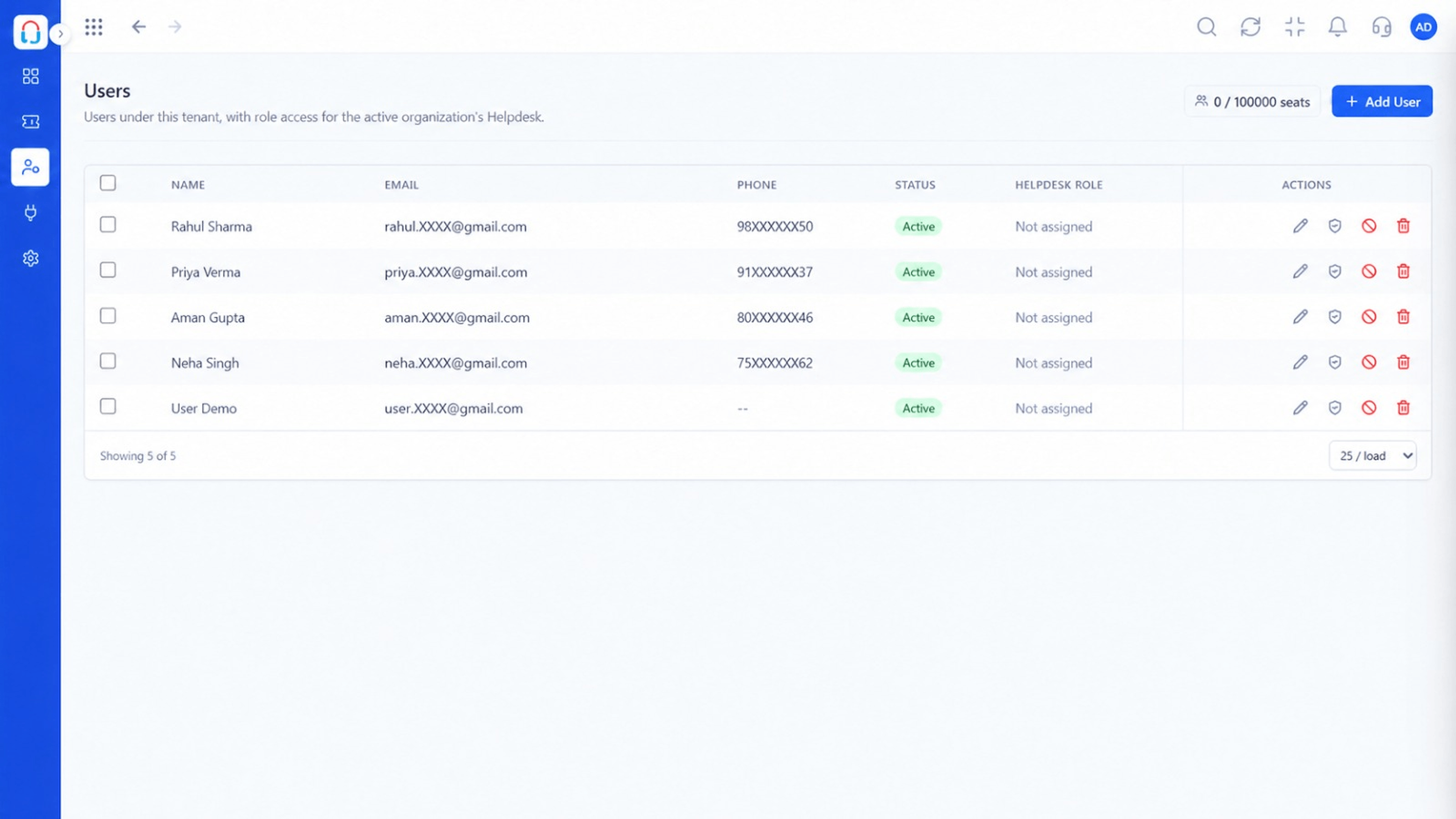 Team
TeamAgents, teams and roles in one place
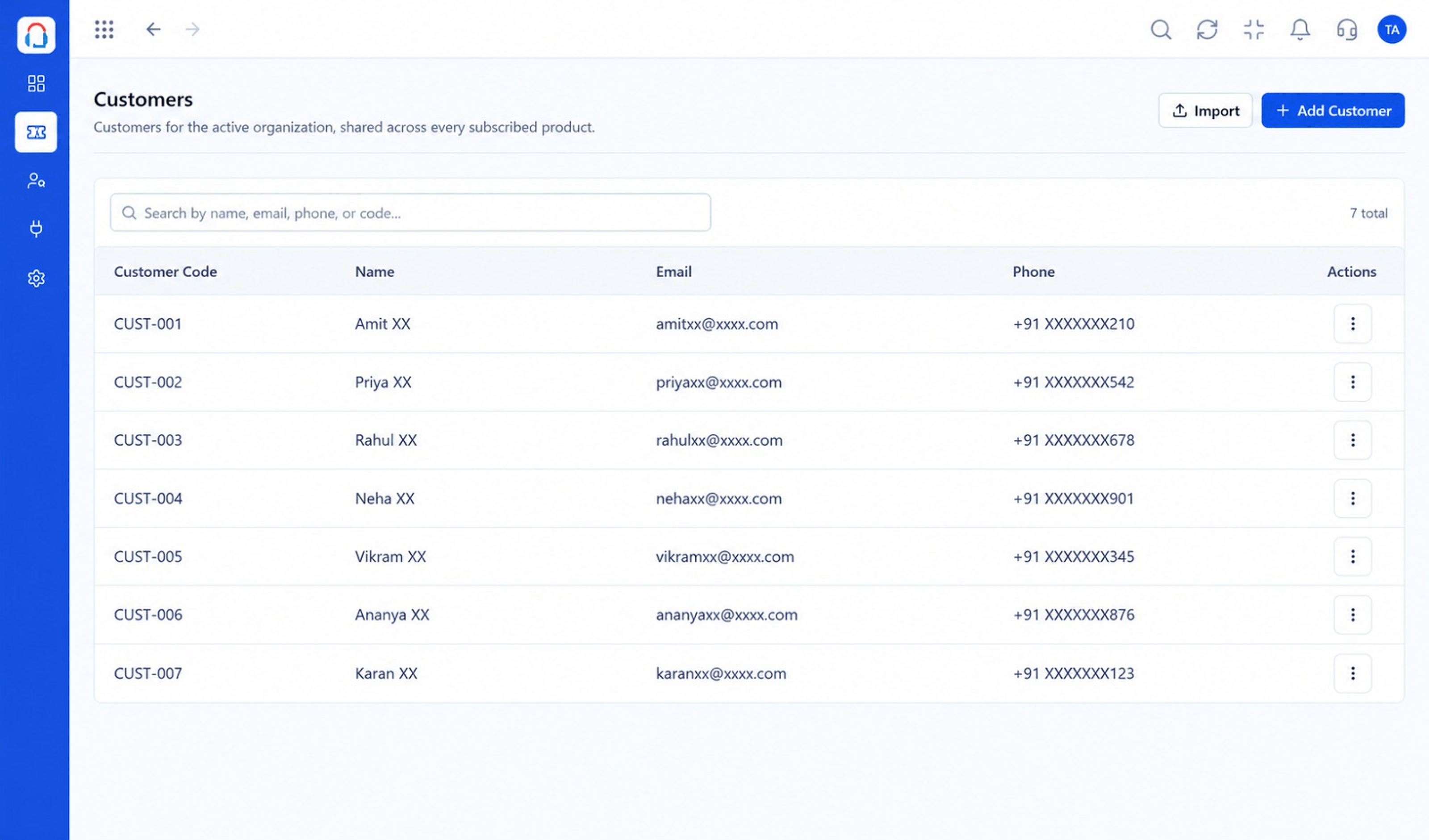 Customers
Every customer with their full ticket history
Feature Breakdown
Captured from the Triostack Desk workspace.
What You Can DoCapture and own requests.
What You Can DoKnow your customers.
What You Can DoOrganise people.
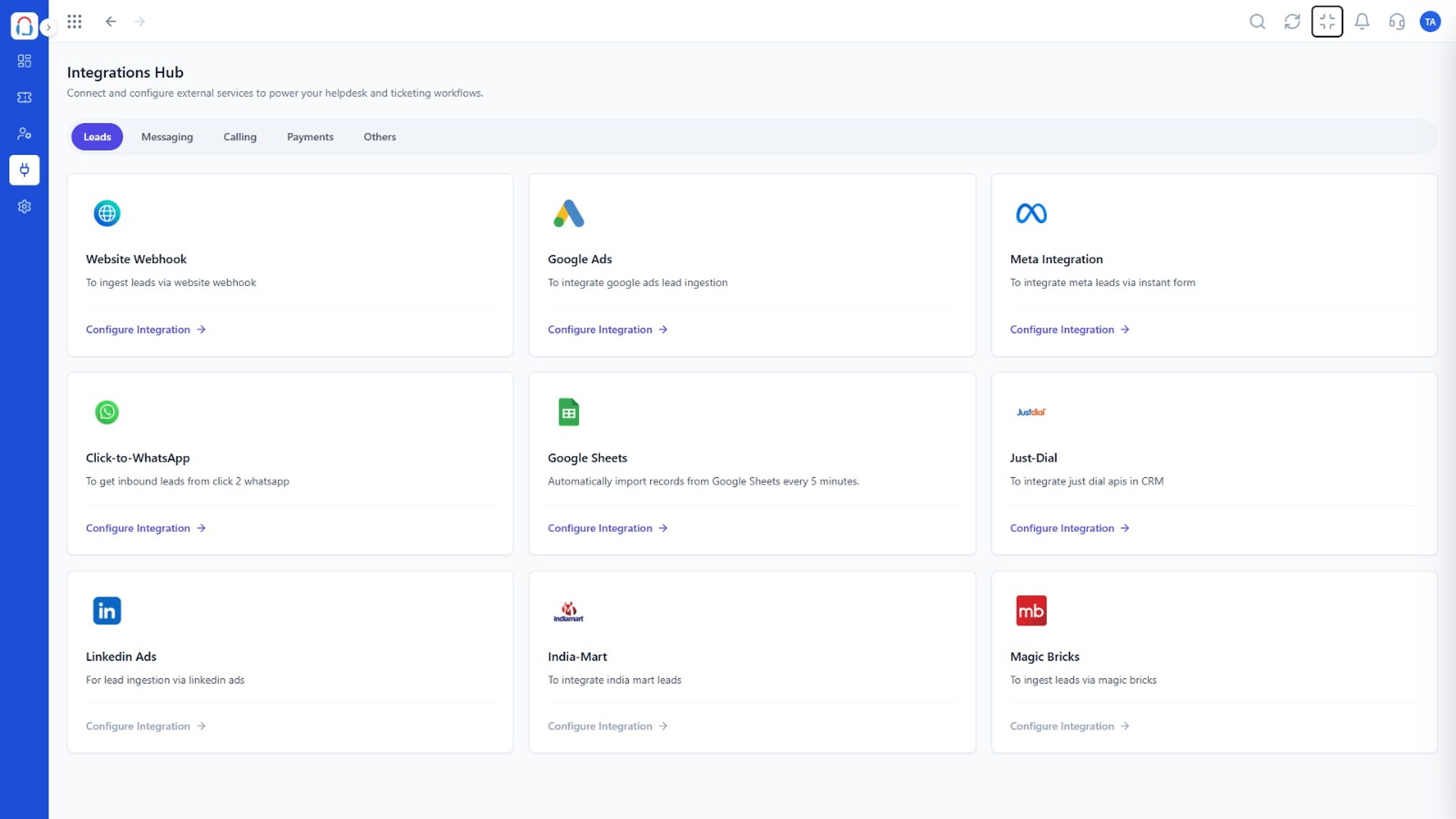 What You Can Do
Connect channels.
Execution Plan
Tickets and shared inbox.
Automation and assignment.
SLAs and escalation.
Knowledge base, portal and reports.
In Real Life
Scenario 01
A small team moves off a shared mailbox.
Scenario 02
Rules and SLAs follow.
Scenario 03
A portal and articles reduce volume.
Frequently Asked Questions
With tickets and the shared inbox.
No. Add capabilities as you grow.
Yes. Start a free trial from the Desk pages.
Yes. Request one from the contact page.
Tickets, shared inbox, automation, SLAs, knowledge base and reports, built for support teams of every size.
