The best Business Suite software in India, built to help your business grow. Contact us at +91-8882435276.
[ Contact ]
Phone number
Email address
Head office
Noida office
The right team at TriostackOne will get back to you.
See every request, every agent and every deadline in one workspace, so support runs on a plan instead of on adrenaline.
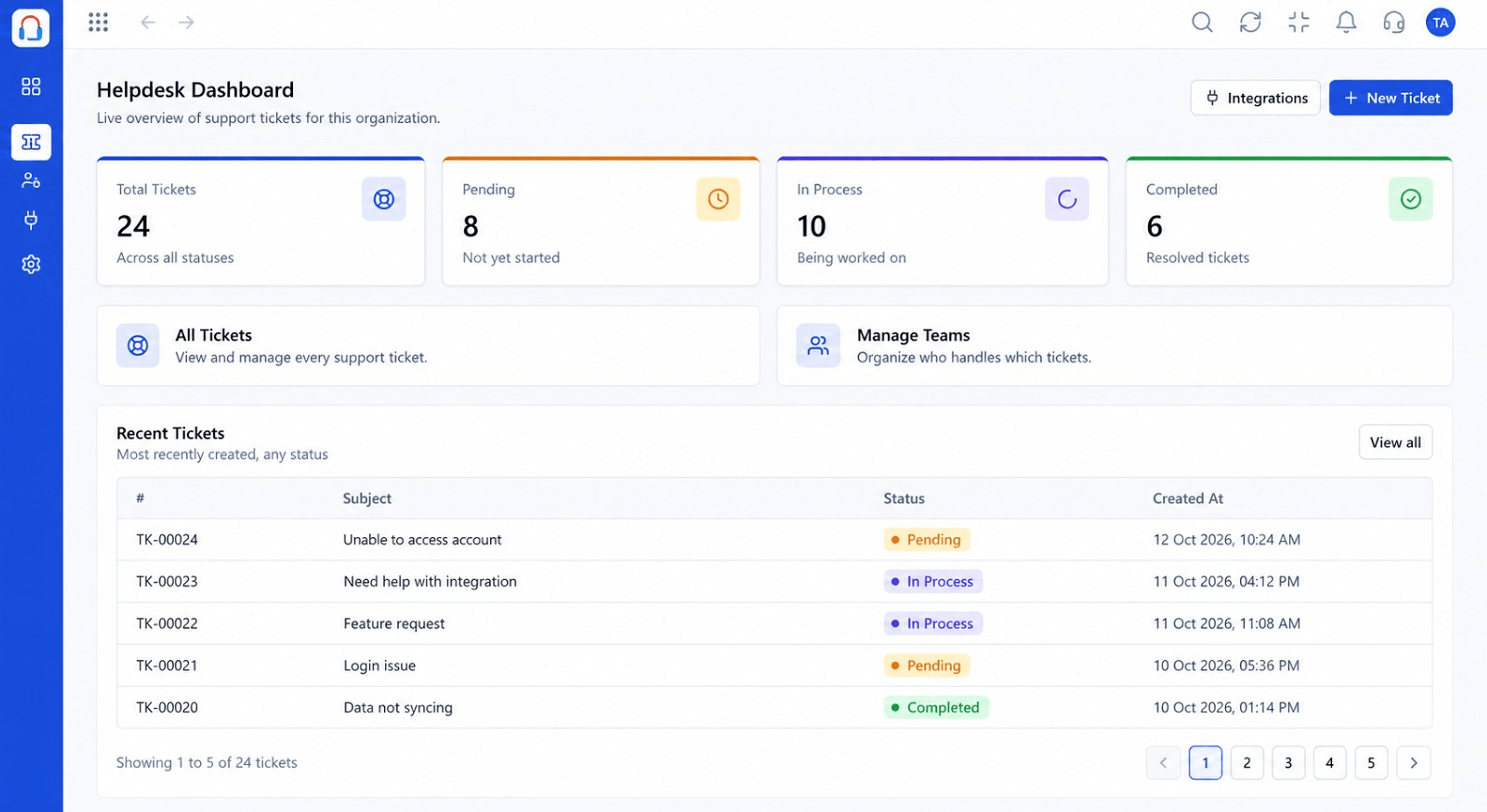
Queue, team and customers in a single view
Positioning Assessment
Teams who rely on heroic effort burn out and still miss things. Calm support comes from clear ownership, visible workload and consistent process.
Desk gives managers a live view of the queue and the team, and gives agents the context to answer well the first time.
“We can see the whole operation on one screen. That alone removed a lot of daily stress.”
Sample team scenario
Illustrative example, not a customer testimonial
Illustrated Overview
Imagine a manager's screen where every ticket is a light, every agent a lane and nothing is hidden.
Queue, team and customers together.
Assign with workload in view.
Use reports to guide change.
Platform Integrity
Every request visible
Nobody guesses who has it
Live workload and backlog
Context for every reply
How It Works
What structure adds to daily support.
| Dimension | Triostack Desk | Firefighting |
|---|---|---|
| Visibility | Queue and team on one screen | Asking around |
| Workload | Balanced across agents | Whoever shouts loudest |
| Priorities | Set and sortable | Order of arrival |
| Context | Customer history at hand | Start from scratch |
| Improvement | Reports guide change | Anecdotes |
We will help you configure this workflow end to end, from queues to permissions, in your first session.
Live Interface Tour
Real screens captured directly from the Triostack Desk workspace.
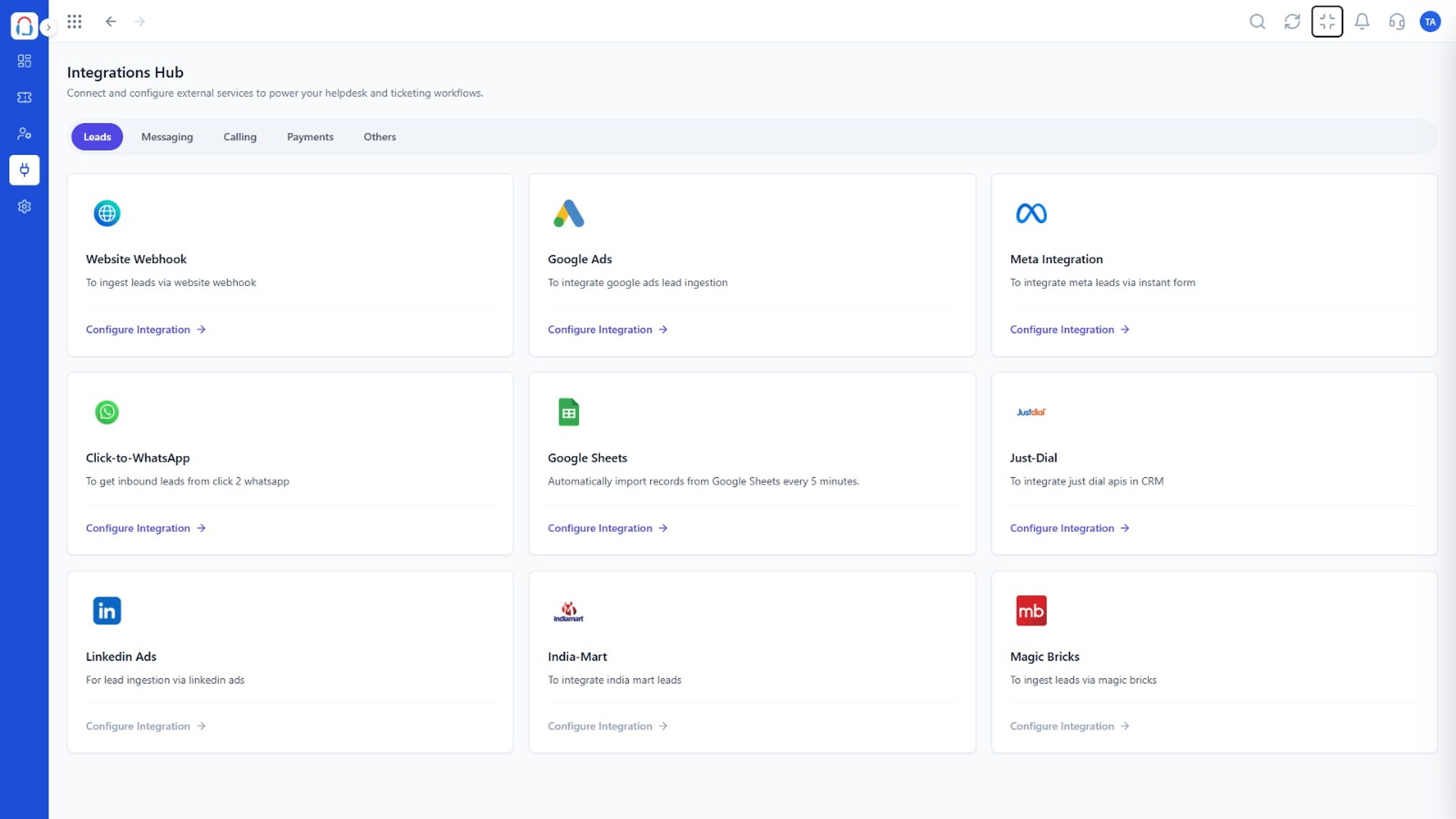 Integrations
Connect channels and tools to your helpdesk
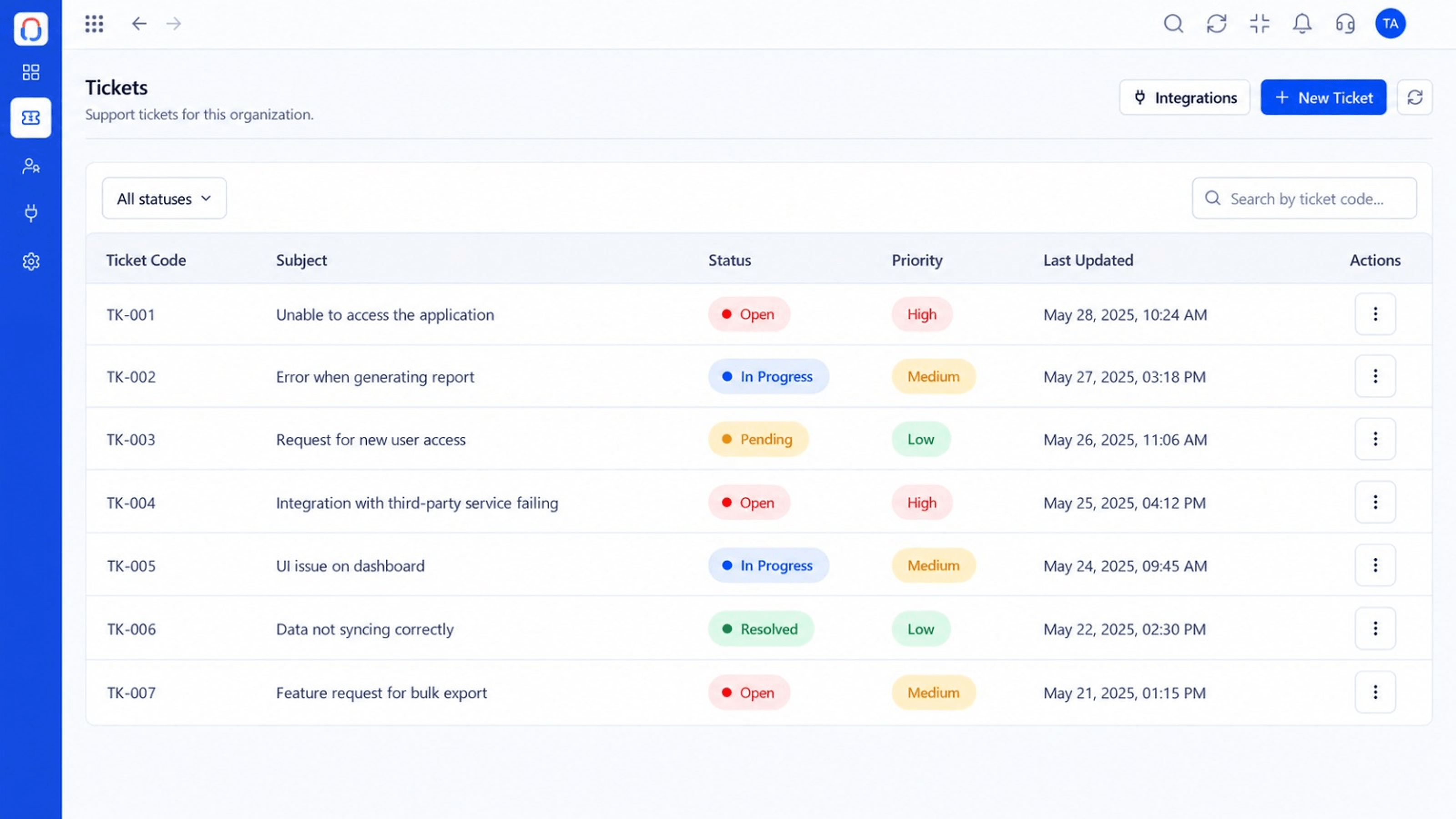 Tickets
Every request in one prioritised queue
DashboardLive view of volume, backlog and response times
Feature Breakdown
Captured from the Triostack Desk workspace.
What You Can DoThe state of the operation.
What You Can DoWork in priority order.
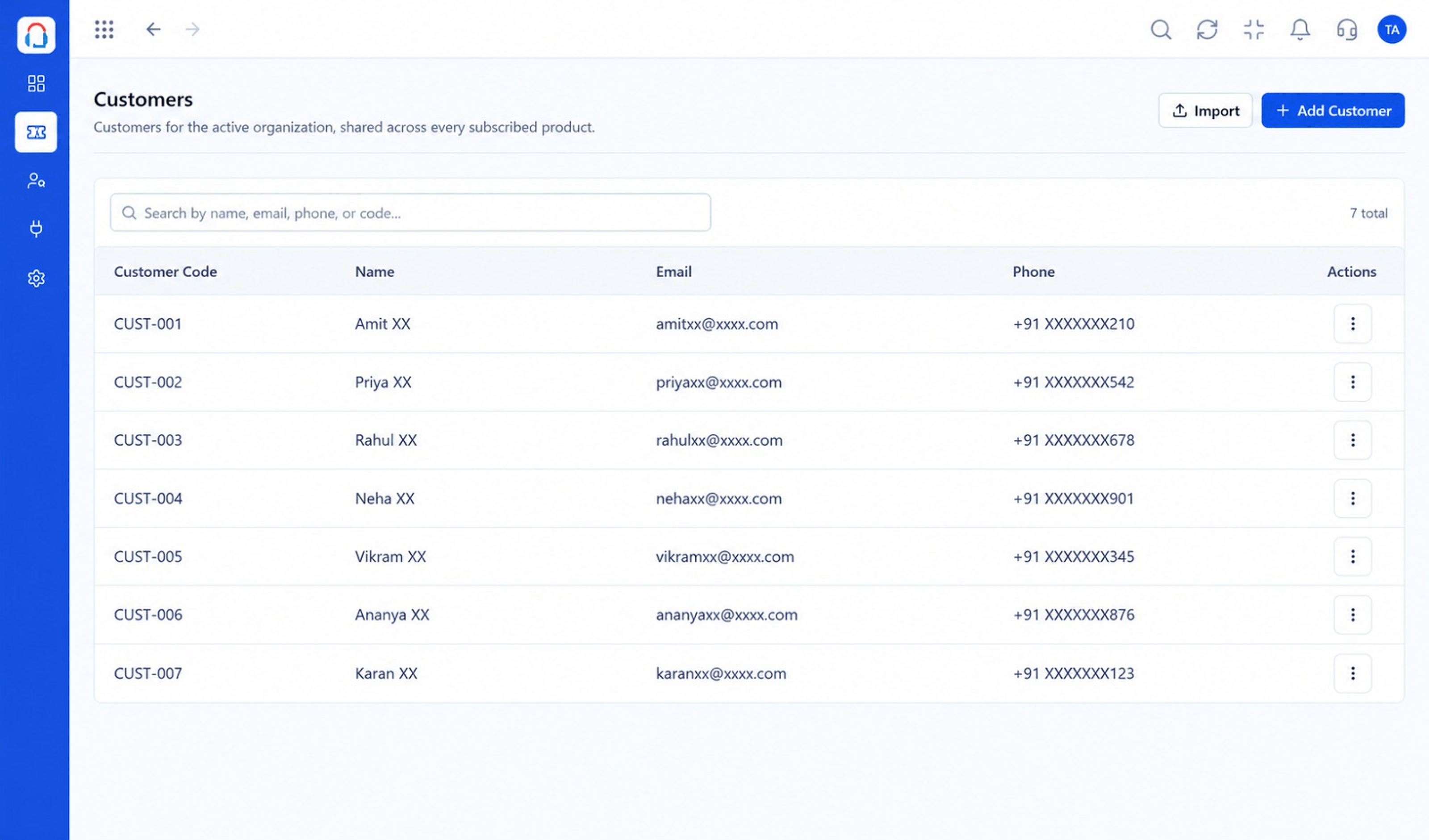 What You Can Do
Know the customer.
 What You Can Do
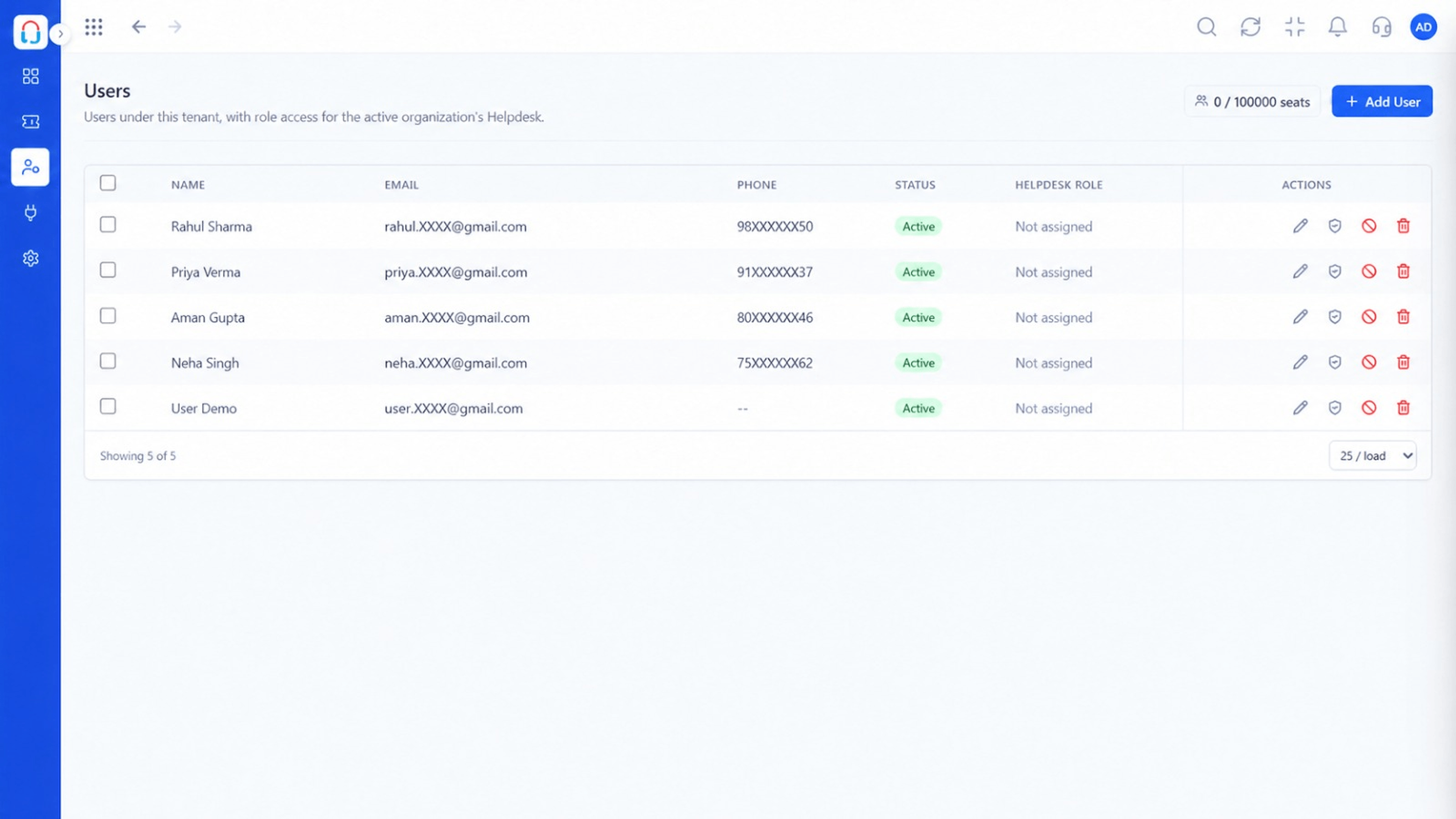
Who is doing what.
Execution Plan
Check backlog and at-risk tickets.
Balance work across agents.
Agents work with full context.
Review numbers and hand over.
In Real Life
Scenario 01
Prioritise the weekend's tickets in minutes.
Scenario 02
Everyone knows what they own.
Scenario 03
Leaders review a clean summary.
Frequently Asked Questions
Support managers and teams who want clearer ownership and visibility.
No. Start with tickets and the dashboard.
Yes, subject to role permissions.
Often within a day. Request a demo to plan.
Tickets, shared inbox, automation, SLAs, knowledge base and reports, built for support teams of every size.
