The best Business Suite software in India, built to help your business grow. Contact us at +91-8882435276.
[ Contact ]
Phone number
Email address
Head office
Noida office
The right team at TriostackOne will get back to you.
Employees pick a leave type and dates, add a reason and track the request until it is approved, with no chasing and no guessing.
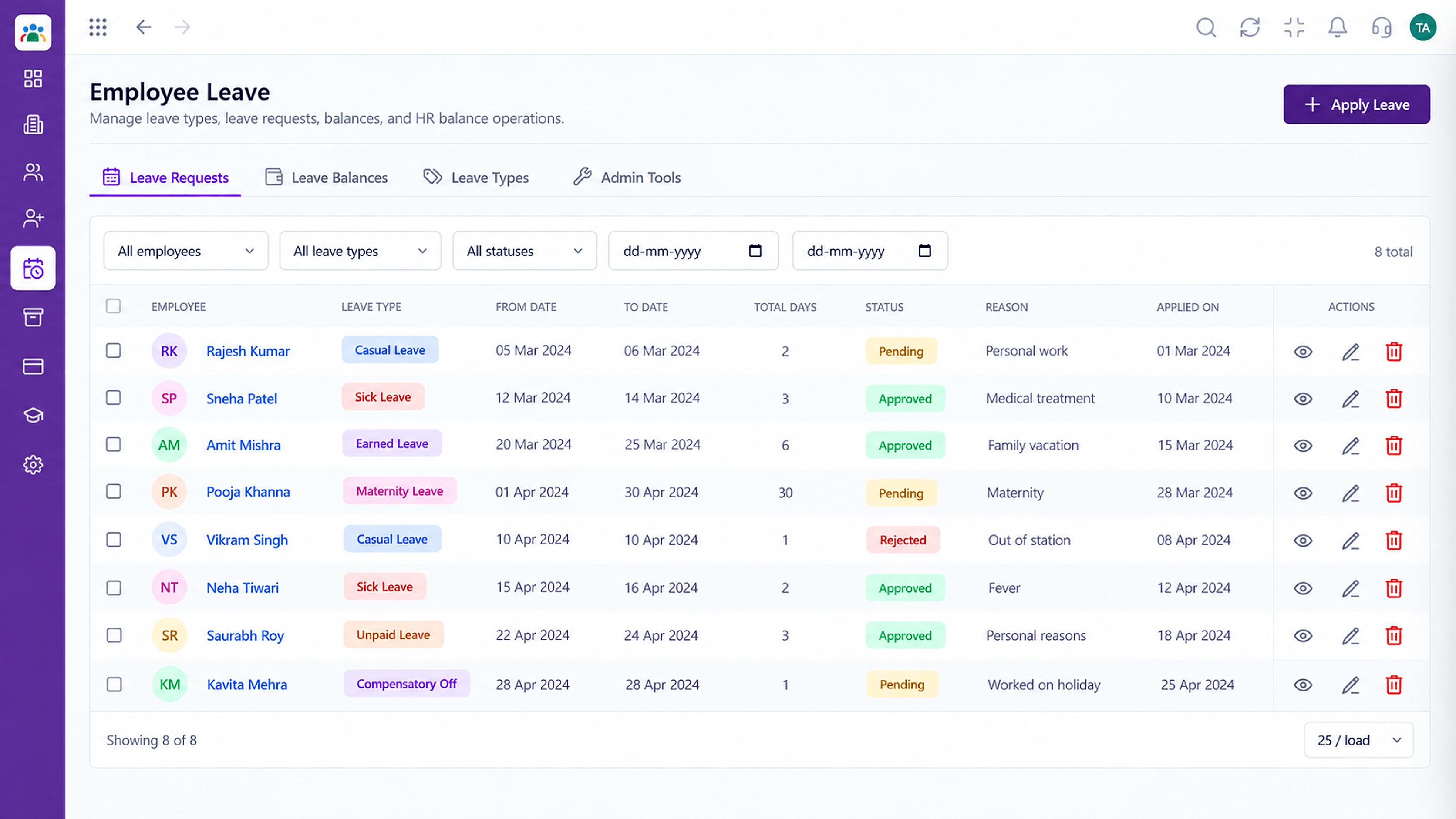
Employees request and track leave themselves
Positioning Assessment
Informal requests leave employees uncertain and managers unsure what they agreed to. Both sides lose time clarifying.
With self-service leave, the employee chooses a leave type, selects dates and submits. The request goes to the approver, and the employee sees its status without asking.
“I apply, I see who has it, and I see the decision. That is all I wanted.”
Sample team scenario
Illustrative example, not a customer testimonial
Illustrated Overview
Imagine sending a request as a small plane that glows at each stop on its way to the approver and back, so you never wonder where it is.
A short form, no explanations.
Status is always visible.
Approved or rejected, on the record.
Platform Integrity
Type, dates and reason
Know what is available
Pending, approved or rejected
Request goes to the current approver
How It Works
What the employee gains from a proper request.
| Dimension | Triostack HRMS | Asking in Person |
|---|---|---|
| Request | Structured form | A conversation or message |
| Status | Visible any time | Ask and wait |
| Balance | Shown to the employee | Unknown until HR replies |
| Approver | Routed automatically | Chosen by chance |
| Record | Stored against the employee | Not recorded |
See how employees raise requests themselves while HR keeps the approvals and the record.
Live Interface Tour
Real screens captured directly from the Triostack HRMS workspace.
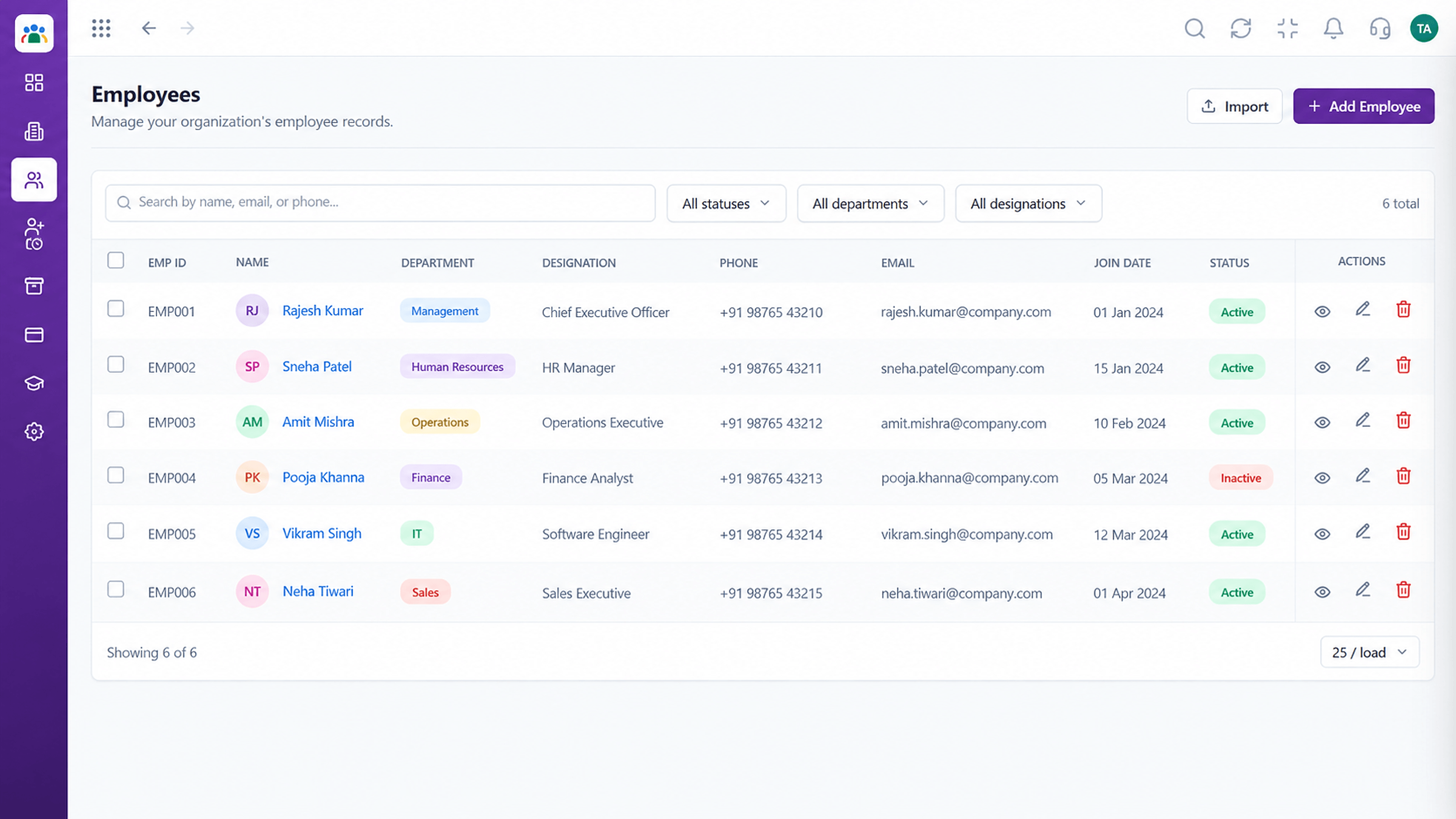 Employees
Every employee with ID, department, designation and status
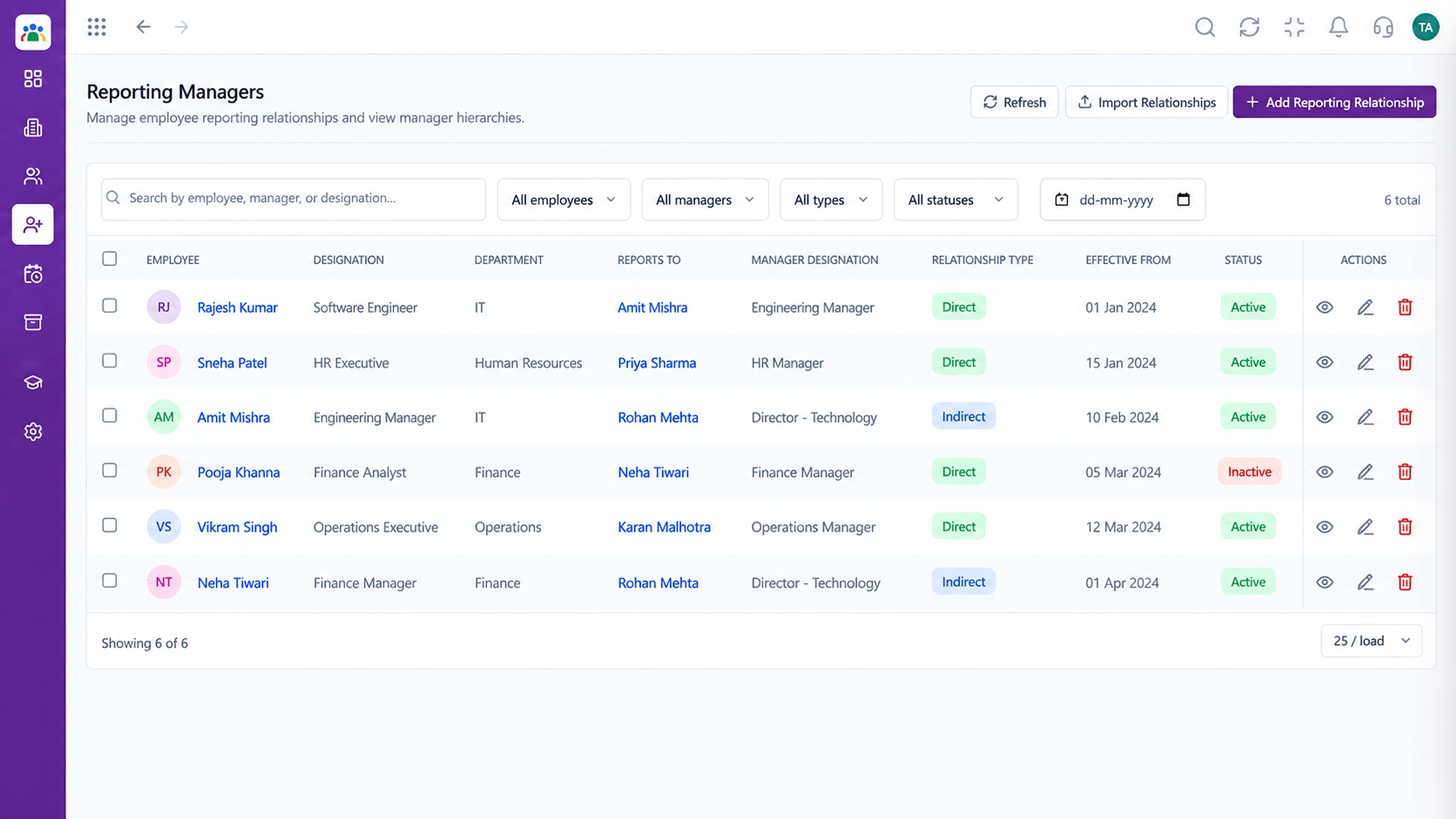 Organisation
Who reports to whom across the company
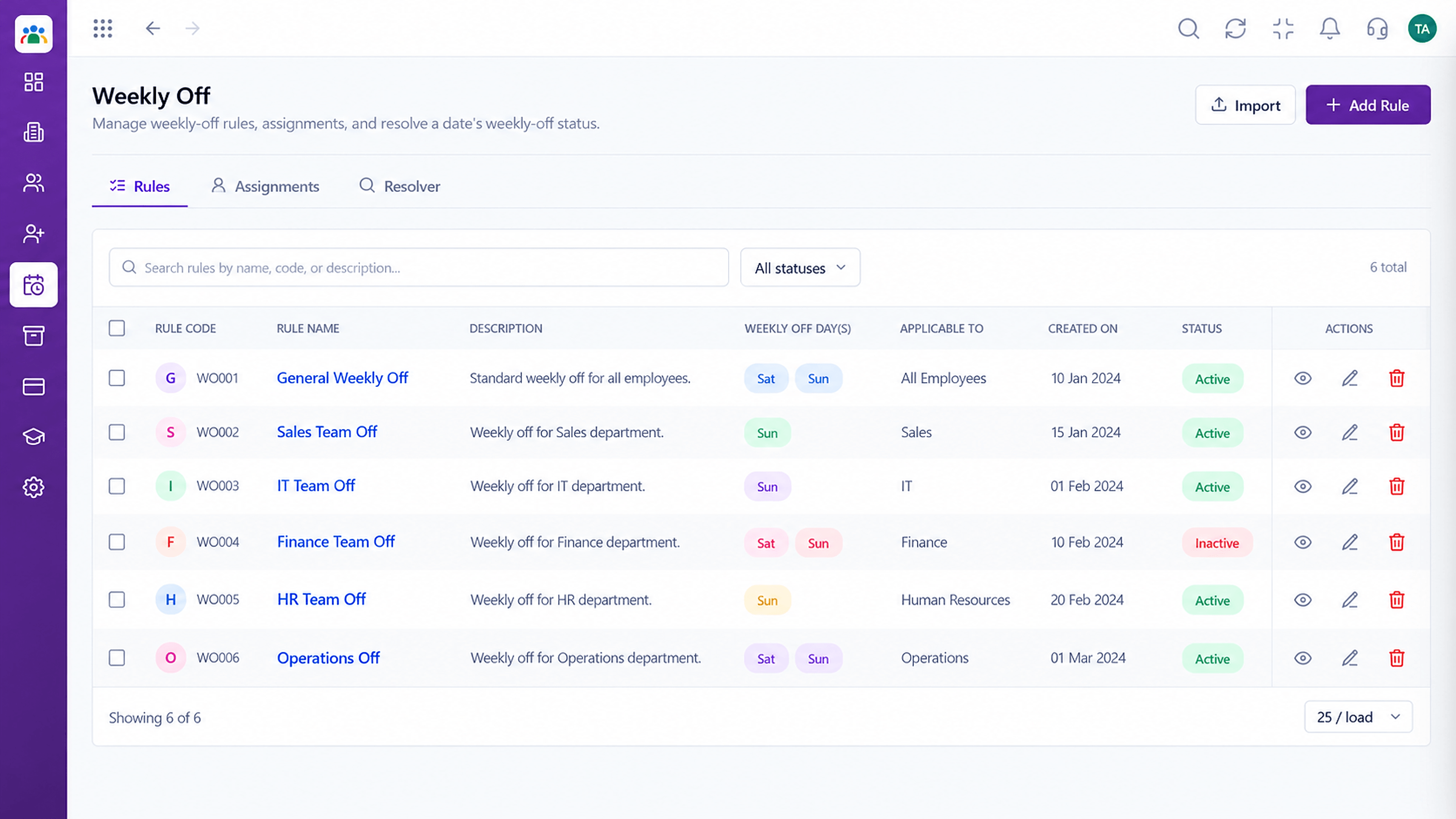 Time
TimeSet weekly-off patterns by group
Feature Breakdown
Captured from the Triostack HRMS workspace.
Employee Self-ServiceApply for time off.
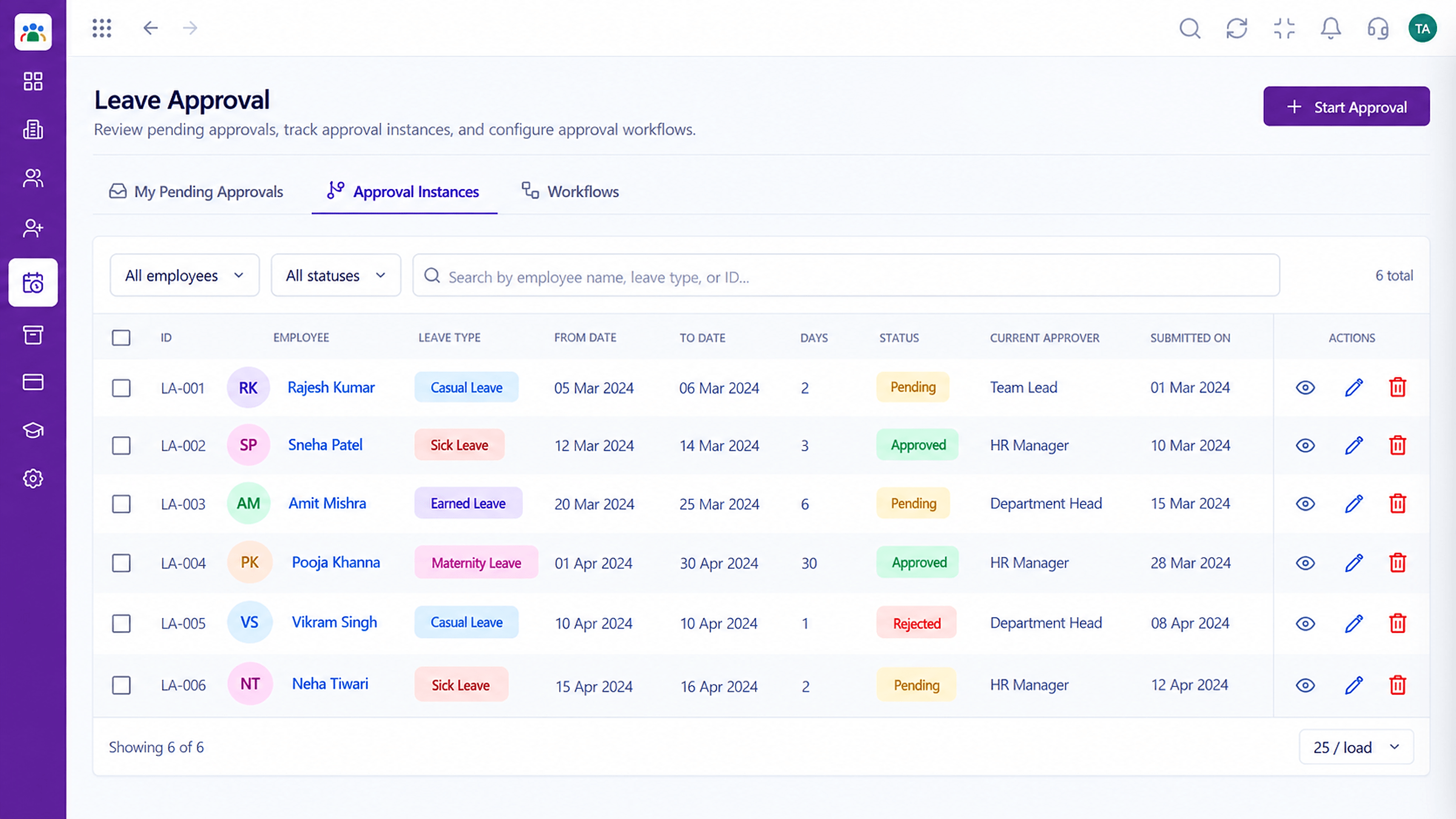 Employee Self-Service
See who has your request.
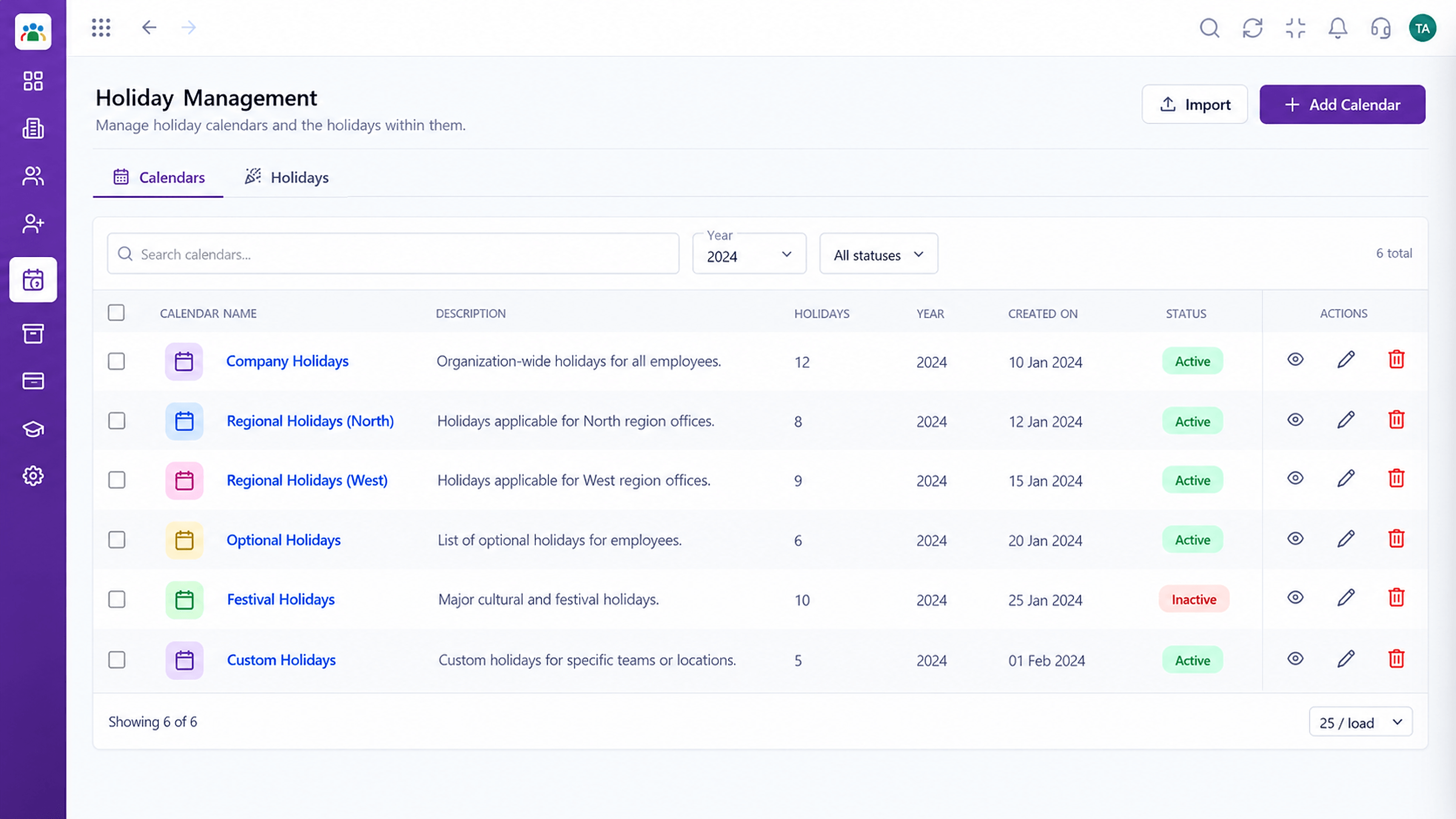 Employee Self-Service
Plan around holidays.
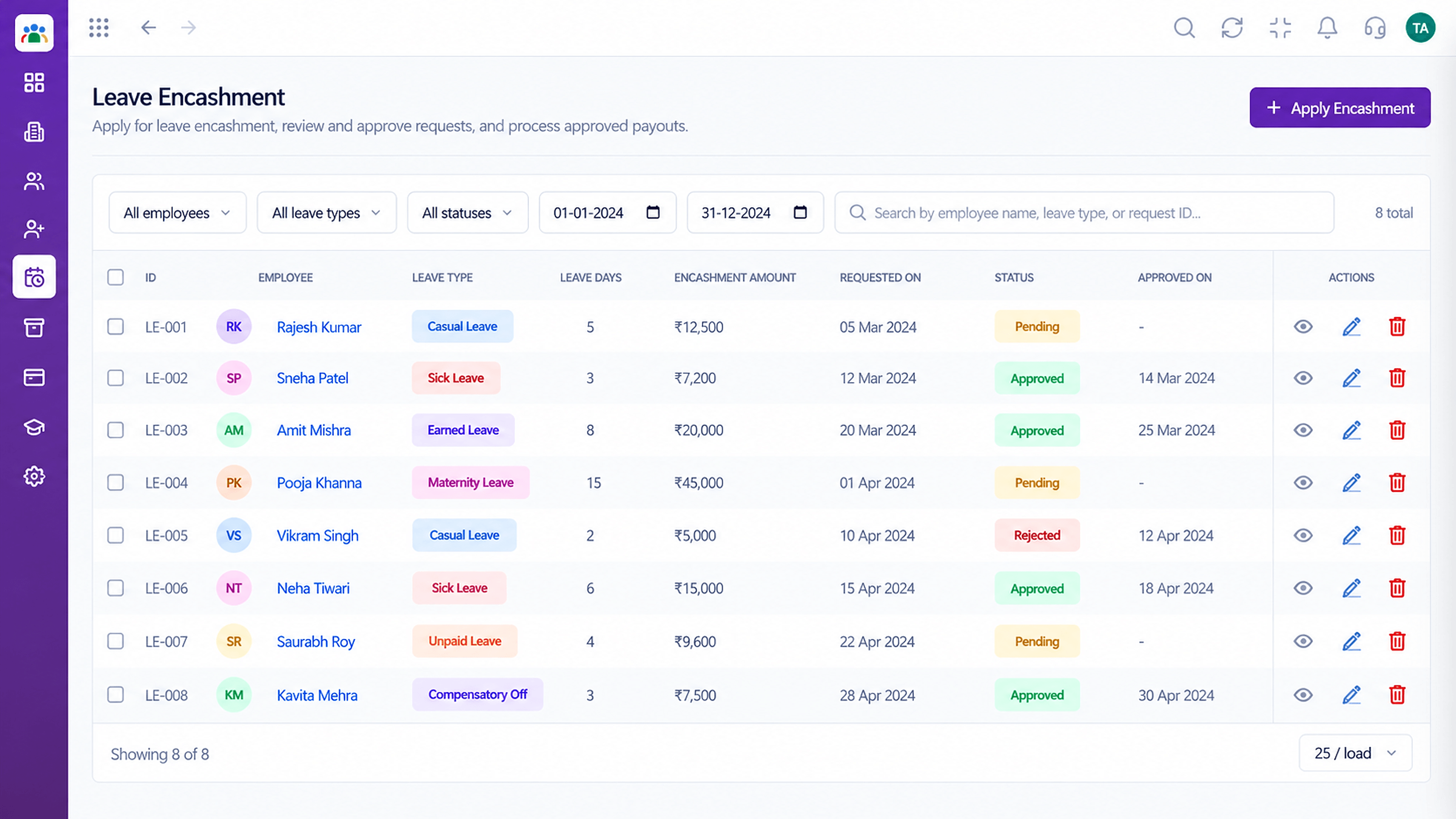 Employee Self-Service
Request encashment where eligible.
Execution Plan
Choose a leave type.
Pick the days and add a reason.
The request goes to the approver.
See the decision and updated balance.
In Real Life
Scenario 01
An employee applies in a minute and the manager sees it.
Scenario 02
A long break is requested well ahead with balances visible.
Scenario 03
The request still reaches the current approver.
Frequently Asked Questions
Yes. Your balance is visible when you apply.
The current approver, usually your reporting manager.
Yes, from submitted to approved or rejected.
Ask us about cancellation rules for your setup.
Employee records, attendance, leave, shifts and approvals in one workspace, built for HR teams and the people they serve.
Explore All Employee Self-Service
