The best Business Suite software in India, built to help your business grow. Contact us at +91-8882435276.
[ Contact ]
Phone number
Email address
Head office
Noida office
The right team at TriostackOne will get back to you.
A searchable directory of colleagues with department, designation and contact details, so people can reach the right person without asking around.
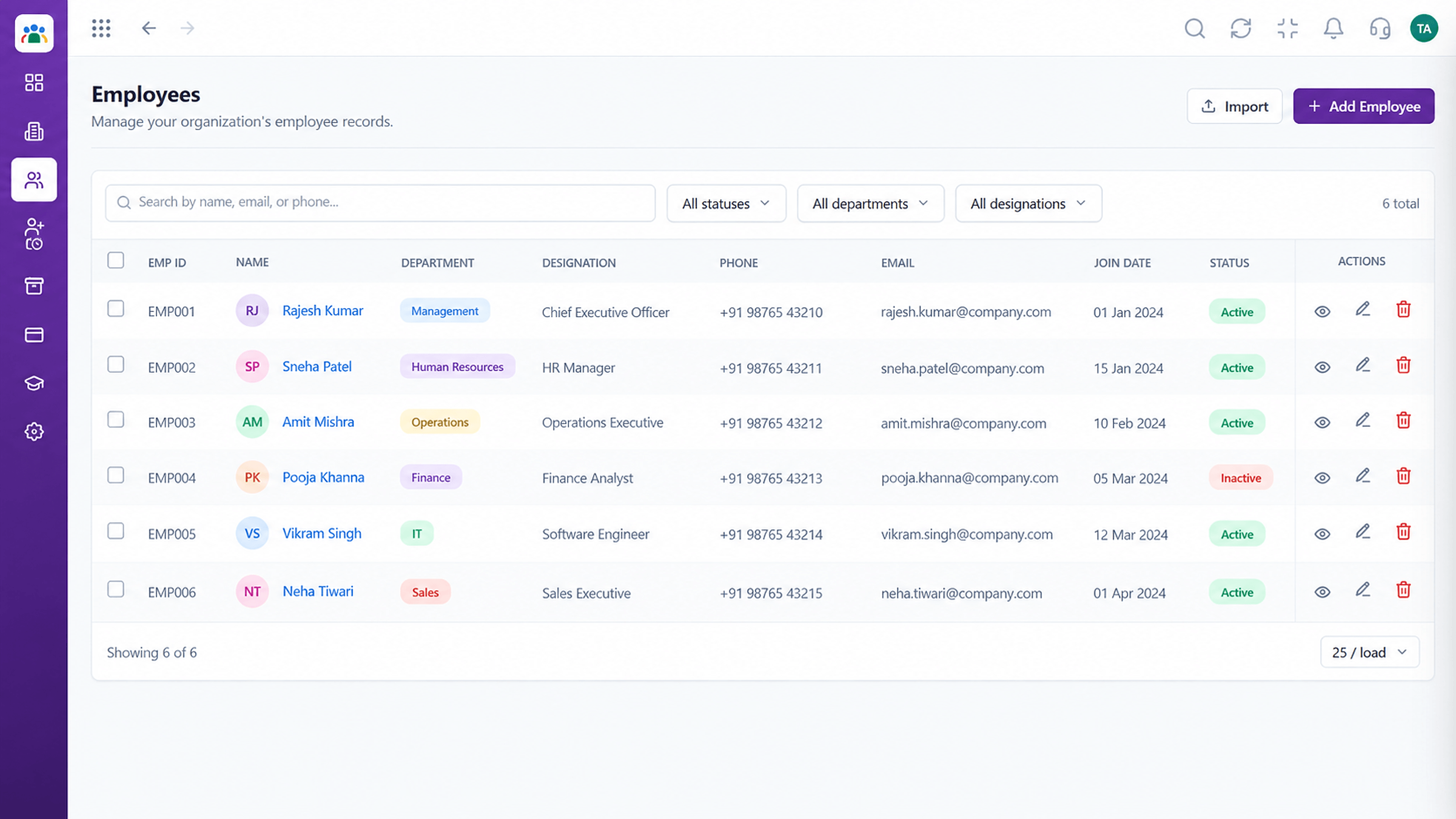
Find anyone by name, department or designation
Positioning Assessment
As companies grow across branches and teams, people no longer know everyone. Finding the right colleague means asking someone who might also not know.
The employee directory in Triostack HRMS lets people search for colleagues by name, department or designation and see their details. It draws from the same record HR maintains, so it stays current.
“New joiners find who they need on day one. The directory does the introductions.”
Sample team scenario
Illustrative example, not a customer testimonial
Illustrated Overview
Imagine a phone book whose pages quietly rewrite themselves each time HR updates a record, so no entry is ever stale.
Search is the starting point.
Role, branch and manager appear.
Linked to the live record.
Platform Integrity
By name, department or designation
Reach the right person
Fed by the employee record
See manager and team
How It Works
Why a directory tied to the record stays correct.
| Dimension | Triostack HRMS | Old Contact Lists |
|---|---|---|
| Accuracy | From the employee record | Out of date within weeks |
| Search | By name, department, designation | Scroll a PDF |
| Updates | Automatic when HR updates | Someone must remember |
| Org Context | Manager and team visible | Missing |
| Access | Everyone with permission | Whoever has the file |
See how employees raise requests themselves while HR keeps the approvals and the record.
Live Interface Tour
Real screens captured directly from the Triostack HRMS workspace.
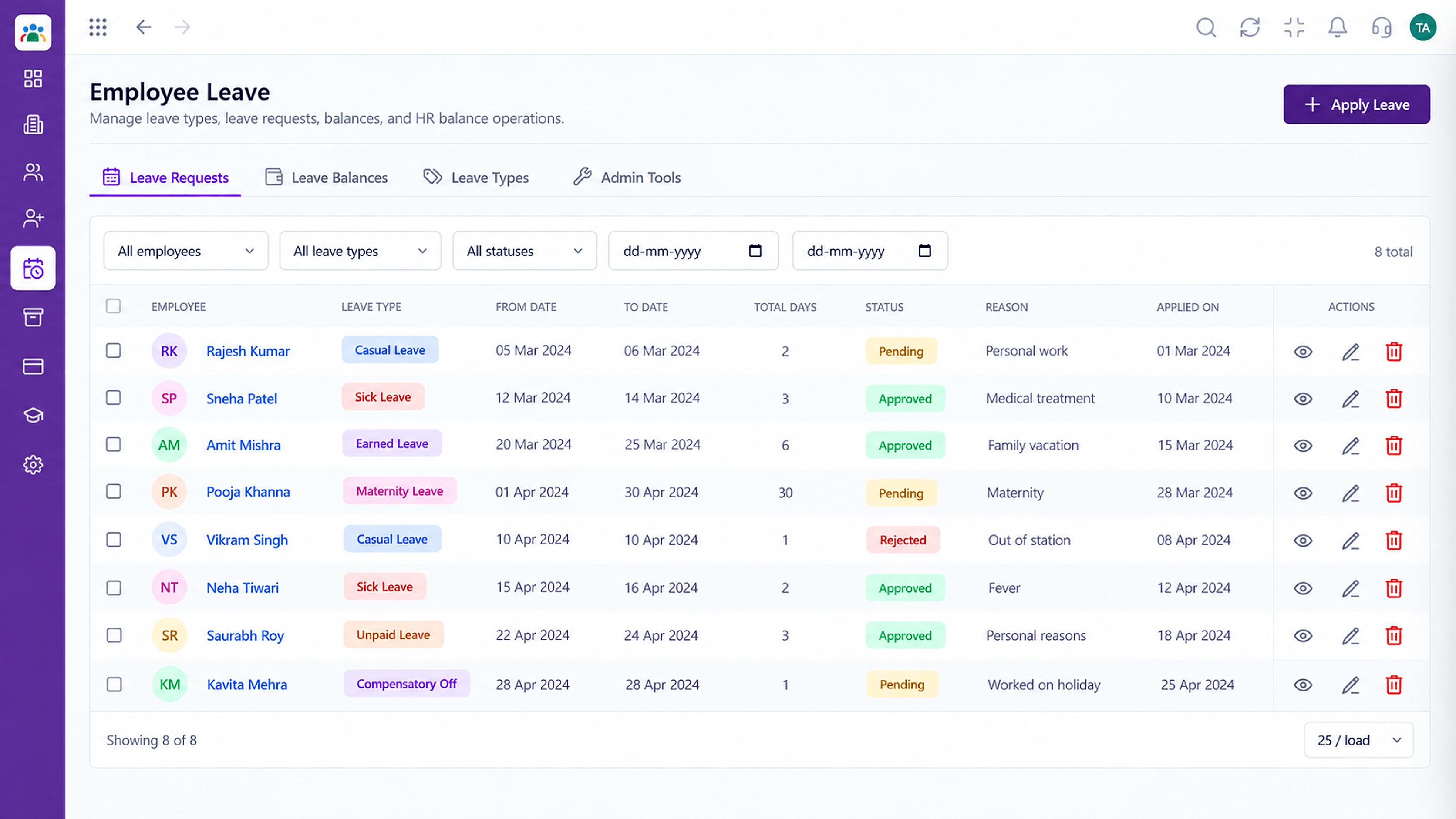 Leave
LeaveLeave types, balances and requests in one place
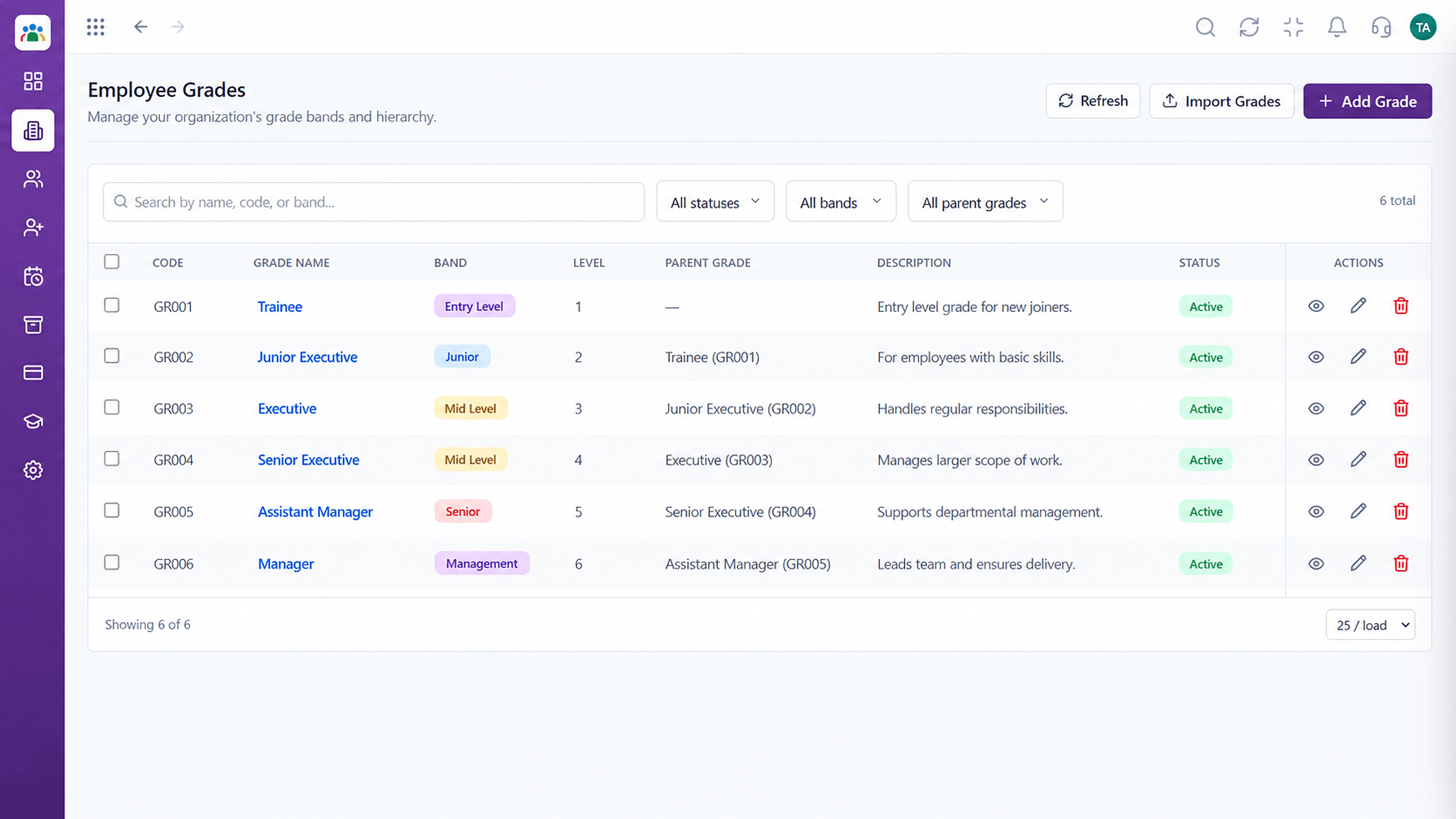 Organisation
Grade structure for your organisation
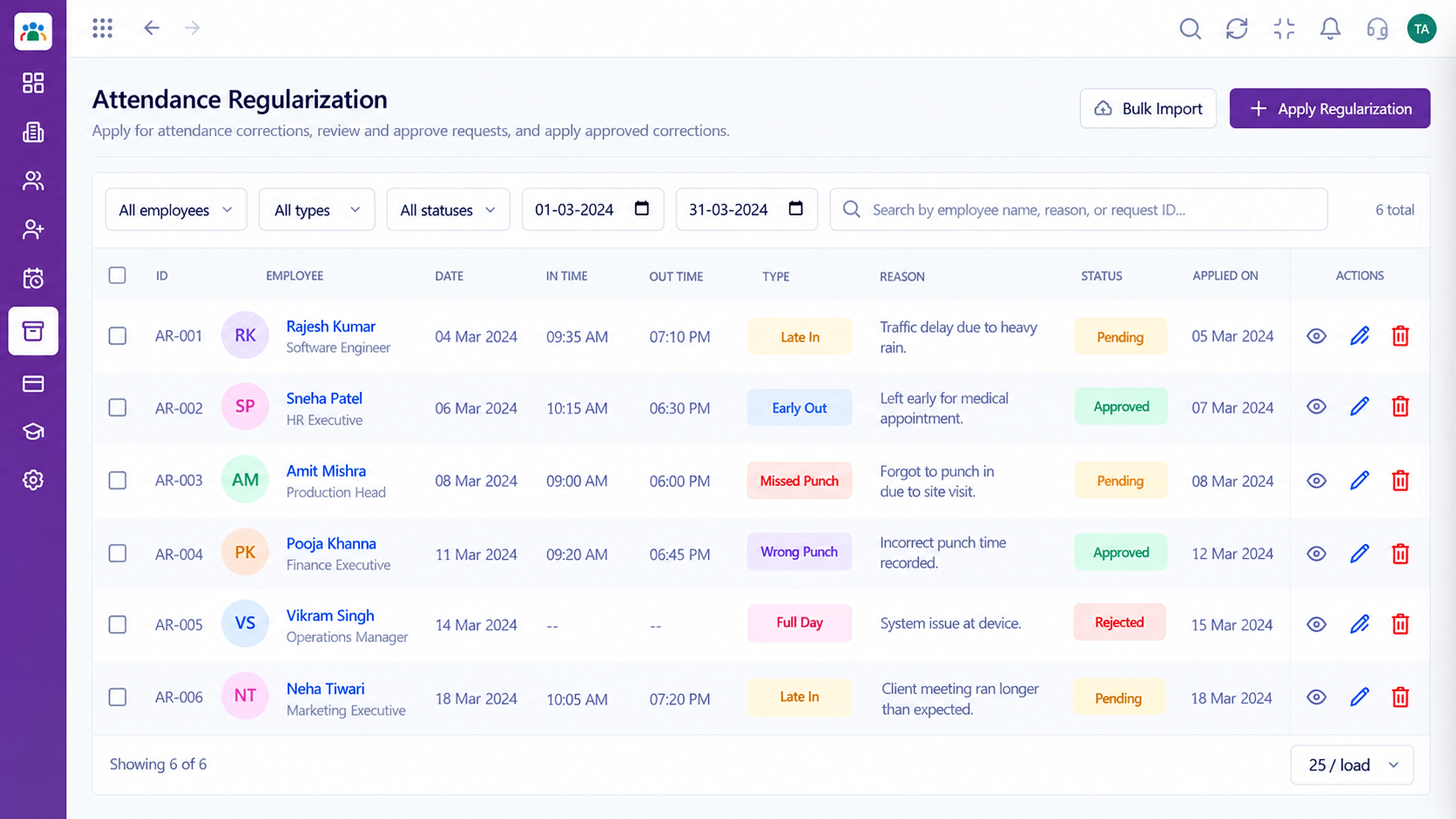 Attendance
Correct missed punches with a clear approval trail
Feature Breakdown
Captured from the Triostack HRMS workspace.
Employee Self-ServiceBrowse and search colleagues.
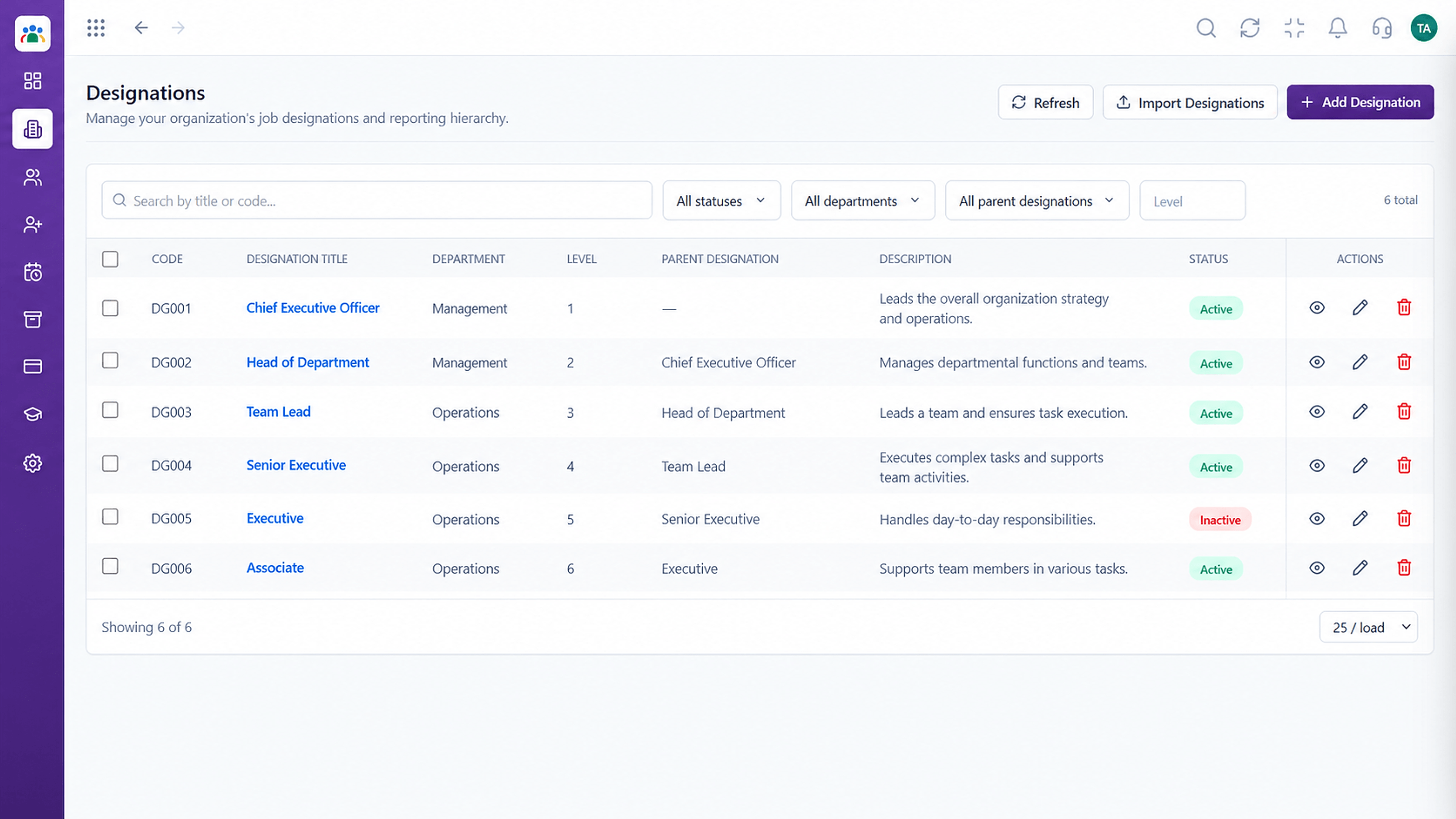 Employee Self-Service
Understand roles.
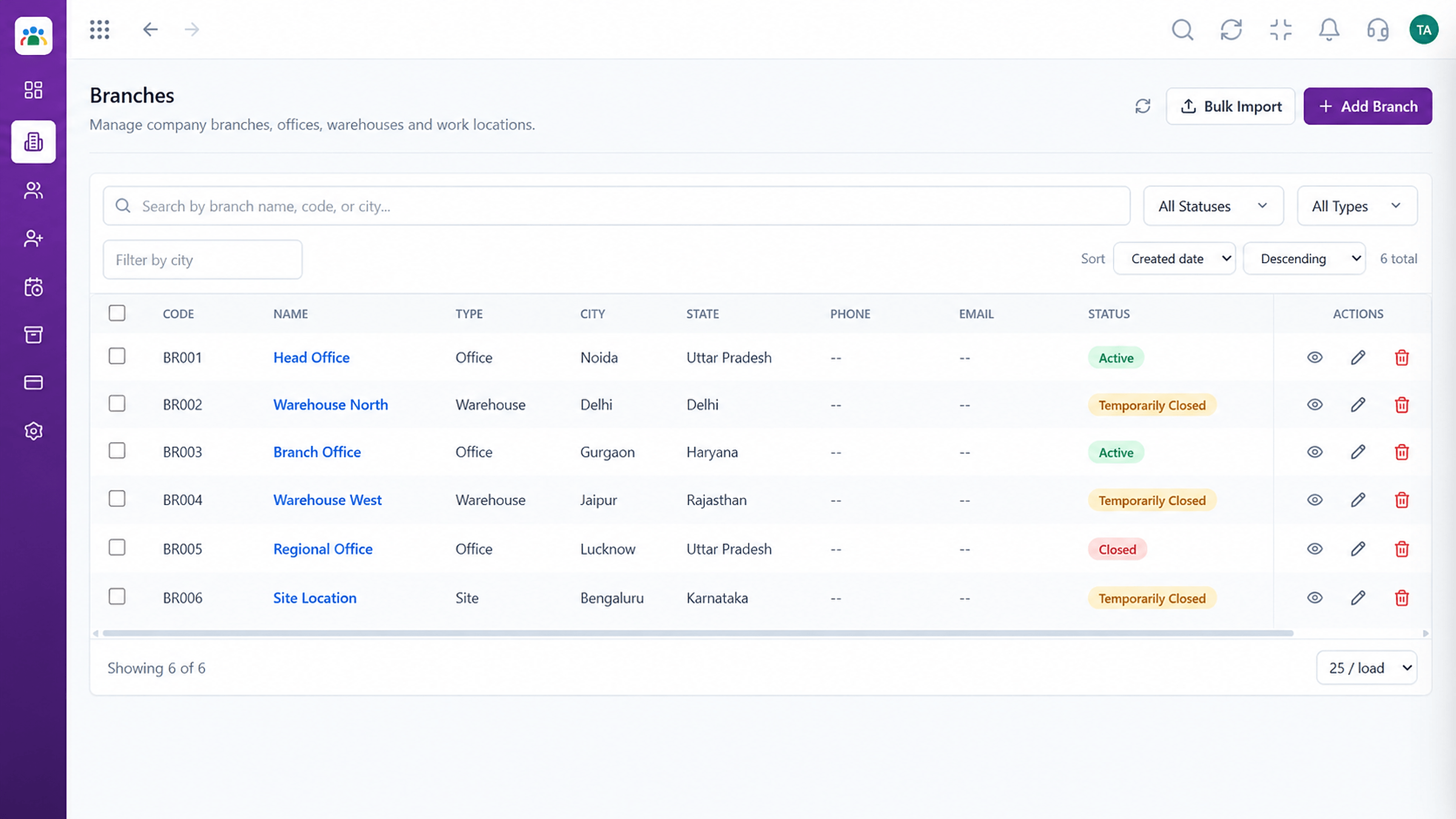 Employee Self-Service
Find people by location.
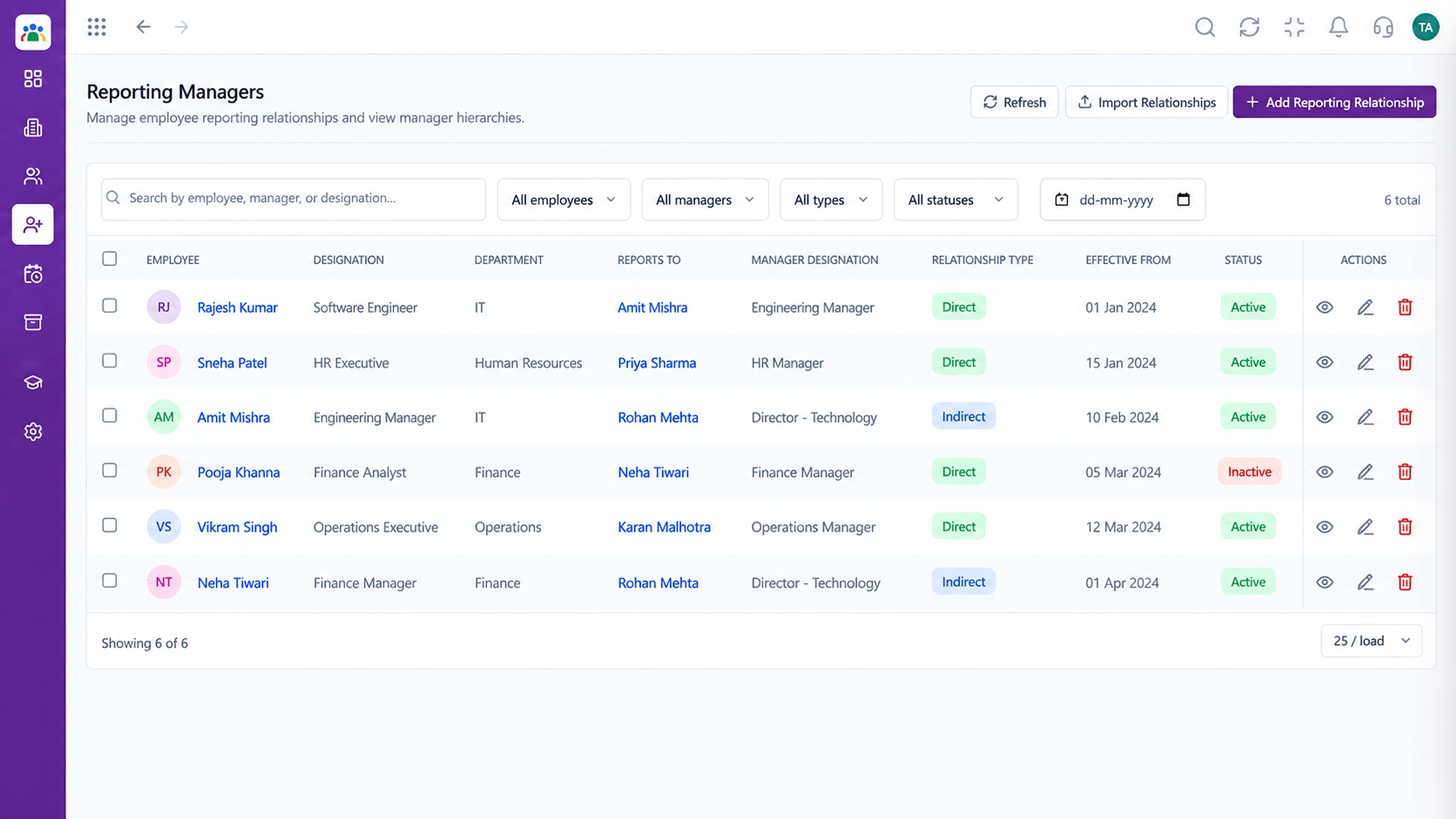 Employee Self-Service
See who reports to whom.
Execution Plan
Go to the employee list.
Type a name, department or designation.
See details and manager.
Reach out with the right contact.
In Real Life
Scenario 01
Finds the right contact for each question.
Scenario 02
Teams locate colleagues in other locations.
Scenario 03
A manager finds the right owner in seconds.
Frequently Asked Questions
Employees with permission, following your role settings.
Yes. It uses the same employee record HR maintains.
Yes, as well as by name and department.
Access follows roles and permissions. Ask us about your needs.
Employee records, attendance, leave, shifts and approvals in one workspace, built for HR teams and the people they serve.
Explore All Employee Self-Service
