The best Business Suite software in India, built to help your business grow. Contact us at +91-8882435276.
[ Contact ]
Phone number
Email address
Head office
Noida office
The right team at TriostackOne will get back to you.
Employees can see the company's holidays and weekly offs in one place, so they plan leave around them and never miscount a long weekend.
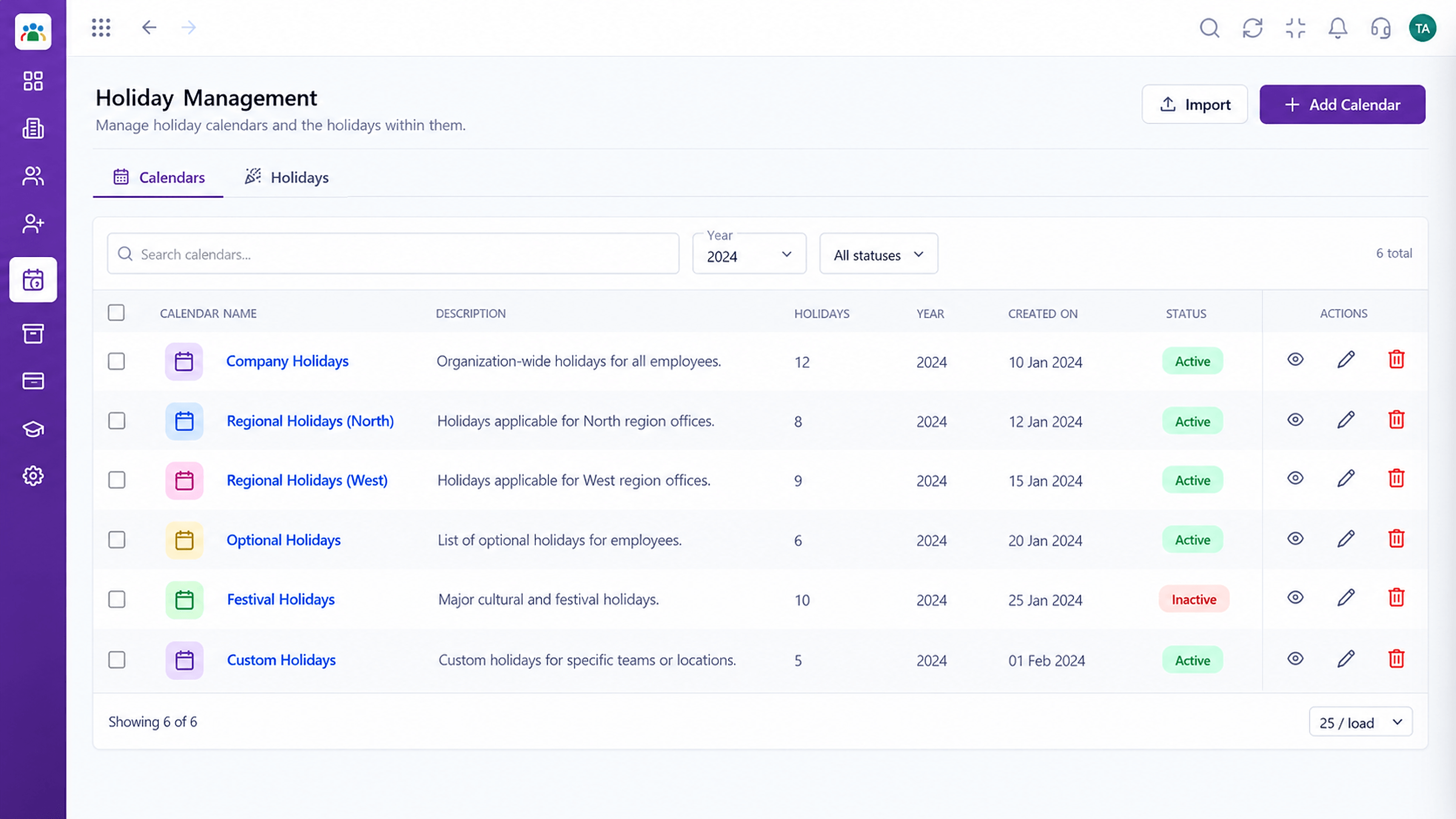
Every employee sees the same holiday list
Positioning Assessment
Employees ask HR which days are holidays and whether a bridge day counts. HR answers the same question many times a week.
The holiday calendar in Triostack HRMS shows every company holiday and the employee's weekly off. Employees plan leave around them and see exactly which days are working days.
“I checked the calendar, saw the long weekend and applied for the bridge day in a minute.”
Sample team scenario
Illustrative example, not a customer testimonial
Illustrated Overview
Picture a year on the wall where holidays shine and an employee stands in front of it tracing the best days for a break.
Easy to see at a glance.
Weekly offs are clear.
Choose leave days with confidence.
Platform Integrity
All company holidays
Your rest days
Plan ahead
One shared calendar
How It Works
What employees gain from a visible calendar.
| Dimension | Triostack HRMS | Asking HR |
|---|---|---|
| Finding Holidays | Open the calendar | Ask or search an old email |
| Weekly Offs | Shown for your group | Assumed |
| Planning | See the whole year | Week by week |
| Consistency | One list for everyone | Different answers |
| HR Workload | Fewer questions | Repeated questions |
See how employees raise requests themselves while HR keeps the approvals and the record.
Live Interface Tour
Real screens captured directly from the Triostack HRMS workspace.
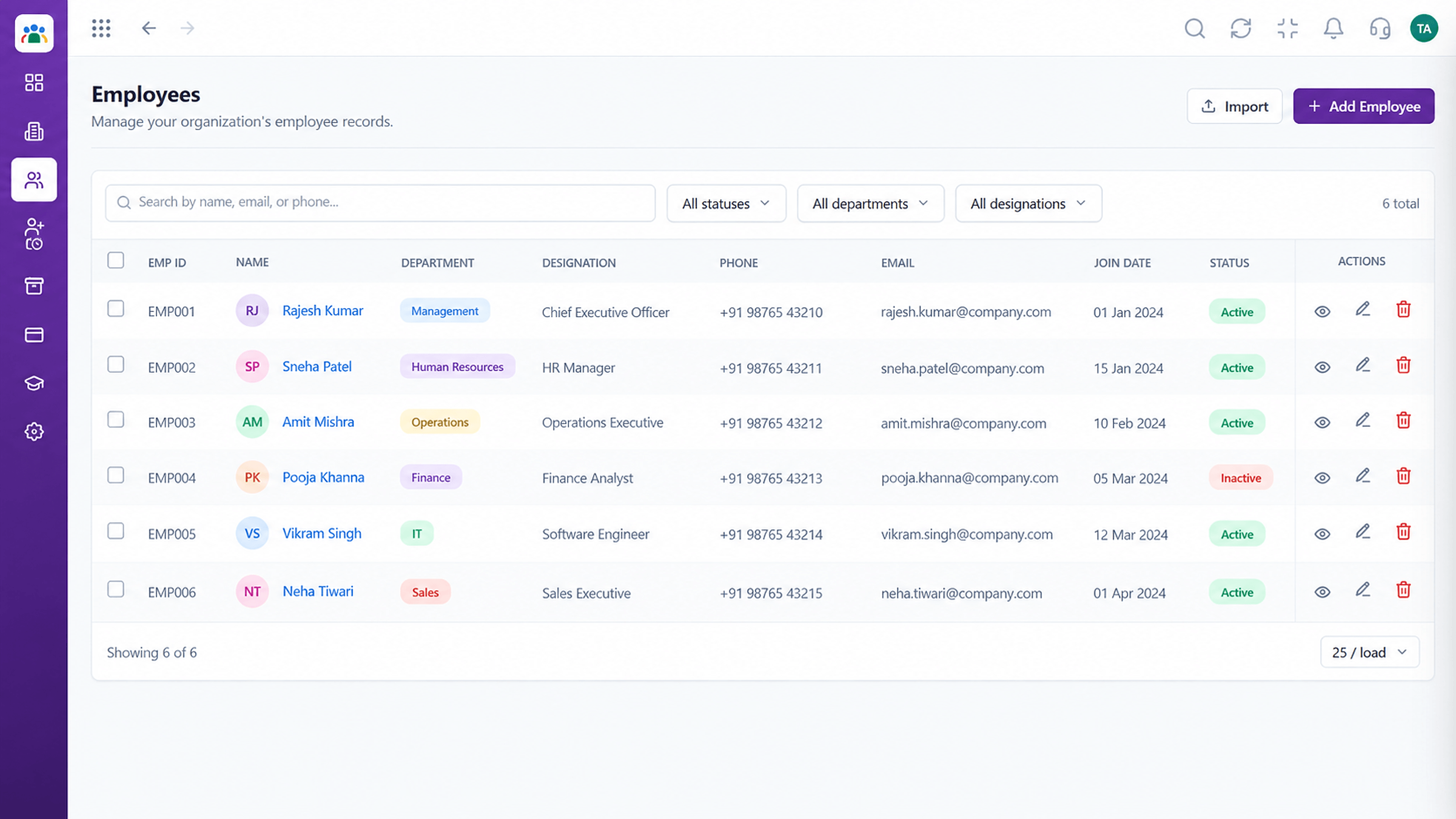 Employees
Every employee with ID, department, designation and status
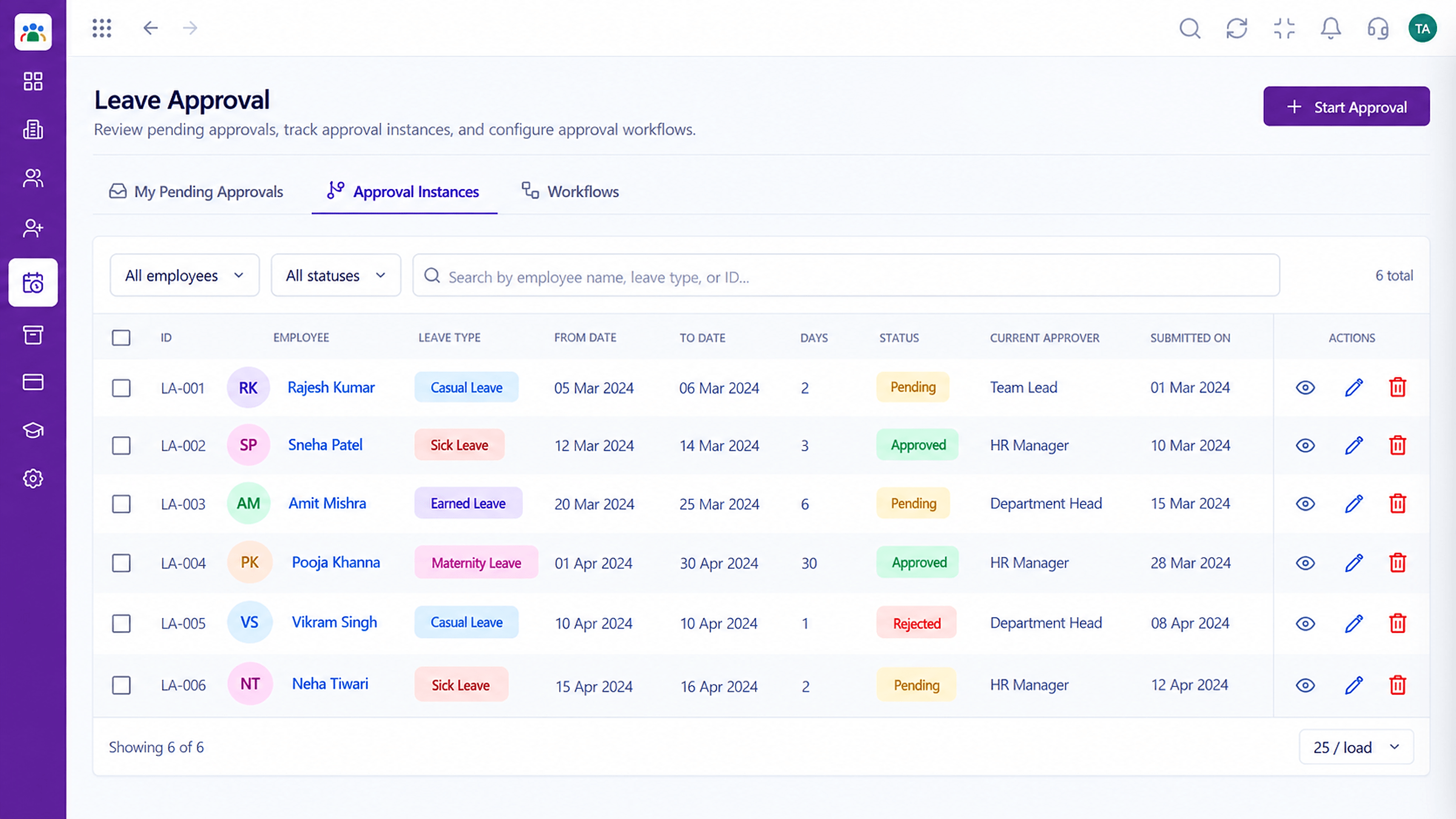 Leave
LeaveApproval instances with current approver and status
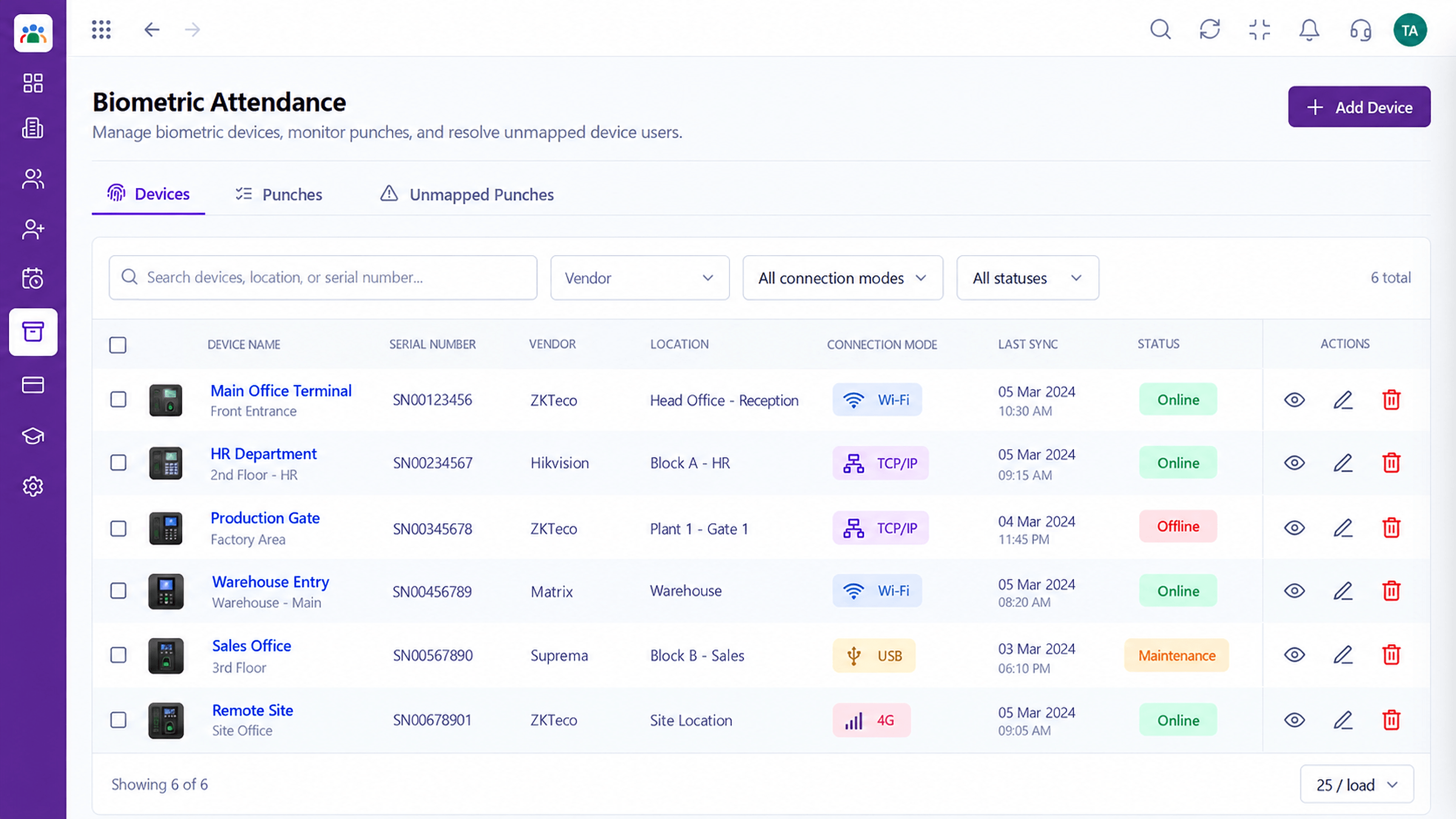 Attendance
Device punches captured into attendance records
Feature Breakdown
Captured from the Triostack HRMS workspace.
Employee Self-ServiceThe year's holidays.
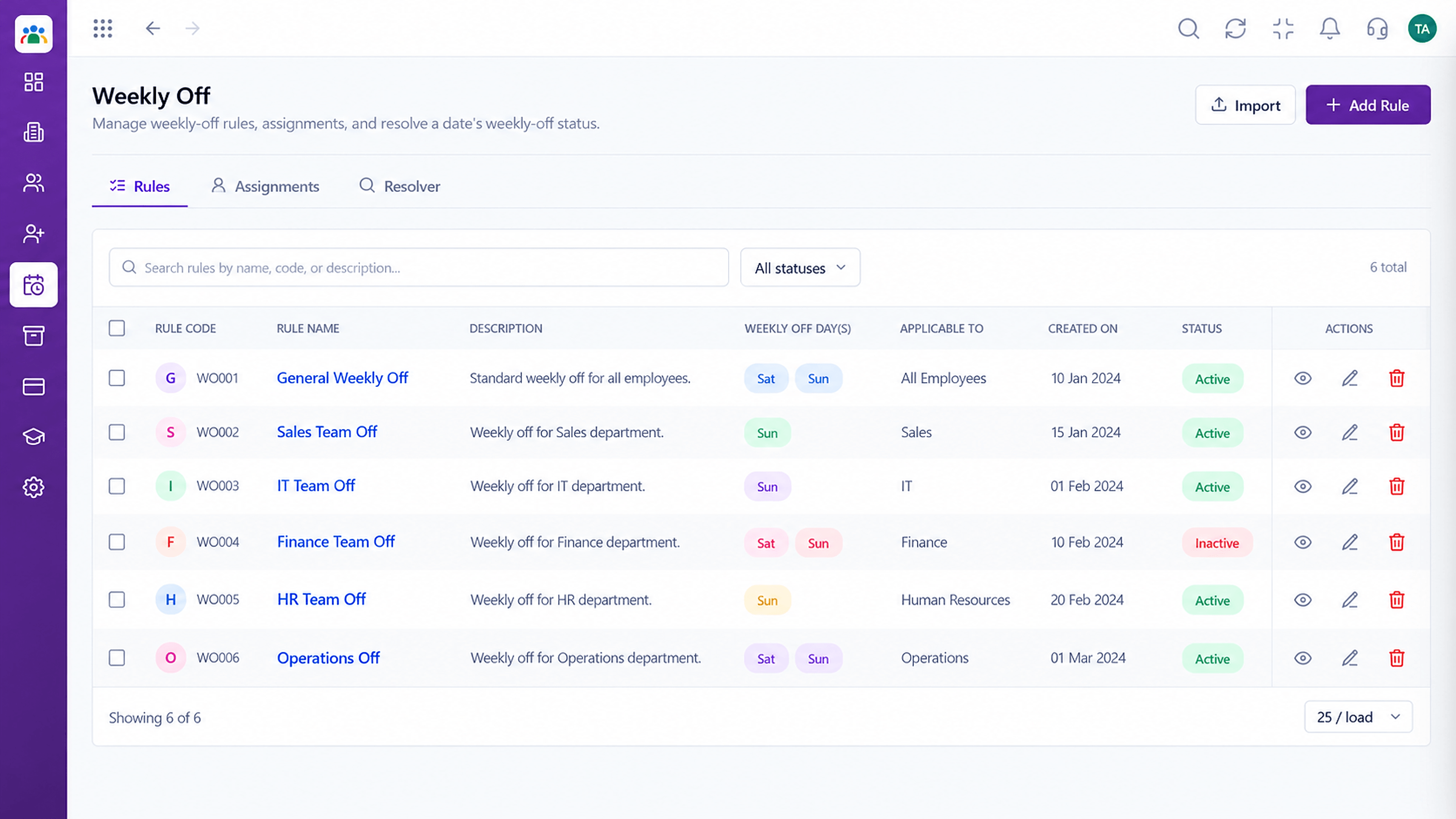 Employee Self-Service
Your rest-day pattern.
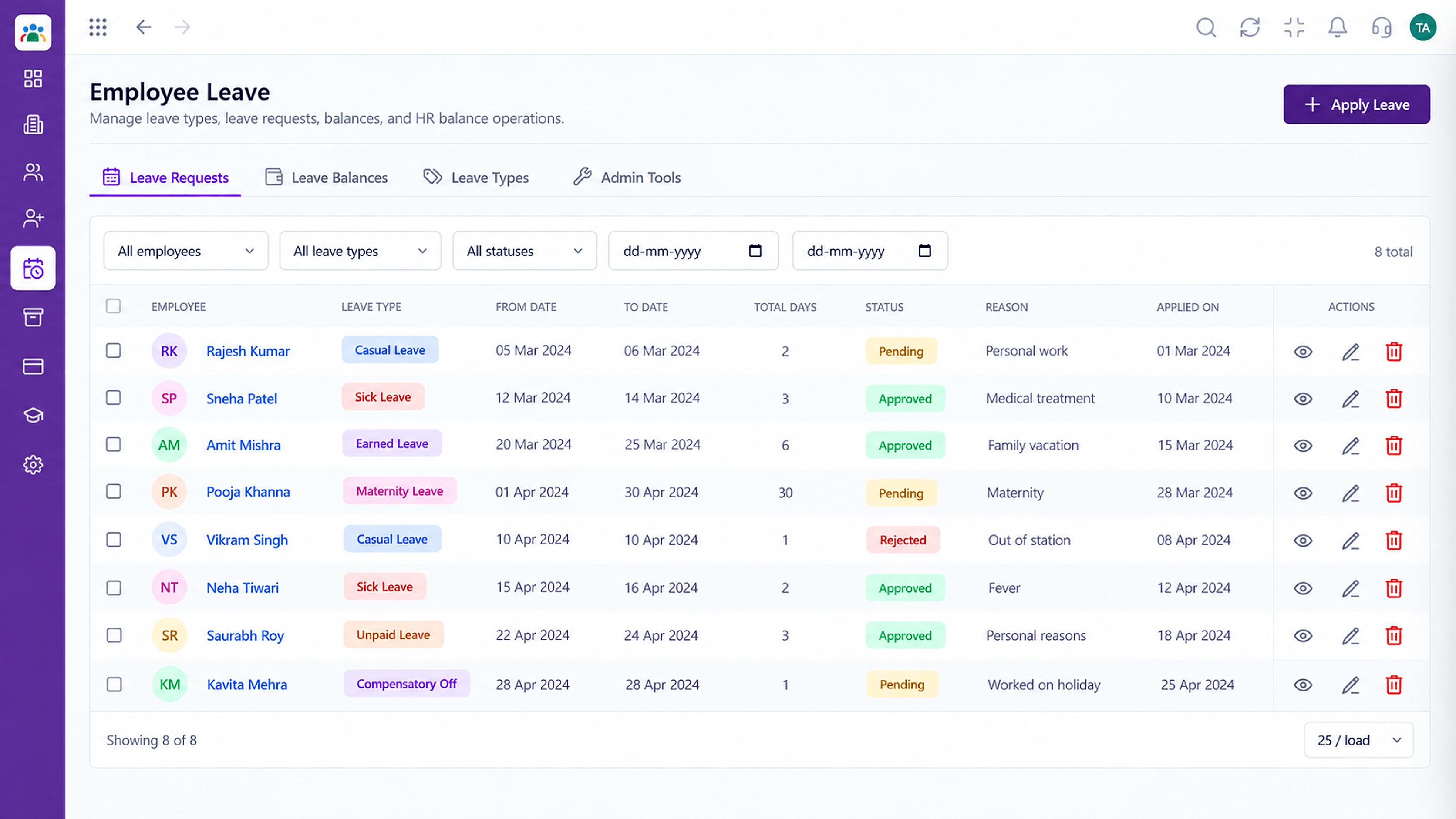 Employee Self-Service
Book time around holidays.
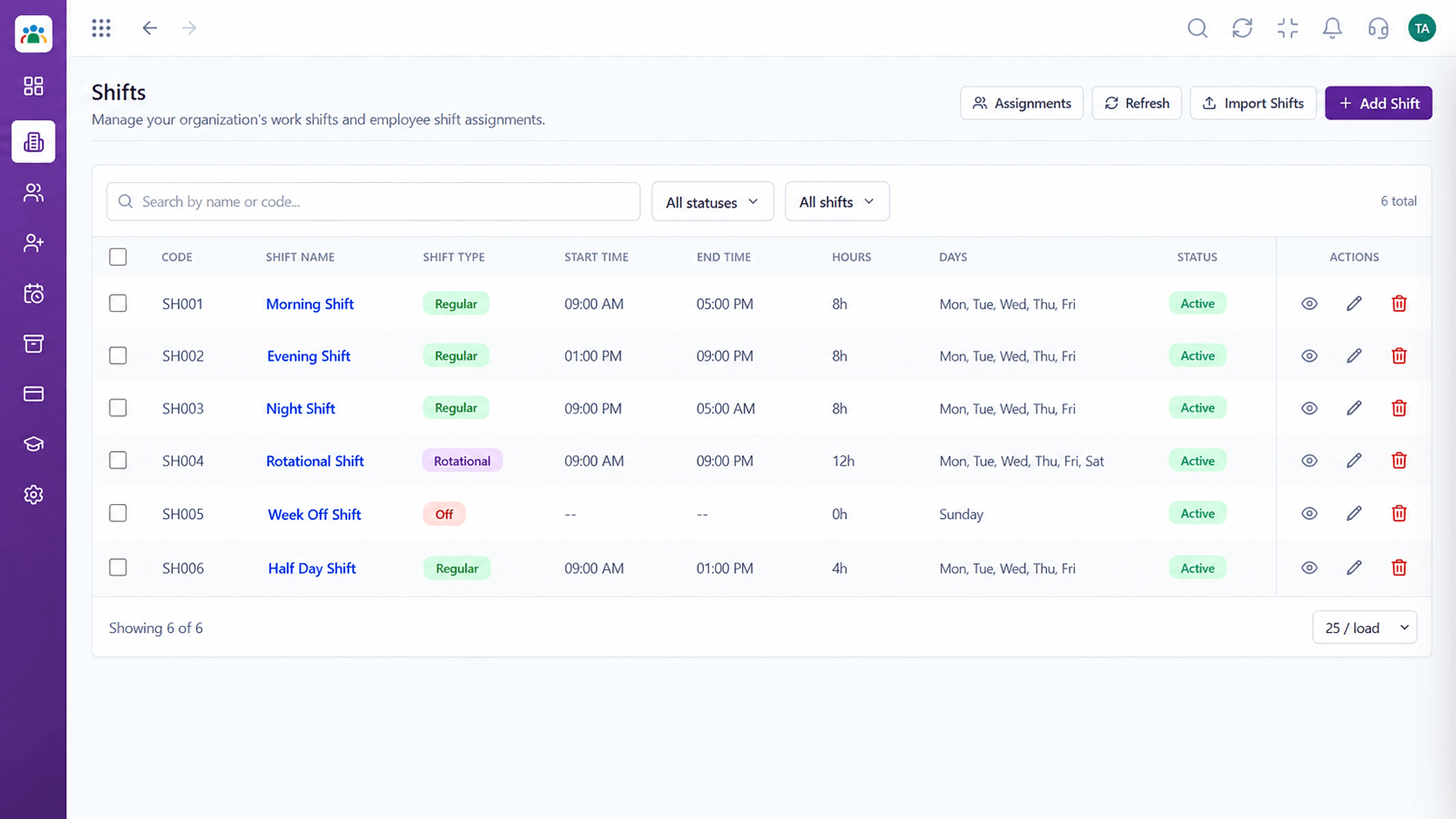 Employee Self-Service
Know your working days.
Execution Plan
See holidays for the year.
Know your rest days.
Choose dates around holidays.
Submit a leave request.
In Real Life
Scenario 01
Employees plan trips around the long weekend.
Scenario 02
A new hire sees the year's holidays on day one.
Scenario 03
The same question stops arriving every week.
Frequently Asked Questions
Employees can view the company holiday list.
Yes, based on the pattern assigned to you.
Ask us how location-specific calendars are set up.
You can plan from the calendar and then submit a leave request.
Employee records, attendance, leave, shifts and approvals in one workspace, built for HR teams and the people they serve.
Explore All Employee Self-Service
