The best Business Suite software in India, built to help your business grow. Contact us at +91-8882435276.
[ Contact ]
Phone number
Email address
Head office
Noida office
The right team at TriostackOne will get back to you.
Route every leave request to the right approver, show the current stage and status, and keep the decision on record.
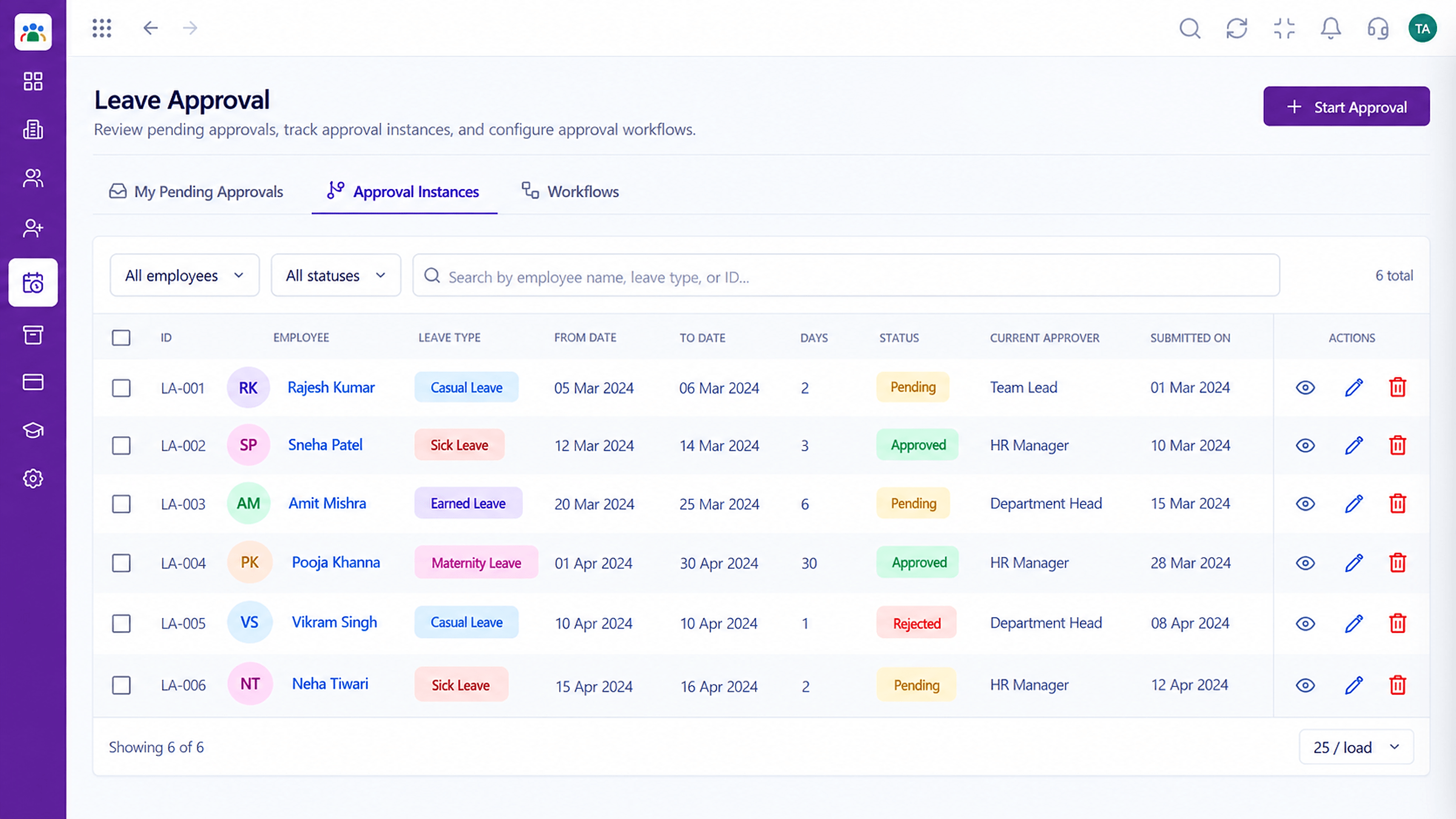
Every request has a current approver and a status
Positioning Assessment
When requests arrive by message, they get missed, forgotten or decided inconsistently. Employees do not know where their request stands.
HRMS creates an approval for each leave request with a current approver and a status. Employees can see where it is, managers act on it in one place, and the outcome is stored against the employee's balance.
“People can see who has their request. The 'did you see my leave?' messages stopped.”
Sample team scenario
Illustrative example, not a customer testimonial
Illustrated Overview
Picture a leave slip travelling from an employee to the right desk and returning stamped, with each stop visible.
Everyone knows who has it.
No guessing for employees.
Decisions are searchable later.
Platform Integrity
To the right approver
Pending, approved, rejected
Based on leave type
A full history
How It Works
What a visible workflow changes.
| Dimension | Triostack HRMS | Messages & Memory |
|---|---|---|
| Routing | To the current approver | To whoever you message |
| Status | Visible to the employee | Unknown |
| Balance | Updated on approval | Calculated later |
| Consistency | Same process for all | Varies by manager |
| Record | Stored permanently | Lost in chat |
We will help you configure this workflow end to end, from records to approvals, in your first session.
Live Interface Tour
Real screens captured directly from the Triostack HRMS workspace.
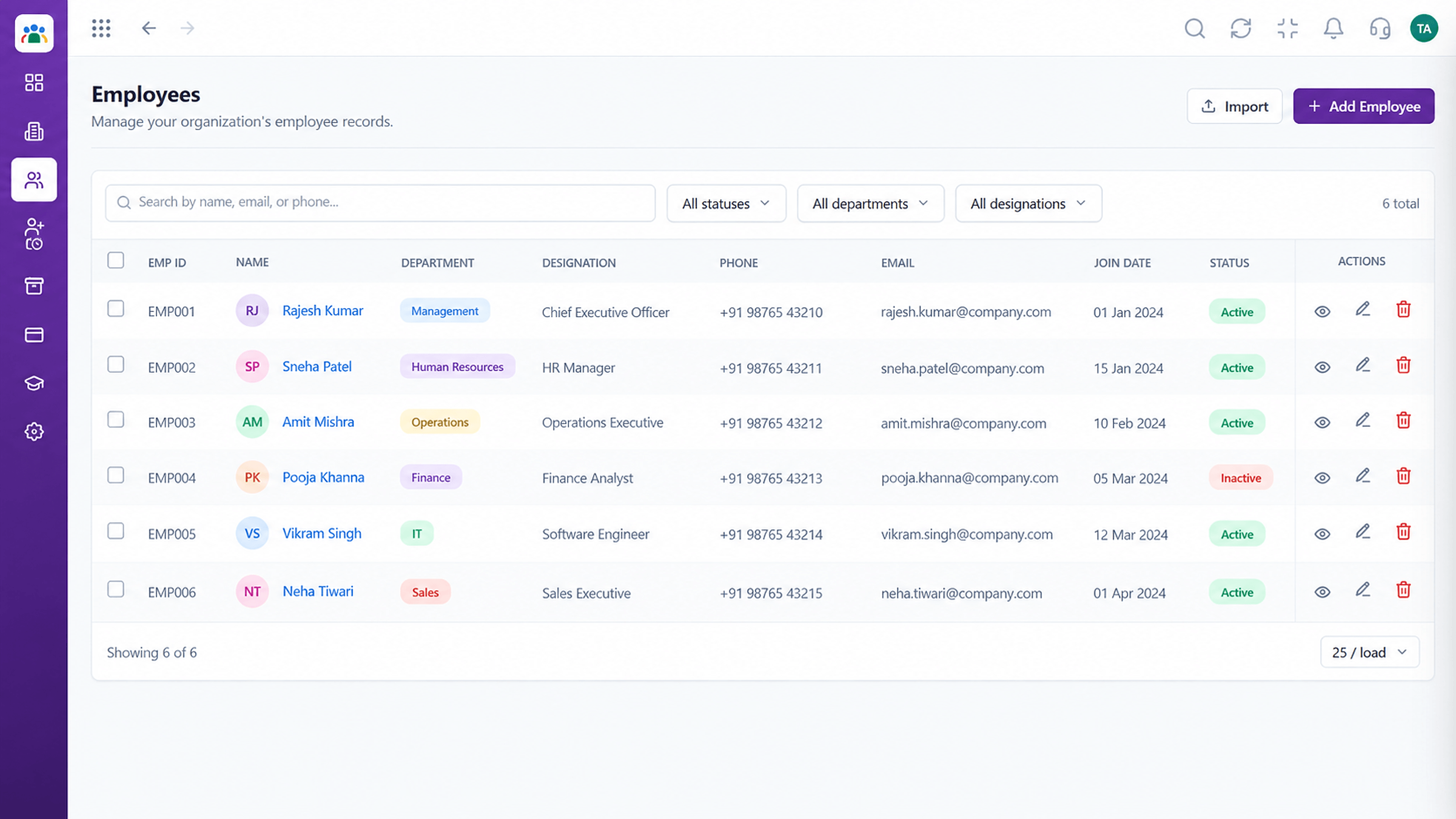 Employees
Every employee with ID, department, designation and status
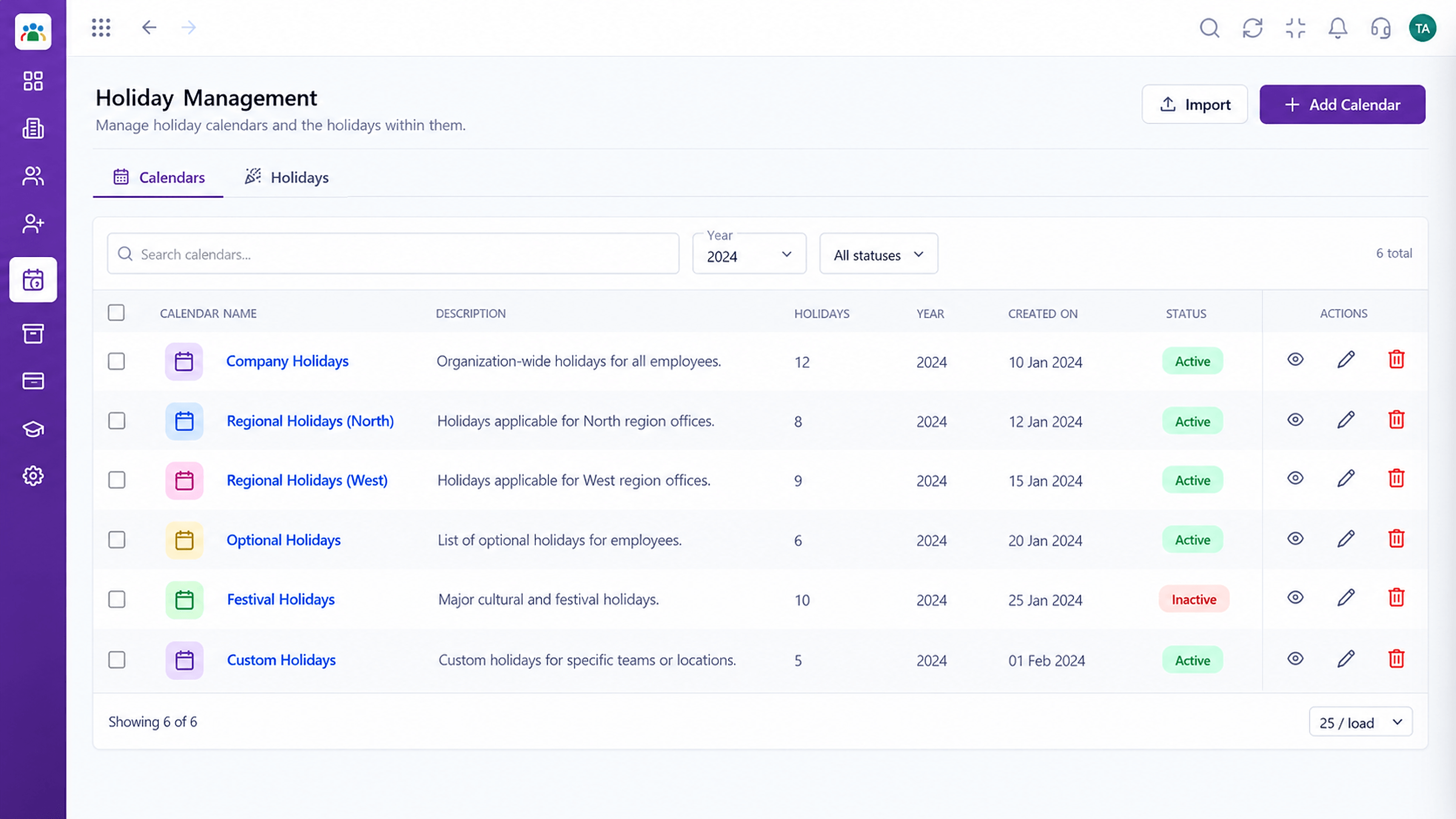 Time
TimeCompany holidays by year and location
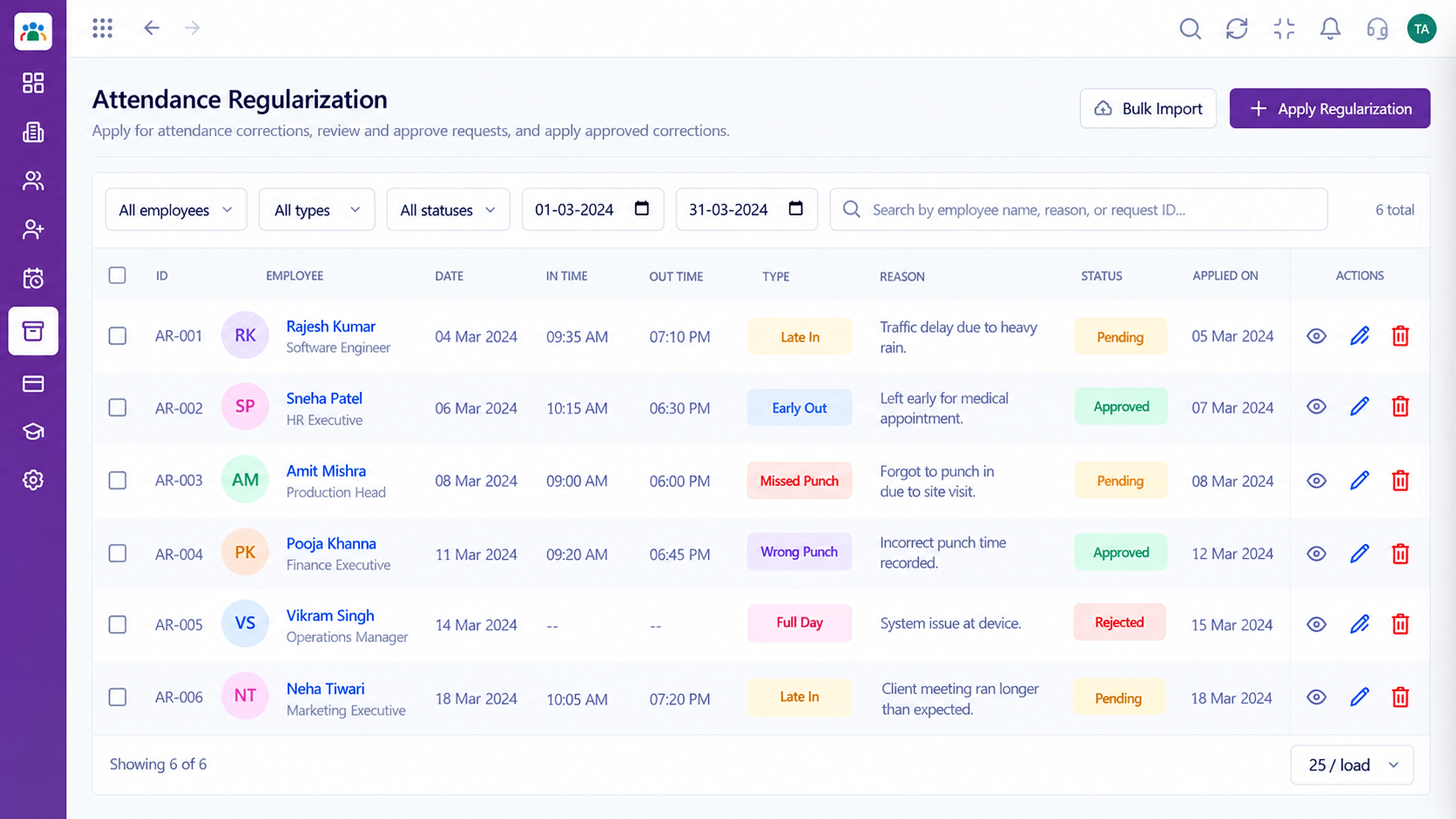 Attendance
Correct missed punches with a clear approval trail
Feature Breakdown
Captured from the Triostack HRMS workspace.
What You Can DoEvery request, one list.
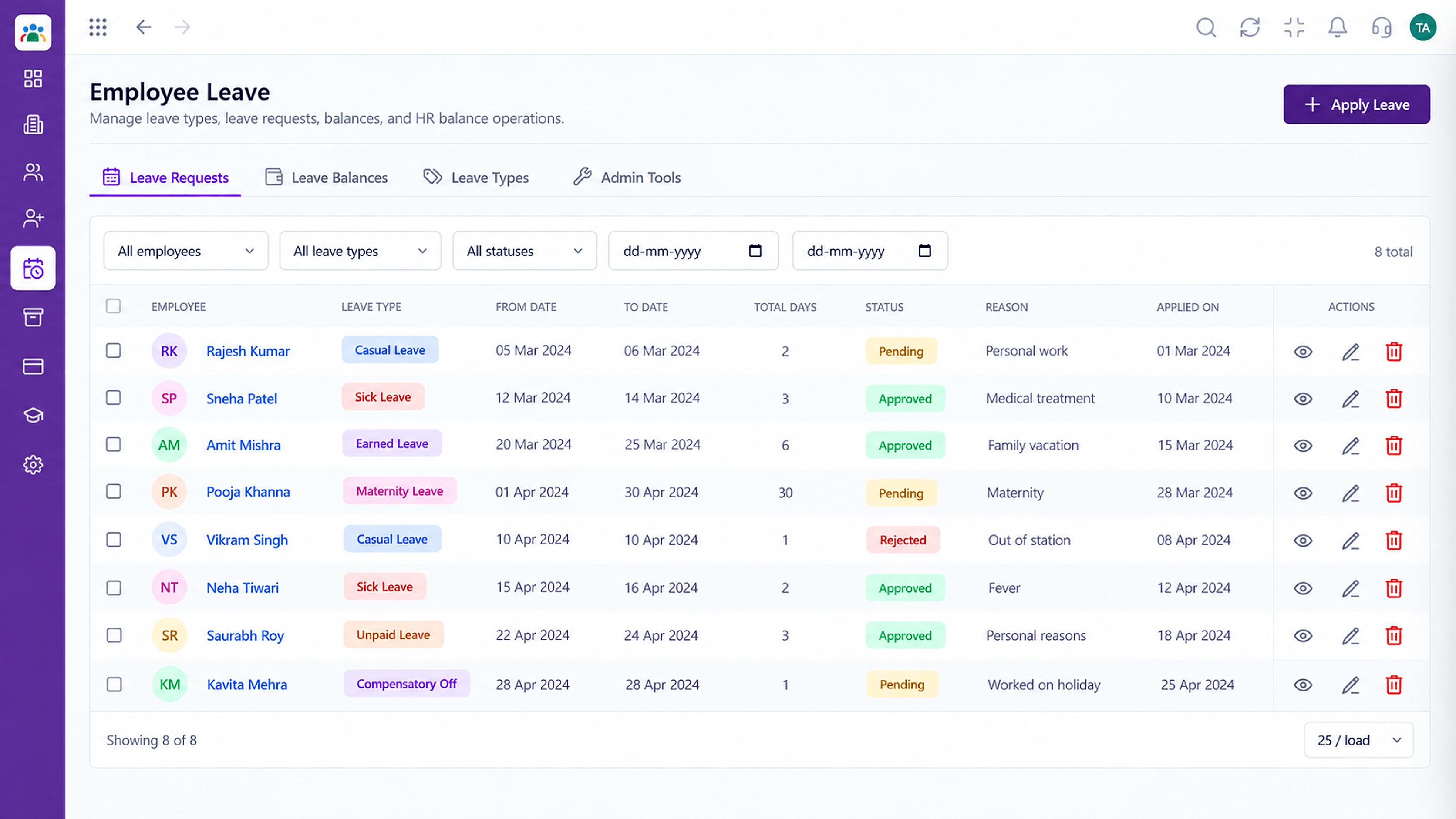 What You Can Do
What can be requested.
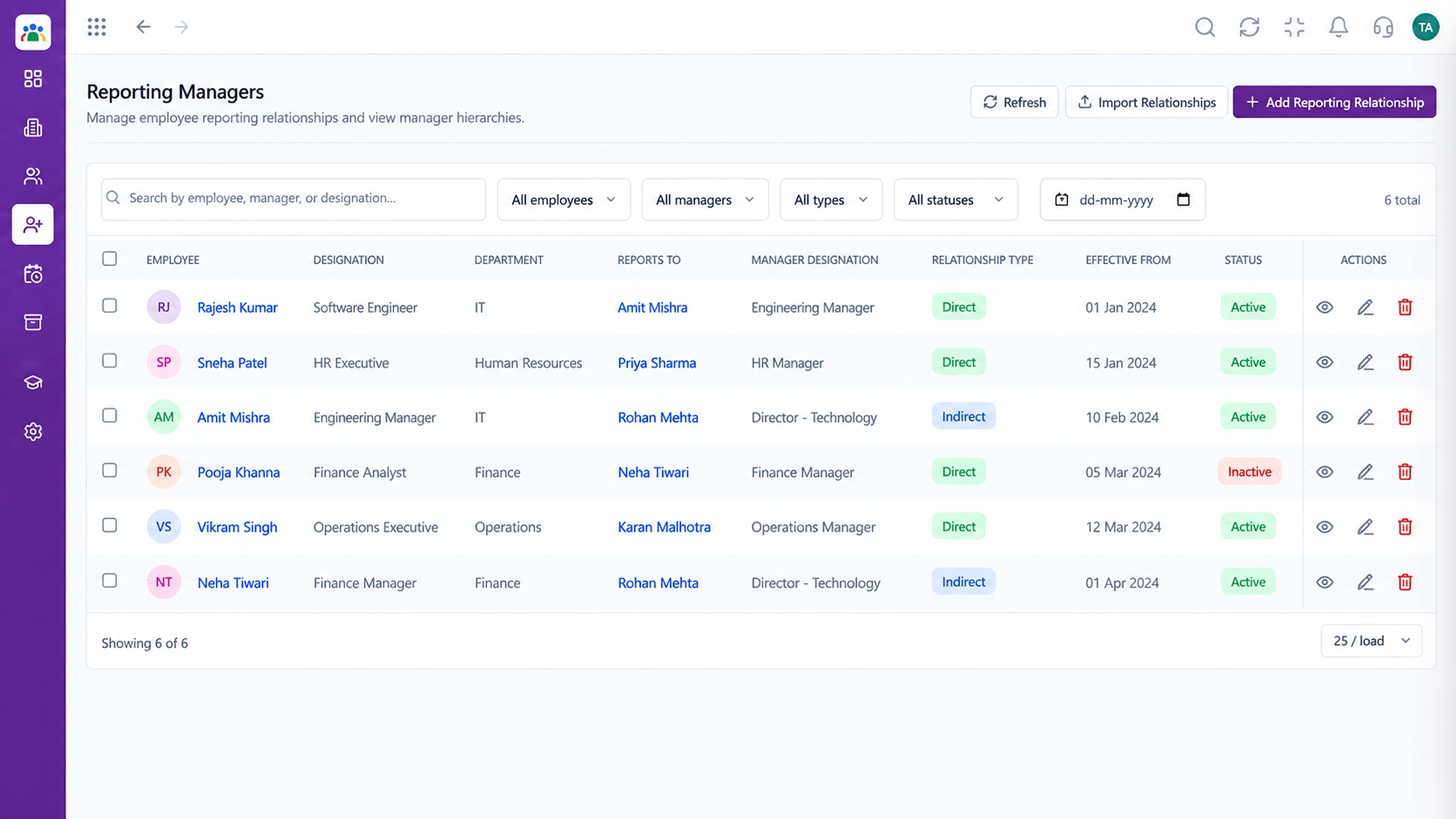 What You Can Do
Who approves whom.
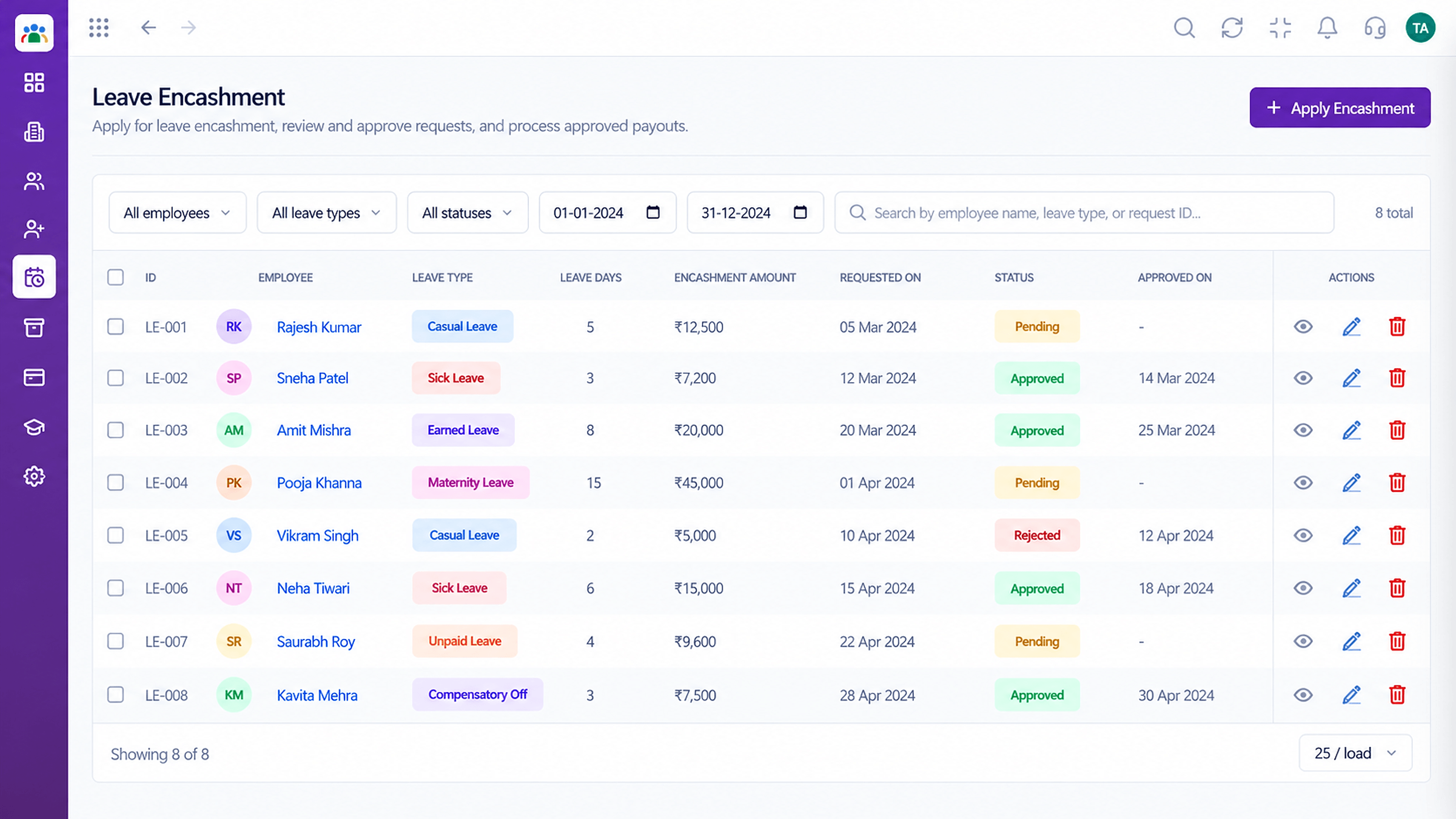 What You Can Do
Convert eligible balances.
Execution Plan
Chooses type and dates.
Goes to the current approver.
Approved or rejected with a comment.
Balance and history updated.
In Real Life
Scenario 01
A delegate approves in their absence.
Scenario 02
Managers see pending items in one list.
Scenario 03
The record answers it instantly.
Frequently Asked Questions
The approver set by your reporting lines and approval rules.
Yes, they can see where the request stands.
Approvers can add comments to their decision.
Encashment requests can also be recorded and approved. Ask us about your policy setup.
Employee records, attendance, leave, shifts and approvals in one workspace, built for HR teams and the people they serve.
