The best Business Suite software in India, built to help your business grow. Contact us at +91-8882435276.
[ Contact ]
Phone number
Email address
Head office
Noida office
The right team at TriostackOne will get back to you.
Model how your company is organised, from grades and designations to branches and who reports to whom, so approvals and reports follow the real structure.
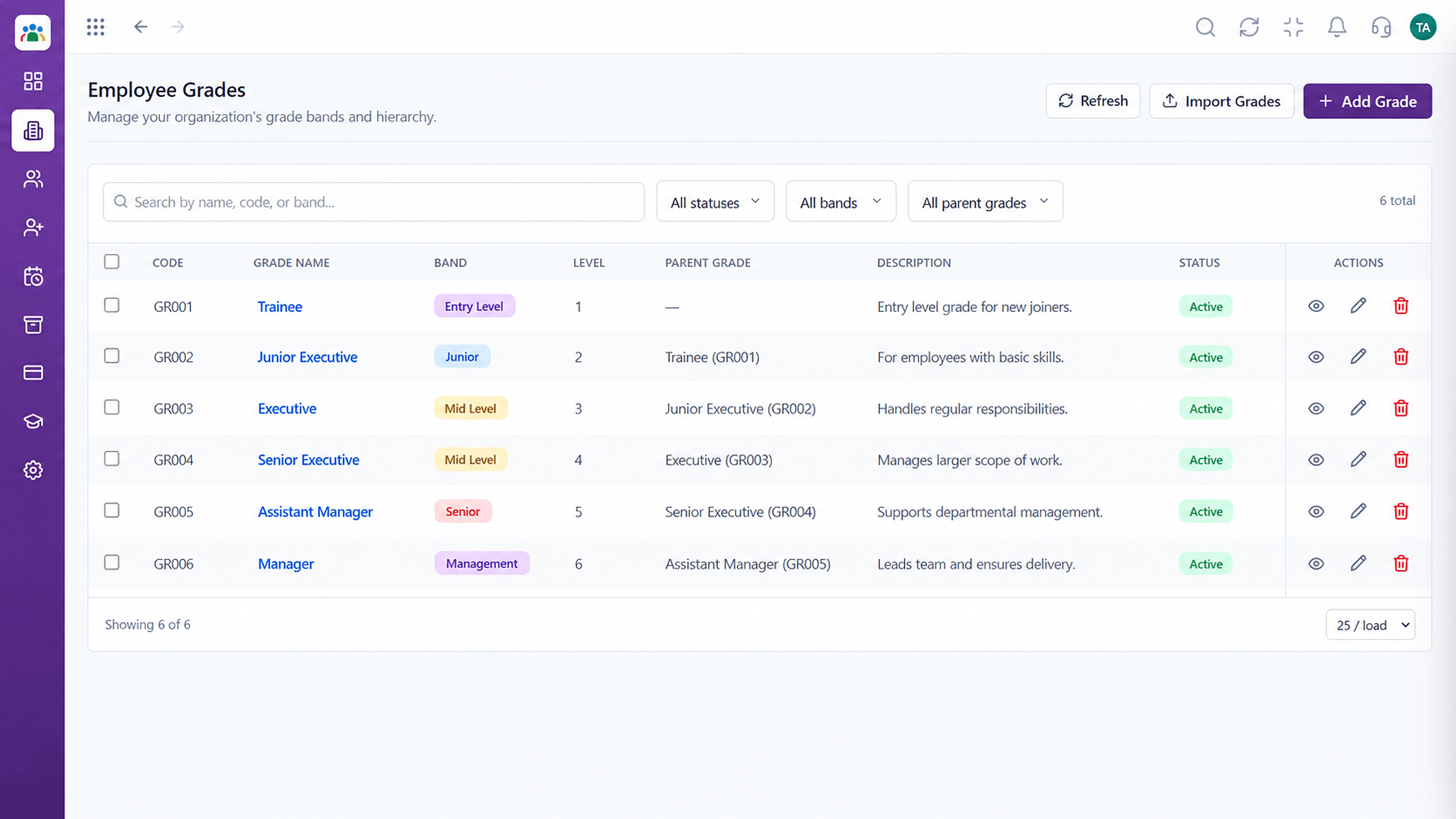
Approvals and reports that follow how you are organised
Positioning Assessment
Approvals fail when the system cannot tell who someone's manager is. Reports mislead when titles and grades are inconsistent.
HRMS lets you define grades, designations, branches and reporting managers once. Approvals follow the reporting lines, and reports can be cut by branch, grade or designation.
“When we fixed reporting lines, approvals reached the right person without anyone forwarding them.”
Sample team scenario
Illustrative example, not a customer testimonial
Illustrated Overview
Imagine four tiers from leadership to staff, each with a grade label, and map pins showing where each branch sits.
Grades and titles are consistent.
Branches are first-class records.
Reporting managers drive approvals.
Platform Integrity
A level structure
Standard titles
Where people sit
Who approves whom
How It Works
Why modelling the organisation matters.
| Dimension | Triostack HRMS | Implied Structure |
|---|---|---|
| Grades | Defined levels | Informal seniority |
| Titles | A standard list | Free text |
| Branches | Recorded per employee | Remembered |
| Reporting | Used for routing approvals | Forwarded by hand |
| Reports | By grade, branch or title | Manual filters |
We will help you configure this workflow end to end, from records to approvals, in your first session.
Live Interface Tour
Real screens captured directly from the Triostack HRMS workspace.
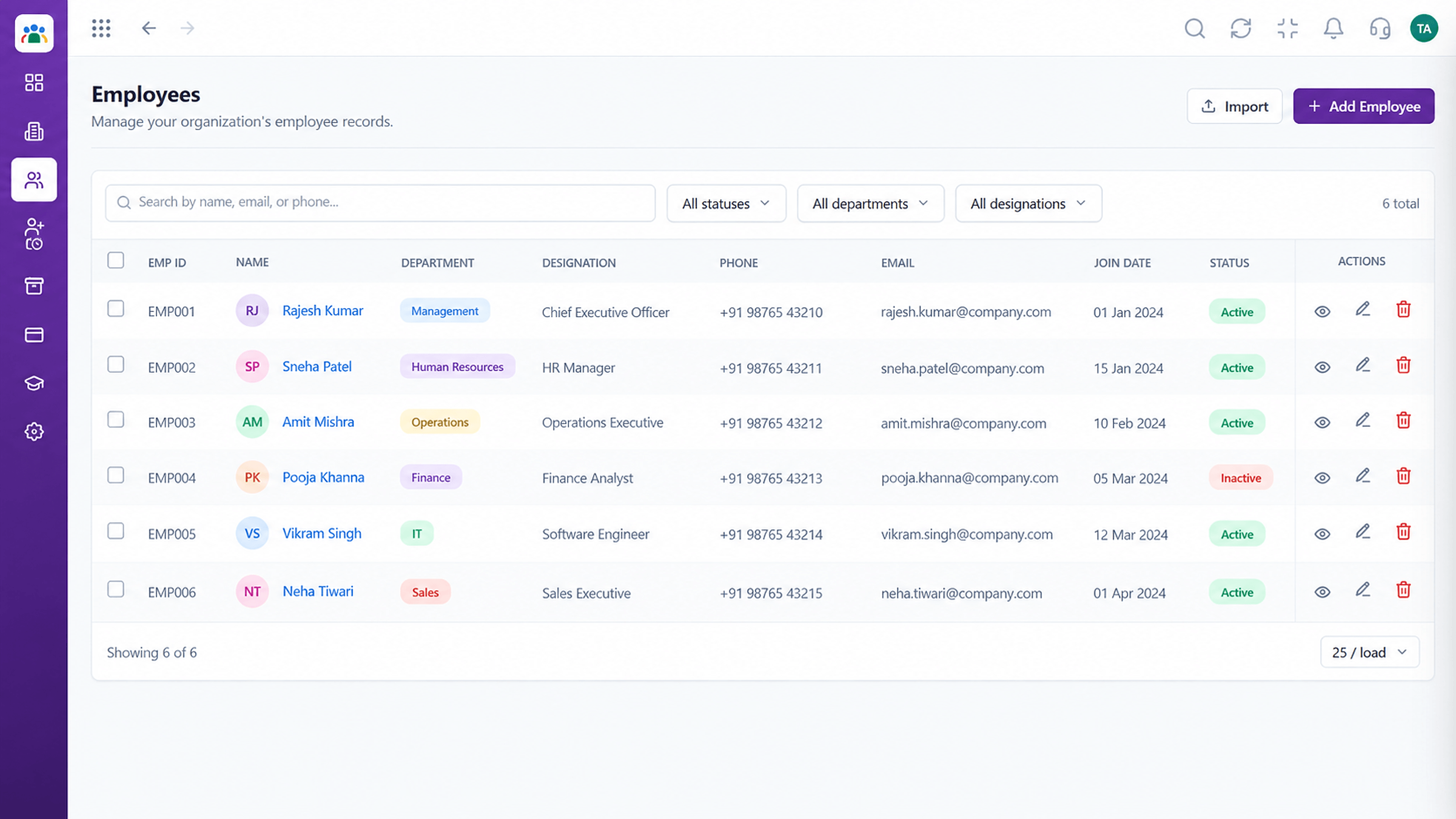 Employees
Every employee with ID, department, designation and status
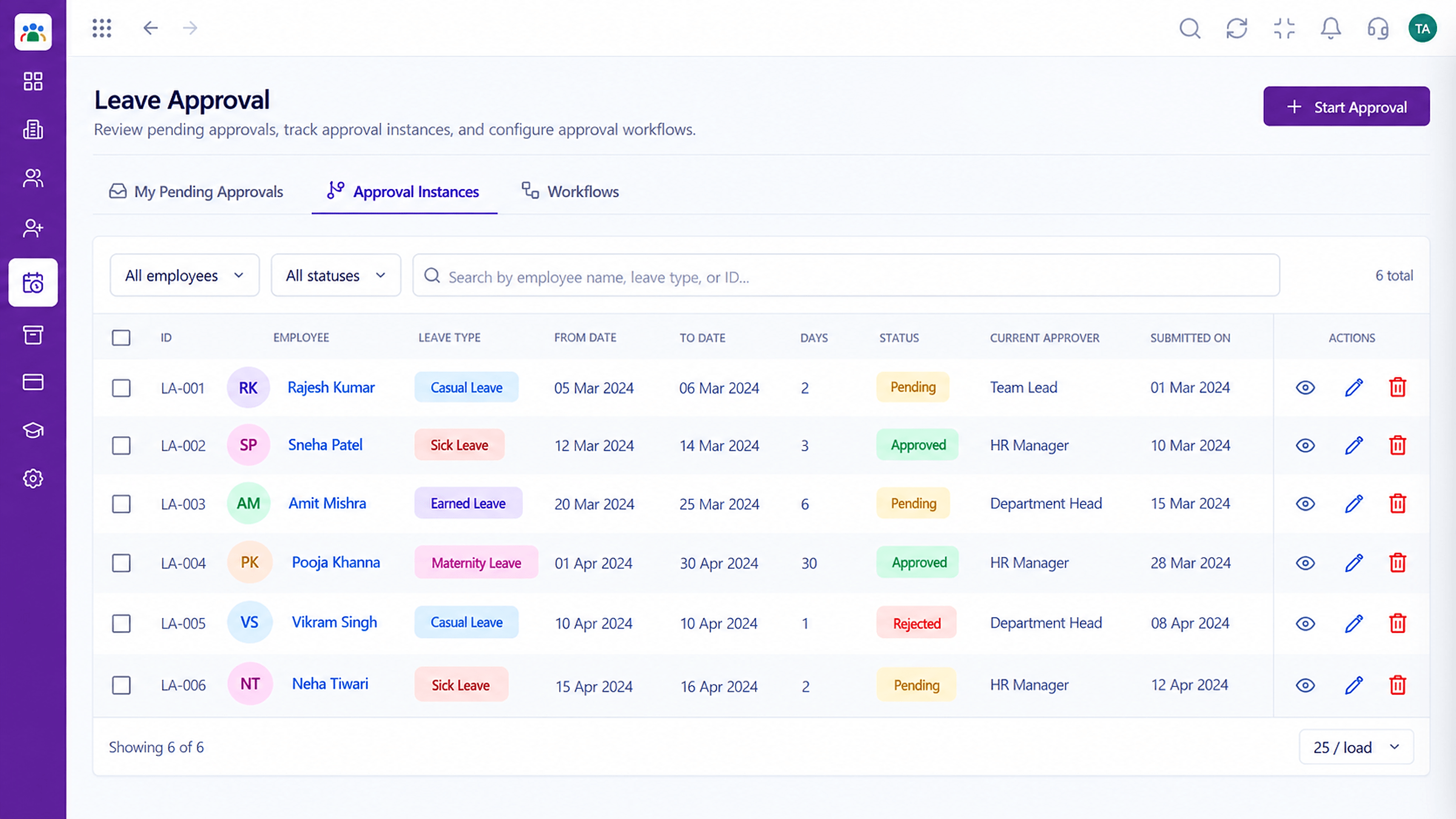 Leave
LeaveApproval instances with current approver and status
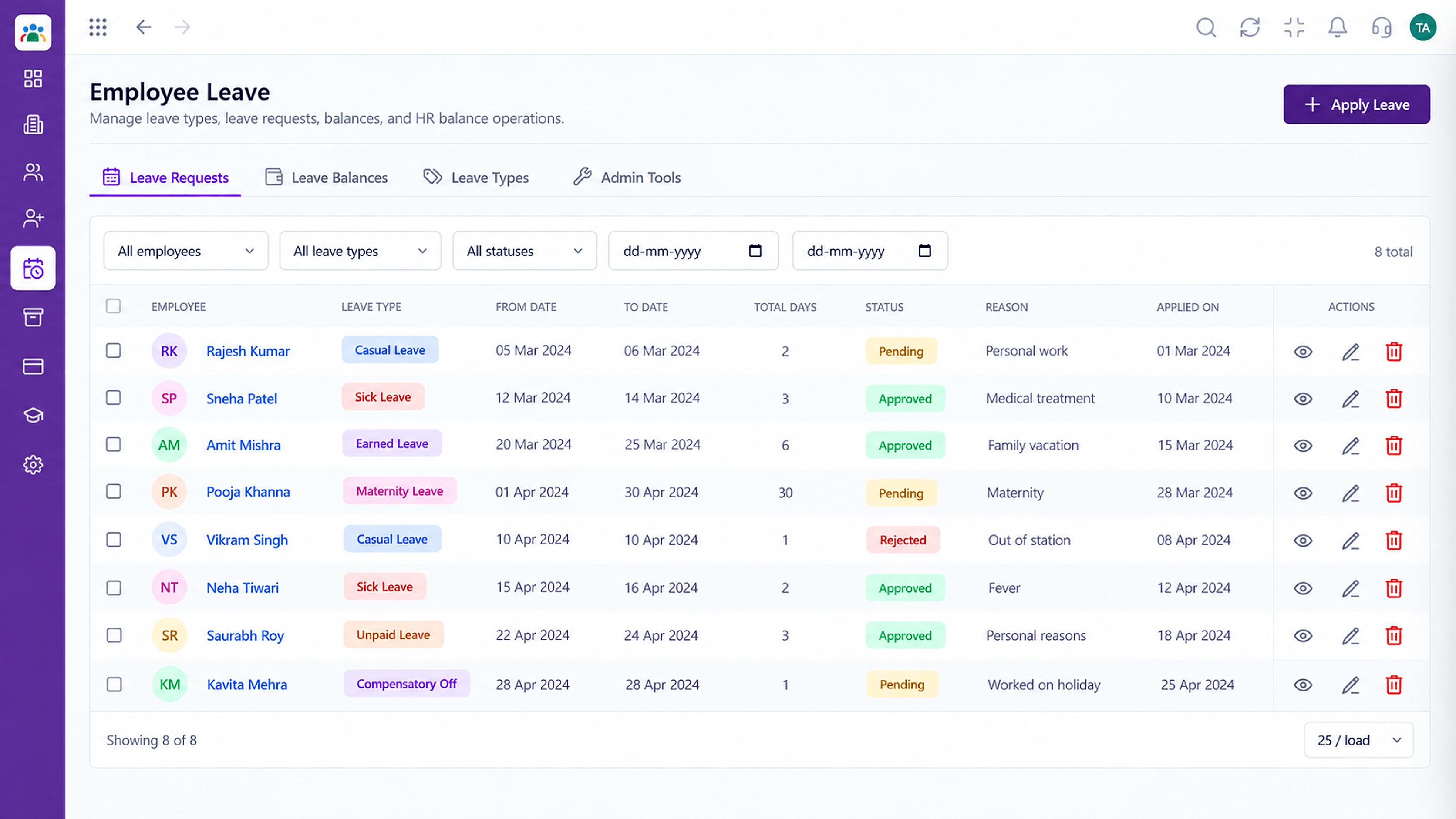 Leave
LeaveLeave types, balances and requests in one place
Feature Breakdown
Captured from the Triostack HRMS workspace.
What You Can DoDefine the ladder.
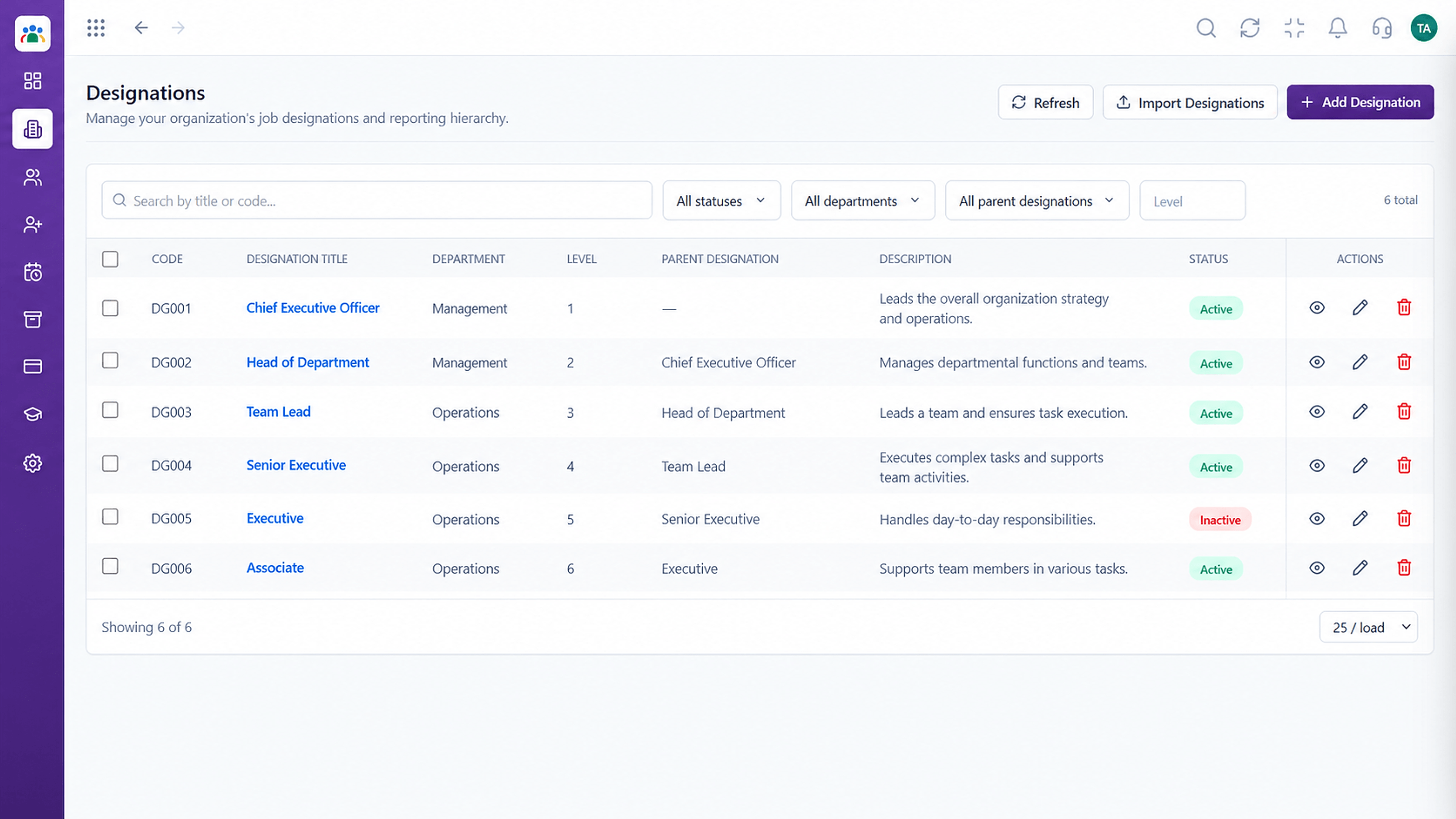 What You Can Do
Standardise job titles.
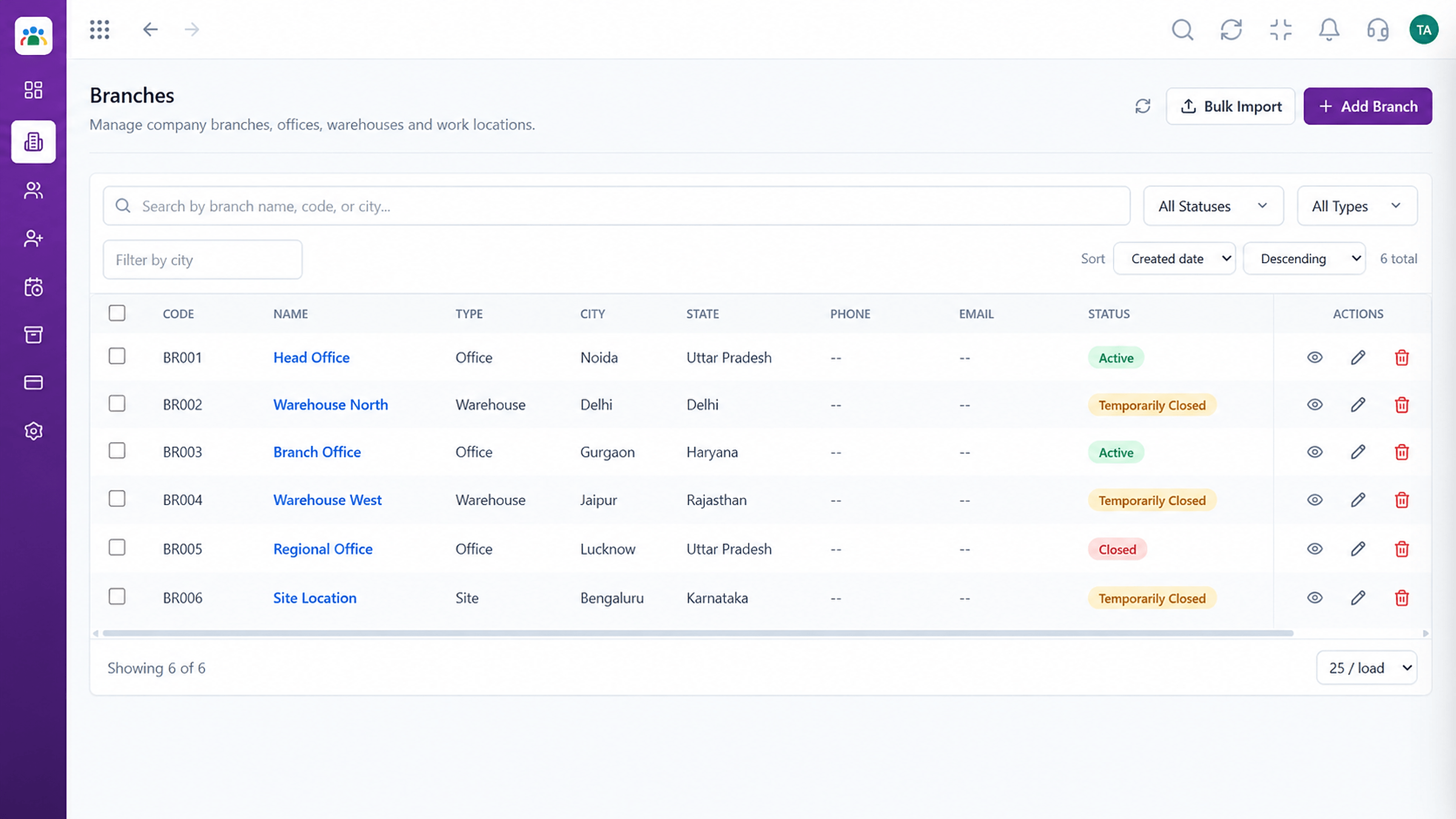 What You Can Do
Record locations.
 What You Can Do
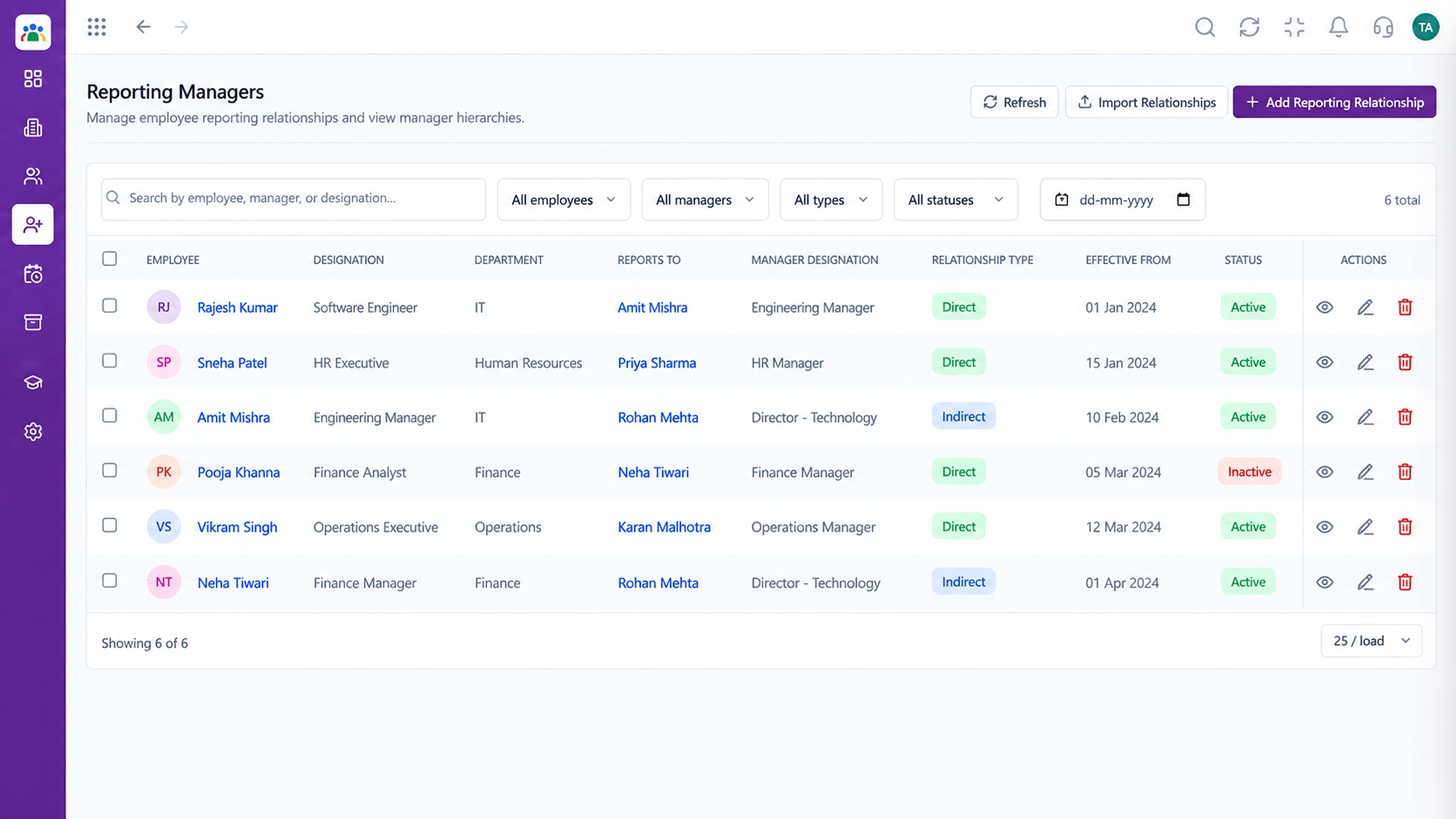
Draw the lines.
Execution Plan
Create the level structure.
Standardise titles.
Record locations.
Assign managers to everyone.
In Real Life
Scenario 01
Reporting lines are updated once and approvals follow.
Scenario 02
Added with its people and managers.
Scenario 03
Grades and designations are applied consistently.
Frequently Asked Questions
Approval routing, reporting and how employees are grouped.
Yes. Reporting lines and assignments can be updated as the company changes.
Reporting managers are assigned per employee. Ask us about complex matrix setups.
Yes, we can help map it from your current files.
Employee records, attendance, leave, shifts and approvals in one workspace, built for HR teams and the people they serve.
