The best Business Suite software in India, built to help your business grow. Contact us at +91-8882435276.
[ Contact ]
Phone number
Email address
Head office
Noida office
The right team at TriostackOne will get back to you.
Define shift timings, assign them to teams and set weekly-off patterns by group, so attendance is judged against the right schedule.
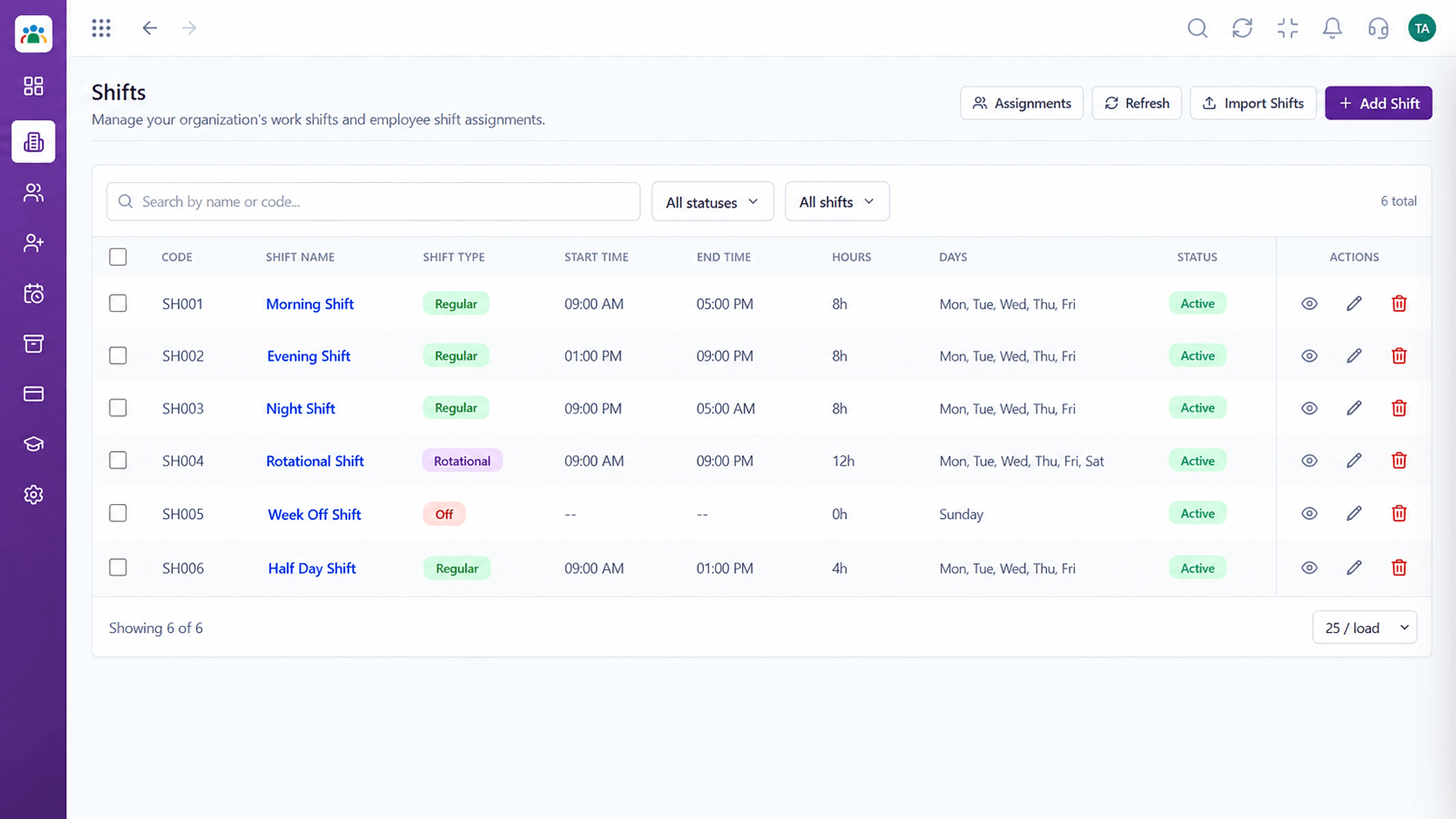
Attendance measured against each person's real shift
Positioning Assessment
Not everyone works nine to six, Monday to Friday. Shifts, rotating weekly offs and split patterns are normal in many businesses.
HRMS lets you define each shift, assign it to teams and set weekly-off patterns by group. Attendance is then evaluated against that schedule, so a night-shift employee is not marked late for arriving at 10 pm.
“Once shifts and offs were defined, our attendance numbers started to match what supervisors saw on the floor.”
Sample team scenario
Illustrative example, not a customer testimonial
Illustrated Overview
Imagine seven days drawn as three rows of coloured bars, each row a team, with dashed gaps where people are off.
Each shift has its own timings.
Assign teams to shifts.
Weekly offs are part of the plan.
Platform Integrity
Start, end and breaks
Right people, right shift
By group
Fair across the crew
How It Works
Why defining shifts matters.
| Dimension | Triostack HRMS | One Standard Day |
|---|---|---|
| Timings | Defined per shift | Single fixed hours |
| Assignment | By team or group | Assumed |
| Weekly Offs | Patterns per group | Saturday and Sunday |
| Lateness | Judged against own shift | Judged against office hours |
| Planning | Visible schedule | Verbal |
We will help you configure this workflow end to end, from records to approvals, in your first session.
Live Interface Tour
Real screens captured directly from the Triostack HRMS workspace.
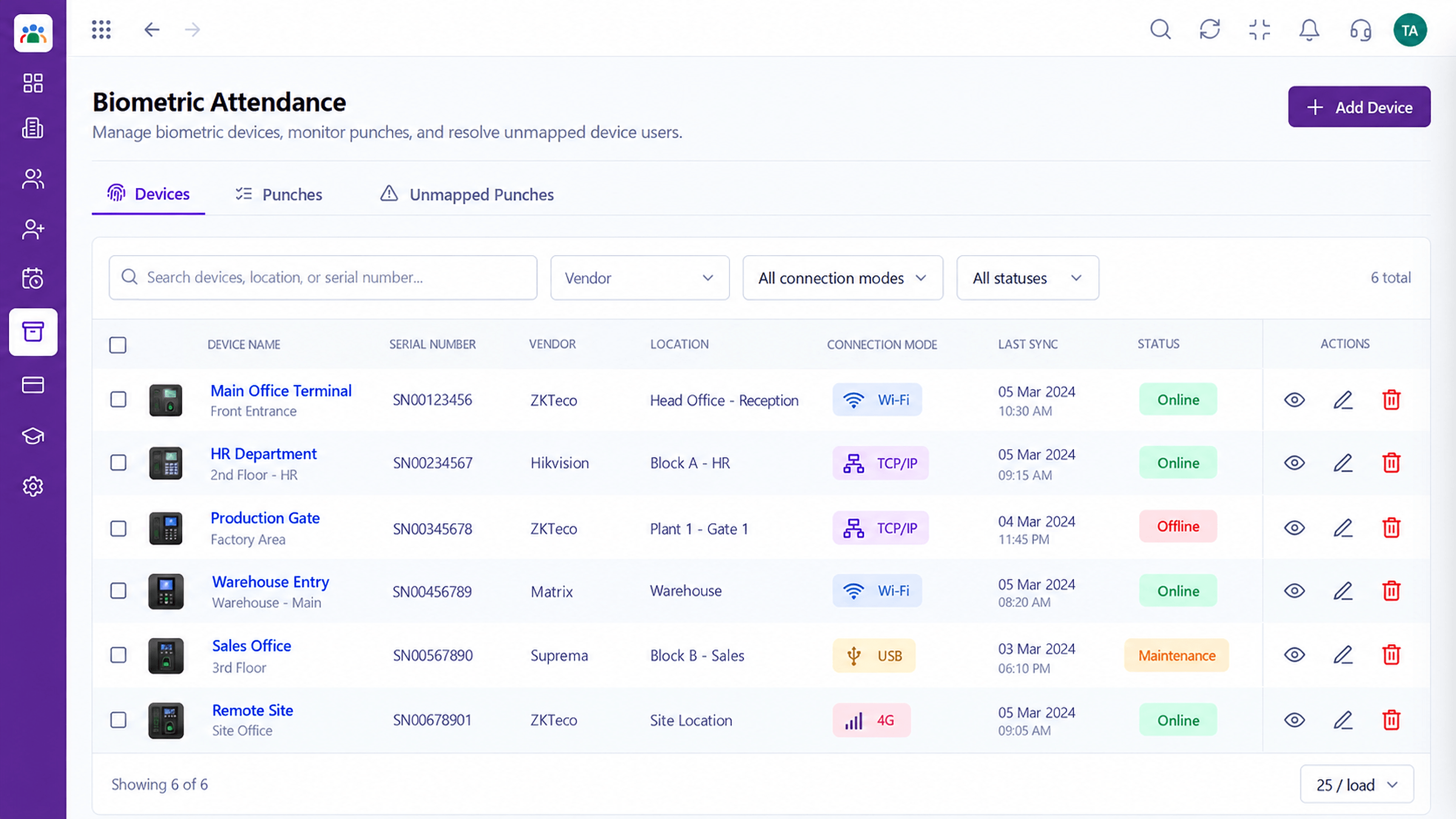 Attendance
Device punches captured into attendance records
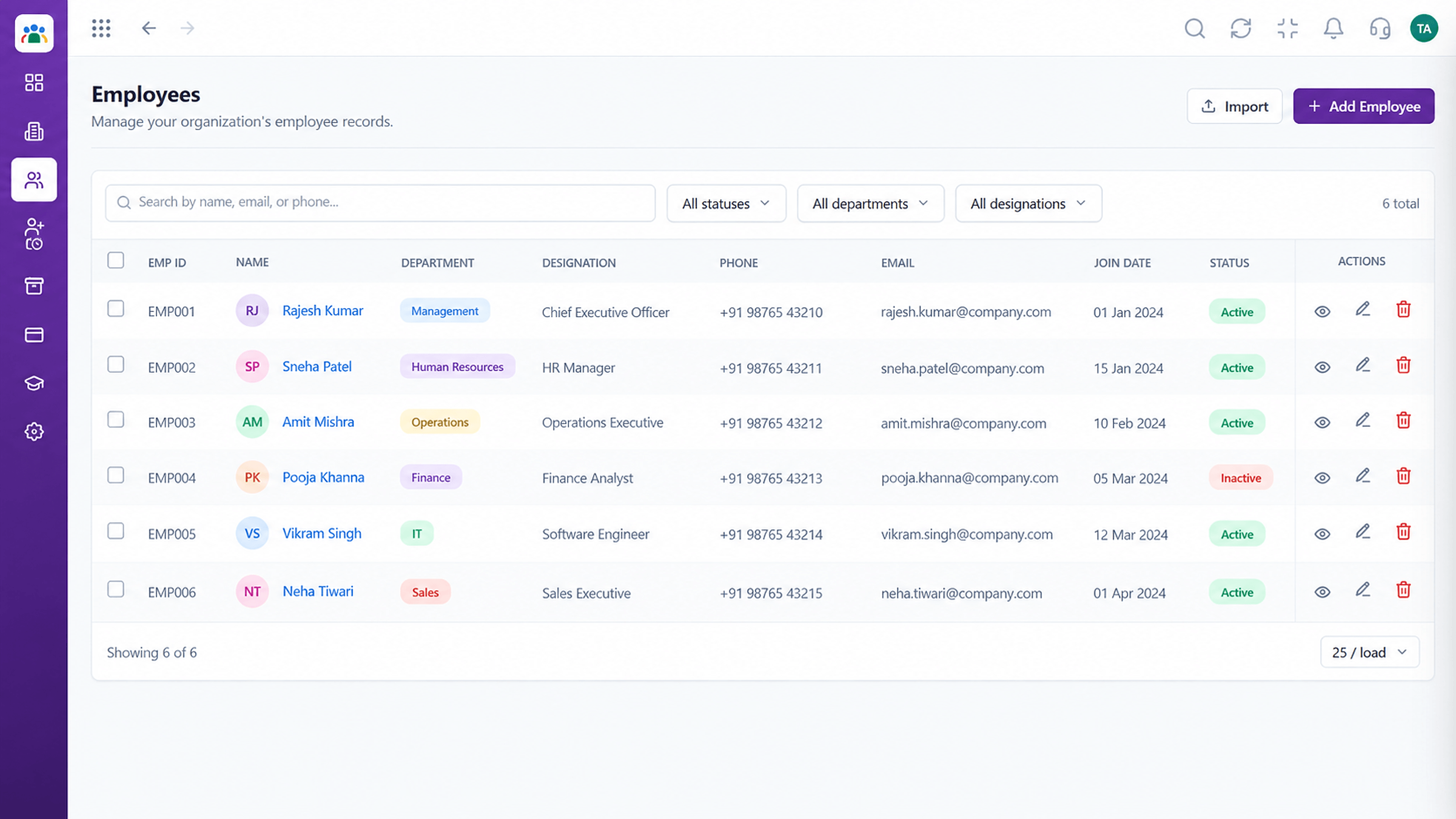 Employees
Every employee with ID, department, designation and status
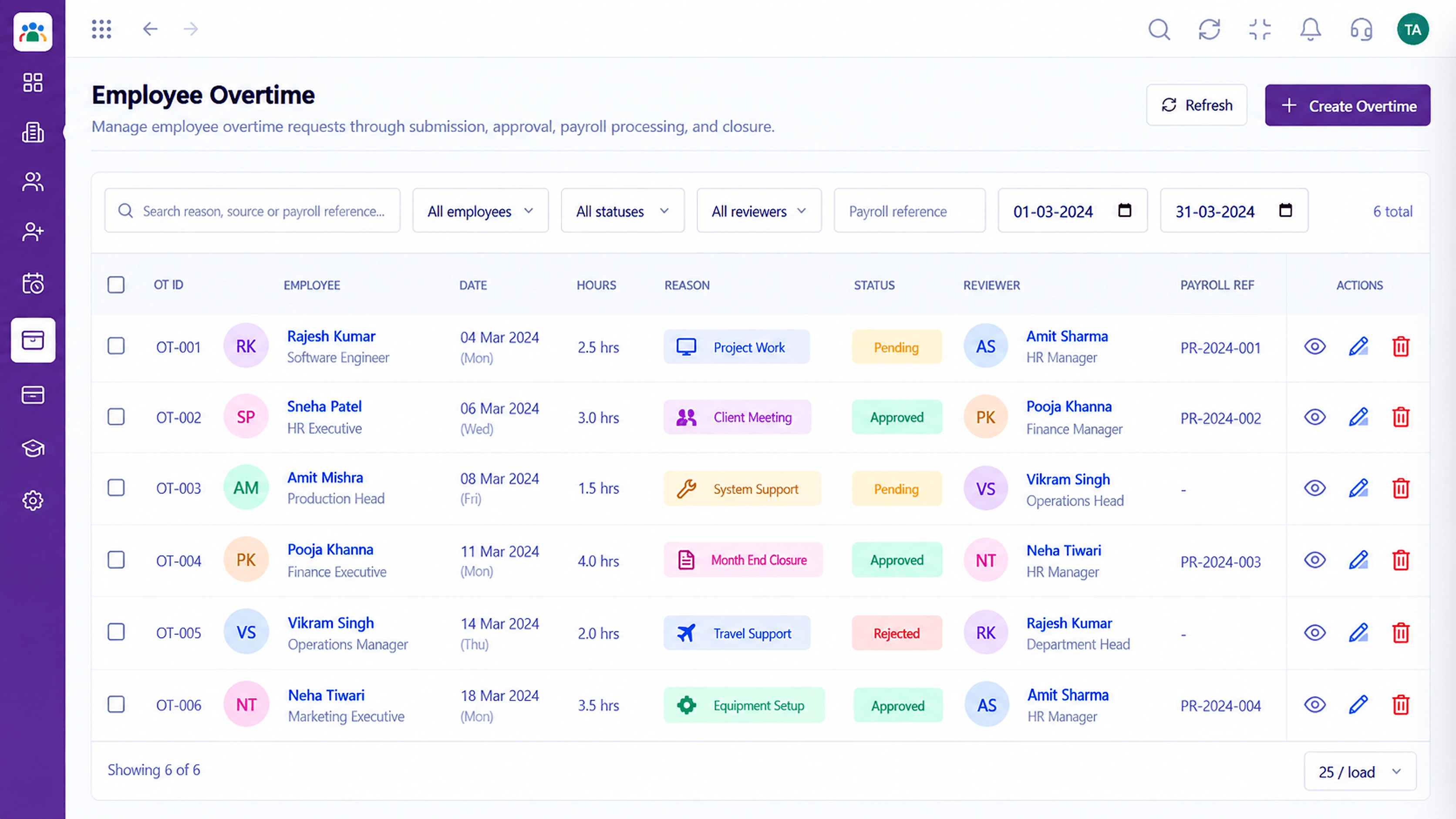 Time
TimeTrack and approve extra hours worked
Feature Breakdown
Captured from the Triostack HRMS workspace.
What You Can DoDefine each shift.
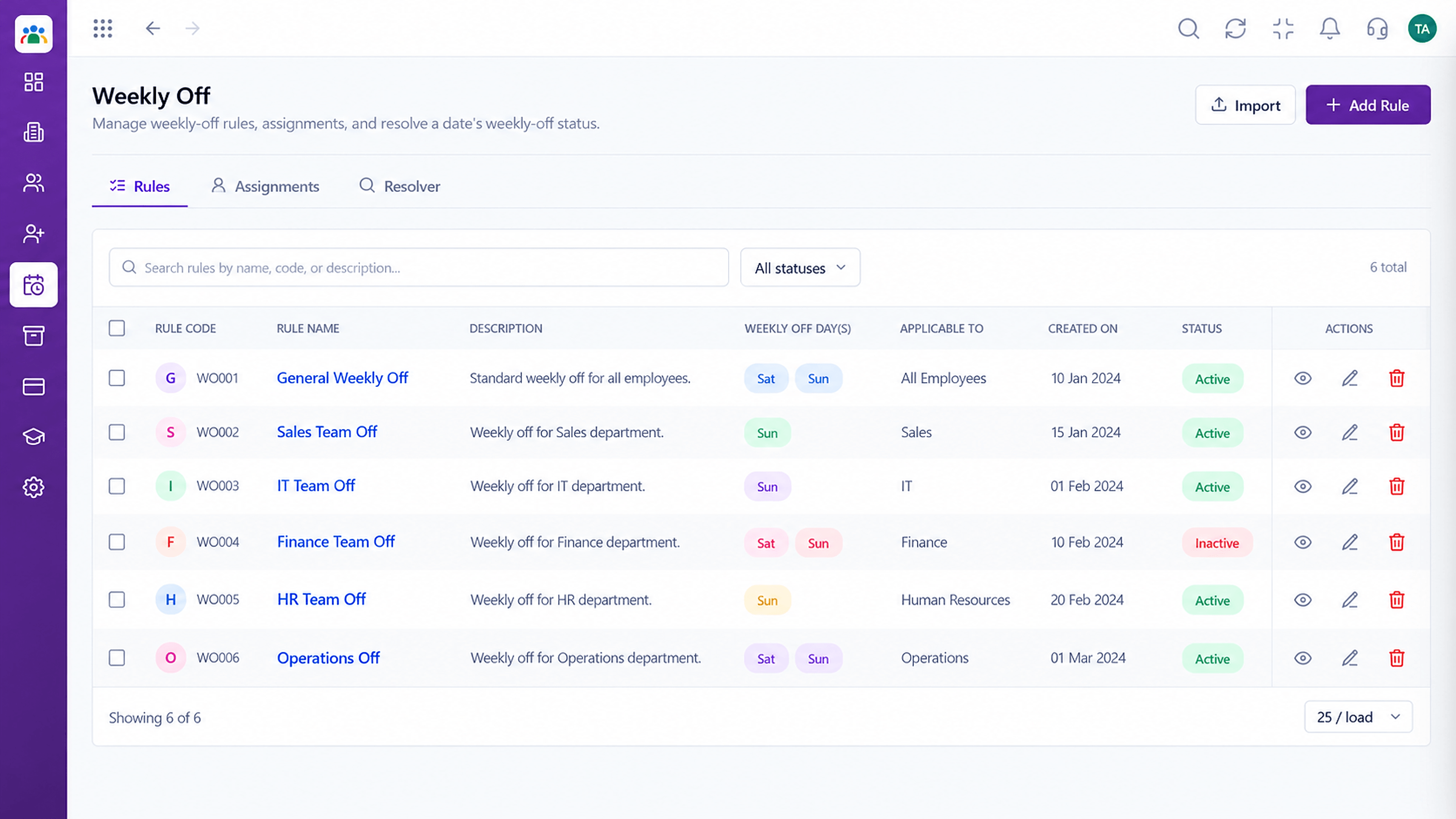 What You Can Do
Rest days by group.
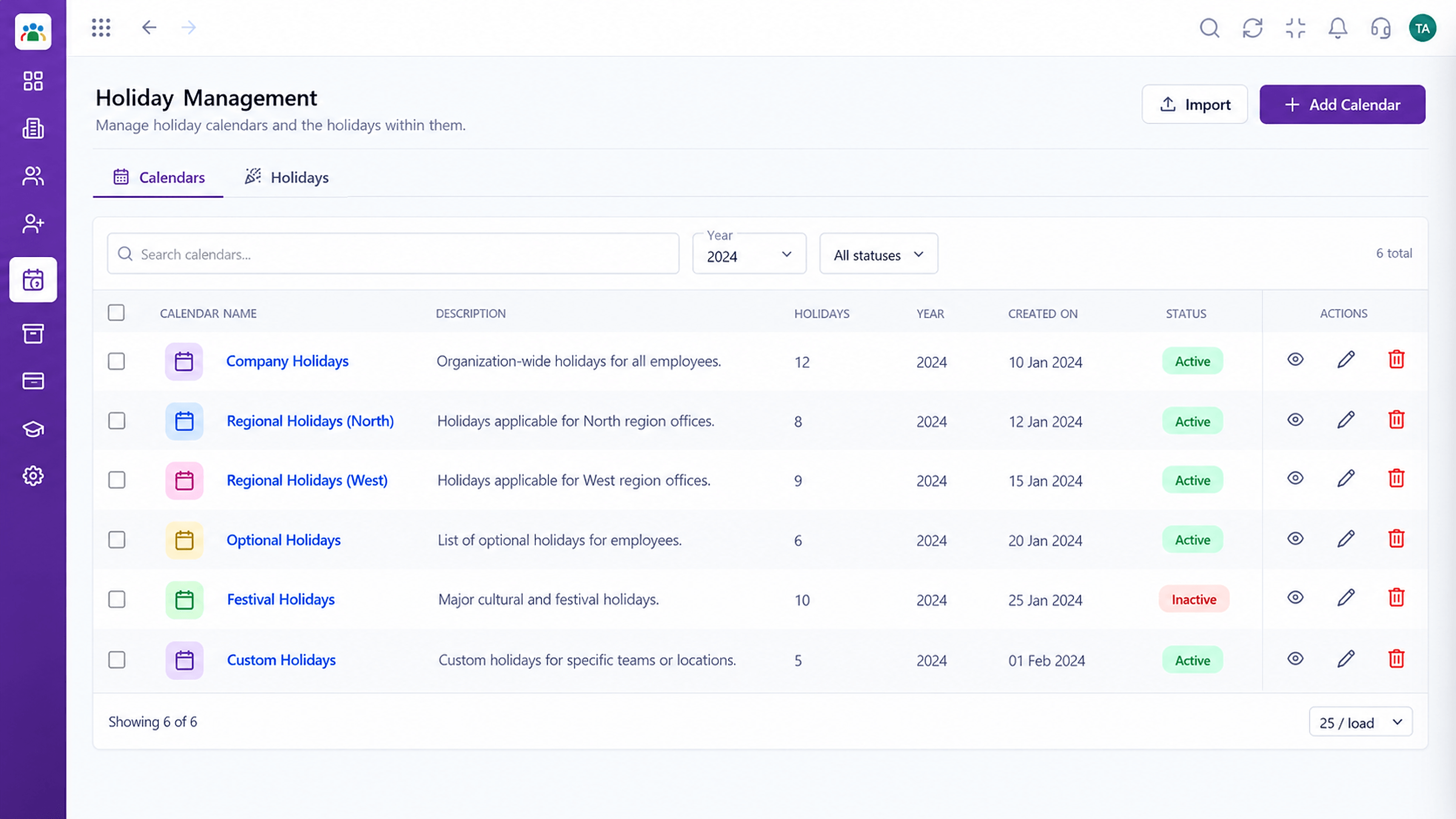 What You Can Do
Holidays on top.
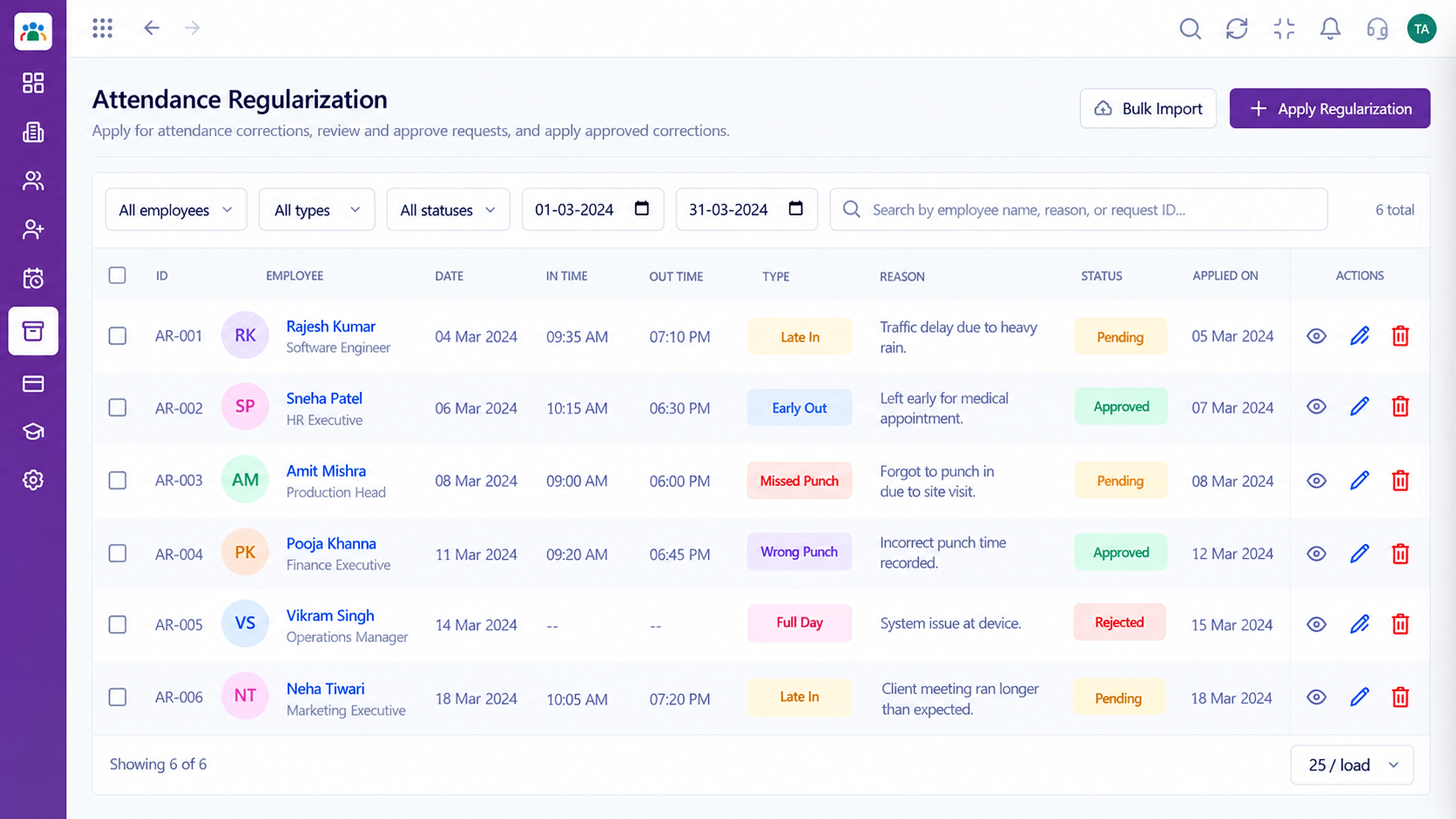 What You Can Do
Measured against the shift.
Execution Plan
Create each shift with timings.
Place teams on shifts.
Choose patterns per group.
Confirm it reads against the right shift.
In Real Life
Scenario 01
A shift is created and teams assigned in minutes.
Scenario 02
Weekly offs rotate fairly through the group.
Scenario 03
Extra shifts are added for the busy weeks.
Frequently Asked Questions
Yes, with timings for each.
Yes, patterns can be set per group.
Shifts can run across midnight. Ask us about your pattern.
Yes. Update shifts and assignments as the business changes.
Employee records, attendance, leave, shifts and approvals in one workspace, built for HR teams and the people they serve.
