The best Business Suite software in India, built to help your business grow. Contact us at +91-8882435276.
[ Contact ]
Phone number
Email address
Head office
Noida office
The right team at TriostackOne will get back to you.
Keep ID, department, designation, contact details, join date and status in one clean record, so every other HR process starts from the truth.
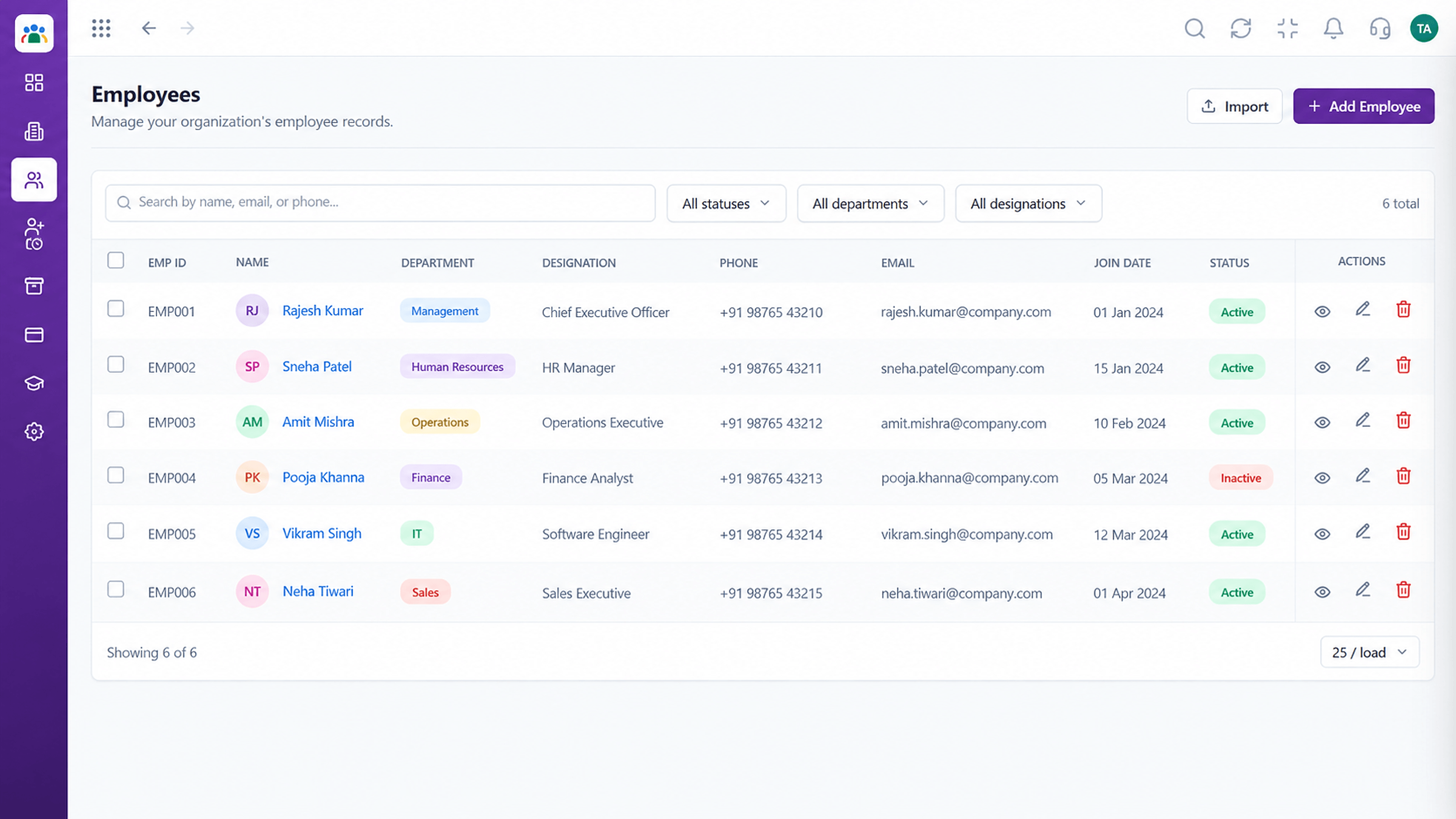
Every person recorded once and kept current
Positioning Assessment
Leave, attendance and approvals all depend on knowing who someone is, where they sit and who they report to. When that data lives in several files, they disagree.
HRMS holds one record per employee with ID, department, designation, contact details, join date and status. Every other module reads from it, so a change is made once.
“We update an employee once and every report agrees. That used to take three files.”
Sample team scenario
Illustrative example, not a customer testimonial
Illustrated Overview
Imagine a single employee card on top of a pile of attendance, leave and approvals, all pointing back to it.
A single identity across modules.
Structure without clutter.
Every module sees the update.
Platform Integrity
One identity per person
Department, designation, status
Edit once, update everywhere
Find anyone quickly
How It Works
What a single record changes.
| Dimension | Triostack HRMS | Scattered Files |
|---|---|---|
| Identity | One ID per person | Several versions |
| Updates | Edited once | Edited in many files |
| Search | By name, ID or department | Open each file |
| Status | Active, on leave, exited | Remembered |
| Dependencies | Leave and attendance read from it | Copied by hand |
We will help you configure this workflow end to end, from records to approvals, in your first session.
Live Interface Tour
Real screens captured directly from the Triostack HRMS workspace.
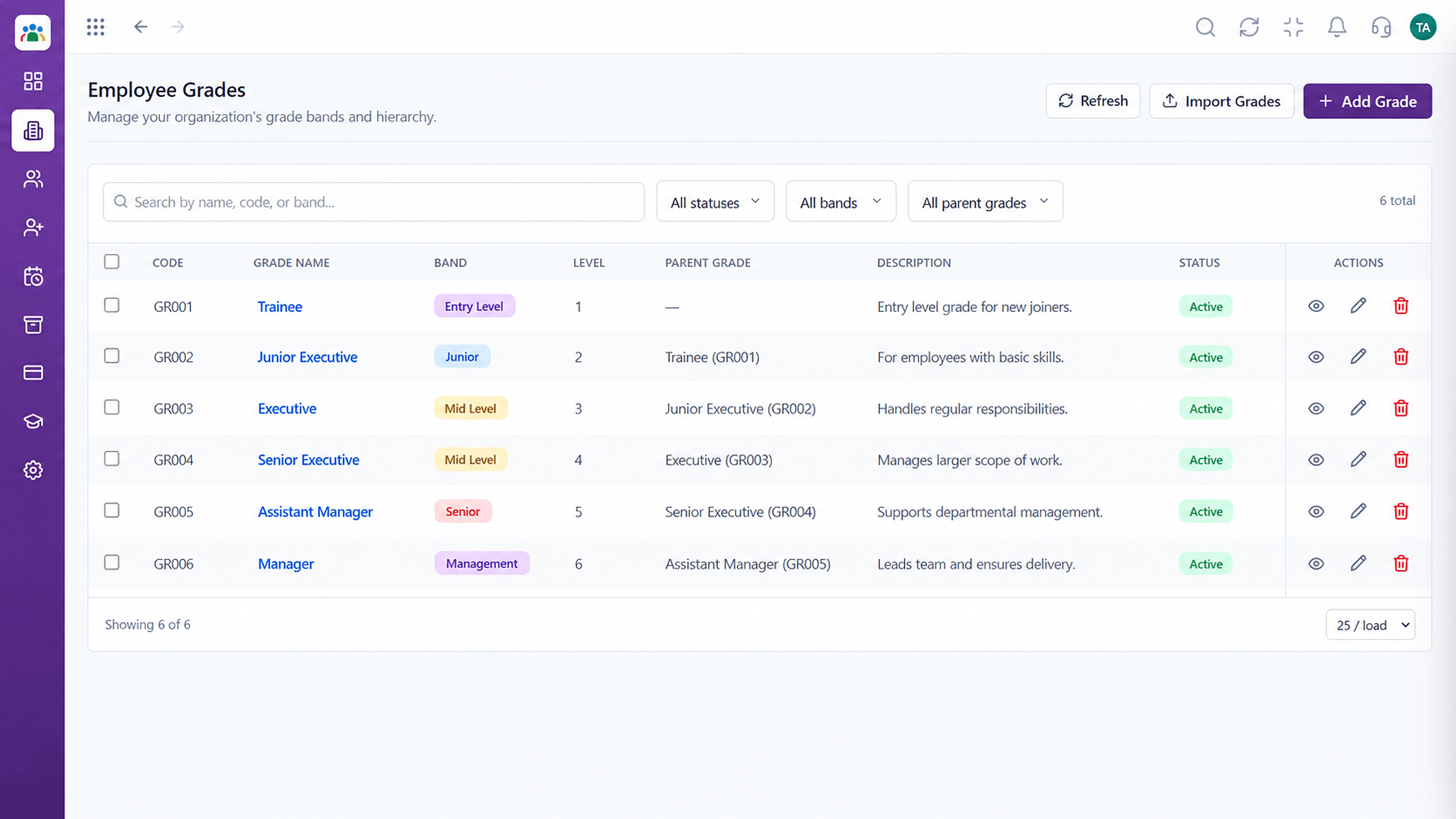 Organisation
Grade structure for your organisation
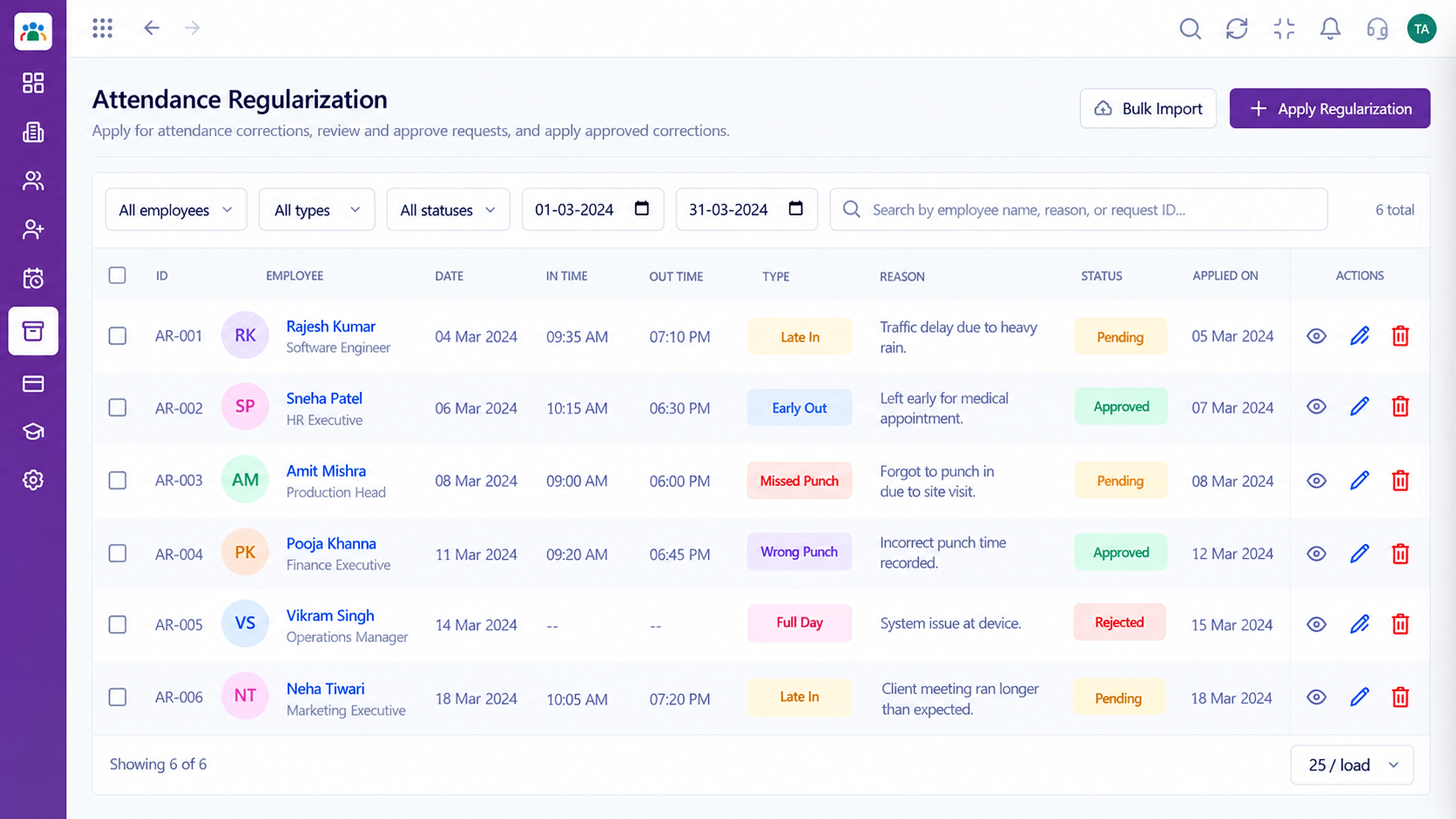 Attendance
Correct missed punches with a clear approval trail
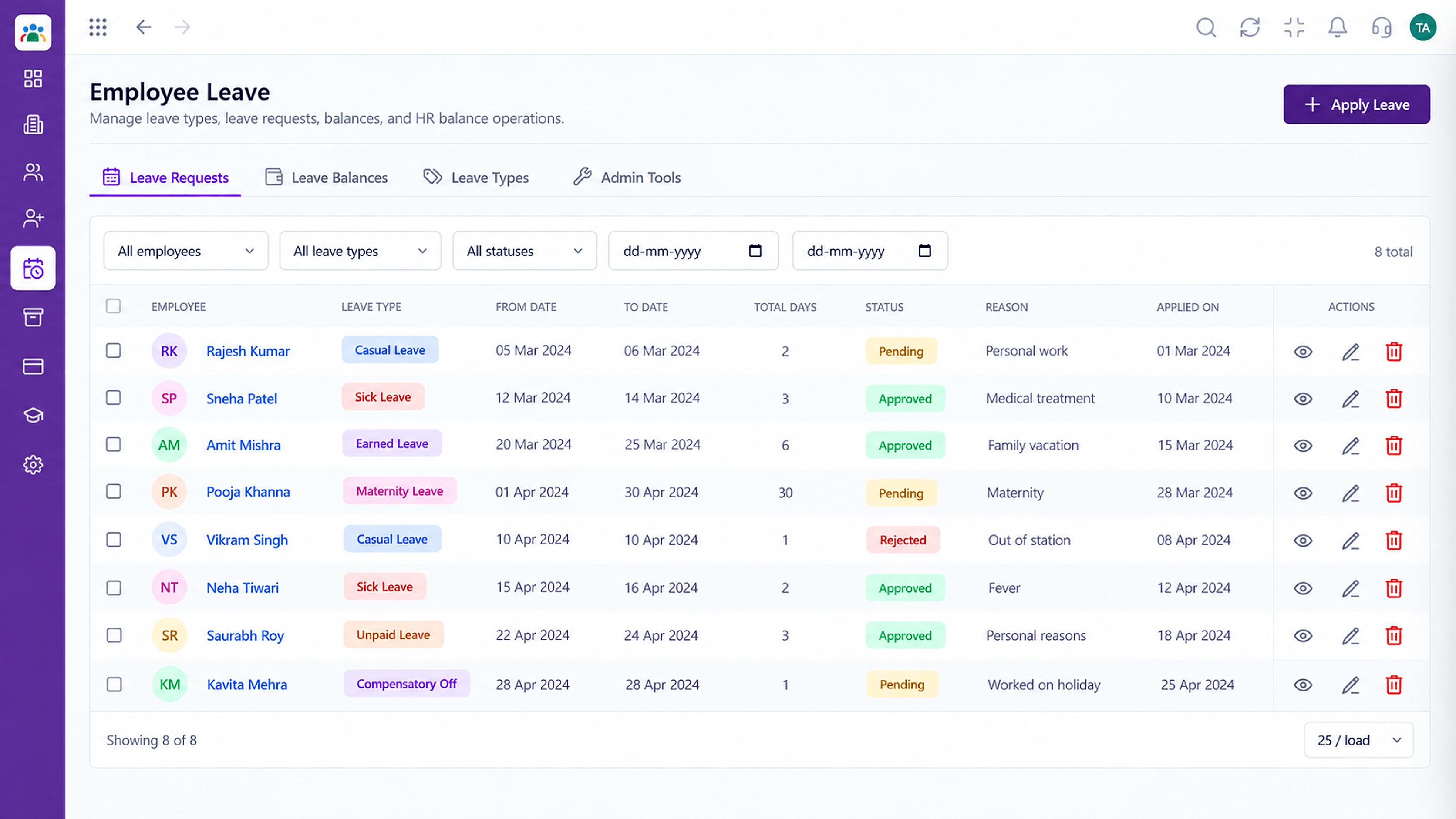 Leave
LeaveLeave types, balances and requests in one place
Feature Breakdown
Captured from the Triostack HRMS workspace.
What You Can DoThe full list.
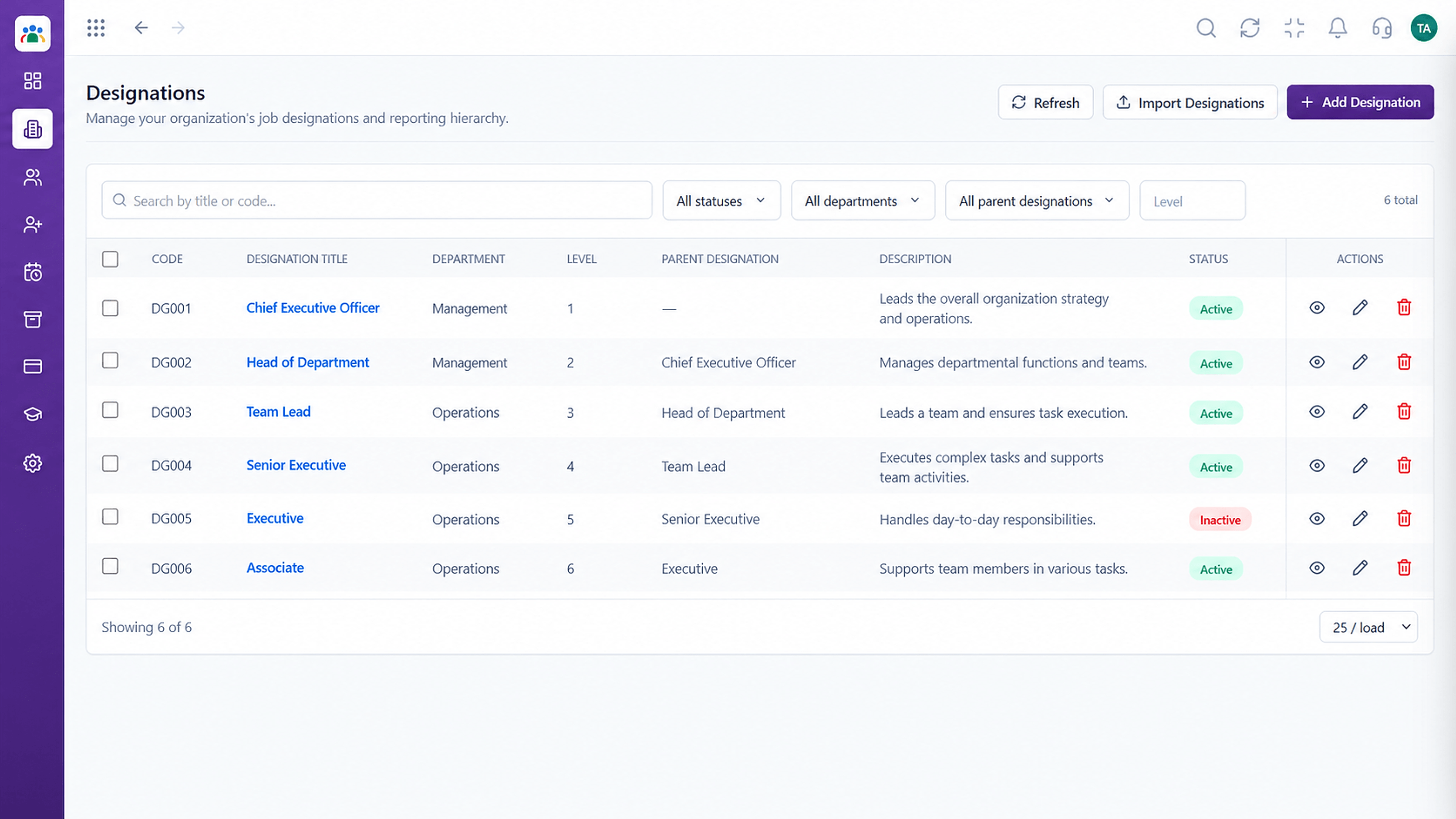 What You Can Do
Standard job titles.
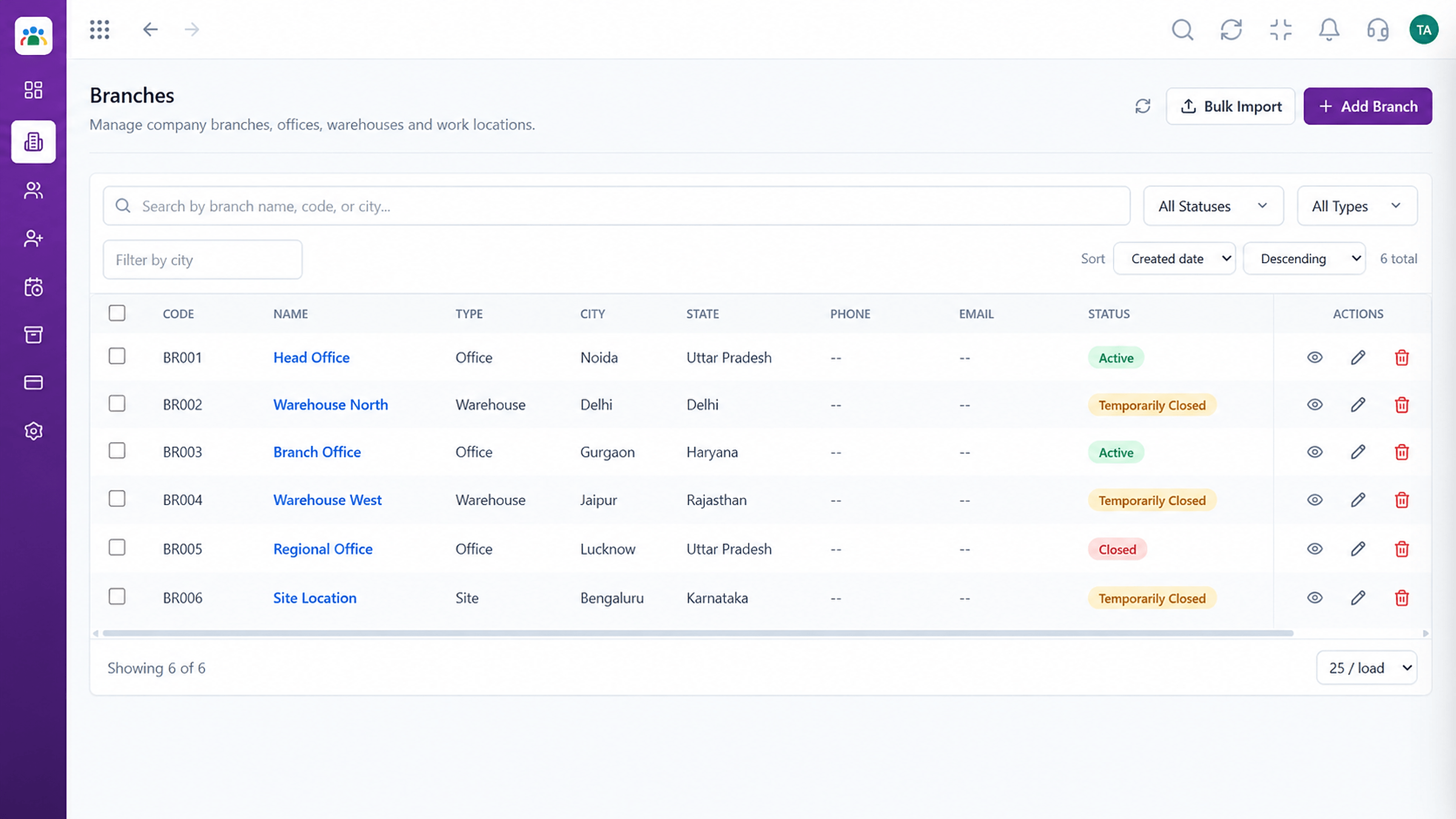 What You Can Do
Where people work.
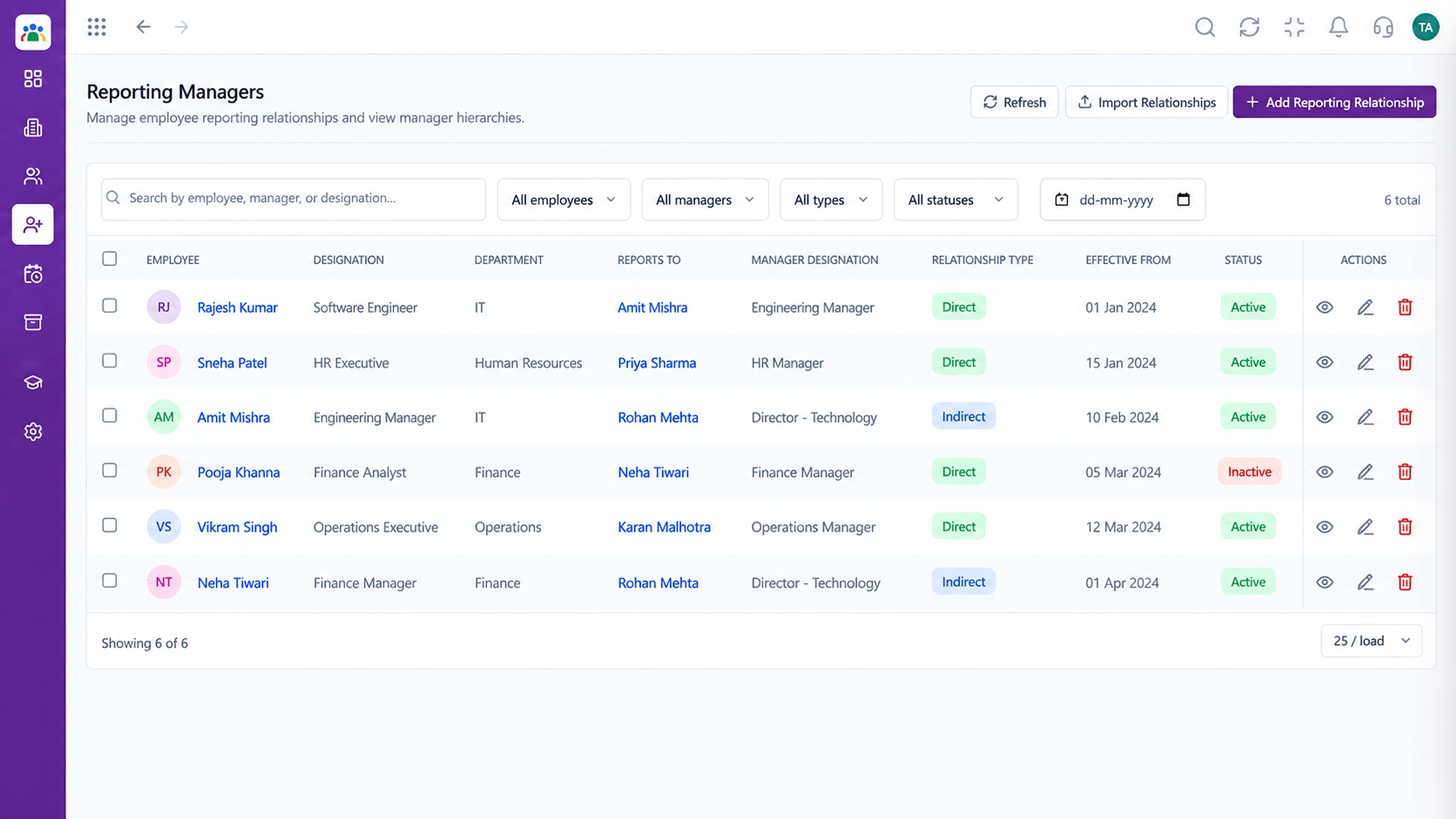 What You Can Do
Who reports to whom.
Execution Plan
Add a new joiner with core details.
Set department, designation and manager.
Edit once when roles or contacts change.
Mark status when someone leaves.
In Real Life
Scenario 01
A profile is created with manager and branch on day one.
Scenario 02
Designation and grade are updated once.
Scenario 03
A complete record is ready on request.
Frequently Asked Questions
ID, department, designation, contact details, join date and status, among other fields. Ask us about your needs.
Yes. We can help map spreadsheets into HRMS.
Yes, by name, ID, department and more.
Roles and permissions control who can view and change them.
Employee records, attendance, leave, shifts and approvals in one workspace, built for HR teams and the people they serve.
