The best Business Suite software in India, built to help your business grow. Contact us at +91-8882435276.
[ Contact ]
Phone number
Email address
Head office
Noida office
The right team at TriostackOne will get back to you.
Add bonuses, incentives and one-off payments to a run with clear records, so rewards are paid accurately and explained clearly.
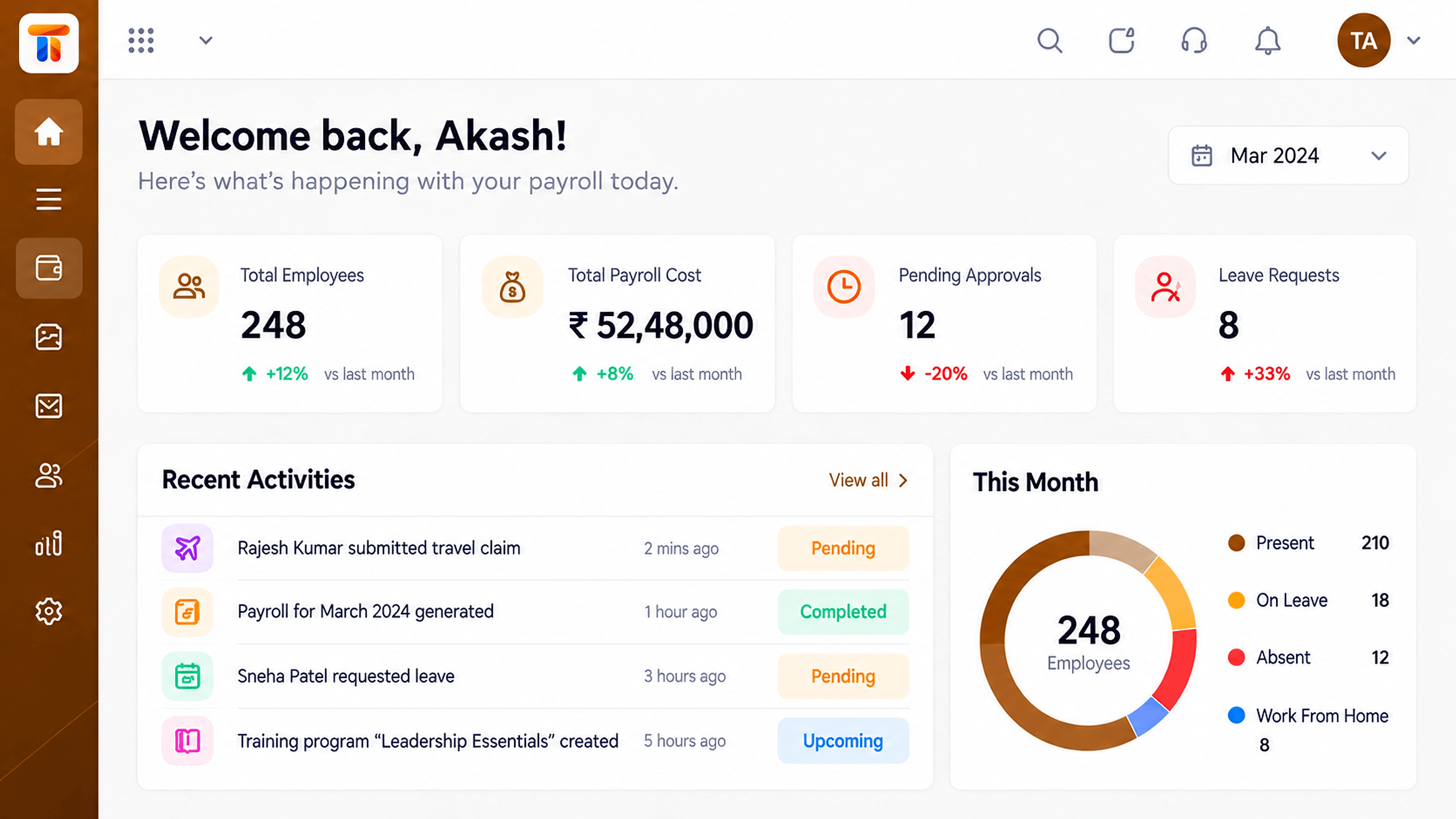
Rewards recorded and paid with the same care as salary
Positioning Assessment
Bonuses are often calculated in a separate sheet and added to the salary file by hand. A copy-paste slip changes someone's reward.
Payroll lets you record bonuses and incentives against employees and include them in the relevant run, with the amount visible on the payslip and in the run record. How amounts are calculated is up to your policy.
“The bonus appears as its own line on the payslip. No one needs to ask what it was for.”
Sample team scenario
Illustrative example, not a customer testimonial
Illustrated Overview
Picture each reward carrying a small tag with a name and an amount, sliding into the right employee's envelope this month.
No guessing who gets what.
Included in the chosen run.
Own line, clear label.
Platform Integrity
Amounts set individually
Paid with that month's pay
Visible on the payslip
A trail of who got what
How It Works
What changes when rewards live inside payroll.
| Dimension | Triostack Payroll | Side Spreadsheets |
|---|---|---|
| Entry | Recorded against the employee | Typed into a separate sheet |
| Inclusion | Added to the chosen run | Merged by hand |
| Visibility | Own line on the payslip | Hidden in a total |
| Accuracy | Fewer re-entries | Copy-paste risk |
| History | Past rewards retrievable | Files by quarter |
Book a walkthrough and we will set up a sandbox with your pay structure so you can try a full cycle before you commit.
Live Interface Tour
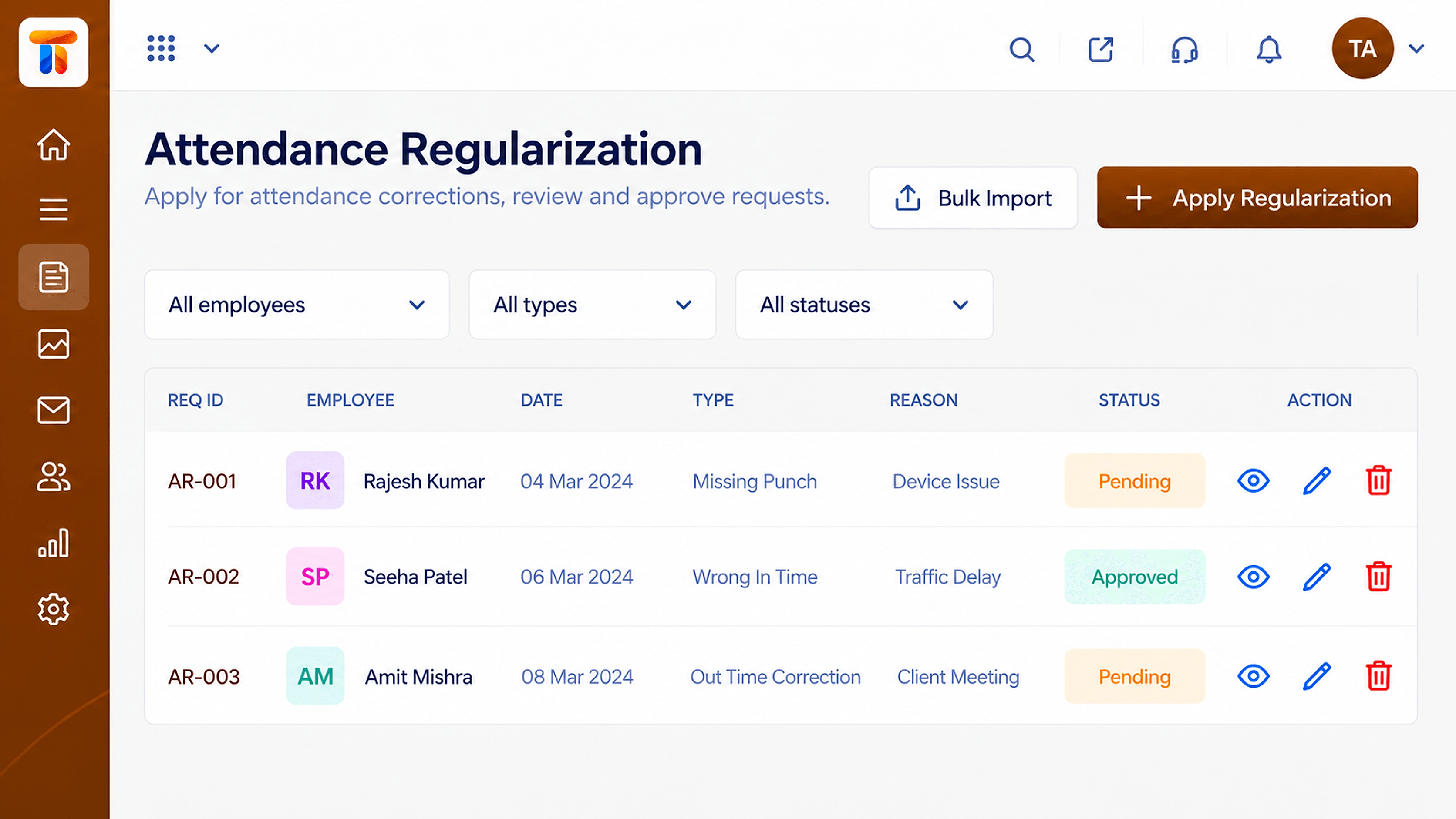
Real screens captured directly from the Triostack Payroll workspace.
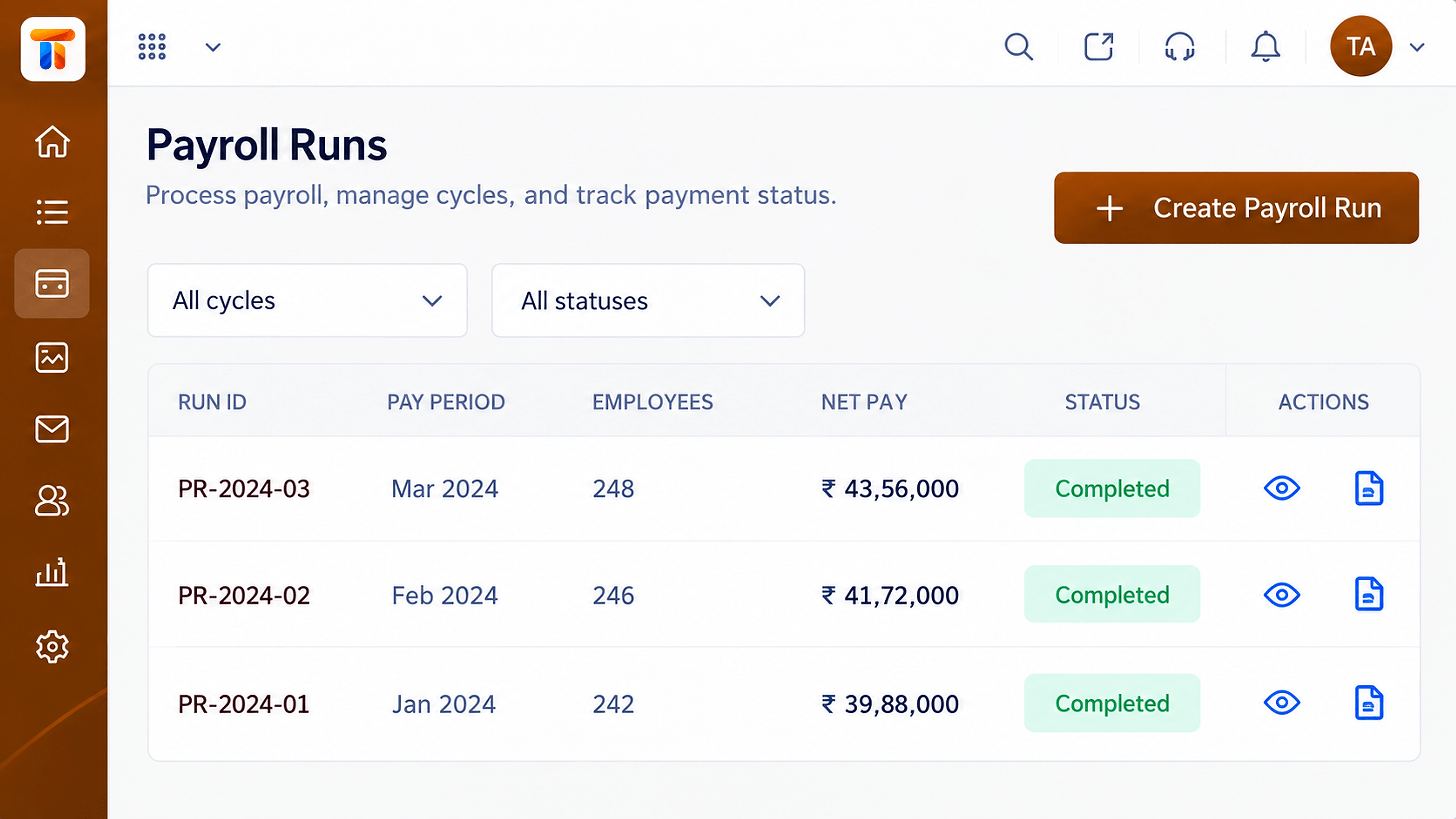 Payroll
Monthly runs with status, totals and approvals
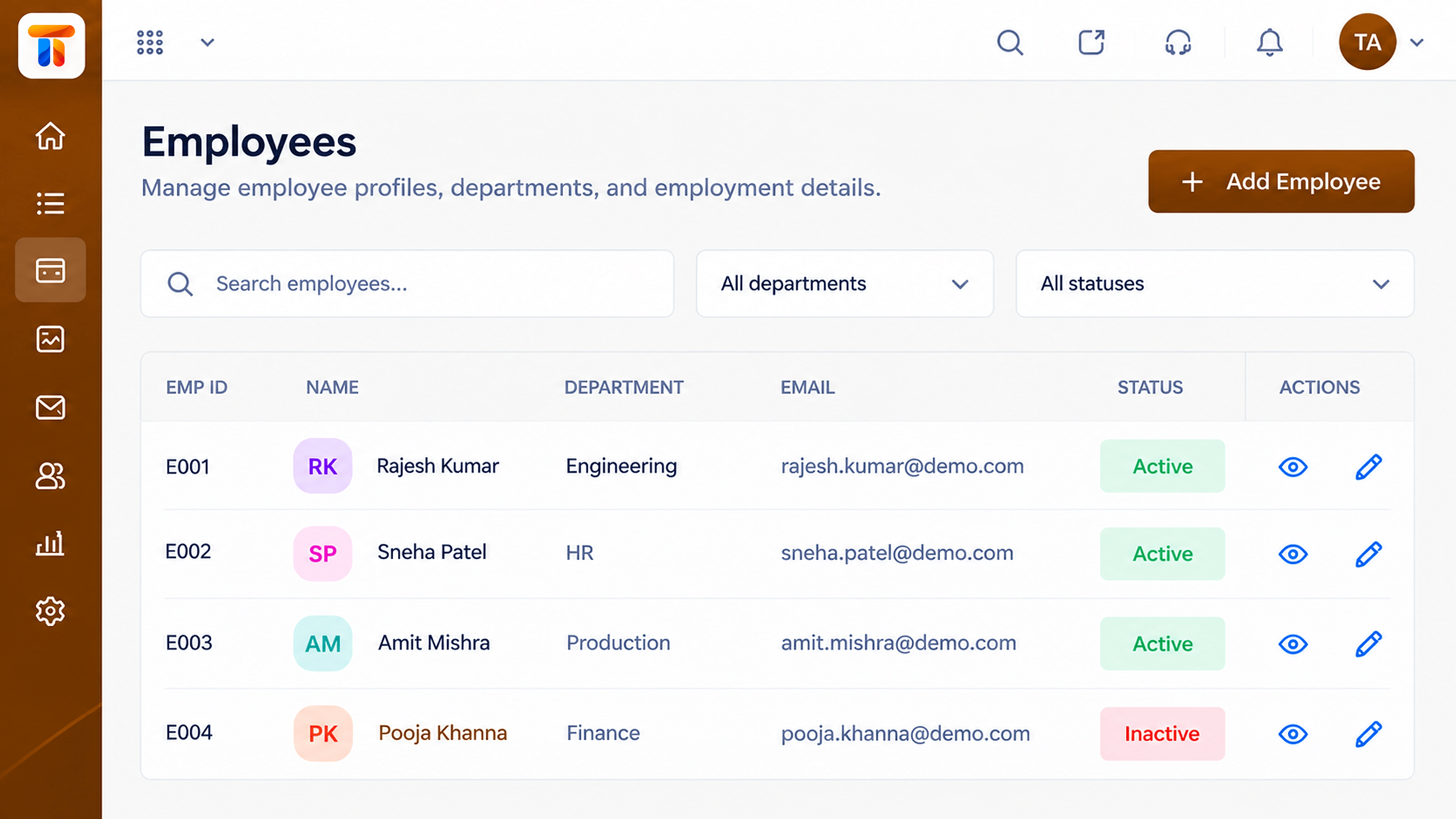 Employees
Employee records that feed every payroll run
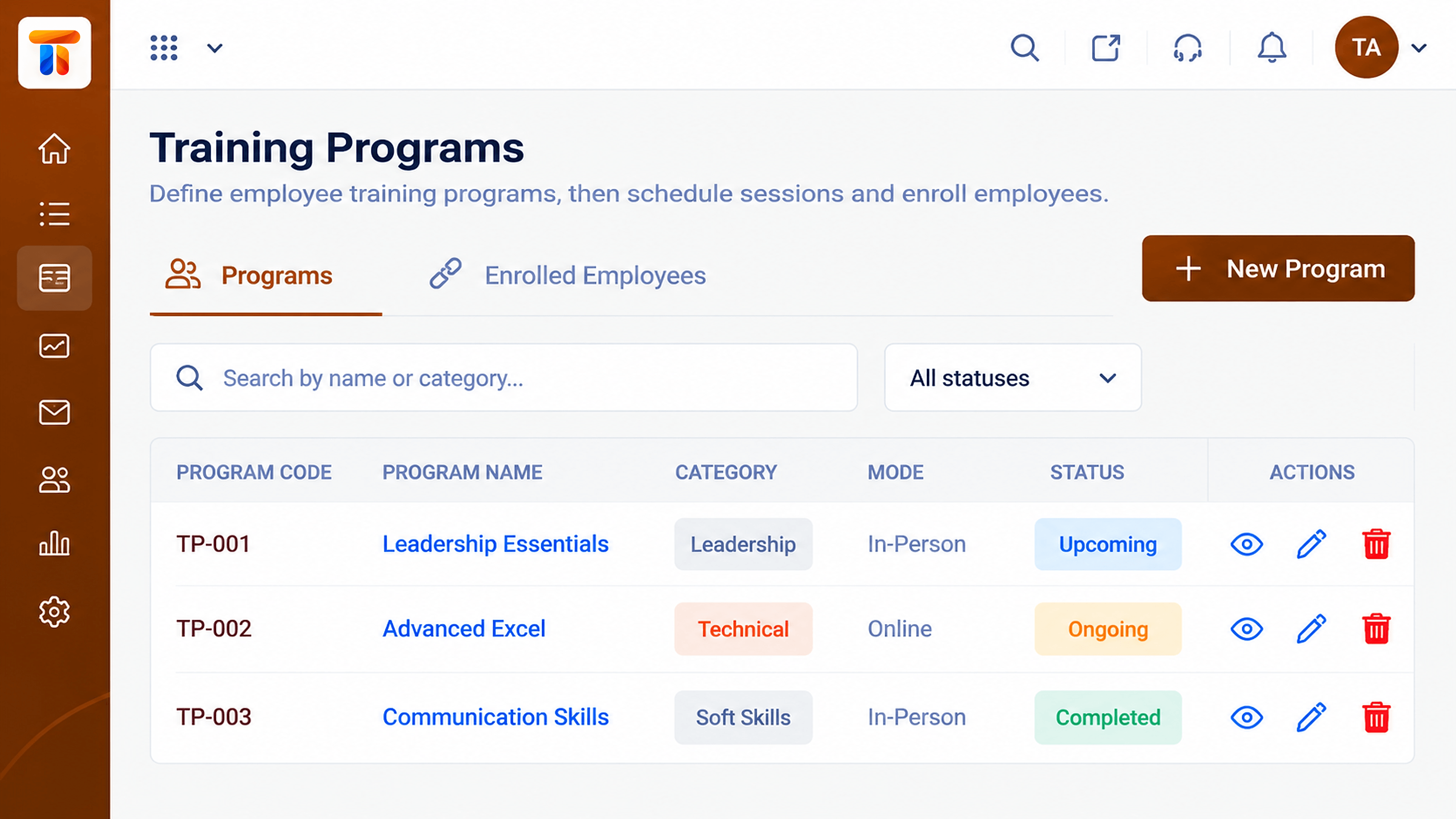 People
Programs and participation records
Feature Breakdown
Captured from the Triostack Payroll workspace.
Payroll FeaturesRewards inside the cycle.
Payroll FeaturesWhat rewards add to payroll cost.
Payroll FeaturesWho is eligible.
 Payroll Features
When attendance matters.
Execution Plan
Set the amount per your policy.
Add it against the employee.
Choose the run it belongs to.
It appears on the payslip.
In Real Life
Scenario 01
Everyone's amount is set and paid in one run.
Scenario 02
Targets are met and paid with the month's salary.
Scenario 03
A one-off thank you is added in minutes.
Frequently Asked Questions
Yes. Record them against employees and include them in a run.
Yes, as its own line.
You set the amounts per your policy. Ask us about supported calculation options.
Yes, they remain in the run records.
Employee records, attendance, reimbursements and monthly pay runs in one workspace, built for finance and HR teams.
