The best Business Suite software in India, built to help your business grow. Contact us at +91-8882435276.
[ Contact ]
Phone number
Email address
Head office
Noida office
The right team at TriostackOne will get back to you.
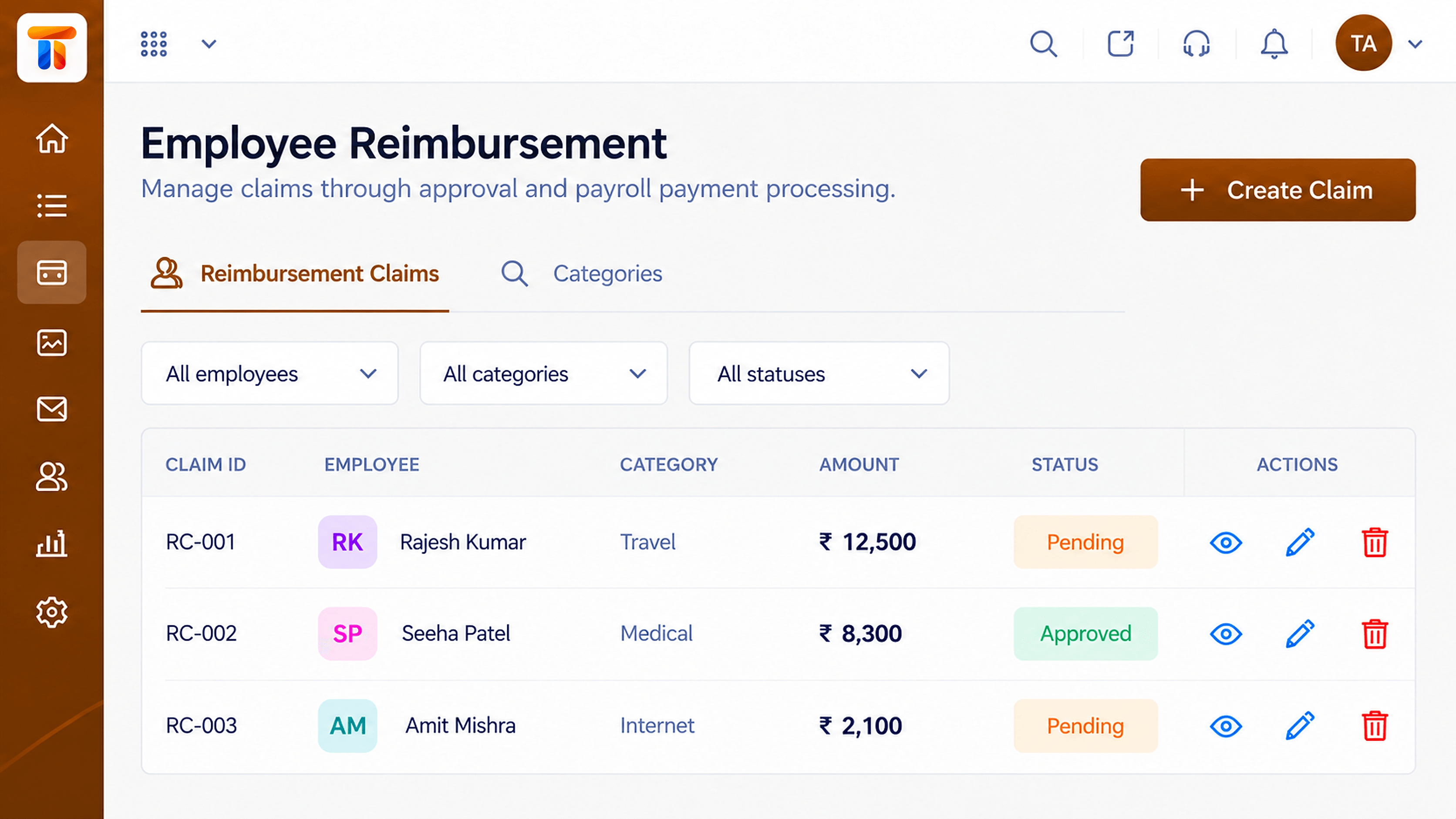
Employees submit expense claims, managers review them and approved amounts flow into pay, so nobody waits months to be repaid.
From claim to reimbursement in one visible path
Positioning Assessment
Receipts in email, approvals on chat and amounts typed into a sheet: claims take weeks and a few always get lost.
Employees submit claims with the details, approvers review them, and approved amounts are included in the payroll run. Everyone can see where a claim stands.
“Claims used to disappear into email. Now there is a status next to every one.”
Sample team scenario
Illustrative example, not a customer testimonial
Illustrated Overview
Imagine a receipt travelling along a short path: submitted, approved, then added to the next salary, never lost along the way.
Same steps each time.
Who said yes, and when.
No separate transfer to arrange.
Platform Integrity
Employees file claims themselves
Who approved and when
Approved amounts join the run
No more 'where is my claim?'
How It Works
What a claims workflow adds.
| Dimension | Triostack Payroll | Email Receipts |
|---|---|---|
| Submission | A structured claim | Receipts in an email |
| Approval | Recorded with approver | A reply, maybe |
| Payment | Included in the payroll run | Separate transfer |
| Visibility | Status for the employee | Ask finance |
| History | Searchable record | Inbox archaeology |
Book a walkthrough and we will set up a sandbox with your pay structure so you can try a full cycle before you commit.
Live Interface Tour
Real screens captured directly from the Triostack Payroll workspace.
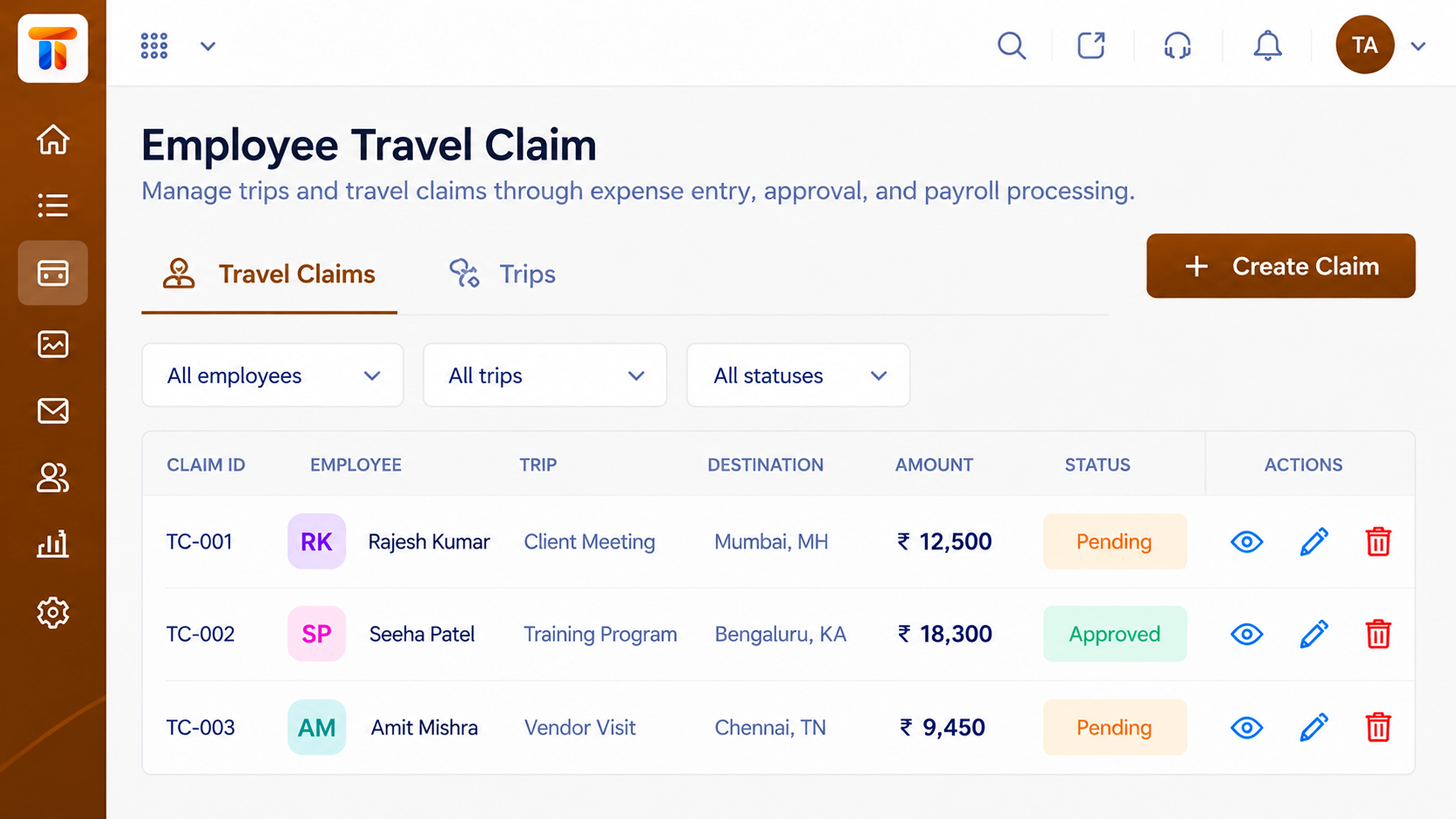 Claims
Travel expenses submitted and approved
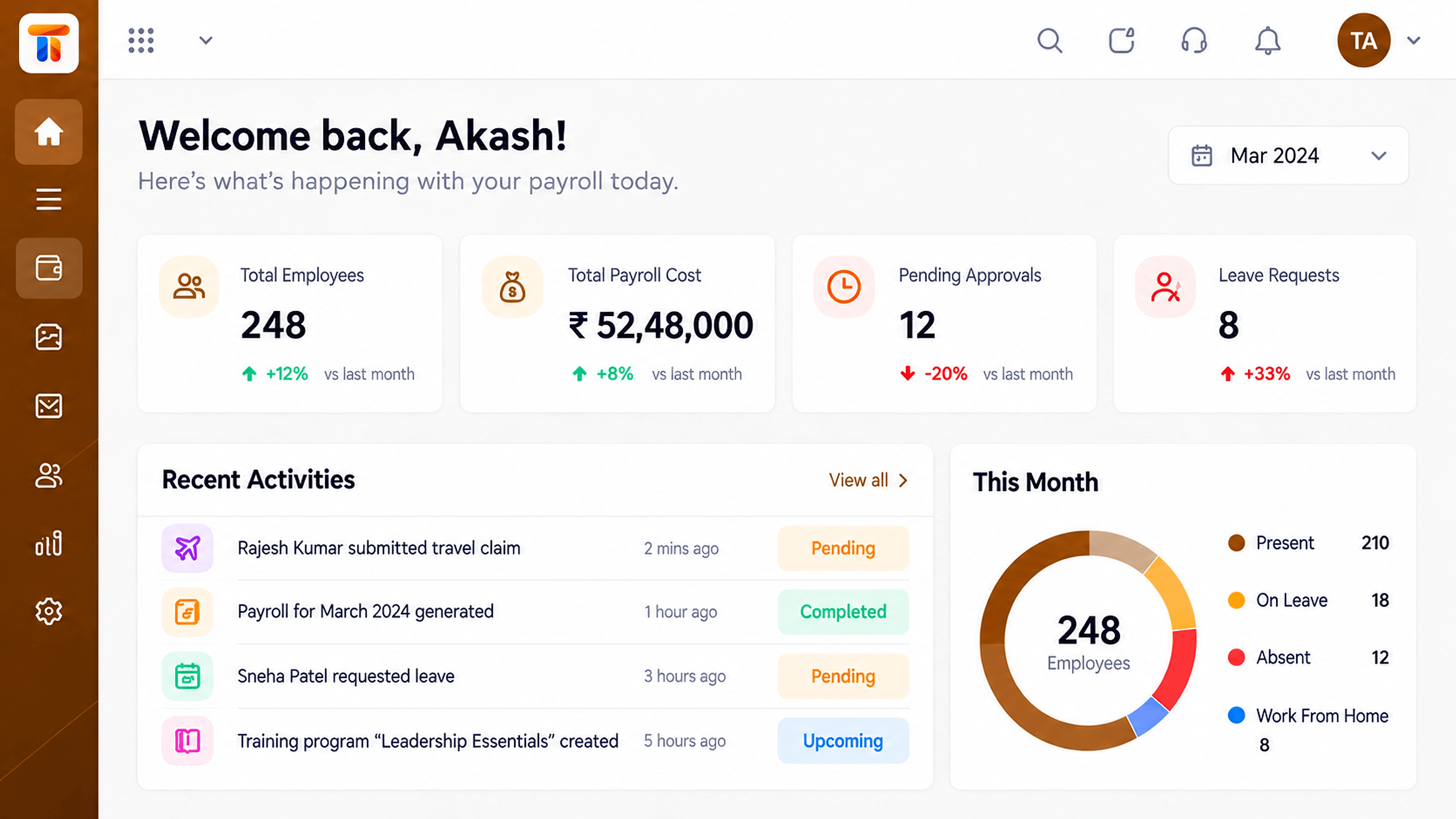 Dashboard
Headcount, payroll cost and run status at a glance
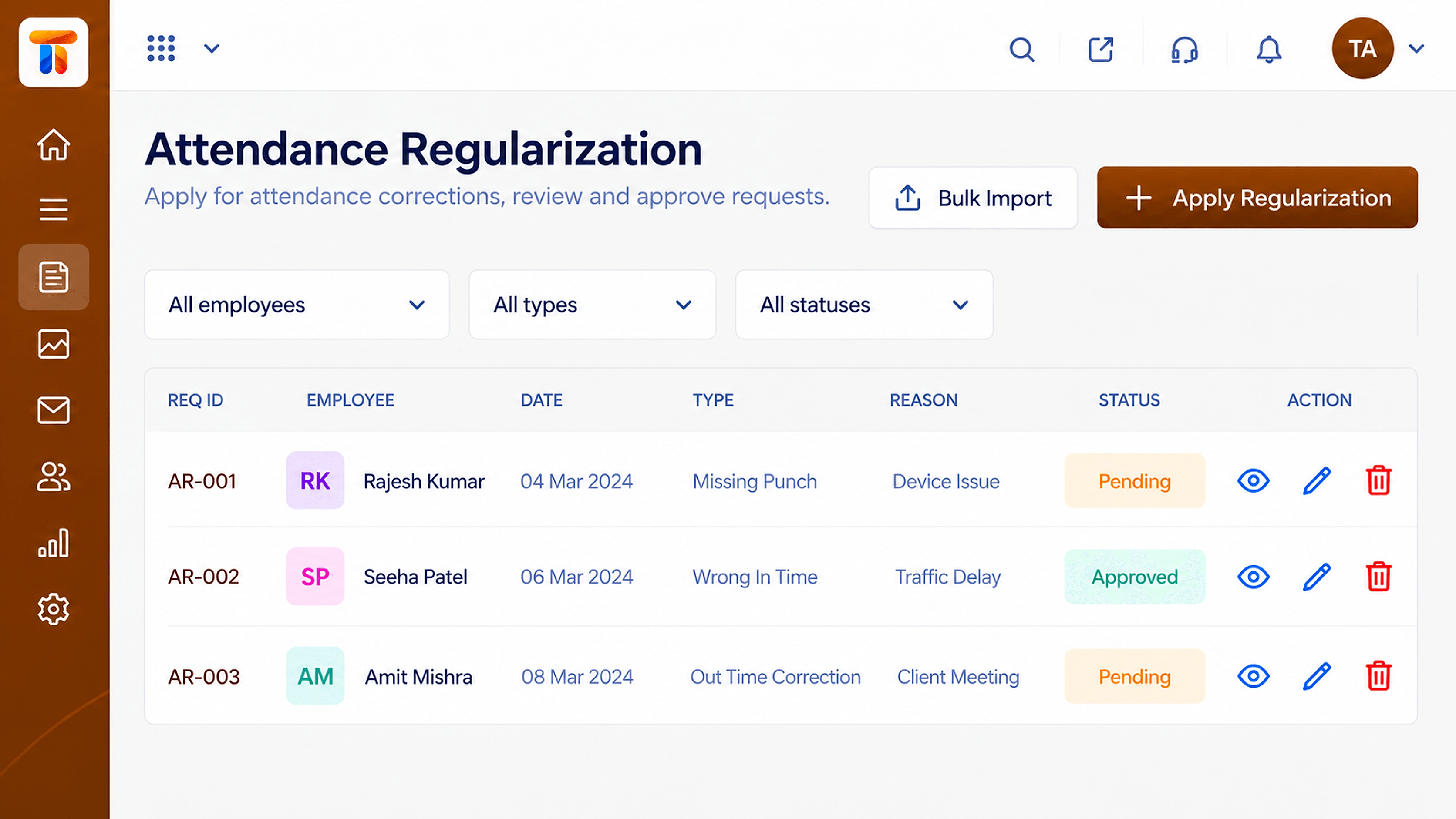 Attendance
Corrected attendance flowing into pay
Feature Breakdown
Captured from the Triostack Payroll workspace.
Payroll FeaturesEvery claim and its status.
Payroll FeaturesTrips and their expenses.
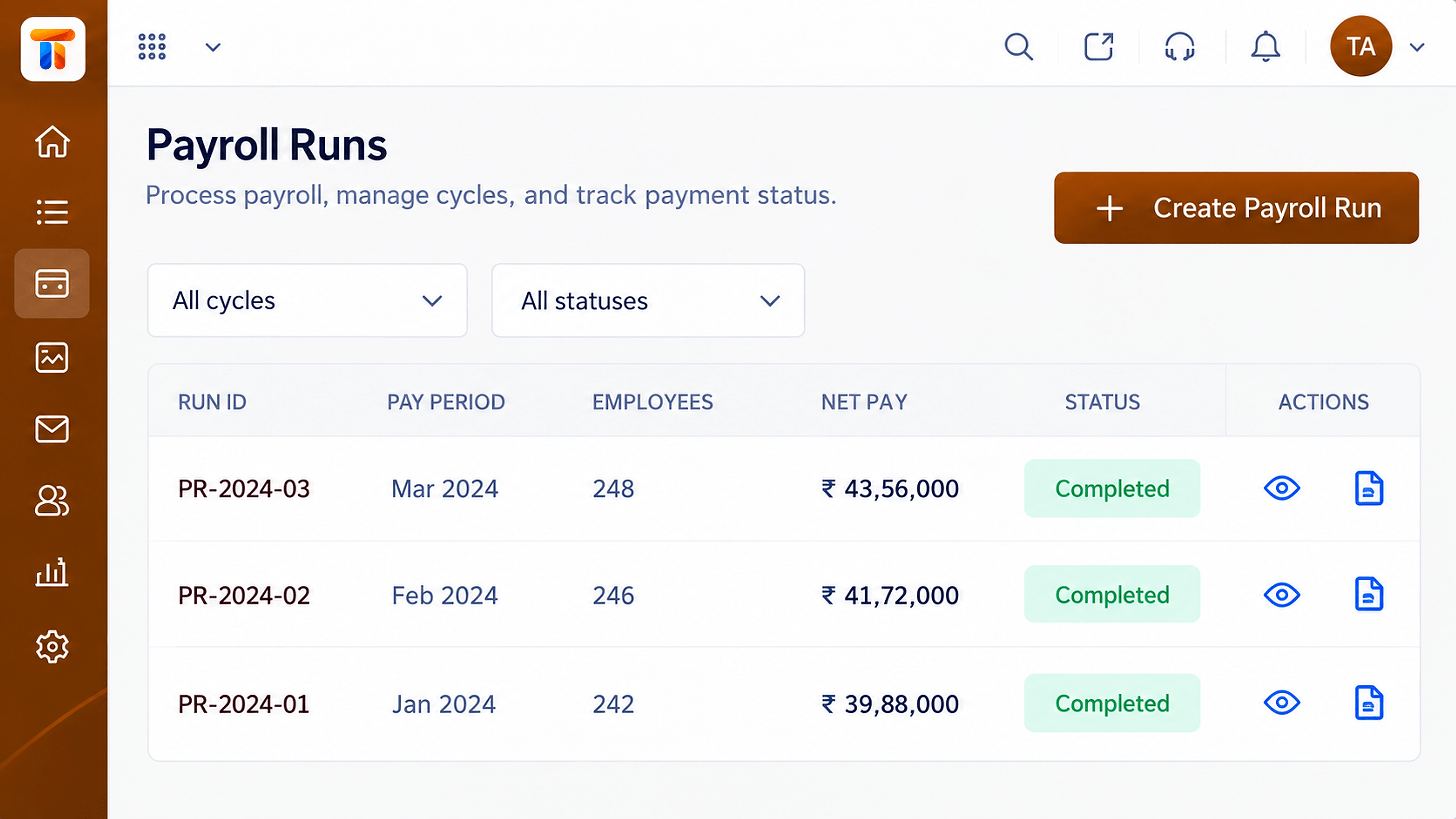 Payroll Features
Where approved claims land.
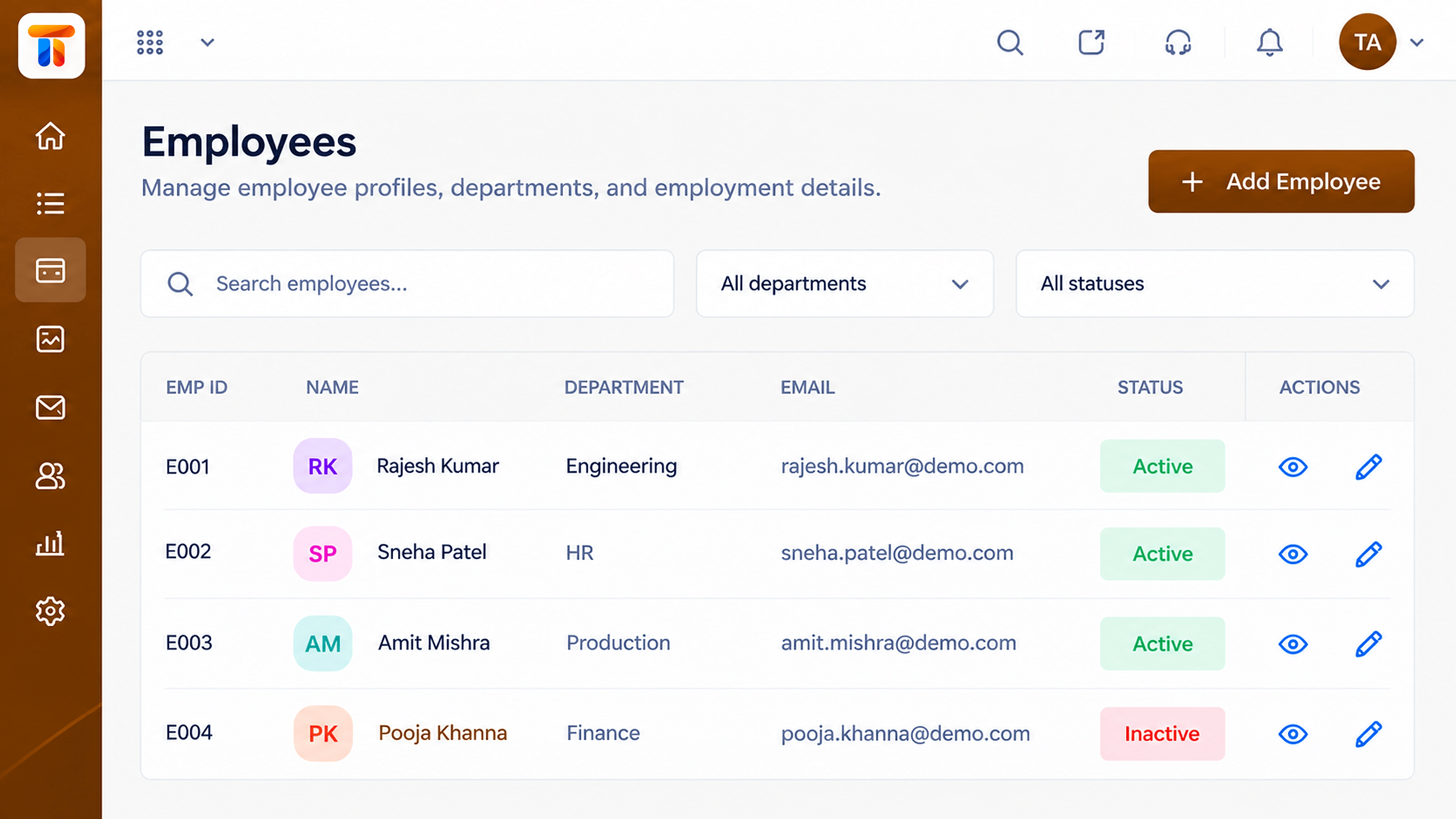 Payroll Features
Who claimed what.
Execution Plan
The employee files a claim with details.
The manager approves or queries.
Approved amounts are added to the run.
The employee is repaid with salary.
In Real Life
Scenario 01
Daily expenses are claimed from anywhere.
Scenario 02
Pending claims are cleared before the books close.
Scenario 03
Approval history shows what was agreed.
Frequently Asked Questions
Employees, subject to your configuration.
Approvers you define, such as managers.
Approved claims can be included in the next payroll run.
Yes, each claim keeps its status and trail.
Employee records, attendance, reimbursements and monthly pay runs in one workspace, built for finance and HR teams.
