The best Business Suite software in India, built to help your business grow. Contact us at +91-8882435276.
[ Contact ]
Phone number
Email address
Head office
Noida office
The right team at TriostackOne will get back to you.
Run payroll from one screen: pull in attendance, leave, claims and changes, review the totals, approve and pay, with every run kept on record.
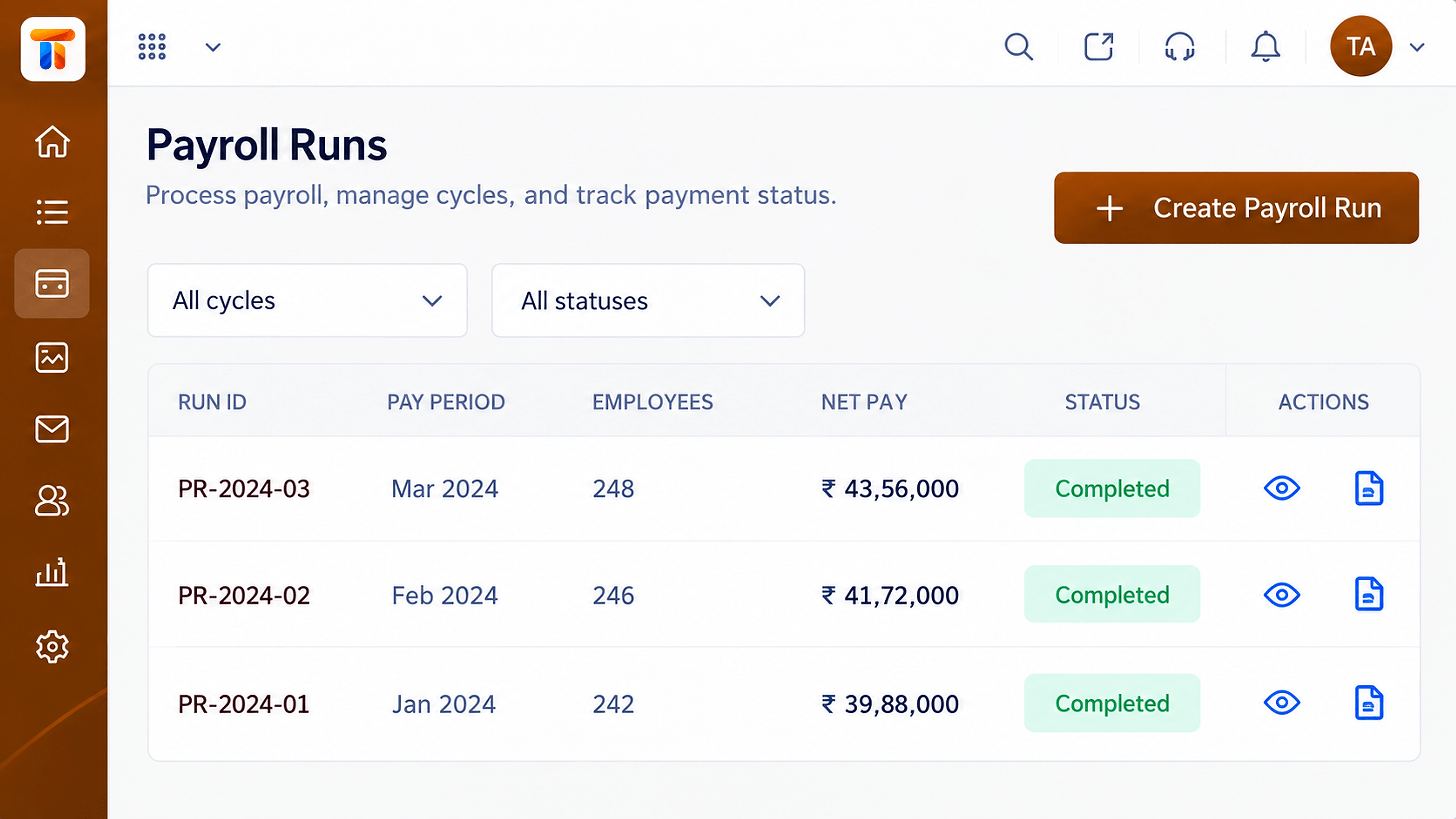
Attendance, leave and claims brought into one monthly cycle
Positioning Assessment
When salaries are prepared across spreadsheets, every month starts with chasing attendance, leave and claim data, then re-checking formulas. One wrong cell becomes a payslip dispute.
Payroll runs bring the inputs together: employee records, attendance, leave and approved claims. You review totals, fix exceptions before approval, and keep a record of every run for later reference.
“The run screen shows what changed since last month. We stopped hunting for the one person whose number looked odd.”
Sample team scenario
Illustrative example, not a customer testimonial
Illustrated Overview
Imagine every employee's attendance, leave and claims rolling along a belt, being counted and checked, and arriving as a finished salary at the end.
Inputs arrive from attendance, leave and claims.
Exceptions are reviewed before approval.
Each cycle stays on record.
Platform Integrity
Inputs gathered in one cycle
Spot changes before approval
Sign-off before payout
Every cycle kept on file
How It Works
What changes when the monthly cycle runs inside one system.
| Dimension | Triostack Payroll | Spreadsheet Salary Sheet |
|---|---|---|
| Inputs | Attendance, leave and claims pulled in | Copied from several files |
| Changes | Differences from last month visible | Found by re-reading rows |
| Approval | Review and approve step | Informal confirmation |
| Errors | Fewer manual re-entries | One broken formula affects many rows |
| History | Each run stored and retrievable | Files scattered by month |
Book a walkthrough and we will set up a sandbox with your pay structure so you can try a full cycle before you commit.
Live Interface Tour
Real screens captured directly from the Triostack Payroll workspace.
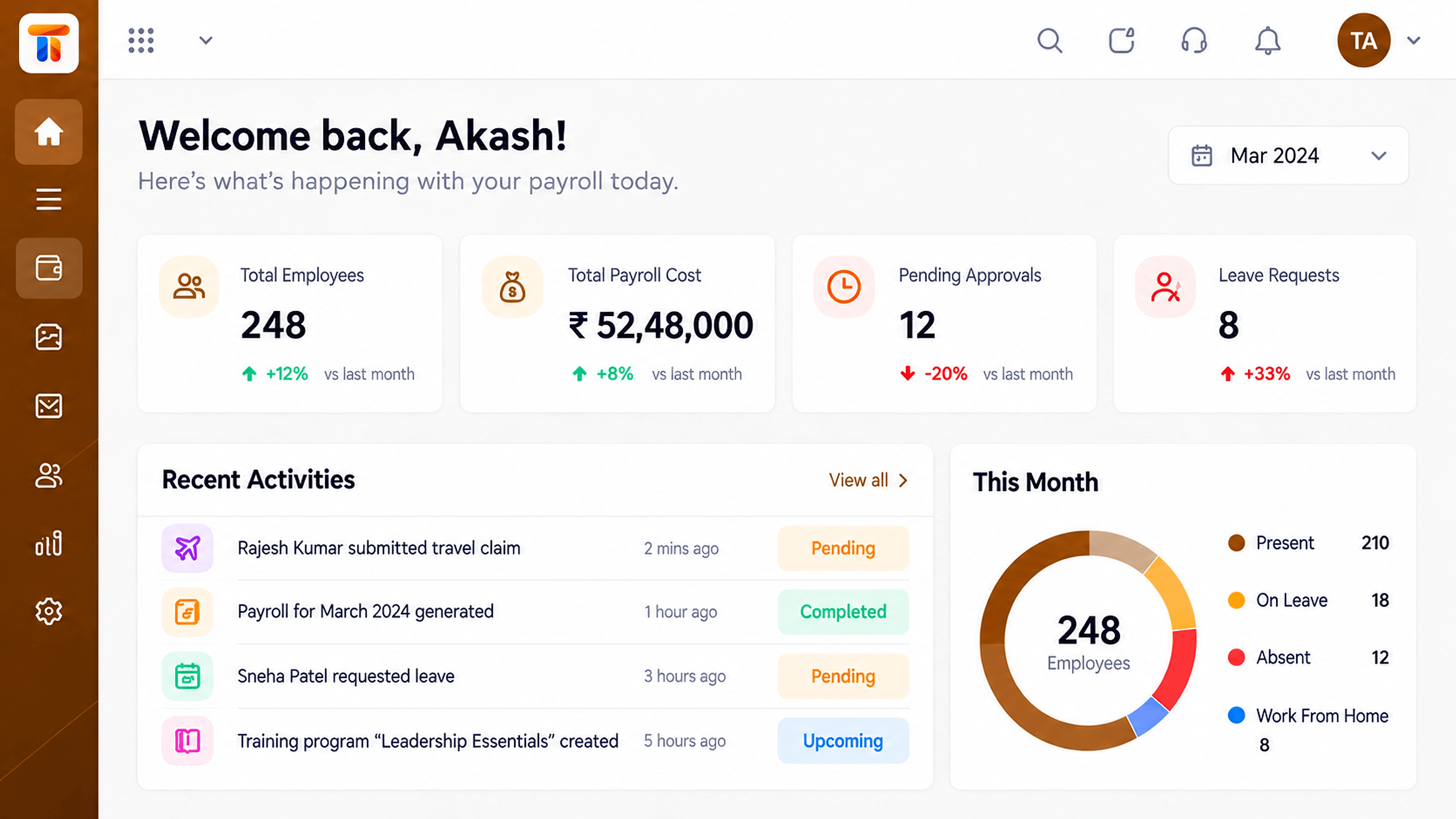 Dashboard
Headcount, payroll cost and run status at a glance
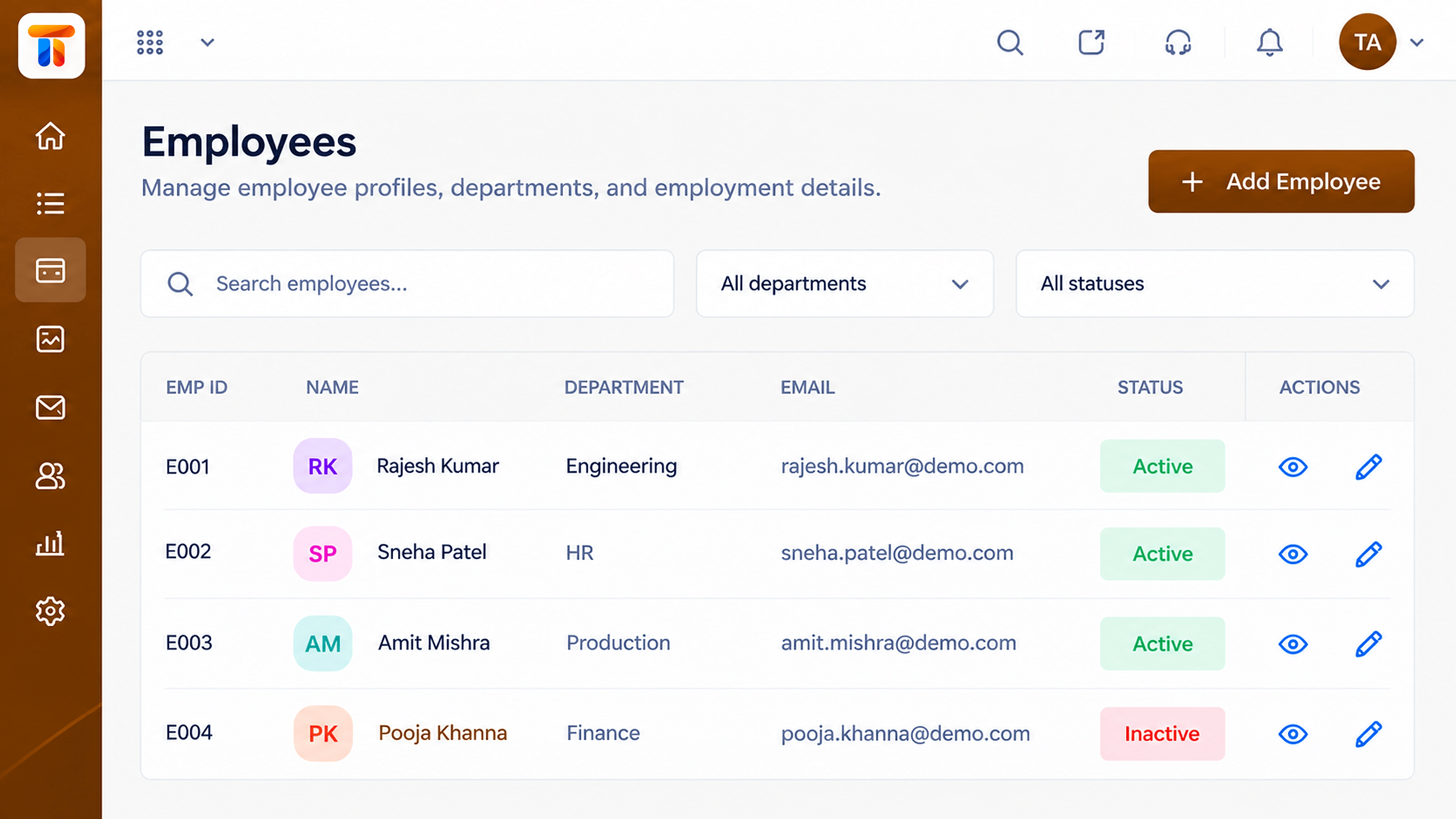 Employees
Employee records that feed every payroll run
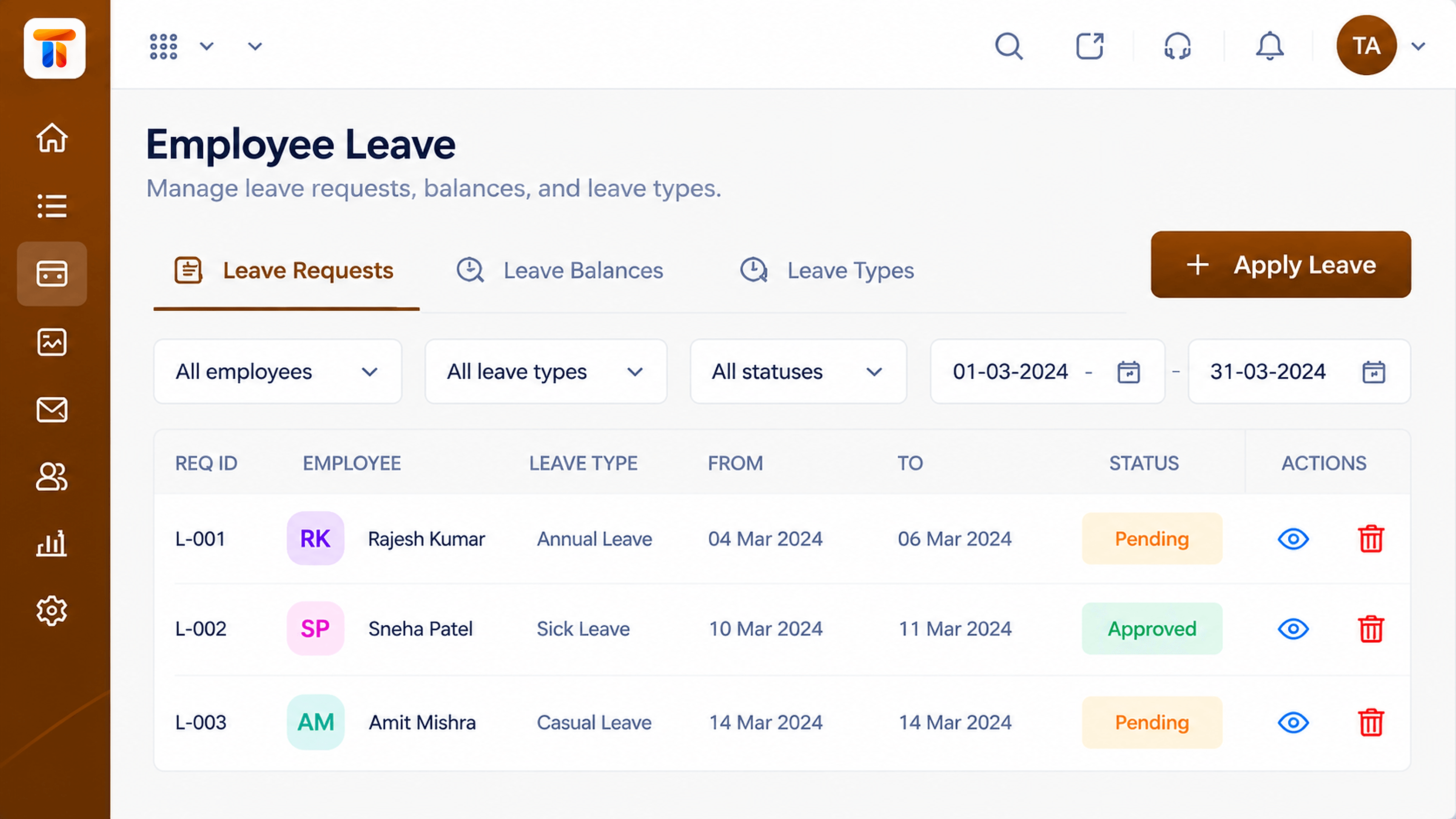 Leave
LeaveLeave records that affect pay and balances
Feature Breakdown
Captured from the Triostack Payroll workspace.
Payroll FeaturesSee every cycle and its status.
Payroll FeaturesHeadcount and cost at a glance.
Payroll FeaturesThe base every run reads from.
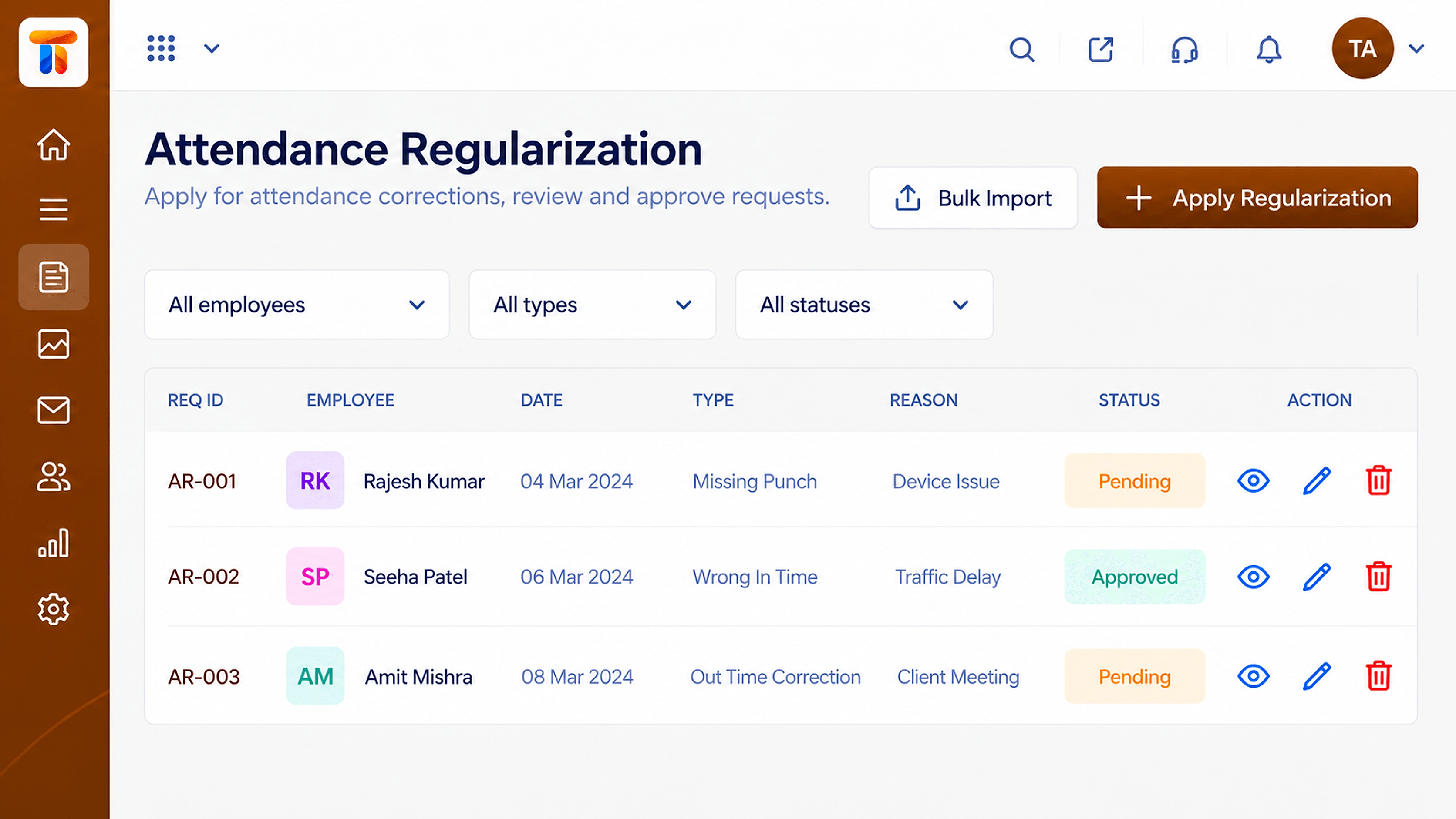 Payroll Features
Days worked feed the calculation.
Execution Plan
Close attendance, leave and claims for the period.
The system prepares each employee's pay.
Check totals and exceptions.
Approve the run and release payouts.
In Real Life
Scenario 01
Inputs are already in, so the run takes hours, not days.
Scenario 02
Pay is prepared from the joining date in the record.
Scenario 03
An old run is opened and explained in minutes.
Frequently Asked Questions
Employee records, attendance, leave and approved claims for the period.
Yes. Totals and exceptions are reviewed and the run is approved before payout.
Yes. Each run is stored so you can look back at it.
Ask us how corrections and re-runs are handled for your setup.
Employee records, attendance, reimbursements and monthly pay runs in one workspace, built for finance and HR teams.
