The best Business Suite software in India, built to help your business grow. Contact us at +91-8882435276.
[ Contact ]
Phone number
Email address
Head office
Noida office
The right team at TriostackOne will get back to you.
Service chats, utility notifications and marketing messages all run through one Wabiz workspace, each following the right WhatsApp conversation rules.
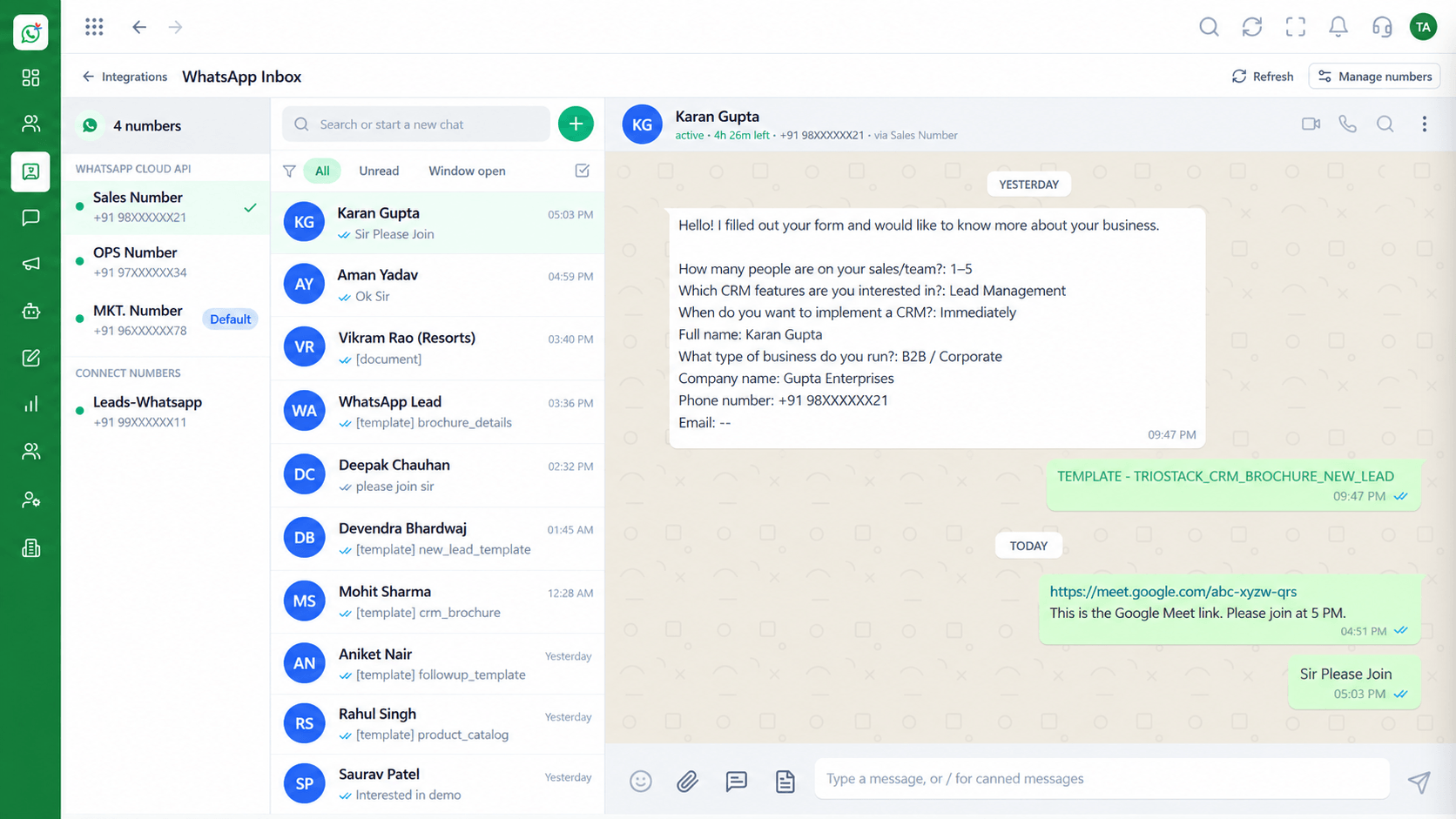
Service, utility, marketing and authentication conversations
Positioning Assessment
WhatsApp treats customer-initiated chats, order updates, promotions and one-time codes differently, including how they are approved and priced.
Wabiz handles each type from one workspace. Agents answer service chats in the inbox, systems send utility updates with templates, and marketers run campaigns.
The result is one history per customer, whatever the reason for the message.
“Order updates, offers and support chats all end up in one thread per customer. That alone changed how we work.”
Sample team scenario
Illustrative example, not a customer testimonial
Illustrated Overview
WhatsApp separates service chats from utility, marketing and authentication messages. Wabiz handles them all and keeps one thread per customer.
Customer-initiated conversations answered by your team.
Order updates and one-time codes using approved templates.
Offers and announcements to opted-in contacts.
Platform Integrity
Customer-initiated conversations
Order and appointment updates
Offers and announcements
One-time passcodes
How It Works
What changes when all conversation types share a workspace.
| Dimension | Triostack Wabiz | Separate Tools |
|---|---|---|
| Customer History | One thread per customer across types | Split between tools |
| Templates | One library for all categories | Separate sets per tool |
| Agent View | See what the customer was last sent | Agents guess |
| Reporting | Compare types side by side | Reports in different systems |
| Setup | Single connection to the Cloud API | Multiple integrations |
Our team can walk you through the connection, permissions and first test message so you go live without guesswork.
Live Interface Tour
Real screens captured directly from the Triostack Wabiz workspace.
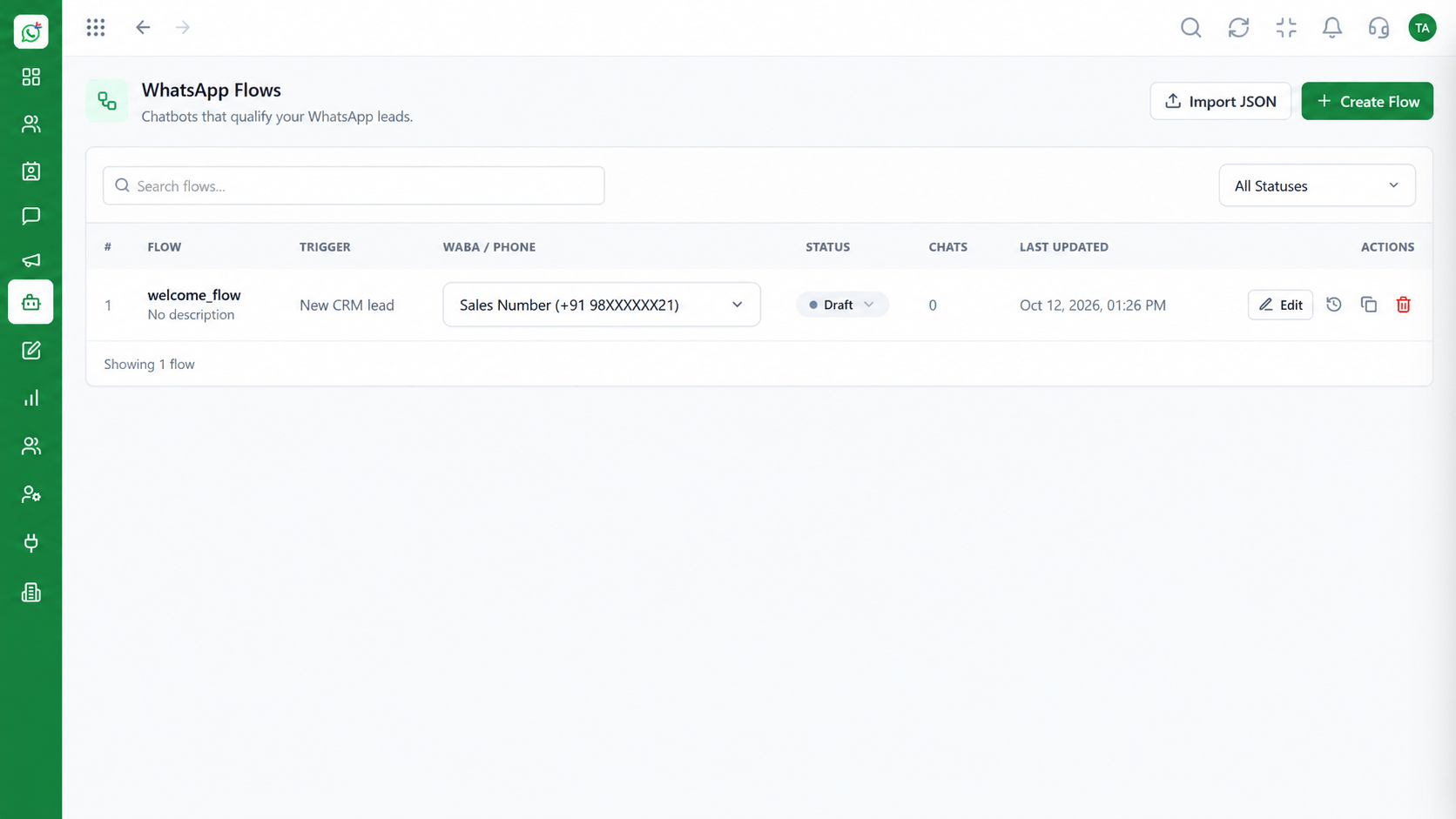 Automation
Build automated conversation journeys
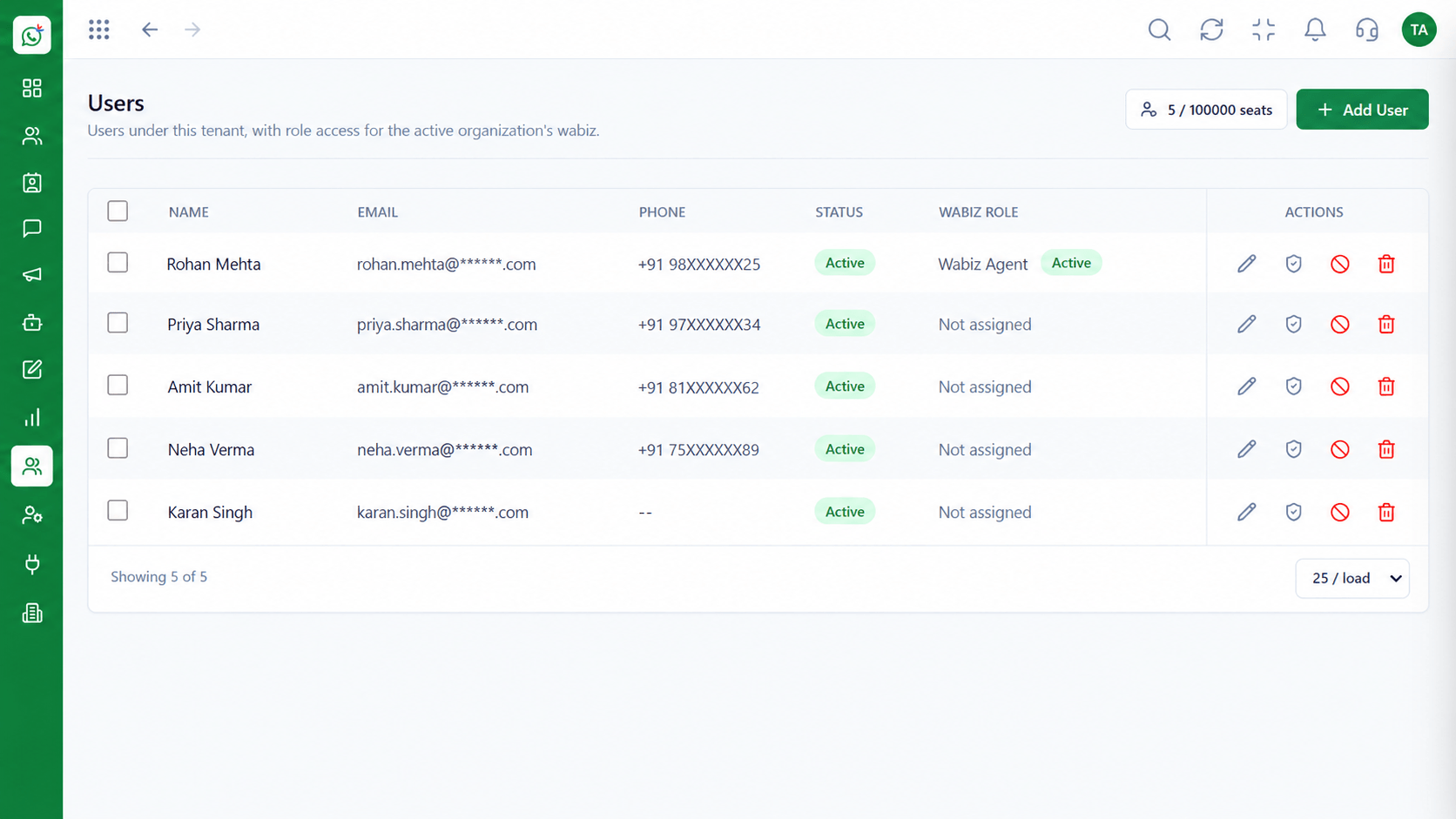 Team
TeamInvite agents and assign ownership
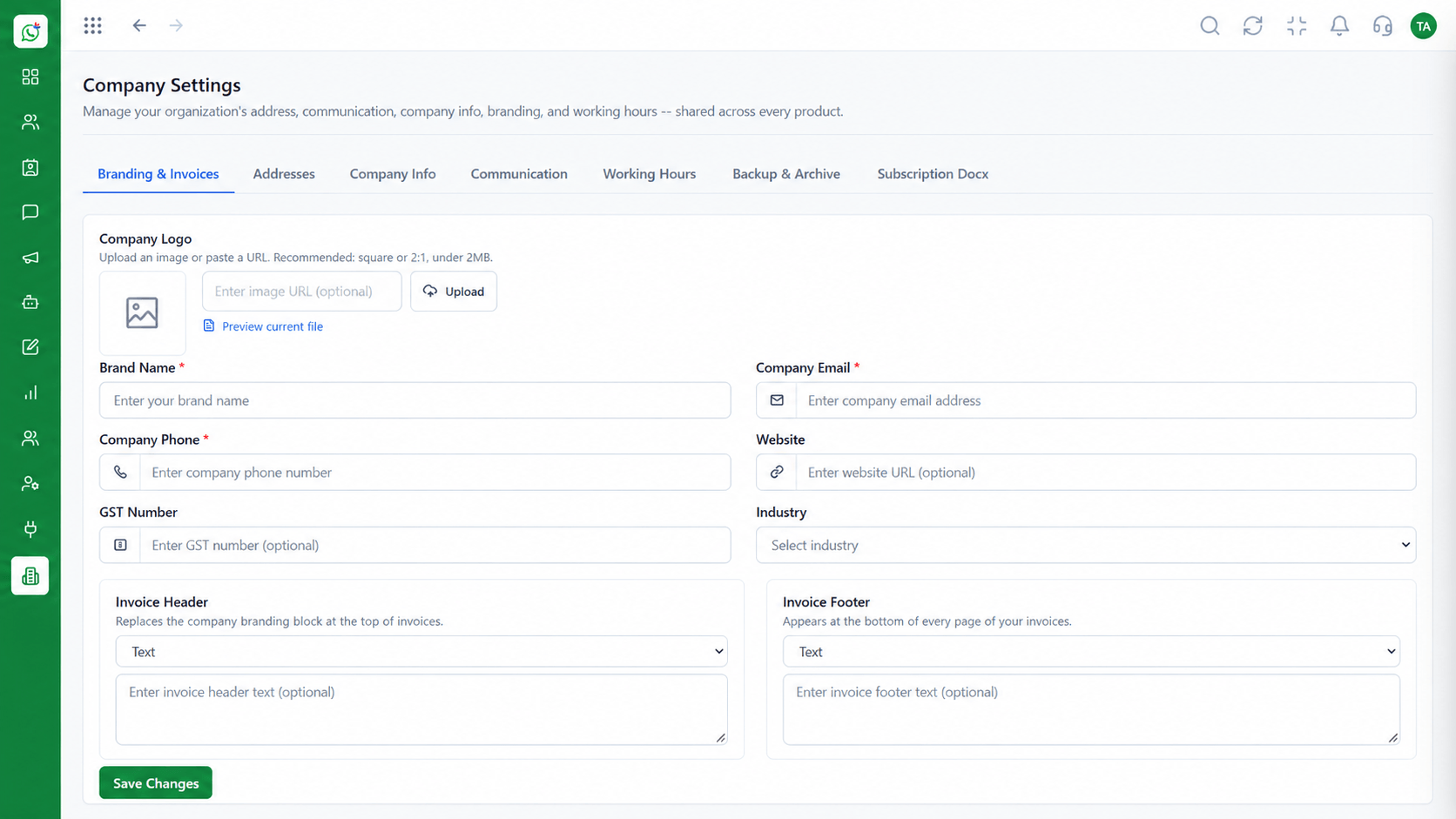 Settings
Business identity and account configuration
Feature Breakdown
Captured from the Triostack Wabiz workspace.
IntegrationsService conversations with your team.
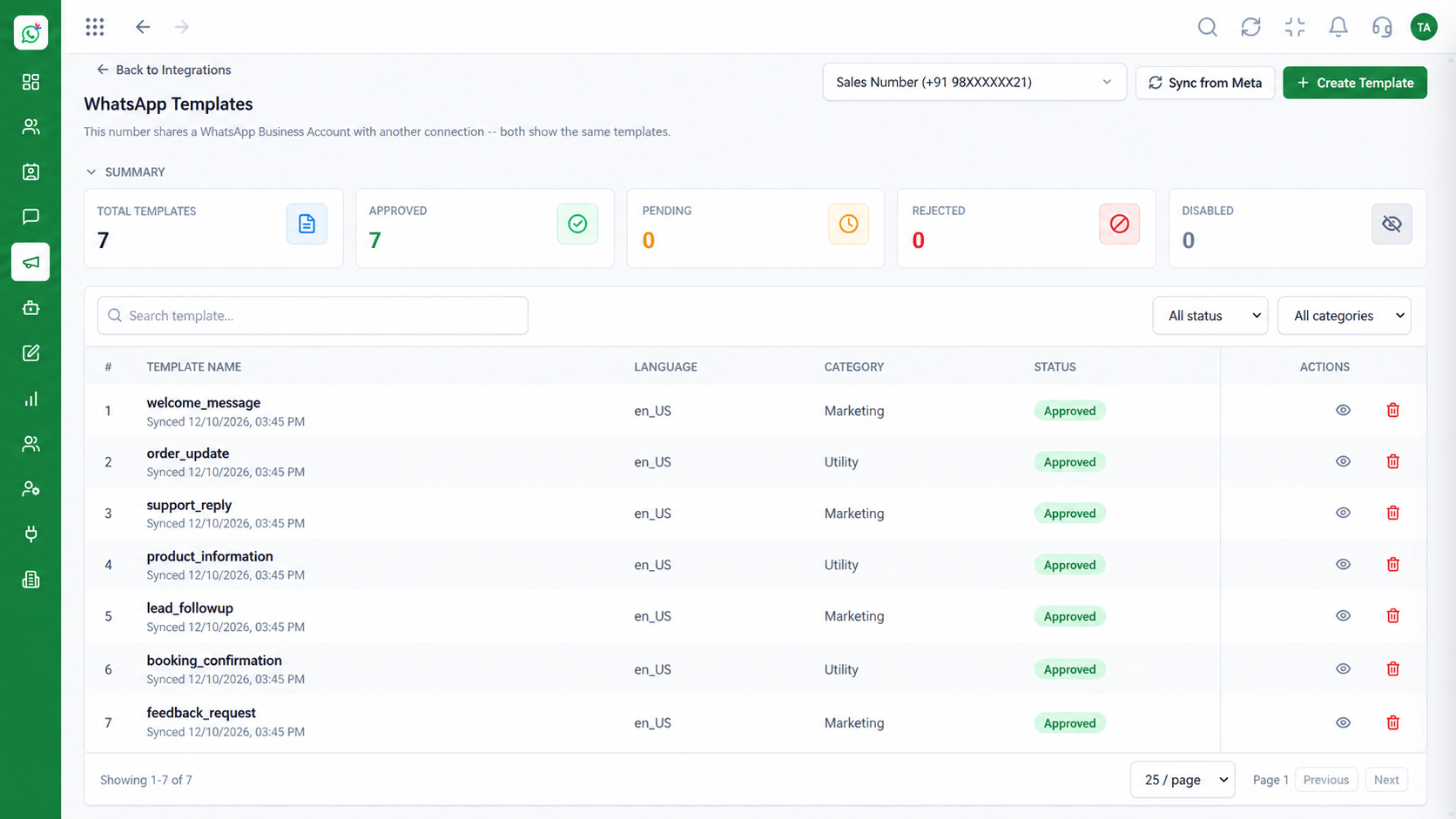 Integrations
Organise utility, marketing and authentication.
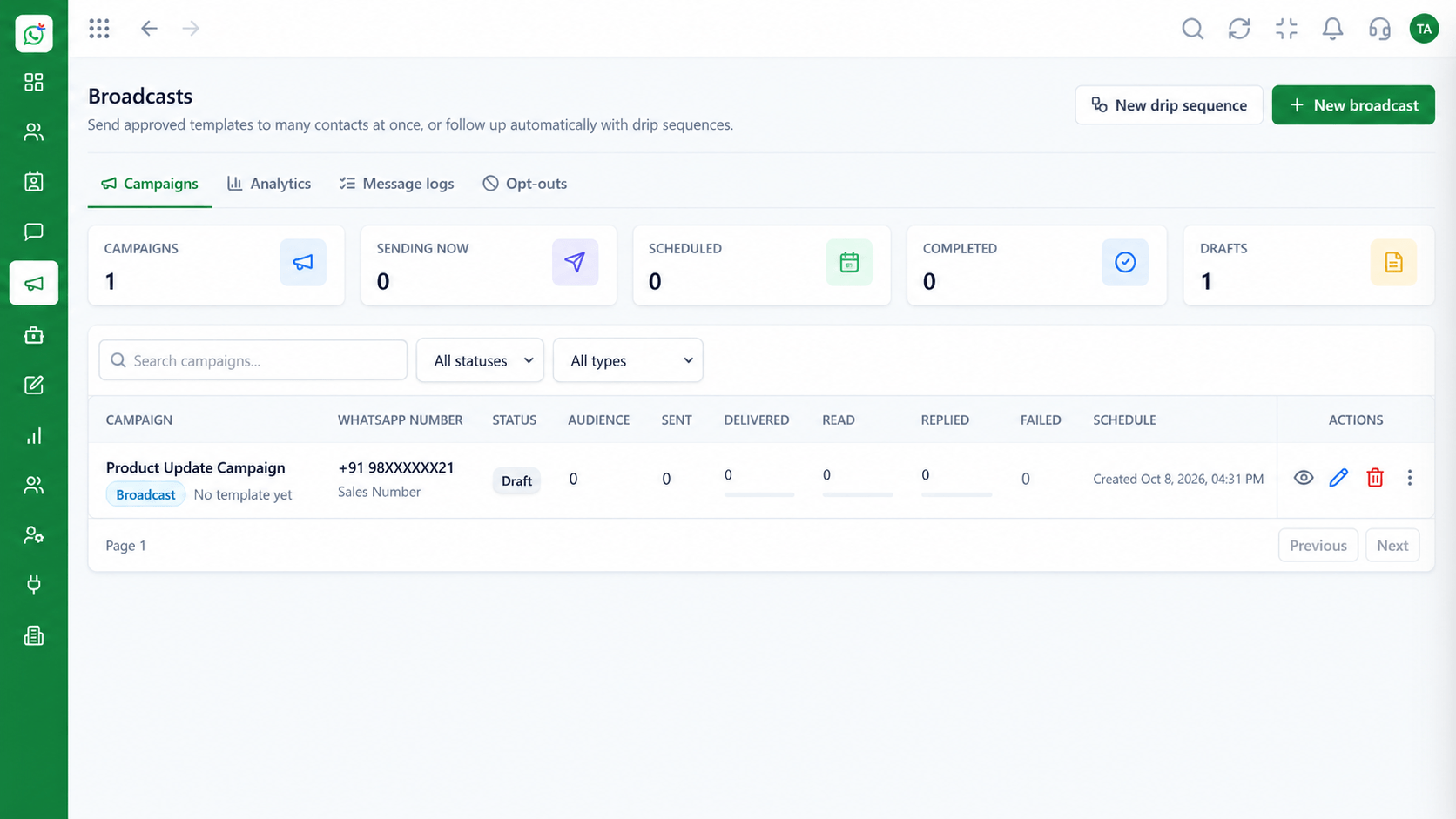 Integrations
Reach segments with offers.
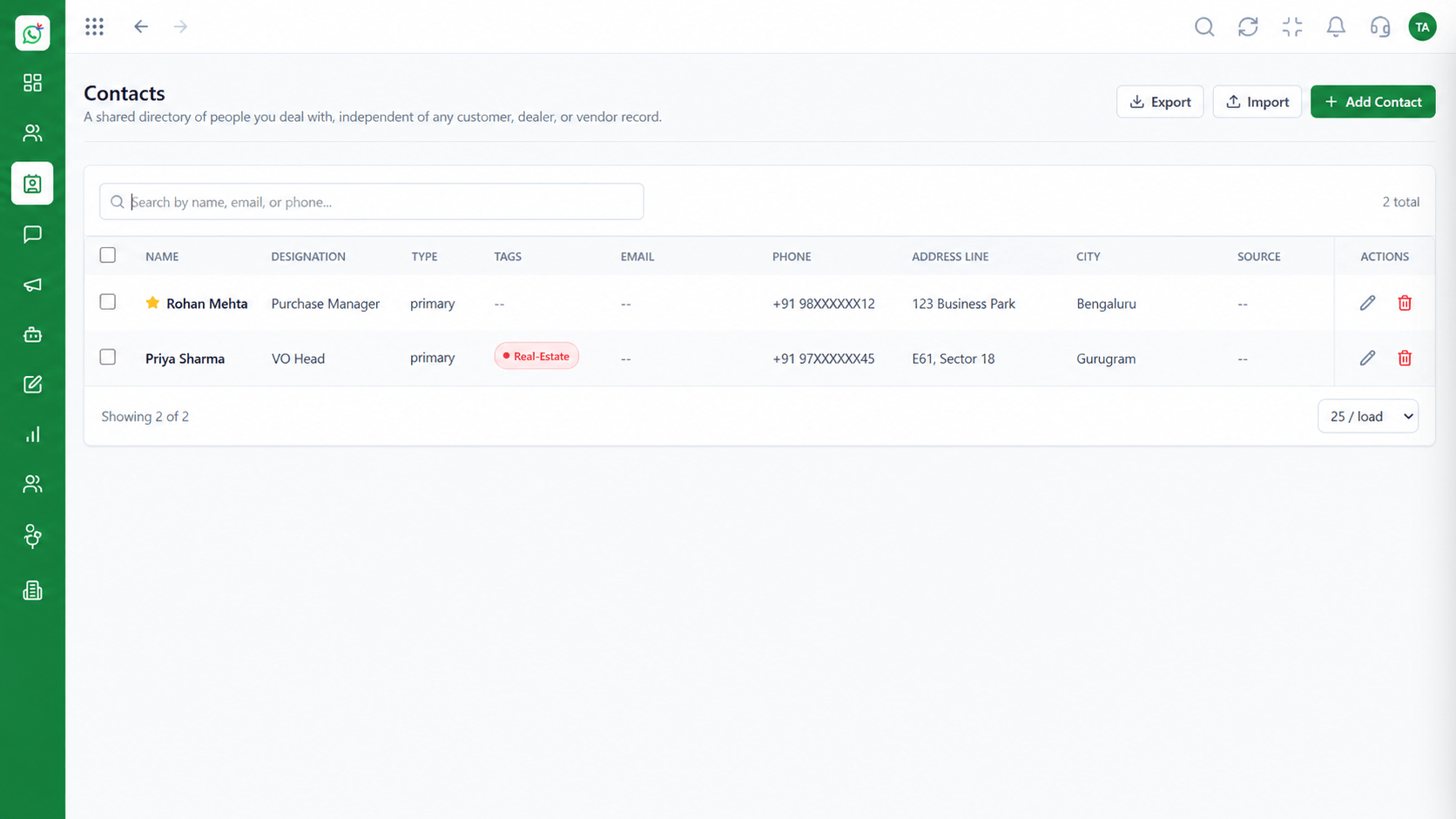 Integrations
Everything sent and received, together.
Execution Plan
Reply inside the service window in the inbox.
Send a utility template for orders or appointments.
Run a marketing campaign to opted-in contacts.
Send authentication templates when needed.
In Real Life
Scenario 01
The customer replies to a shipping update and the agent sees the whole history.
Scenario 02
A campaign reply turns into an order chat without switching tools.
Scenario 03
Support sees that an authentication message was sent and when.
Frequently Asked Questions
Service conversations, plus utility, marketing and authentication template messages.
No. Meta prices conversation categories differently. See Meta's pricing for current rates.
Yes. The contact timeline shows everything sent and received.
Yes, using approved utility templates triggered by your system or a flow.
Yes, for business-initiated messages, in line with WhatsApp's policies.
Shared inbox, broadcasts, chatbot flows and templates on the WhatsApp Cloud API, built for teams.
