The best Business Suite software in India, built to help your business grow. Contact us at +91-8882435276.
[ Contact ]
Phone number
Email address
Head office
Noida office
The right team at TriostackOne will get back to you.
Wabiz is more than a messaging tool. It is the WhatsApp channel of Triostack One, working alongside CRM, invoicing and support so a conversation becomes a customer, an order and a payment.
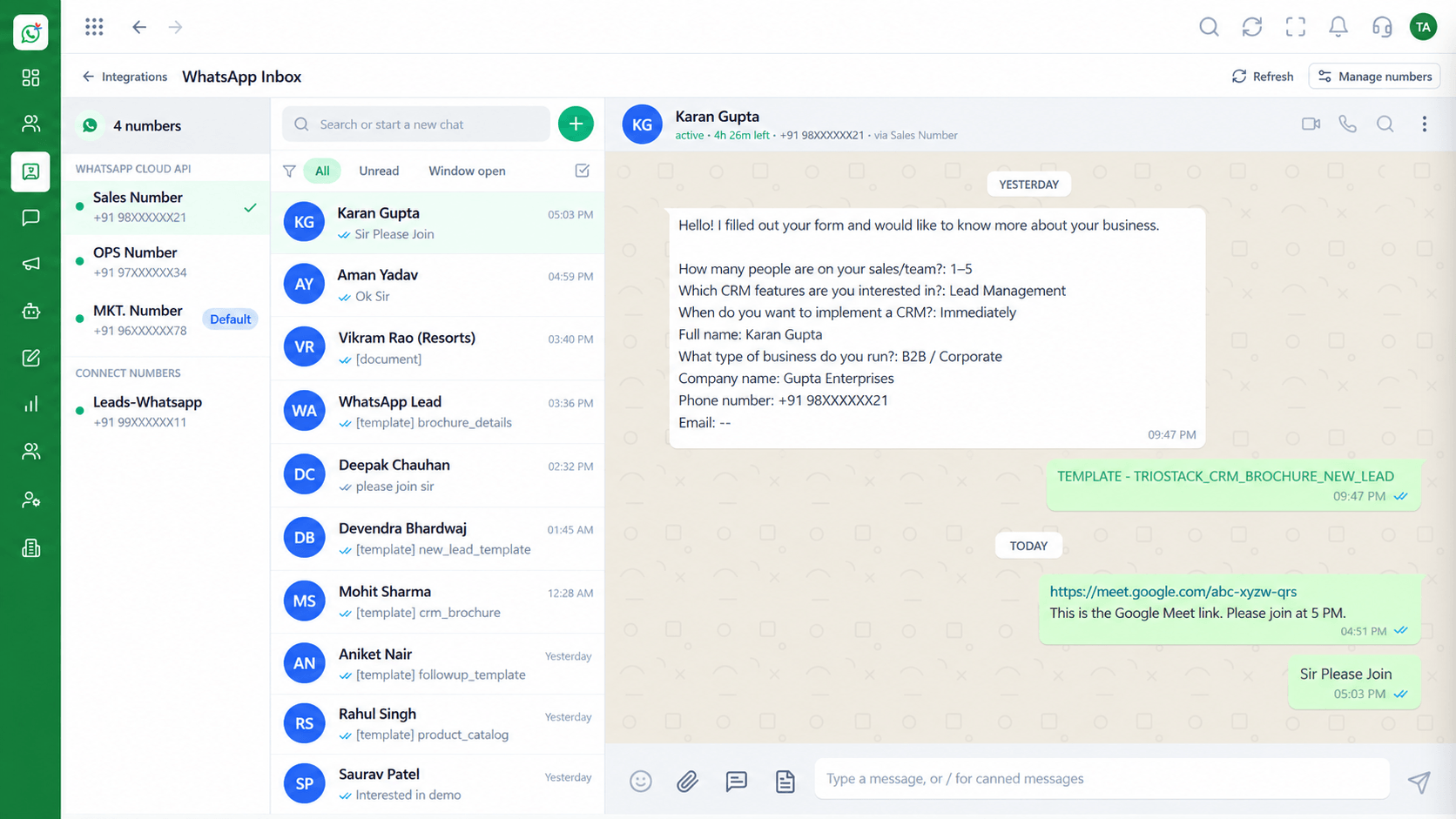
WhatsApp as one channel of the wider Triostack One suite
Positioning Assessment
A chat often turns into a quotation, an invoice, a support ticket or a follow-up. If WhatsApp sits outside your other systems, someone has to carry the information across.
Wabiz covers the conversation layer: shared inbox, campaigns, flows, templates, contacts and roles. It connects to Triostack CRM and the rest of the Business Suite for the work that follows.
One login model, one set of permissions and one place to see what is happening.
“The customer does not care which system we use. They care that the chat, the quote and the invoice agree.”
Sample team scenario
Illustrative example, not a customer testimonial
Illustrated Overview
Wabiz stacks a shared inbox, automation and customer records into one platform that connects onward to the Business Suite.
The inbox is where customers meet your team.
Campaigns and flows handle the repeatable work.
Contacts and leads feed the CRM and billing.
Platform Integrity
Inbox, campaigns and flows
Contacts and leads in one place
Works with CRM and the Business Suite
Roles and user management
How It Works
What it means that Wabiz belongs to a suite.
| Dimension | Triostack Wabiz | Standalone Tool |
|---|---|---|
| Customer Record | Shared with the CRM | Isolated contact list |
| Next Steps | Quote and invoice from the same data | Switch to another tool |
| Users | One user and role model | Separate accounts |
| Reporting | Conversation and sales data together | Messaging reports only |
| Support | One vendor, one contract | Multiple vendors |
Our team can walk you through the connection, permissions and first test message so you go live without guesswork.
Live Interface Tour
Real screens captured directly from the Triostack Wabiz workspace.
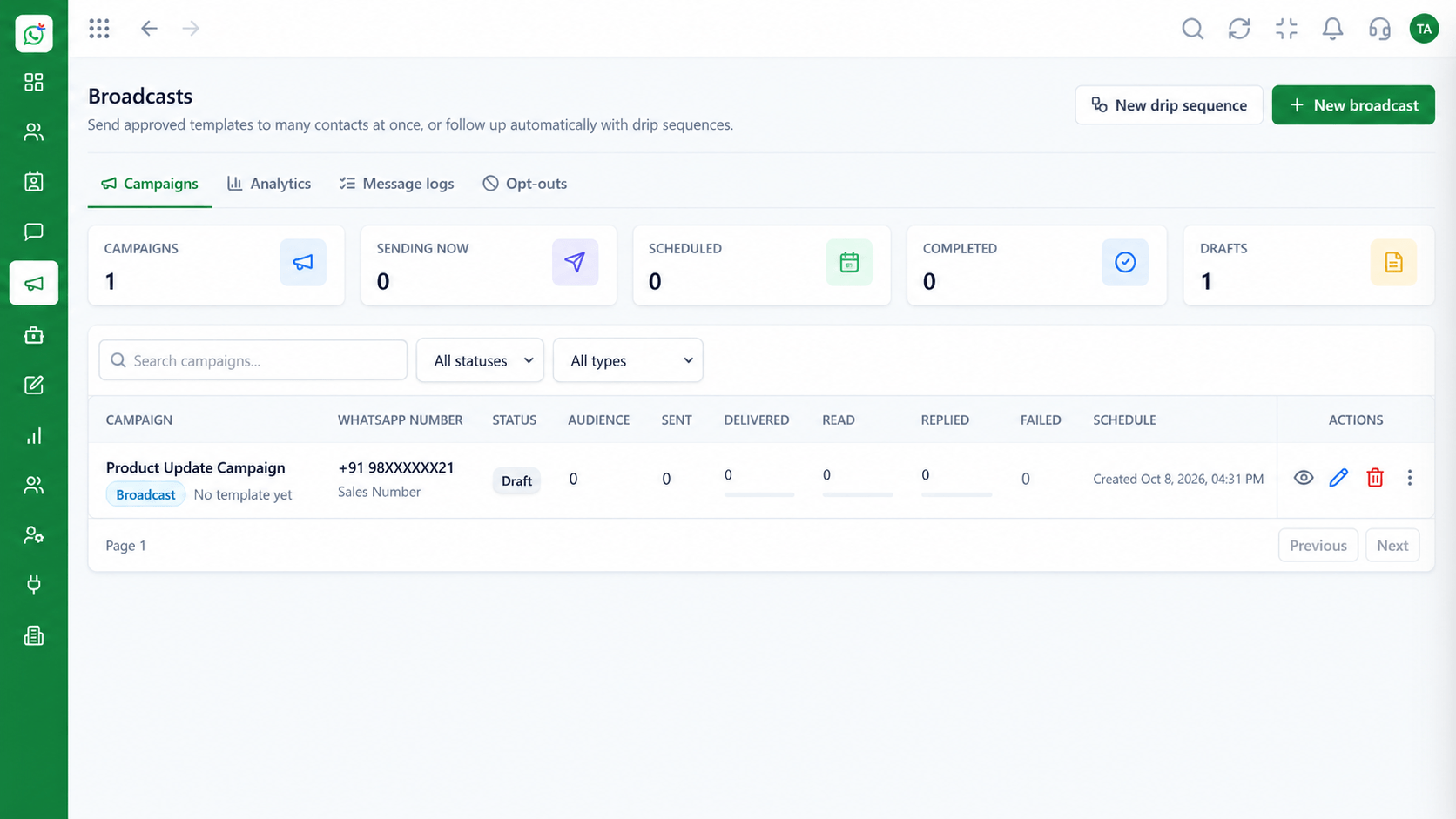 Campaigns
Schedule and track template campaigns
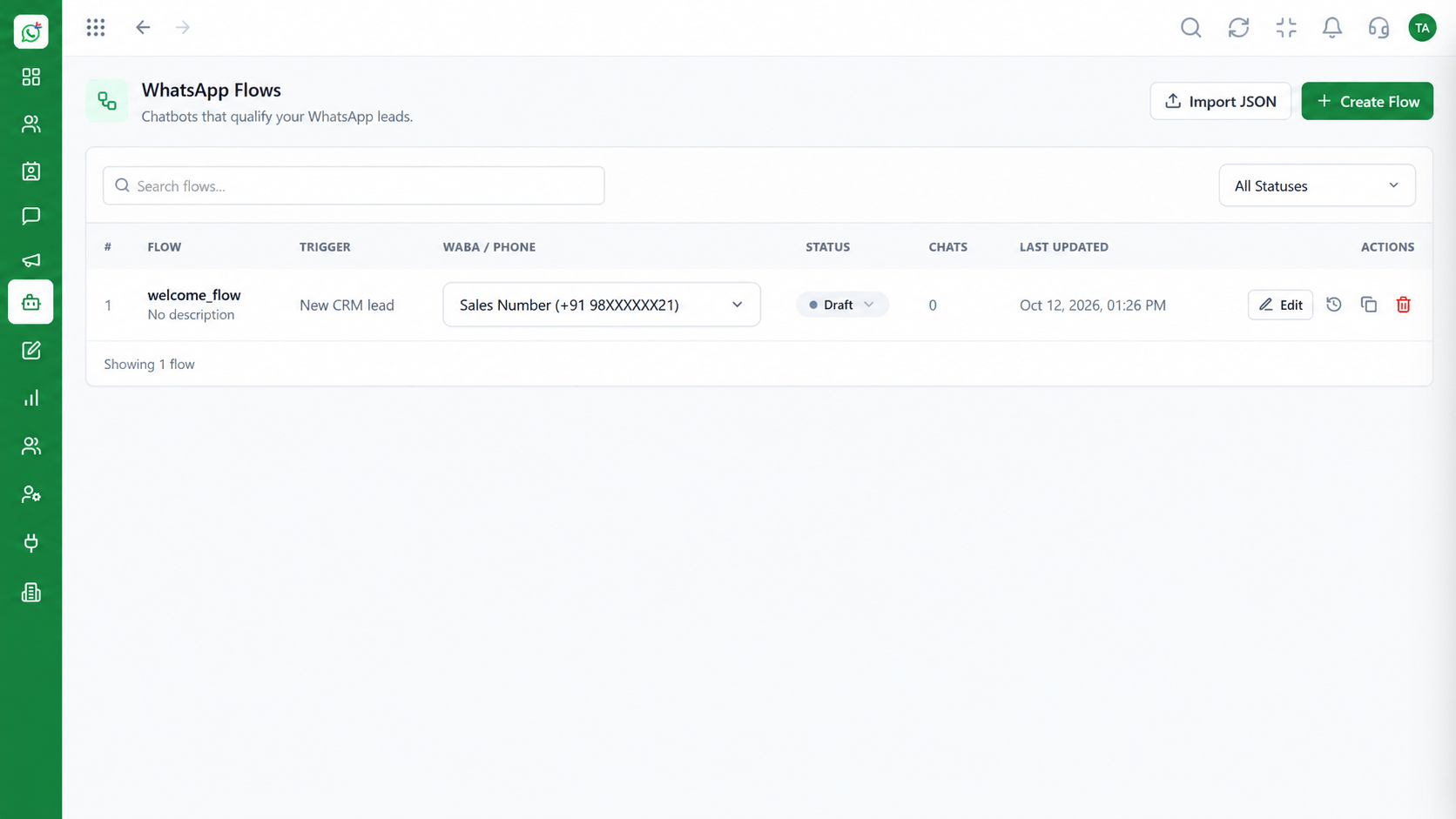 Automation
Build automated conversation journeys
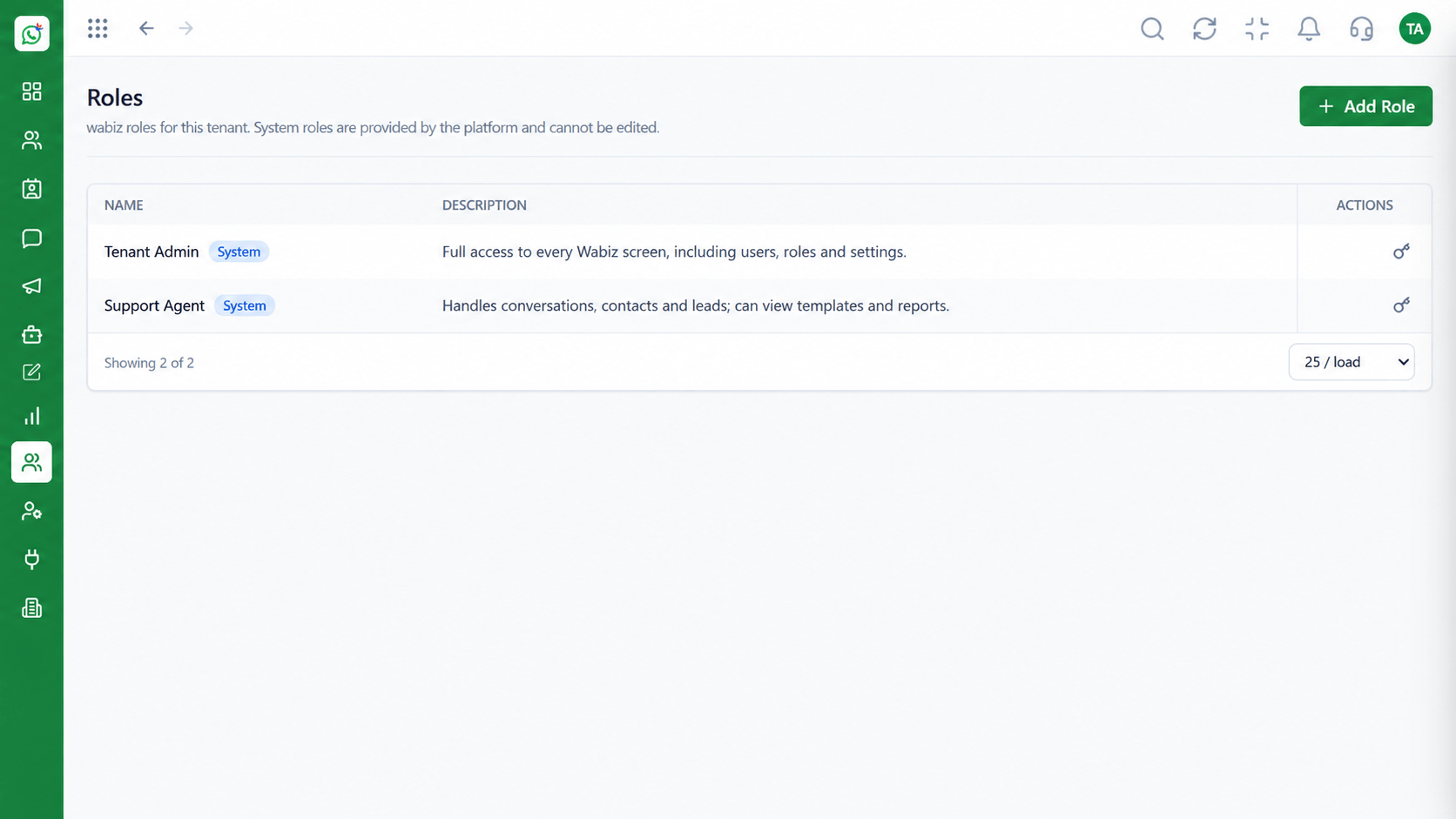 Access
Control who can see and do what
Feature Breakdown
Captured from the Triostack Wabiz workspace.
IntegrationsInbox, templates and campaigns.
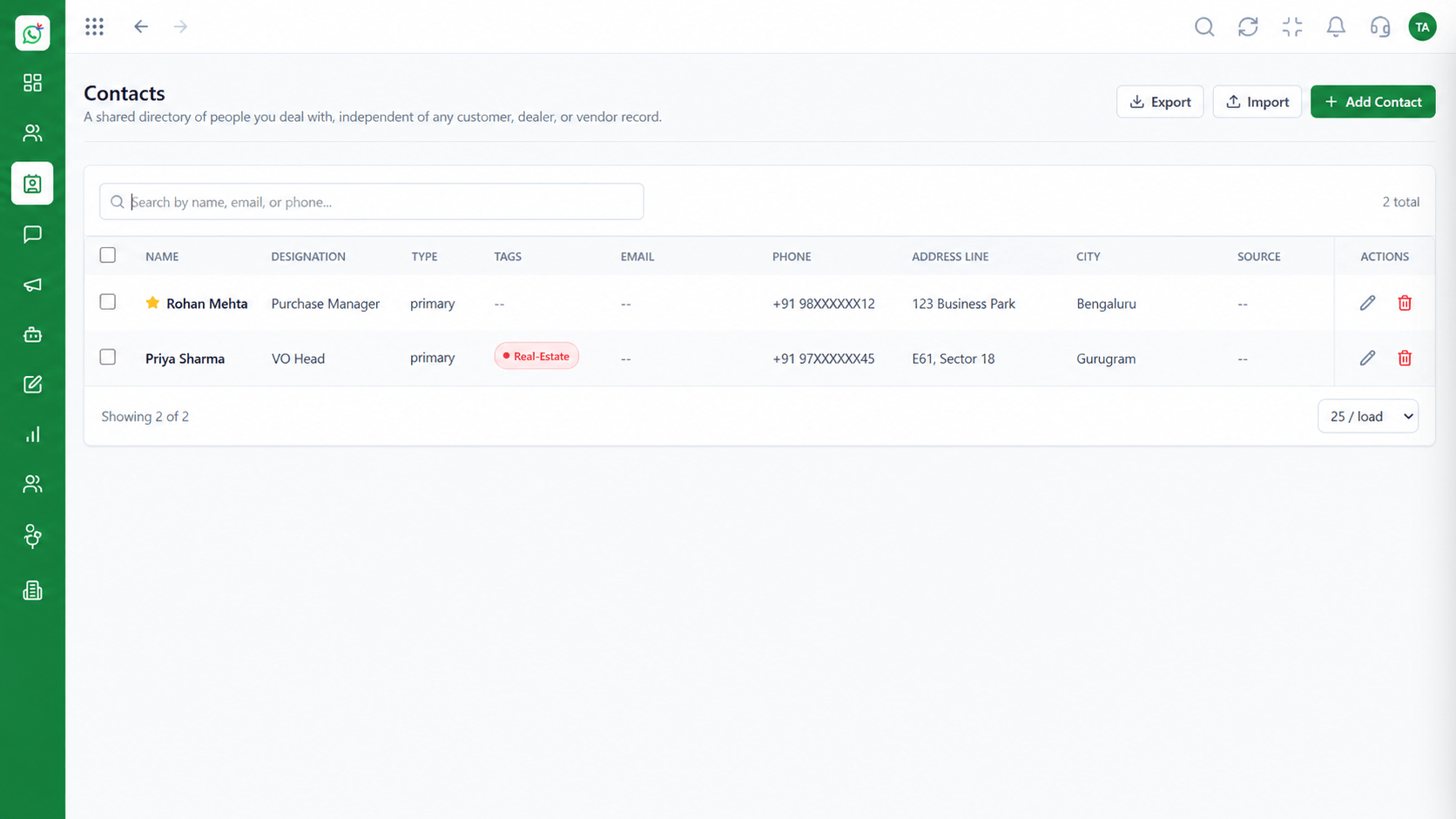 Integrations
A single customer record.
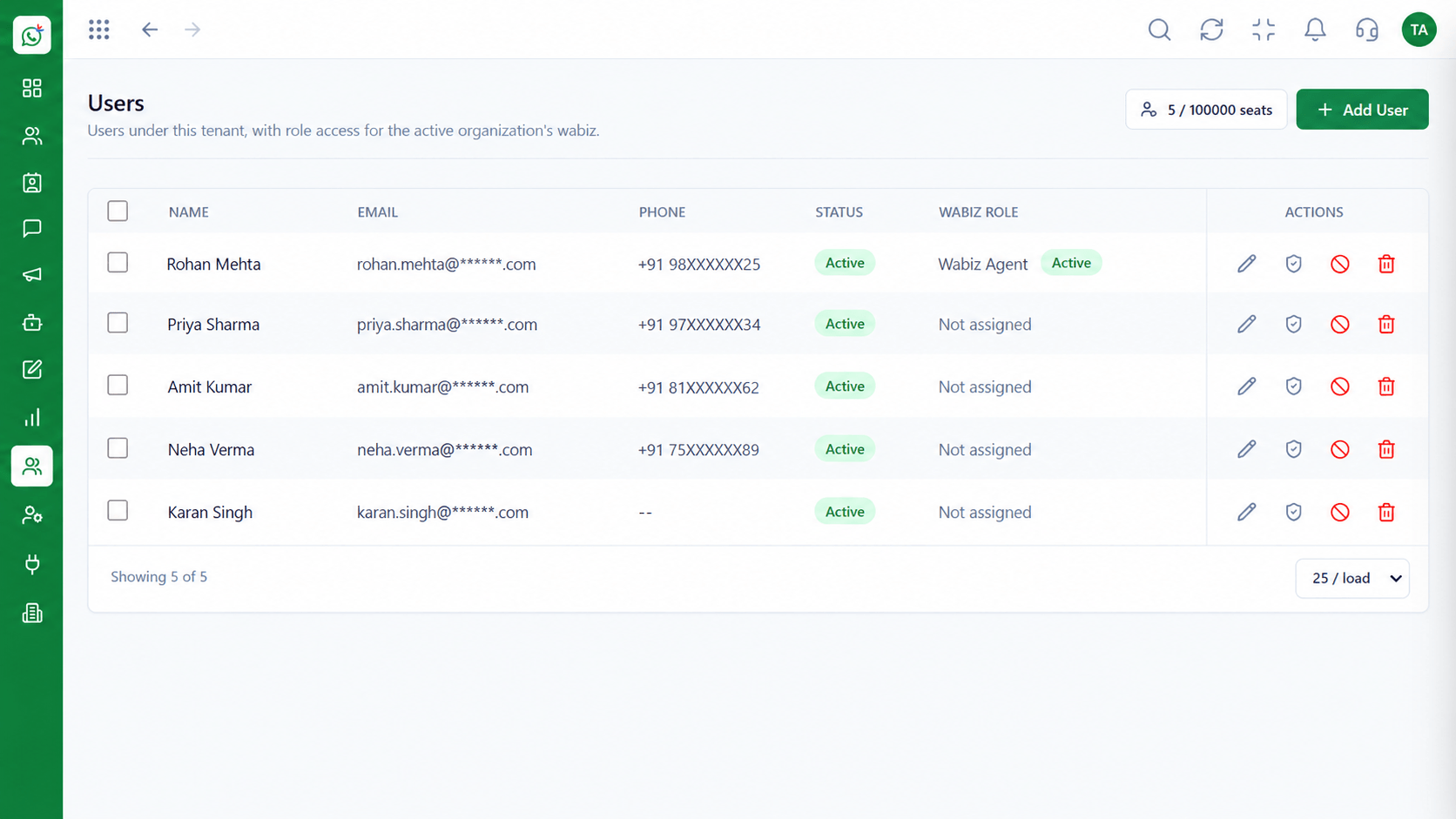 Integrations
Manage who does what.
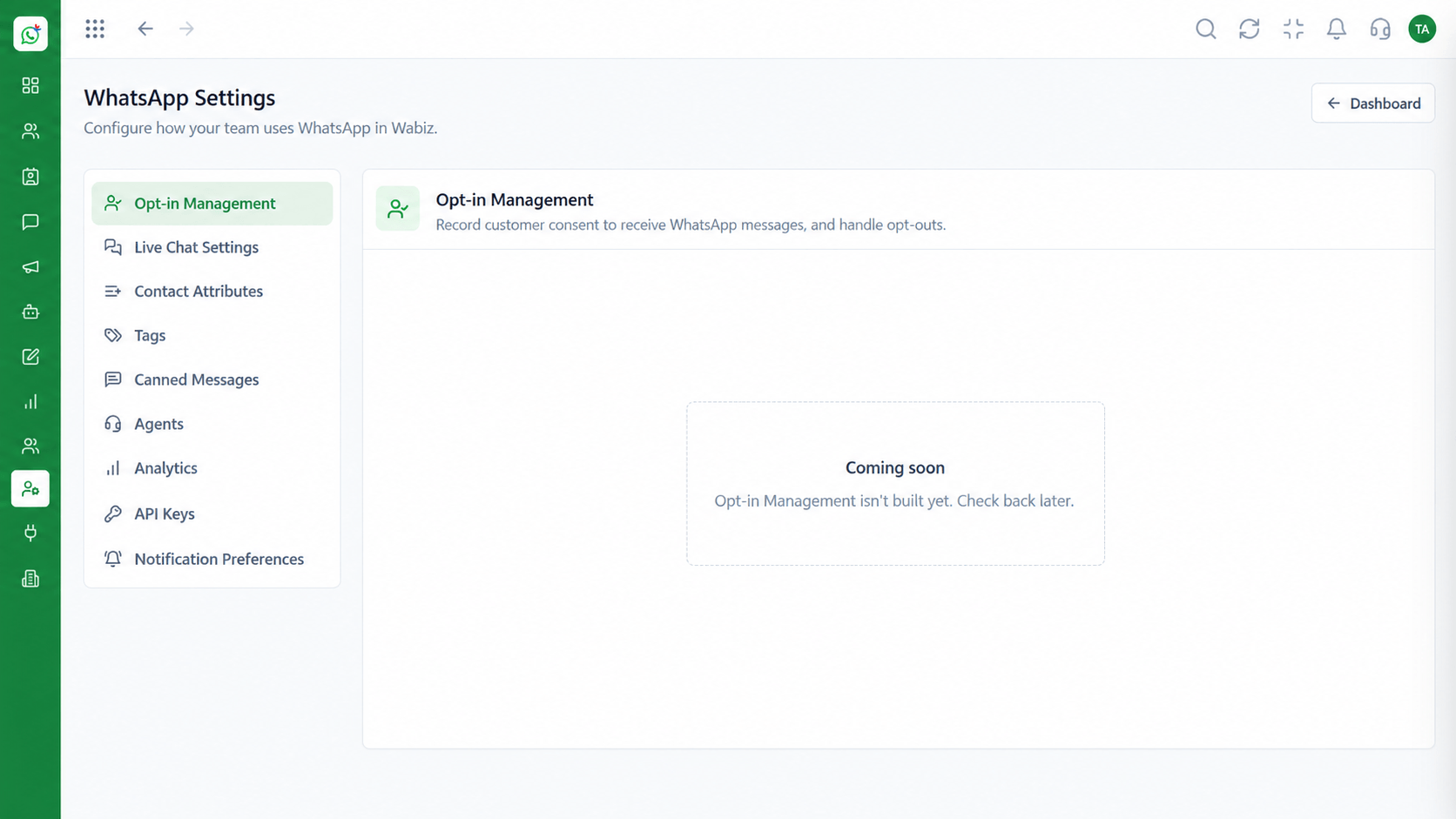 Integrations
Configure your account once.
Execution Plan
Leads and enquiries arrive on WhatsApp.
The team answers from the shared inbox.
Move the lead into the CRM pipeline.
Raise the quote or invoice and follow up on WhatsApp.
In Real Life
Scenario 01
Agents clear overnight chats from the shared inbox.
Scenario 02
A campaign goes out to a segment and replies arrive.
Scenario 03
Qualified leads move into the CRM for the sales team.
Frequently Asked Questions
A shared inbox, broadcast campaigns, flows, templates, contacts, leads and user management.
Yes. Leads and conversations can flow into the CRM.
Yes. You can use Wabiz on its own and connect the suite later.
Through user management with roles and reporting lines.
On the Wabiz pricing page.
Shared inbox, broadcasts, chatbot flows and templates on the WhatsApp Cloud API, built for teams.
