The best Business Suite software in India, built to help your business grow. Contact us at +91-8882435276.
[ Contact ]
Phone number
Email address
Head office
Noida office
The right team at TriostackOne will get back to you.
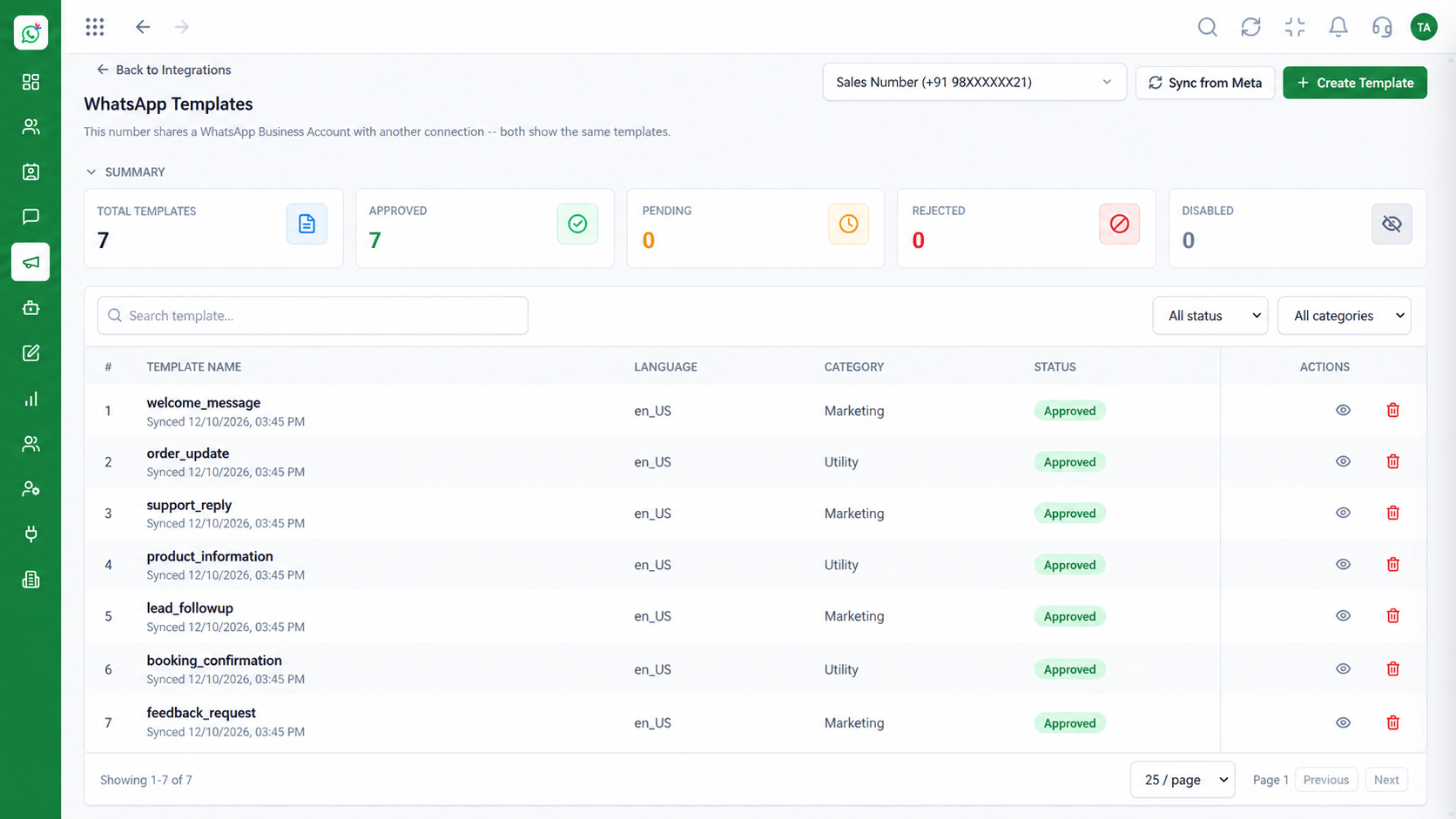
Share product details, prices and offers on WhatsApp through templates and campaigns, and let customers reply to ask questions or order.
Customers see offers and reply in the same thread
Positioning Assessment
Sending a link to a website adds a step and loses people. A well-built message with an image, a price and a button keeps them in the conversation.
Wabiz supports media and button templates for offers and product highlights. You choose a segment, schedule the send and handle questions or orders in the inbox.
Combine it with flows to guide a customer from interest to order, and with Triostack CRM or invoicing to complete the sale.
“A message with a picture, a price and a 'Buy now' button gets more replies than any link we have ever sent.”
Sample team scenario
Illustrative example, not a customer testimonial
Illustrated Overview
Rich templates let customers see what you sell and reply or tap to order without leaving WhatsApp.
Images, prices and buttons in one message.
Segments keep offers relevant.
Questions and orders are handled in the inbox.
Platform Integrity
Images, text and buttons
Right offer, right group
Customers respond in the chat
See delivery and replies
How It Works
Why in-chat offers can work better.
| Dimension | Triostack Wabiz | Website Links |
|---|---|---|
| Experience | Image, price and button in chat | Link to leave the app |
| Targeting | Segments by interest | Everyone gets everything |
| Ordering | Reply or tap to start an order | Fill a form elsewhere |
| Follow-Up | Flows nudge undecided customers | Nothing |
| Measurement | Delivery and replies per offer | Click counts only |
We will help you configure this workflow end to end, from templates to team permissions, in your first session.
Live Interface Tour
Real screens captured directly from the Triostack Wabiz workspace.
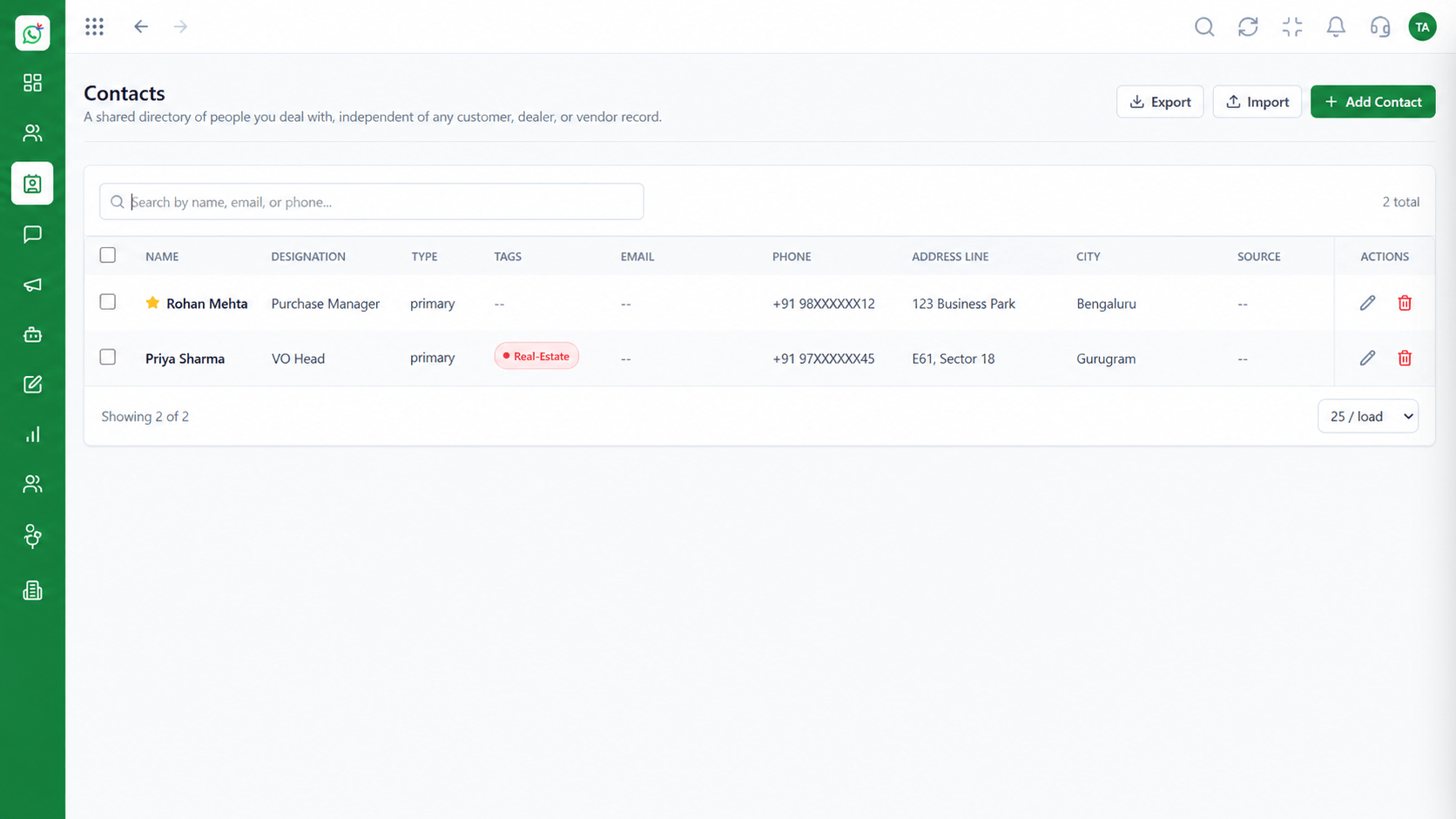 Contacts
Segment and manage your WhatsApp audience
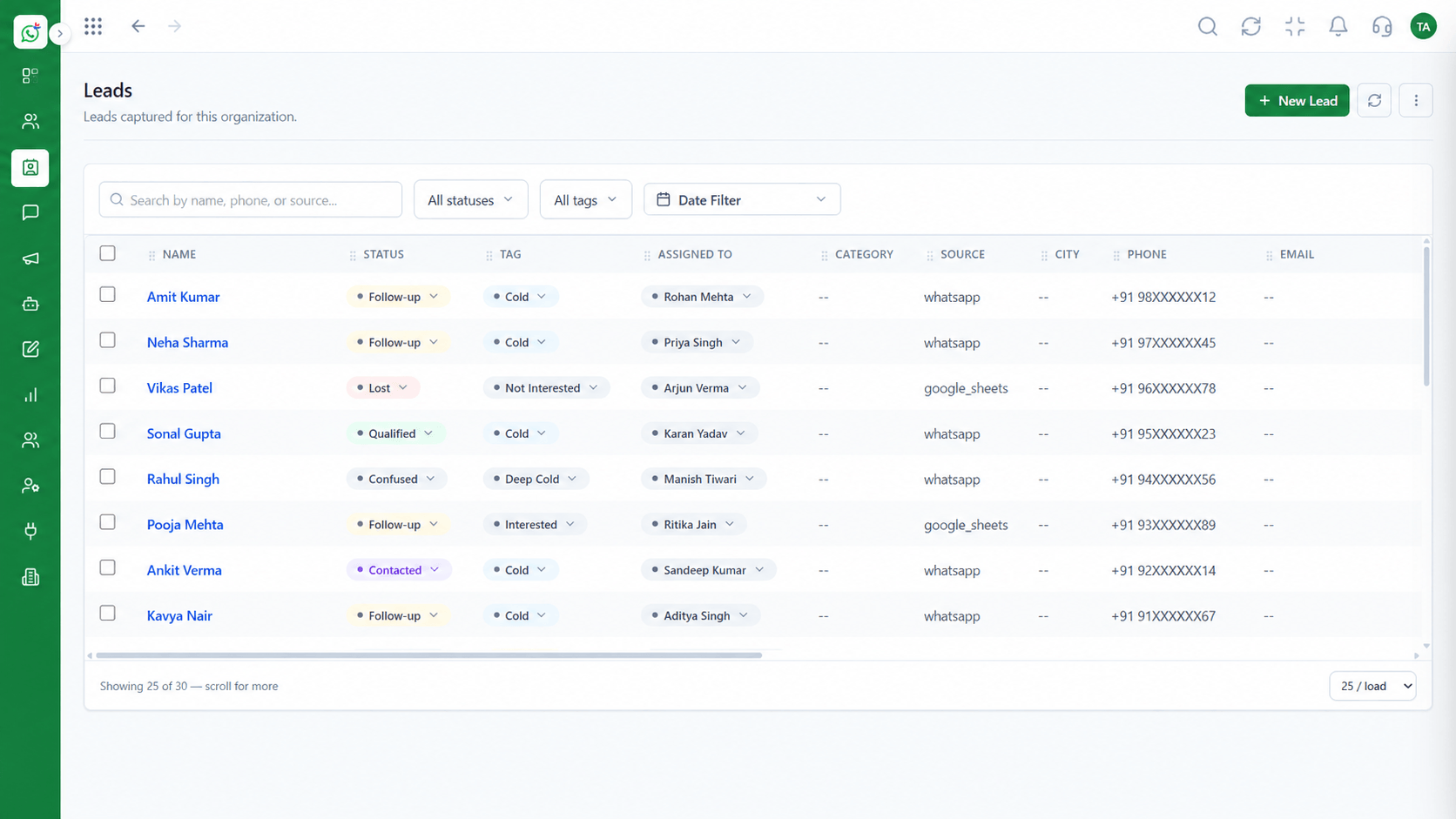 Leads
LeadsCapture and qualify leads from conversations
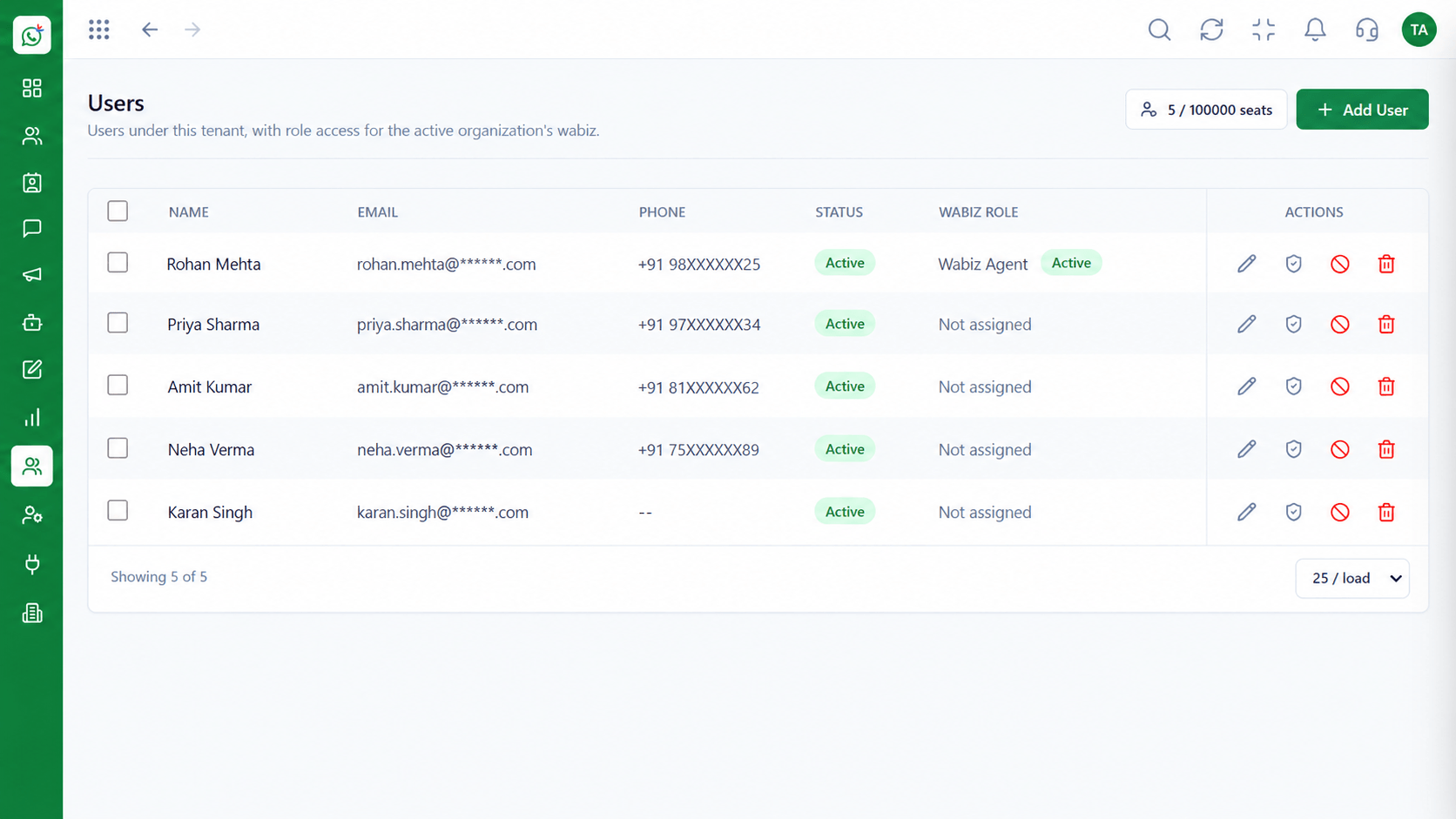 Team
TeamInvite agents and assign ownership
Feature Breakdown
Captured from the Triostack Wabiz workspace.
What You Can DoBuild rich offer messages.
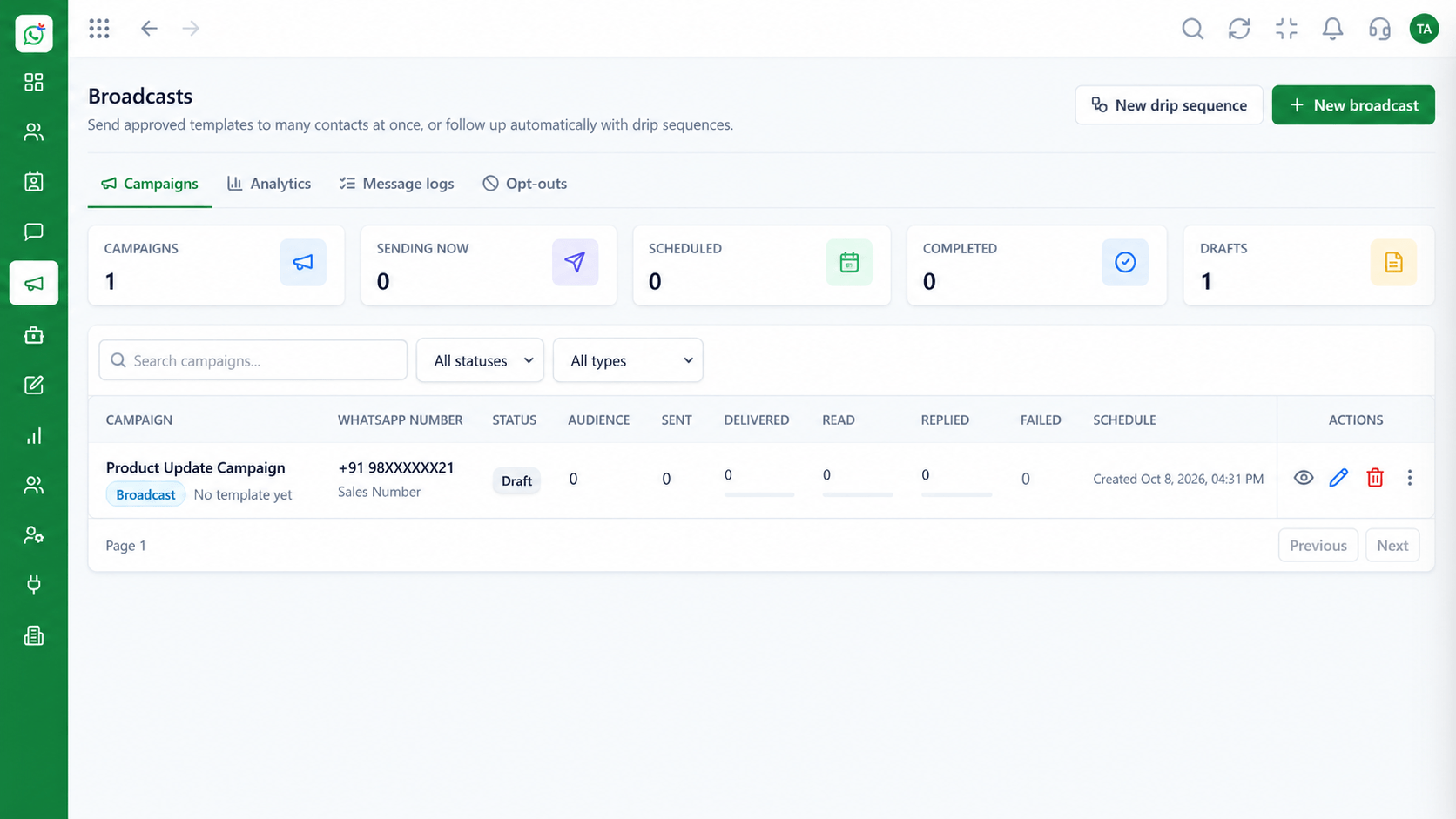 What You Can Do
Reach a segment.
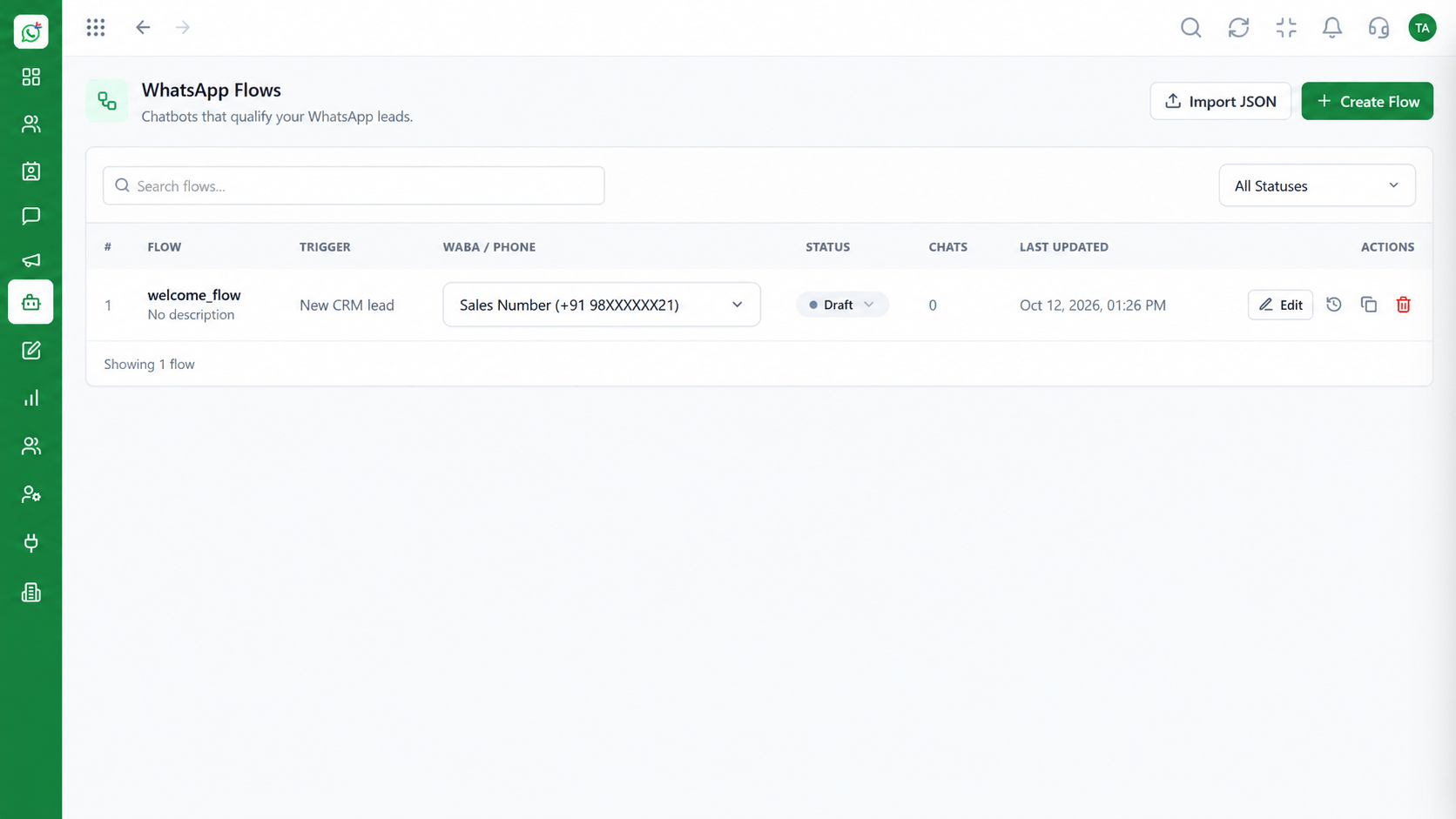 What You Can Do
Guide a customer to order.
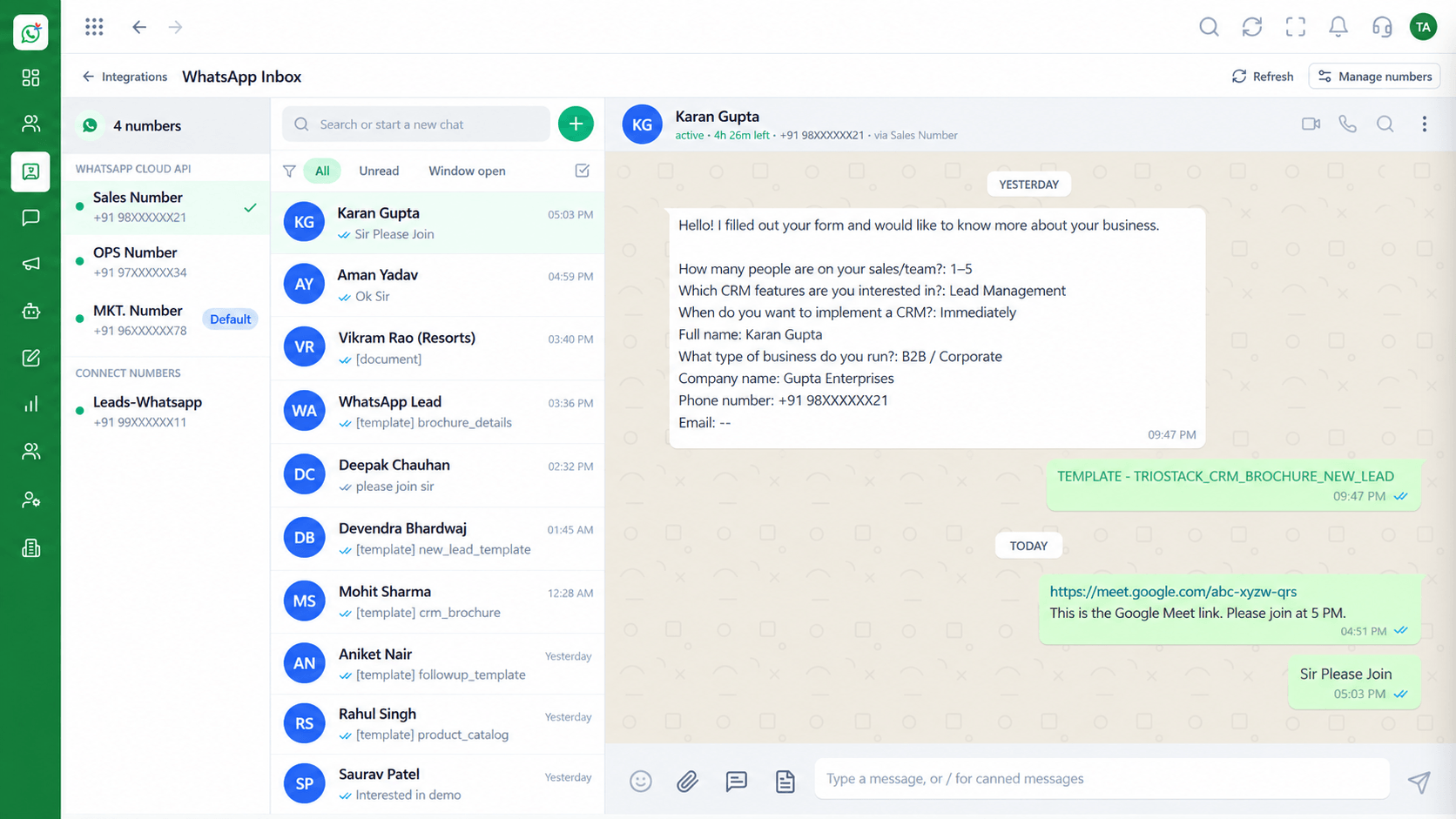 What You Can Do
Close the sale in the inbox.
Execution Plan
Design the template with image and button.
Pick a segment likely to want it.
Schedule the campaign.
Handle questions and orders in the inbox.
In Real Life
Scenario 01
Send a few products to customers who bought in the category.
Scenario 02
A countdown offer with a one-tap reply.
Scenario 03
Tell interested customers when an item is back.
Frequently Asked Questions
Yes. Templates can include media headers, subject to WhatsApp's rules.
They can reply or tap a button to start an order with your team or flow.
Marketing templates are approved by Meta.
Yes. Use segments.
Via Triostack CRM and the Business Suite, or through APIs.
Shared inbox, broadcasts, chatbot flows and templates on the WhatsApp Cloud API, built for teams.
Explore All What You Can Do
