The best Business Suite software in India, built to help your business grow. Contact us at +91-8882435276.
[ Contact ]
Phone number
Email address
Head office
Noida office
The right team at TriostackOne will get back to you.
A tour of Triostack Desk: tickets, shared inbox, automation, SLAs, knowledge base, customer portal and reports, connected to your channels and tools.
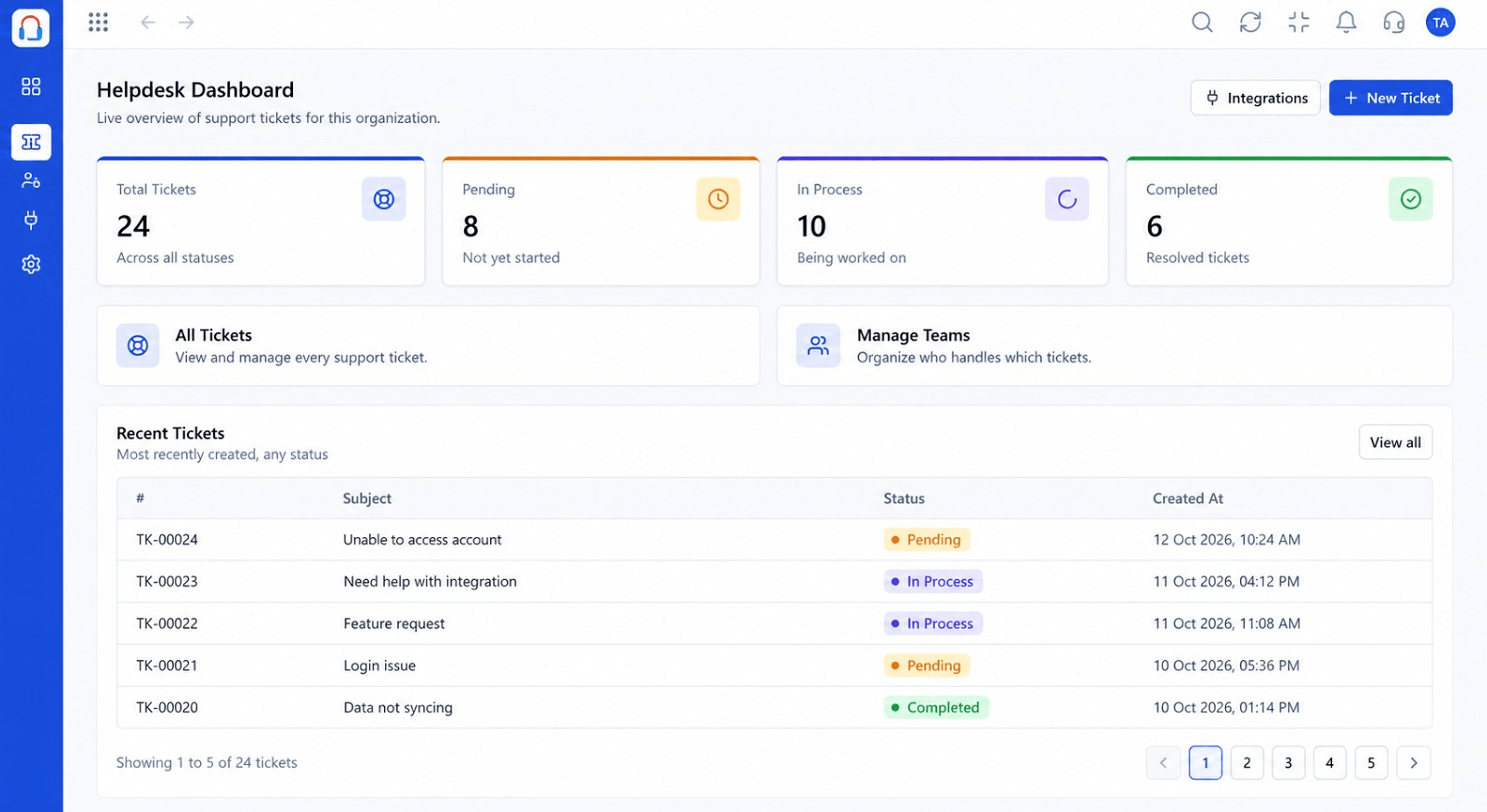
Tickets, knowledge and analytics together
Positioning Assessment
A modern helpdesk covers intake, triage, collaboration, deadlines, self-service and measurement. Using separate tools for each creates gaps and copy-paste work.
Desk brings these together, so a request moves from arrival to resolution to insight without leaving the workspace.
“One tool for tickets, articles and reports meant fewer logins and fewer things falling through.”
Sample team scenario
Illustrative example, not a customer testimonial
Illustrated Overview
Desk is a single building: a front desk for requests, a rules room, a clock tower for deadlines, a library, a portal and a control room.
Begin with tickets and the shared inbox.
Add rules, SLAs and self-service when ready.
Data flows between the rooms.
Platform Integrity
Capture and own every request
Triage and deadlines
Self-service for customers
Measure and improve
How It Works
What each part of the workspace does for your team.
| Dimension | Triostack Desk | Without Desk |
|---|---|---|
| Intake | Tickets from connected channels | Several inboxes |
| Triage | Automation and routing rules | Manual sorting |
| Deadlines | SLA timers and escalation | Unmeasured promises |
| Self-Service | Knowledge base and portal | Every question reaches an agent |
| Insight | Reports and dashboards | Spreadsheets |
Book a walkthrough and we will set up a sandbox with your channels, teams and SLAs so you can try it before you commit.
Live Interface Tour
Real screens captured directly from the Triostack Desk workspace.
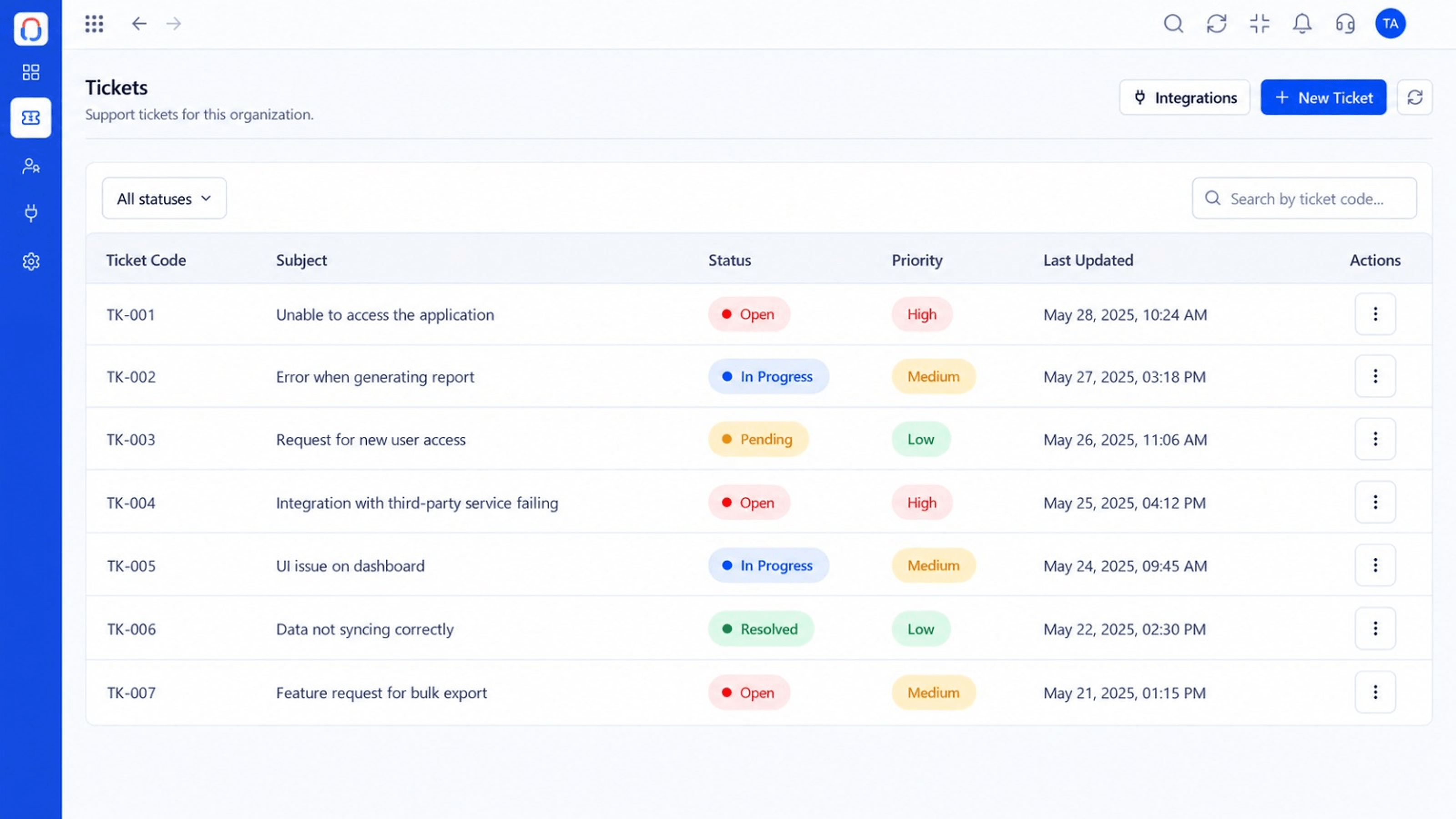 Tickets
Every request in one prioritised queue
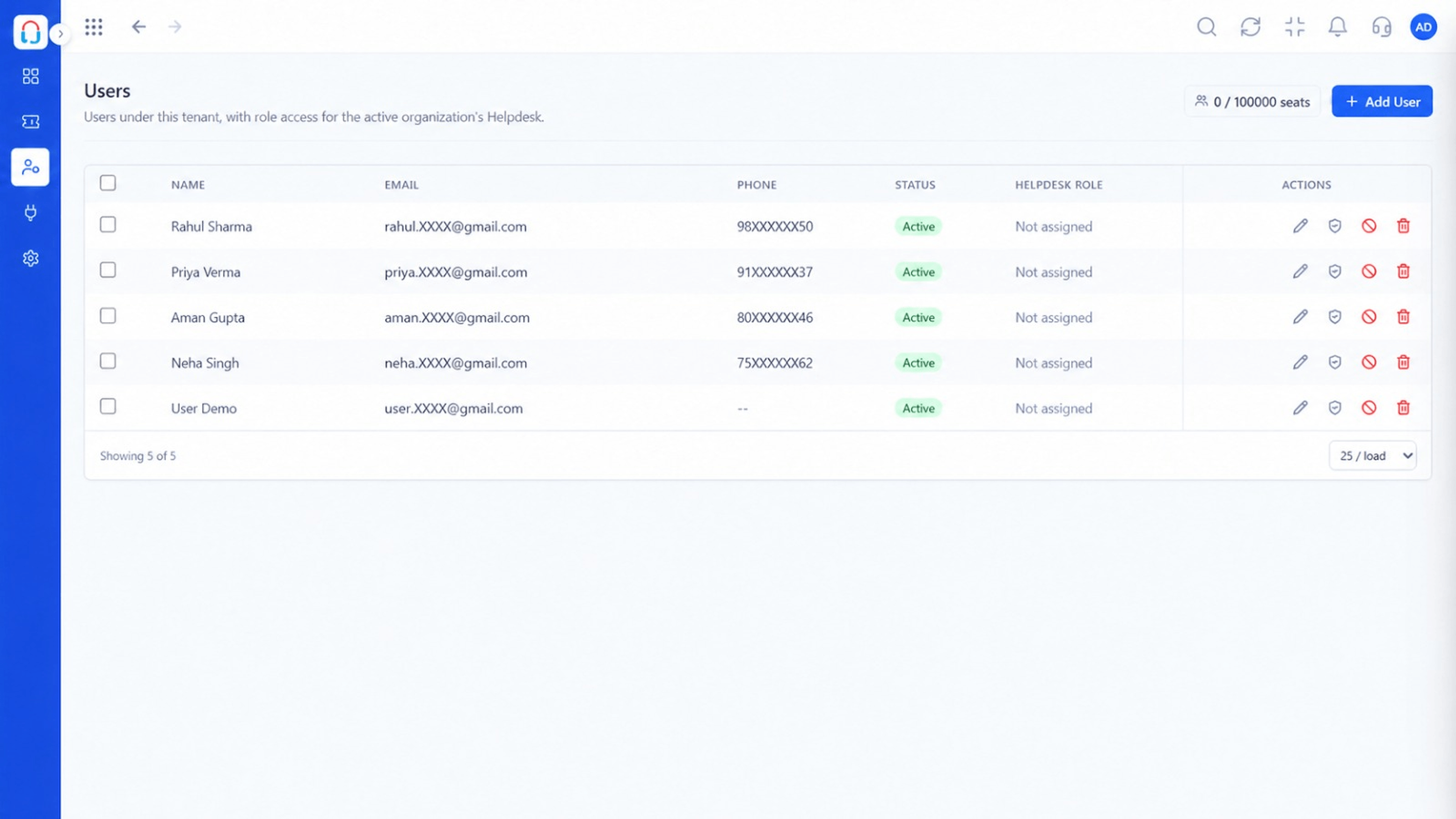 Team
TeamAgents, teams and roles in one place
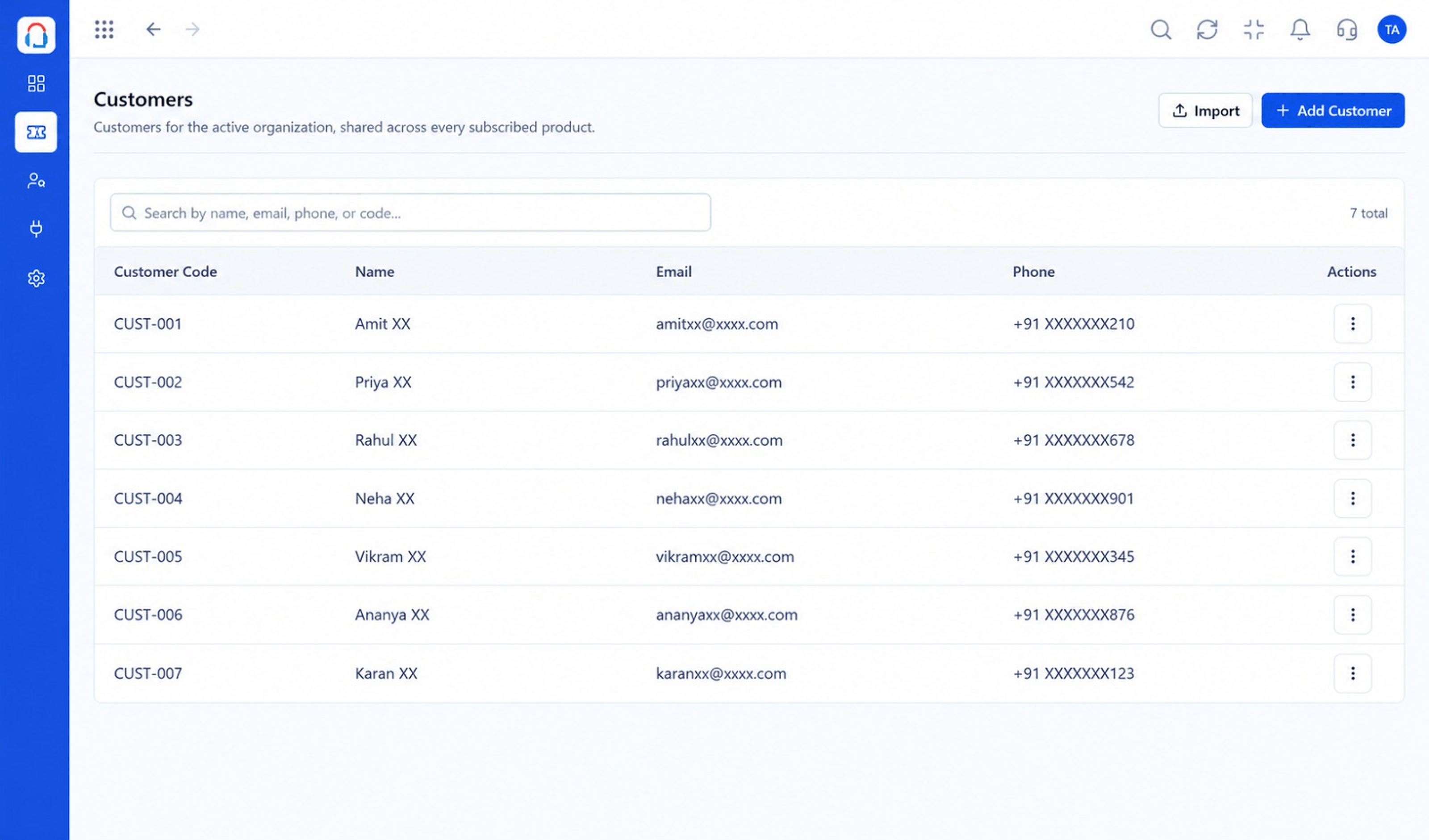 Customers
Every customer with their full ticket history
Feature Breakdown
Captured from the Triostack Desk workspace.
Desk FeaturesCapture and prioritise.
Desk FeaturesKnow who you serve.
Desk FeaturesOrganise your agents.
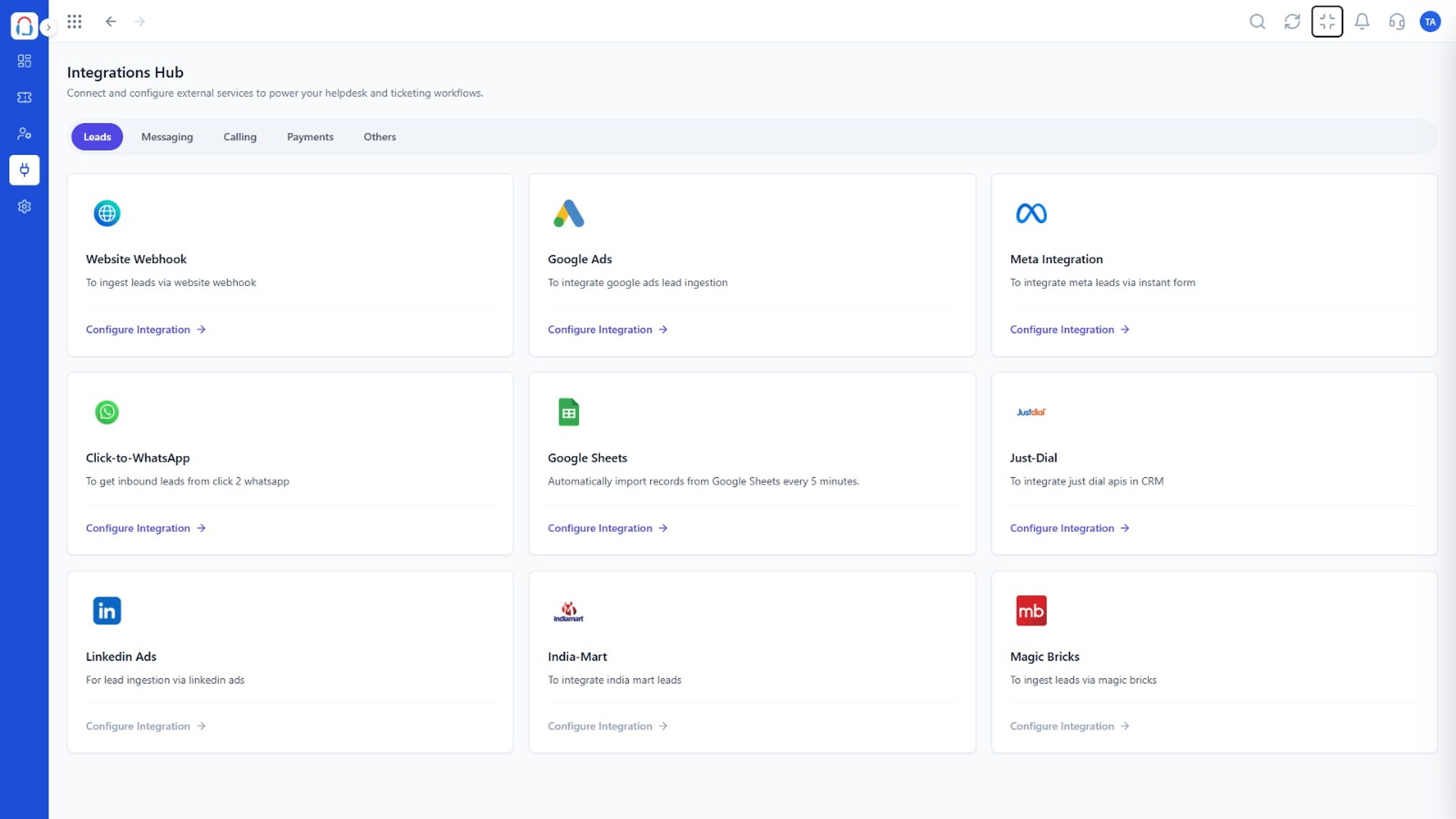 Desk Features
Connect your channels.
Execution Plan
Bring in email and other channels.
Add agents, roles and assignment rules.
Automate triage and set targets.
Launch the knowledge base and portal.
In Real Life
Scenario 01
Connect email and start working tickets.
Scenario 02
Add automation and SLAs.
Scenario 03
Launch the knowledge base and portal.
Frequently Asked Questions
Tickets, shared inbox, automation, SLAs, knowledge base, customer portal and reports.
Yes. Add the rest as you grow.
Yes, through the integrations listed on the Desk pages.
Yes. You can start a free trial from the Desk pages.
Tickets, shared inbox, automation, SLAs, knowledge base and reports, built for support teams of every size.
