The best Business Suite software in India, built to help your business grow. Contact us at +91-8882435276.
[ Contact ]
Phone number
Email address
Head office
Noida office
The right team at TriostackOne will get back to you.
Set response and resolution targets, watch the clock on every ticket and escalate automatically before a deadline is missed.
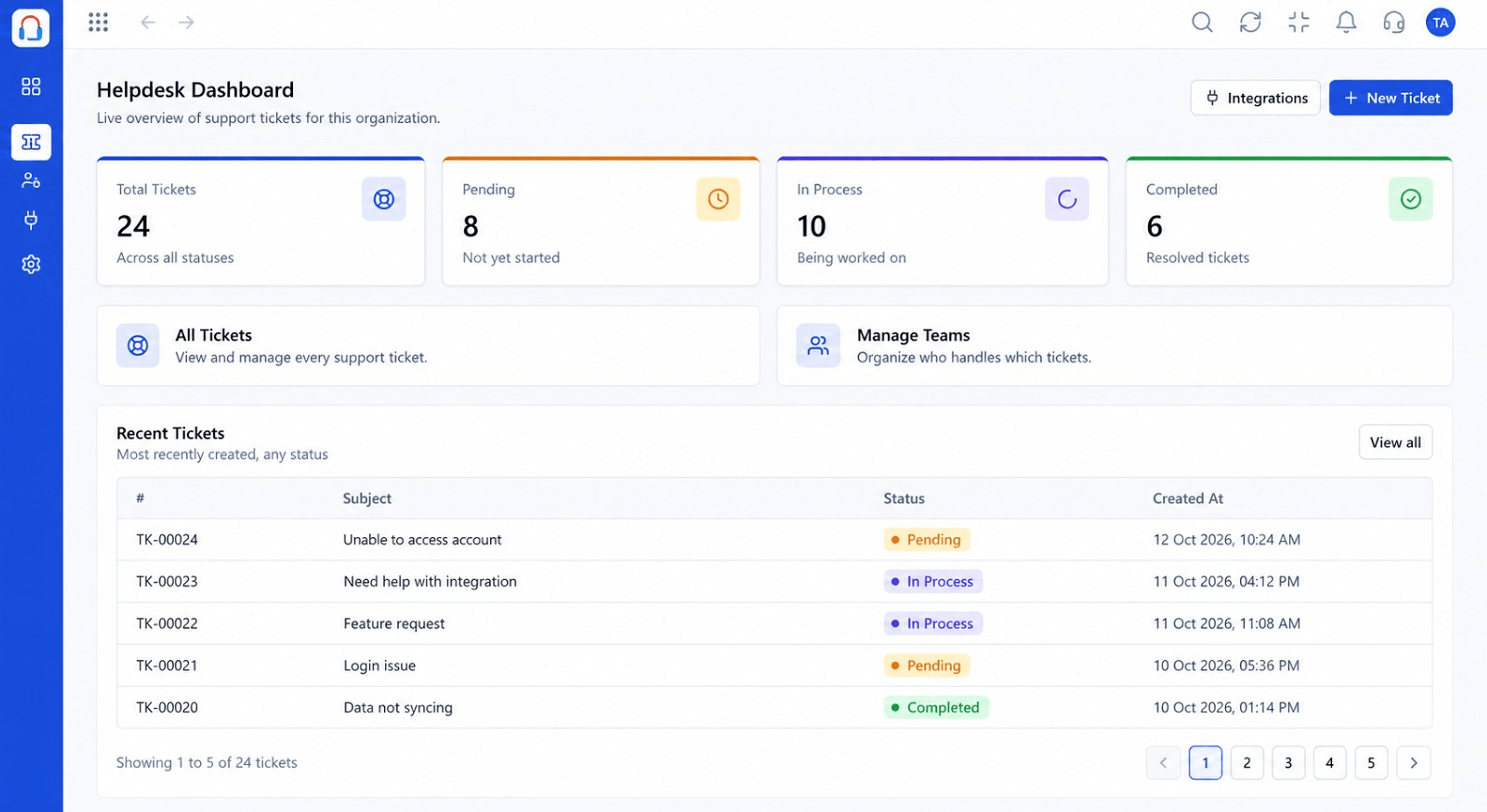
Every ticket measured against its target
Positioning Assessment
Many teams promise a response time but have no way to see which tickets are about to breach it. They find out after the customer complains.
Desk applies SLA policies to tickets, shows the time remaining and warns or escalates as a deadline approaches.
“The countdown on each ticket changed behaviour. Nobody wants to be the one who lets it turn red.”
Sample team scenario
Illustrative example, not a customer testimonial
Illustrated Overview
Imagine each ticket wearing a small timer that turns amber, then red, and quietly asks a manager for help before it runs out.
Urgent means faster.
Act before the breach, not after.
A clear next tier when time runs short.
Platform Integrity
Targets by priority or customer
Time left on every ticket
Alerts before a breach
Move it up automatically
How It Works
How visible deadlines change behaviour.
| Dimension | Triostack Desk | No SLA Tracking |
|---|---|---|
| Targets | Defined per priority | Unwritten expectations |
| Visibility | Countdown on the ticket | Discovered after the fact |
| Warnings | Alerts before breach | None |
| Escalation | Rules move it up | Customer escalates it |
| Reporting | Breach and compliance rates | Anecdotes |
Book a walkthrough and we will set up a sandbox with your channels, teams and SLAs so you can try it before you commit.
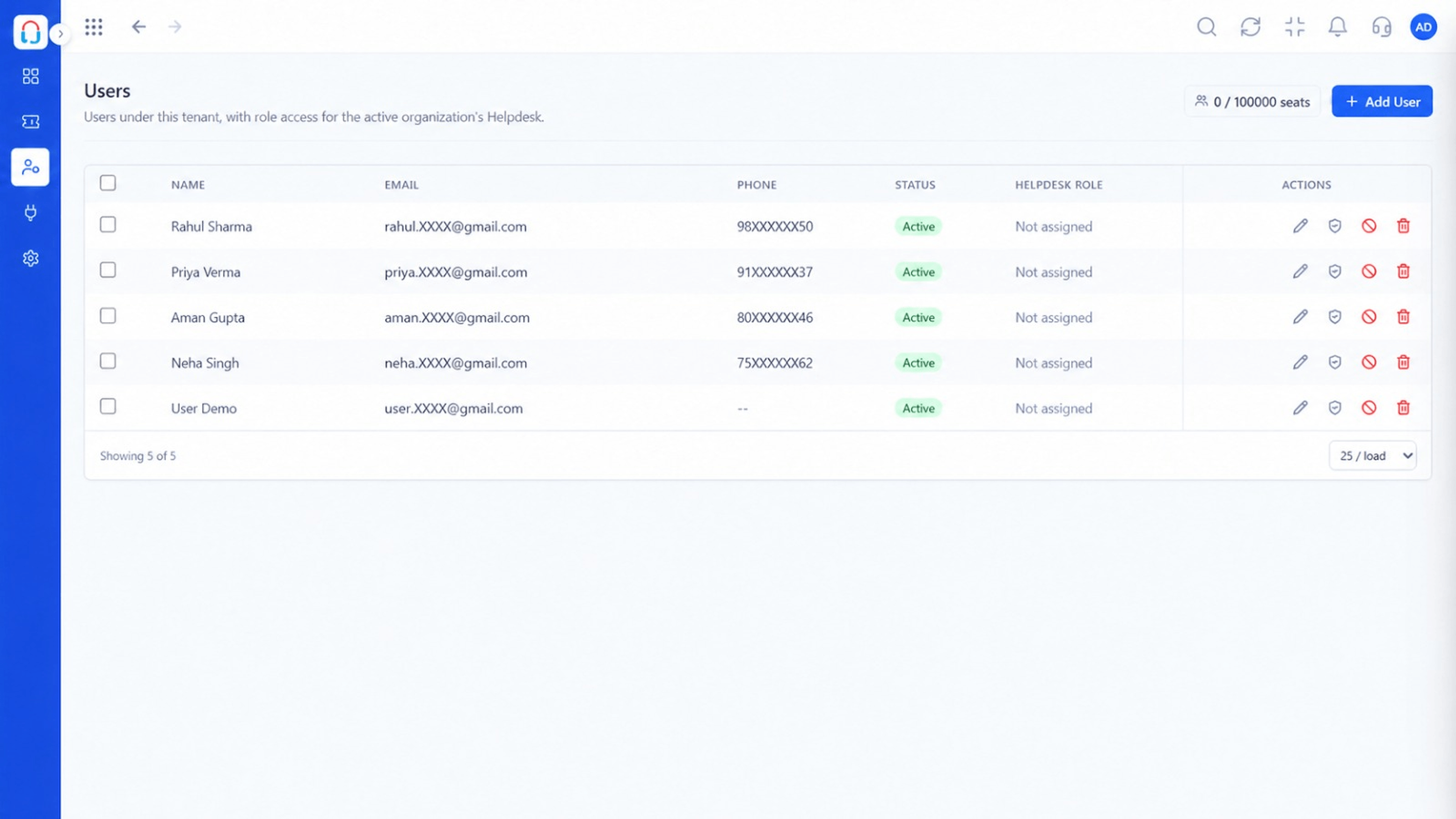
Live Interface Tour
Real screens captured directly from the Triostack Desk workspace.
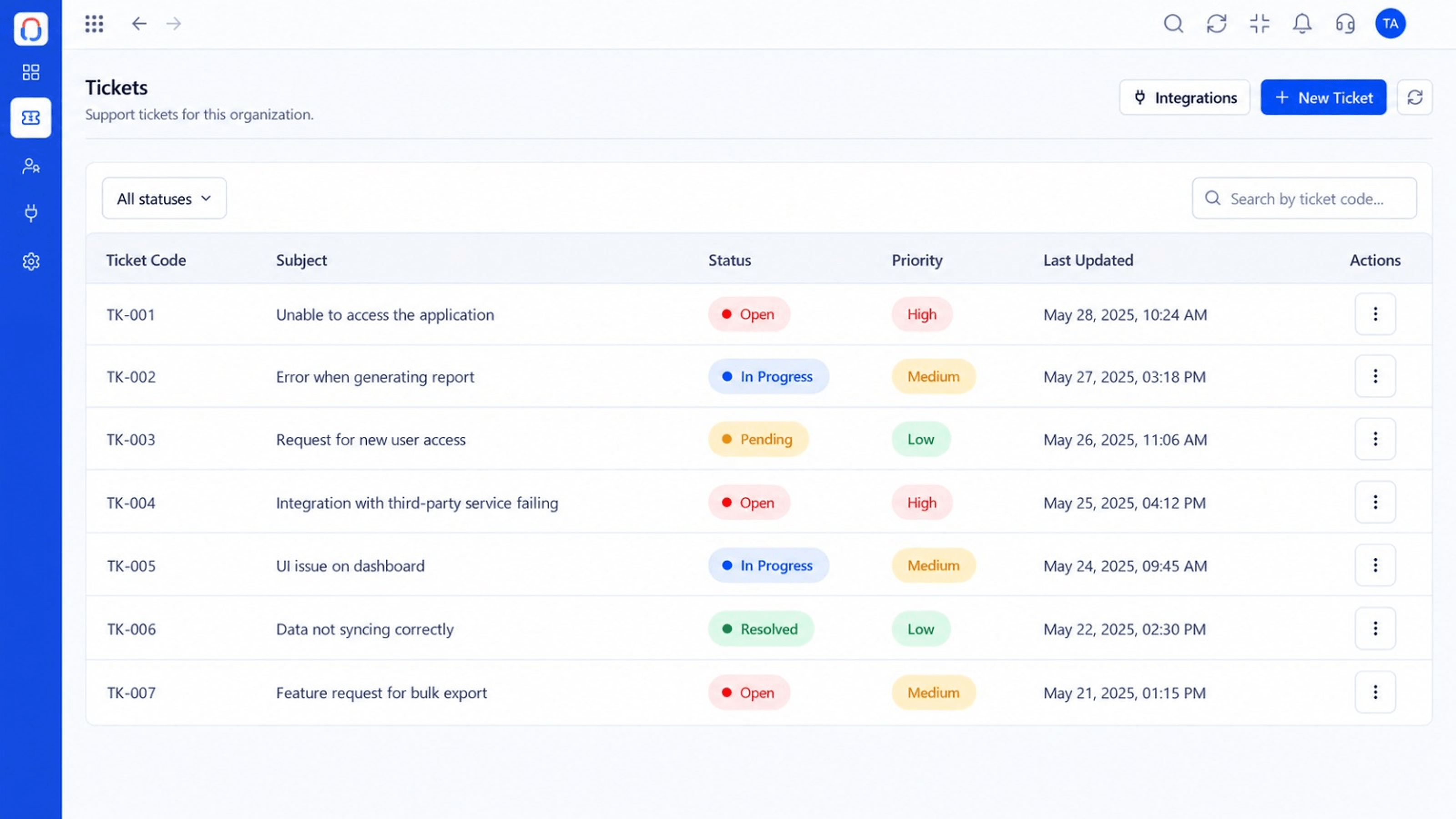 Tickets
Every request in one prioritised queue
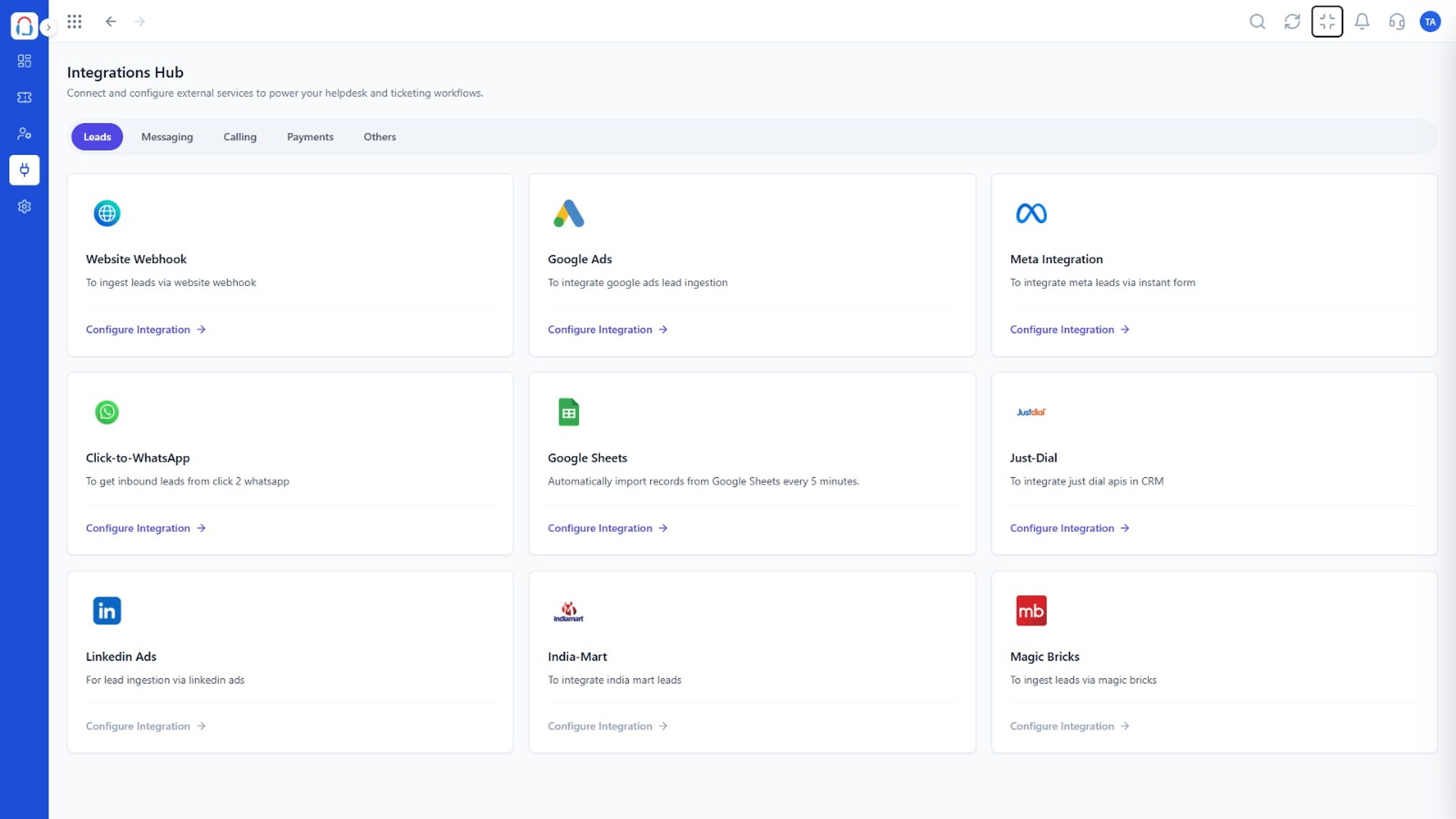 Integrations
Connect channels and tools to your helpdesk
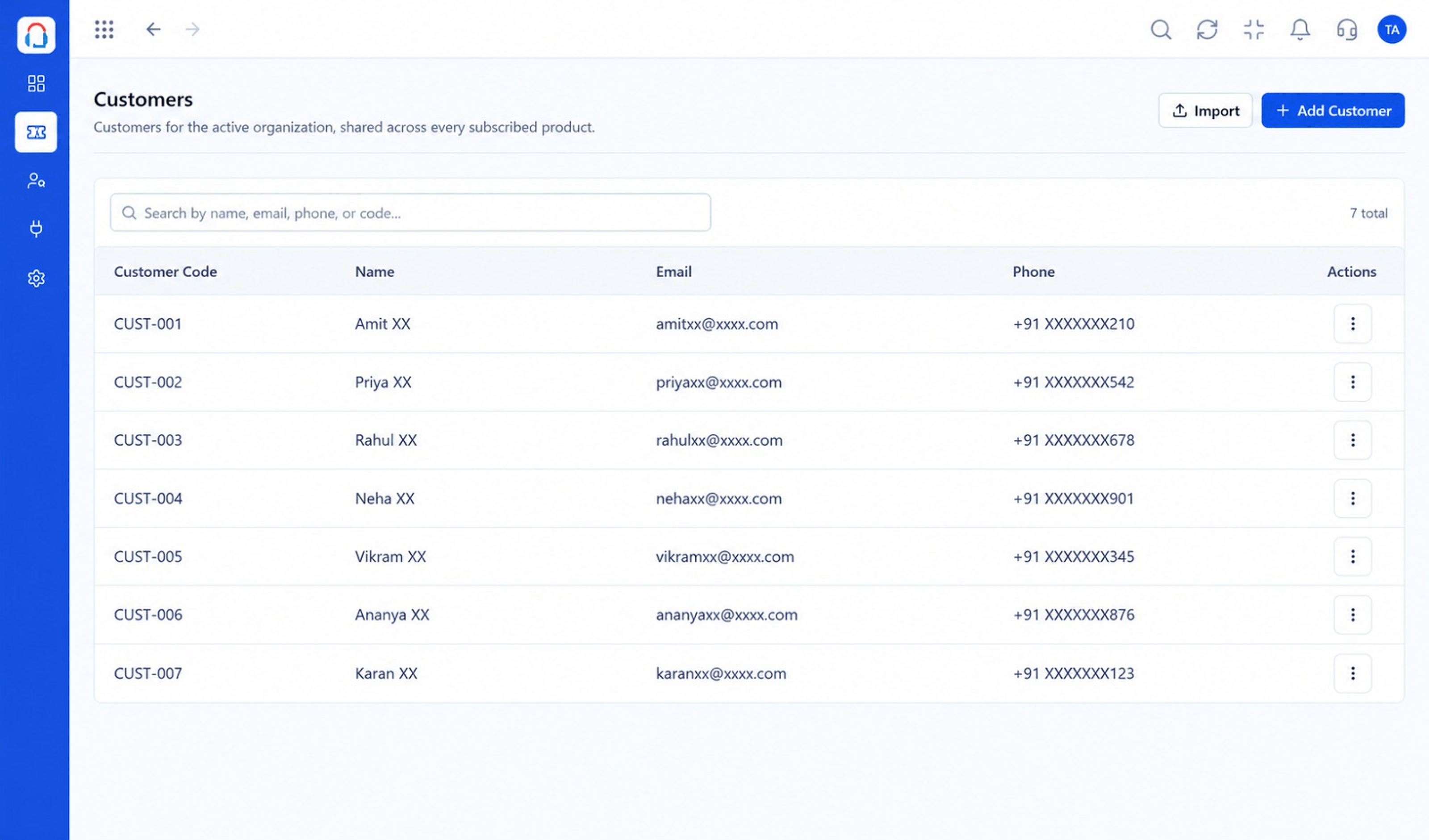 Customers
Every customer with their full ticket history
Feature Breakdown
Captured from the Triostack Desk workspace.
Desk FeaturesCompliance at a glance.
Desk FeaturesSee time remaining.
 Desk Features
Who gets it next.
Desk FeaturesDifferent promises per customer.
Execution Plan
Choose response and resolution times by priority.
Attach policies to customers or ticket types.
Agents see time left on each ticket.
At-risk tickets are warned and moved up.
In Real Life
Scenario 01
Higher-tier accounts get faster targets automatically.
Scenario 02
At-risk tickets float to the top for managers.
Scenario 03
Compliance reports show where the team needs help.
Frequently Asked Questions
Yes. Targets can differ by priority or customer.
Escalation rules can notify the people you choose.
Pause conditions can be configured, for example while waiting on the customer.
Yes. Reports show met and breached targets.
Tickets, shared inbox, automation, SLAs, knowledge base and reports, built for support teams of every size.
