The best Business Suite software in India, built to help your business grow. Contact us at +91-8882435276.
[ Contact ]
Phone number
Email address
Head office
Noida office
The right team at TriostackOne will get back to you.
Auto-assign, tag, prioritise and respond based on rules you define, so agents spend their time solving problems instead of sorting them.
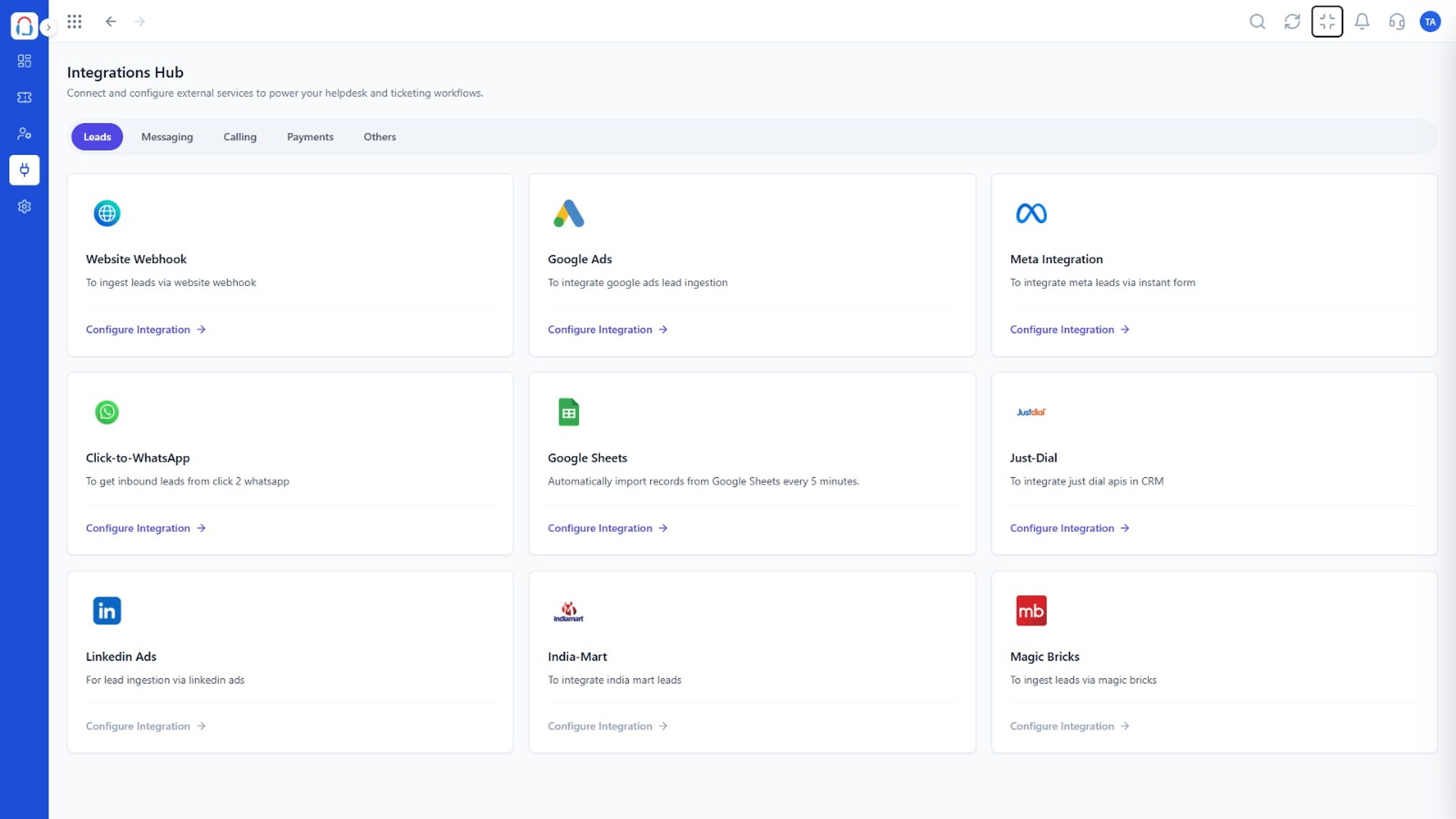
Routine triage handled automatically
Positioning Assessment
Every ticket needs triage: who gets it, how urgent is it, which tag applies. Done by hand, it is slow and inconsistent.
Desk workflows apply conditions to each new or updated ticket and take actions: assign, tag, set priority, notify or send a template reply.
“Once routing was automatic, our first-response time stopped depending on who was online.”
Sample team scenario
Illustrative example, not a customer testimonial
Illustrated Overview
Picture a conveyor belt where each ticket passes a few gates that tag it, rank it and send it to the right desk.
Conditions decide what happens next.
Consistent routing at any volume.
Agents can always override a rule.
Platform Integrity
Act on new or updated tickets
Match by channel, keyword or customer
Assign, tag, prioritise, notify
See which rule did what
How It Works
What changes when rules do the sorting.
| Dimension | Triostack Desk | Manual Triage |
|---|---|---|
| Assignment | By rule, instantly | By a person, eventually |
| Priority | Set from conditions | Guessed |
| Consistency | Same logic every time | Varies by agent |
| Peak Load | Scales without extra effort | Queue backs up |
| Visibility | Rule history on the ticket | Unknown |
Book a walkthrough and we will set up a sandbox with your channels, teams and SLAs so you can try it before you commit.
Live Interface Tour
Real screens captured directly from the Triostack Desk workspace.
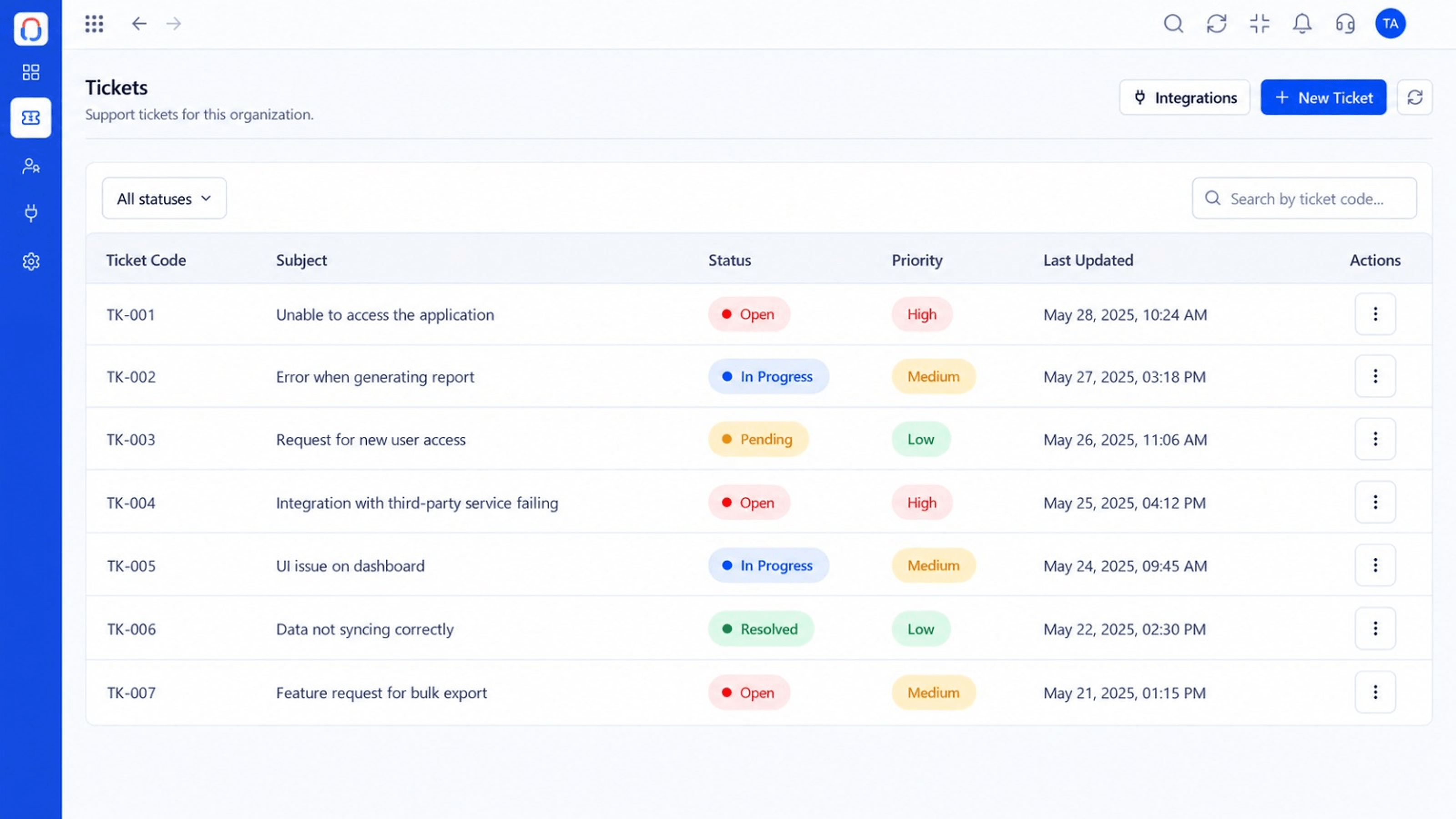 Tickets
Every request in one prioritised queue
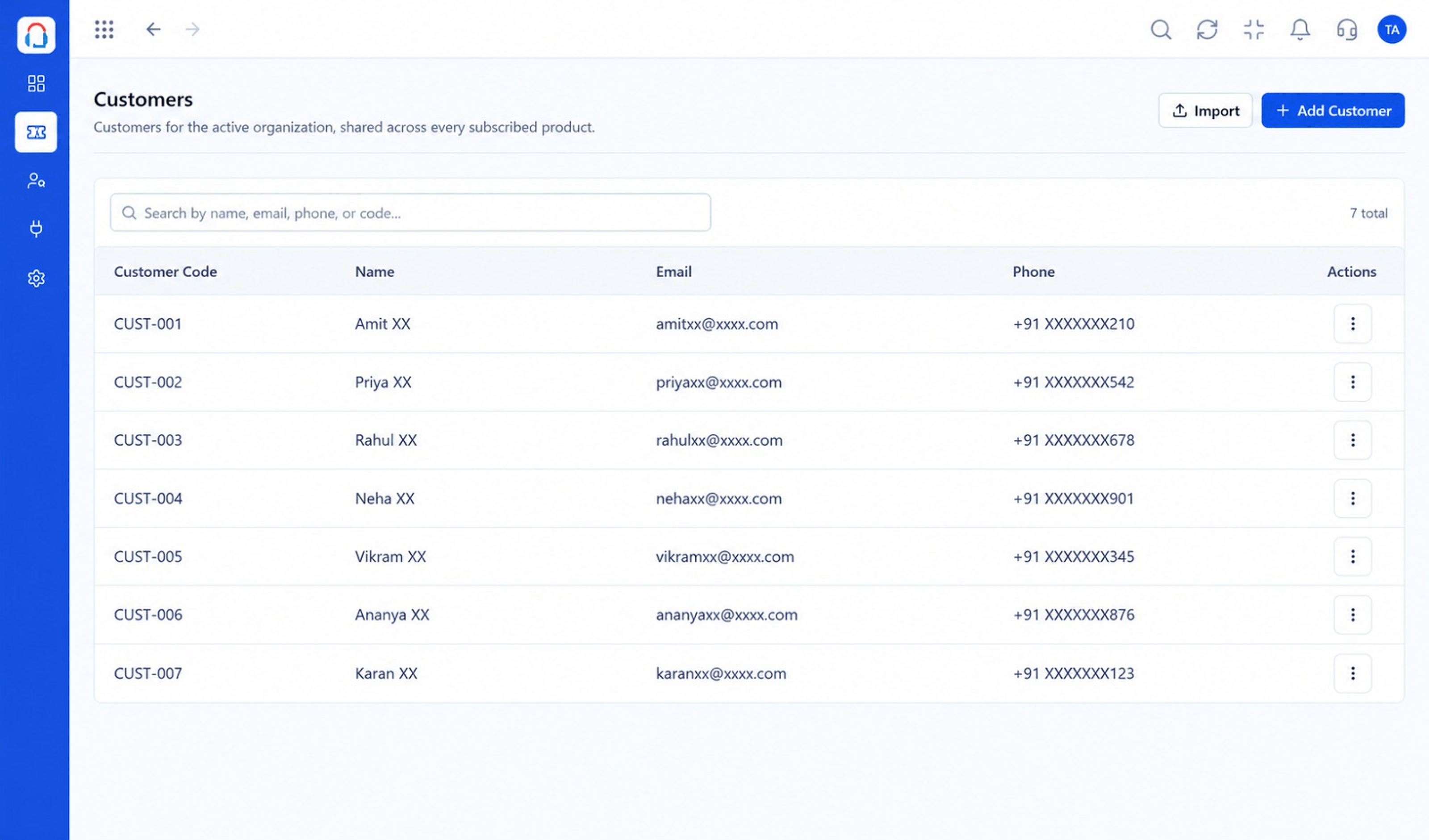 Customers
Every customer with their full ticket history
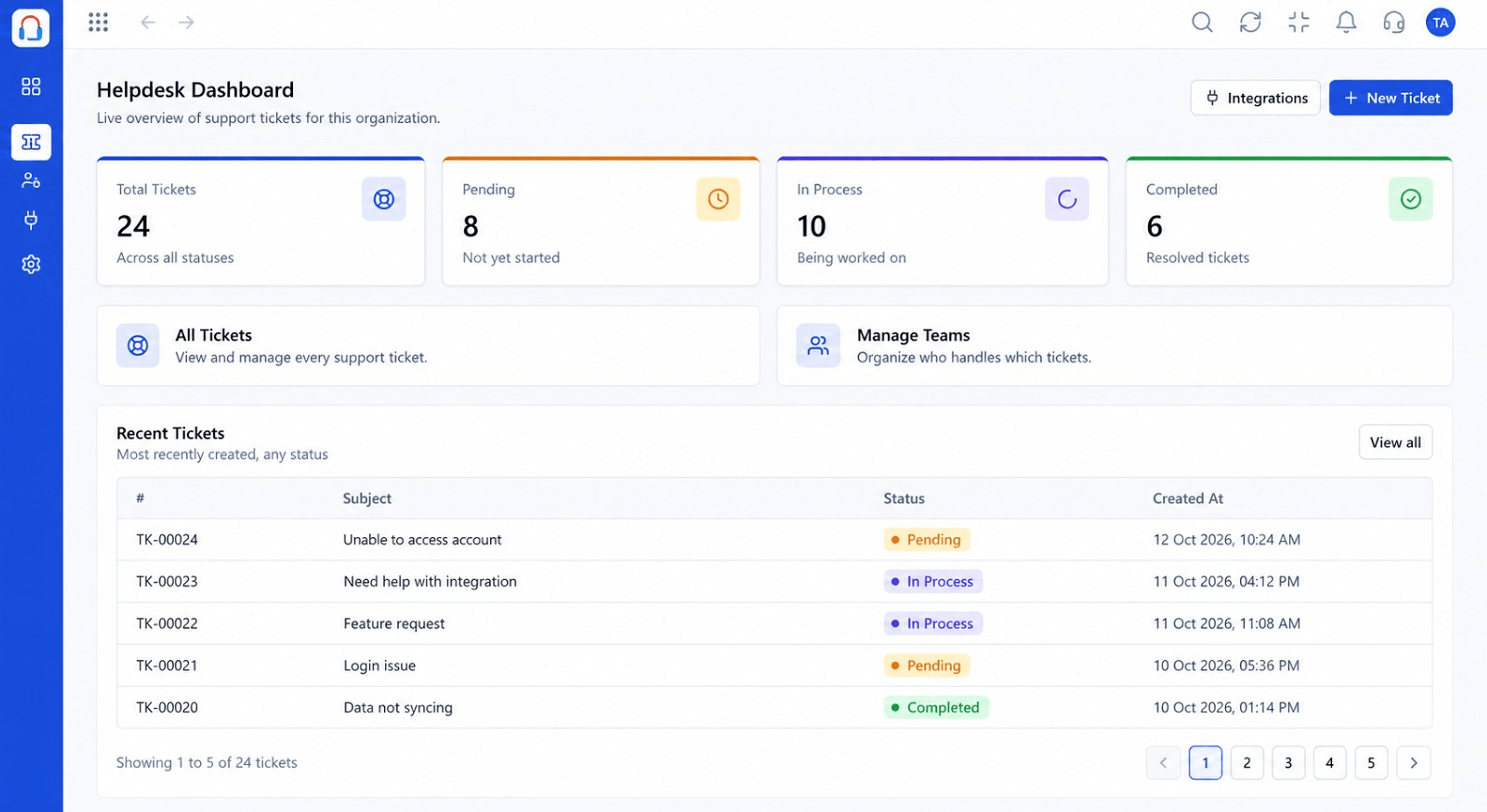 Dashboard
Live view of volume, backlog and response times
Feature Breakdown
Captured from the Triostack Desk workspace.
Desk FeaturesDefine when and what.
Desk FeaturesSee the effect of rules.
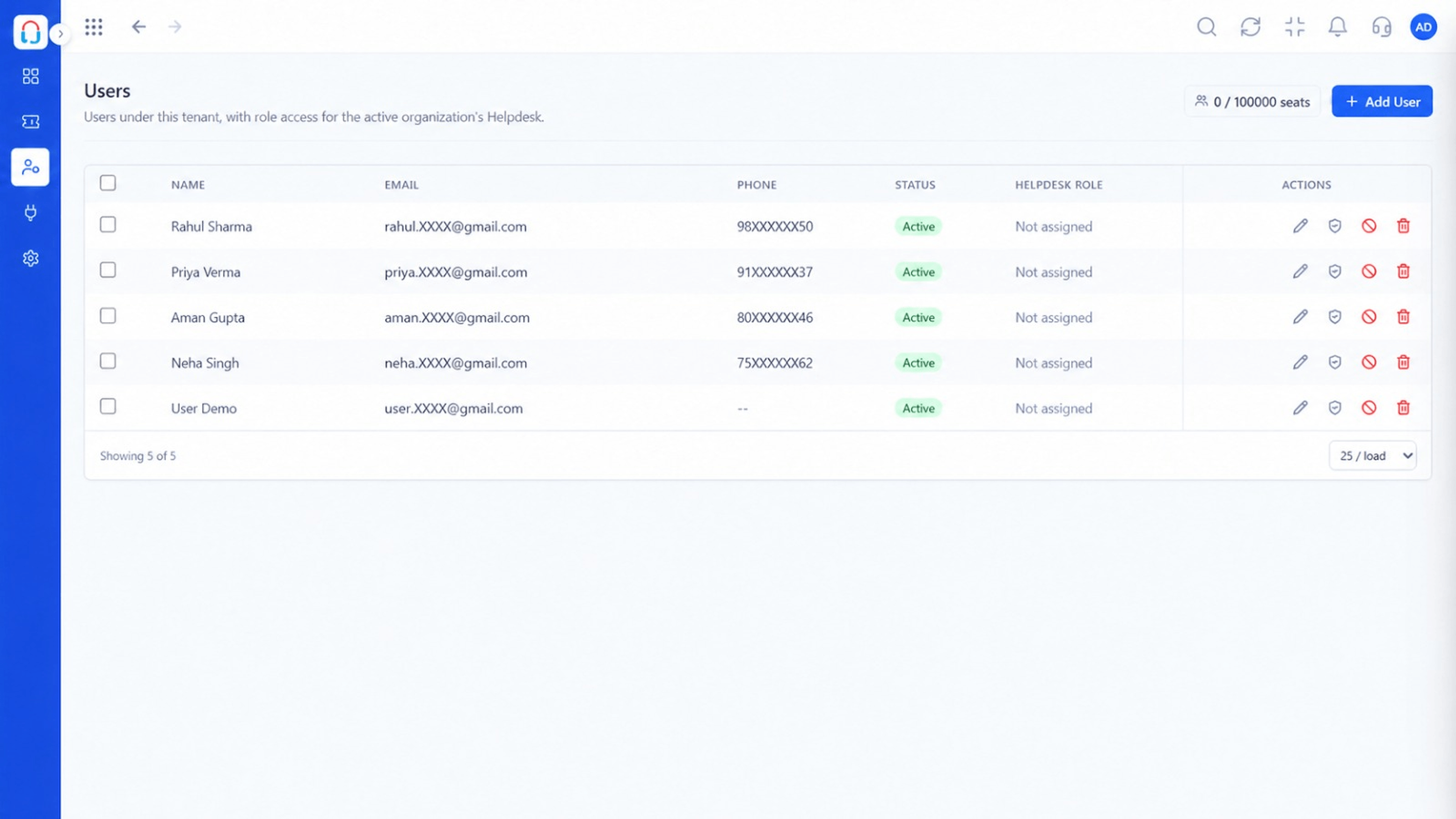 Desk Features
Route to teams and agents.
Desk FeaturesWatch response times improve.
Execution Plan
New ticket, reply or status change.
Channel, keyword, customer or time.
Assign, tag, set priority or notify.
Try on sample tickets, then switch on.
In Real Life
Scenario 01
Tickets mentioning invoices go straight to finance.
Scenario 02
Important accounts are flagged high priority automatically.
Scenario 03
An auto-reply sets expectations until the team is back.
Frequently Asked Questions
Assign, tag, set priority, notify and send template replies, based on conditions.
Yes, try it on sample tickets before enabling.
Rules run in an order you control, so results are predictable.
No. Rules are configured visually.
Tickets, shared inbox, automation, SLAs, knowledge base and reports, built for support teams of every size.
