The best Business Suite software in India, built to help your business grow. Contact us at +91-8882435276.
[ Contact ]
Phone number
Email address
Head office
Noida office
The right team at TriostackOne will get back to you.
Give customers one place to raise tickets, check progress and find answers, so they stop chasing you by email and phone.
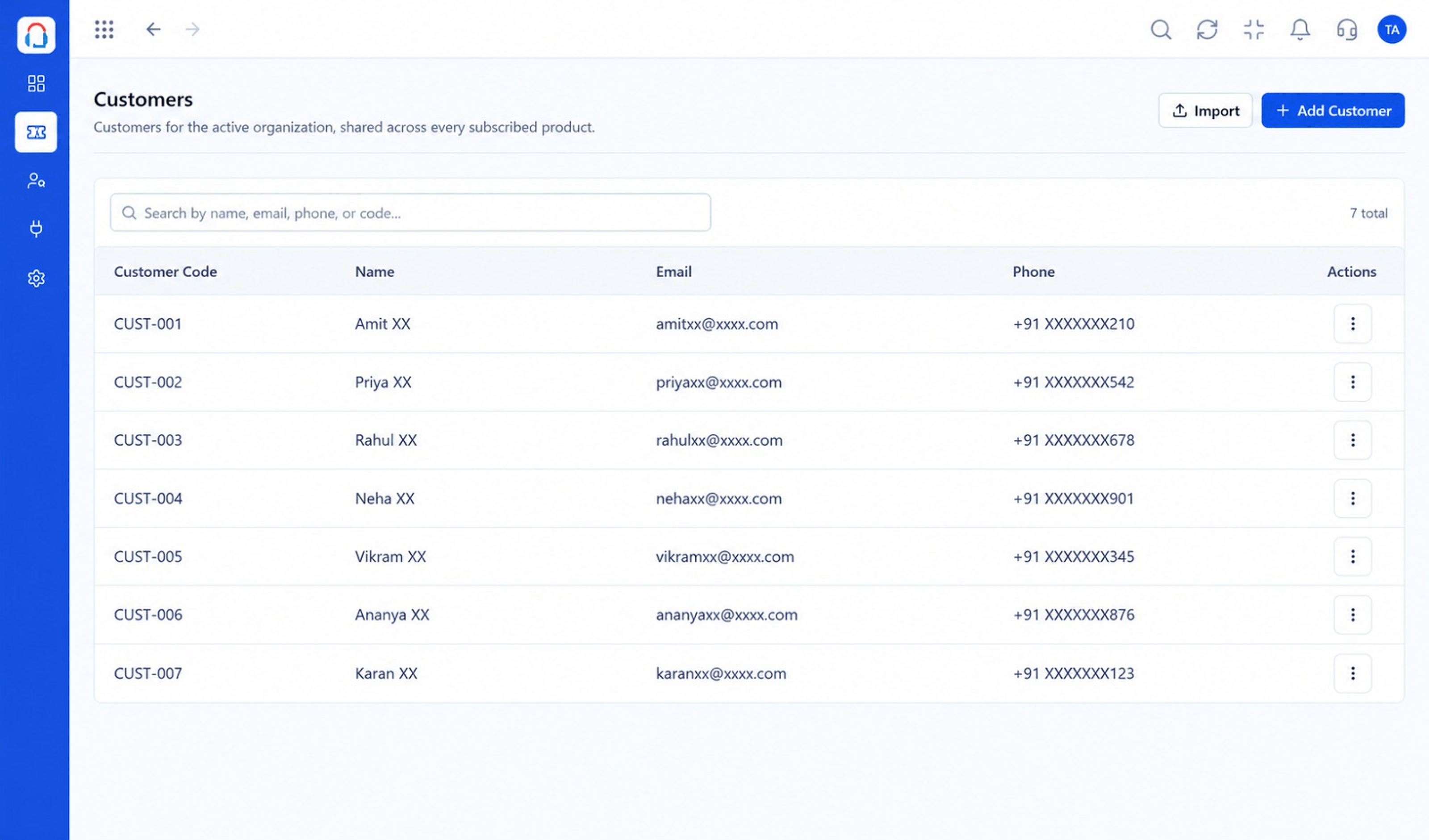
Customers can raise and follow requests any time
Positioning Assessment
When customers cannot see what is happening, they ask. Each follow-up adds work and erodes trust.
The customer portal lets them raise tickets, see status, add information and browse help articles, so they stay informed without contacting an agent.
“Customers check the portal instead of emailing for updates. Our inbox is noticeably quieter.”
Sample team scenario
Illustrative example, not a customer testimonial
Illustrated Overview
Imagine a parcel tracker for support: customers see where their request is without calling the depot.
Structured forms capture what agents need.
Status is visible without asking.
Articles sit beside the ticket form.
Platform Integrity
Customers log requests themselves
See progress any time
Search the knowledge base
Looks like your business
How It Works
What customers gain from self-service.
| Dimension | Triostack Desk | Email Only |
|---|---|---|
| Raising a Request | A structured form | A free-form email |
| Status | Visible any time | Ask and wait |
| Information | Added to the ticket | Lost in a thread |
| Answers | Articles in one place | Contact an agent |
| Agent Effort | Fewer 'any update?' emails | Constant chasing |
Book a walkthrough and we will set up a sandbox with your channels, teams and SLAs so you can try it before you commit.
Live Interface Tour
Real screens captured directly from the Triostack Desk workspace.
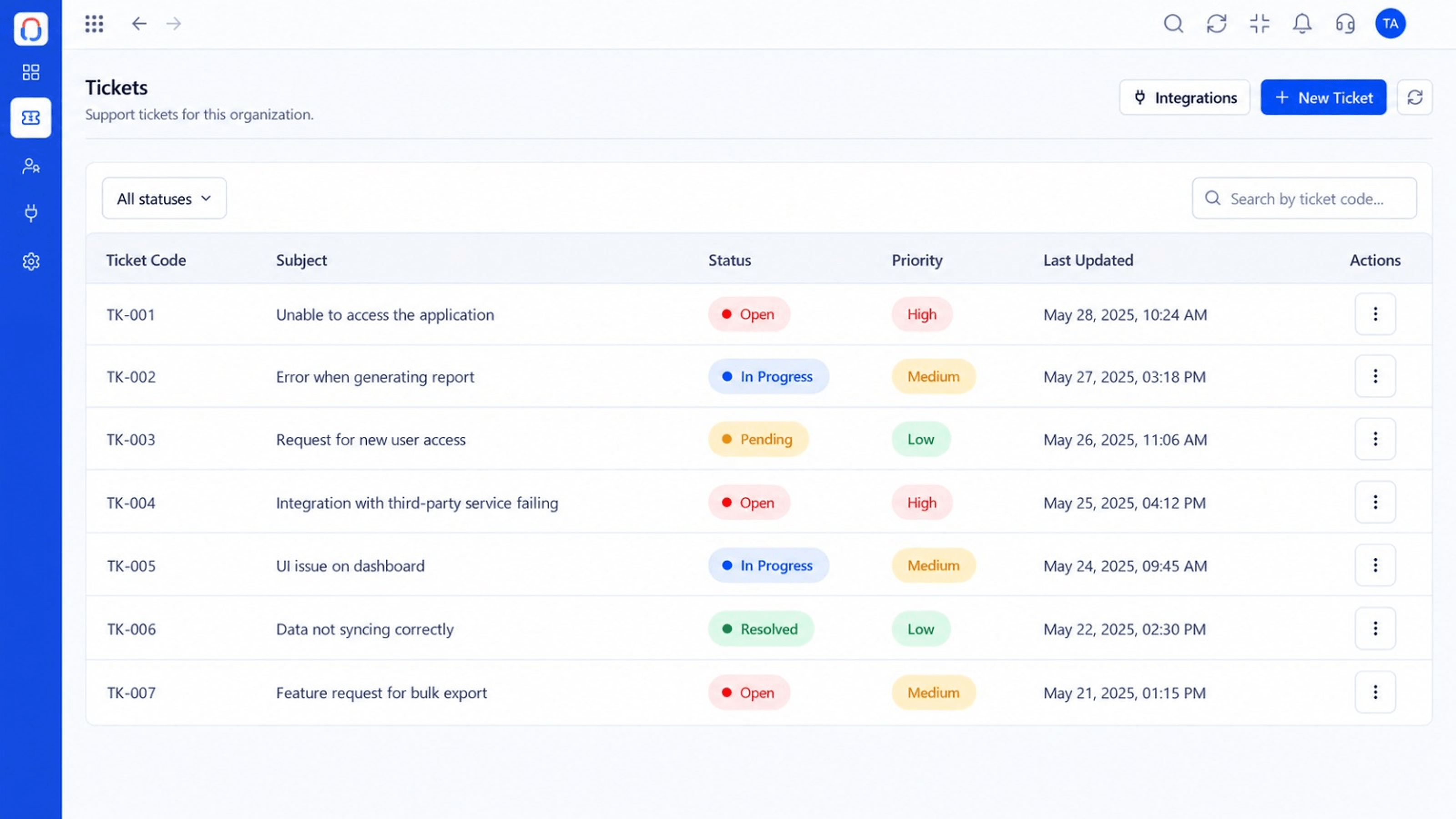 Tickets
Every request in one prioritised queue
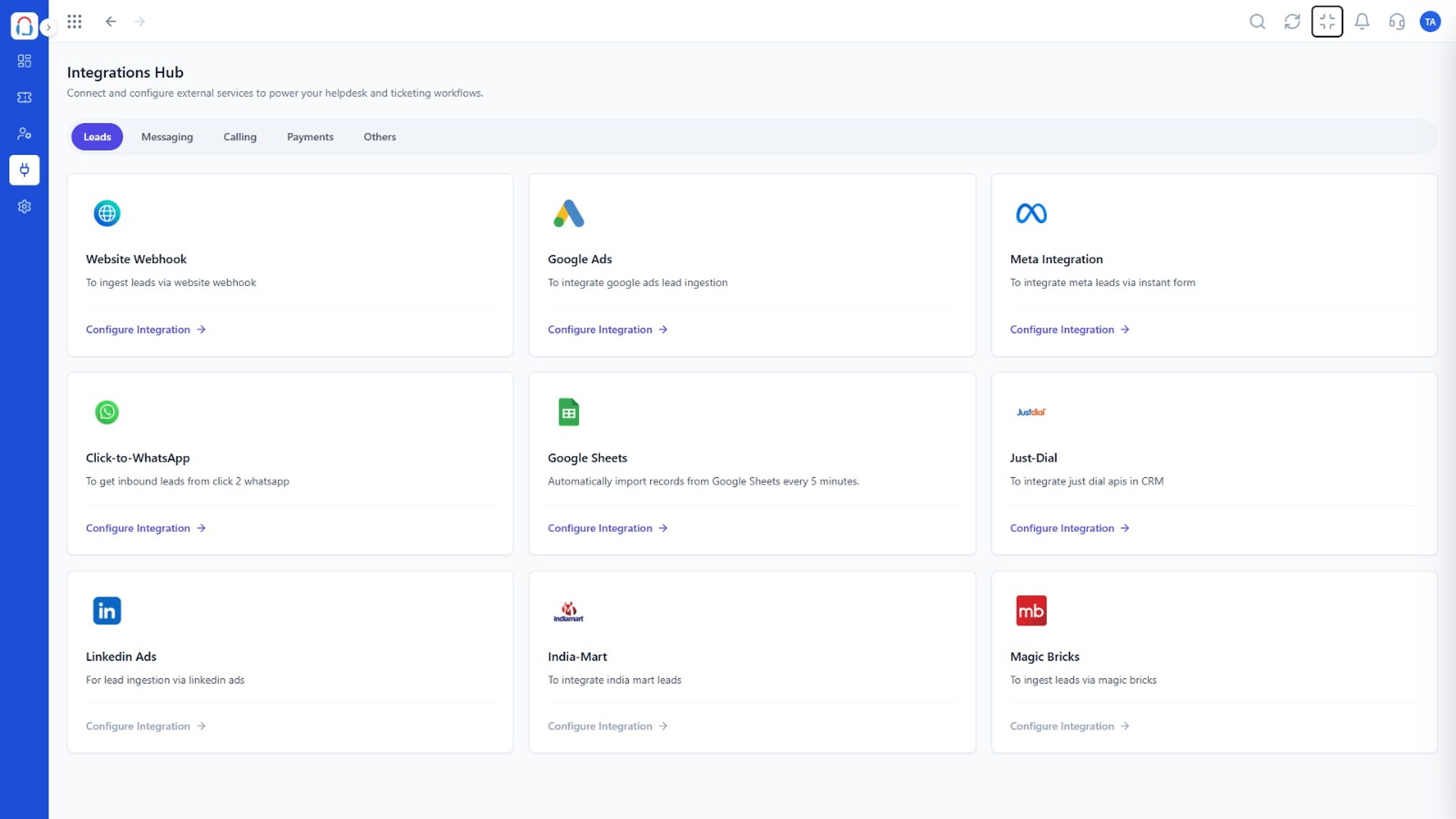 Integrations
Connect channels and tools to your helpdesk
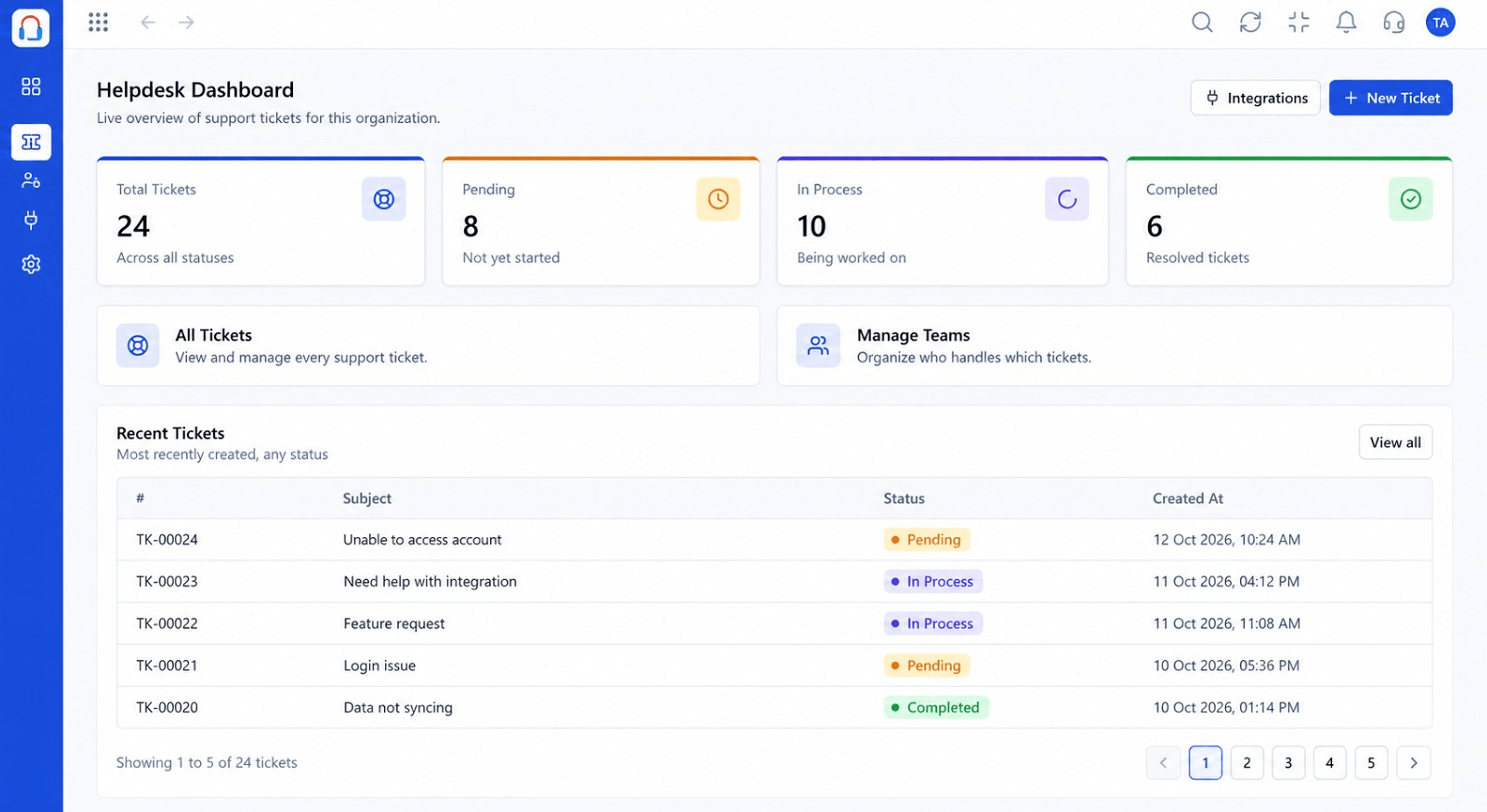 Dashboard
Live view of volume, backlog and response times
Feature Breakdown
Captured from the Triostack Desk workspace.
Desk FeaturesWhere customers start.
Desk FeaturesSee the progress.
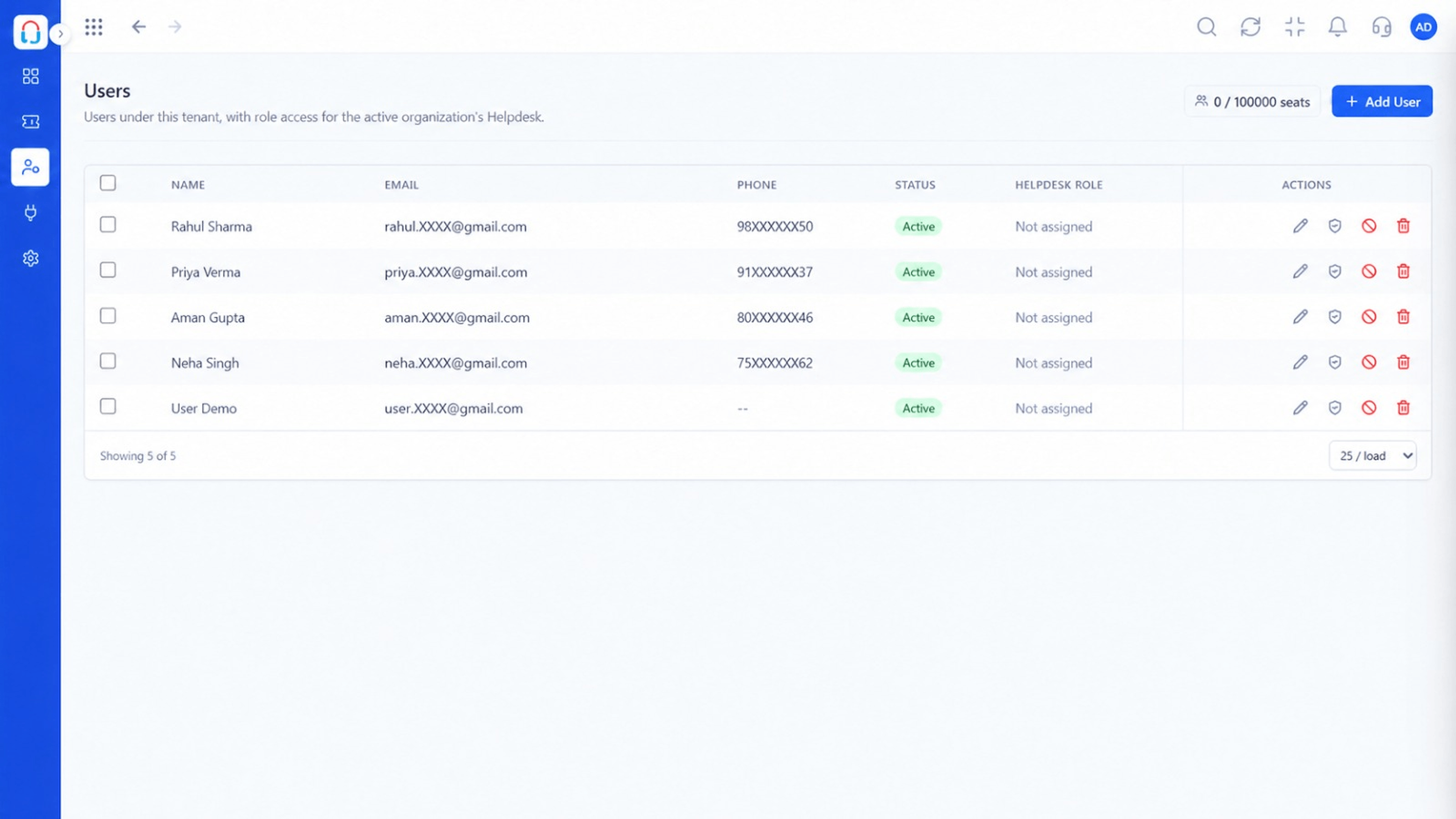 Desk Features
Who can see what.
Desk FeaturesHow the portal performs.
Execution Plan
Set branding and the fields customers fill.
Give customers access.
Add knowledge base articles.
Check usage and refine.
In Real Life
Scenario 01
Each account sees its own team's tickets.
Scenario 02
A customer logs details at midnight; the team picks up in the morning.
Scenario 03
Updates are visible without email chains.
Frequently Asked Questions
Yes, their own tickets, with status and replies.
Yes, you can configure the look.
Access options can be configured. Ask us about your setup.
Yes, published articles can appear in the portal.
Tickets, shared inbox, automation, SLAs, knowledge base and reports, built for support teams of every size.
