The best Business Suite software in India, built to help your business grow. Contact us at +91-8882435276.
[ Contact ]
Phone number
Email address
Head office
Noida office
The right team at TriostackOne will get back to you.
Turn emails, chats and calls into tickets with a clear owner, priority and status, so nothing a customer asks for is lost between inboxes.
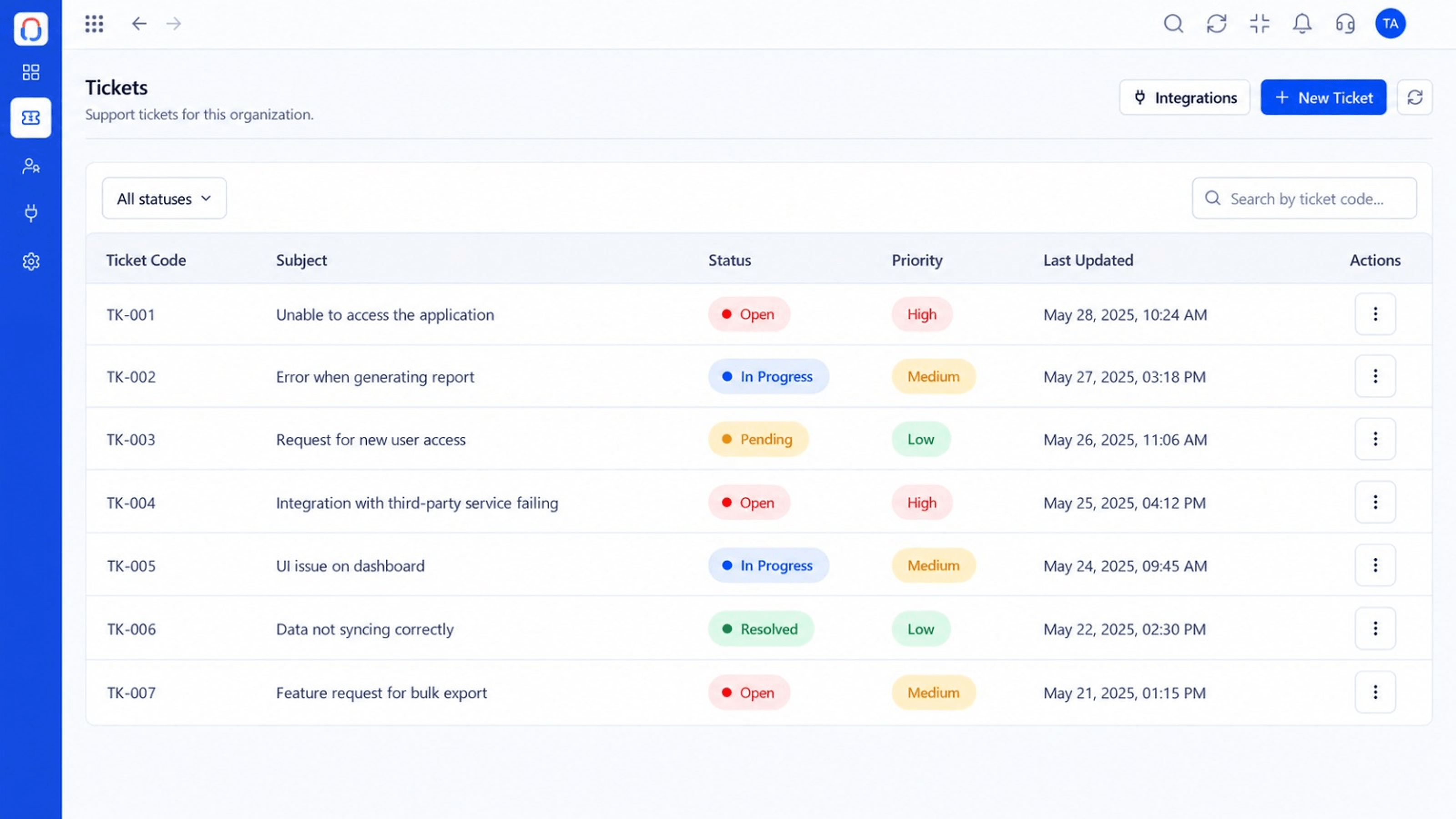
Every customer request in one prioritised list
Positioning Assessment
When support lives in personal email and chat threads, nobody knows what is open, who owns it or how long it has waited.
Desk converts each request into a ticket with a status, priority, owner and a running history. The queue shows what needs attention first, and customers get consistent answers.
“The queue ended the 'did anyone answer this?' question. Every ticket has an owner and a status.”
Sample team scenario
Illustrative example, not a customer testimonial
Illustrated Overview
Imagine every email, chat and call landing as a card on one board, each with a name on it and a clock beside it.
Each request has a status that moves forward.
Assignment and skills keep work moving.
History and customer details sit beside the reply box.
Platform Integrity
All requests together
Urgent work rises to the top
A person for every ticket
Every reply and note kept
How It Works
What changes when requests become tracked tickets.
| Dimension | Triostack Desk | Shared Mailbox |
|---|---|---|
| Ownership | Each ticket assigned to an agent | Whoever noticed the email |
| Status | Open, pending, resolved and more | Unread or read |
| Priority | Set and sortable | Order of arrival |
| History | Complete trail on the ticket | Scattered threads |
| Reporting | Counts, ageing and response times | Manual tallies |
Book a walkthrough and we will set up a sandbox with your channels, teams and SLAs so you can try it before you commit.
Live Interface Tour
Real screens captured directly from the Triostack Desk workspace.
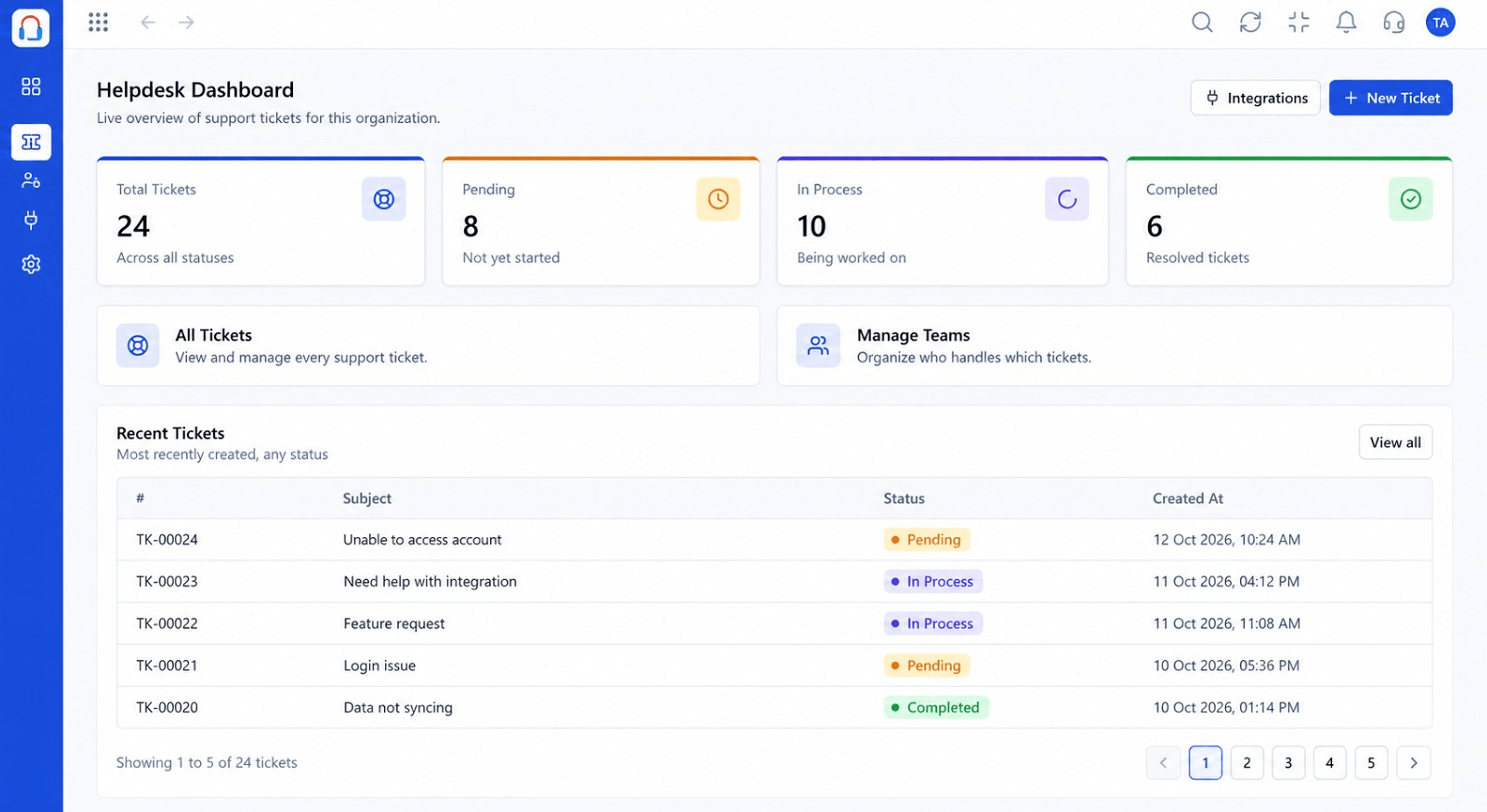 Dashboard
Live view of volume, backlog and response times
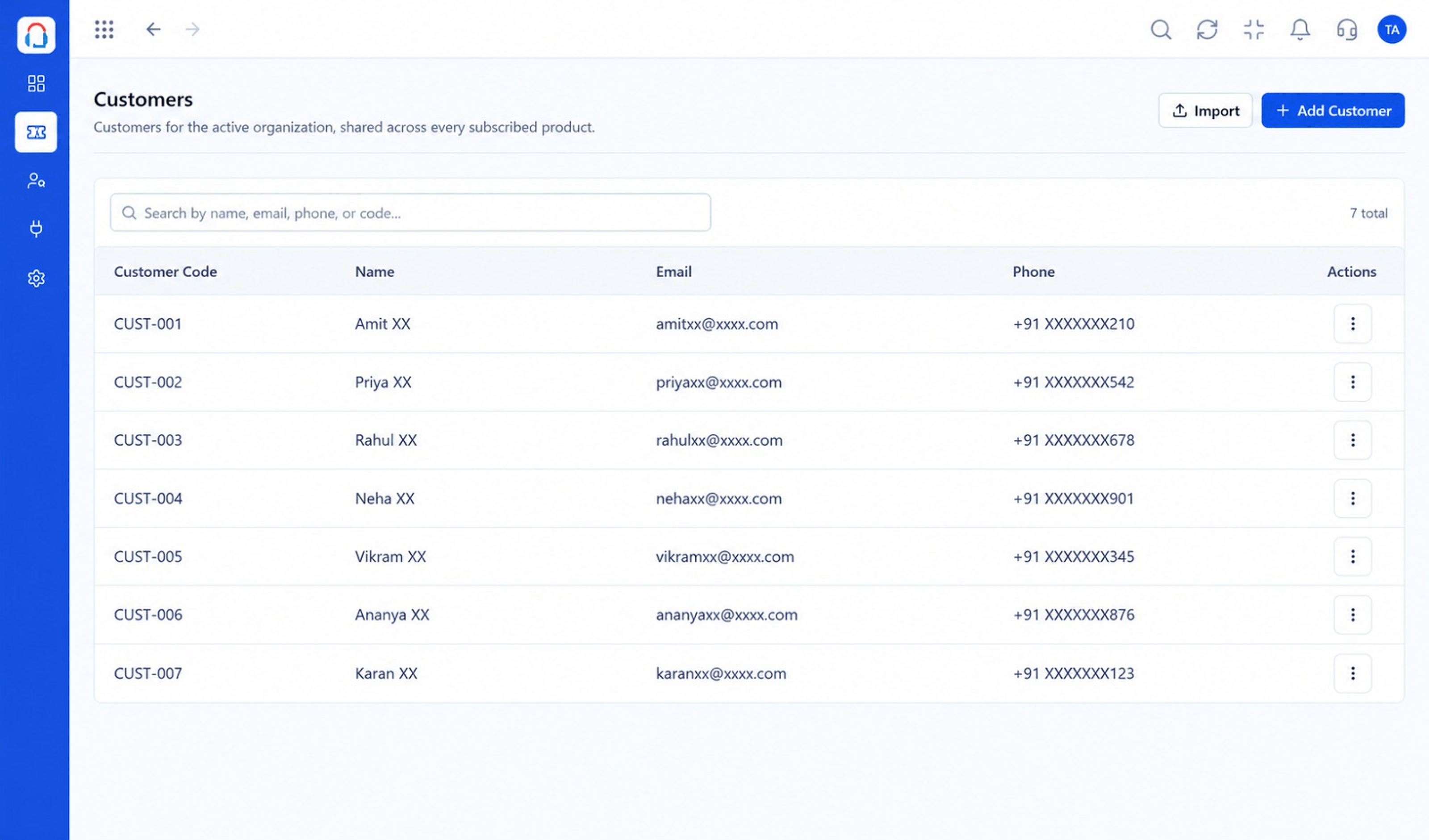 Customers
Every customer with their full ticket history
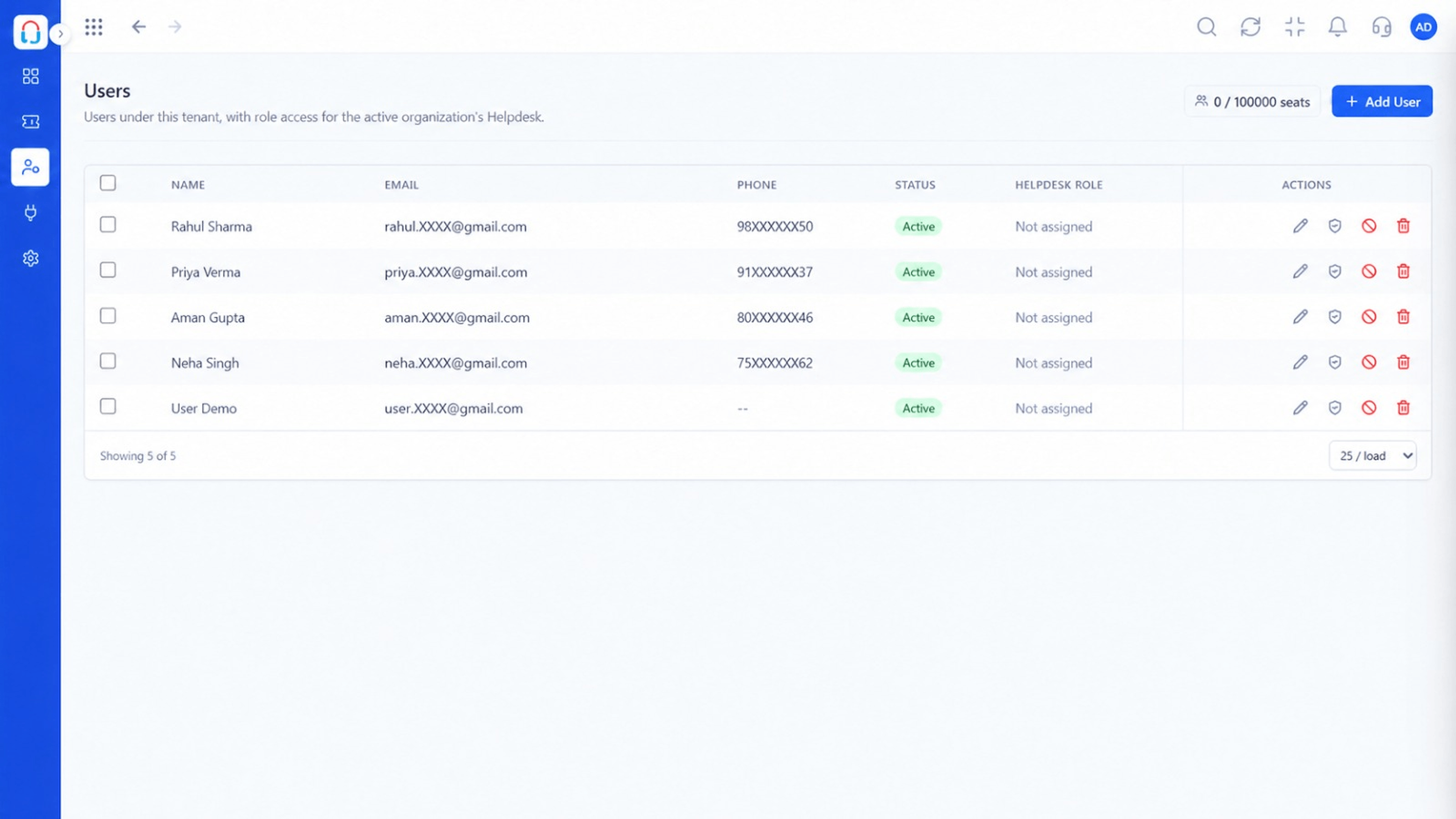 Team
TeamAgents, teams and roles in one place
Feature Breakdown
Captured from the Triostack Desk workspace.
Desk FeaturesSee and sort every open request.
Desk FeaturesKnow who is asking before replying.
Desk FeaturesRoute work to the right people.
Desk FeaturesWatch volume and backlog.
Execution Plan
A request arrives and becomes a ticket.
It is routed to an owner.
The agent replies, adds notes and updates status.
The ticket is closed and kept on record.
In Real Life
Scenario 01
A weekend of requests is sorted by priority in minutes.
Scenario 02
The next shift sees exactly what is pending.
Scenario 03
An agent sees the earlier ticket and does not ask again.
Frequently Asked Questions
Emails, chats and other connected channels can create tickets.
Yes. Priority and status are set per ticket and can be sorted and filtered.
With the customer portal enabled, yes.
Yes. Every reply and note is stored on the ticket.
Tickets, shared inbox, automation, SLAs, knowledge base and reports, built for support teams of every size.
