The best Business Suite software in India, built to help your business grow. Contact us at +91-8882435276.
[ Contact ]
Phone number
Email address
Head office
Noida office
The right team at TriostackOne will get back to you.
A tour of Triostack Projects: tasks, boards, timelines, milestones, team collaboration, timesheets and reports, all in one workspace.

Planning, doing and reporting together
Positioning Assessment
A project touches planning, tasks, people, time and reporting. Using separate tools for each means switching tabs and copying updates.
Triostack Projects brings these together. A project starts with a plan, moves through boards and timelines, is shared by the team and ends with reports, all connected to the rest of Triostack One.
“One tool for tasks, timeline and reports meant fewer tabs and fewer places for things to go missing.”
Sample team scenario
Illustrative example, not a customer testimonial
Illustrated Overview
Picture one workshop where the plan, the board, the calendar, the team list and the dashboard all hang on the same wall.
Begin with a board.
Timelines, milestones and reports as you grow.
Updates flow between views.
Platform Integrity
Projects, milestones and timelines
Tasks and boards
Members and workload
Progress and insights
How It Works
What each part of the workspace does for your team.
| Dimension | Triostack Projects | Without Projects |
|---|---|---|
| Planning | Projects, timelines and milestones | Spreadsheets and calendars |
| Execution | Tasks and boards | Chats and to-do apps |
| People | Members, roles and workload | Guesswork |
| Time | Timesheets against tasks | Not recorded |
| Reporting | Live reports | Manual slides |
Book a walkthrough and we will set up a sandbox with a sample project so you can try boards, timelines and reports before you commit.
Live Interface Tour
Real screens captured directly from the Triostack Projects workspace.
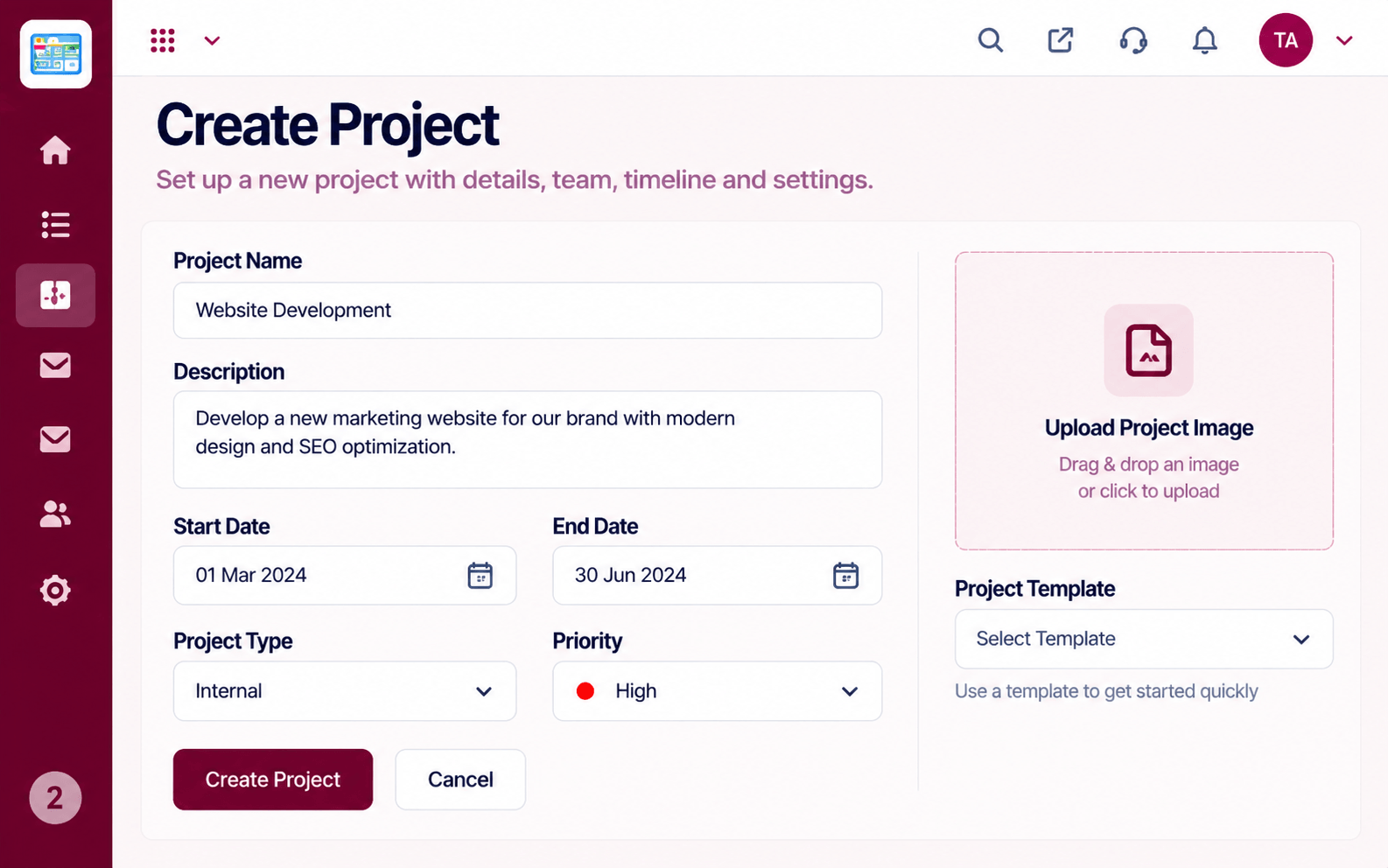 Projects
Set up a project with scope, dates and owners
 Resources
Who is overloaded and who has capacity
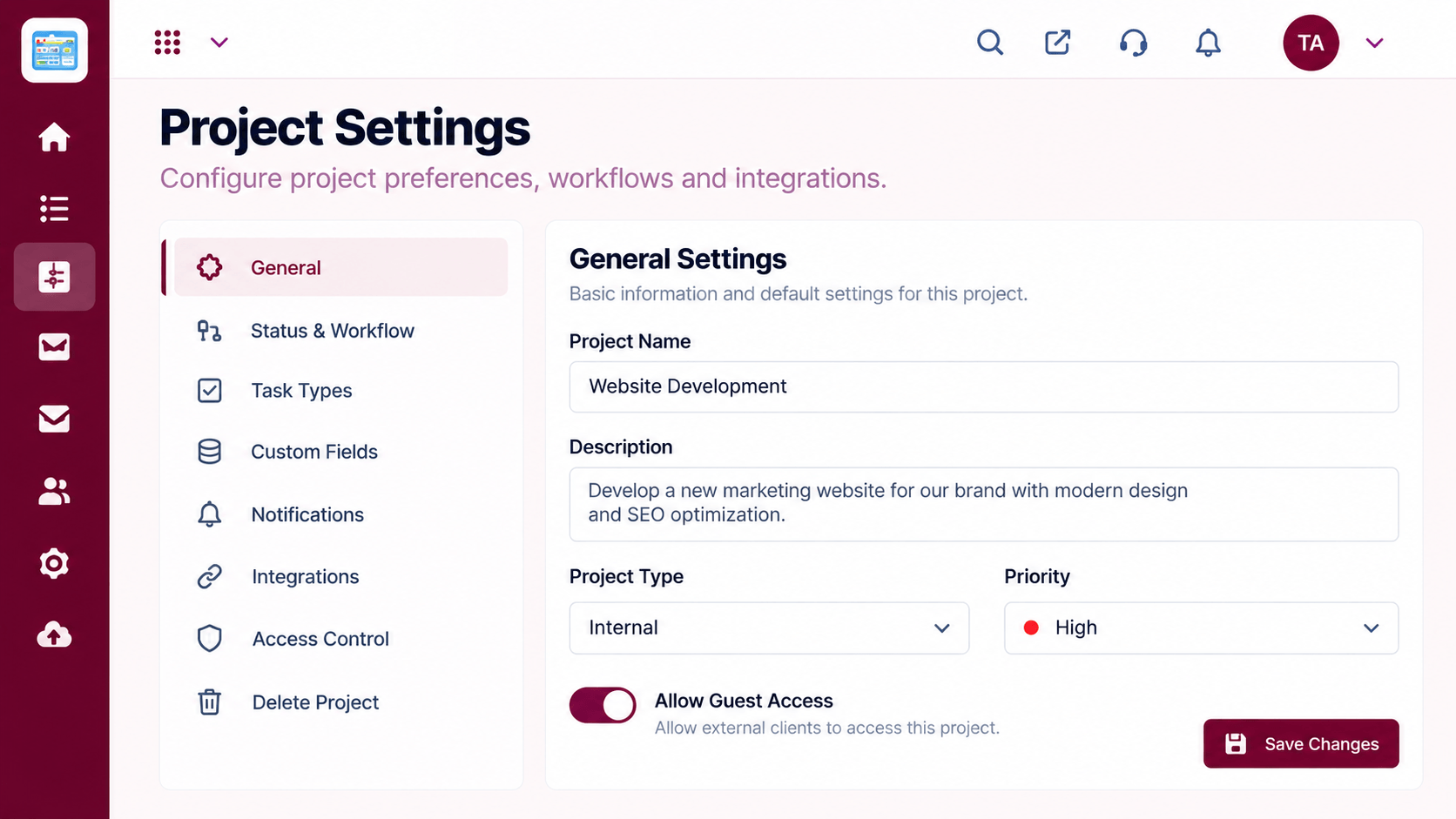 Settings
Configure statuses, access and preferences
Feature Breakdown
Captured from the Triostack Projects workspace.
 Project Features
Run the daily work.
 Project Features
Plan the dates.
 Project Features
Organise people.
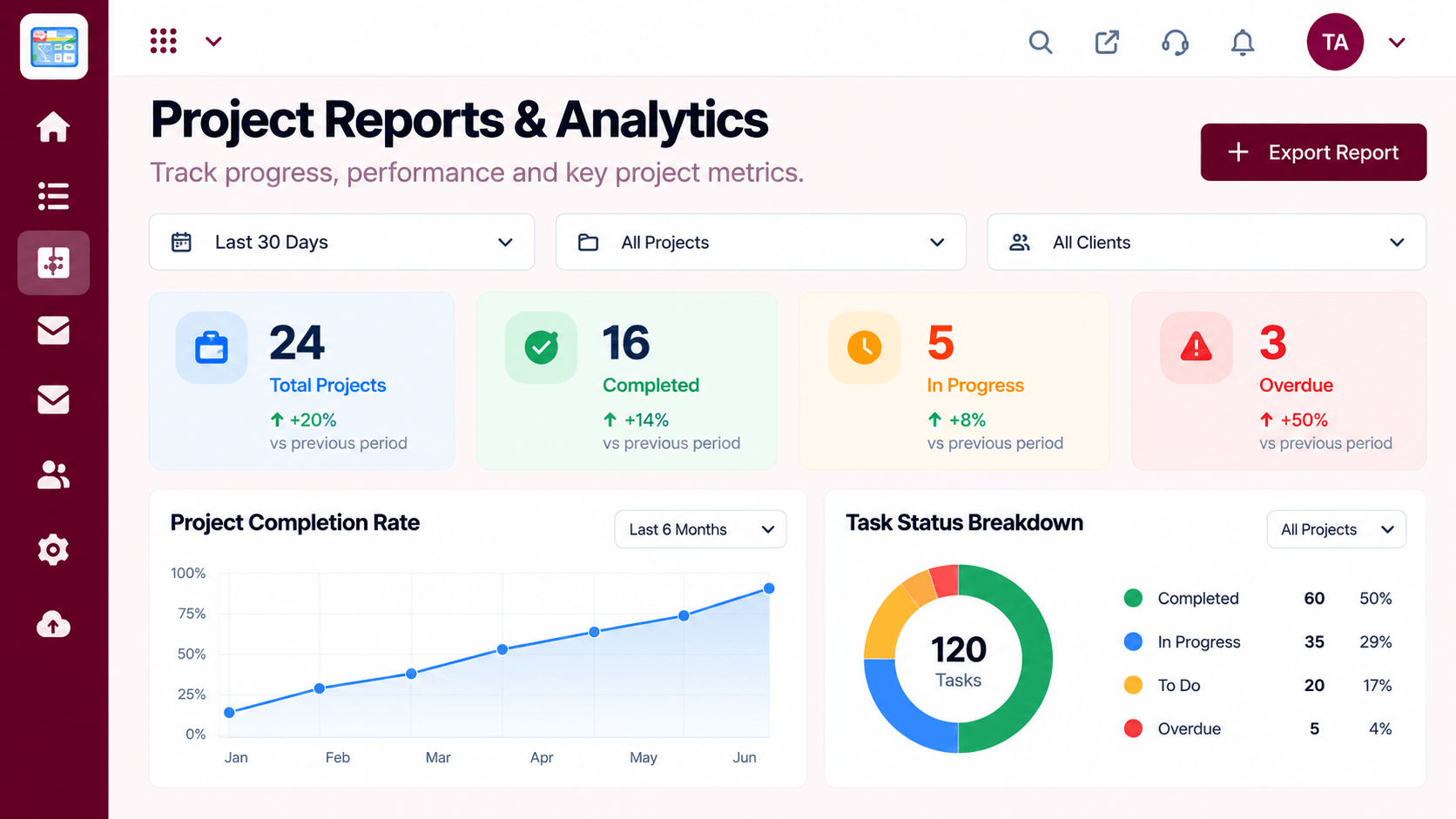 Project Features
See how it is going.
Execution Plan
Set scope, dates and owners.
Break the work into tasks and stages.
Lay out the timeline and invite the team.
Watch progress and share insights.
In Real Life
Scenario 01
Create a project and move tasks onto a board.
Scenario 02
Add timelines and milestones.
Scenario 03
Use timesheets and reports to improve planning.
Frequently Asked Questions
Tasks, boards, timelines and milestones, team collaboration, timesheets and reports.
Yes. Start with one project and a board, and add more as you go.
Projects is part of Triostack One. Ask us about the connections available.
You can start a free trial from the Projects pages.
Tasks, boards, timelines, workload and reports in one workspace, built for teams who deliver on time.
