The best Business Suite software in India, built to help your business grow. Contact us at +91-8882435276.
[ Contact ]
Phone number
Email address
Head office
Noida office
The right team at TriostackOne will get back to you.
Break work into tasks with an owner, a due date and a status, so everyone knows what to do next and nothing disappears between messages.

Every task, its owner and its status in one place
Positioning Assessment
Tasks arrive as messages, meeting notes and hallway requests. Without one place to track them, nobody is sure who agreed to what, or by when.
Triostack Projects turns each piece of work into a task with an owner, a due date and a status. Teams see what is open, what is late and what is done, and can add notes and files to the task itself.
“Once every request became a task with a name and a date on it, the Monday 'who was doing that?' conversation disappeared.”
Sample team scenario
Illustrative example, not a customer testimonial
Illustrated Overview
Imagine every request pinned to a board with a name and a date. Nothing floats in the air, and nobody has to remember.
Requests stop living in five different chats.
Ownership is visible to the whole team.
Status stages show what is moving and what is stuck.
Platform Integrity
A person for every task
Deadlines visible to everyone
See progress at a glance
Notes and changes kept together
How It Works
What changes when work is tracked as tasks.
| Dimension | Triostack Projects | Chats & Spreadsheets |
|---|---|---|
| Ownership | Each task assigned to a person | Whoever replied last |
| Deadlines | Due dates on every task | Dates buried in messages |
| Status | Stages from to-do to done | Ask around for updates |
| Context | Notes and files on the task | Scattered attachments |
| Overview | Filter by owner, status or date | Manual tallies |
Book a walkthrough and we will set up a sandbox with a sample project so you can try boards, timelines and reports before you commit.
Live Interface Tour
Real screens captured directly from the Triostack Projects workspace.
 Overview
Status, progress and key numbers at a glance
 Team
TeamWho is on the project and what they own
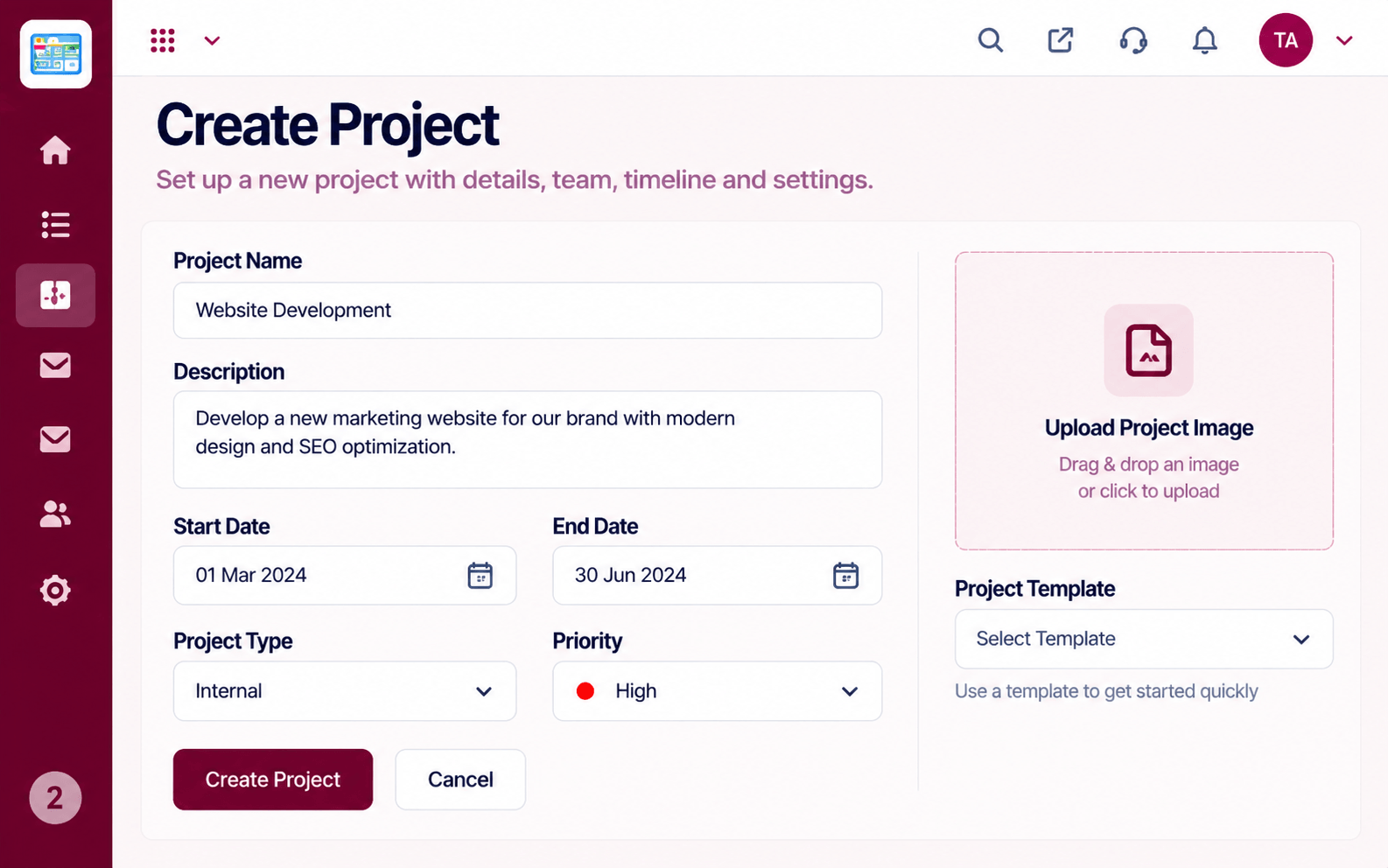 Projects
Set up a project with scope, dates and owners
Feature Breakdown
Captured from the Triostack Projects workspace.
Project FeaturesSee tasks move across stages.
Project FeaturesHow the whole project is doing.
Project FeaturesWho owns what.
 Project Features
Spot overloaded people.
Execution Plan
A request becomes a task with a title and a due date.
An owner is named and notified.
The owner updates status and adds notes.
The task is closed and kept on record.
In Real Life
Scenario 01
The team reviews open tasks and agrees what moves this week.
Scenario 02
A colleague picks up tasks with full notes attached.
Scenario 03
A late-night message becomes a task with an owner by morning.
Frequently Asked Questions
A title, owner, due date, status and notes, with room for the context the work needs.
Yes. Filter by owner, status or date to focus on what is yours.
Yes. Due dates make late work easy to spot.
Yes. Notes and changes stay with the task.
Tasks, boards, timelines, workload and reports in one workspace, built for teams who deliver on time.
