The best Business Suite software in India, built to help your business grow. Contact us at +91-8882435276.
[ Contact ]
Phone number
Email address
Head office
Noida office
The right team at TriostackOne will get back to you.
Record time against projects and tasks, so you can see effort, plan realistically and understand what work really costs.

Hours tied to the work they were spent on
Positioning Assessment
Teams plan in days and weeks but rarely record how long things take. The next estimate is as hopeful as the last.
Timesheets let people record time against projects and tasks. Managers see where effort goes, teams learn how long work takes, and planning becomes less of a guess. Ask us what reporting is available on your plan.
“After two months of timesheets, our estimates got noticeably better. We finally had data to learn from.”
Sample team scenario
Illustrative example, not a customer testimonial
Illustrated Overview
Imagine a stopwatch that fills in rows of hours as the week goes by, so at Friday you can see exactly where it all went.
Small entries beat Friday reconstruction.
A grid shows the shape of effort.
Real data sharpens estimates.
Platform Integrity
Hours against tasks and projects
A simple grid for the week
By project, task and person
Compare effort with plans
How It Works
What recording time adds to planning.
| Dimension | Triostack Projects | No Time Records |
|---|---|---|
| Effort | Recorded against tasks | Remembered vaguely |
| Estimates | Improved with real data | Repeat the same guesses |
| Visibility | Where hours go | Unknown |
| Workload | See who is stretched | Hear it in complaints |
| Reporting | Totals by project and person | Manual summaries |
Book a walkthrough and we will set up a sandbox with a sample project so you can try boards, timelines and reports before you commit.
Live Interface Tour
Real screens captured directly from the Triostack Projects workspace.
 Overview
Status, progress and key numbers at a glance
 Planning
Dates, dependencies and milestones on one timeline
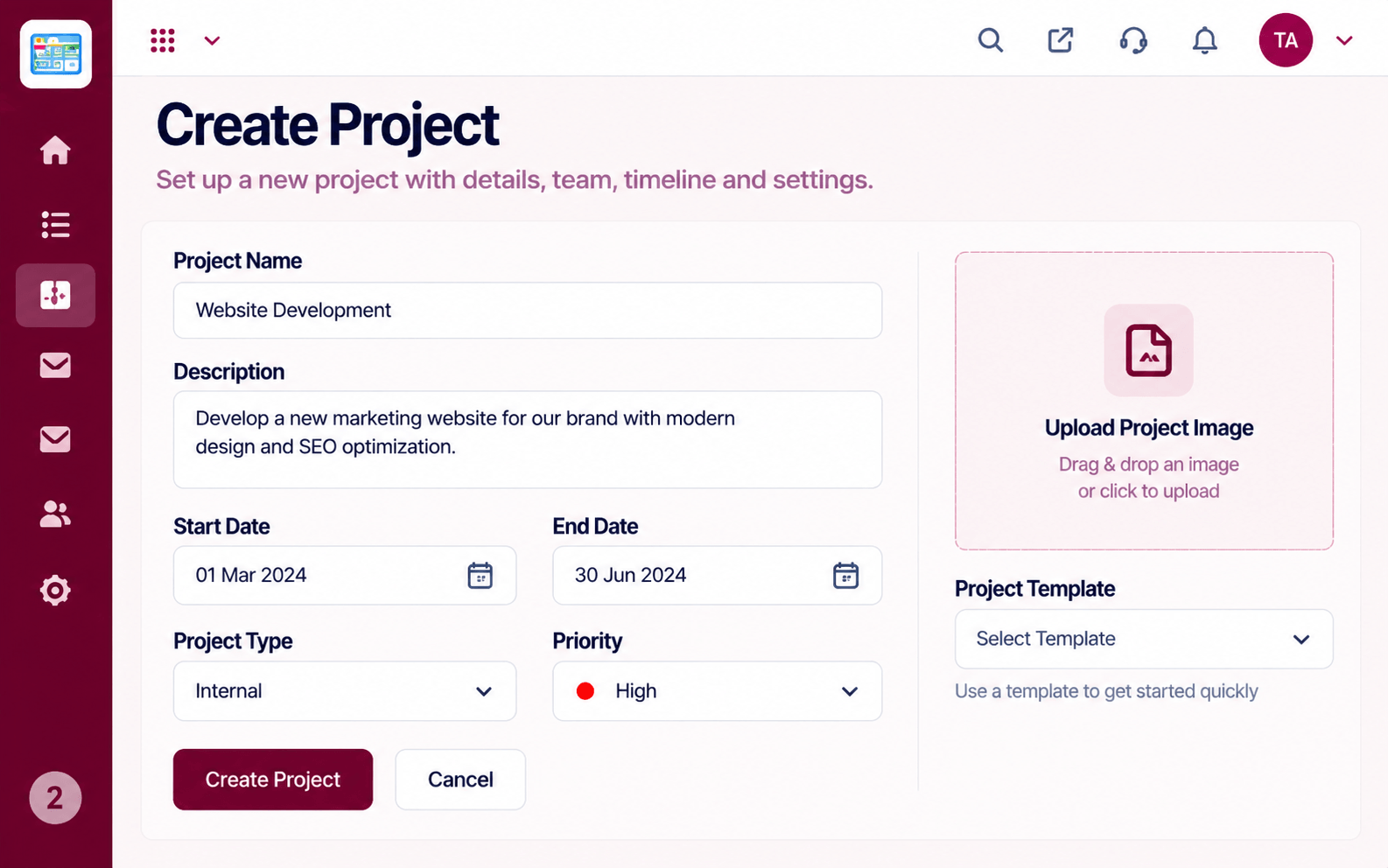 Projects
Set up a project with scope, dates and owners
Feature Breakdown
Captured from the Triostack Projects workspace.
Project FeaturesWhere the effort sits.
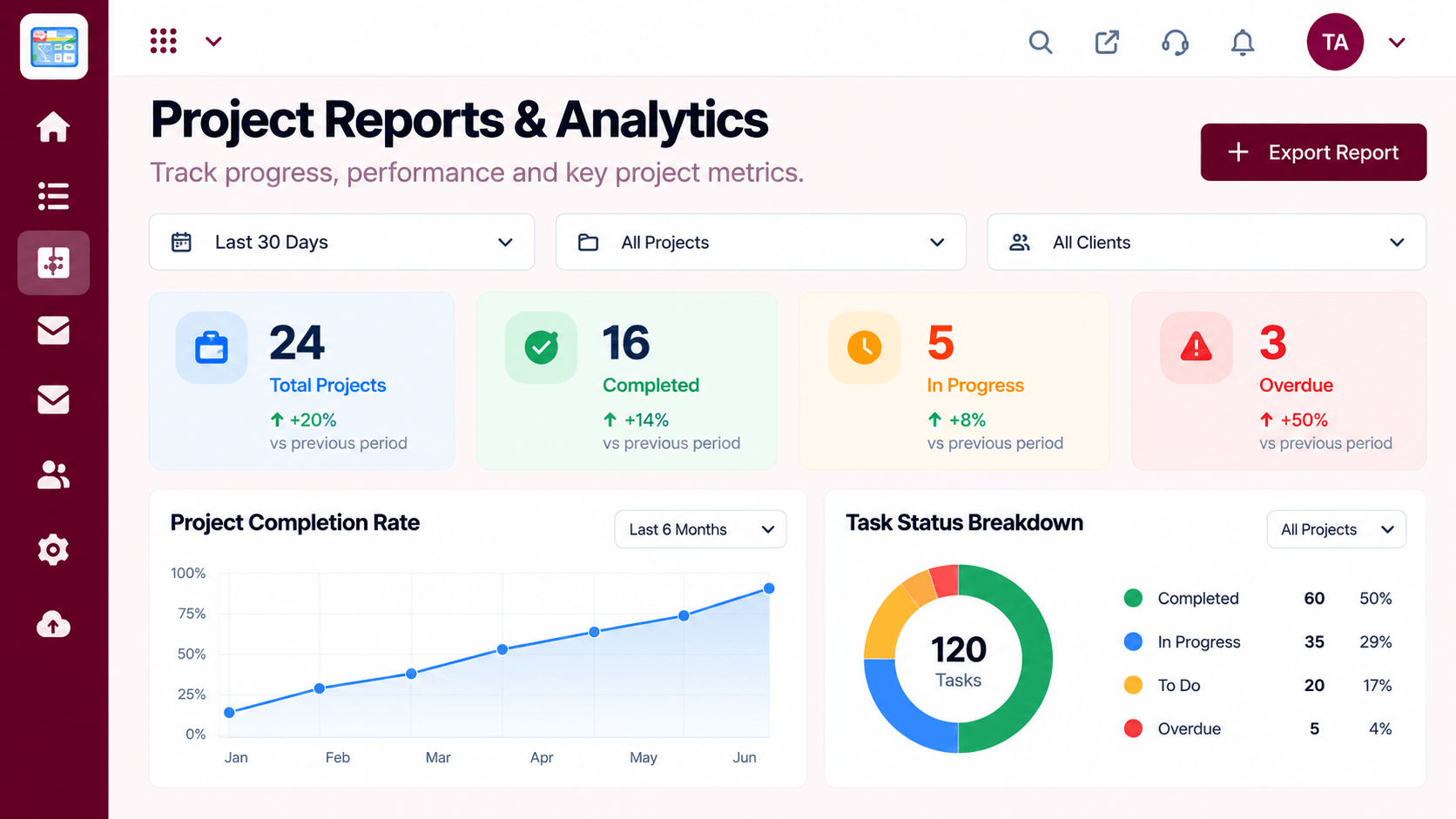 Project Features
Totals and trends.
 Project Features
Log time on the task.
 Project Features
Who logs what.
Execution Plan
Open the task you worked on.
Add the time spent.
Check the weekly grid.
Use totals to improve the next plan.
In Real Life
Scenario 01
Past hours guide a realistic quote.
Scenario 02
Workload shows who is over capacity.
Scenario 03
The team reviews where time really went.
Frequently Asked Questions
Recording the time people spend on tasks and projects.
Reports can summarise time by project and person. Ask us about what your plan includes.
Ask us about billing-related features. We do not assume them here.
Logging against a task takes a few seconds.
Tasks, boards, timelines, workload and reports in one workspace, built for teams who deliver on time.
