The best Business Suite software in India, built to help your business grow. Contact us at +91-8882435276.
[ Contact ]
Phone number
Email address
Head office
Noida office
The right team at TriostackOne will get back to you.
Turn tasks, dates and workload into clear reports, so leaders see progress, risks and delivery without chasing updates.
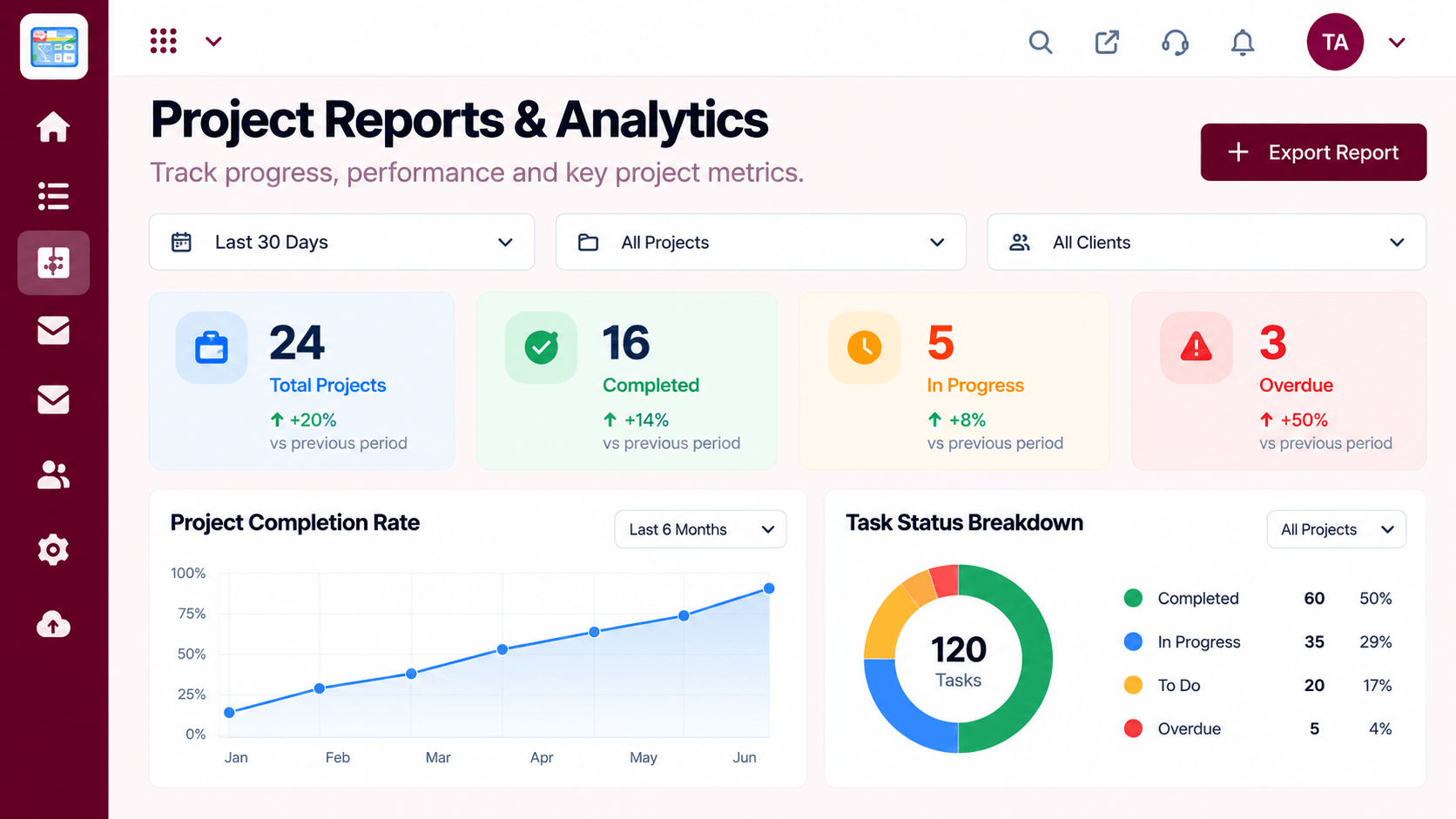
Status that comes from the work itself
Positioning Assessment
Leaders ask for updates because the work itself does not tell them. Project managers spend hours compiling slides that are out of date by the time they are shared.
Reports in Triostack Projects are built from the live work: tasks, dates, owners and workload. You can see progress, late items and who is stretched at any moment.
“The report is simply the current state of the project. We stopped building weekly status slides.”
Sample team scenario
Illustrative example, not a customer testimonial
Illustrated Overview
Picture a cockpit panel: progress as a gauge, risks as warning lights, workload as a fuel meter. All fed by the work itself.
Nothing to compile.
Late work is flagged.
Status without status meetings.
Platform Integrity
Built from real tasks
Late and blocked work
Who is stretched
How delivery changes over time
How It Works
What changes when reports come from the work.
| Dimension | Triostack Projects | Manual Updates |
|---|---|---|
| Source | Live task data | Compiled by hand |
| Freshness | Always current | Out of date on arrival |
| Risks | Late items stand out | Found in meetings |
| Effort | None to produce | Hours each week |
| Detail | Drill into a task | A summary slide |
Book a walkthrough and we will set up a sandbox with a sample project so you can try boards, timelines and reports before you commit.
Live Interface Tour
Real screens captured directly from the Triostack Projects workspace.
 Tasks
TasksTasks moving across the stages of work
 Planning
Dates, dependencies and milestones on one timeline
 Team
TeamWho is on the project and what they own
Feature Breakdown
Captured from the Triostack Projects workspace.
Project FeaturesProgress and trends.
 Project Features
A quick summary.
 Project Features
Capacity at a glance.
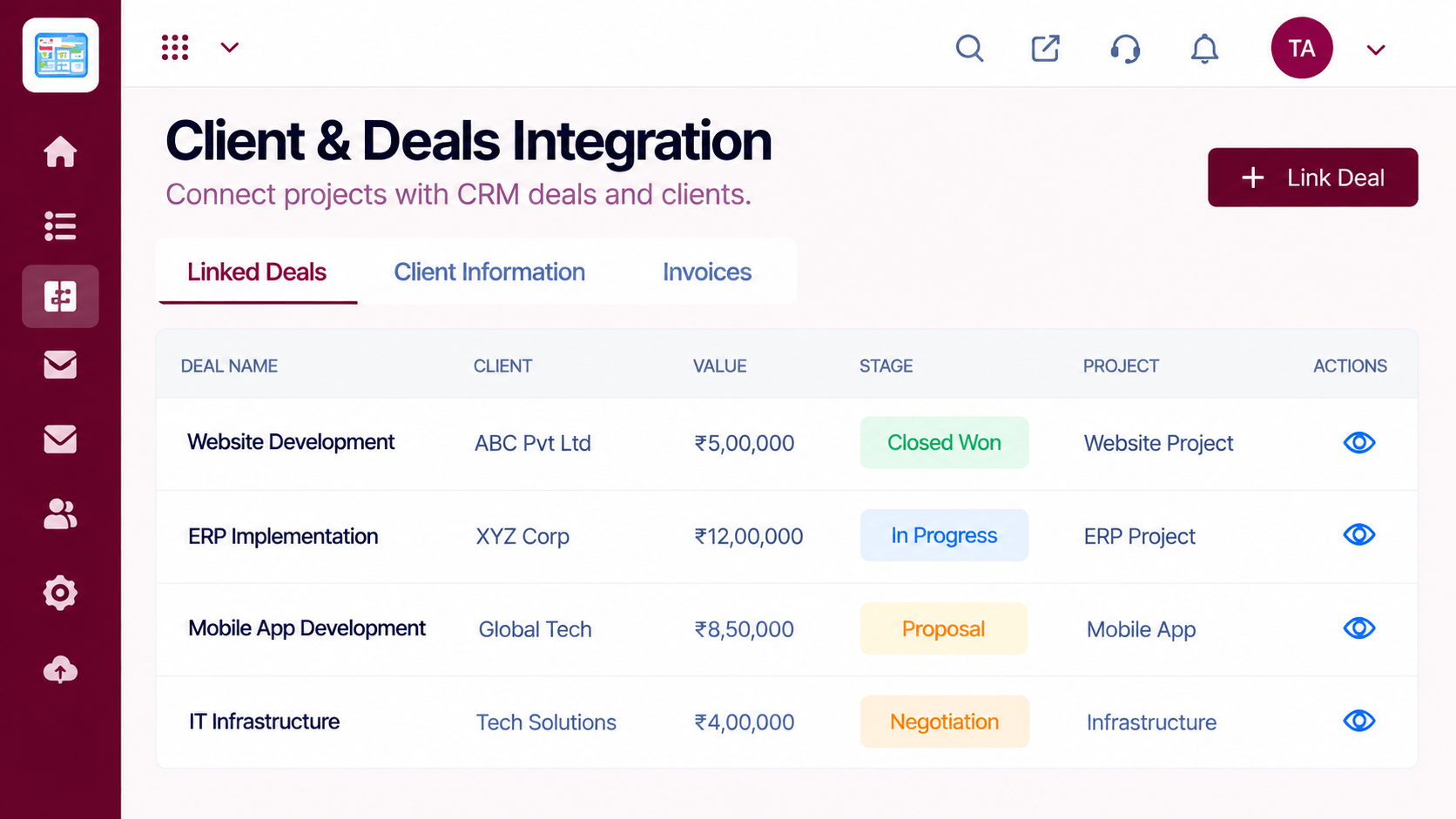 Project Features
Delivery by client.
Execution Plan
Check progress and late items.
Look at blocked or overdue work.
See who needs help.
Share the report and agree actions.
In Real Life
Scenario 01
A single screen replaces a slide deck.
Scenario 02
Overdue and blocked work is visible instantly.
Scenario 03
Workload shows where to add a hand.
Frequently Asked Questions
Progress, late work, workload and trends from your projects. Ask us what your plan includes.
They reflect the current state of tasks and dates.
Yes, with your team or stakeholders.
Reports use the tasks and dates already in your projects.
Tasks, boards, timelines, workload and reports in one workspace, built for teams who deliver on time.
