The best Business Suite software in India, built to help your business grow. Contact us at +91-8882435276.
[ Contact ]
Phone number
Email address
Head office
Noida office
The right team at TriostackOne will get back to you.
Organise tasks as cards across stages, so the whole team can see what is waiting, what is in progress and what has shipped.

The state of the project in a single glance
Positioning Assessment
A flat list of tasks hides flow. You cannot tell whether work is piling up in review or whether nothing has started.
Project boards lay tasks out as cards in stage columns. Moving a card changes its status, and the team can see bottlenecks form before they become delays.
“The board made our bottleneck obvious. Everything was waiting for review, and we had never noticed.”
Sample team scenario
Illustrative example, not a customer testimonial
Illustrated Overview
Picture a whiteboard with columns where each note can be dragged forward. The team sees the story of the project in colours and columns.
Columns follow your process.
A drag updates the status.
A crowded column tells you where to help.
Platform Integrity
Shape the board to your process
Move cards to update status
Owner, dates and notes on each card
Everyone sees the same board
How It Works
What a visual board adds to a list.
| Dimension | Triostack Projects | Flat Task List |
|---|---|---|
| Flow | Stages show where work sits | Everything looks the same |
| Bottlenecks | Piles in one column stand out | Hidden in the list |
| Updates | Drag a card to change status | Edit each field by hand |
| Team View | One shared board | Each person's own list |
| Planning | Rebalance by looking at columns | Count rows |
Book a walkthrough and we will set up a sandbox with a sample project so you can try boards, timelines and reports before you commit.
Live Interface Tour
Real screens captured directly from the Triostack Projects workspace.
 Tasks
TasksTasks moving across the stages of work
 Team
TeamWho is on the project and what they own
 Planning
Dates, dependencies and milestones on one timeline
Feature Breakdown
Captured from the Triostack Projects workspace.
Project FeaturesThe big picture behind the board.
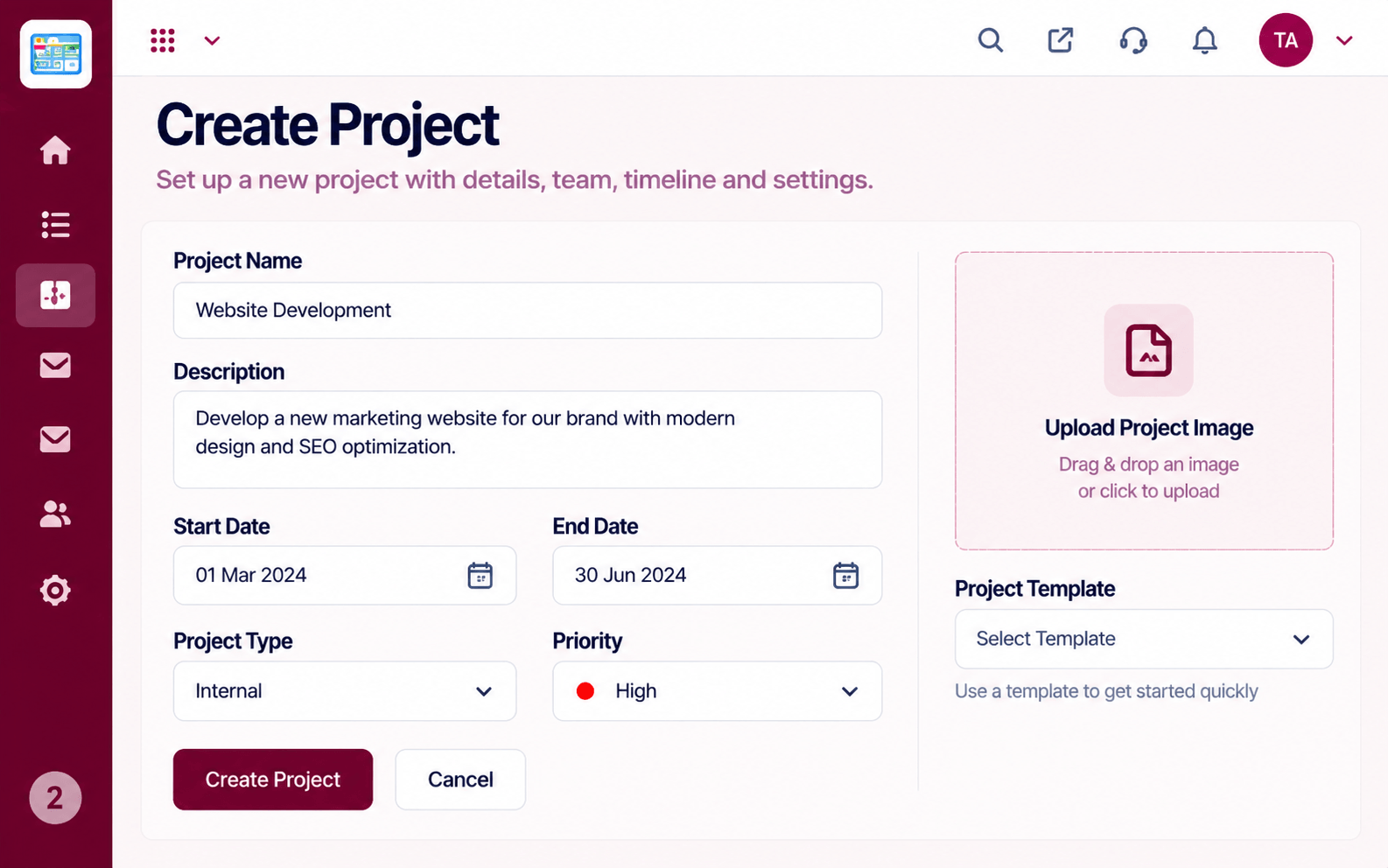 Project Features
Start with the right setup.
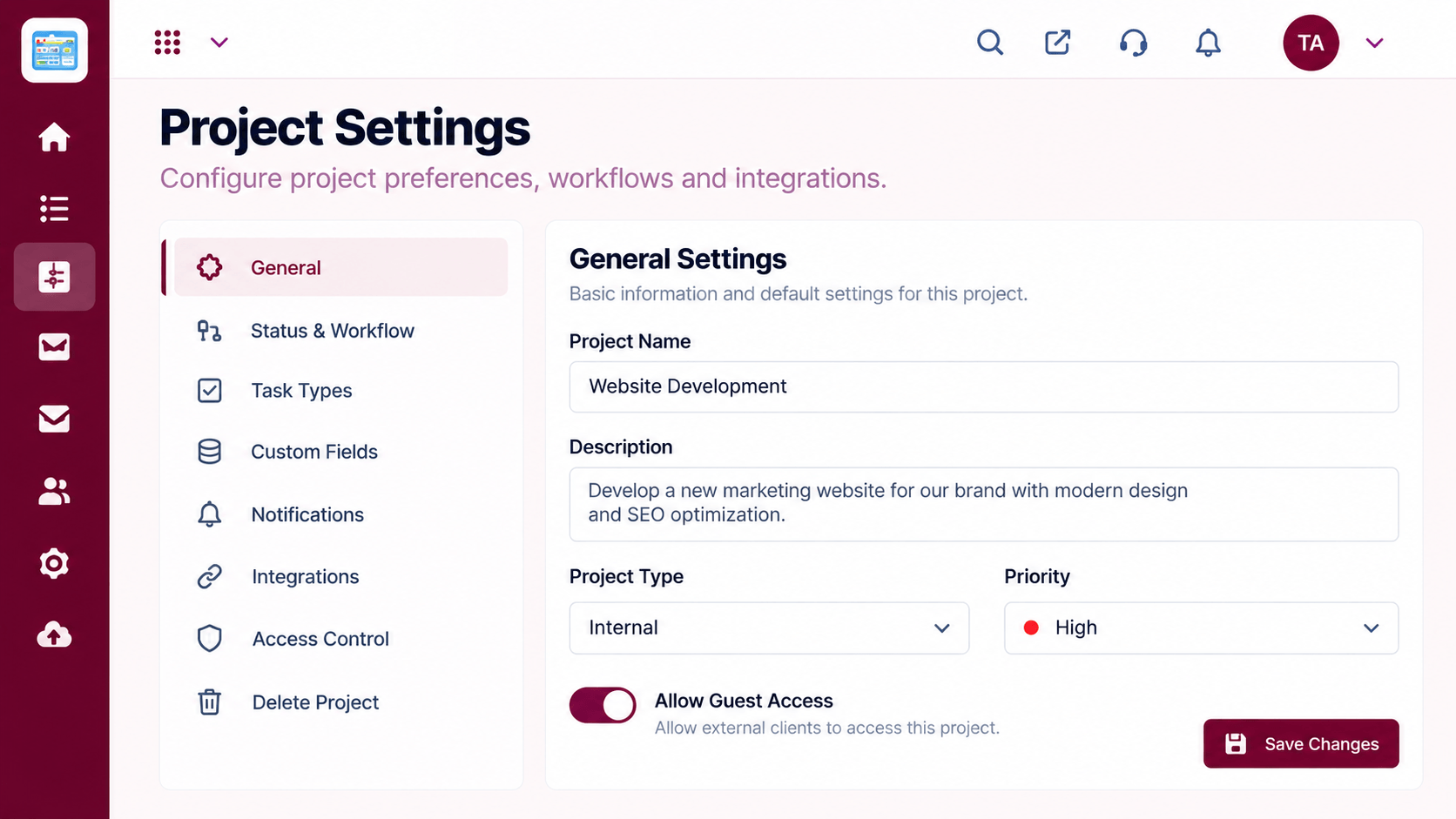 Project Features
Tune stages and access.
Project FeaturesThe cards themselves.
Execution Plan
To do, in progress, review, done, or your own.
Create tasks for the work ahead.
Drag cards as the work advances.
Spot bottlenecks and rebalance.
In Real Life
Scenario 01
The team walks the board from right to left.
Scenario 02
A crowded review column prompts extra reviewers.
Scenario 03
The board shows exactly what is done.
Frequently Asked Questions
Yes. Shape the columns to match how your team works.
Filters let you focus on an owner or a status.
Yes. The column represents the stage.
Yes, with access controlled in project settings.
Tasks, boards, timelines, workload and reports in one workspace, built for teams who deliver on time.
