The best Business Suite software in India, built to help your business grow. Contact us at +91-8882435276.
[ Contact ]
Phone number
Email address
Head office
Noida office
The right team at TriostackOne will get back to you.
Share tasks, notes and files in the open so teammates, clients and managers can see context and contribute without long email chains.

Conversation and work in the same place
Positioning Assessment
When work is discussed in private threads, the people who need the context are never in the right thread. Decisions are lost and questions repeat.
In Triostack Projects, discussion lives on the task and the project. Members see who owns what, notes and files stay attached, and roles control who can see or change things.
“The decision is on the task. Anyone who joins later can read why we chose it.”
Sample team scenario
Illustrative example, not a customer testimonial
Illustrated Overview
Imagine everyone gathered around one table where tasks, notes and files sit within reach of every seat.
No private versions.
Recorded where work happens.
The right people see the right things.
Platform Integrity
Notes and files on the task
Who can see or change what
Who is doing what
Less email back-and-forth
How It Works
What changes when collaboration happens in the open.
| Dimension | Triostack Projects | Private Threads |
|---|---|---|
| Context | On the task, for everyone | In someone's inbox |
| Decisions | Recorded where work happens | Lost in chat |
| Newcomers | Read the task history | Ask around |
| Ownership | Visible | Assumed |
| Access | Role-based | Whoever was copied |
We will help you create your first project and board end to end, from tasks to timeline, in your first session.
Live Interface Tour
Real screens captured directly from the Triostack Projects workspace.
 Planning
Dates, dependencies and milestones on one timeline
 Overview
Status, progress and key numbers at a glance
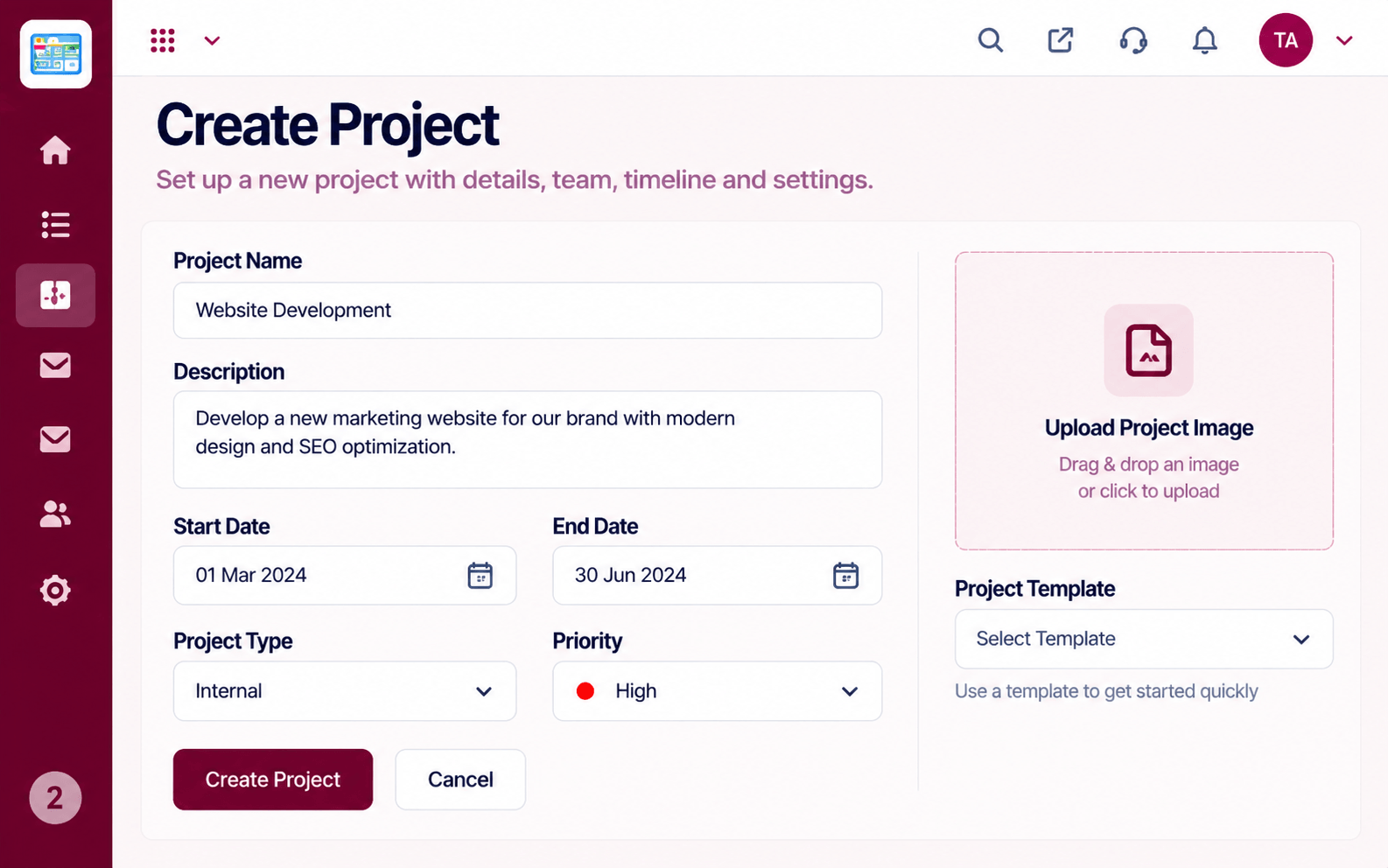 Projects
Set up a project with scope, dates and owners
Feature Breakdown
Captured from the Triostack Projects workspace.
What You Can DoWho is on the project.
 What You Can Do
Shared work in the open.
 What You Can Do
Fair sharing of effort.
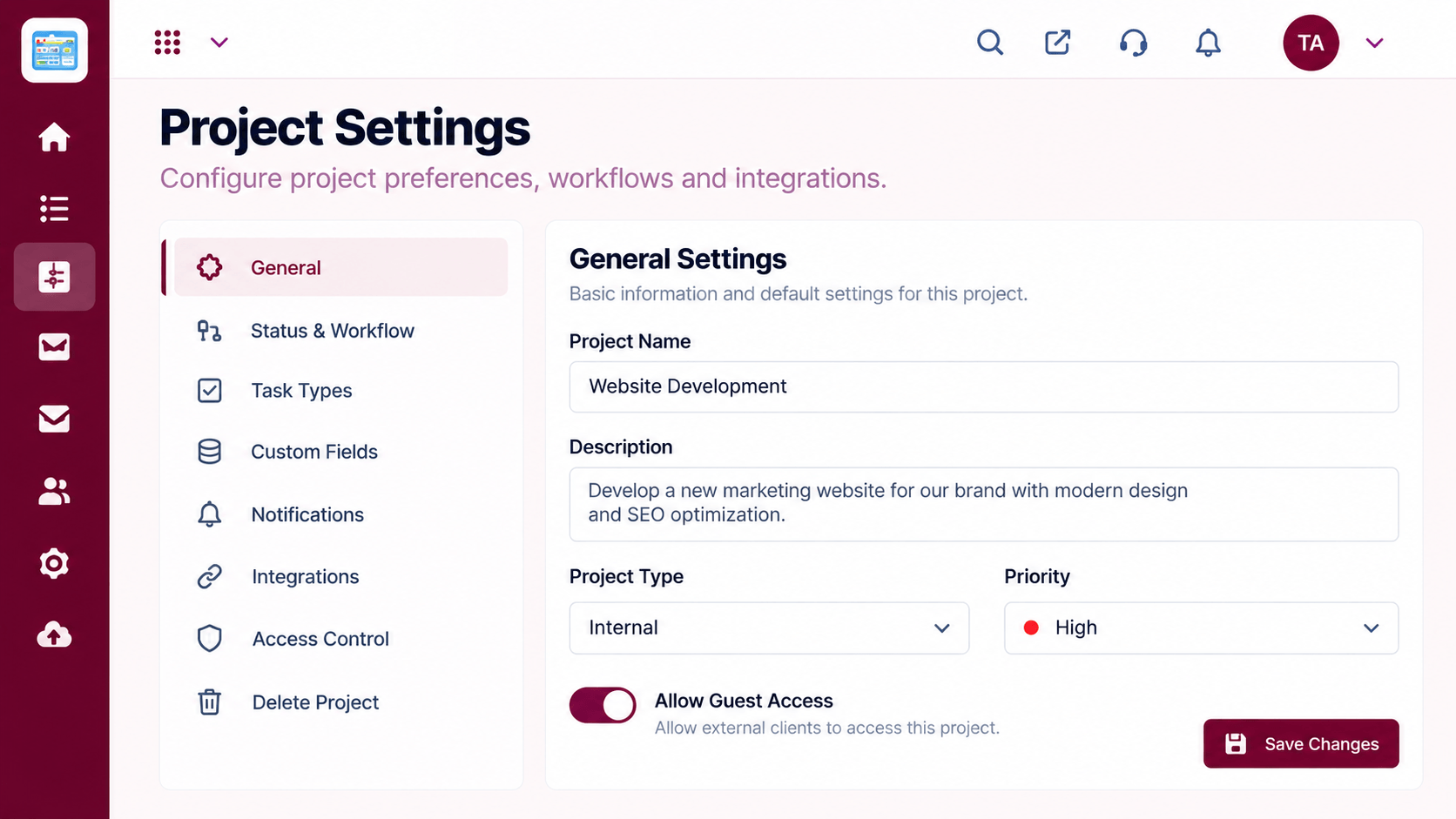 What You Can Do
Roles and access.
Execution Plan
Add members with the right roles.
Make responsibility visible.
Keep decisions with the work.
Use the overview and board in meetings.
In Real Life
Scenario 01
Design, content and engineering share one board.
Scenario 02
Reads task history to catch up.
Scenario 03
A client reviewer comments directly on the task, within their role.
Frequently Asked Questions
Access is controlled by roles. Ask us how to set up external members.
On the task, so they stay with the work.
Yes, through project permissions.
No. It keeps decisions and context with the work.
Tasks, boards, timelines, workload and reports in one workspace, built for teams who deliver on time.
