The best Business Suite software in India, built to help your business grow. Contact us at +91-8882435276.
[ Contact ]
Phone number
Email address
Head office
Noida office
The right team at TriostackOne will get back to you.
A guided tour of the ways teams use Projects, from client delivery and campaigns to internal initiatives, with links to the capabilities behind each.

One workspace, many kinds of work
Positioning Assessment
A design agency, an operations team and a school office all run projects, but the work looks nothing alike. Underneath, each needs the same things: a scope, owners, a timeline, visibility and reporting.
Triostack Projects supports those basics so teams can shape them to their own work. This page maps common use cases to the capabilities that serve them. Ask us about yours.
“We use it for client work, internal launches and even office moves. The setup differs, the structure is the same.”
Sample team scenario
Illustrative example, not a customer testimonial
Illustrated Overview
Picture one sturdy toolbox that different teams open and arrange in their own way, with the same tools underneath.
Scope, owners, timeline and reports.
Statuses and stages fit your work.
Add teams and projects over time.
Platform Integrity
Scope, tasks and reporting
Dates and hand-offs
Owners and milestones
Repeatable processes
How It Works
Common use cases mapped to the parts of Projects that support them.
| Dimension | Triostack Projects | Without Projects |
|---|---|---|
| Client Delivery | Projects, tasks, deals and reports | Spreadsheets and email |
| Campaigns | Timeline, board and owners | Shared calendars and chat |
| Internal Initiatives | Milestones and overview | Slide decks and meetings |
| Operations | Repeatable stages and reminders | Checklists in documents |
| Team Planning | Workload and capacity | Guesswork |
We will help you create your first project and board end to end, from tasks to timeline, in your first session.
Live Interface Tour
Real screens captured directly from the Triostack Projects workspace.
 Planning
Dates, dependencies and milestones on one timeline
 Team
TeamWho is on the project and what they own
 Resources
Who is overloaded and who has capacity
Feature Breakdown
Captured from the Triostack Projects workspace.
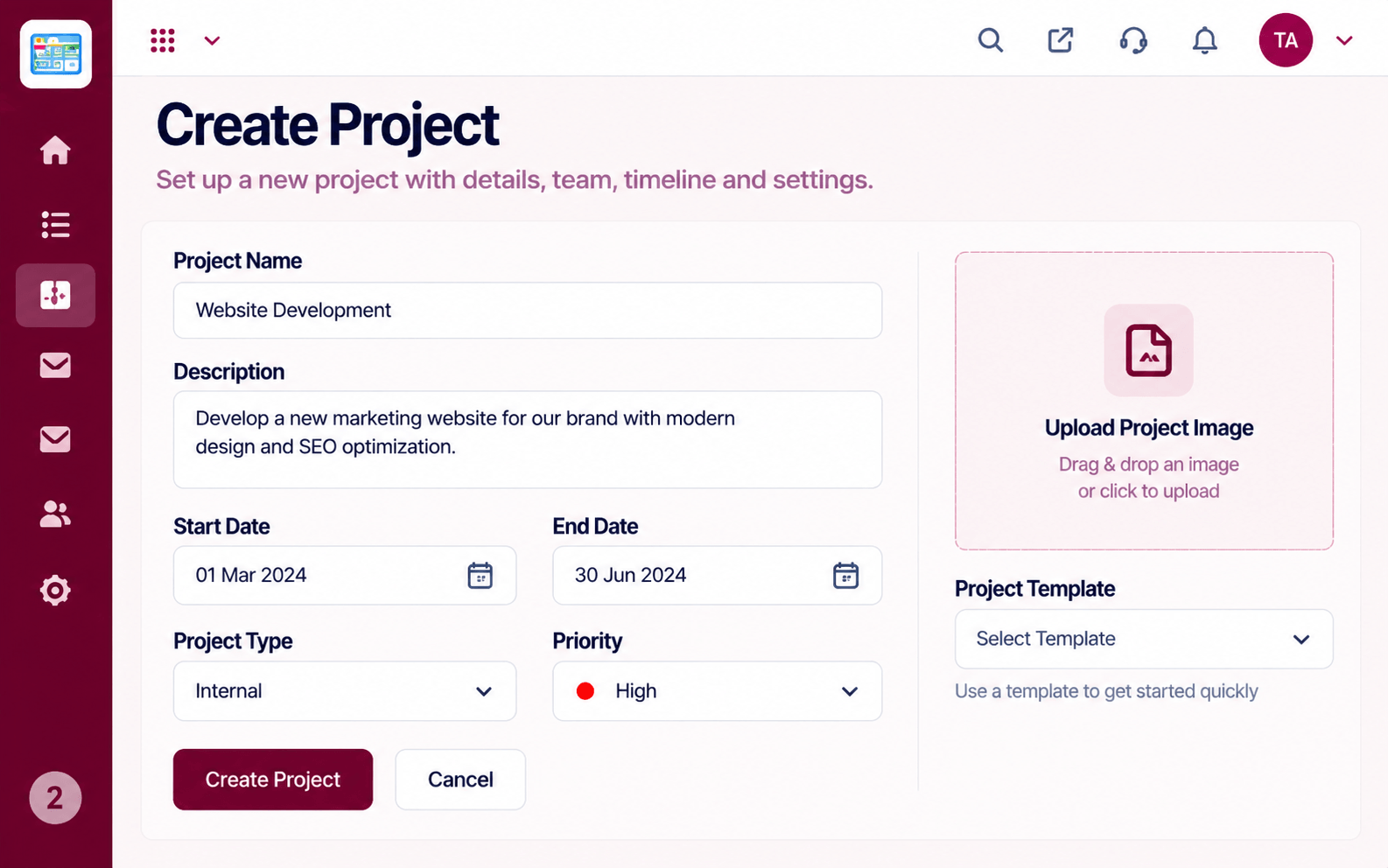 What You Can Do
Start any kind of work.
 What You Can Do
Run the work.
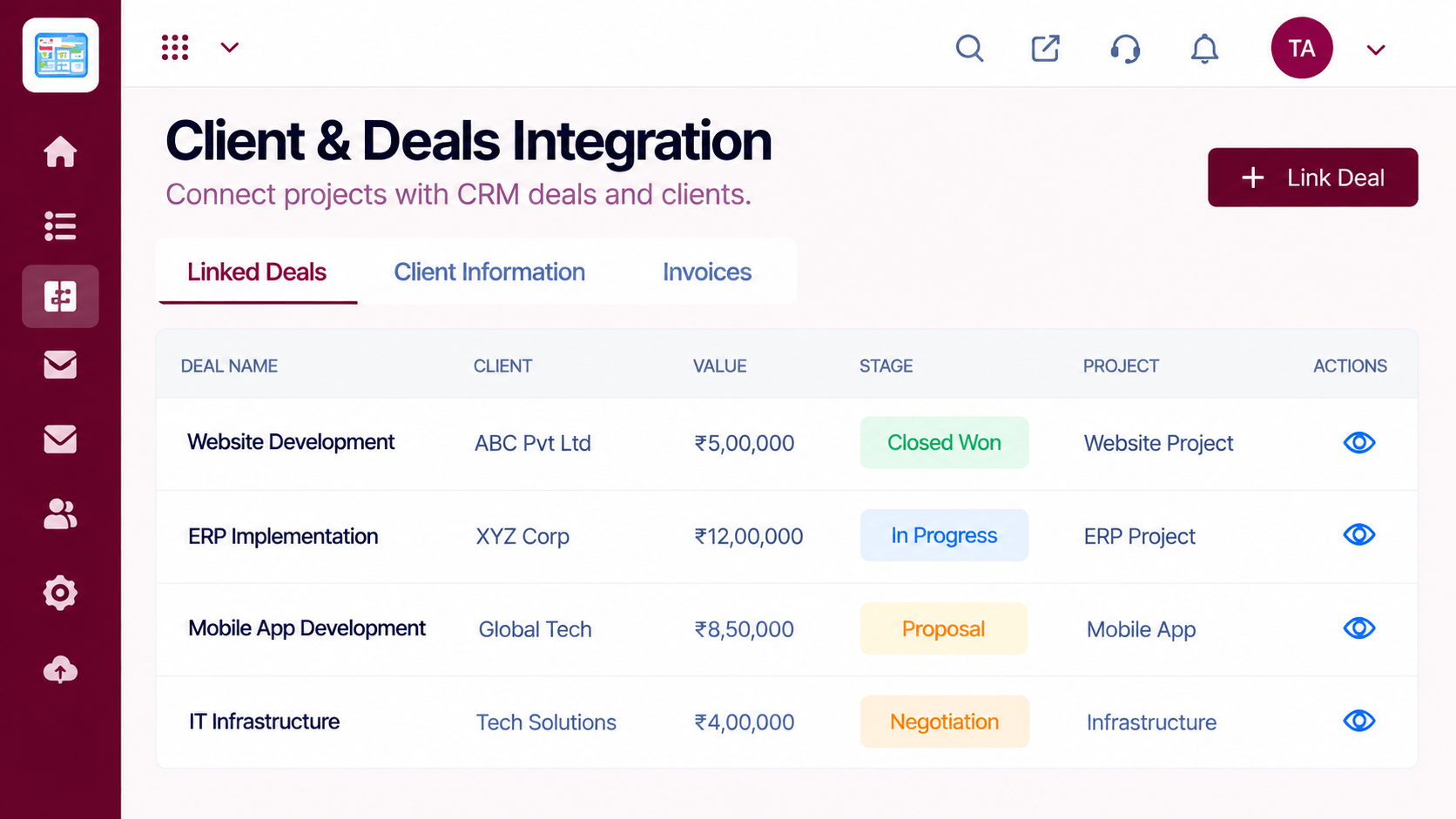 What You Can Do
Tie work to clients.
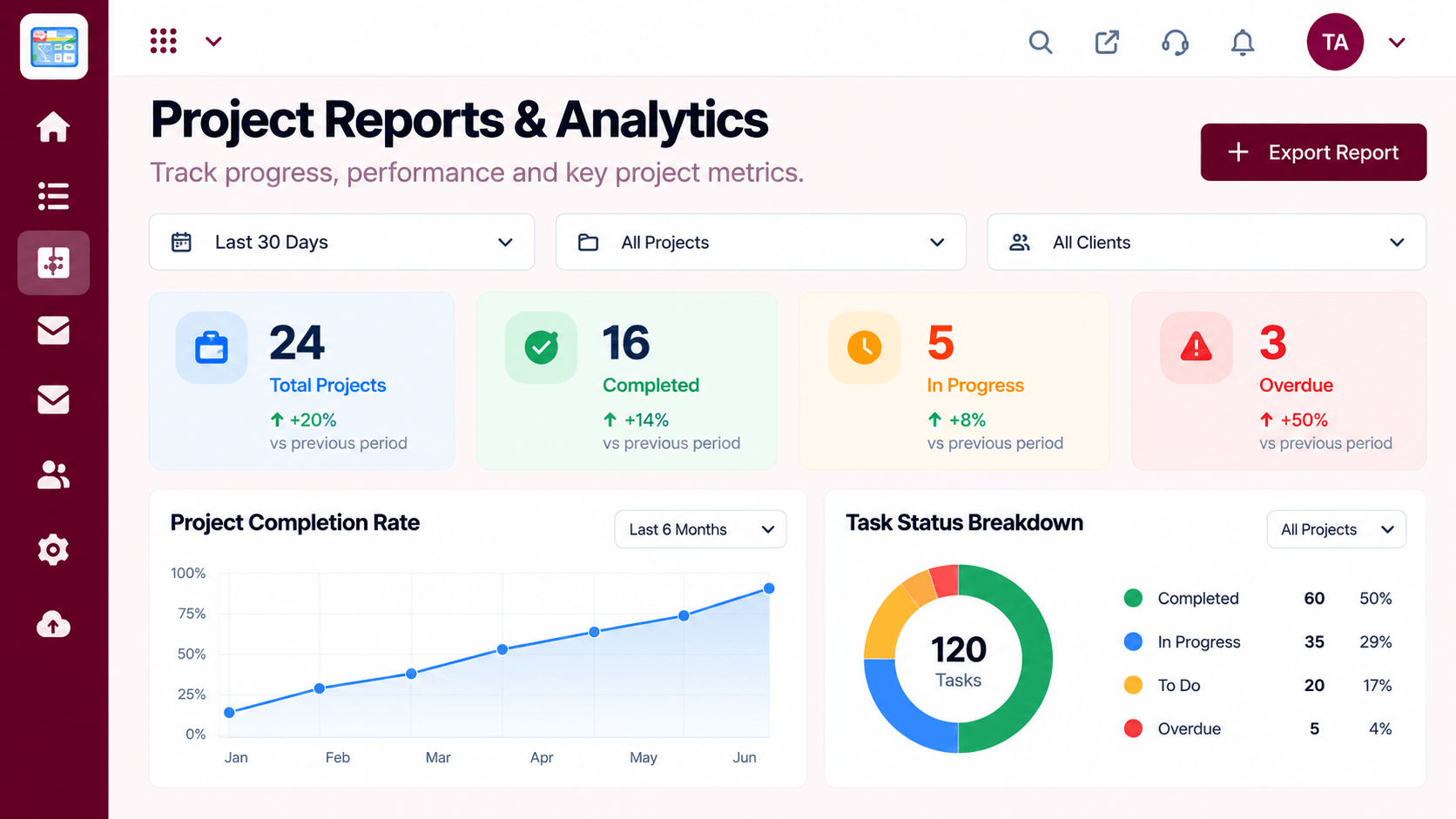 What You Can Do
Review how it went.
Execution Plan
Choose a real piece of work.
Scope, members and dates.
Use the board and timeline.
Use reports, then start the next.
In Real Life
Scenario 01
A client project with a board and a timeline.
Scenario 02
A repeatable monthly process with reminders.
Scenario 03
An admissions season planned with milestones.
Frequently Asked Questions
Client delivery, campaigns, internal initiatives and operations are common examples.
No. Shape the workspace to fit.
Yes, with roles and permissions.
With one real project and a guided setup.
Tasks, boards, timelines, workload and reports in one workspace, built for teams who deliver on time.
