The best Business Suite software in India, built to help your business grow. Contact us at +91-8882435276.
[ Contact ]
Phone number
Email address
Head office
Noida office
The right team at TriostackOne will get back to you.
Lay work out on a timeline, mark milestones and see what depends on what, so a slipping date is spotted before it becomes a missed one.

Dates and dependencies in one view
Positioning Assessment
Dates in a list look independent, but real work is linked: design before build, build before launch. When one slips, nobody sees what it pushes.
The timeline shows tasks and milestones along a calendar and highlights how they depend on each other, so you can move a date and see its effect before you commit.
“Moving one date on the timeline showed us three downstream tasks we had forgotten about.”
Sample team scenario
Illustrative example, not a customer testimonial
Illustrated Overview
Picture a railway timetable where each task is a train, and a delay on one line shows which connections will be missed.
Start, stops and finish in one picture.
Dependencies are drawn, not guessed.
See impact before you commit.
Platform Integrity
Work along the calendar
Key dates that matter
What waits for what
Adjust dates with context
How It Works
What changes when dates are laid out visually.
| Dimension | Triostack Projects | Dates in a List |
|---|---|---|
| Overview | Whole project at once | Row by row |
| Dependencies | Visible links | Kept in people's heads |
| Milestones | Marked clearly | Buried among tasks |
| Changes | Impact visible | Surprises downstream |
| Communication | A picture to share | A long list |
We will help you create your first project and board end to end, from tasks to timeline, in your first session.
Live Interface Tour
Real screens captured directly from the Triostack Projects workspace.
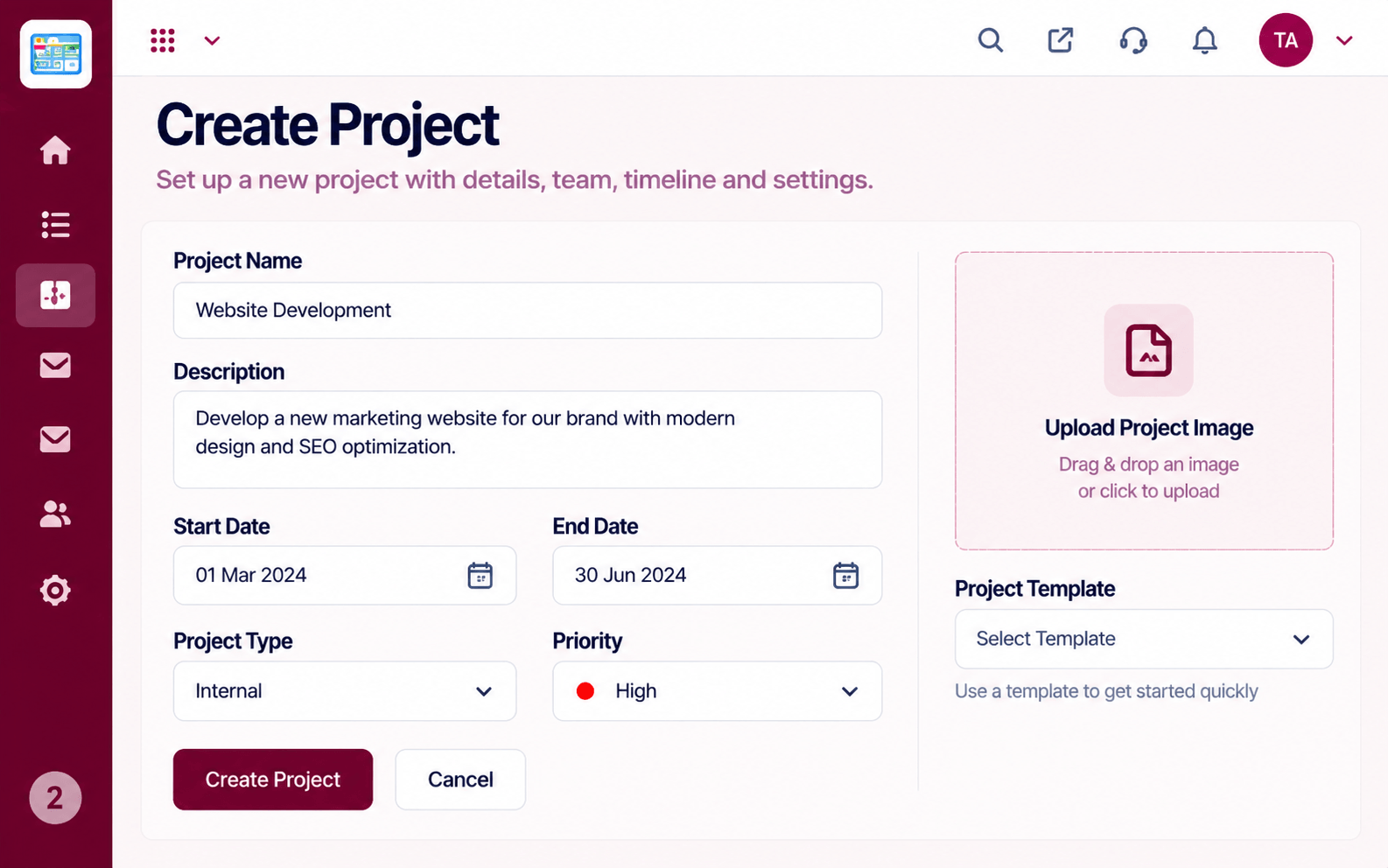 Projects
Set up a project with scope, dates and owners
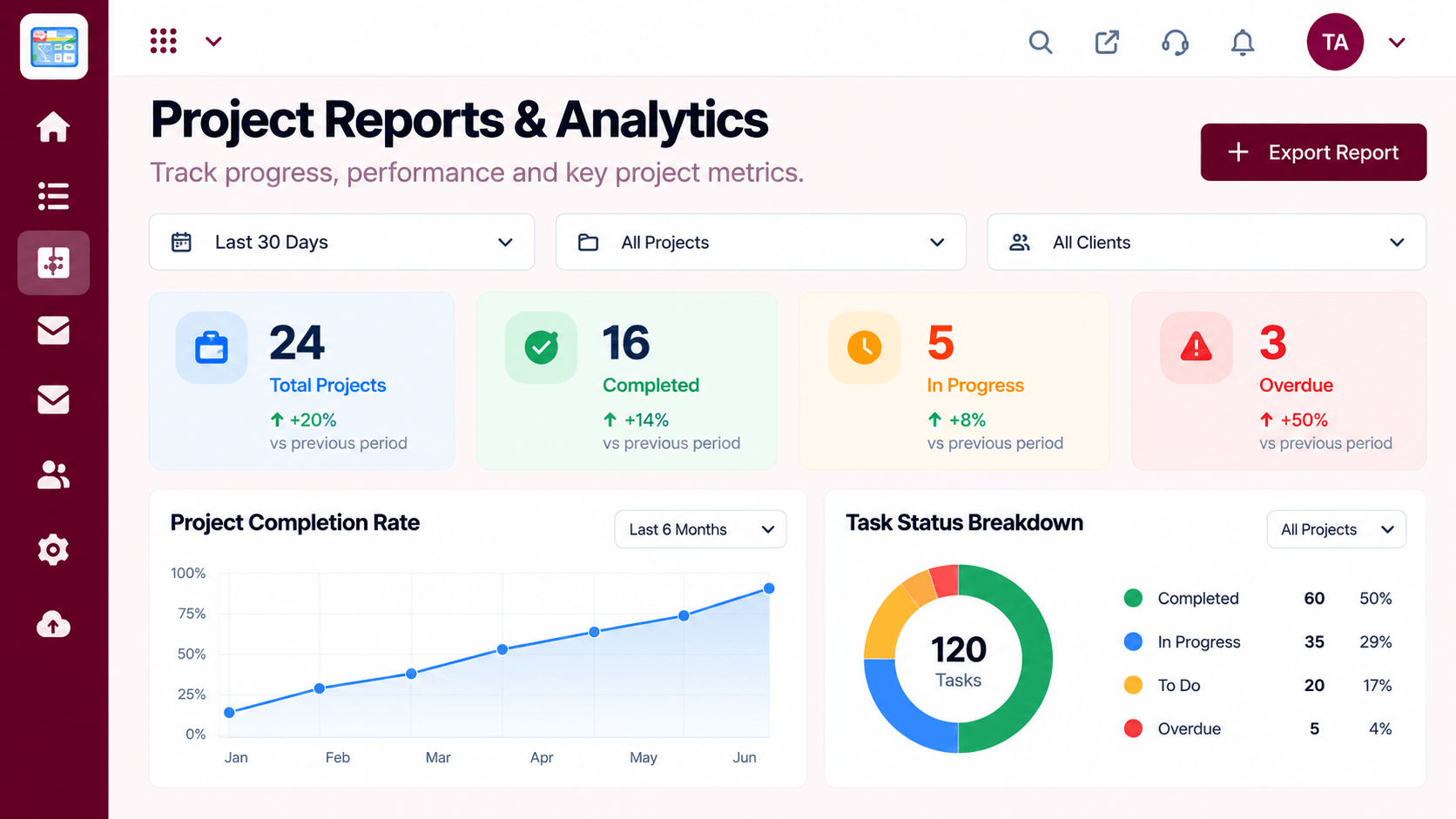 Reports
Progress, time and delivery insights
 Team
TeamWho is on the project and what they own
Feature Breakdown
Captured from the Triostack Projects workspace.
What You Can DoThe main planning view.
 What You Can Do
The work behind the dates.
 What You Can Do
Whether dates are realistic.
 What You Can Do
Where you stand now.
Execution Plan
Mark the dates that matter.
Lay work along the calendar.
Show what waits for what.
Adjust as reality changes.
In Real Life
Scenario 01
Three phases are laid out with their milestones.
Scenario 02
The team sees what it will delay.
Scenario 03
A timeline picture replaces a paragraph of explanation.
Frequently Asked Questions
A key date that marks a meaningful point in the project.
Yes, the timeline shows which work waits on other work.
You can see the impact on dependent items.
Yes, according to project permissions.
Tasks, boards, timelines, workload and reports in one workspace, built for teams who deliver on time.
