The best Business Suite software in India, built to help your business grow. Contact us at +91-8882435276.
[ Contact ]
Phone number
Email address
Head office
Noida office
The right team at TriostackOne will get back to you.
See completion, overdue work and upcoming milestones on one overview, so status meetings start from facts instead of from guesses.

Progress visible without asking anyone
Positioning Assessment
Status is usually reconstructed: someone messages everyone, collects replies and builds a summary that is already out of date when it is sent.
Triostack Projects shows progress as the work happens. The overview summarises completion and key dates, the board shows what is moving, and overdue work is easy to spot.
“The overview answers most of our status questions. Meetings are now about decisions.”
Sample team scenario
Illustrative example, not a customer testimonial
Illustrated Overview
Imagine a car dashboard for the project: speed, fuel and warning lights visible at a glance, no briefing needed.
Progress reflects the work.
Overdue is visible, not hidden.
Discuss decisions, not data.
Platform Integrity
How much is done
What is late
What is next
Who has what
How It Works
What changes when status is visible by default.
| Dimension | Triostack Projects | Status Chasing |
|---|---|---|
| Source of Truth | The project overview | Messages and memory |
| Freshness | As work is updated | Out of date on arrival |
| Overdue | Highlighted | Discovered in the meeting |
| Meetings | About decisions | About collecting updates |
| Reporting | Read from the project | Written by hand |
We will help you create your first project and board end to end, from tasks to timeline, in your first session.
Live Interface Tour
Real screens captured directly from the Triostack Projects workspace.
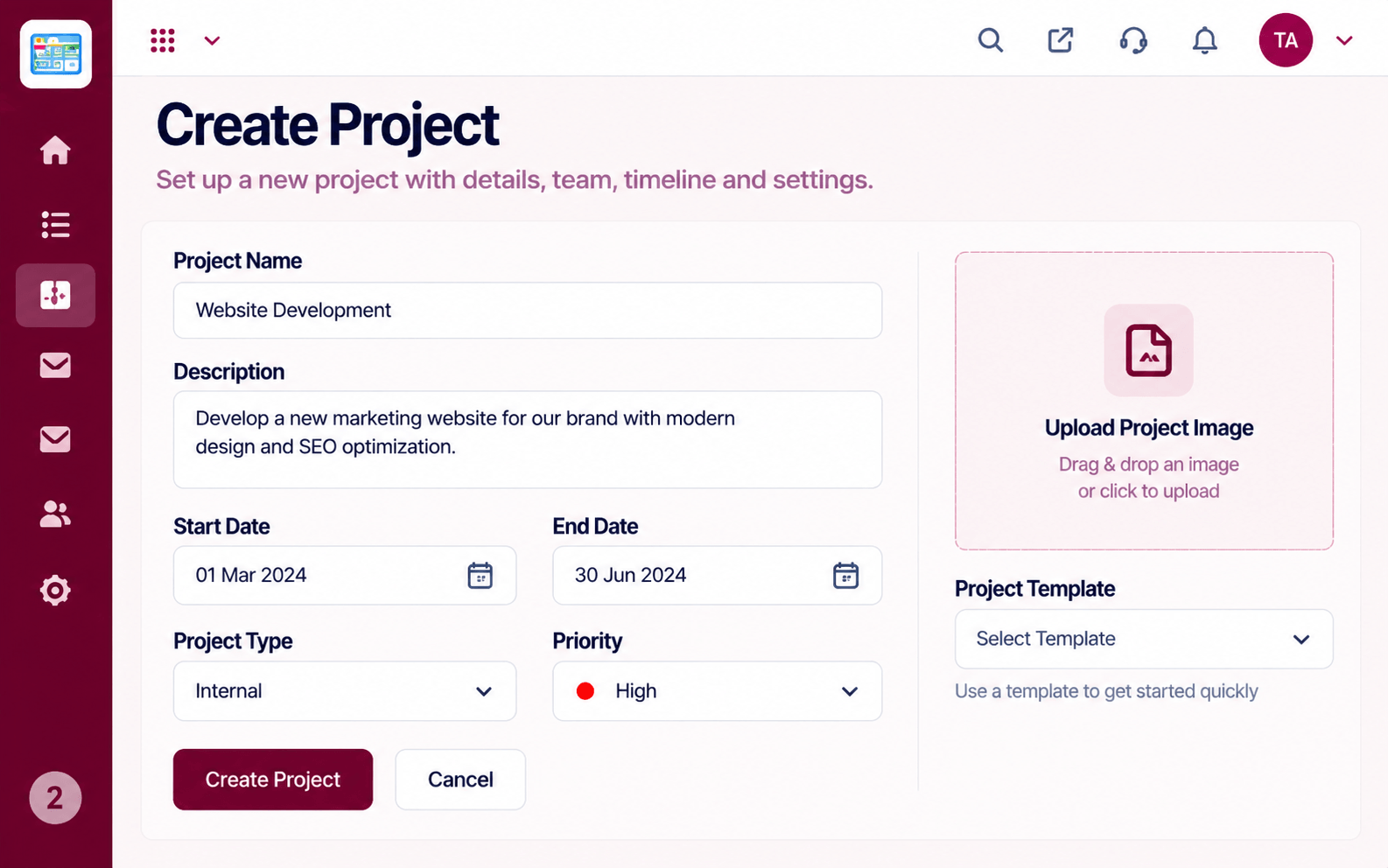 Projects
Set up a project with scope, dates and owners
 Team
TeamWho is on the project and what they own
 Resources
Who is overloaded and who has capacity
Feature Breakdown
Captured from the Triostack Projects workspace.
What You Can DoThe headline view.
 What You Can Do
What is moving.
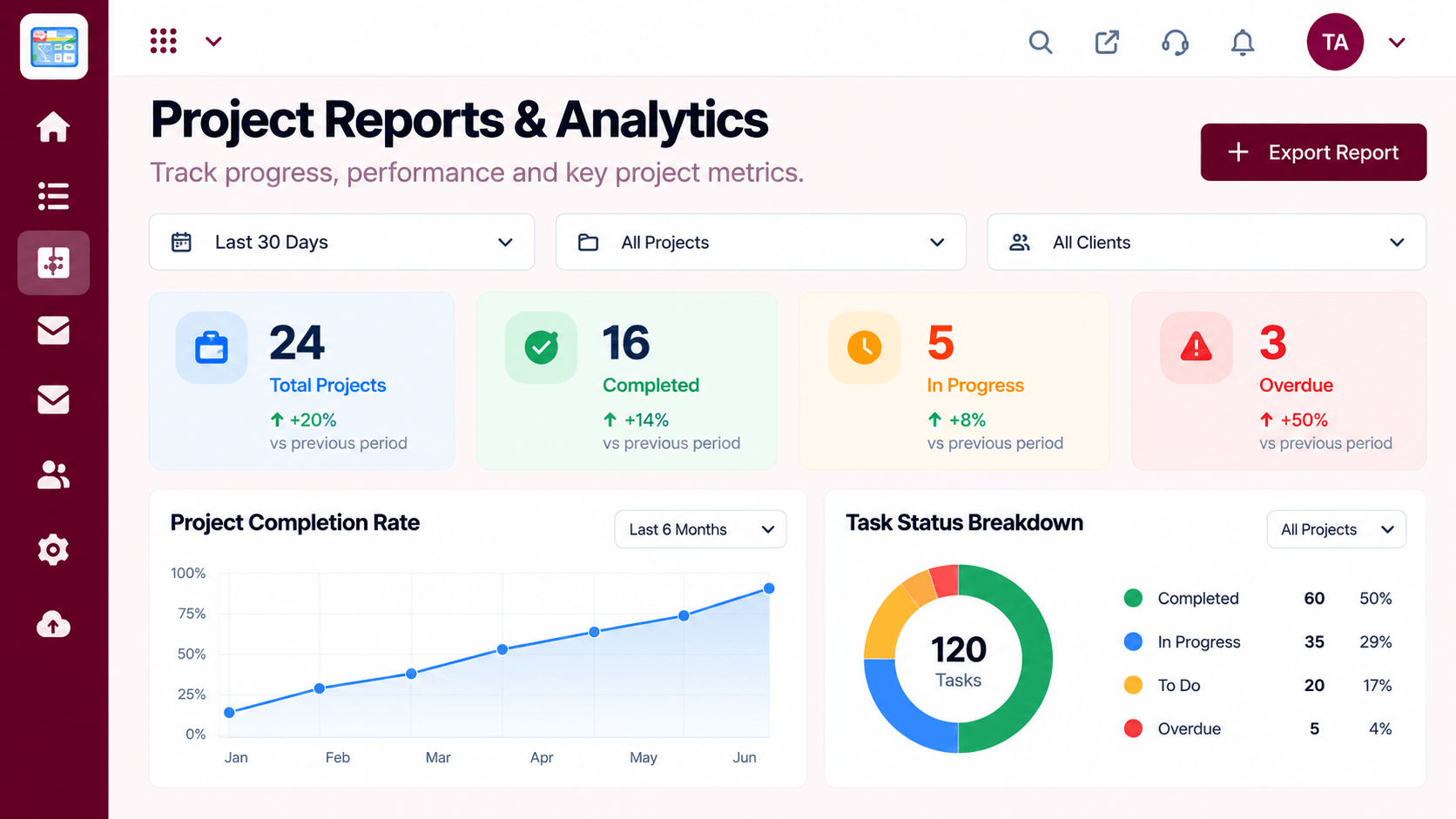 What You Can Do
Trends over time.
 What You Can Do
Progress against dates.
Execution Plan
Start with completion and overdue.
See what is stuck.
Look at the next dates.
Unblock, reassign or re-plan.
In Real Life
Scenario 01
The overview replaces a round-robin of updates.
Scenario 02
Status is shown straight from the project.
Scenario 03
A one-page view without extra preparation.
Frequently Asked Questions
From tasks and milestones as they are updated.
Yes, it is highlighted on the overview and board.
Yes. Reports and the overview can be shared according to permissions.
Much less. The project already knows.
Tasks, boards, timelines, workload and reports in one workspace, built for teams who deliver on time.
