The best Business Suite software in India, built to help your business grow. Contact us at +91-8882435276.
[ Contact ]
Phone number
Email address
Head office
Noida office
The right team at TriostackOne will get back to you.
Set up a project with scope, owners, dates and members so everyone knows what success looks like before the first task is created.
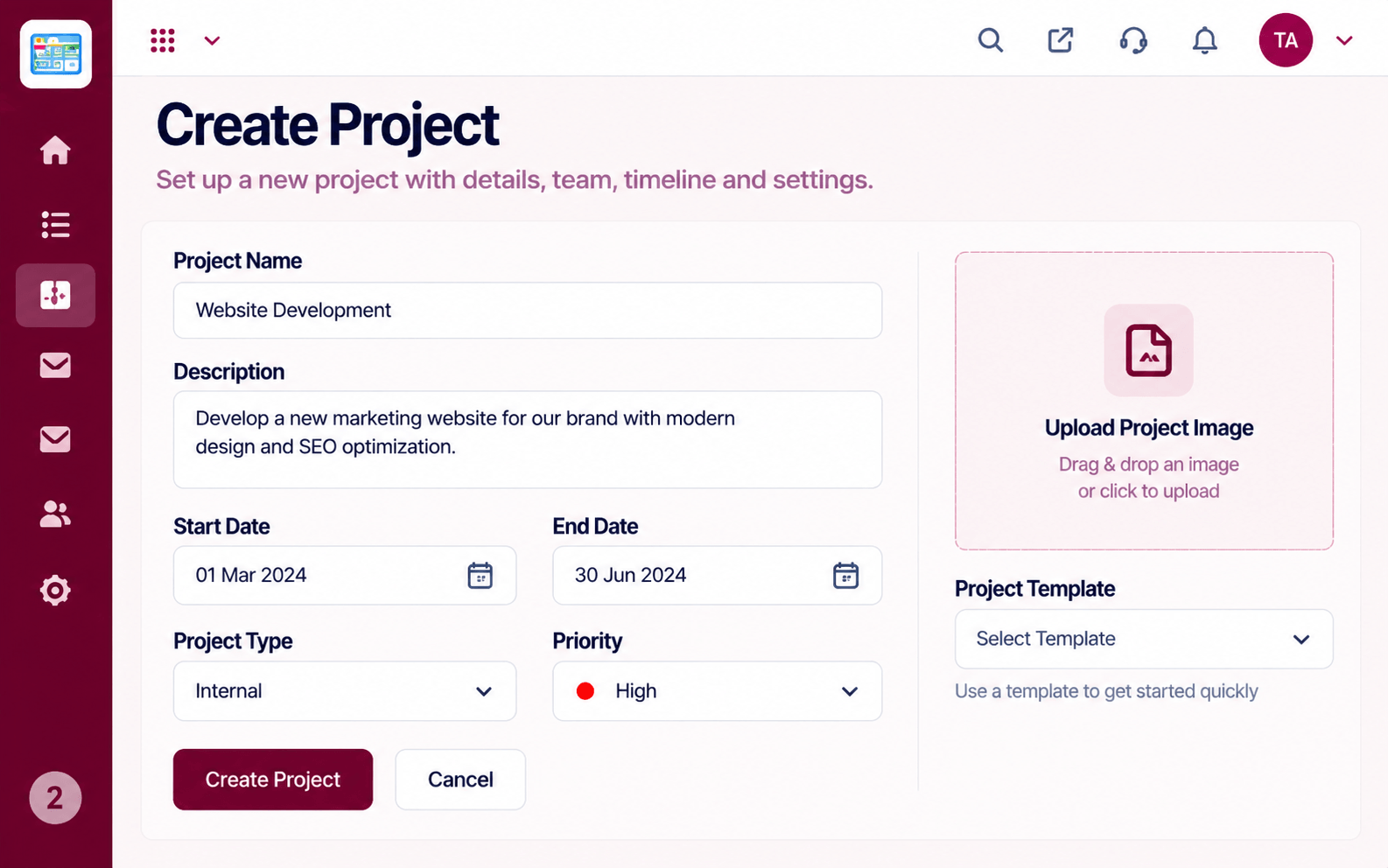
A shared definition of the project from day one
Positioning Assessment
Projects drift when nobody wrote down what done means, who is involved or when it is due. People work hard and still disagree about the finish line.
Planning in Triostack Projects starts with creating the project: scope, goals, dates and members. From there you add tasks, milestones and a timeline that all point back to the same definition.
“A ten-minute project setup saved us weeks of misaligned effort.”
Sample team scenario
Illustrative example, not a customer testimonial
Illustrated Overview
Picture an architect's sheet with the scope, the team and the dates drawn before a single task is laid.
Everyone sees the same finish line.
Roles are clear from day one.
Milestones give shape to the work.
Platform Integrity
Write down what done means
Everyone knows their role
Start and finish agreed
Statuses and access set up front
How It Works
What a little planning gives you.
| Dimension | Triostack Projects | Improvised Projects |
|---|---|---|
| Scope | Written and shared | Held in different heads |
| Roles | Owners and members listed | Assumed |
| Dates | Agreed up front | Discovered late |
| Tasks | Derived from the plan | Added randomly |
| Review | Compare against the plan | Argue from memory |
We will help you create your first project and board end to end, from tasks to timeline, in your first session.
Live Interface Tour
Real screens captured directly from the Triostack Projects workspace.
 Tasks
TasksTasks moving across the stages of work
 Overview
Status, progress and key numbers at a glance
 Resources
Who is overloaded and who has capacity
Feature Breakdown
Captured from the Triostack Projects workspace.
What You Can DoDefine scope and dates.
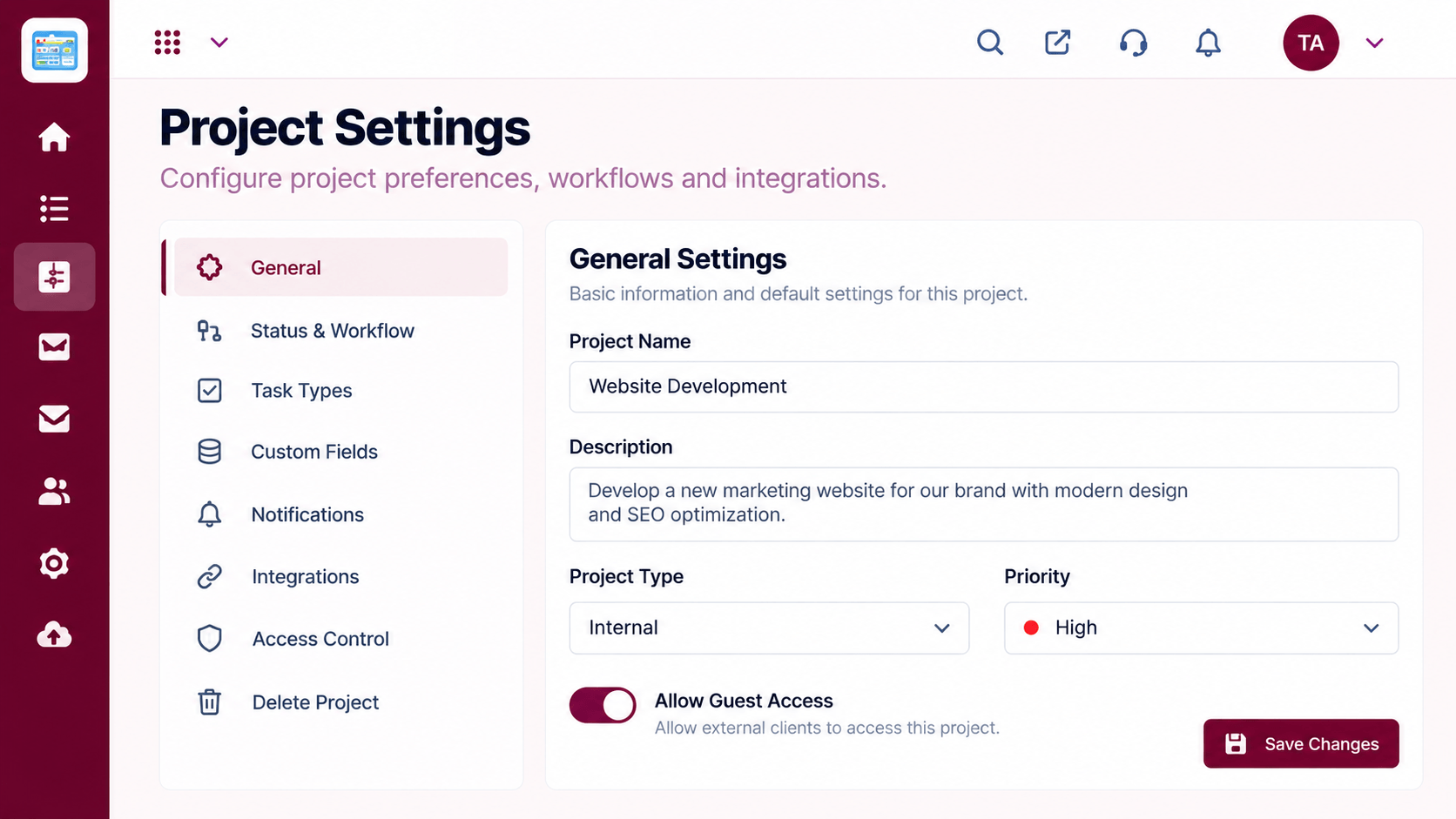 What You Can Do
Set statuses and access.
 What You Can Do
Choose who is involved.
 What You Can Do
Lay out the first milestones.
Execution Plan
Write the scope and the goal.
Add members and owners.
Start, milestones and finish.
Break the scope into work.
In Real Life
Scenario 01
Scope and dates agreed before the kickoff call.
Scenario 02
Owners and members listed to avoid ambiguity.
Scenario 03
A repeatable setup starts every year.
Frequently Asked Questions
A name, a goal, an owner and dates are enough.
Yes. Plans change, and the timeline updates with them.
Ask us about templates for your plan.
Depending on roles set by admins.
Tasks, boards, timelines, workload and reports in one workspace, built for teams who deliver on time.
