The best Business Suite software in India, built to help your business grow. Contact us at +91-8882435276.
[ Contact ]
Phone number
Email address
Head office
Noida office
The right team at TriostackOne will get back to you.
A practical checklist for comparing project tools on the things that matter: boards, timelines, dependencies, workload, time tracking, reporting, integrations, permissions, automation and cost.

A fair checklist for any project tool
Positioning Assessment
Every project tool advertises dozens of features. Comparing them line by line rarely helps. What helps is knowing which five or six matter to how your team delivers work.
This page is a general checklist, not a scorecard. Use it to write your own shortlist, then test with a real project. Always verify current features and prices on each vendor's website.
“We cut forty features down to six that decide our week, and the choice became obvious.”
Sample team scenario
Illustrative example, not a customer testimonial
Illustrated Overview
Picture a clipboard with ten honest questions. You tick them against a real project, not against a brochure.
Not with the vendor's list.
Use a real project.
Seats, add-ons and effort.
Platform Integrity
Boards, tasks and owners
Timelines, milestones, dependencies
Workload and time tracking
Reporting, integrations and cost
Detailed Comparison
A general comparison. Verify current features and prices with each vendor.
| Dimension | Triostack Projects | What to Ask Any Vendor |
|---|---|---|
| Boards & Tasks | Task board with stages and owners | How are tasks created, assigned and moved? |
| Timelines & Dependencies | Timeline and milestones | Can you plan dates and see what depends on what? |
| Workload & Time | Workload view per member | Can you see capacity and track time? |
| Reporting & Permissions | Reports, roles and access settings | What reports exist and who can see what? |
| Integrations & Cost | Part of the Triostack One suite | Which tools connect, and what is the total cost? |
We help bring over projects, tasks and members, and plan the cut-over so no work is lost in the move.
Live Interface Tour
Real screens captured directly from the Triostack Projects workspace.
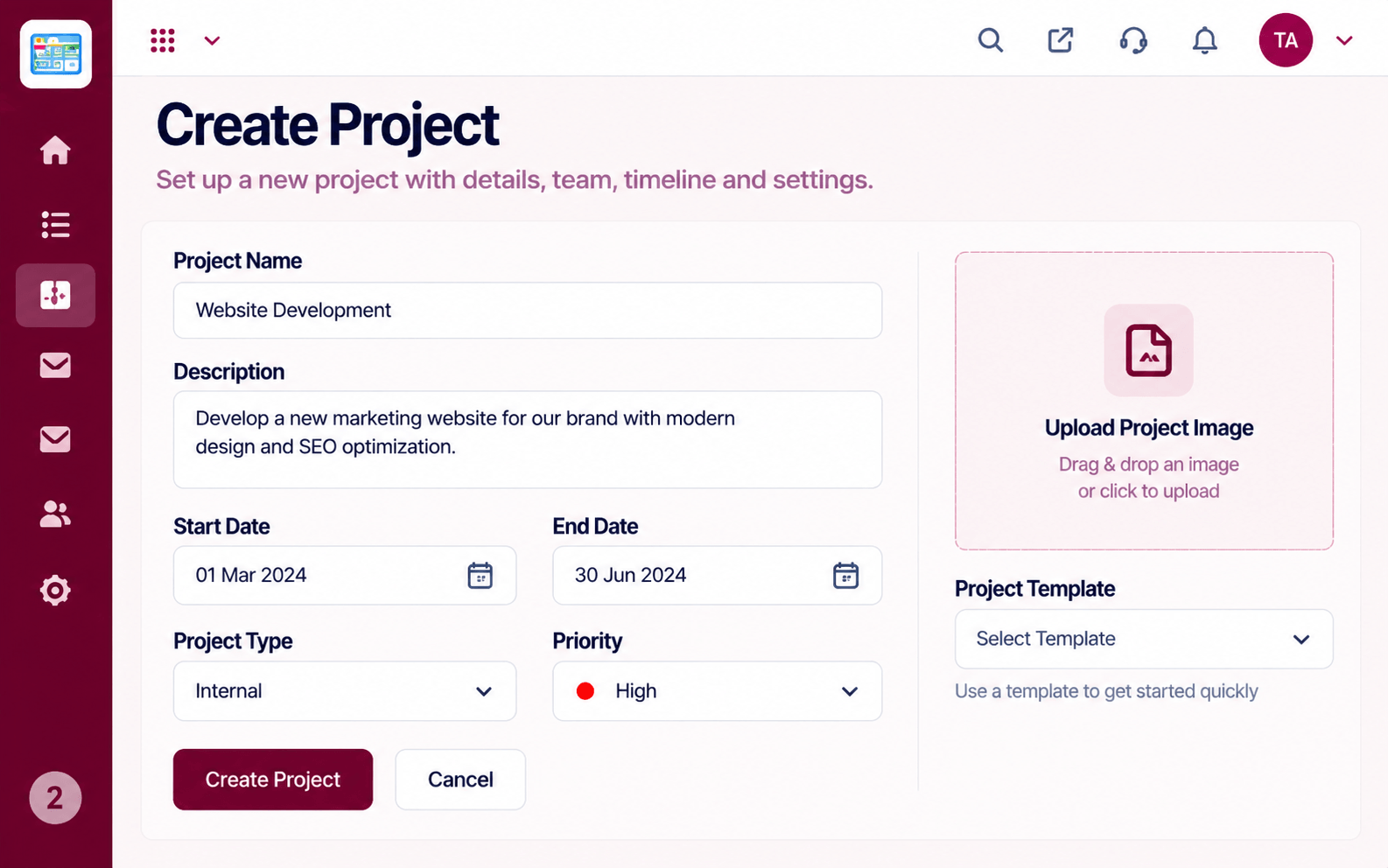 Projects
Set up a project with scope, dates and owners
 Team
TeamWho is on the project and what they own
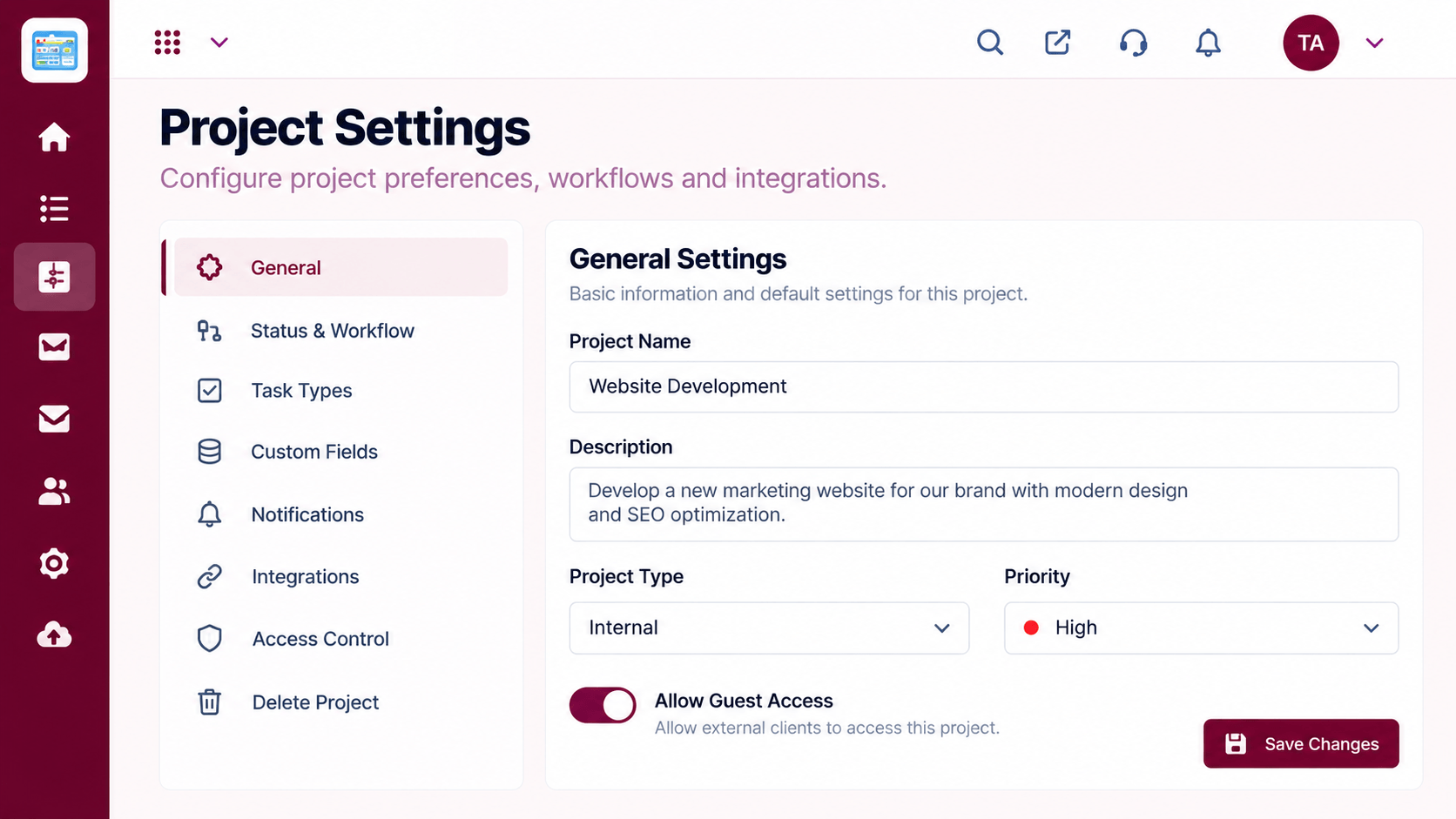 Settings
Configure statuses, access and preferences
Feature Breakdown
Captured from the Triostack Projects workspace.
 Compare
Check the core surface.
 Compare
Check the planning.
 Compare
Check capacity views.
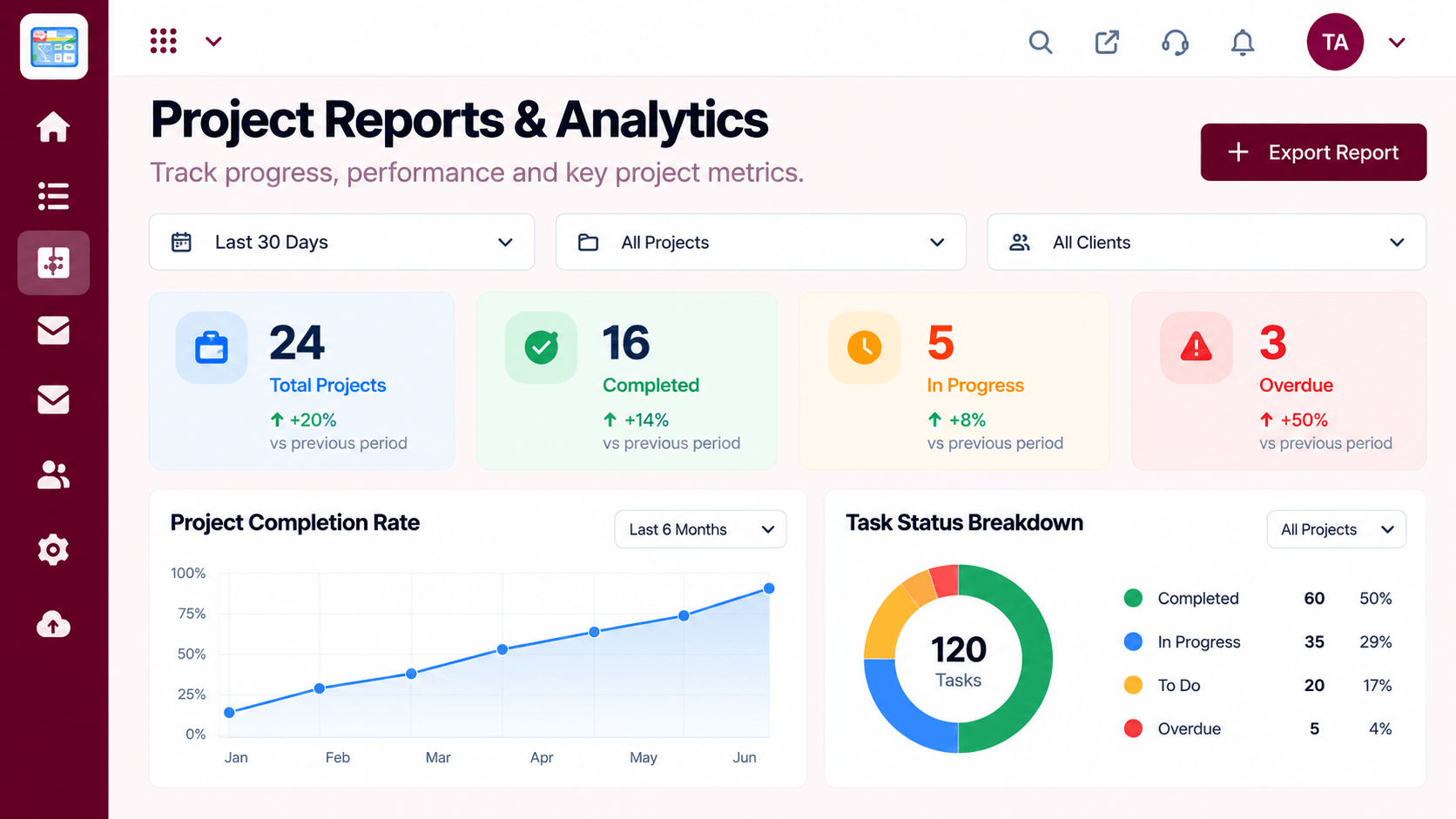 Compare
Check the insight.
Execution Plan
Write your must-haves and nice-to-haves.
Pick two or three tools.
Run a real project on each.
Pick one and plan the move.
In Real Life
Scenario 01
Use it to write your must-have list.
Scenario 02
Use it to see what you miss most.
Scenario 03
Share the scored checklist with leaders.
Frequently Asked Questions
Start with the five or six that decide your week.
No. It is a general checklist. Verify specifics with each vendor.
A real project over a couple of weeks tells you a lot.
Yes. Request a demo and we will map your process.
Tasks, boards, timelines, workload and reports in one workspace, built for teams who deliver on time.
