The best Business Suite software in India, built to help your business grow. Contact us at +91-8882435276.
[ Contact ]
Phone number
Email address
Head office
Noida office
The right team at TriostackOne will get back to you.
ClickUp is known for offering a very wide range of features in one product. Triostack Projects focuses on boards, timelines, workload and reports inside a business suite. Compare breadth against simplicity.

The essentials of project delivery, without the clutter
Positioning Assessment
ClickUp has a reputation for a very broad feature set and a lot of configuration. That suits teams who want to shape every detail, and can overwhelm teams who want to start quickly.
Triostack Projects concentrates on the core of delivery: creating projects, task boards, timeline and milestones, workload and reports, within the Triostack One suite. Review each vendor's current plans, since both change often.
“We did not need every option. A focused board, a timeline and a workload view covered what we do every week.”
Sample team scenario
Illustrative example, not a customer testimonial
Illustrated Overview
Imagine one toolbox with hundreds of tools and another bench with the ten you use daily, laid out within reach.
Count the features you touch each week.
Time to the first useful board.
Check that the tool can grow with you.
Platform Integrity
Create a project and begin
Boards, timeline, workload
Part of Triostack One
We assist with the move
Detailed Comparison
A general comparison. Verify current features and prices with each vendor.
| Dimension | Triostack Projects | Typical Feature-Rich Tool |
|---|---|---|
| Feature Breadth | Focused on core delivery | Often a very wide feature set |
| Setup Effort | Create a project and start | Review how much configuration you need |
| Workload | Workload view per member | Review current workload features |
| Suite Integration | Connects to the Triostack One suite | Via integrations and connectors |
| Pricing | Review our pricing page | Review the vendor's pricing |
We help bring over projects, tasks and members, and plan the cut-over so no work is lost in the move.
Live Interface Tour
Real screens captured directly from the Triostack Projects workspace.
 Planning
Dates, dependencies and milestones on one timeline
 Team
TeamWho is on the project and what they own
 Resources
Who is overloaded and who has capacity
Feature Breakdown
Captured from the Triostack Projects workspace.
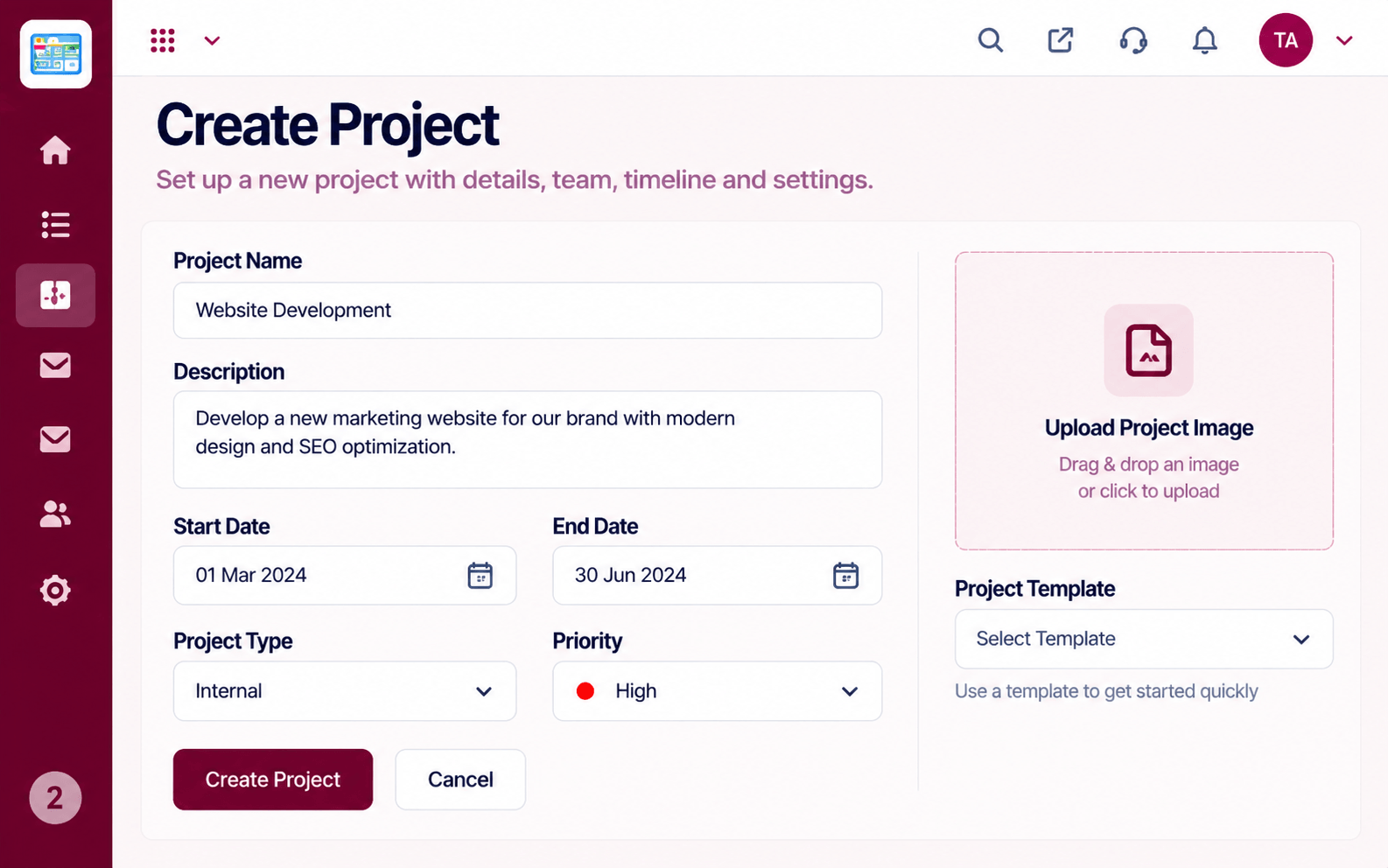 Compare
Start with scope and owners.
 Compare
Move work across stages.
CompareOne page of status.
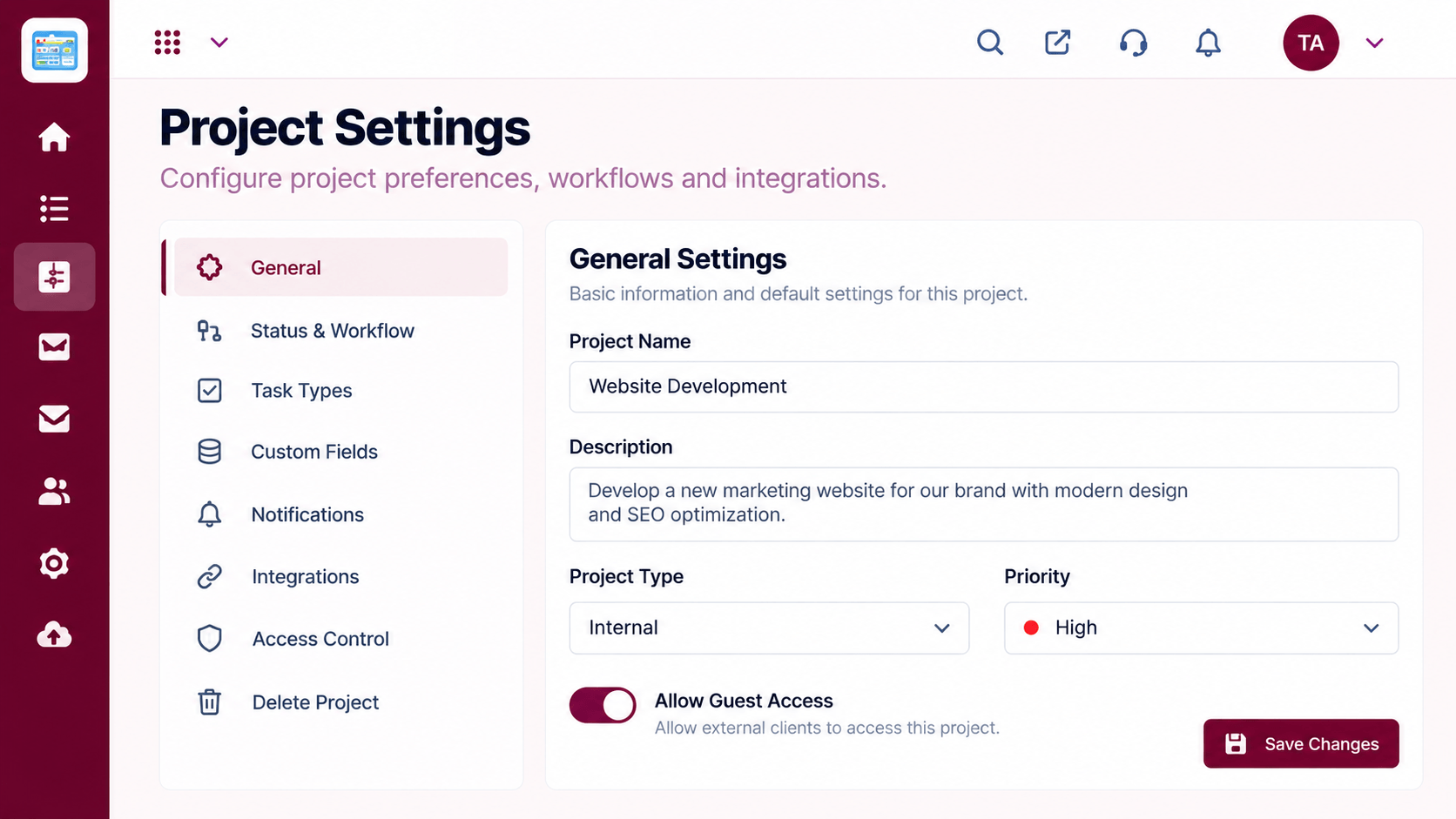 Compare
Configure only what you need.
Execution Plan
List the features you really use weekly.
Run one project on each tool.
Which felt faster to your team?
Plan migration if switching.
In Real Life
Scenario 01
A focused board and timeline may be enough.
Scenario 02
Check that a needed advanced option exists.
Scenario 03
Value in staying within one family of apps.
Frequently Asked Questions
It is more focused. If you rely on a very specific advanced feature, check it against your needs.
Try both with one project and see which your team prefers.
Yes. Ask our team.
Verify with each vendor.
Tasks, boards, timelines, workload and reports in one workspace, built for teams who deliver on time.
