The best Business Suite software in India, built to help your business grow. Contact us at +91-8882435276.
[ Contact ]
Phone number
Email address
Head office
Noida office
The right team at TriostackOne will get back to you.
Trello is known for simple, card-based boards. Triostack Projects offers a task board and adds timelines, milestones, workload and reports when you need them. Compare on simplicity and room to grow.

Start with a board, add planning when needed
Positioning Assessment
Trello is widely known as a simple, board-centred tool built around cards and lists. For small teams and light workflows, that simplicity is a real strength.
As projects grow, teams often want timelines, milestones, workload and reports. Triostack Projects starts with a familiar task board and adds those views in the same workspace. Check each vendor's current plans before deciding.
“We started with cards and lists, then needed dates and a view of who was overloaded. We did not want to change tools to get them.”
Sample team scenario
Illustrative example, not a customer testimonial
Illustrated Overview
Picture a simple cork board that quietly gains a timeline strip along the top and a capacity chart along the side as the work grows.
Stages and owners.
Timeline and milestones.
Grow in place.
Platform Integrity
Familiar stages and cards
Dates and milestones
Who has capacity
Progress and delivery
Detailed Comparison
A general comparison. Verify current features and prices with each vendor.
| Dimension | Triostack Projects | Typical Board-Centred Tool |
|---|---|---|
| Board Simplicity | Task board with stages | Simple card-and-list boards |
| Timeline & Milestones | Timeline and milestones | Review current timeline options |
| Workload | Workload view | Review current workload options |
| Reporting | Reports and analytics | Review current reporting options |
| Suite Integration | Connects to Triostack One | Via integrations and add-ons |
We help bring over projects, tasks and members, and plan the cut-over so no work is lost in the move.
Live Interface Tour
Real screens captured directly from the Triostack Projects workspace.
 Overview
Status, progress and key numbers at a glance
 Team
TeamWho is on the project and what they own
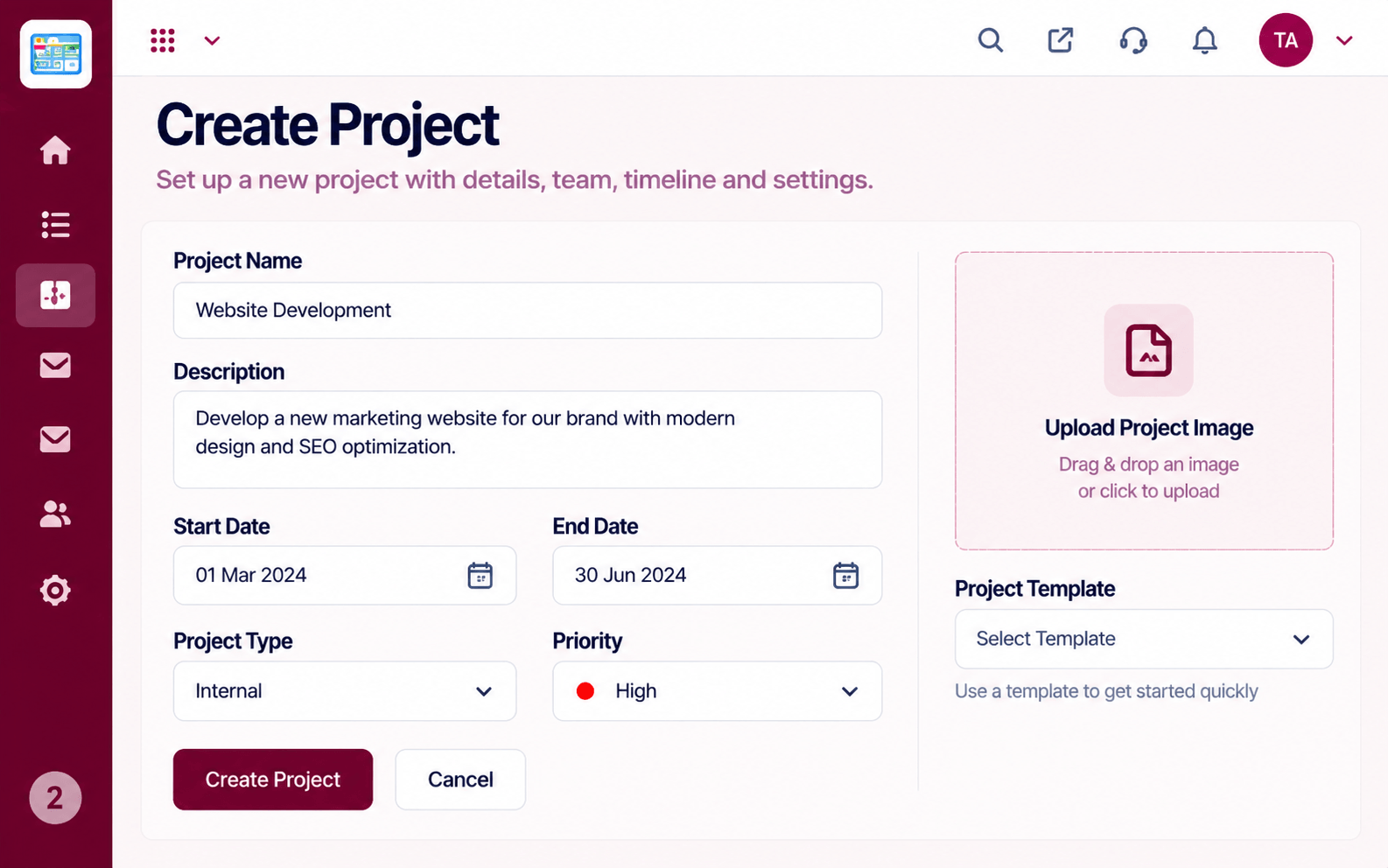 Projects
Set up a project with scope, dates and owners
Feature Breakdown
Captured from the Triostack Projects workspace.
CompareSimple and familiar.
 Compare
When you need dates.
 Compare
Balance the team.
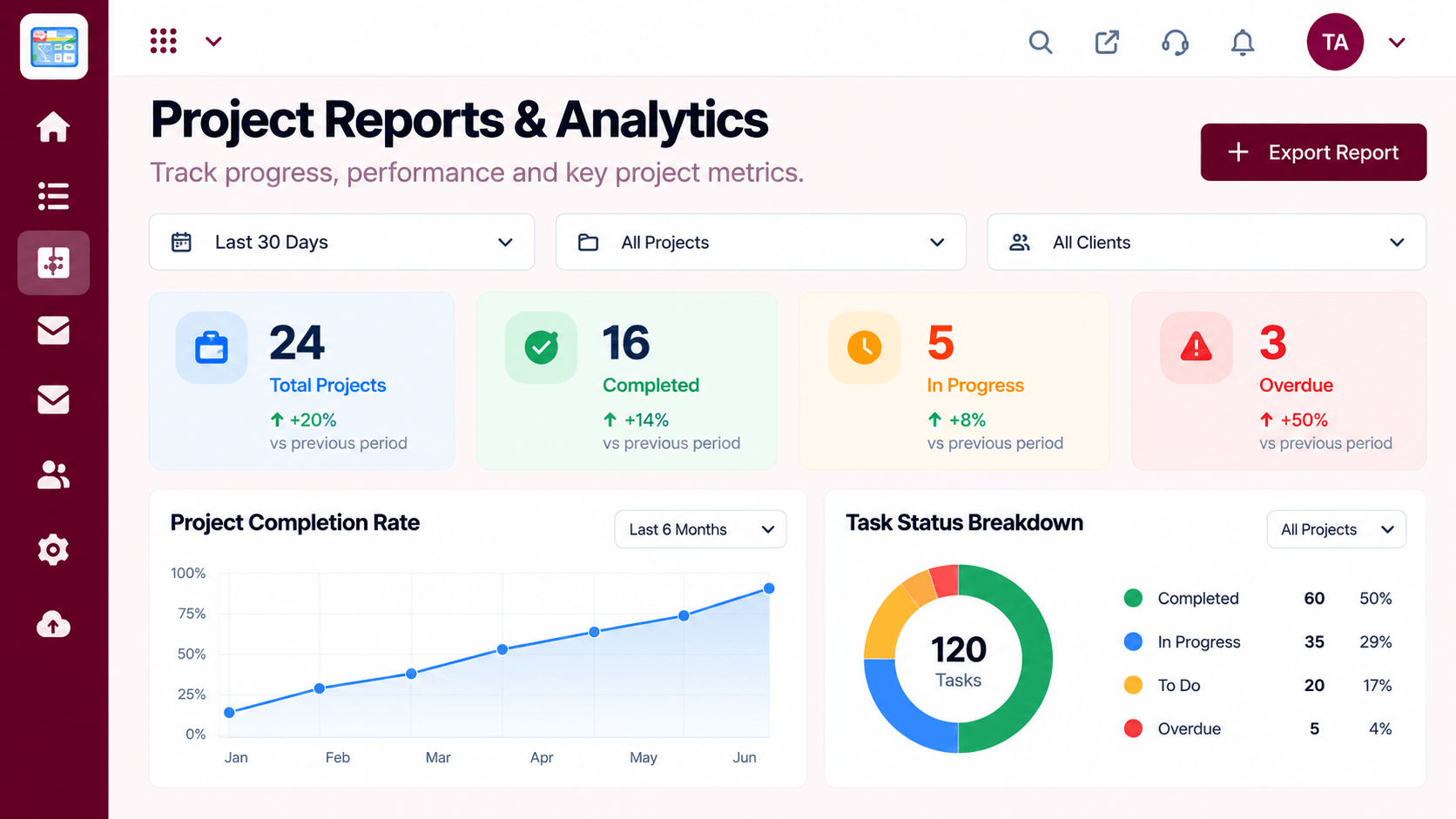 Compare
Show progress.
Execution Plan
Move your cards across.
Set due dates and milestones.
Balance assignments.
Share progress with stakeholders.
In Real Life
Scenario 01
A simple board covers daily work.
Scenario 02
Dates and workload start to matter.
Scenario 03
Reports add the summary leaders ask for.
Frequently Asked Questions
The task board is straightforward, with more planning views available when you need them.
When you need timelines, workload, reports or links to other business data.
Yes. Ask our team about the process.
Verify with each vendor.
Tasks, boards, timelines, workload and reports in one workspace, built for teams who deliver on time.
