The best Business Suite software in India, built to help your business grow. Contact us at +91-8882435276.
[ Contact ]
Phone number
Email address
Head office
Noida office
The right team at TriostackOne will get back to you.
Triostack Projects gives teams a task board, timeline and milestones, workload and reports, inside Triostack One, so project work connects to clients, support and people.

Projects alongside CRM, HRMS, Desk and Mail
Positioning Assessment
Work usually starts with a client deal or a request, involves people with certain capacity, and ends in delivery and reporting. Standalone project tools handle the middle and leave the rest to copy-paste.
Triostack Projects covers the delivery core: create a project, run a task board, plan timelines and milestones, balance workload and report on progress. Because it is part of Triostack One, it can connect to the apps around it. It is honest to say the right choice depends on your needs, so trial it on a real project.
“The value is not any single screen. It is that the client, the plan and the team are in the same family of tools.”
Sample team scenario
Illustrative example, not a customer testimonial
Illustrated Overview
Imagine a project at the centre of a map, with clients on one side, people on another and reporting on the third, all one step away.
Boards, timelines and milestones.
Workload and progress.
Clients, support and people nearby.
Platform Integrity
Create, plan and track work
Balance who does what
Show progress clearly
Part of Triostack One
Detailed Comparison
A general comparison. Verify current features and prices with each vendor.
| Dimension | Triostack Projects | Separate Tools |
|---|---|---|
| Create & Plan | Create project, timeline and milestones | A planning tool plus separate calendars |
| Run the Work | Task board with stages and owners | A task tool disconnected from the plan |
| Balance the Team | Workload view across members | Spreadsheets for capacity |
| Report | Reports and analytics | Status decks built by hand |
| Connect | Links to the Triostack One suite | Copy-paste between tools |
We help bring over projects, tasks and members, and plan the cut-over so no work is lost in the move.
Live Interface Tour
Real screens captured directly from the Triostack Projects workspace.
 Overview
Status, progress and key numbers at a glance
 Team
TeamWho is on the project and what they own
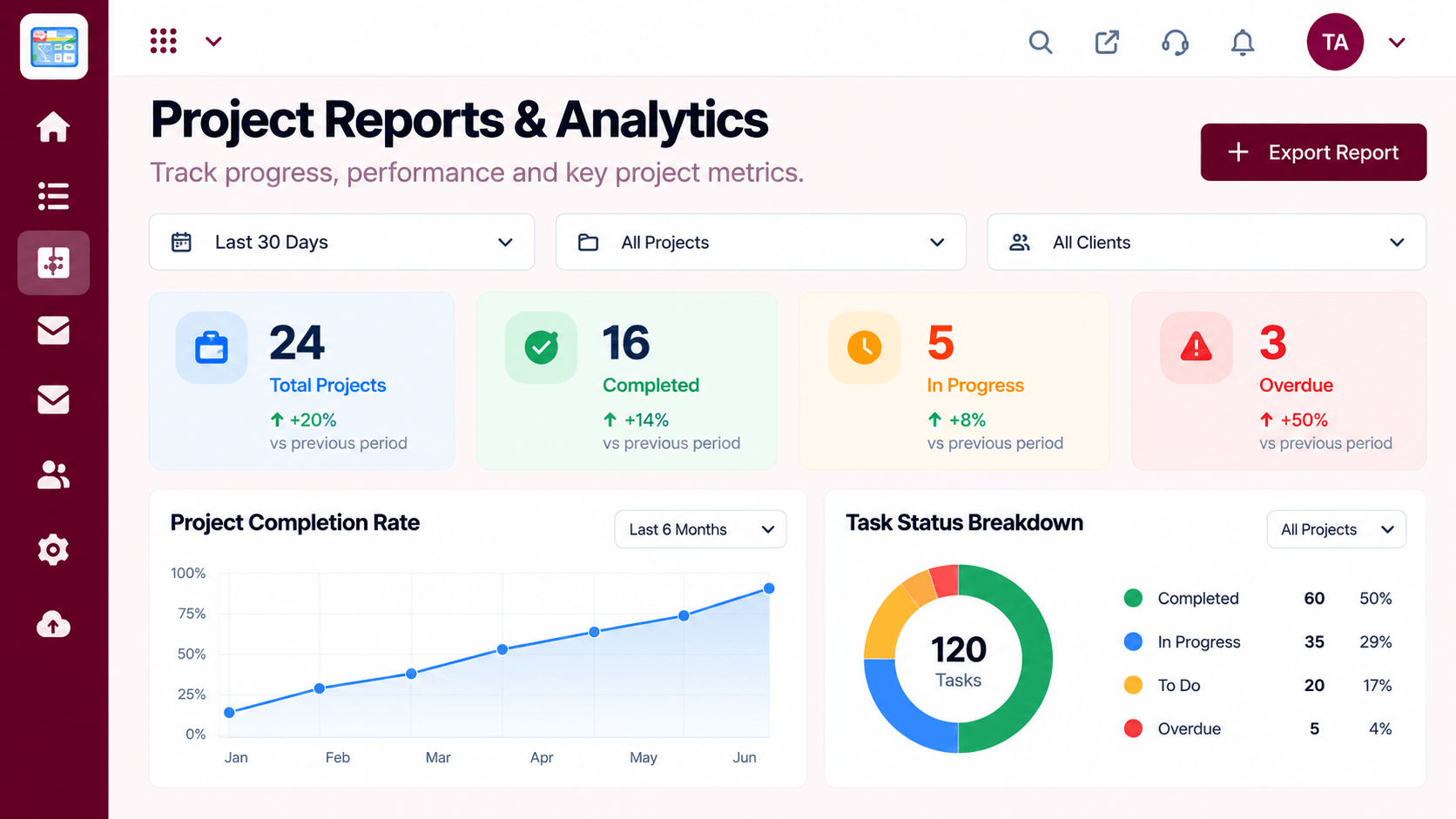 Reports
Progress, time and delivery insights
Feature Breakdown
Captured from the Triostack Projects workspace.
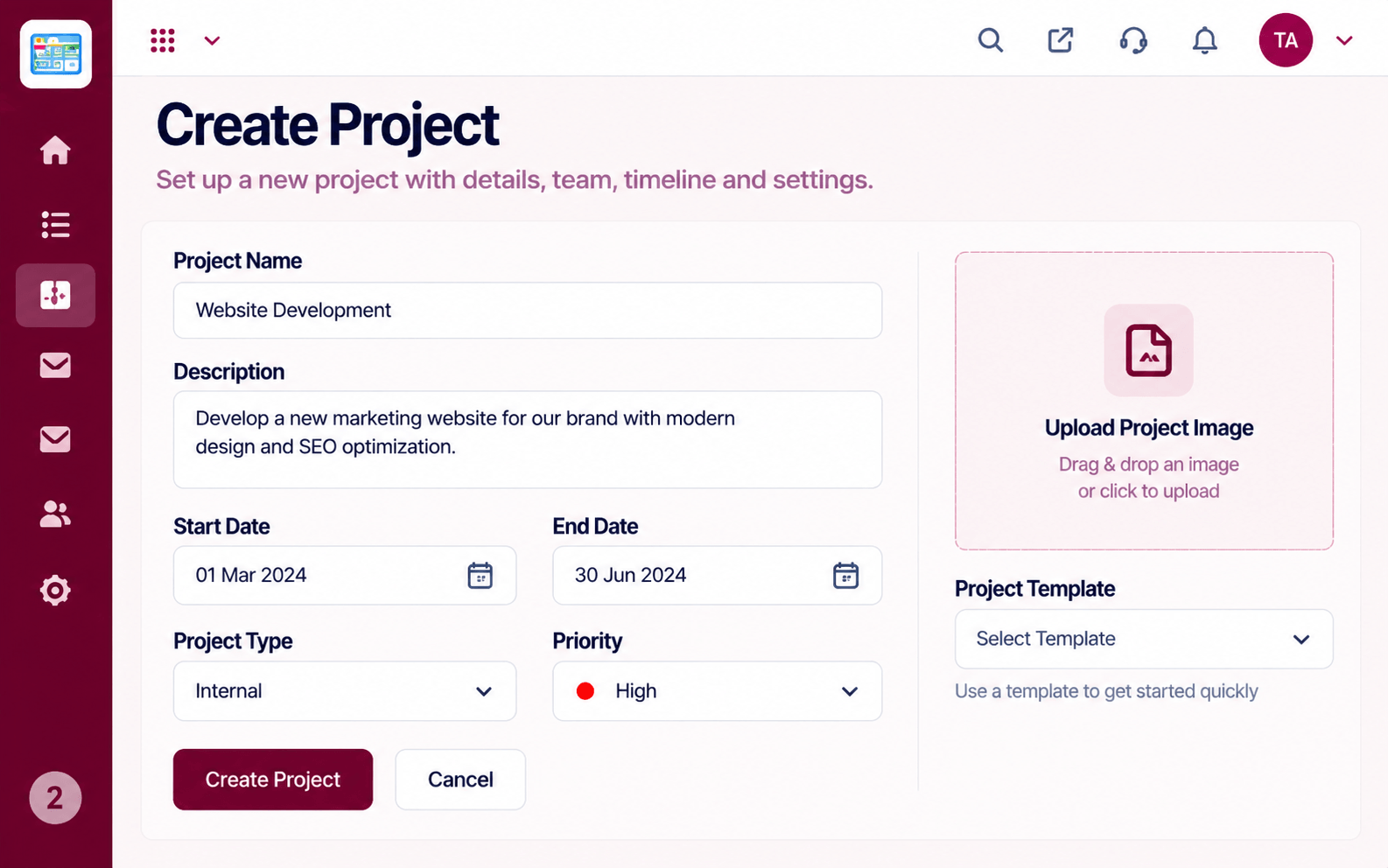 Compare
Begin with scope and owners.
 Compare
Run daily work.
 Compare
Keep the team balanced.
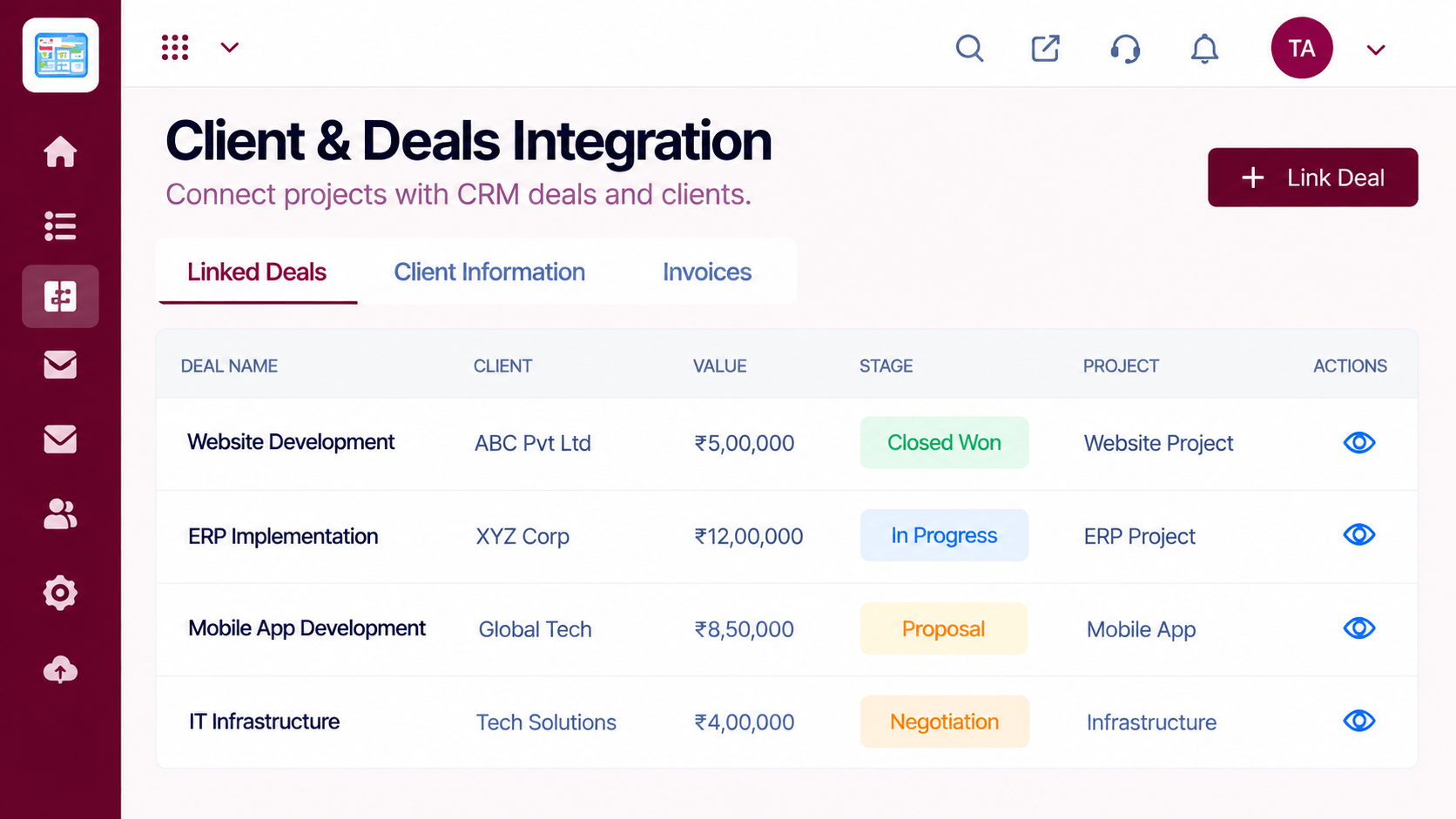 Compare
Tie work to clients.
Execution Plan
Set scope, dates and members.
Add tasks, milestones and a timeline.
Move work across the board.
Share progress with stakeholders.
In Real Life
Scenario 01
A won deal becomes a project with owners and dates.
Scenario 02
The team runs a board and watches workload.
Scenario 03
Reports give leaders a clear picture.
Frequently Asked Questions
Create project, task board, timeline and milestones, workload, reports and project settings.
Yes, it is part of Triostack One alongside CRM, HRMS, Desk and Mail.
Yes. Start a free trial or request a demo.
No tool is. Trial it on a real project to see if it fits.
Tasks, boards, timelines, workload and reports in one workspace, built for teams who deliver on time.
