The best Business Suite software in India, built to help your business grow. Contact us at +91-8882435276.
[ Contact ]
Phone number
Email address
Head office
Noida office
The right team at TriostackOne will get back to you.
A complete tour of Triostack Wabiz: shared inbox, broadcast campaigns, automation, chatbot flows, template messaging, contacts, leads and team controls, all on the WhatsApp Cloud API.
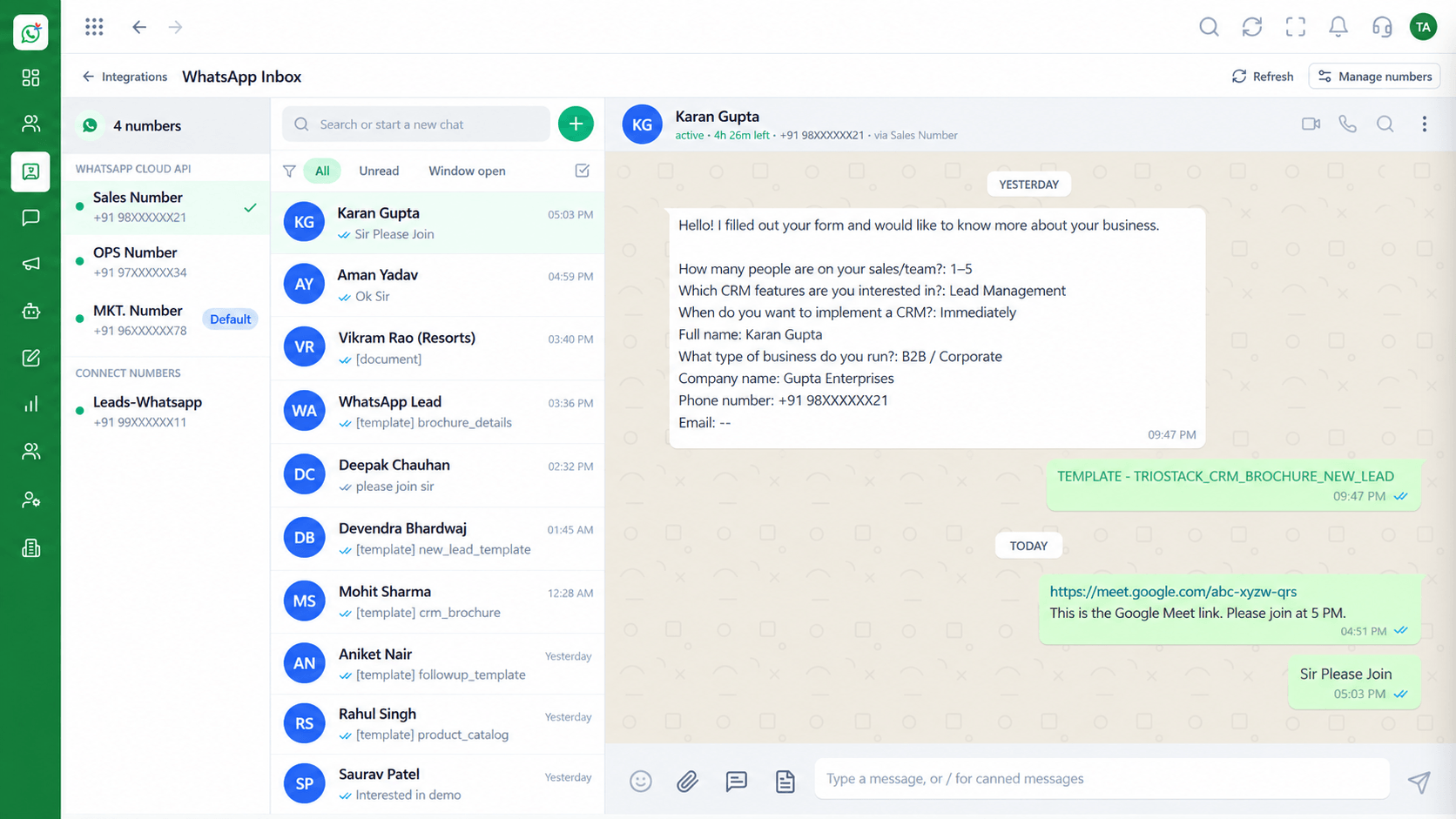
Conversations, campaigns, automation and team management together
Positioning Assessment
Serious WhatsApp use needs several things working together: a place where the team answers, a way to reach customers at scale, automation for the repeatable work and controls over who does what.
Wabiz brings those into one workspace on the official WhatsApp Cloud API. Conversations, contacts, leads and templates share one record, so nothing has to be copied between tools.
Start with the inbox and add campaigns, flows and team roles as your volume grows.
“We stopped stitching tools together. One workspace for the inbox, campaigns and flows made the whole thing easier to run.”
Sample team scenario
Illustrative example, not a customer testimonial
Illustrated Overview
Wabiz brings the inbox, campaigns, flows, templates, contacts and security together around a single WhatsApp number.
Begin with the shared inbox and a few templates.
Add campaigns, flows and roles as volume and team size increase.
Link to Triostack CRM and the Business Suite when you are ready.
Platform Integrity
Shared inbox with assignment
Campaigns and templates
Flows, routing and away rules
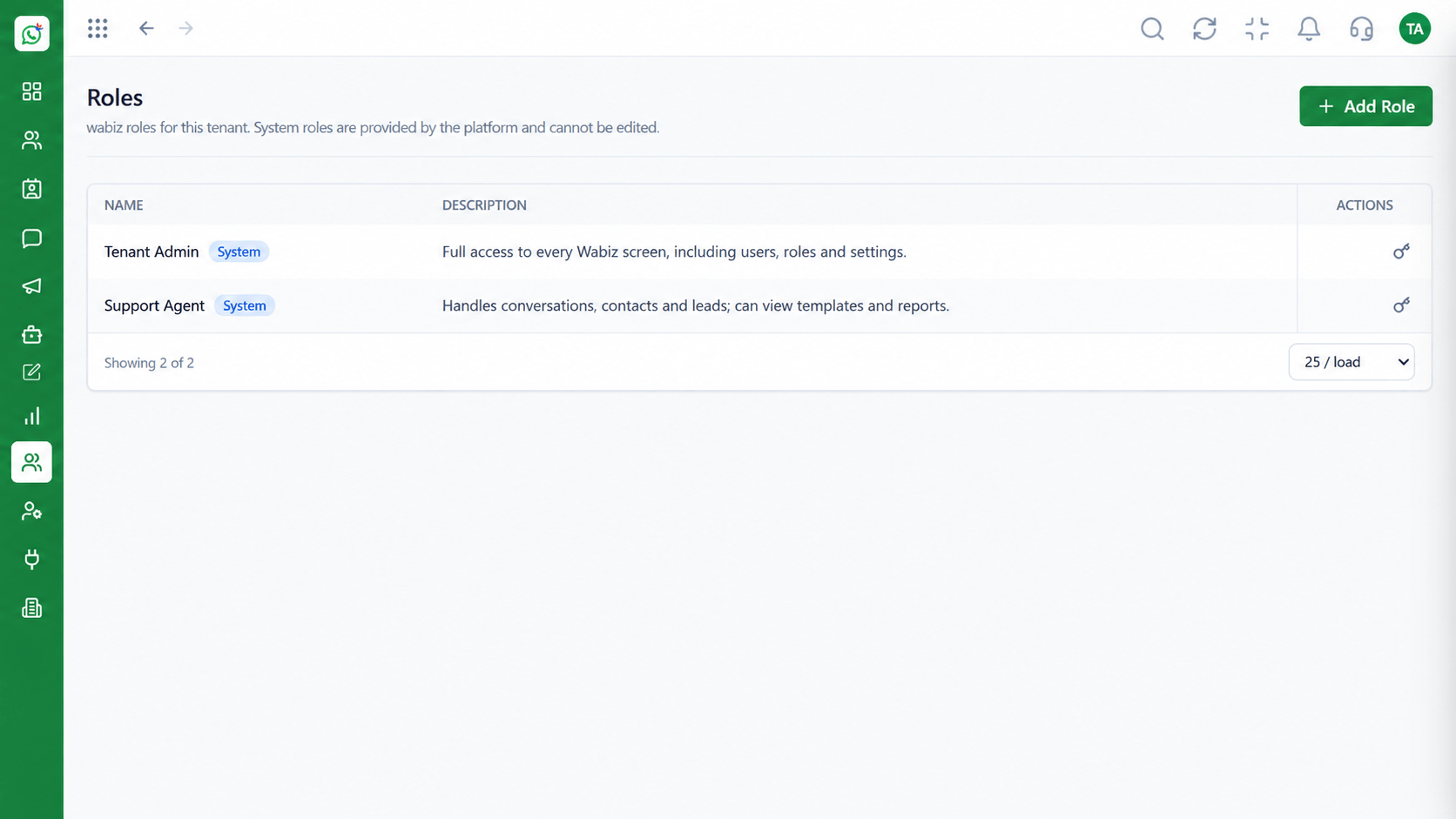
Roles, users and settings
How It Works
What each part of the workspace does for your team.
| Dimension | Triostack Wabiz | Without Wabiz |
|---|---|---|
| Inbox | Shared team inbox with notes and history | One phone, one person |
| Campaigns | Template campaigns to segments | Manual broadcast lists |
| Automation | Visual flows, routing and away messages | Manual replies at all hours |
| Contacts & Leads | One record with tags and source | Spreadsheets |
| Team Control | Role-based access and reporting lines | Shared passwords |
Book a walkthrough and we will set up a sandbox with your use case so you can try it before you commit.
Live Interface Tour
Real screens captured directly from the Triostack Wabiz workspace.
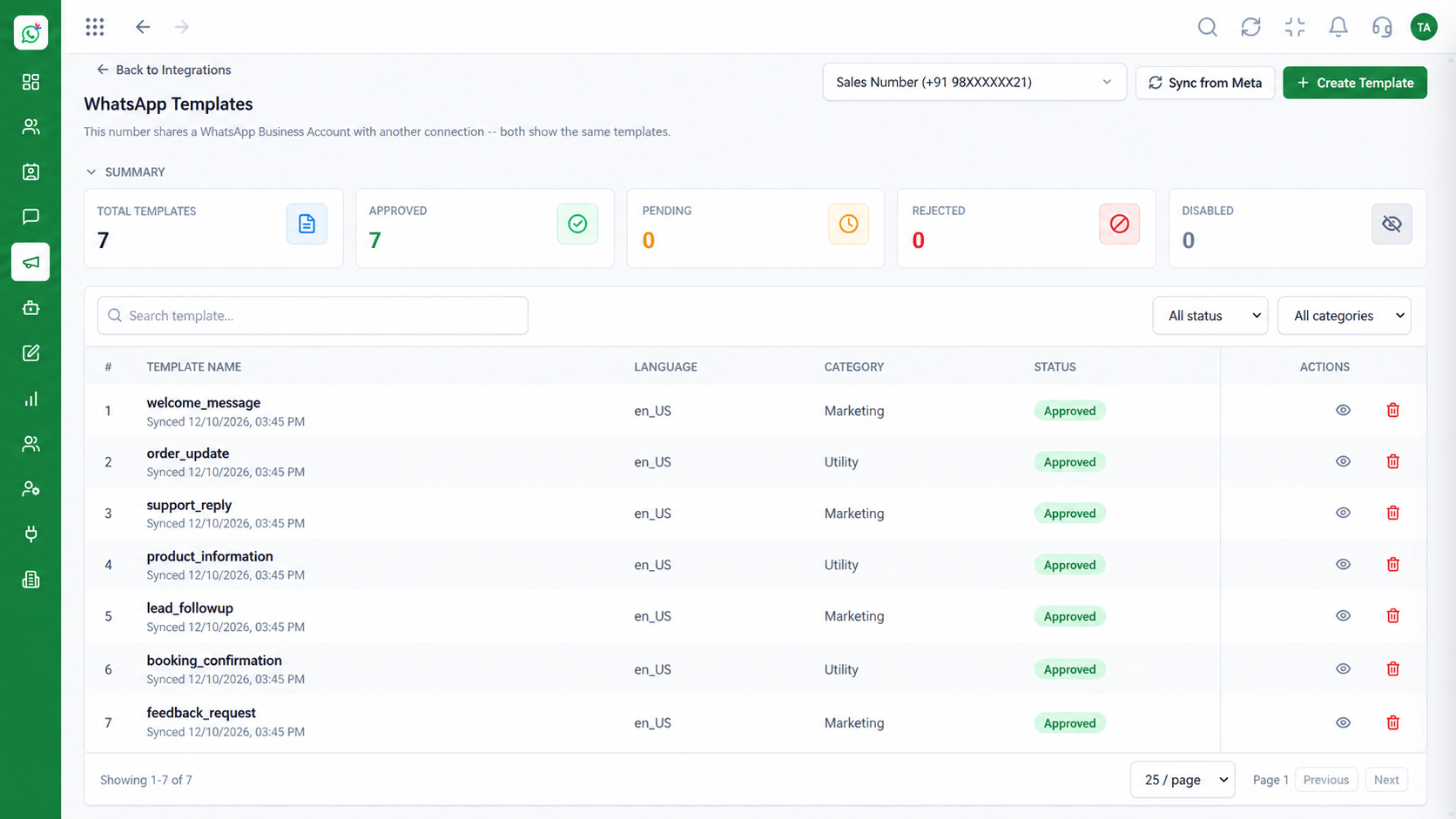 Templates
Manage approved WhatsApp templates
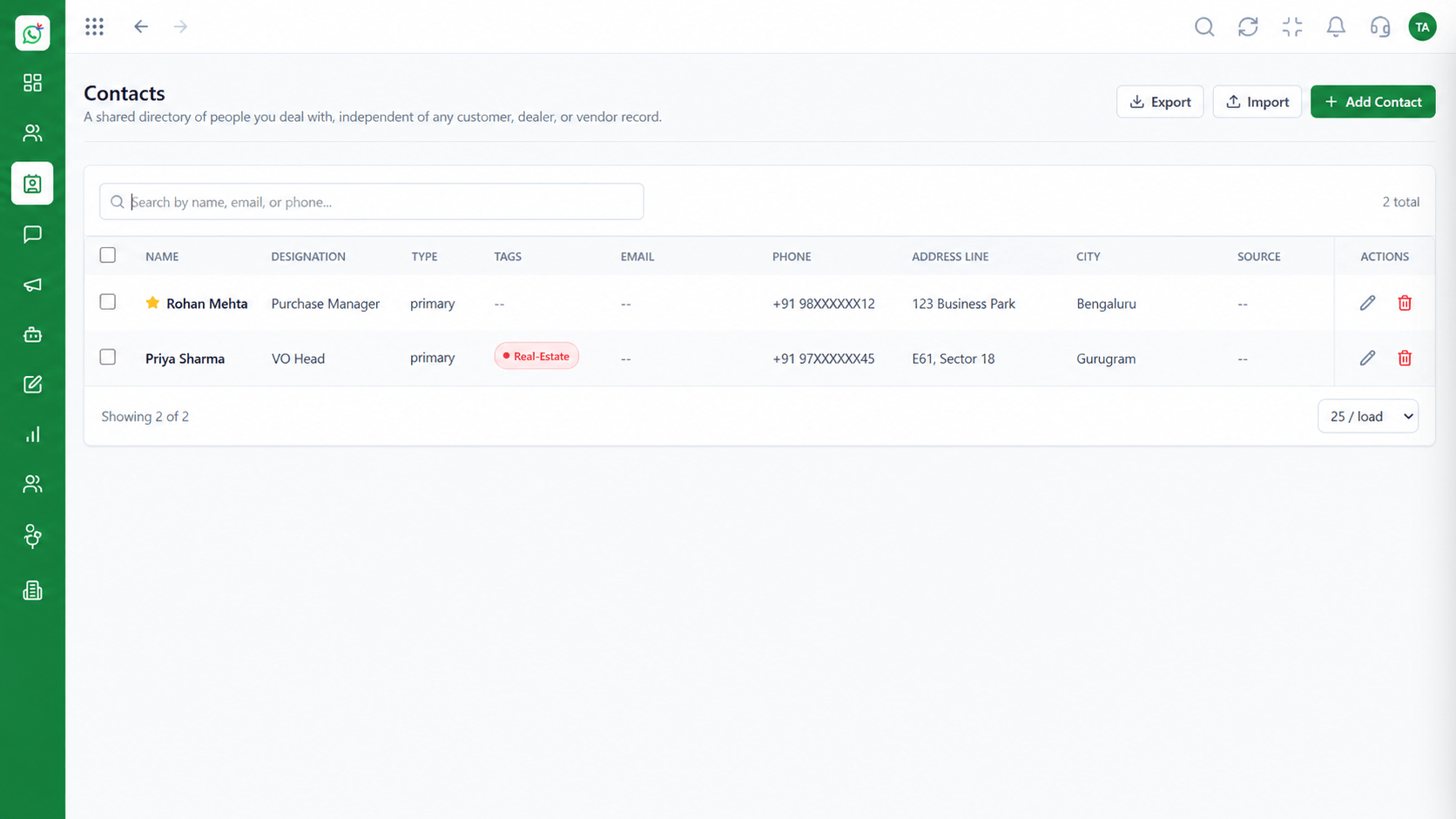 Contacts
Segment and manage your WhatsApp audience
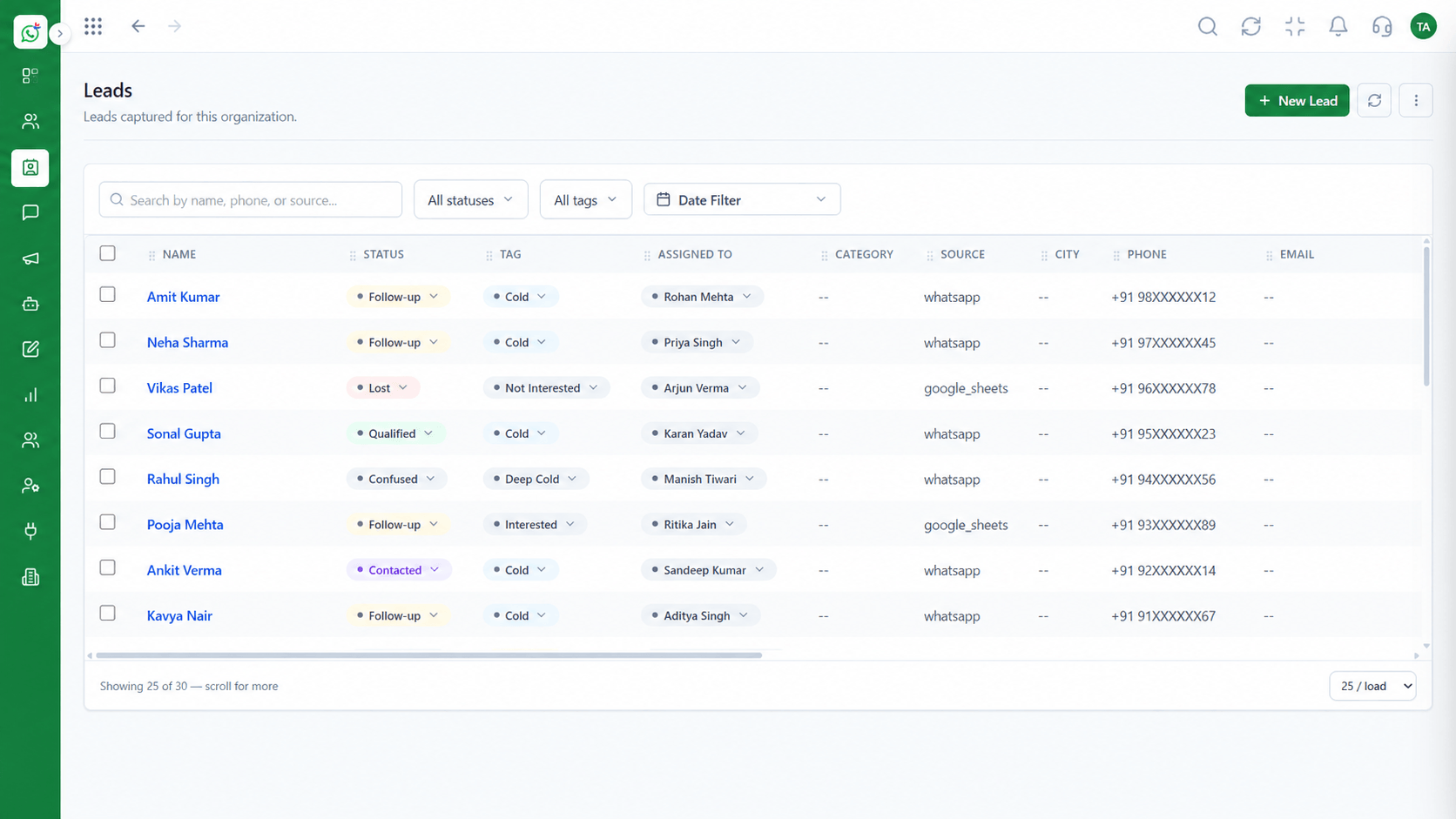 Leads
LeadsCapture and qualify leads from conversations
Feature Breakdown
Captured from the Triostack Wabiz workspace.
Wabiz FeaturesAnswer together from one number.
 Wabiz Features
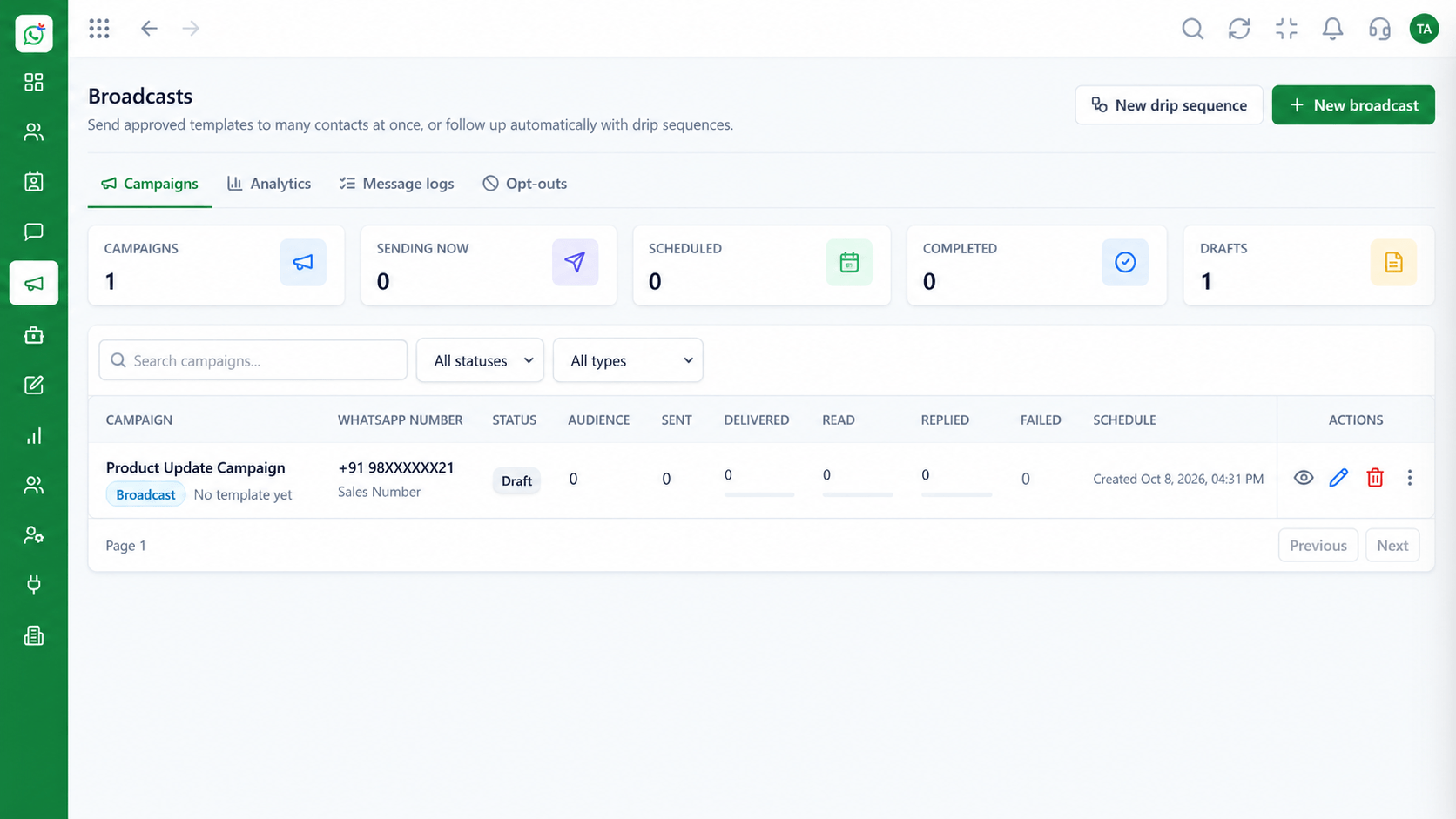
Reach opted-in segments.
 Wabiz Features
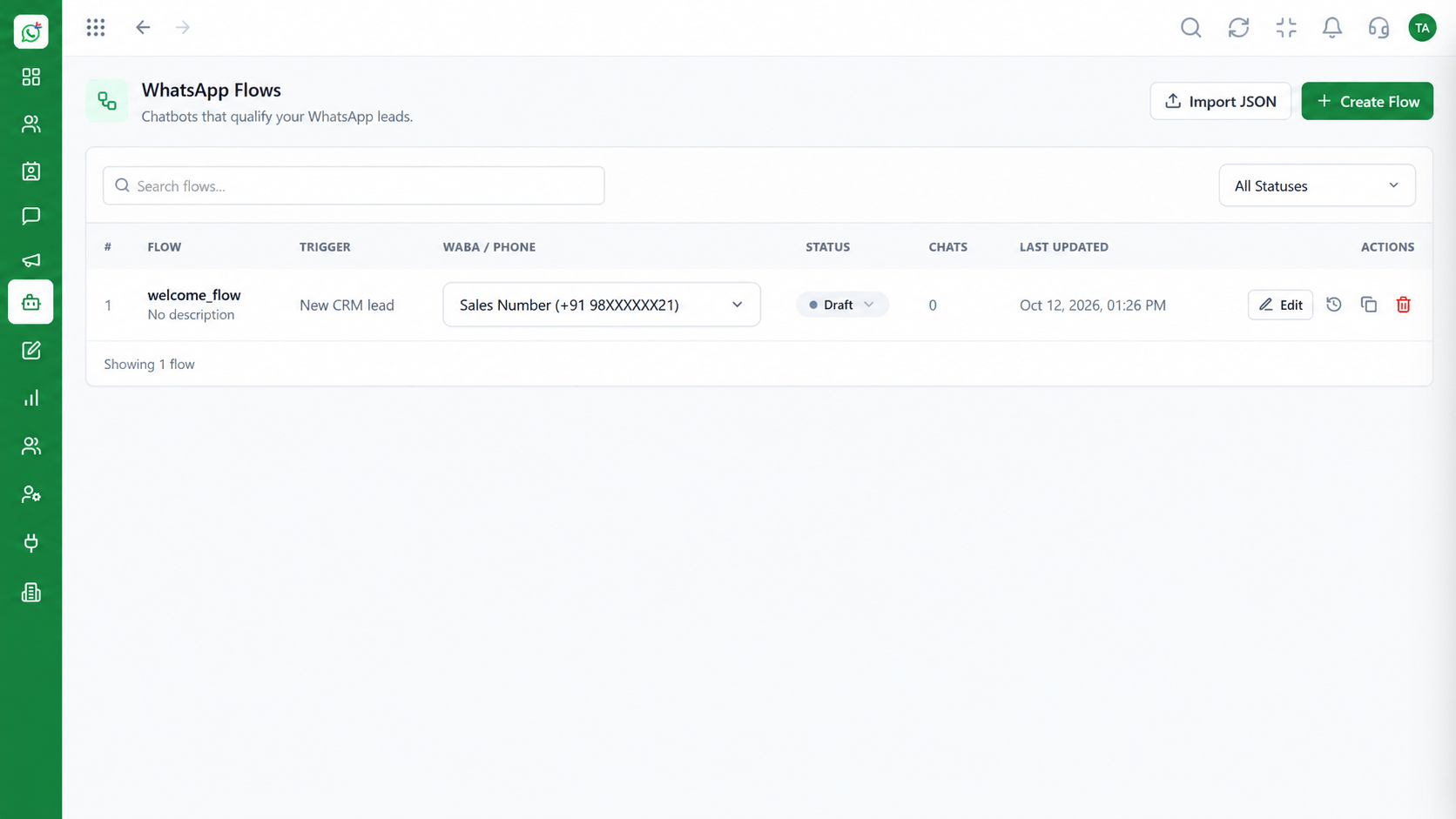
Automate guided journeys.
 Wabiz Features
Control access across the team.
Execution Plan
Link your WhatsApp Business number.
Open the shared inbox to your team.
Run your first template campaign.
Add flows and routing as volume grows.
In Real Life
Scenario 01
Connect the number, invite agents and answer from the shared inbox.
Scenario 02
Submit templates and run the first campaign.
Scenario 03
Introduce flows and routing, then connect the CRM.
Frequently Asked Questions
A shared inbox, broadcast campaigns, flows, templates, contacts, leads and user management.
Yes. Wabiz runs on the WhatsApp Cloud API.
Yes. Add campaigns, flows and roles when you need them.
Yes. Leads and conversations can flow into the CRM.
On the Wabiz pricing page.
Shared inbox, broadcasts, chatbot flows and templates on the WhatsApp Cloud API, built for teams.
