The best Business Suite software in India, built to help your business grow. Contact us at +91-8882435276.
[ Contact ]
Phone number
Email address
Head office
Noida office
The right team at TriostackOne will get back to you.
Build conversation flows with buttons, lists and questions to qualify leads, answer FAQs and collect details, then hand over to an agent with the context already captured.
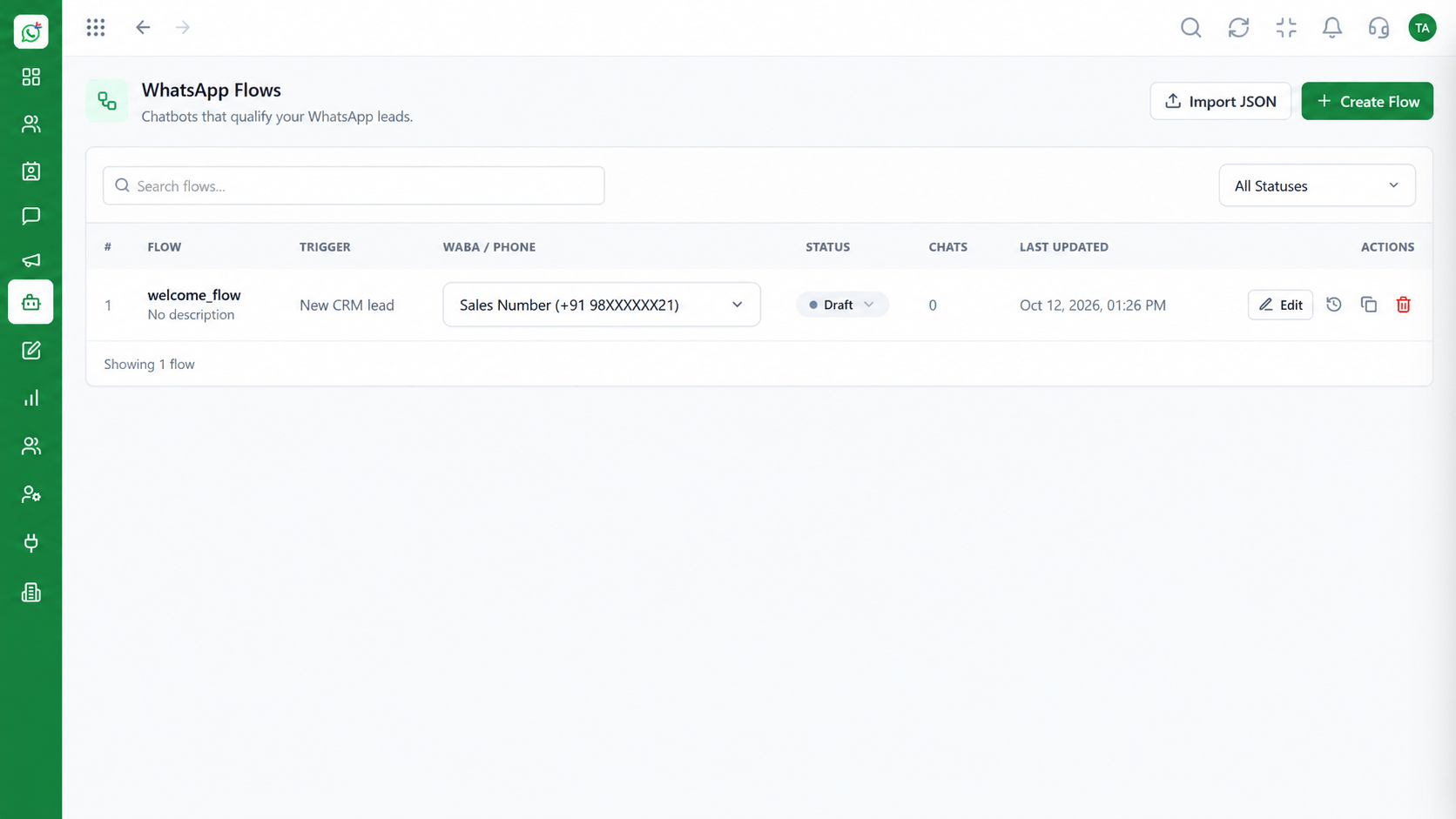
Design journeys visually and publish in minutes
Positioning Assessment
Opening hours, pricing, order status, store location: agents retype the same answers all day, and customers wait while they do.
Flows let you design those journeys once. A customer taps a button, answers a question or picks from a list, and the flow responds, collects details or routes the chat.
When a human is needed, the conversation passes to an agent along with everything the flow collected.
“The flow asks the three questions we always ask. By the time an agent opens the chat, the basics are already there.”
Sample team scenario
Illustrative example, not a customer testimonial
Illustrated Overview
A flow asks questions, offers buttons and lists, collects answers and hands over to a person when needed.
Each button or answer leads to the right next step.
Answers are saved to the contact so the agent starts informed.
When a human is needed, the chat passes over with the context attached.
Platform Integrity
Drag, connect and publish flows
Buttons and lists guide the choice
Collect details into the contact record
Agents get the context collected
How It Works
Where a guided journey beats typing the same answer again.
| Dimension | Triostack Wabiz | Agents Only |
|---|---|---|
| FAQ Answers | Instant, consistent, always on | Retyped by whoever is free |
| Lead Qualification | Questions asked in a fixed order | Depends on the agent's style |
| Data Collection | Answers saved to the contact | Copied by hand into a sheet |
| Peak Load | Handles many chats at once | Queue builds up |
| Escalation | Passes the chat with context | Customer repeats themselves |
Book a walkthrough and we will set up a sandbox with your use case so you can try it before you commit.
Live Interface Tour
Real screens captured directly from the Triostack Wabiz workspace.
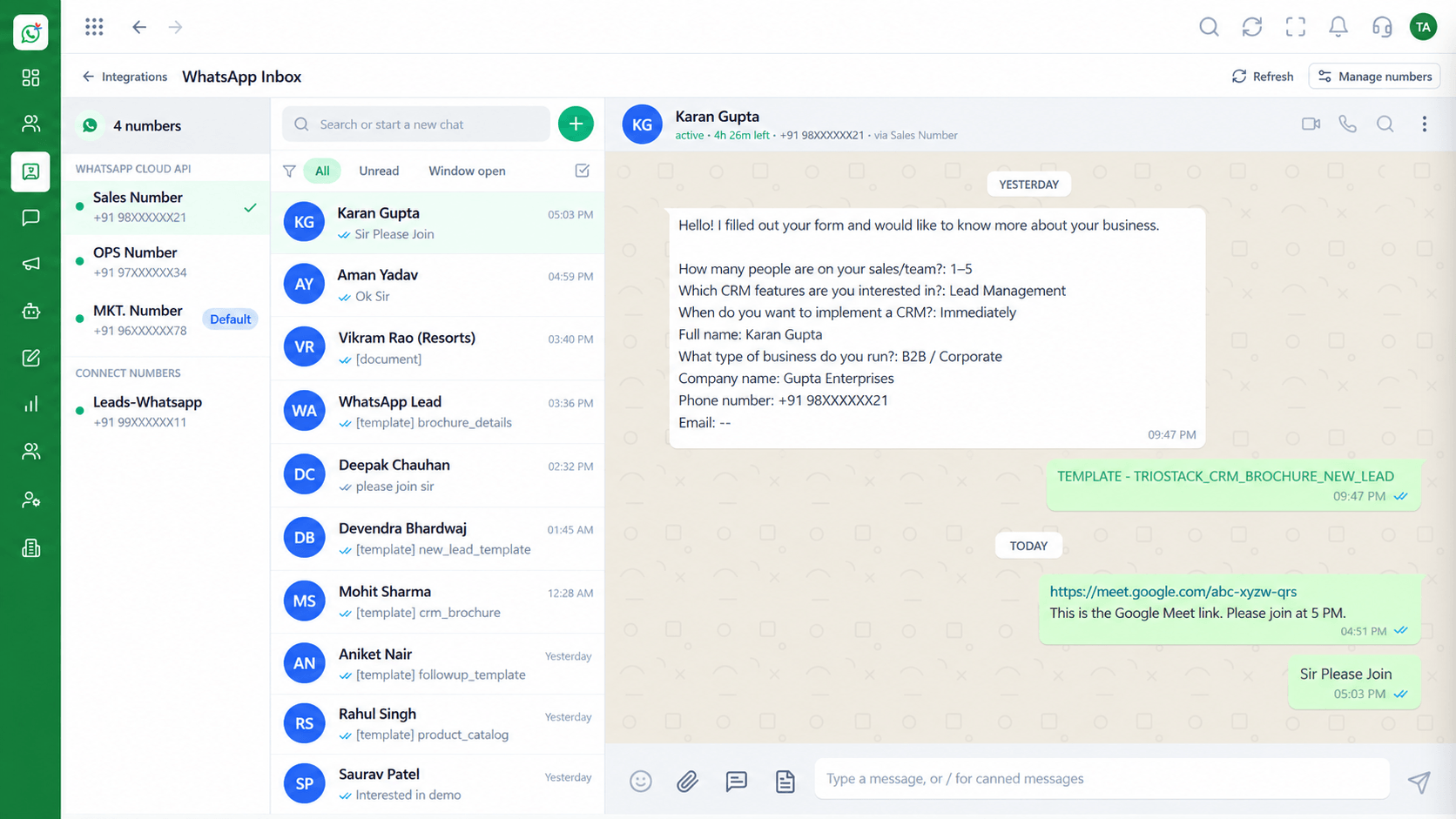 Inbox
InboxEvery WhatsApp conversation in one team view
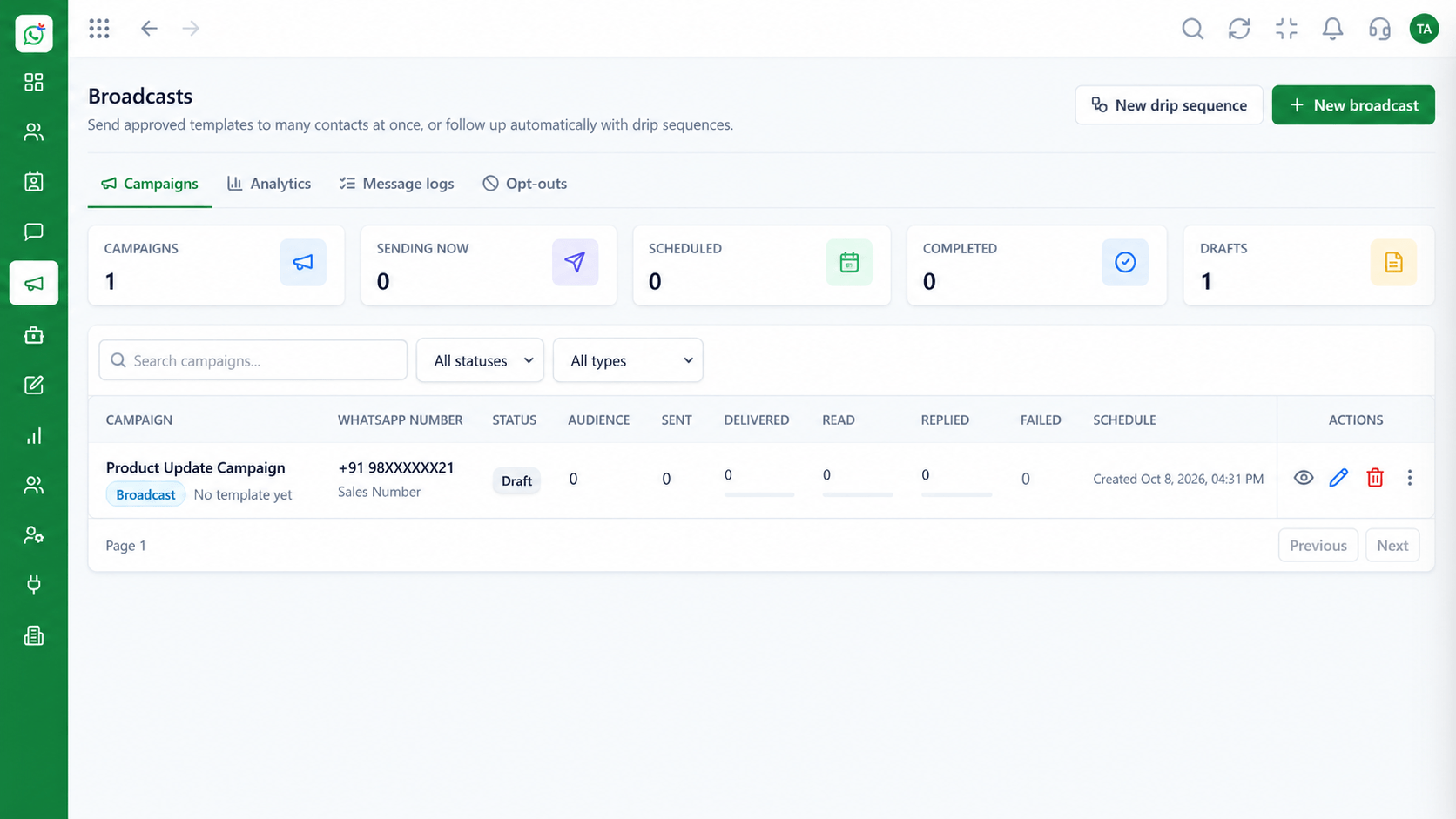 Campaigns
Schedule and track template campaigns
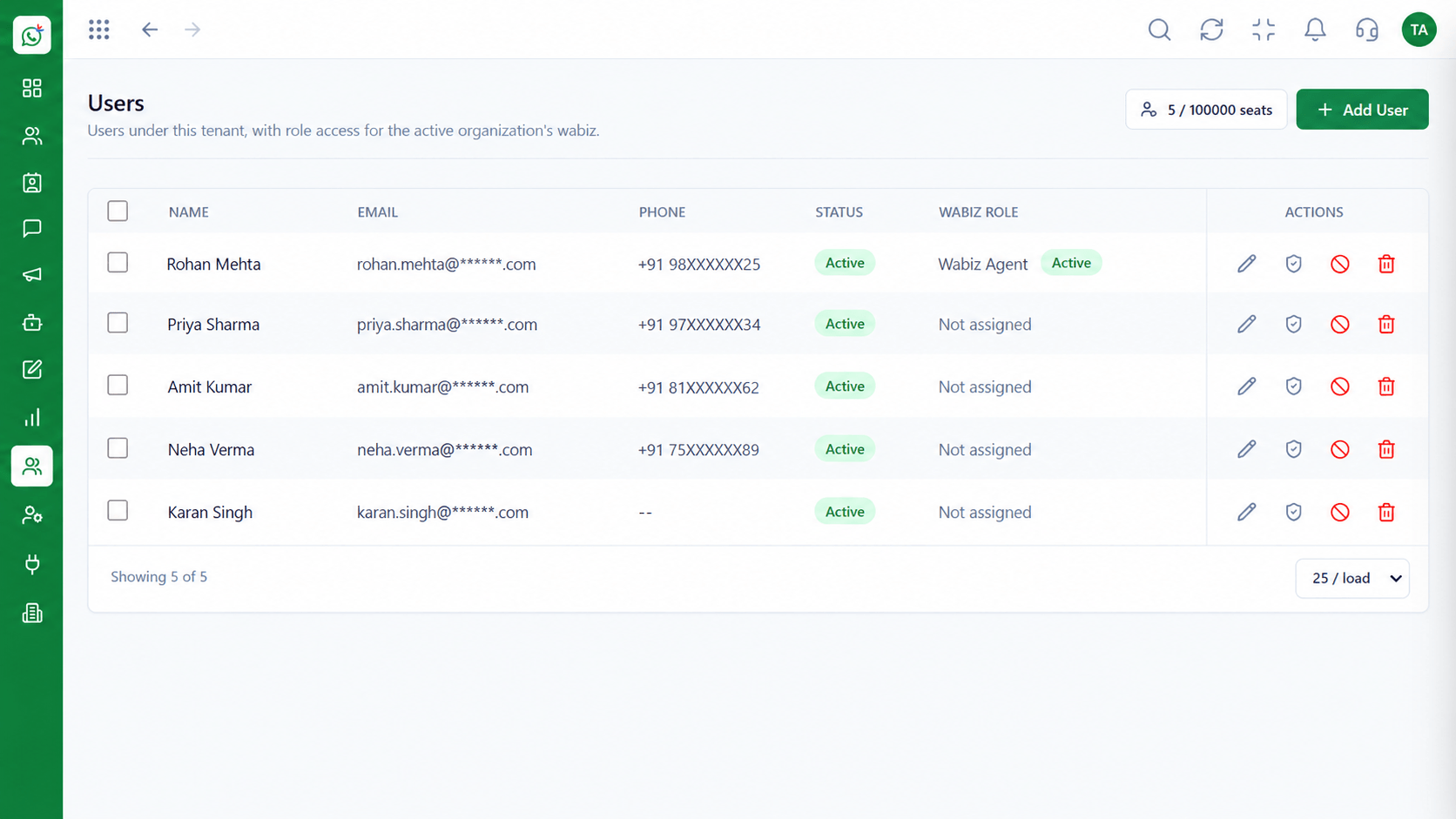 Team
TeamInvite agents and assign ownership
Feature Breakdown
Captured from the Triostack Wabiz workspace.
Wabiz FeaturesLay out the journey step by step.
 Wabiz Features
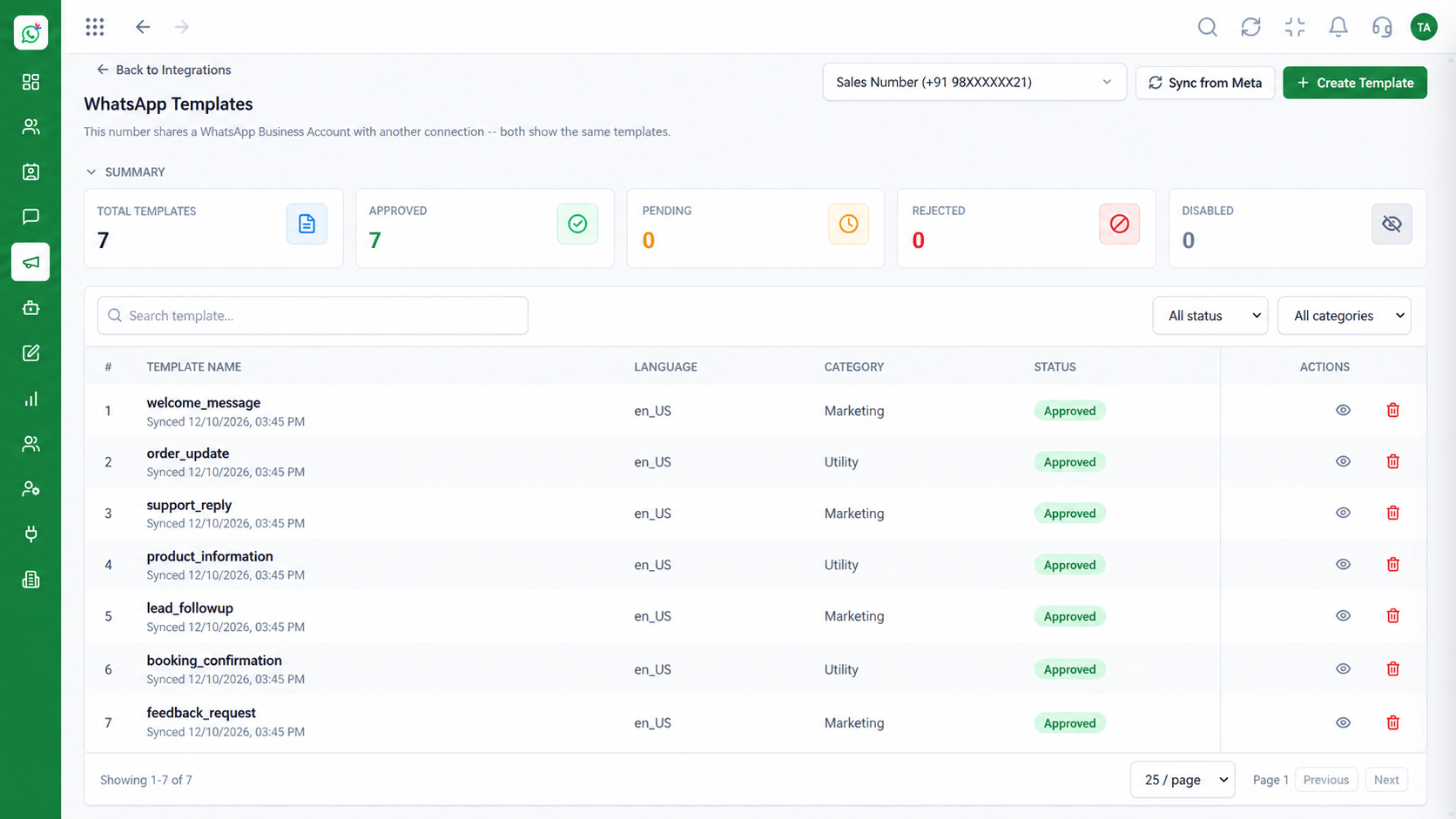
Use approved templates inside flows.
 Wabiz Features
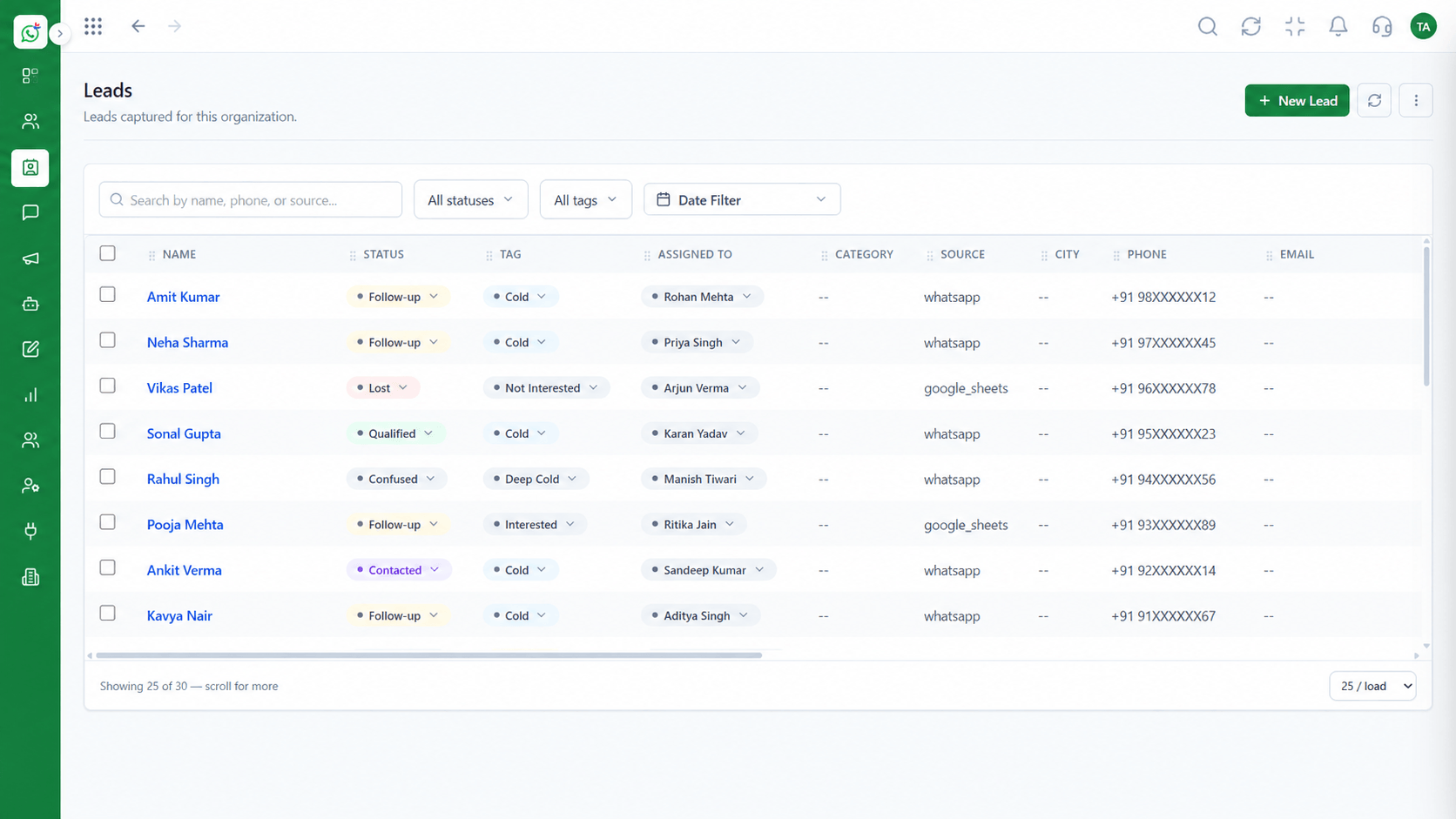
Save what customers tell you.
 Wabiz Features
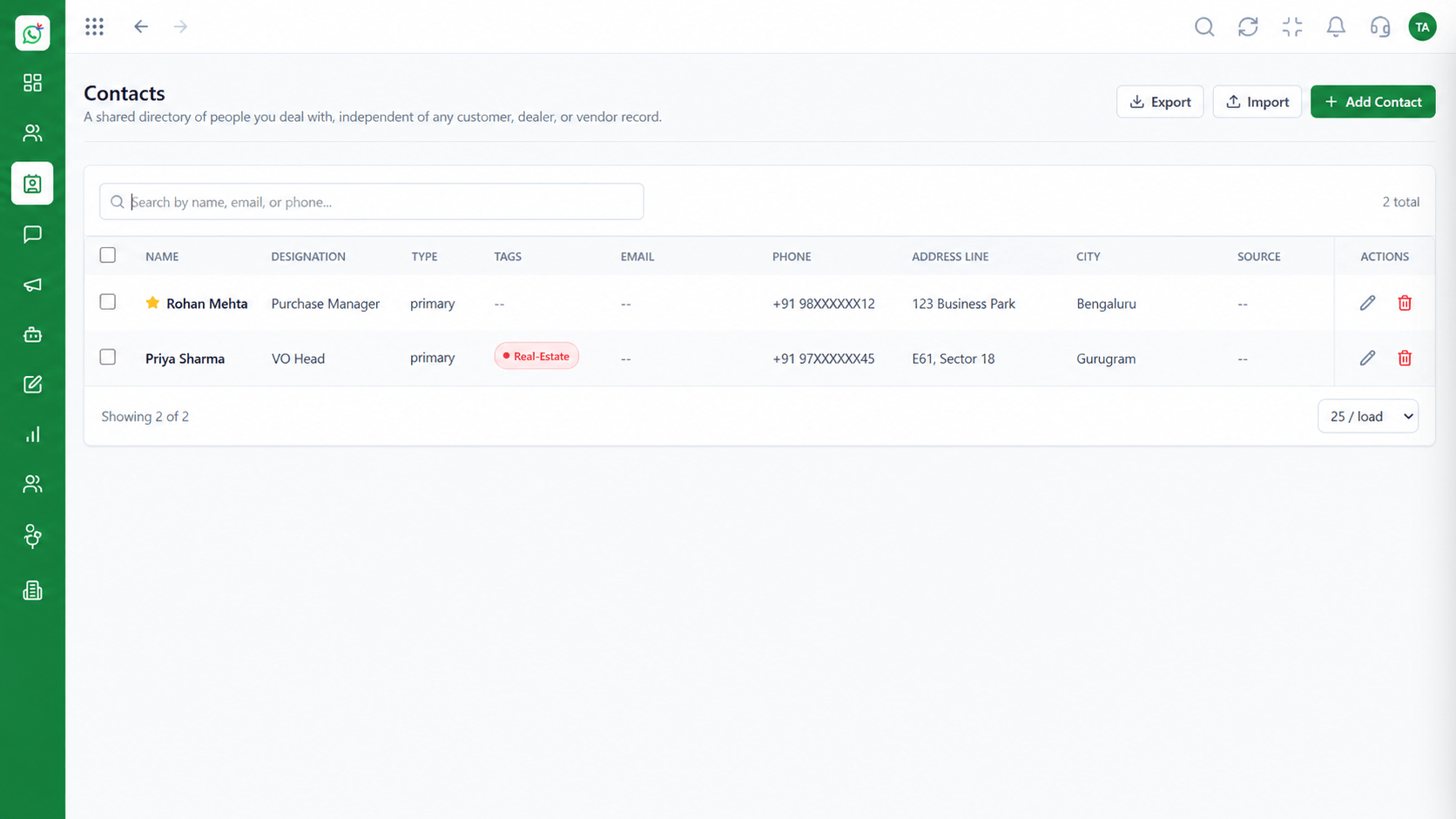
Store answers where the team can use them.
Execution Plan
Qualify a lead, answer FAQs or book a callback.
Add questions, buttons and branches.
Choose which answers update contact fields.
Go live, watch completion, tune the steps.
In Real Life
Scenario 01
The flow answers instantly, freeing agents for harder questions.
Scenario 02
Budget, timeline and need are collected before a salesperson steps in.
Scenario 03
The customer picks a slot from a list and the team sees the request.
Frequently Asked Questions
No. Flows are built visually.
Yes. Answers can be saved to contact fields or tags.
Yes. The chat passes to an agent with the collected context.
Yes. Interactive messages are supported for guided choices.
Flows are rule-based journeys you design. Availability of AI features depends on your plan.
Shared inbox, broadcasts, chatbot flows and templates on the WhatsApp Cloud API, built for teams.
