The best Business Suite software in India, built to help your business grow. Contact us at +91-8882435276.
[ Contact ]
Phone number
Email address
Head office
Noida office
The right team at TriostackOne will get back to you.
Send approved template messages to segmented, opted-in audiences, schedule them for the right time and see delivery and replies in one place.
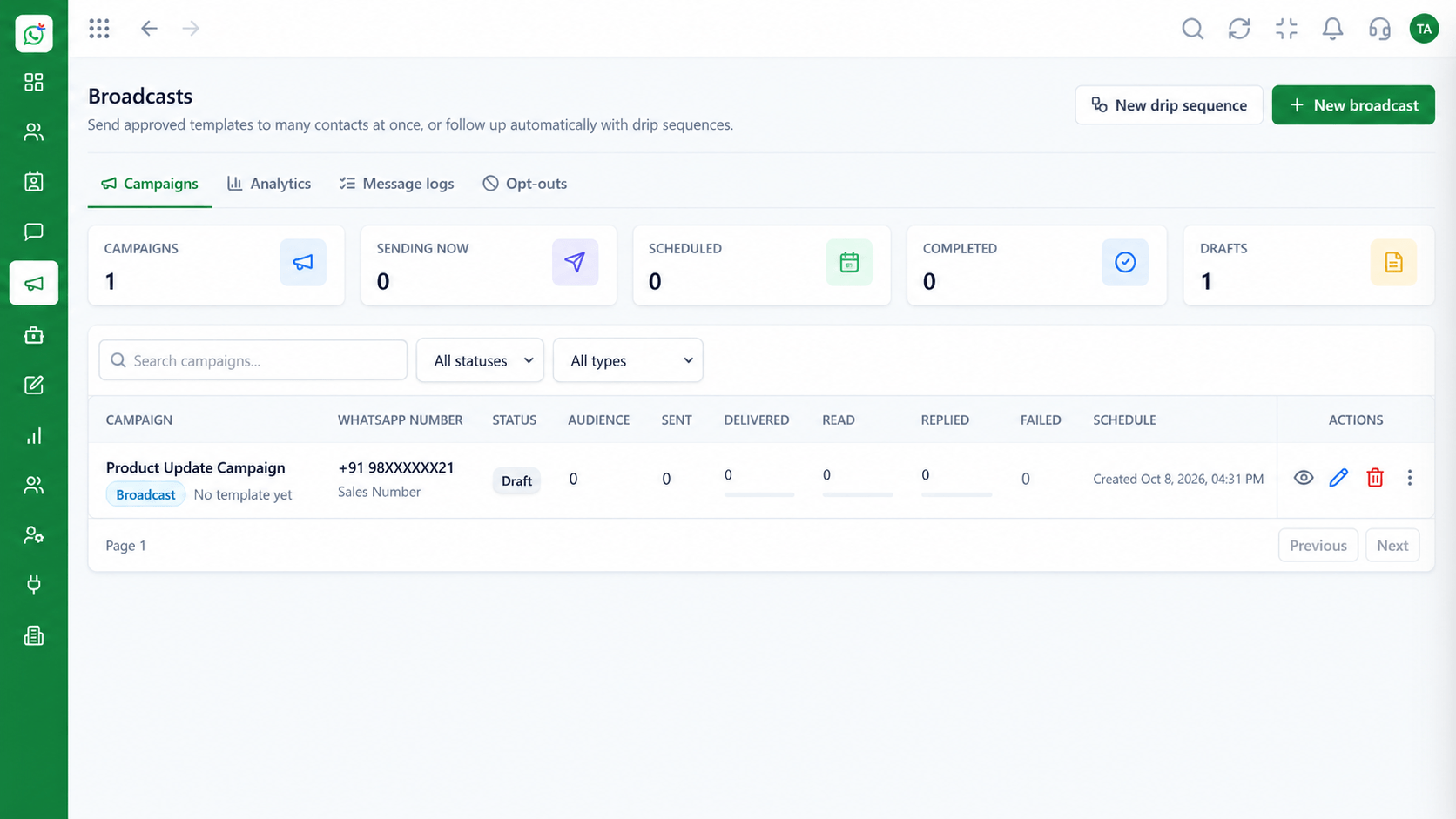
Targeted sends to opted-in contacts, not blind blasts
Positioning Assessment
The WhatsApp Business app limits broadcast lists and only reaches people who have saved your number. It offers little scheduling, targeting or reporting.
Wabiz sends campaigns through the WhatsApp Cloud API using Meta-approved templates. You choose an audience segment, set a time and launch.
Replies land straight in the shared inbox, so the campaign becomes a conversation instead of a one-way blast.
“A campaign is only useful if the replies are handled. Having them arrive in the same inbox changes how we plan offers.”
Sample team scenario
Illustrative example, not a customer testimonial
Illustrated Overview
A broadcast is a message sent to a chosen segment, at a chosen time, using a template Meta has approved. The replies come back to your team.
Segments built from tags and attributes keep offers relevant.
Only approved templates go to opted-in contacts, in line with WhatsApp's policies.
See delivery and replies per campaign and learn what works.
Platform Integrity
Meta-approved content for outbound sends
Target by tag, attribute or list
Send at the time customers respond
Responses flow into the shared inbox
How It Works
Why template campaigns on the Cloud API differ from the phone app.
| Dimension | Triostack Wabiz | Phone App Broadcast |
|---|---|---|
| Audience Size | Segments built from your contact database | Small lists; recipients must have saved your number |
| Content | Approved templates with variables | Free text, no personalisation |
| Scheduling | Schedule sends ahead of time | Manual, send-now only |
| Reporting | Delivery and read status per campaign | Basic ticks per message |
| Replies | Routed into the team inbox | Land on one phone |
Book a walkthrough and we will set up a sandbox with your use case so you can try it before you commit.
Live Interface Tour
Real screens captured directly from the Triostack Wabiz workspace.
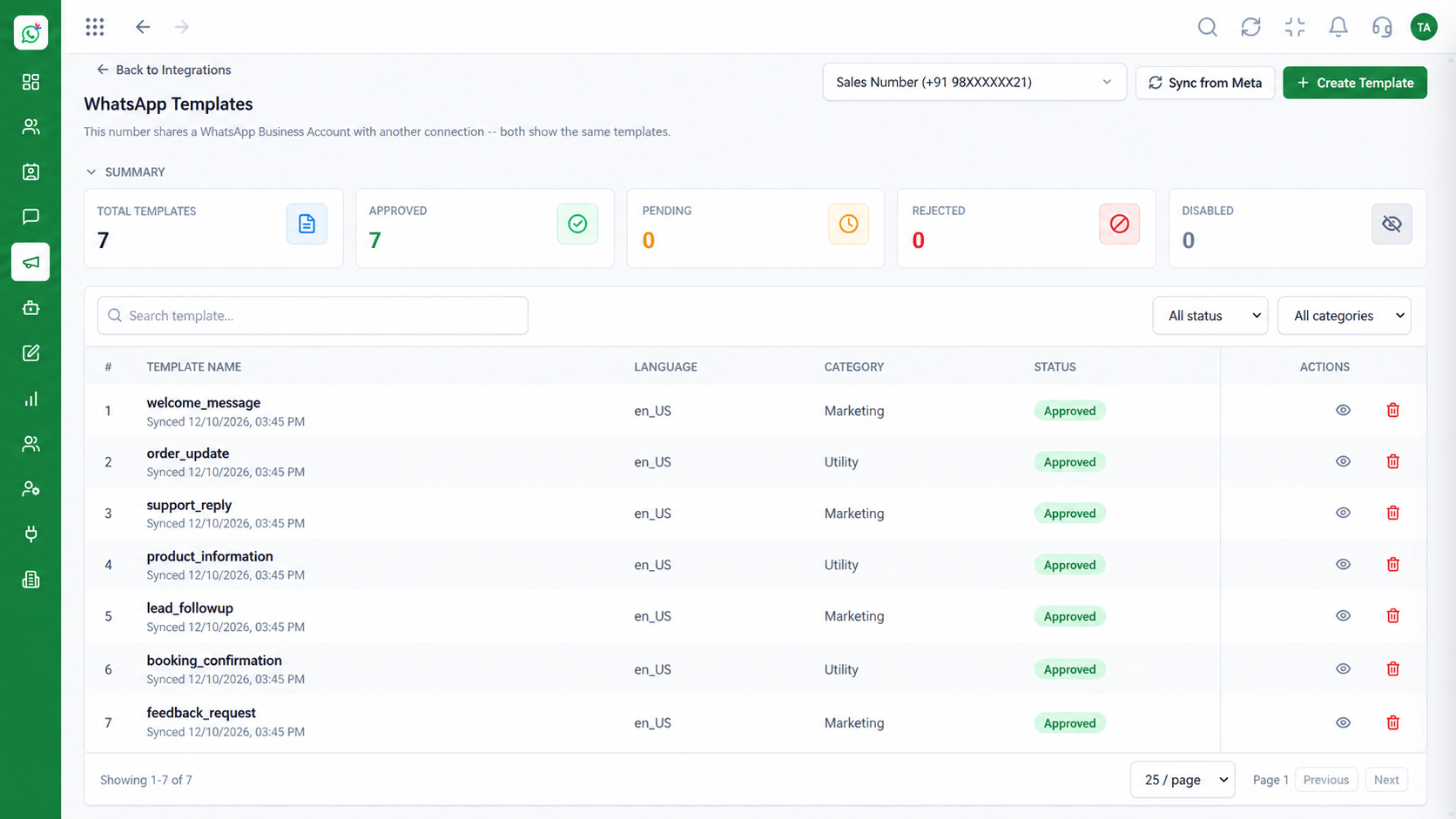 Templates
Manage approved WhatsApp templates
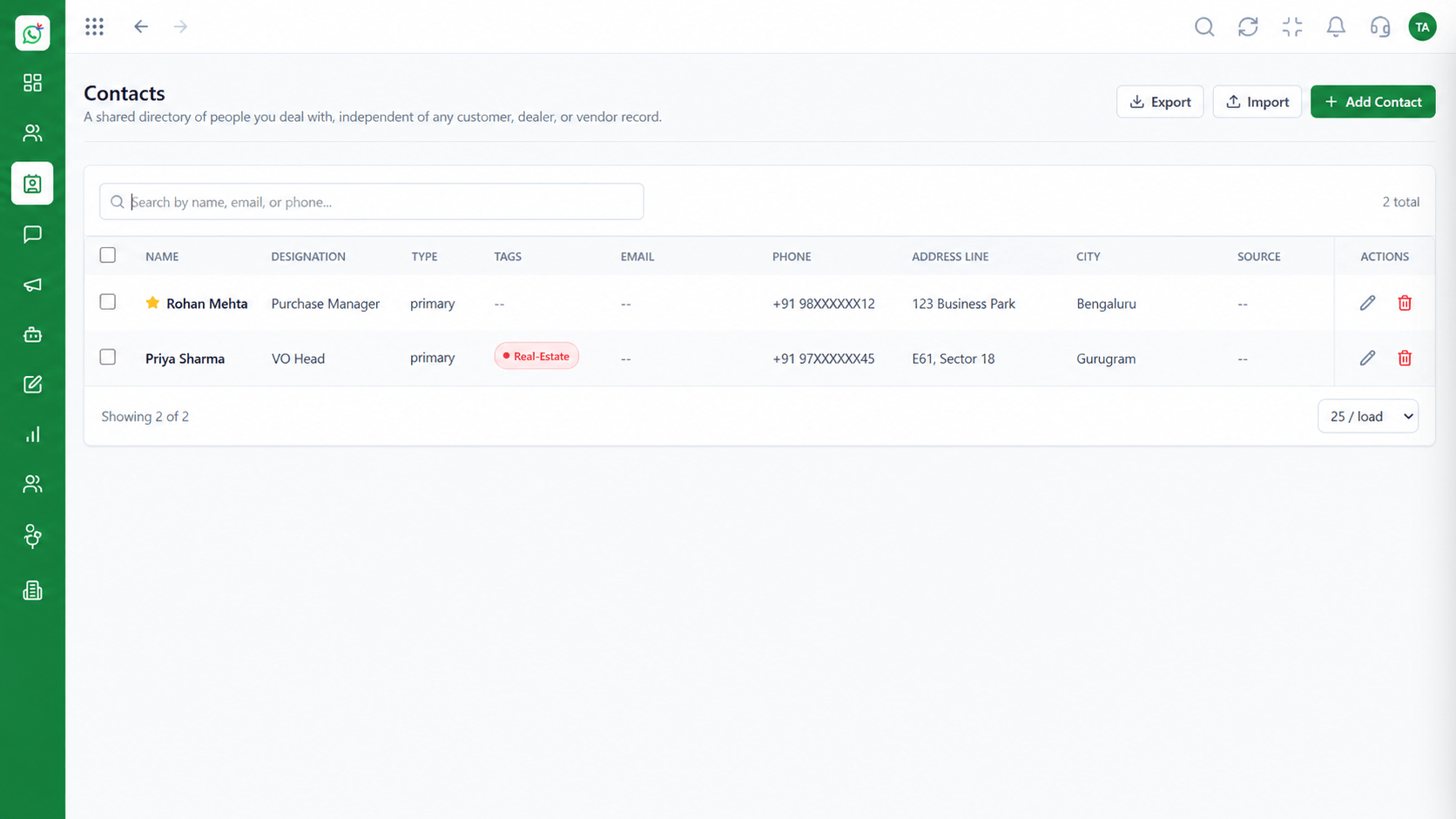 Contacts
Segment and manage your WhatsApp audience
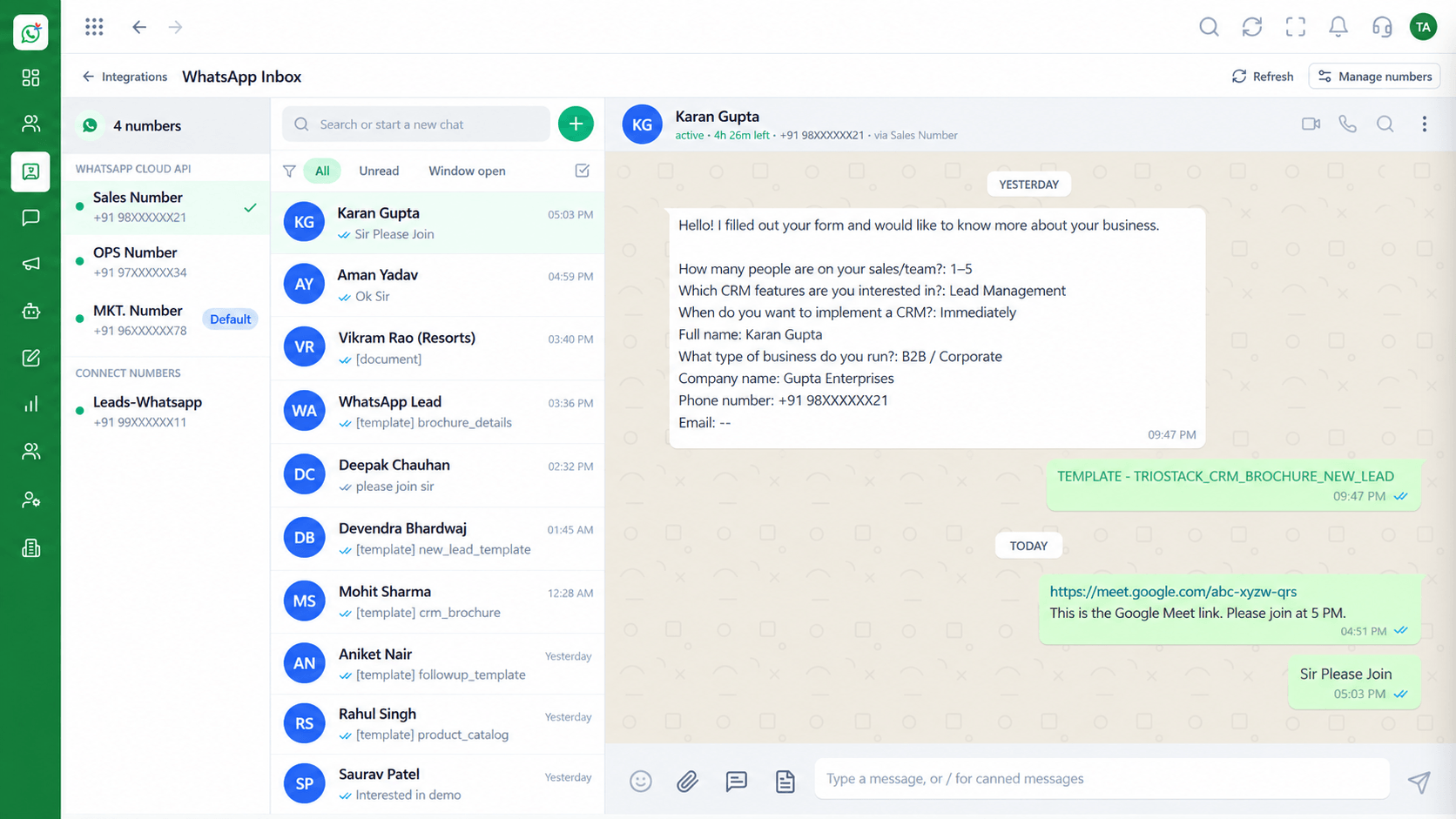 Inbox
InboxEvery WhatsApp conversation in one team view
Feature Breakdown
Captured from the Triostack Wabiz workspace.
Wabiz FeaturesPick a template, an audience and a time.
Wabiz FeaturesReuse approved messages across campaigns.
Wabiz FeaturesBuild lists from tags and attributes.
Wabiz FeaturesTurn responses into conversations.
Execution Plan
Select an approved template or submit a new one.
Select a segment of opted-in contacts.
Send now or choose a future time.
Watch delivery and handle responses in the inbox.
In Real Life
Scenario 01
A segmented offer goes out the morning before the sale, with replies landing in the inbox.
Scenario 02
A reminder an hour before improves attendance without chasing people by phone.
Scenario 03
Customers who have not bought in 90 days receive a gentle, relevant nudge.
Frequently Asked Questions
Broadcasts go to contacts who have opted in, using approved templates, in line with WhatsApp's business policies.
Yes. Marketing and utility templates are submitted to Meta for approval before use.
Yes. You can send immediately or schedule for a later time.
Into the shared team inbox, linked to the contact.
Yes. Use tags, attributes and lists to target a campaign.
Shared inbox, broadcasts, chatbot flows and templates on the WhatsApp Cloud API, built for teams.
