The best Business Suite software in India, built to help your business grow. Contact us at +91-8882435276.
[ Contact ]
Phone number
Email address
Head office
Noida office
The right team at TriostackOne will get back to you.
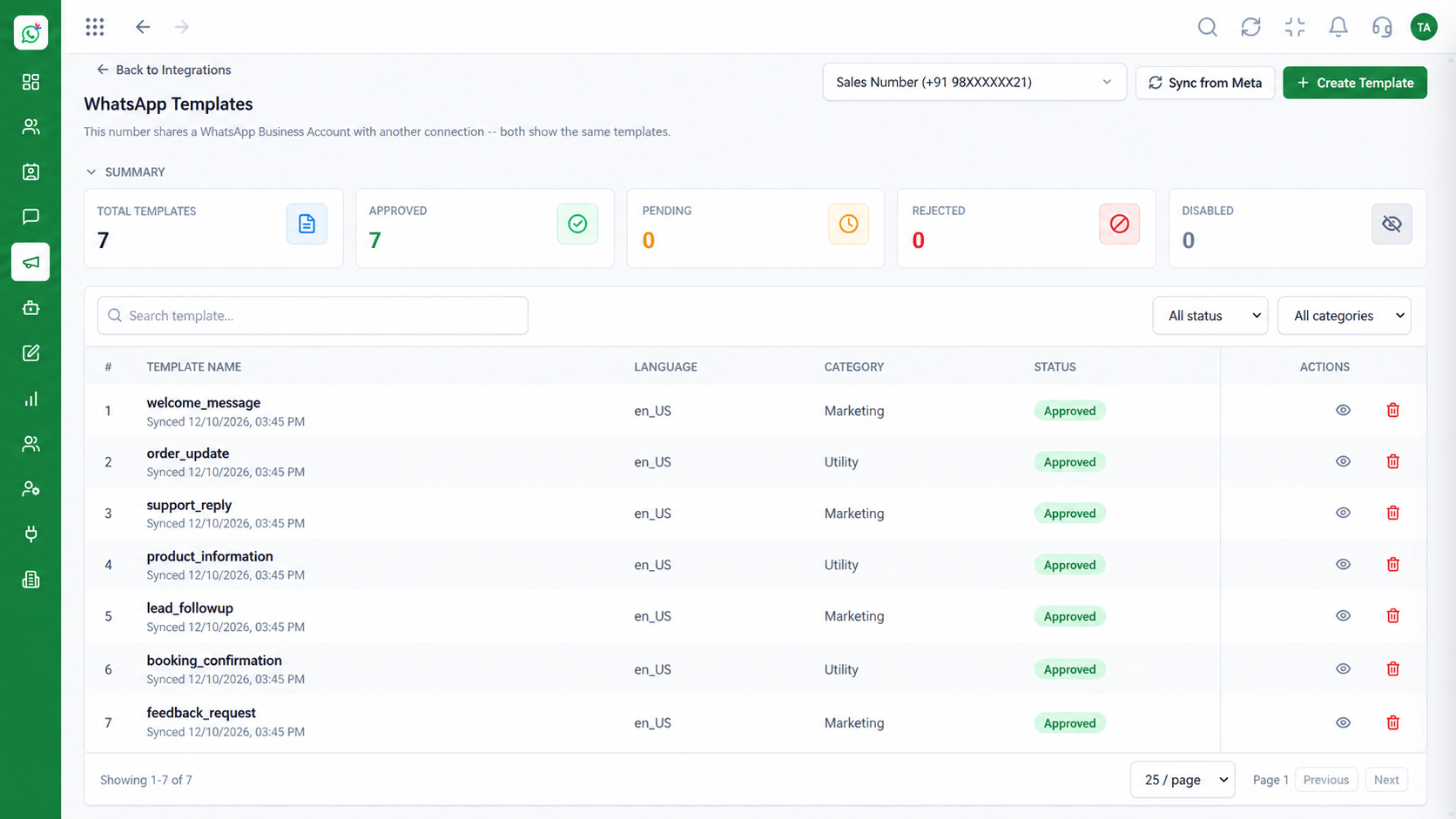
Create, submit and manage WhatsApp message templates in one library, with variables, categories and approval status visible, so outbound messages are compliant and consistent.
Outbound messages that follow WhatsApp's template rules
Positioning Assessment
WhatsApp requires pre-approved templates for business-initiated messages. Getting them wrong means rejections, delays and inconsistent wording.
Wabiz keeps every template in one library. You see its category, language and approval status, insert variables for names, orders or dates, and reuse it across campaigns and automations.
Teams spend less time rewriting, and customers receive messages that are clear and on-brand.
“Having every approved template in one place stopped people from improvising wording we could not send anyway.”
Sample team scenario
Illustrative example, not a customer testimonial
Illustrated Overview
Templates are the messages WhatsApp lets a business start a conversation with. Wabiz keeps them organised, with approval status in view.
Names, order numbers and dates are inserted for each customer.
See which templates are approved, pending or need changes.
The same template works in campaigns, flows and agent replies.
Platform Integrity
See pending, approved or rejected
Personalise with names and order data
Marketing, utility and authentication
Reuse across the whole workspace
How It Works
Why a central library beats improvising outbound messages.
| Dimension | Triostack Wabiz | Ad-Hoc Messages |
|---|---|---|
| Compliance | Messages follow approved templates | Risk of rejected or blocked sends |
| Consistency | Same wording across agents | Every agent writes their own |
| Personalisation | Variables fill names and details | Manual edits per message |
| Visibility | Status of every template at a glance | Unknown until a send fails |
| Reuse | One template for campaigns and flows | Copy and paste from notes |
Book a walkthrough and we will set up a sandbox with your use case so you can try it before you commit.
Live Interface Tour
Real screens captured directly from the Triostack Wabiz workspace.
 Campaigns
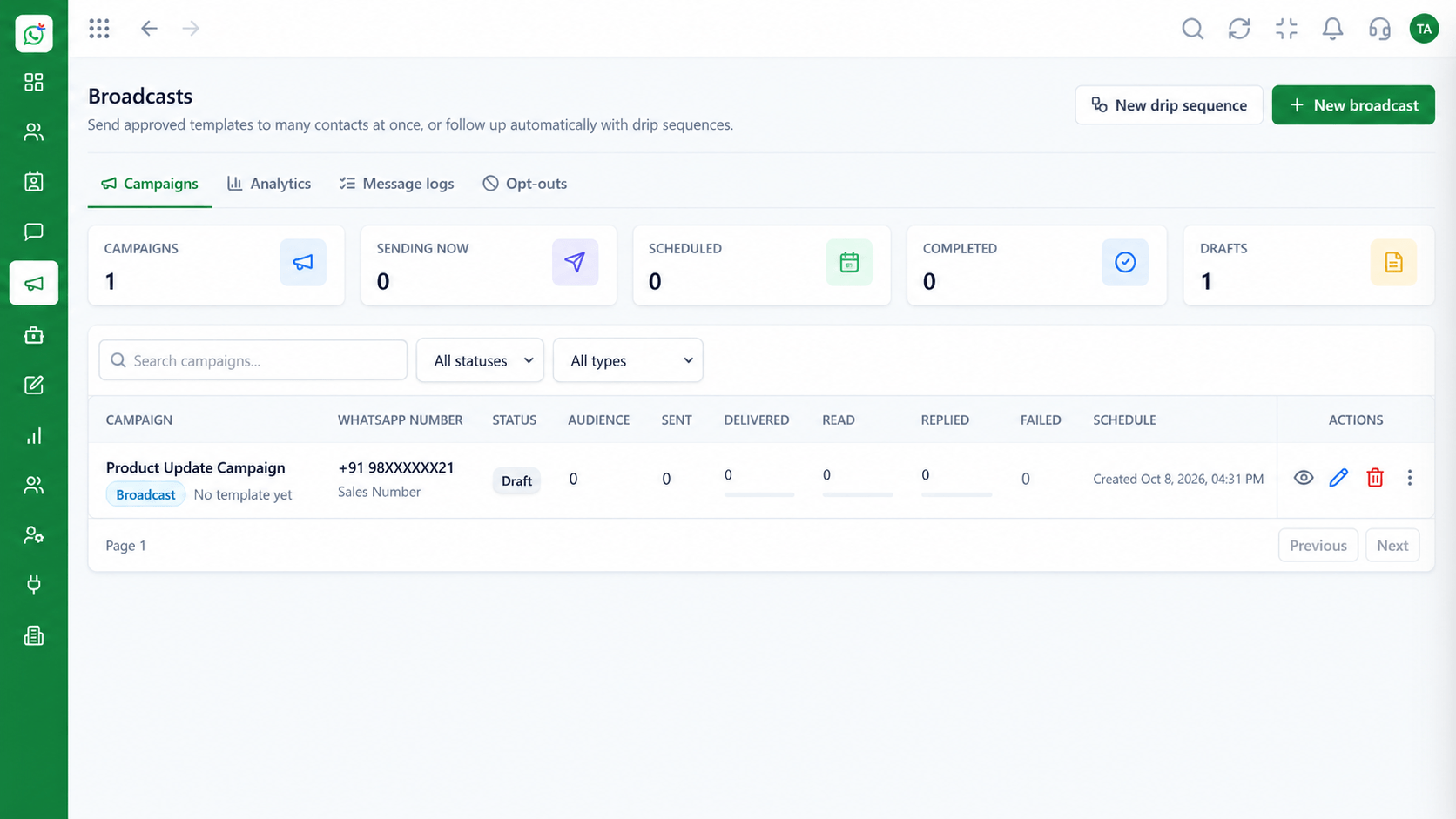
Schedule and track template campaigns
 Inbox
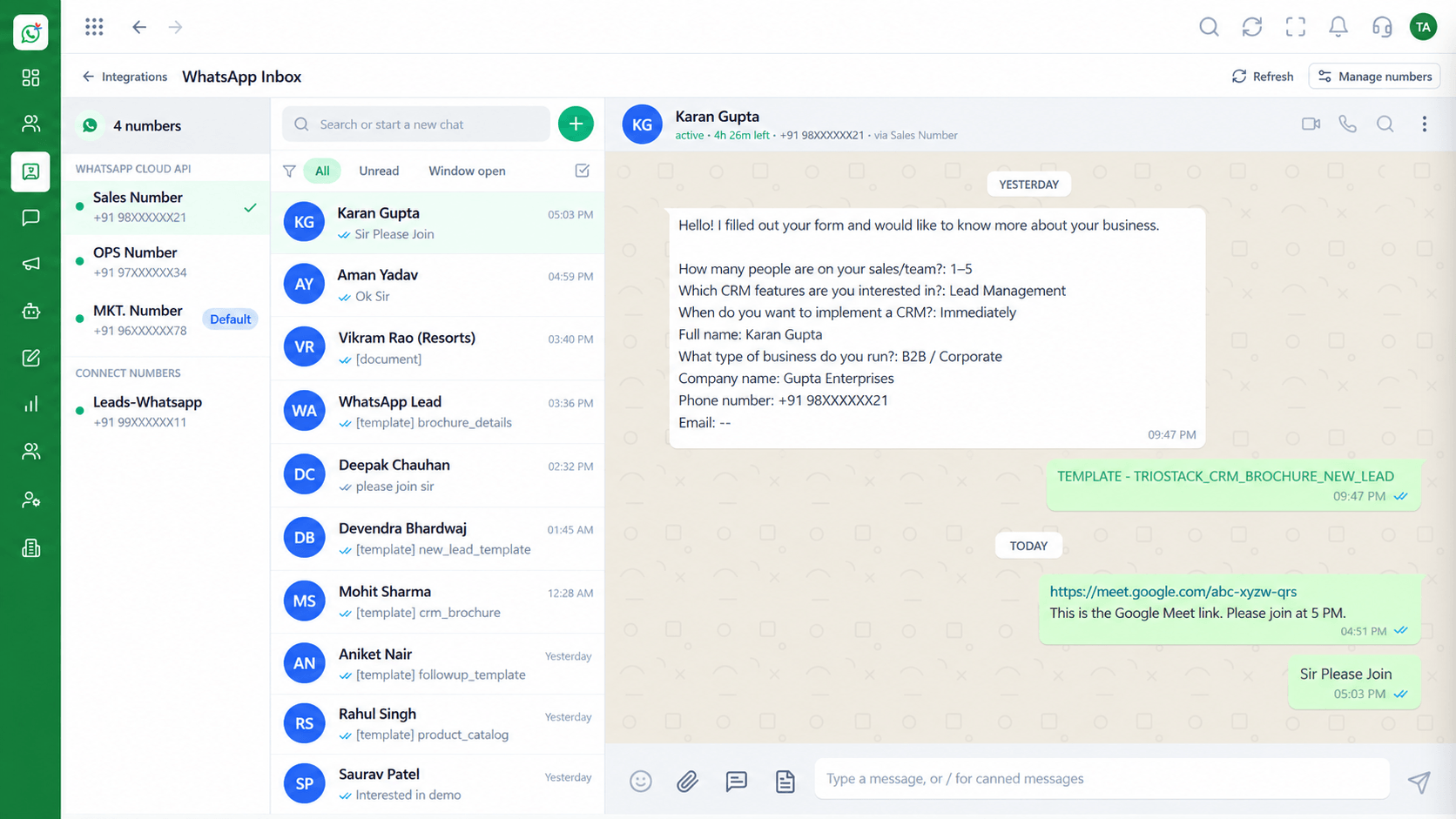
InboxEvery WhatsApp conversation in one team view
 Settings
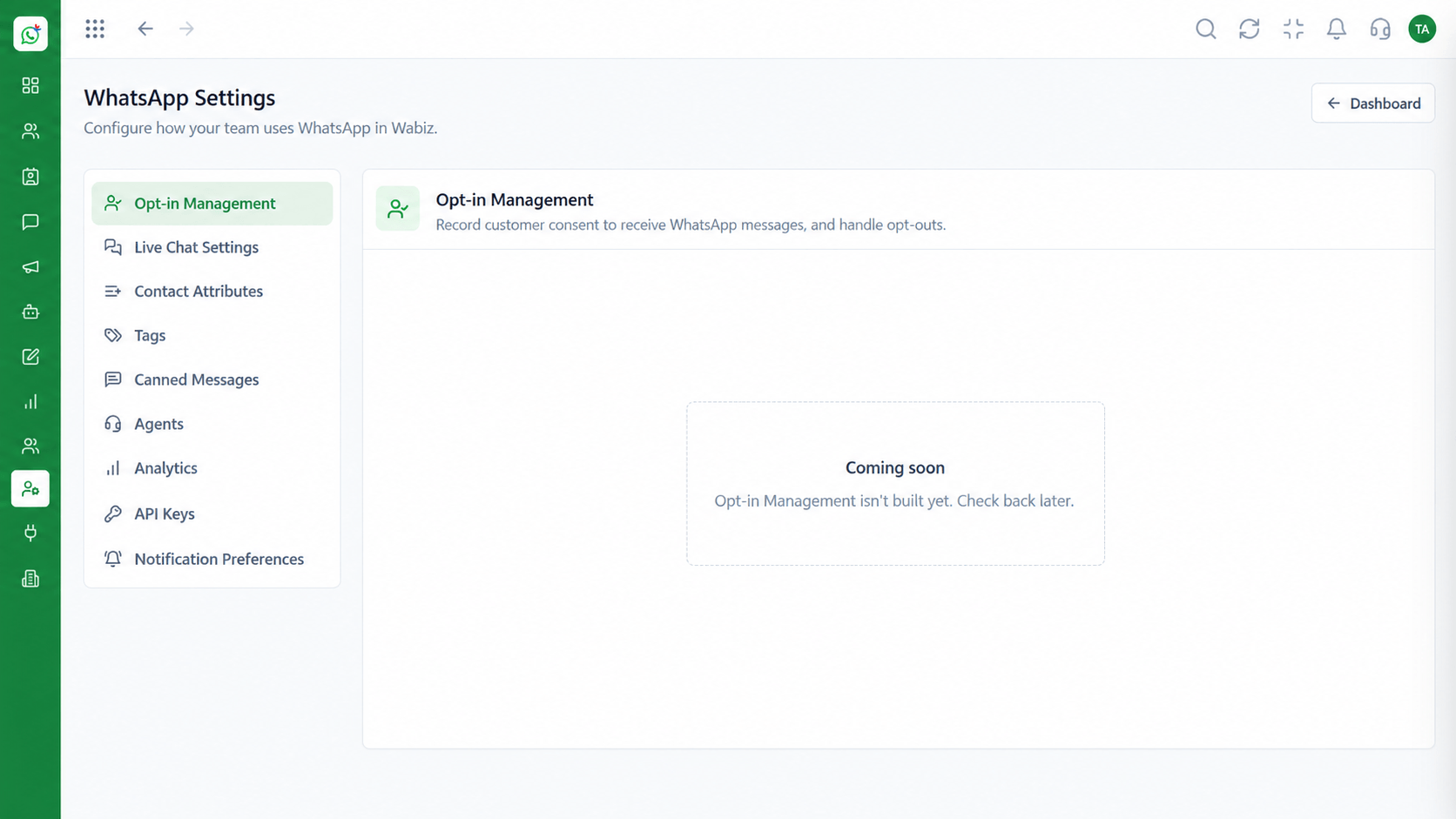
Configure numbers, hours and preferences
Feature Breakdown
Captured from the Triostack Wabiz workspace.
Wabiz FeaturesBrowse and search every template.
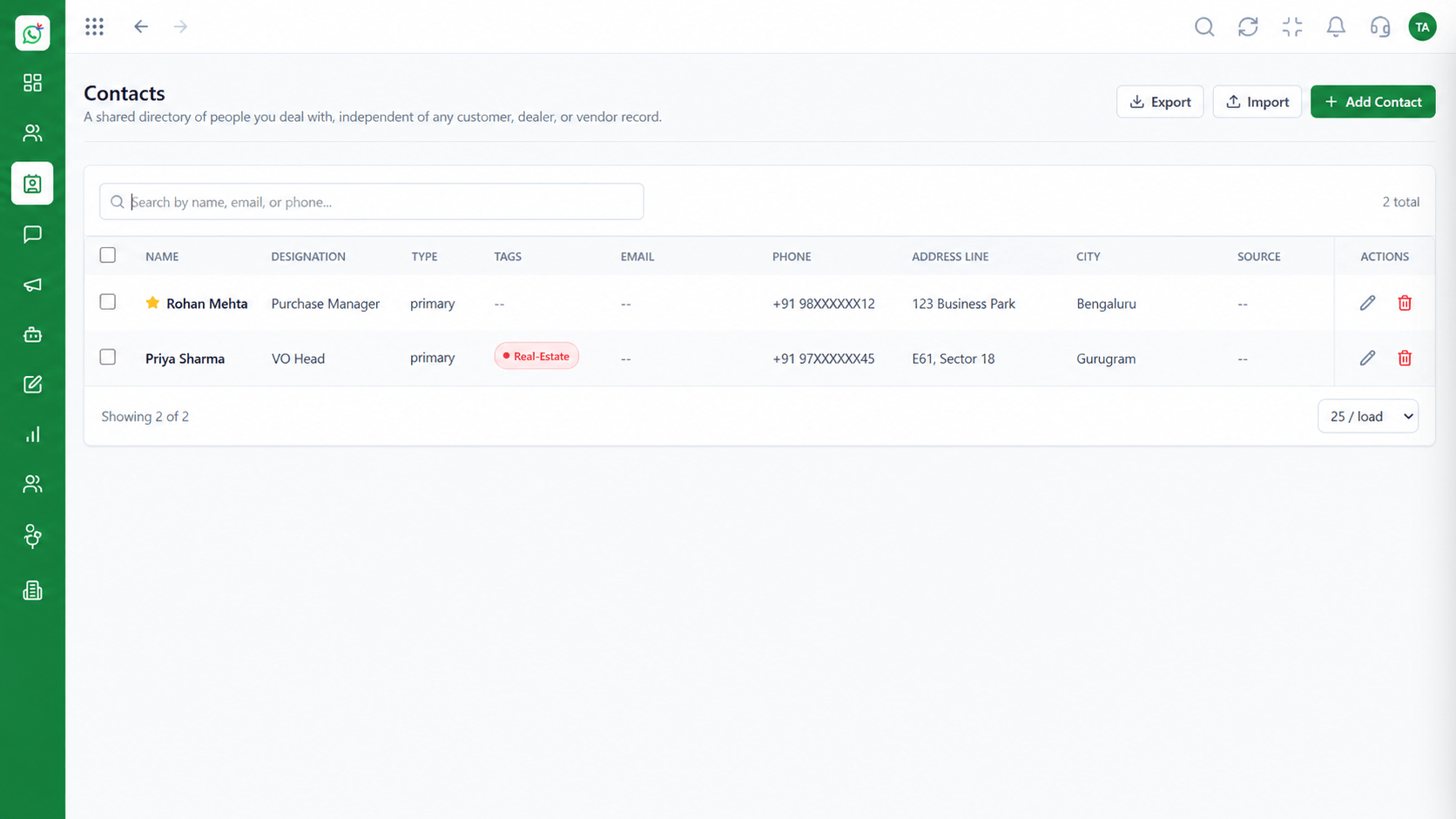 Wabiz Features
Insert dynamic details safely.
Wabiz FeaturesLaunch approved content to a segment.
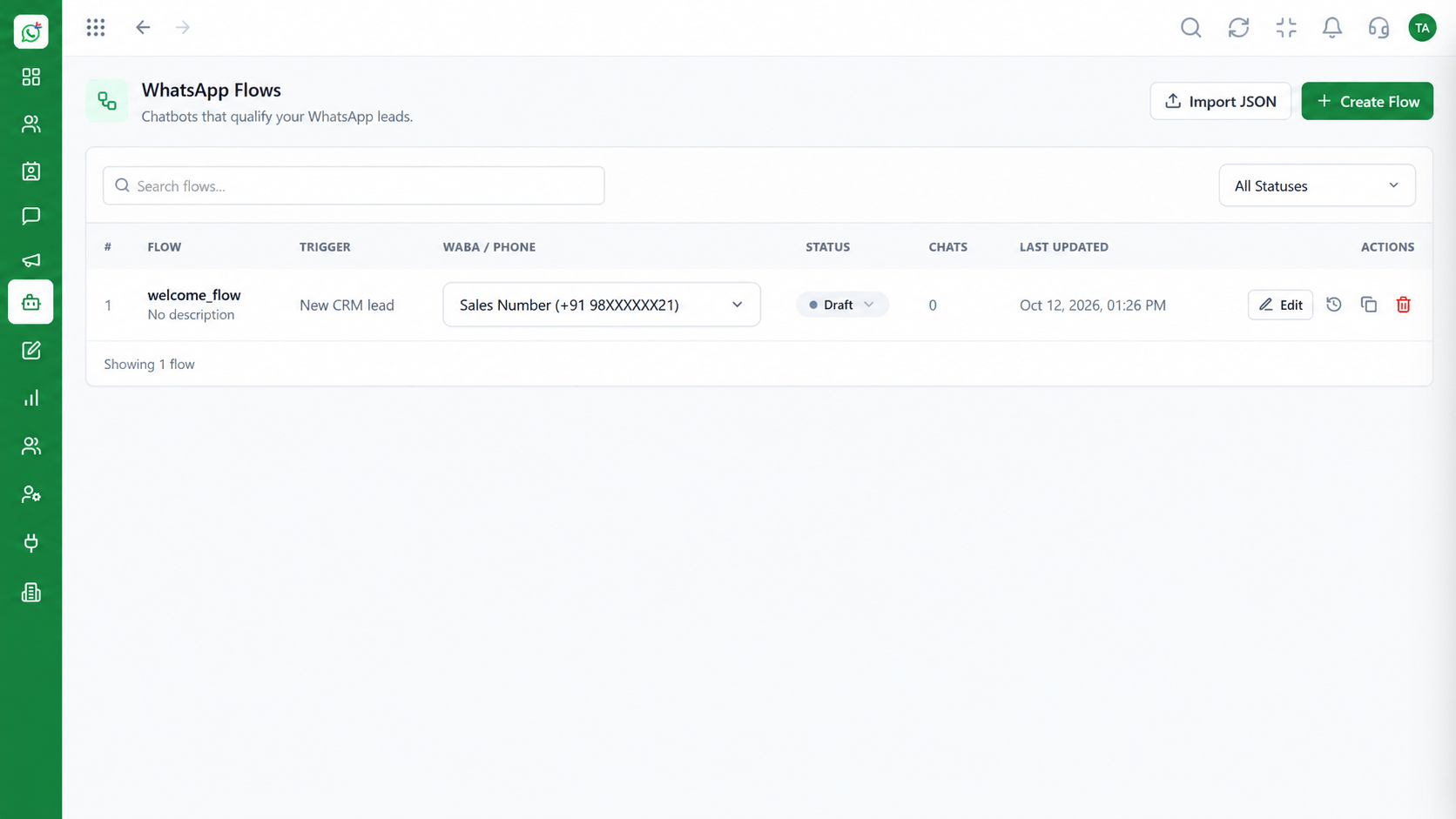 Wabiz Features
Trigger templates from automation.
Execution Plan
Write the message, add variables and choose a category.
Send the template to Meta for review.
Status updates in the library when it is ready.
Send it in campaigns, flows and agent replies.
In Real Life
Scenario 01
A utility template confirms the order with the right name and number.
Scenario 02
A reminder with the time and place goes out automatically.
Scenario 03
A marketing template with a button invites the customer to reply.
Frequently Asked Questions
WhatsApp requires approved templates for business-initiated messages outside the customer service window.
Templates are reviewed by Meta. Wabiz shows the status.
Yes. Use variables for names, order details and dates.
It varies. Approval is decided by Meta, and the status updates in the library.
Yes. Use it in campaigns, flows and one-to-one replies.
Shared inbox, broadcasts, chatbot flows and templates on the WhatsApp Cloud API, built for teams.
