The best Business Suite software in India, built to help your business grow. Contact us at +91-8882435276.
[ Contact ]
Phone number
Email address
Head office
Noida office
The right team at TriostackOne will get back to you.
A map of everything Desk connects to: WhatsApp, email, phone, other apps and your own systems through the API.
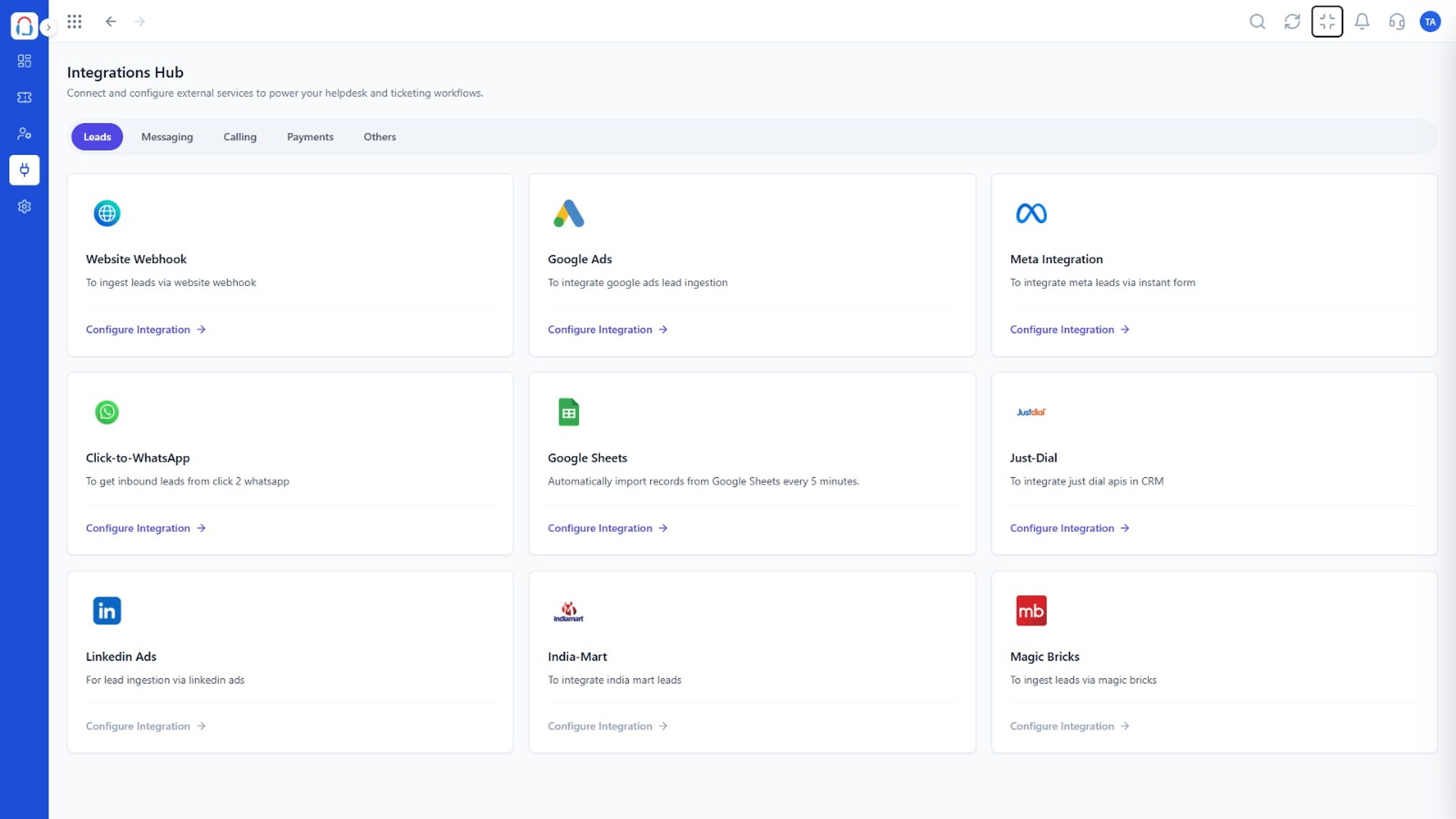
Every channel and tool in one picture
Positioning Assessment
Customers contact you on email, WhatsApp, phone and through your own apps. A helpdesk that hears only one of them leaves gaps.
Desk connects to each of these, brings them into one queue and shares context with the rest of the suite. This page is a map of what connects and where to read more.
“Once every channel fed the same queue, we stopped losing requests in the gaps.”
Sample team scenario
Illustrative example, not a customer testimonial
Illustrated Overview
Picture a transit map: every line is a channel, and they all meet at one central station called the queue.
Each channel brings requests.
All requests meet in the queue.
Updates flow to other tools.
Platform Integrity
WhatsApp Cloud API
Support addresses
Call logs
Webhooks and API
How It Works
What changes when every channel feeds one queue.
| Dimension | Triostack Desk | One Channel Only |
|---|---|---|
| Coverage | Email, WhatsApp, phone and apps | One channel |
| Queue | Single prioritised list | Several lists |
| Customer View | All contact in one timeline | Fragments |
| Reporting | Across channels | Per channel |
| Growth | Add channels as needed | Switch tools |
Our team can walk you through the connection, permissions and a first test ticket so you go live without guesswork.
Live Interface Tour
Real screens captured directly from the Triostack Desk workspace.
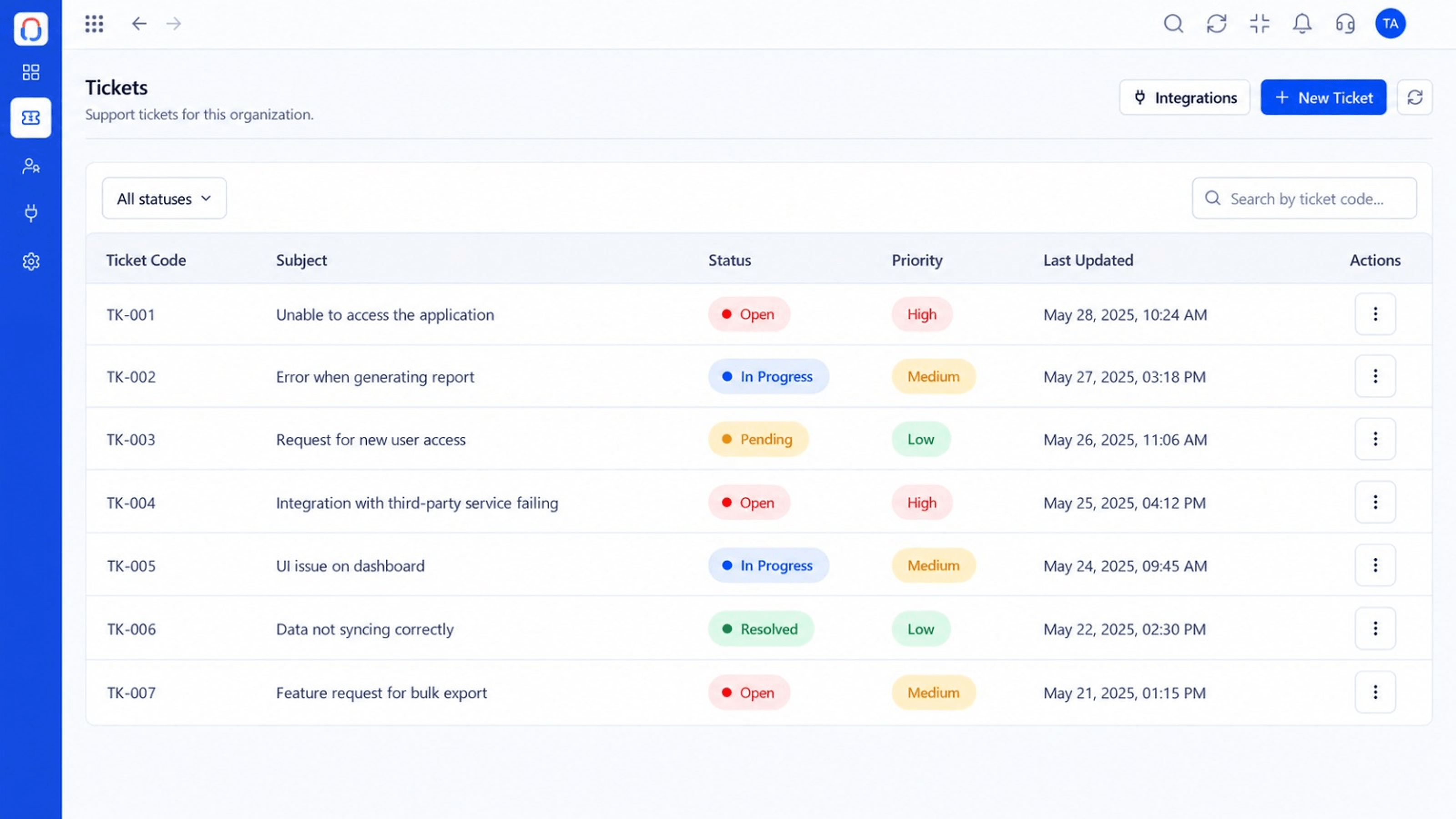 Tickets
Every request in one prioritised queue
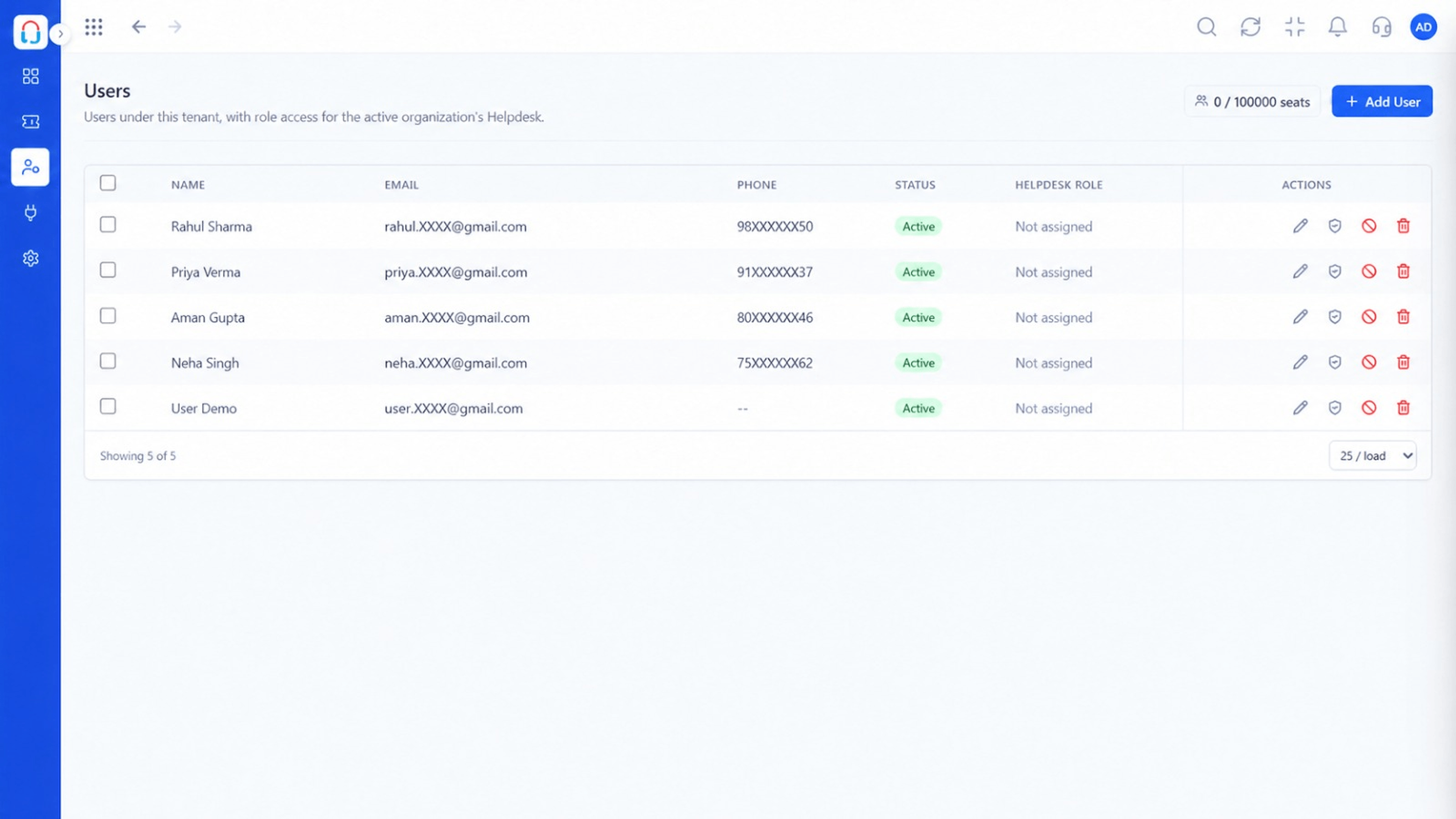 Team
TeamAgents, teams and roles in one place
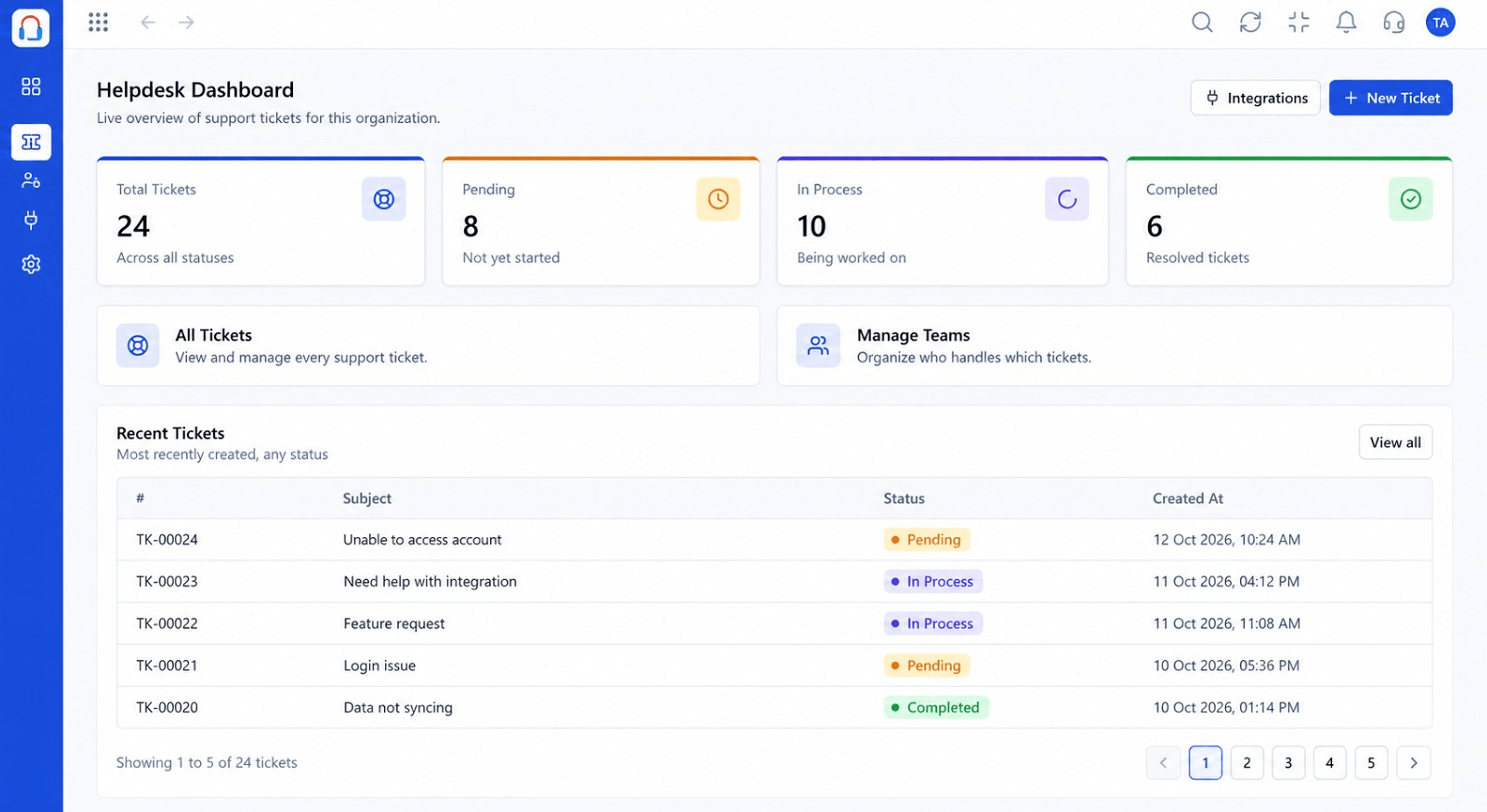 Dashboard
Live view of volume, backlog and response times
Feature Breakdown
Captured from the Triostack Desk workspace.
IntegrationsManage connections.
IntegrationsAll channels, one list.
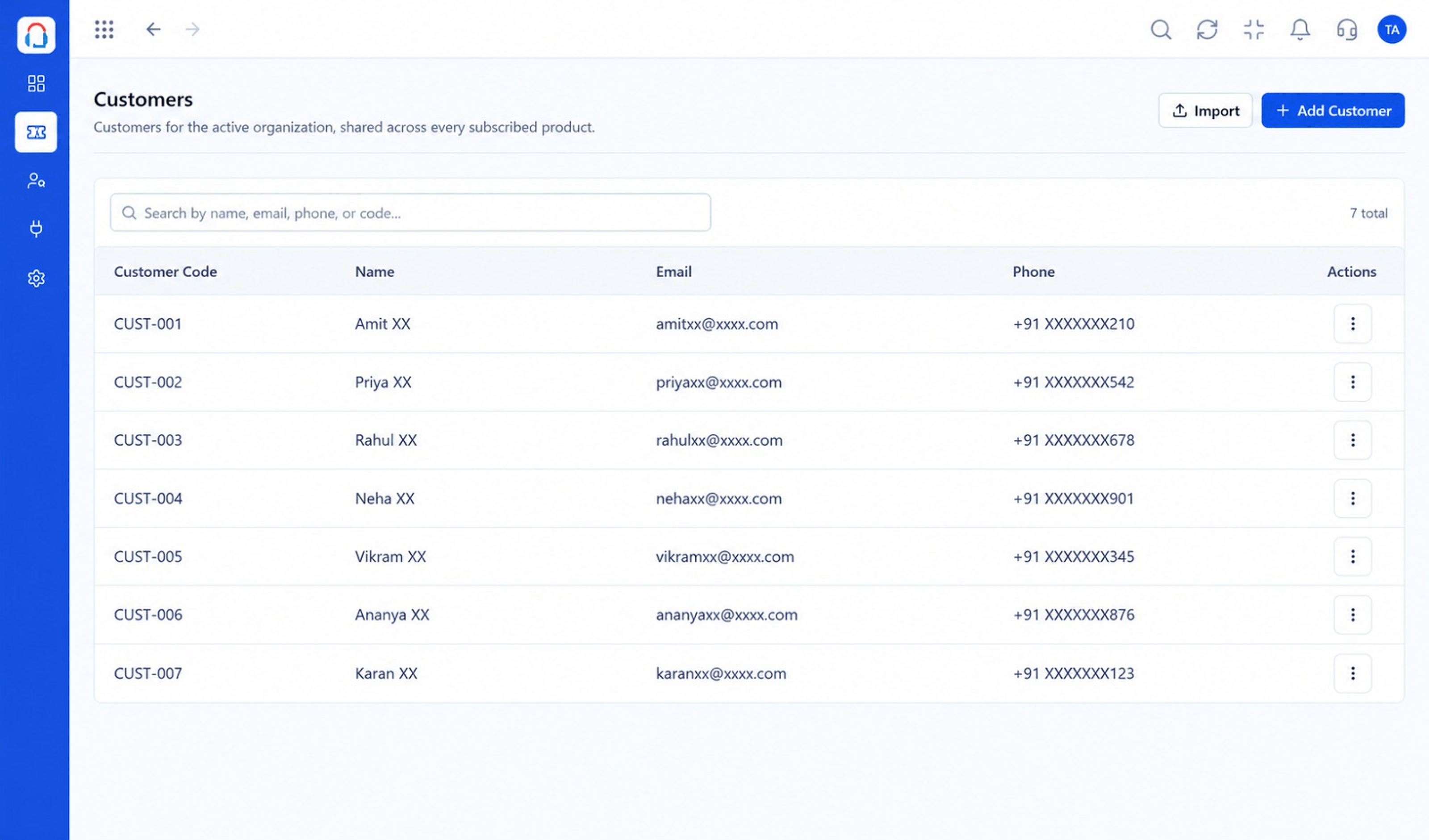 Integrations
Every contact together.
IntegrationsCompare demand.
Execution Plan
Connect your support address.
Link the Cloud API number.
Capture phone conversations.
Use the API for custom flows.
In Real Life
Scenario 01
Email only, tickets in one queue.
Scenario 02
WhatsApp added for quick questions.
Scenario 03
API connects your app's help button.
Frequently Asked Questions
Email, WhatsApp via the Cloud API, call logging and custom sources through the API.
No. Start with one and add more.
See each integration page for detail.
Contact us and tell us what you use.
Tickets, shared inbox, automation, SLAs, knowledge base and reports, built for support teams of every size.
