The best Business Suite software in India, built to help your business grow. Contact us at +91-8882435276.
[ Contact ]
Phone number
Email address
Head office
Noida office
The right team at TriostackOne will get back to you.
Connect your support addresses so incoming emails become tickets and replies go out from your own domain, with threads kept together.
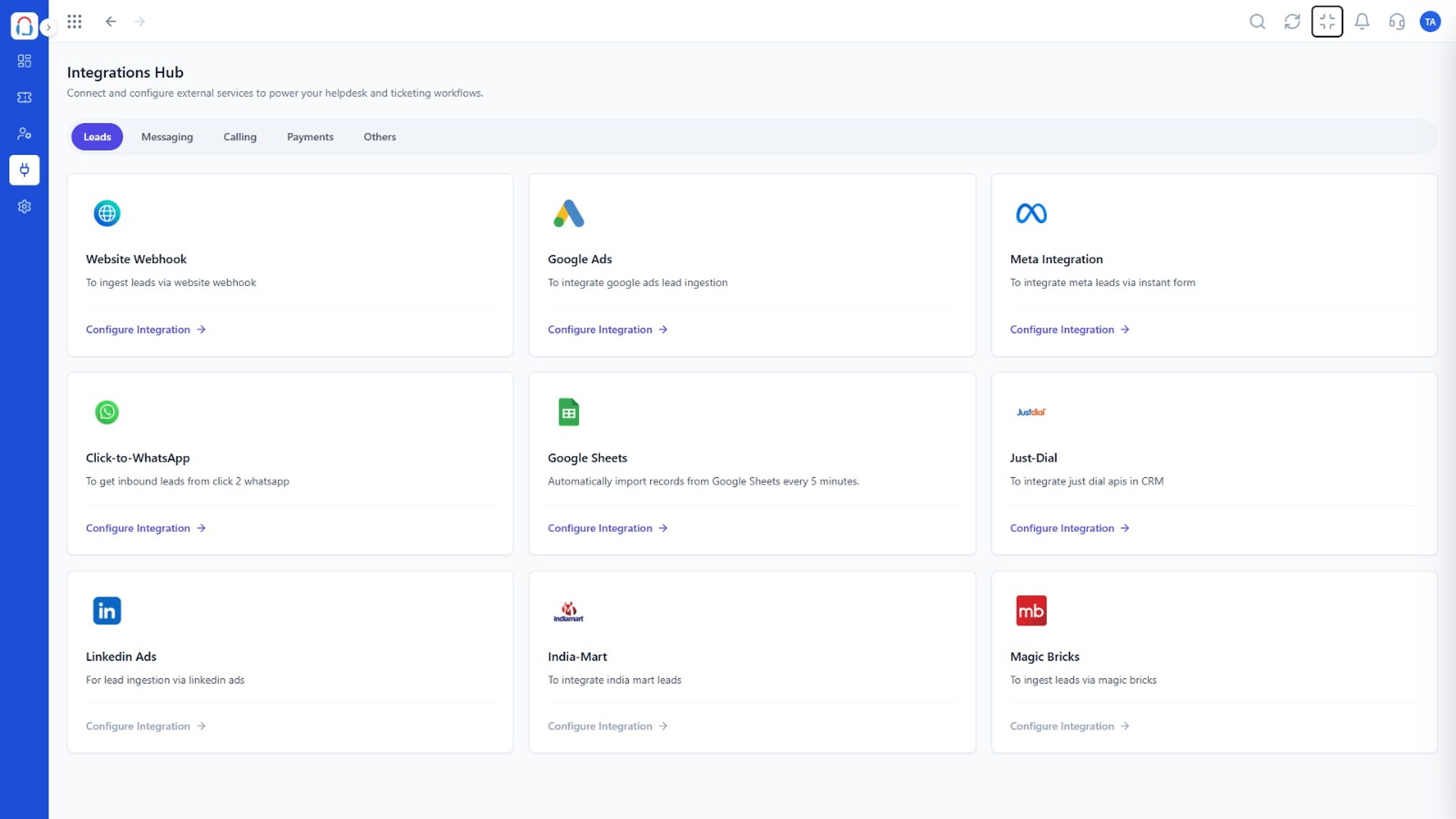
Replies sent from your support addresses
Positioning Assessment
Even in a world of chat, most support starts with an email. A helpdesk that cannot take over the inbox cleanly leaves agents working in two places.
Connect one or more support addresses and Desk creates tickets from incoming mail, keeps replies in thread and sends from your domain.
“Connecting the support address took minutes. From then on every email was a ticket.”
Sample team scenario
Illustrative example, not a customer testimonial
Illustrated Overview
Imagine every envelope that arrives being stamped with a ticket number, an owner and a due time before it reaches a desk.
Every message is tracked.
Context travels with the ticket.
Sent from your own domain.
Platform Integrity
Sales, support, billing
Replies stay together
Professional sender
Kept on the ticket
How It Works
What a ticketing layer adds to email.
| Dimension | Triostack Desk | Plain Inbox |
|---|---|---|
| Ownership | Each email becomes an owned ticket | Unclear |
| Threading | Replies grouped on one ticket | Mixed threads |
| Reporting | Volume and response times | None |
| Automation | Rules on incoming mail | Manual |
| Search | Across tickets and customers | Inbox search |
Our team can walk you through the connection, permissions and a first test ticket so you go live without guesswork.
Live Interface Tour
Real screens captured directly from the Triostack Desk workspace.
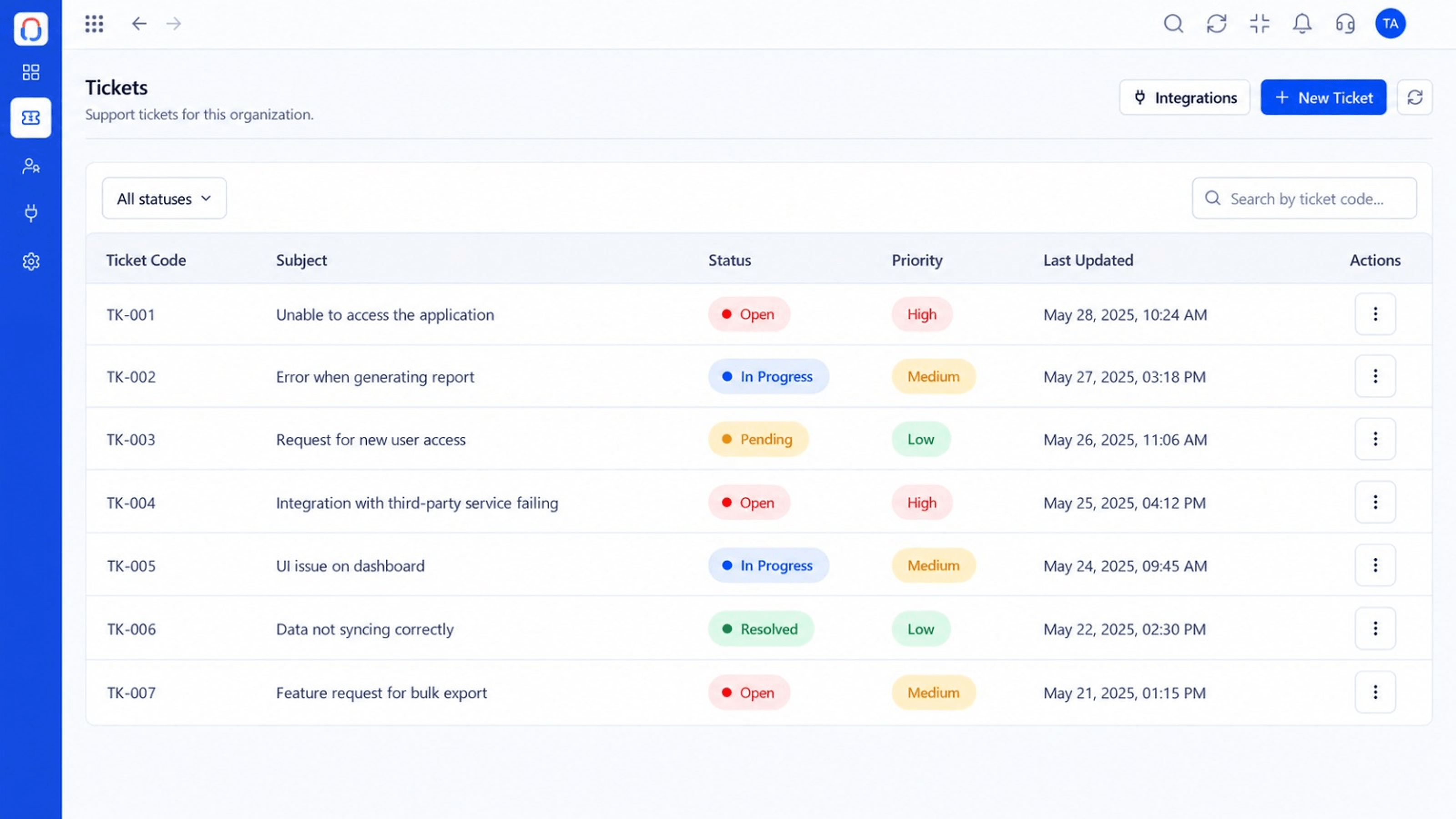 Tickets
Every request in one prioritised queue
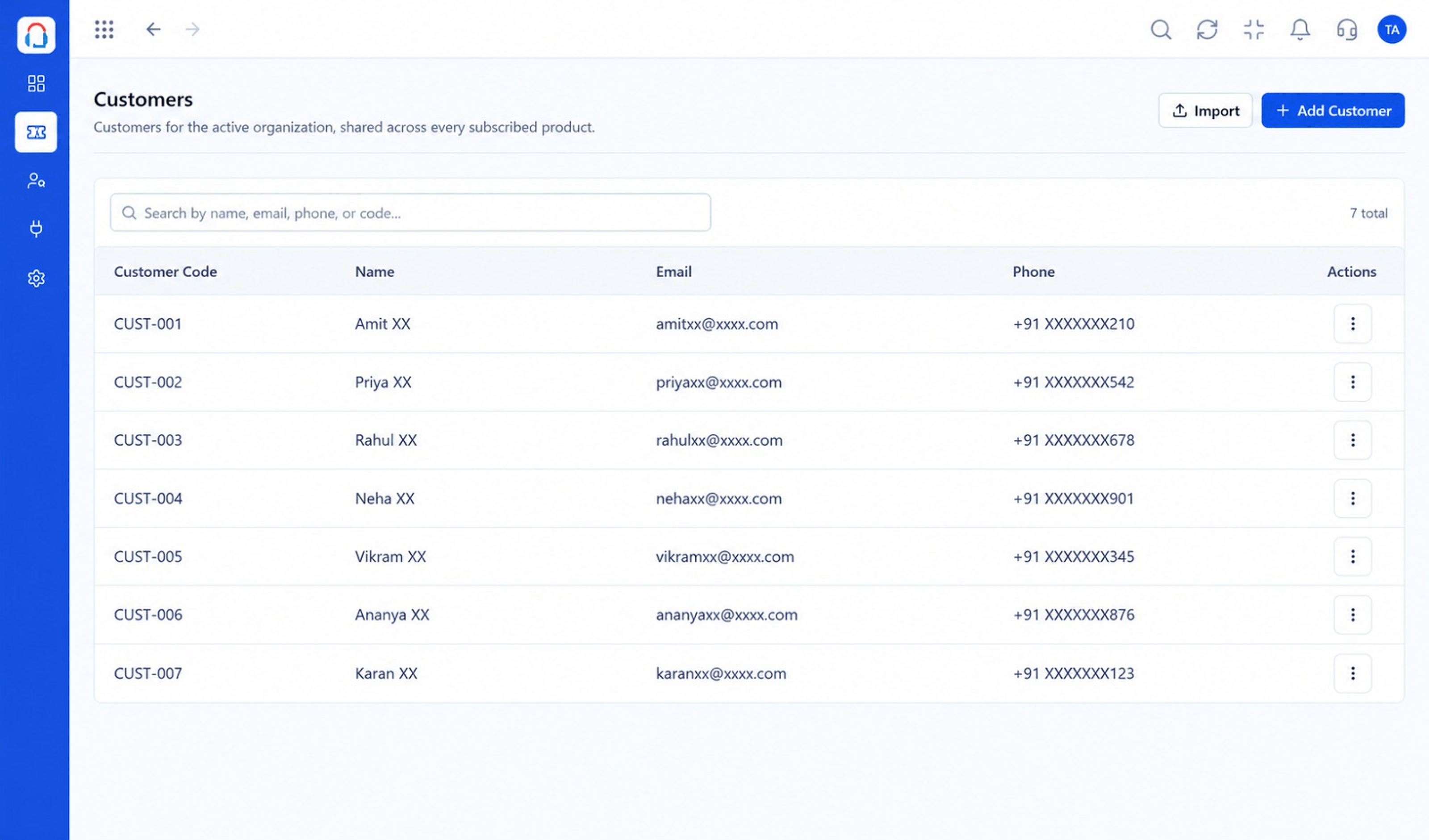 Customers
Every customer with their full ticket history
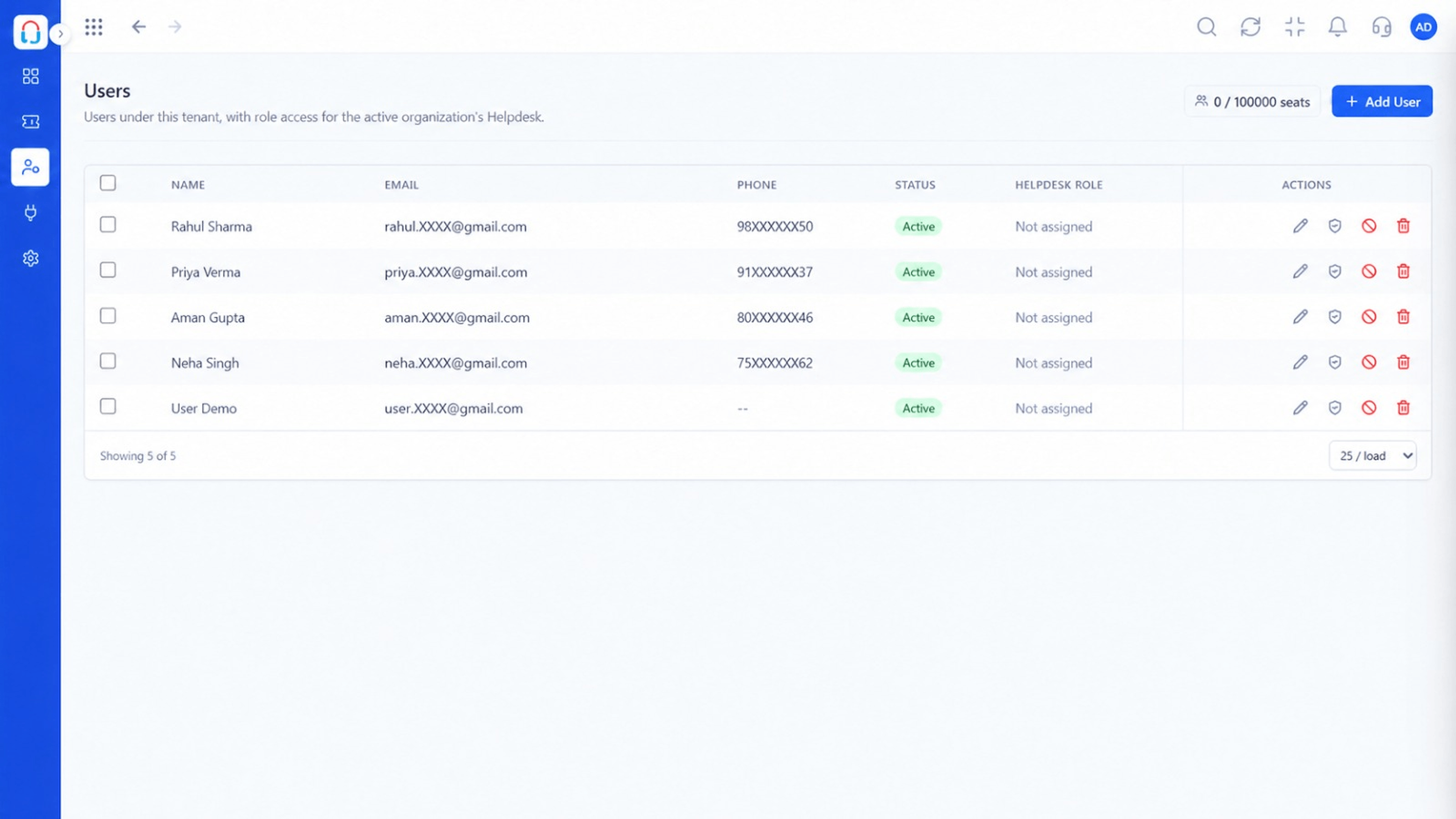 Team
TeamAgents, teams and roles in one place
Feature Breakdown
Captured from the Triostack Desk workspace.
IntegrationsConnect support addresses.
IntegrationsMail in the queue.
IntegrationsLink senders to customers.
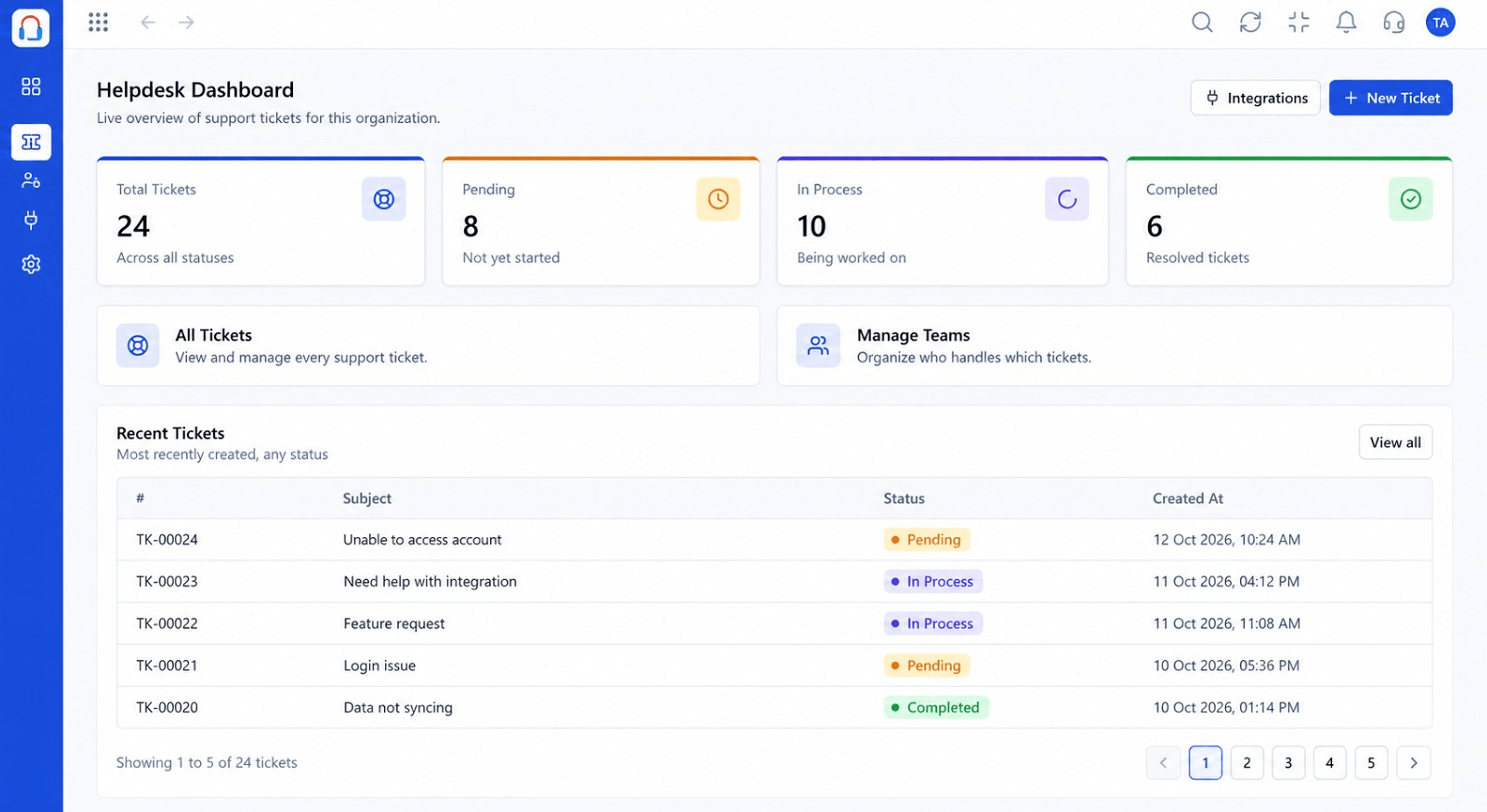 Integrations
Track email demand.
Execution Plan
Enter the support address.
Confirm ownership and sending.
Choose team and rules.
Incoming mail becomes tickets.
In Real Life
Scenario 01
Each address routes to its own team.
Scenario 02
billing@ goes straight to finance.
Scenario 03
A customer replies to an old email and lands on the right ticket.
Frequently Asked Questions
Yes, for example support, billing and sales.
Yes, once the address is verified.
Yes, on the ticket.
Desk connects with the Mail product and other email setups. Ask us about yours.
Tickets, shared inbox, automation, SLAs, knowledge base and reports, built for support teams of every size.
