The best Business Suite software in India, built to help your business grow. Contact us at +91-8882435276.
[ Contact ]
Phone number
Email address
Head office
Noida office
The right team at TriostackOne will get back to you.
Link your CRM, billing, chat and productivity tools so customer context flows into tickets and updates flow back out.
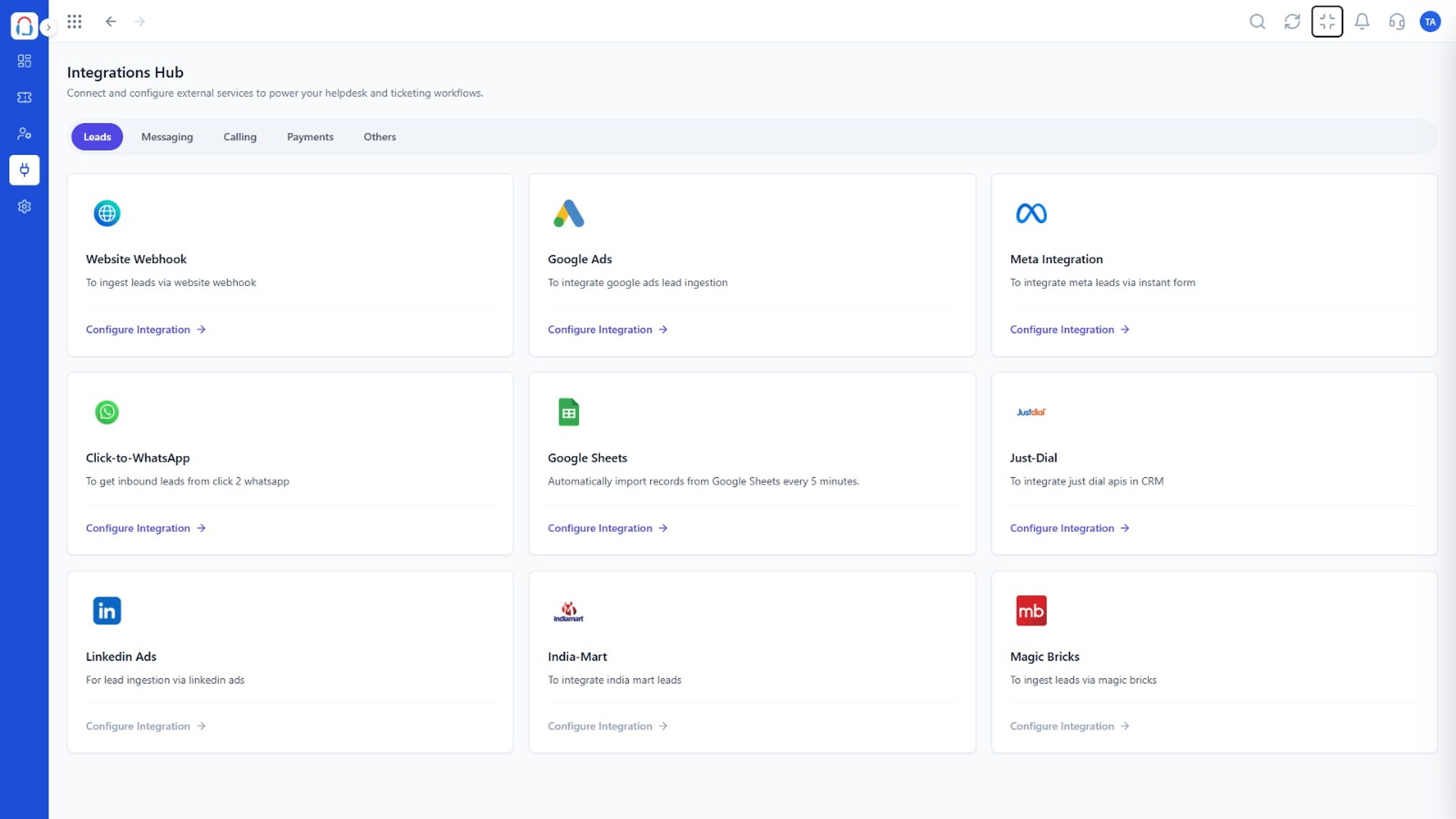
Customer context where agents need it
Positioning Assessment
To answer well, an agent needs order history, plan details and recent conversations. If those live in other tools, the answer takes longer.
Desk connects with the Triostack suite and other tools, so relevant context appears on the ticket and actions can flow back out. Available connectors vary, so ask us about your stack.
“Seeing the customer's plan and last invoice on the ticket removed three questions from every conversation.”
Sample team scenario
Illustrative example, not a customer testimonial
Illustrated Overview
Imagine a power strip where CRM, billing and chat each plug in and customer context lights up on the ticket.
No copy and paste.
Other tools learn what happened.
Connections are visible to admins.
Platform Integrity
CRM, Mail, Wabiz and more
Relevant data beside the reply
Notify other tools
Manage connections centrally
How It Works
Where integrations save agent time.
| Dimension | Triostack Desk | Disconnected Tools |
|---|---|---|
| Customer Context | On the ticket | In other tabs |
| Updates | Flow to other tools | Copied by hand |
| Setup | Managed in one place | Per tool |
| Consistency | Single source of truth | Divergent records |
| Agent Speed | Fewer questions | More lookups |
Our team can walk you through the connection, permissions and a first test ticket so you go live without guesswork.
Live Interface Tour
Real screens captured directly from the Triostack Desk workspace.
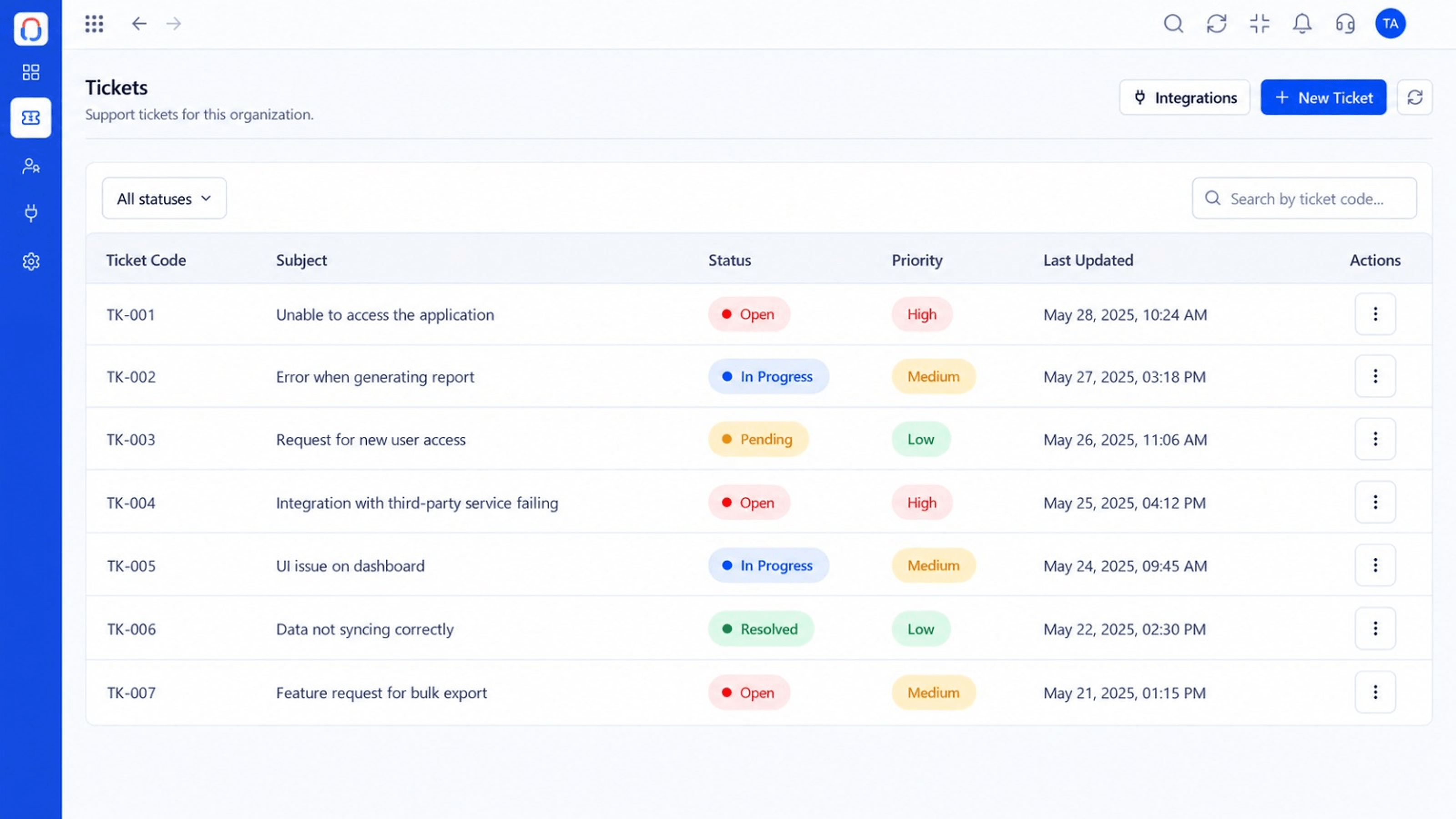 Tickets
Every request in one prioritised queue
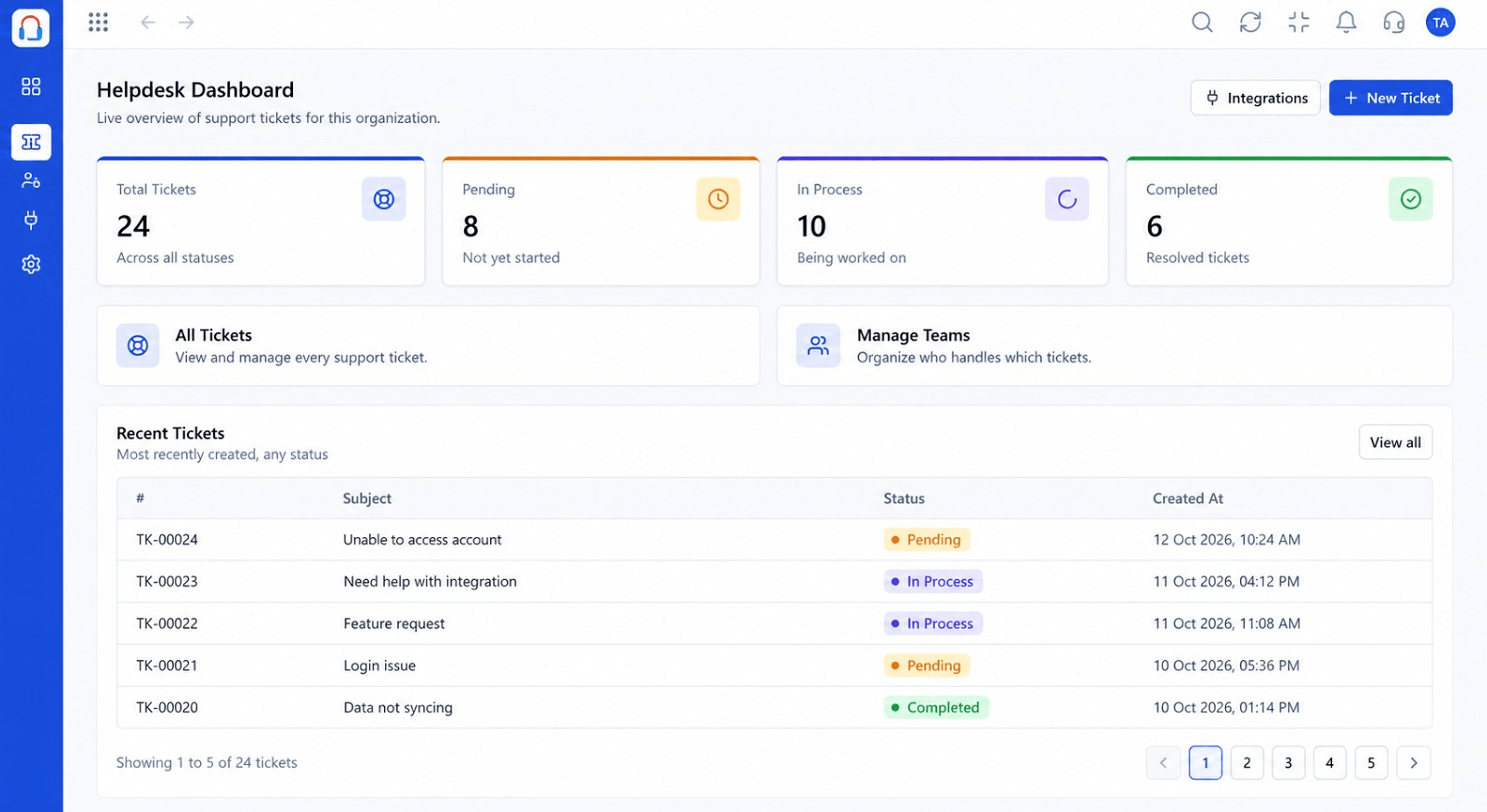 Dashboard
Live view of volume, backlog and response times
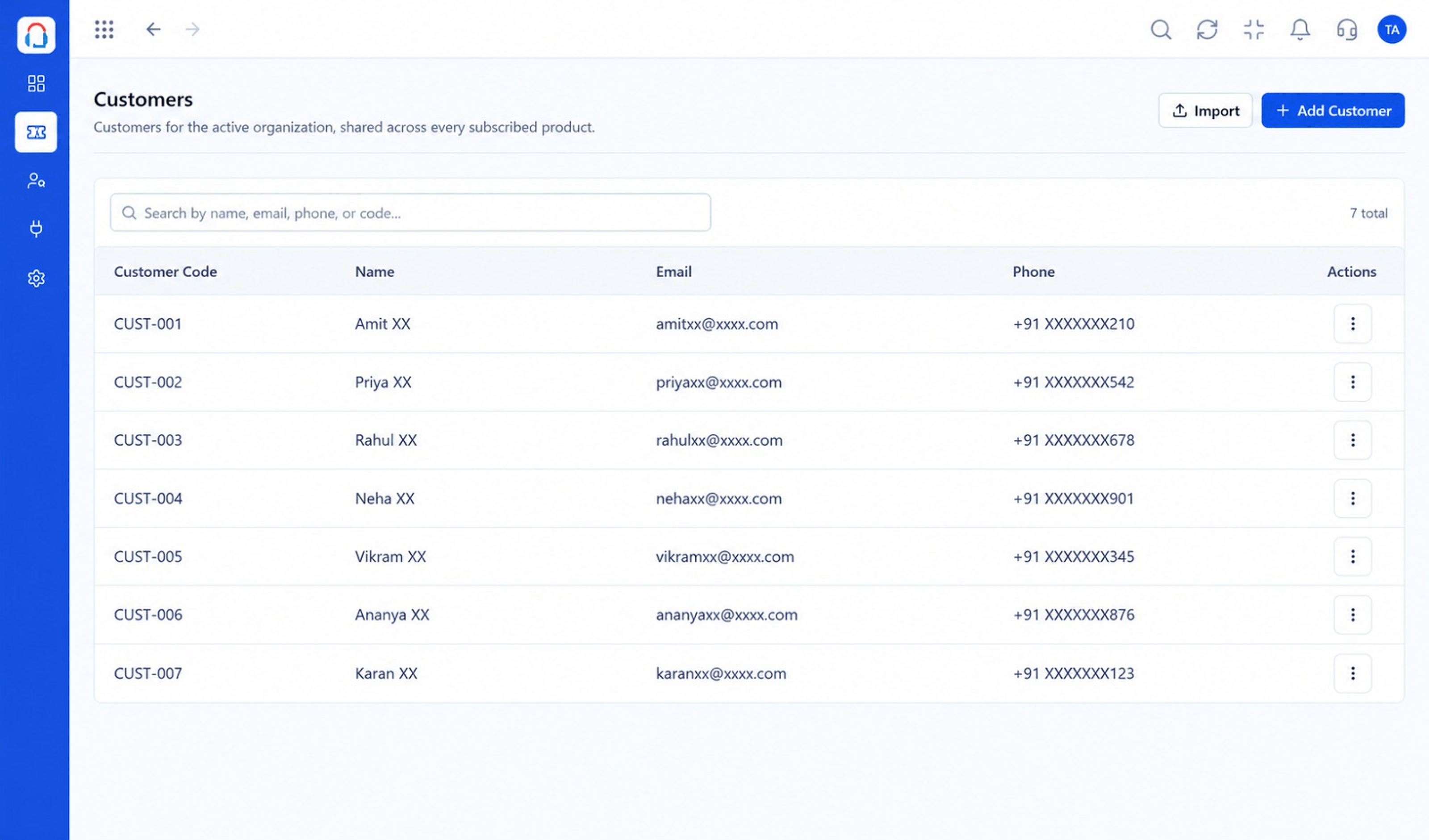 Customers
Every customer with their full ticket history
Feature Breakdown
Captured from the Triostack Desk workspace.
IntegrationsSee what is connected.
IntegrationsData beside the reply.
IntegrationsOne view of the customer.
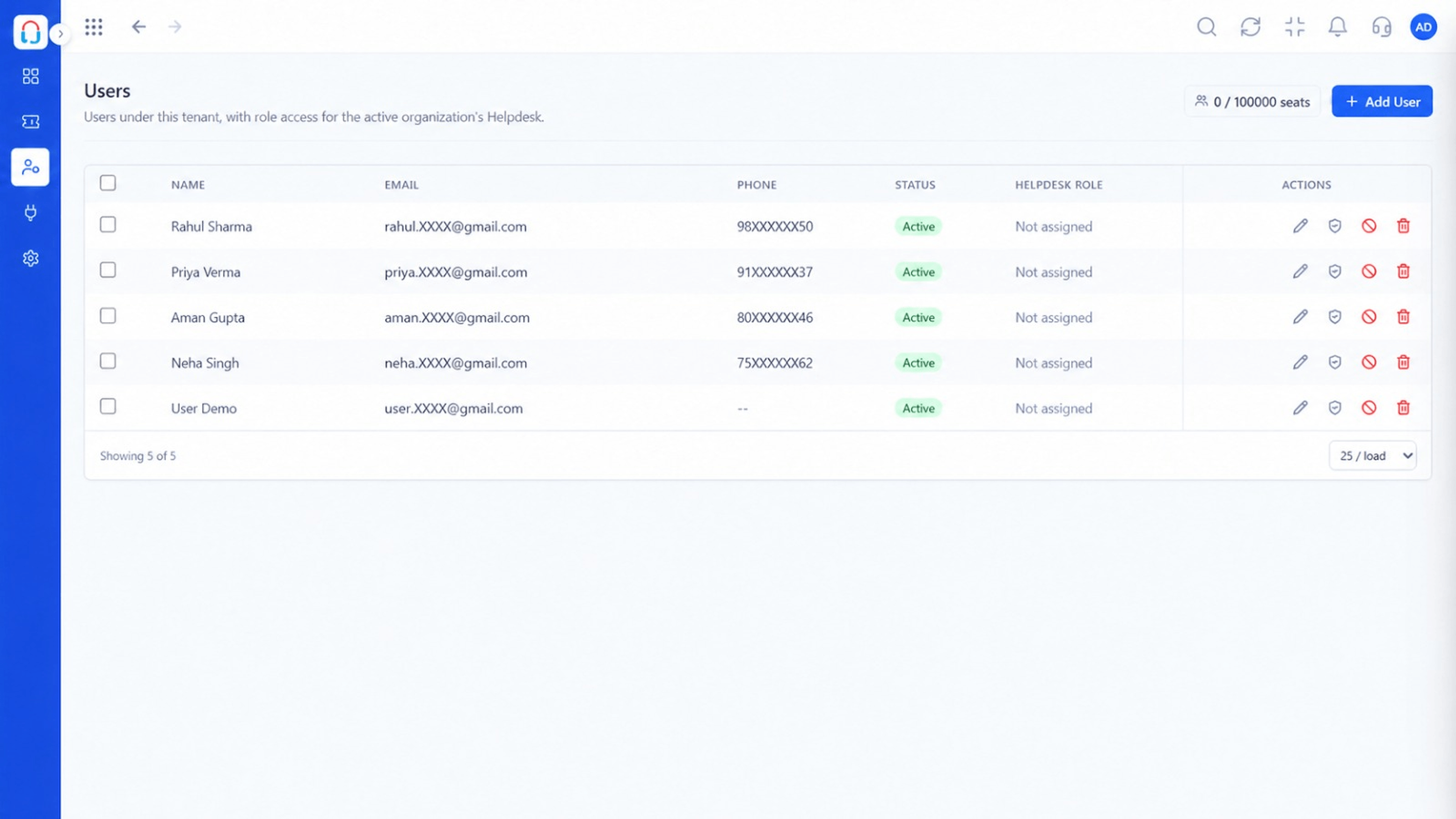 Integrations
Who manages connections.
Execution Plan
Pick the tool to connect.
Sign in and grant access.
Match fields and events.
Check data appears on tickets.
In Real Life
Scenario 01
The invoice is visible on the ticket.
Scenario 02
The CRM owner is notified of a high-priority ticket.
Scenario 03
A critical ticket pings the on-call channel.
Frequently Asked Questions
The Triostack suite plus other tools through connectors and the API. Ask us about your stack.
Depends on the connector. Many support both reading and updating.
Admins, based on role permissions.
Yes, with webhooks and the API.
Tickets, shared inbox, automation, SLAs, knowledge base and reports, built for support teams of every size.
